Chapter 40: Terraform Real AWS Labs VPC EC2 nginx S3 and IAM Role
40.5 Lab part 5 — a private S3 bucket, then destroy everything
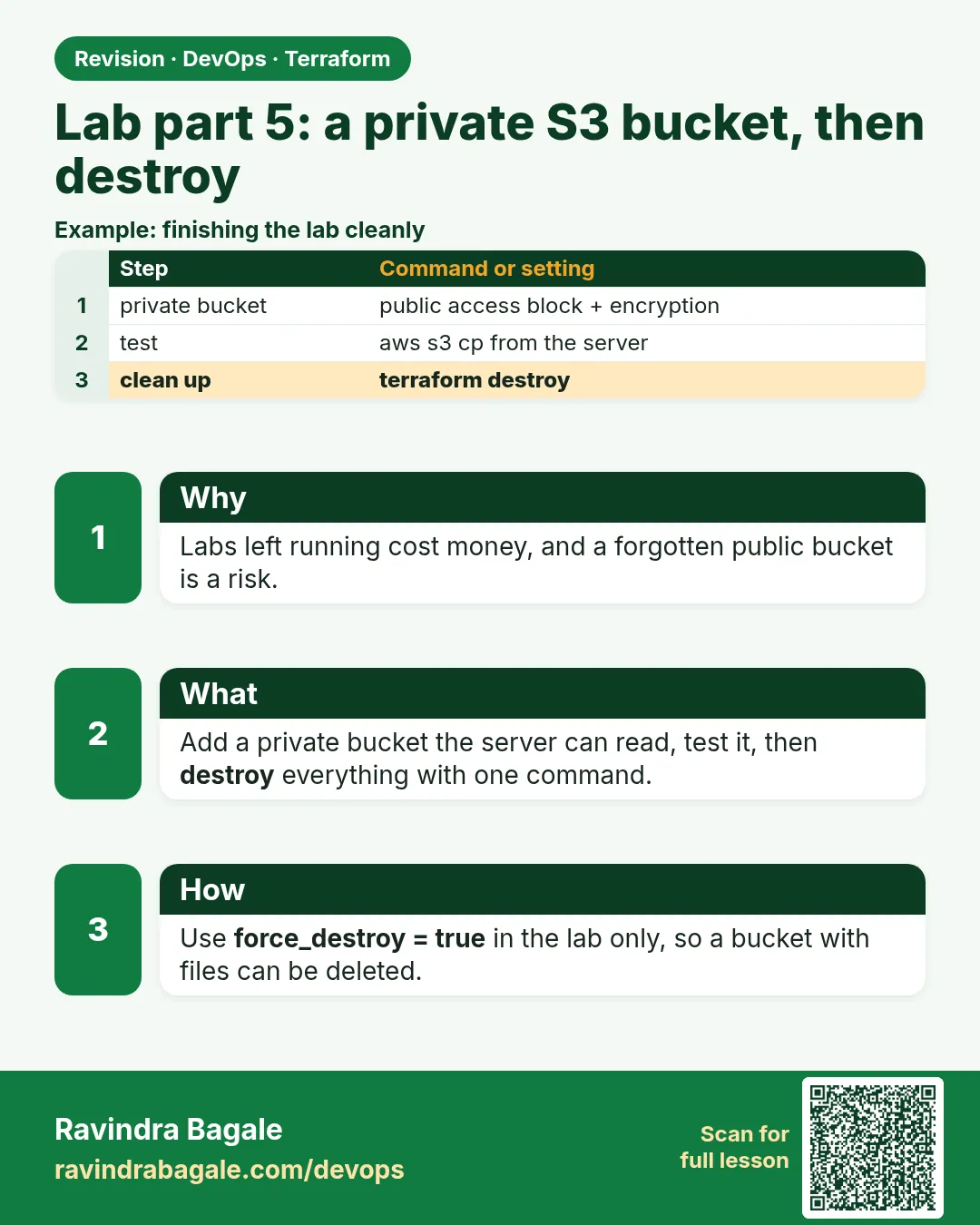
Story. An Instagram-style team stores static assets in S3 and must never make the bucket public by accident. The bucket gets public access fully blocked, encryption on, and force_destroy only in the lab so destroy can empty it. Then comes the most important step of every lab: terraform destroy, and confirm nothing is left running to avoid cost.
resource "aws_s3_bucket" "assets" {
  bucket        = "badge-lab-assets-<your-account-id>"
  force_destroy = true
}

resource "aws_s3_bucket_public_access_block" "assets" {
  bucket                  = aws_s3_bucket.assets.id
  block_public_acls       = true
  block_public_policy     = true
  ignore_public_acls      = true
  restrict_public_buckets = true
}

resource "aws_s3_object" "hello" {
  bucket  = aws_s3_bucket.assets.id
  key     = "hello.txt"
  content = "served through the instance role"
}

# from a Session Manager shell on the instance
aws s3 cp s3://badge-lab-assets-<your-account-id>/hello.txt -

# back on your machine
terraform destroy
What each line does
bucket = "badge-lab-assets-<your-account-id>"— Unique name; replace the placeholder.force_destroy = true— Lets destroy delete a bucket that still has objects; lab only.block_public_acls = true (and the three lines after)— Blocks all public access.resource "aws_s3_object" "hello" {— Uploads one small test object.content = "served through the instance role"— The object body.aws s3 cp s3://.../hello.txt -— Reads the object on the server using the role; no keys configured.terraform destroy— Deletes every lab resource to avoid cost.
When it is green.
served through the instance role

Plan: 0 to add, 0 to change, 18 to destroy.
Destroy complete! Resources: 18 destroyed.
When it is red.
download failed: s3://badge-lab-assets-.../hello.txt to - An error occurred (AccessDenied)
when calling the GetObject operation: Access Denied
Fix. The role policy resource ARN is wrong, or the instance profile is missing. Check part 4 and remember the /* at the end of the bucket ARN.
What: every term in plain English
- public access block — Four settings that stop any ACL or policy from making the bucket public.
- server-side encryption — S3 encrypts every object on disk. SSE-S3 is free; SSE-KMS uses a KMS key.
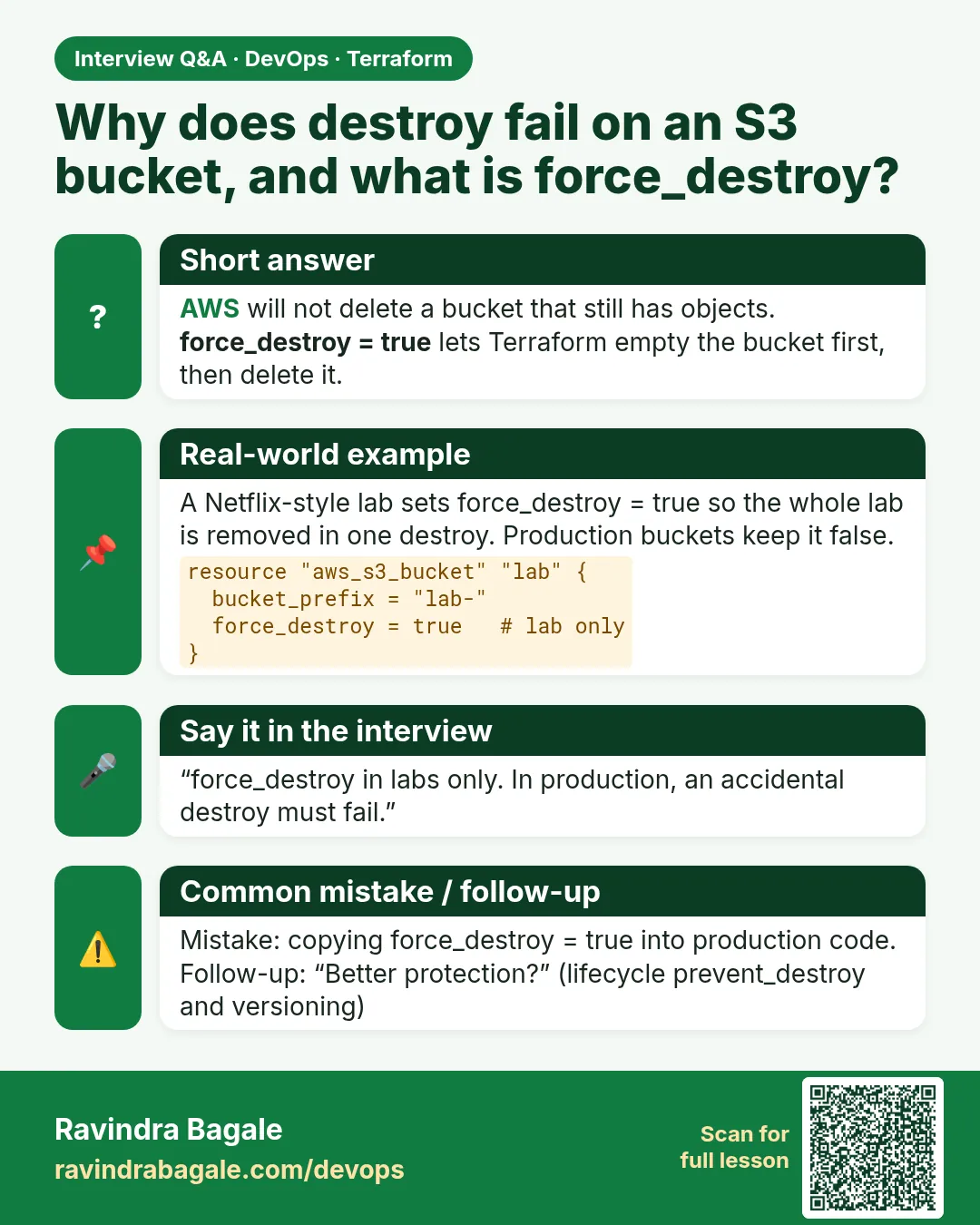
- force_destroy — Lets terraform destroy delete a bucket that still has objects. Use only in labs.
- aws_s3_object — A Terraform resource that uploads one file to a bucket.
- etag — A hash of the object. Terraform uses filemd5 to notice when the file changes.
- destroy plan — terraform plan -destroy shows what will be deleted before you delete it.
- leftover check — Commands run after destroy to prove nothing is still billing.
Example 1: Upload a test object with Terraform
A Nykaa team ships its config files to S3 through Terraform, so every change is reviewed. Do the same with one small file.
- Create hello.txt with printf.
- Add an aws_s3_object resource.
- Apply.
resource "aws_s3_object" "hello" {
  bucket = aws_s3_bucket.assets.id
  key    = "hello.txt"
  source = "${path.module}/hello.txt"
  etag   = filemd5("${path.module}/hello.txt")
}
printf 'Hello from the badge lab\n' > hello.txt
terraform apply -auto-approve
aws s3 ls s3://badge-lab-assets-123456789012/
Output
Apply complete! Resources: 1 added, 0 changed, 0 destroyed.
2026-10-25 12:20:44         25 hello.txt
What it shows: Change hello.txt and plan again; the etag changes, so Terraform uploads the new version.
Example 2: Prove the bucket is private
Every quarter, auditors at a Bajaj Finserv vendor try the public URL. Do it yourself first.
- Try the public object URL with curl.
- Read the public access block.
curl -s -o /dev/null -w "%{http_code}\n" https://badge-lab-assets-123456789012.s3.ap-south-1.amazonaws.com/hello.txt
aws s3api get-public-access-block --bucket badge-lab-assets-123456789012 --output text
Output
403
PUBLICACCESSBLOCKCONFIGURATION  True    True    True    True
What it shows: 403 from outside and all four blocks True. Only the role can read it.
Example 3: Read the destroy plan before destroying
At a Jio project, a destroy ran in the wrong folder and removed a shared VPC. Reading the destroy plan takes ten seconds and prevents that.
- Run terraform workspace show and pwd.
- Run plan -destroy.
- Count the resources.
pwd; terraform workspace show
terraform plan -destroy | tail -1
terraform destroy -auto-approve | tail -1
Output
/home/ravi/aws-lab
default
Plan: 0 to add, 0 to change, 17 to destroy.
Destroy complete! Resources: 17 destroyed.
What it shows: The count matches what you built across the five parts. Right folder, right workspace, then destroy.
Example 4: Check nothing is left running
A forgotten instance from a weekend lab is the most common surprise bill. Run three checks after every destroy.
- List lab instances.
- List lab buckets.
- Check state is empty.
aws ec2 describe-instances --filters Name=tag:Project,Values=badge-lab Name=instance-state-name,Values=running \
  --query "length(Reservations)"
aws s3 ls | grep badge-lab || echo "no lab buckets"
terraform state list | wc -l
Output
0
no lab buckets
0
What it shows: Zero running, zero buckets, empty state. The default_tags from part 1 make this check easy.
Command cheat sheet
| Command | What it does | When to use it |
|---|---|---|
terraform plan -destroy |
Shows what destroy will delete | Before every destroy |
terraform destroy |
Deletes everything in state | End of every lab |
aws s3api get-public-access-block --bucket B |
Shows the four blocks | Audit privacy |
aws s3 ls s3://B/ |
Lists objects | Check uploads |
aws ec2 describe-instances --filters Name=tag:Project,Values=badge-lab |
Finds lab servers | Leftover check |
terraform state list | wc -l |
Counts managed resources | Prove empty state |
Verify: did it work?
-
Bucket is private
curl -s -o /dev/null -w "%{http_code}" https://badge-lab-assets-123456789012.s3.ap-south-1.amazonaws.com/hello.txtOutput
403 -
State empty after destroy
terraform state list | wc -lOutput
0
When it is red 1
Error: deleting S3 Bucket: BucketNotEmpty: The bucket you tried to delete is not empty
Cause. Objects remain and force_destroy is false.
Fix, step by step
- Set force_destroy = true for the lab and apply.
- Run destroy again.
- Or empty the bucket with aws s3 rm --recursive.
When it is red 2
Error: creating S3 Bucket: BucketAlreadyExists
Cause. Bucket names are global and someone owns that name.
Fix, step by step
- Add your account id to the name.
- Plan again.
When it is red 3
Error: deleting EC2 VPC: DependencyViolation
Cause. Something made by hand is still in the VPC, such as an ENI or a security group.
Fix, step by step
- Find it with describe-network-interfaces filtered by VPC.
- Delete it in the console.
- Run destroy again.
Cleanup
terraform destroy -auto-approve
rm -f hello.txt
Ravindra Bagale's Tip
End every lab with three leftover checks: instances, buckets, state. Make it a habit and you will never get a surprise bill.
Practice tasks
Easy Upload
Why: Use aws_s3_object.
What to do: Upload hello.txt with Terraform.
- Use filemd5 for etag.
Check: hello.txt listed.
Easy Private
Why: Audit it.
What to do: Curl the public URL.
- Expect 403.
Check: 403.
Medium Destroy plan
Why: Avoid accidents.
What to do: Run plan -destroy and read the count.
- Check pwd first.
Check: 17 to destroy.
Medium Leftovers
Why: Avoid cost.
What to do: Run the three checks after destroy.
- Use the Project tag.
Check: 0, no lab buckets, 0.
Easy Say it in two lines
Why: If you can say it simply, you understand it.
What to do: Write two short lines about this lesson for a fresher.
- Write the problem it solves.
- Write the one command or file you use.
- Read it aloud.
Check: A fresher understands it without a question.
Easy Start a safe lab folder
Why: Practice needs a throwaway place.
What to do: Make a new folder with versions.tf and a random_pet resource, so no AWS cost.
- mkdir tf-lab and cd into it.
- Add the hashicorp/random provider and one random_pet.
- Run terraform init and terraform apply.
Check: Apply complete! with 1 added.
Medium Break it on purpose
Why: You must know the red output by face.
What to do: Cause one error from the red part of this lesson and fix it.
- Follow one red section.
- Copy the exact message to your notes.
- Write the fix in one line.
Check: You fixed it without searching the web.
Medium Run it twice
Why: A second run must be quiet.
What to do: Run the same plan two times with no edits.
- Run terraform plan.
- Run it again.
- Explain any change it still shows.
Check: The second plan says No changes, or you can explain each line.
Medium Write a runbook page
Why: At 2 a.m. nobody remembers flags.
What to do: Write a one-page runbook for this lesson.
- Title, when to use, exact commands, how to check, how to undo.
Check: A teammate can follow it alone.
Medium Run it from a pipeline
Why: Real teams run Terraform from CI, not from laptops.
What to do: Run the main command of this lesson inside a GitHub Actions or Jenkins job.
- Add a job with hashicorp/setup-terraform or a Terraform Docker image.
- Give it AWS access through an IAM role, never a key in the file.
- Run init, then the command from this lesson.
Check: The job log shows the same output you saw on your laptop.
Medium Check the cost
Why: Labs left running cost real money.
What to do: Find what this lesson would cost per day if you forgot to destroy it.
- Open the AWS Pricing Calculator.
- Add each resource from your plan.
- Write the daily cost in your notes.
Check: You know the daily cost and you ran terraform destroy.
Hard Draw the flow top to bottom
Why: A drawing shows the order of work.
What to do: Draw this lesson as boxes from top to bottom.
- Start at your code, go through plan and state, end at AWS.
- Mark where each command reads or writes.
Check: Each box matches a real step you ran.
Hard Explain it like an interview
Why: Interviewers want real stories.
What to do: Record a 60 second answer about this lesson.
- Say the problem, the command, and one error you hit.
Check: Your answer has a real command and a real error message.
Homework: try at home
Try at home
Write a destroy checklist for your team with pwd, workspace, plan -destroy, destroy and the three leftover checks.
Recap
- Block public access and encrypt every bucket.
- force_destroy only in labs.
- Upload files with aws_s3_object and filemd5.
- Read plan -destroy, then destroy.
- Prove nothing is left with three checks.
FAQ
Is force_destroy safe in prod?
No. It deletes all objects. Keep it false outside labs.
Is SSE-S3 enough?
For most labs and many apps, yes. Use KMS when you need key control or audit.
Why 403 and not 404?
S3 hides whether the object exists from callers who are not allowed.
Can I destroy one part only?
Use -target only for emergencies. For labs, destroy all.
What costs money in this lab?
The EC2 instance and its public IPv4 address. The rest is almost free.
Interview questions
-
How do you keep an S3 bucket private with Terraform?
aws_s3_bucket_public_access_block with all four settings true, plus encryption.
-
What is force_destroy?
Allows deleting a non-empty bucket on destroy.
-
How do you upload a file with Terraform?
aws_s3_object with source and etag = filemd5.
-
How do you avoid destroying the wrong thing?
Check folder and workspace, read plan -destroy.
-
How do you confirm nothing is left after a lab?
Check instances, buckets and an empty state list.
Quick quiz
Q1. HTTP code for a private object?
403
Q2. Setting to delete non-empty buckets?
force_destroy
Q3. Command to preview destroy?
terraform plan -destroy
Q4. Function used for etag?
filemd5
Q5. Empty state count after destroy?
0
Lab
- Create versions.tf with the AWS provider ~> 5.0 and your region.
- Add parts 1 to 5 as vpc.tf, sg.tf, ec2.tf, iam.tf and s3.tf, plus the aws_ami data source.
- Run terraform init, fmt and validate.
- Run terraform plan and confirm the add count.
- Run terraform apply and open web_url in a browser.
- Open Session Manager on the instance and read hello.txt.
- Run terraform destroy and confirm Destroy complete! to avoid cost.
Practice task
Add a second instance in subnet b using for_each over the subnets, and describe the plan you expect.
Ravindra Bagale's Tip
Write terraform destroy on a sticky note before you type apply.
In short
- A public subnet needs an internet gateway and a 0.0.0.0/0 route.
- No SSH: HTTP only, Session Manager through the role.
- user_data configures the server at boot; IMDSv2 is required.
- Roles give servers temporary credentials; no keys on disk.
- Private buckets block public access; destroy at the end.
Samajla ka?
 Revision card
 Interview card