Chapter 40: Terraform Real AWS Labs VPC EC2 nginx S3 and IAM Role
40.3 Lab part 3 — EC2 with nginx from user_data
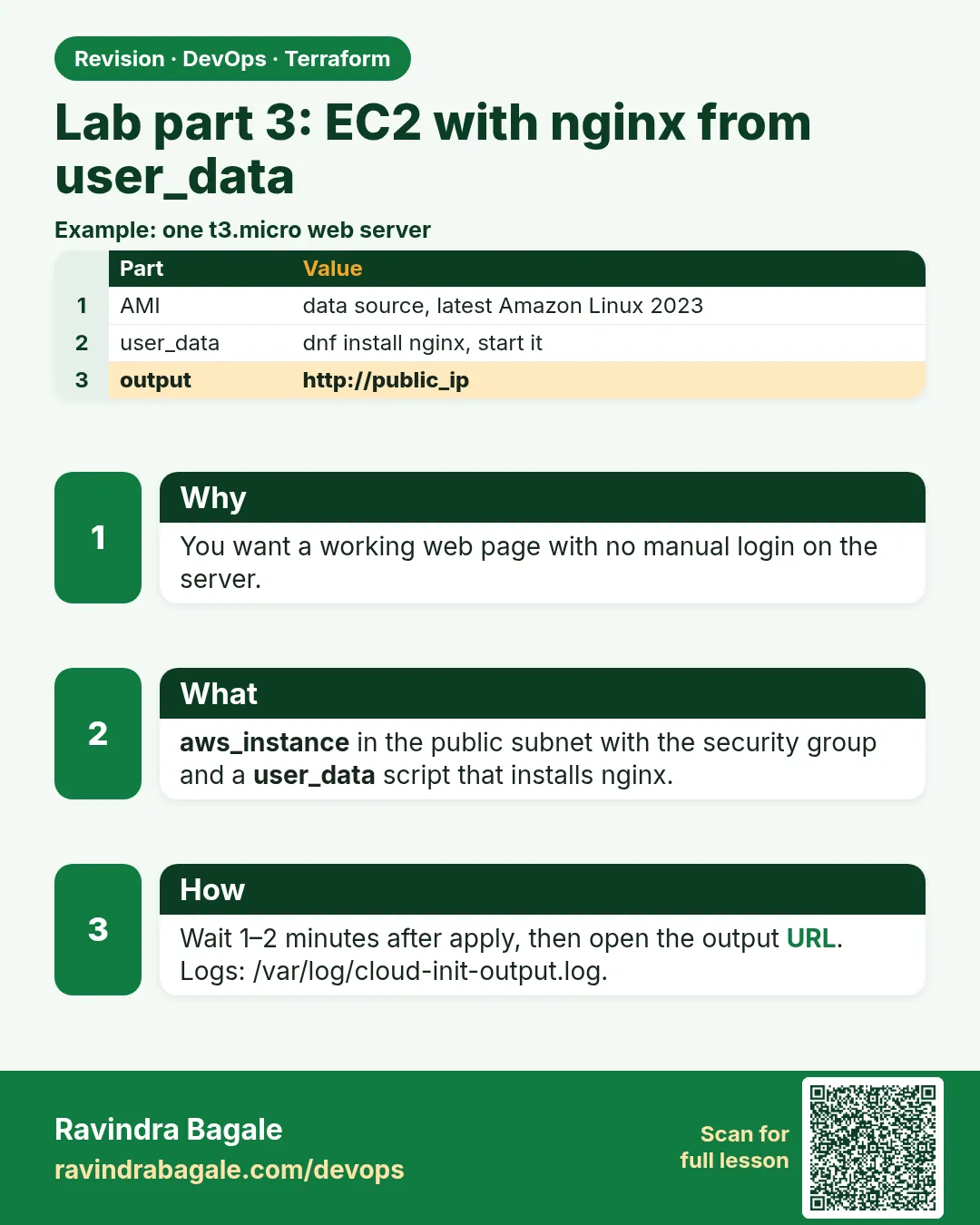
Story. A Netflix-style team never logs in to configure a server by hand; the server configures itself at first boot. user_data passes a script to cloud-init, which runs it as root once. Here it installs nginx and writes a page that shows the instance id. IMDSv2 is required so the metadata service cannot be read with a simple forged request.
resource "aws_instance" "web" {
  ami                    = data.aws_ami.al2023.id
  instance_type          = "t3.micro"
  subnet_id              = aws_subnet.public["a"].id
  vpc_security_group_ids = [aws_security_group.web.id]
  iam_instance_profile   = aws_iam_instance_profile.web.name

  metadata_options {
    http_tokens = "required"
  }

  # user_data.sh sits next to this file:
  #   #!/bin/bash
  #   dnf install -y nginx
  #   TOKEN=$(curl -s -X PUT http://169.254.169.254/latest/api/token -H "X-aws-ec2-metadata-token-ttl-seconds: 60")
  #   ID=$(curl -s -H "X-aws-ec2-metadata-token: $TOKEN" http://169.254.169.254/latest/meta-data/instance-id)
  #   echo "<h1>Badge lab - $ID</h1>" > /usr/share/nginx/html/index.html
  #   systemctl enable --now nginx
  user_data = file("${path.module}/user_data.sh")

  user_data_replace_on_change = true
  tags = { Name = "badge-lab-web" }
}

output "web_url" {
  value = "http://${aws_instance.web.public_dns}"
}
What each line does
ami = data.aws_ami.al2023.id— The latest Amazon Linux 2023 image from the data source in Chapter 33.subnet_id = aws_subnet.public["a"].id— Places the server in public subnet a.vpc_security_group_ids = [aws_security_group.web.id]— Applies the HTTP-only group.iam_instance_profile = aws_iam_instance_profile.web.name— Gives the server the role from part 4.http_tokens = "required"— Forces IMDSv2 for the metadata service.user_data = file("${path.module}/user_data.sh")— Reads the boot script from user_data.sh and passes it to cloud-init.dnf install -y nginx— Installs nginx.TOKEN=$(curl -s -X PUT .../api/token ...)— Gets a short-lived IMDSv2 token.ID=$(curl -s -H "X-aws-ec2-metadata-token: $TOKEN" .../instance-id)— Reads this instance id with the token.echo "h1 Badge lab - $ID" > .../index.html— Writes the home page with an h1 heading.systemctl enable --now nginx— Starts nginx now and on every boot.user_data_replace_on_change = true— Changing the script replaces the instance so the new script really runs.value = "http://${aws_instance.web.public_dns}"— Prints the URL to open.
When it is green.
Apply complete! Resources: 1 added, 0 changed, 0 destroyed.
Outputs:
web_url = "http://ec2-203-0-113-25.ap-south-1.compute.amazonaws.com"

$ curl -s $(terraform output -raw web_url)
<h1>Badge lab - i-0abc123...</h1>
When it is red.
$ curl -I $(terraform output -raw web_url)
curl: (7) Failed to connect to ec2-203-0-113-25... port 80: Connection refused
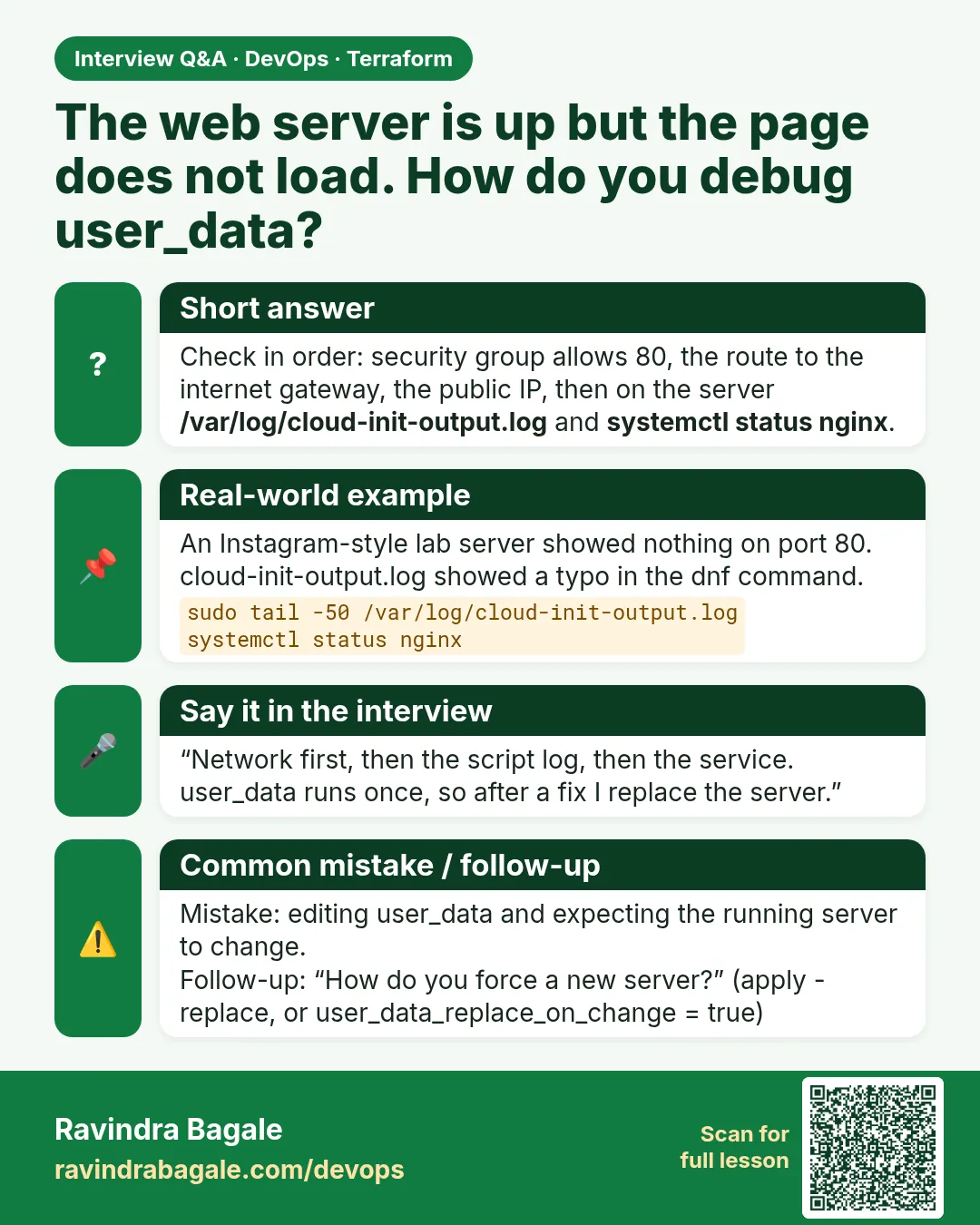
Fix. Wait a minute for cloud-init, then check sudo cat /var/log/cloud-init-output.log through Session Manager. If the connection times out instead, the route table or security group is wrong.
What: every term in plain English
- AMI — Amazon Machine Image. The disk template a server boots from, such as Amazon Linux 2023.
- data source — A read-only lookup. data.aws_ami finds the newest AMI id so you never paste one.
- user_data — A script given to the instance at launch. cloud-init runs it once, as root, on first boot.
- cloud-init — The agent inside the image that reads user_data and runs it.
- IMDSv2 — Version 2 of the instance metadata service. Every read needs a short-lived token first.
- user_data_replace_on_change — When true, changing the script replaces the instance, so the new script really runs.
- file() — A Terraform function that reads a file next to your code and returns its text.
Example 1: Write user_data.sh and the AMI lookup
Keeping the boot script in its own file means shellcheck and code review work on it like any other script. That is how a Razorpay platform team keeps boot scripts clean.
- Create user_data.sh with the lines shown in the lesson comment.
- Add the AMI data source.
- Run validate.
# ami.tf
data "aws_ami" "al2023" {
  most_recent = true
  owners      = ["amazon"]
  filter {
    name   = "name"
    values = ["al2023-ami-2023.*-x86_64"]
  }
}
printf '%s\n' '#!/bin/bash' 'dnf install -y nginx' 'systemctl enable --now nginx' > user_data.sh
shellcheck user_data.sh && echo script-ok
terraform validate
Output
script-ok
Success! The configuration is valid.
What it shows: printf writes the file line by line. The full script from the lesson also writes the page with the instance id.
Example 2: Apply and open the page
The proof of a lab is a page in the browser, not a green apply. Always finish with curl.
- Plan and check 1 to add.
- Apply.
- Wait about a minute.
- Curl the output URL.
terraform apply -auto-approve
sleep 60
curl -s -o /dev/null -w "%{http_code}\n" $(terraform output -raw web_url)
curl -s $(terraform output -raw web_url)
Output
Apply complete! Resources: 1 added, 0 changed, 0 destroyed.
200
Badge lab - i-0a1b2c3d4e5f60718
What it shows: HTTP 200 and the instance id prove that cloud-init ran, nginx started and the network path is open.
Example 3: Read the cloud-init log without SSH
When the page does not load, the answer is in the cloud-init log. At HCL support desks, Session Manager is the only way in.
- Start a Session Manager shell.
- Read the last lines of the log.
- Check nginx status.
ID=$(terraform state show aws_instance.web | awk '/^ *id /{print $3; exit}' | tr -d '"')
aws ssm start-session --target $ID
sudo tail -5 /var/log/cloud-init-output.log
systemctl is-active nginx
Output
Complete!
Created symlink /etc/systemd/system/multi-user.target.wants/nginx.service
Cloud-init v. 22.2.2 finished at Sun, 25 Oct 2026 07:12:41 +0000. Up 38.20 seconds
active
What it shows: Cloud-init prints the finish time in UTC; that is 12:42 PM IST. If you see an error above that line, the script failed there.
Example 4: Prove IMDSv2 is required
A leaked metadata read was part of a famous bank breach. With http_tokens required, a plain request gets 401.
- From the Session Manager shell, call metadata without a token.
- Call it again with a token.
curl -s -o /dev/null -w "%{http_code}\n" http://169.254.169.254/latest/meta-data/instance-id
TOKEN=$(curl -s -X PUT http://169.254.169.254/latest/api/token -H "X-aws-ec2-metadata-token-ttl-seconds: 60")
curl -s -H "X-aws-ec2-metadata-token: $TOKEN" http://169.254.169.254/latest/meta-data/instance-id
Output
401
i-0a1b2c3d4e5f60718
What it shows: No token, no data. That one setting closes a whole class of attacks.
Command cheat sheet
| Command | What it does | When to use it |
|---|---|---|
terraform output -raw web_url |
Prints the URL without quotes | Use in curl |
aws ssm start-session --target ID |
Opens a shell without SSH | Debug the server |
sudo tail /var/log/cloud-init-output.log |
Shows user_data output | Script failed |
terraform apply -replace=aws_instance.web |
Rebuilds one instance | Re-run user_data |
aws ec2 describe-instances --instance-ids ID |
Shows state and IPs | Check status |
shellcheck user_data.sh |
Lints the boot script | Before apply |
Verify: did it work?
-
Page returns 200
curl -s -o /dev/null -w "%{http_code}" $(terraform output -raw web_url)Output
200 -
IMDSv2 required
aws ec2 describe-instances --instance-ids $ID --query "Reservations[0].Instances[0].MetadataOptions.HttpTokens" --output textOutput
required
When it is red 1
Error: creating EC2 Instance: InvalidAMIID.NotFound
Cause. A pasted AMI id from another region.
Fix, step by step
- Use the data.aws_ami lookup.
- Plan again.
When it is red 2
curl: (7) Failed to connect ... Connection refused
Cause. The server is up but nginx is not running yet or failed to install.
Fix, step by step
- Wait one minute.
- Read cloud-init-output.log.
- Fix user_data.sh and apply; replace_on_change rebuilds the server.
When it is red 3
TargetNotConnected: i-0a1b... is not connected
Cause. Session Manager cannot reach the instance; the role or the SSM policy is missing.
Fix, step by step
- Finish part 4 first.
- Check the instance profile is attached.
- Wait two minutes for the agent to register.
Cleanup
terraform destroy -auto-approve
Ravindra Bagale's Tip
Keep user_data short: install, configure, start. Anything bigger belongs in a baked AMI or a configuration tool.
Practice tasks
Easy Boot script
Why: Write it right.
What to do: Create user_data.sh and lint it.
- Use shellcheck.
Check: script-ok.
Easy Page
Why: Prove the lab.
What to do: Apply and curl the URL.
- Wait 60 seconds.
Check: 200.
Medium Log
Why: Debug like support.
What to do: Read the cloud-init log with Session Manager.
- Use tail.
Check: finished at line.
Medium IMDSv2
Why: Prove security.
What to do: Call metadata with and without a token.
- Use the PUT token call.
Check: 401 then the id.
Easy Say it in two lines
Why: If you can say it simply, you understand it.
What to do: Write two short lines about this lesson for a fresher.
- Write the problem it solves.
- Write the one command or file you use.
- Read it aloud.
Check: A fresher understands it without a question.
Easy Start a safe lab folder
Why: Practice needs a throwaway place.
What to do: Make a new folder with versions.tf and a random_pet resource, so no AWS cost.
- mkdir tf-lab and cd into it.
- Add the hashicorp/random provider and one random_pet.
- Run terraform init and terraform apply.
Check: Apply complete! with 1 added.
Medium Break it on purpose
Why: You must know the red output by face.
What to do: Cause one error from the red part of this lesson and fix it.
- Follow one red section.
- Copy the exact message to your notes.
- Write the fix in one line.
Check: You fixed it without searching the web.
Medium Run it twice
Why: A second run must be quiet.
What to do: Run the same plan two times with no edits.
- Run terraform plan.
- Run it again.
- Explain any change it still shows.
Check: The second plan says No changes, or you can explain each line.
Medium Write a runbook page
Why: At 2 a.m. nobody remembers flags.
What to do: Write a one-page runbook for this lesson.
- Title, when to use, exact commands, how to check, how to undo.
Check: A teammate can follow it alone.
Medium Run it from a pipeline
Why: Real teams run Terraform from CI, not from laptops.
What to do: Run the main command of this lesson inside a GitHub Actions or Jenkins job.
- Add a job with hashicorp/setup-terraform or a Terraform Docker image.
- Give it AWS access through an IAM role, never a key in the file.
- Run init, then the command from this lesson.
Check: The job log shows the same output you saw on your laptop.
Medium Check the cost
Why: Labs left running cost real money.
What to do: Find what this lesson would cost per day if you forgot to destroy it.
- Open the AWS Pricing Calculator.
- Add each resource from your plan.
- Write the daily cost in your notes.
Check: You know the daily cost and you ran terraform destroy.
Hard Draw the flow top to bottom
Why: A drawing shows the order of work.
What to do: Draw this lesson as boxes from top to bottom.
- Start at your code, go through plan and state, end at AWS.
- Mark where each command reads or writes.
Check: Each box matches a real step you ran.
Hard Explain it like an interview
Why: Interviewers want real stories.
What to do: Record a 60 second answer about this lesson.
- Say the problem, the command, and one error you hit.
Check: Your answer has a real command and a real error message.
Homework: try at home
Try at home
Change the page text in user_data.sh, run plan and explain why the plan says the instance must be replaced.
Recap
- data.aws_ami finds the latest image.
- user_data runs once at first boot through cloud-init.
- Keep the script in its own file and read it with file().
- IMDSv2 required blocks token-less metadata reads.
- Debug with Session Manager and the cloud-init log.
FAQ
Does user_data run on every reboot?
No, only on first boot by default.
Why replace on change?
Otherwise the script changes in AWS but never runs on the existing server.
Is t3.micro free?
It is in the free tier for new accounts for limited hours. Destroy after the lab.
Can I see user_data later?
Yes in the console or with describe-instance-attribute, so never put secrets in it.
Why not SSH?
No open port and no key file to leak. Session Manager logs every session.
Interview questions
-
How do you configure an EC2 at boot with Terraform?
Pass a script in user_data; cloud-init runs it on first boot.
-
Why use a data source for the AMI?
It finds the right current image per region without hard-coding ids.
-
What is IMDSv2 and why require it?
Token-based metadata access that blocks simple forged requests.
-
How do you rerun user_data?
Replace the instance, with replace_on_change or apply -replace.
-
Where do you look when user_data fails?
/var/log/cloud-init-output.log.
Quick quiz
Q1. Who runs user_data?
cloud-init
Q2. Setting that forces IMDSv2?
http_tokens = "required"
Q3. Function to read a script file?
file()
Q4. HTTP code without a token?
401
Q5. Log file for boot scripts?
/var/log/cloud-init-output.log
Samajla ka?
 Revision card
 Interview card