27.6 Which agent for the badge
Why: the problem
Think of a company like Razorpay with many kinds of builds. A Node.js badge service, a Java payments service, nightly security scans, an iOS app and a Windows desktop tool. Each kind needs different tools, different power and different safety. Picking the wrong agent wastes money or breaks builds. Putting a security scan on the same agent as an outside pull request is a risk. So teams write a simple agent plan: which label, which kind of agent, and why. The common choices are: a permanent VM agent, a Docker agent with a tool image, a Kubernetes pod agent, a cloud VM agent that starts on demand, such as the EC2 plugin, and special agents like macOS for iOS builds. In this lesson you will make that plan for the badge apps of this course, write the Jenkinsfiles that use it, and add a check that fails fast when a build lands on the wrong agent.
What we will build
You will write an agent plan table for badge-node, badge-java, the chapter 29 scan job and a nightly load test. Then you will write one Jenkinsfile per case using the right agent type, plus a small shared check step that verifies the tools before the real work starts. You will finish by setting up on-demand EC2 agents for the nightly job.
What: every term in plain English
- Permanent agent — A VM that is always on. Simple, but costs money at night and collects junk.
- Docker agent — A stage that runs in a tool image on an agent with Docker.
- Pod agent — A Kubernetes pod made for one build.
- EC2 plugin agent — Jenkins starts an EC2 instance when the queue needs it and stops it when idle.
- Idle termination — Minutes an on-demand agent waits with no work before it is removed.
- Fail fast — Check tools at the start and stop at once if they are wrong, instead of failing after 20 minutes.
- Agent plan — A short table of job, label, agent type and reason.
- Spot instance — Cheaper EC2 capacity that AWS can take back. Good for retryable builds.
How: step by step
-
List current jobs and labels
Manage Jenkins > Script Console > Jenkins.instance.getAllItems(Job).each { println it.fullName }What it does: The jobs you must place.
Output
badge-node badge-java scan-nightly load-nightly -
Write the plan table
Job | Label | Type | WhyWhat it does: One line per job.
Output
badge-node | node20 | pod | fast, many PRs -
Add a tool check stage
stage('Check agent') { steps { sh 'node --version' } }What it does: Fails in seconds on the wrong agent.
Output
v20.15.1 -
Install the EC2 plugin
Manage Jenkins > Plugins > Amazon EC2 > InstallWhat it does: Adds on-demand EC2 agents.
Output
Amazon EC2: Success -
Configure the EC2 cloud
Clouds > New cloud > Amazon EC2 > Region ap-south-1 > use instance role > AMI ami-0abcdef1234567890 > type c6i.xlarge > label load > Idle termination 15What it does: Starts a VM only when a load job is waiting.
Output
Cloud ec2-load saved -
Start the nightly job
Build Now on load-nightlyWhat it does: Jenkins launches an EC2 agent.
Output
Launching instance: i-0abc123def4567890 -
Watch it stop
Wait 15 minutes after the buildWhat it does: The idle agent is terminated.
Output
Terminated EC2 instance i-0abc123def4567890
Example 1: The agent plan as a table and as Jenkinsfiles
Stack. Jenkins, Kubernetes plugin, permanent scan agent, Trivy
Goal. The agent plan as a table and as Jenkinsfiles.
agent-plan.md
Job           Label      Agent type      Why
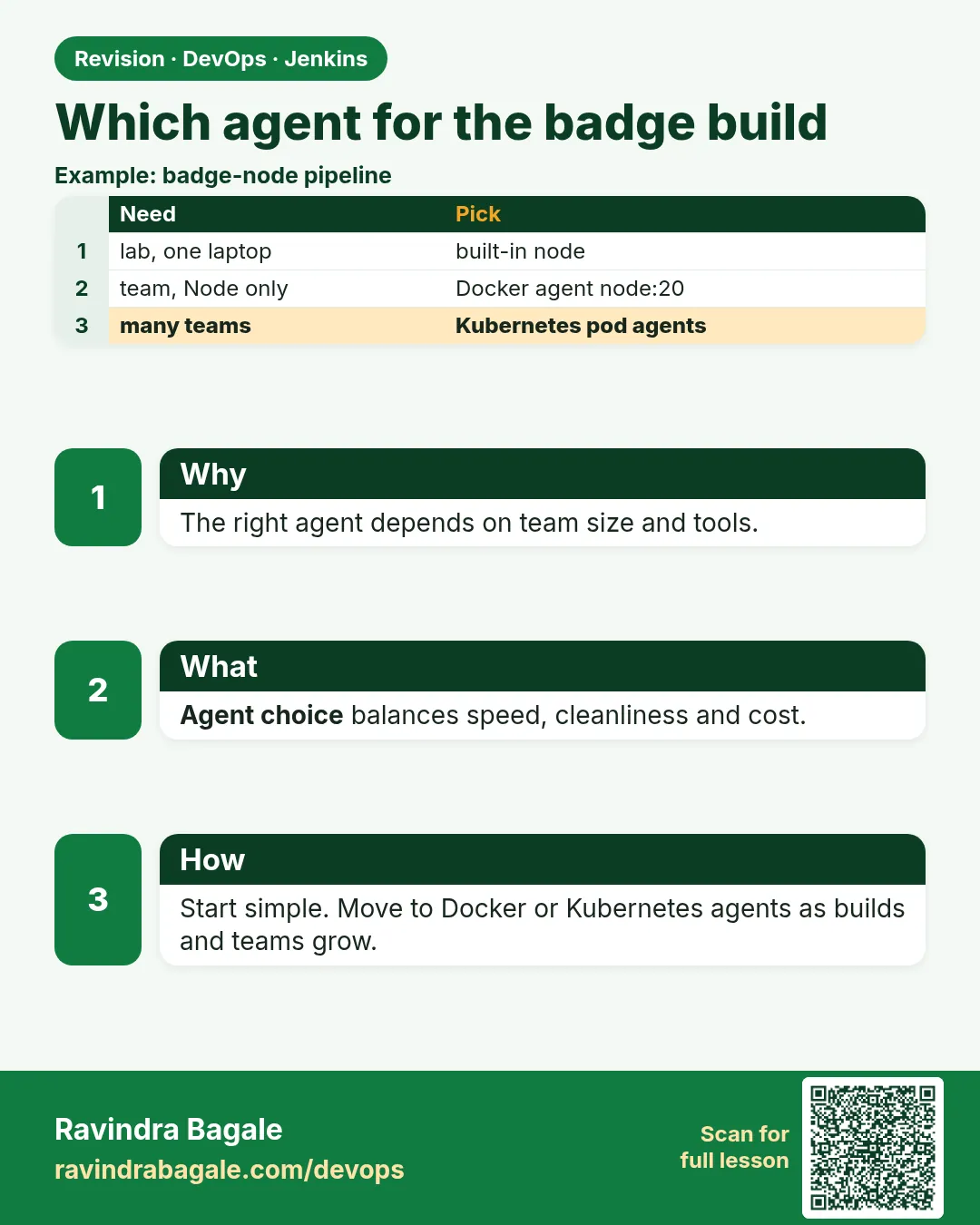
badge-node    node20     Kubernetes pod  many short PR builds, clean each time
badge-java    maven      Docker agent    pinned Java 21 image, Maven cache volume
scan-nightly  scan       permanent VM    big scanner databases kept on disk
load-nightly  load       EC2 on demand   needs 4 CPUs for 30 minutes a night
ios-release   macos      permanent Mac   Xcode runs only on macOS
badge-node/Jenkinsfile
pipeline {
  agent {
    kubernetes {
      yaml """
apiVersion: v1
kind: Pod
spec:
  containers:
  - name: node
    image: node:20-alpine
    command: ['sleep']
    args: ['infinity']
"""
      defaultContainer 'node'
    }
  }
  stages { stage('Test') { steps { sh 'npm ci && npm test' } } }
}
scan-nightly/Jenkinsfile
pipeline {
  agent { label 'scan' }
  triggers { cron('H 2 * * *') }
  stages { stage('Scan') { steps { sh 'trivy fs --exit-code 0 --severity HIGH,CRITICAL .' } } }
}
What each line does
Agent plan table— One page anyone can read to know where a job runs and why.badge-node: pod— Many short builds; pods start fresh and scale.scan-nightly: permanent— Scanner databases are large; keeping them on disk saves time.cron('H 2 * * *')— Runs once a night around 2 a.m. H spreads jobs so they do not all start at once.trivy fs— Scans the code folder for known problems (chapter 29).
Green output
badge-node #31   Running on badge-node-31-k8d2s-0p1xz   SUCCESS
scan-nightly #9  Running on agent-scan-01               SUCCESS
+ trivy fs --exit-code 0 --severity HIGH,CRITICAL .
Total: 2 (HIGH: 2, CRITICAL: 0)
Expected result. Every job runs on the agent type the plan says. New team members read the plan instead of guessing.
Example 2: A fail-fast agent check used by every job
Stack. Jenkins scripted helper in a Declarative pipeline
Goal. A fail-fast agent check used by every job.
Jenkinsfile
def checkTools(Map need) {
  need.each { tool, cmd ->
    def rc = sh(script: "${cmd} > /dev/null 2>&1", returnStatus: true)
    if (rc != 0) { error "Wrong agent ${env.NODE_NAME}: ${tool} missing" }
    echo "OK ${tool}"
  }
}
pipeline {
  agent { docker { image 'maven:3.9-eclipse-temurin-21'; label 'docker' } }
  stages {
    stage('Check agent') {
      steps { script { checkTools(['java': 'java -version', 'maven': 'mvn -v', 'git': 'git --version']) } }
    }
    stage('Build') { steps { sh 'mvn -B -q package -DskipTests' } }
  }
}
What each line does
def checkTools(Map need)— A small Groovy function that loops over tools.returnStatus: true— Get the exit code instead of failing the step at once.error "Wrong agent ..."— Stops the build with a clear message that names the agent.Check agent stage— Runs first and takes about 2 seconds.Later— Move checkTools into a shared library (chapter 25) so all jobs use it.
Green output
[Pipeline] stage (Check agent)
OK java
OK maven
OK git
[Pipeline] stage (Build)
Finished: SUCCESS

(on a wrong agent)
ERROR: Wrong agent agent-node20: maven missing
Finished: FAILURE
Expected result. A wrong agent fails in 2 seconds with a clear reason, not after a 20 minute build.
Example 3: On-demand EC2 agents for the nightly load test
Stack. Jenkins Amazon EC2 plugin, k6, IAM instance role
Goal. On-demand EC2 agents for the nightly load test.
EC2 cloud settings
Cloud name:            ec2-load
Region:                ap-south-1
Credentials:           (blank) use the controller instance role
AMI:                   ami-0abcdef1234567890  (Ubuntu 22.04 with Java 17 and k6)
Instance type:         c6i.xlarge
Labels:                load
Usage:                 Only build jobs with label expressions matching this node
Remote user:           ubuntu
Idle termination time: 15
Instance cap:          2
Subnet:                subnet-0a1b2c3d4e5f6a7b8 (private)
Security group:        sg-jenkins-agents (port 22 only from the controller)
load-nightly/Jenkinsfile
pipeline {
  agent { label 'load' }
  triggers { cron('H 1 * * *') }
  options { timeout(time: 45, unit: 'MINUTES') }
  stages {
    stage('Load test') {
      steps {
        sh 'k6 version'
        sh 'k6 run --vus 50 --duration 10m load/badge.js'
      }
    }
  }
}
What each line does
use the controller instance role— No AWS keys. The controller role allows ec2:RunInstances for this AMI and subnet.Instance cap 2— Never more than 2 load agents, so the bill stays small.Idle termination 15— The VM is removed 15 minutes after its last build.private subnet, port 22 from controller only— The agent is not open to the internet.k6 run --vus 50 --duration 10m— 50 virtual users for 10 minutes against the badge service.
Green output
Launching instance: i-0abc123def4567890 (c6i.xlarge)
Waiting for SSH to come up ... connected
Running on ec2-load (i-0abc123def4567890)
+ k6 version
k6 v0.52.0
+ k6 run --vus 50 --duration 10m load/badge.js
http_req_duration: avg=48ms p(95)=112ms
http_req_failed:   0.00%
Finished: SUCCESS
(15 minutes later)
Idle timeout of ec2-load (i-0abc123def4567890) after 15 idle minutes, terminating
Expected result. A strong VM ran only for the test and then disappeared. You pay for about 40 minutes a night.
Verify: did it work?
-
Where did each job run
Manage Jenkins > Script Console > Jenkins.instance.getAllItems(Job).each { j -> def b = j.lastBuild; if (b) println j.fullName + " -> " + b.getBuiltOnStr() }What it does: Last agent per job. Compare with the plan.
Output
badge-node -> badge-node-31-k8d2s-0p1xz load-nightly -> ec2-load (i-0abc123def4567890) -
Running EC2 agents
aws ec2 describe-instances --filters Name=tag:jenkins_server_url,Values=* Name=instance-state-name,Values=running --query "Reservations[].Instances[].InstanceId" --region ap-south-1What it does: Should be empty during the day.
Output
[]
When it is red 1
There are no nodes with the label load
ec2-load: Instance cap of 2 reached
Cause. Two load agents already run, often stuck ones.
Fix, step by step
- Check running instances.
- Terminate stuck ones.
- Raise the cap only if the budget allows.
When it is red 2
UnauthorizedOperation: You are not authorized to perform this operation. ... ec2:RunInstances
Cause. The controller role cannot start instances.
Fix, step by step
- Add ec2:RunInstances, ec2:CreateTags, ec2:TerminateInstances and iam:PassRole if needed.
- Limit them to the agent subnet and AMI.
- Retry the build.
When it is red 3
ERROR: Wrong agent agent-node20: maven missing
Cause. The job label was too general, so it landed on a Node agent.
Fix, step by step
- Use a specific label like maven.
- Or switch the job to a Docker agent with a Maven image.
- Keep the check stage; it did its job.
Cleanup
-
Delete the lab EC2 cloud
Manage Jenkins > Clouds > ec2-load > Delete cloudWhat it does: No more on-demand VMs.
Output
Cloud ec2-load removed
Ravindra Bagale's Tip
Pratyek job sathi agent plan lihun theva. Check stage ne chukicha agent 2 second madhe pakda. Lakshat theva!
Practice tasks
Easy Write the plan
Why: A plan stops guessing.
What to do: Make the agent plan table for your jobs.
- Job, label, type, why.
Check: Table covers every job.
Medium Add checkTools
Why: Fail fast saves time.
What to do: Add the check stage to one job.
- Copy the function.
- List tools.
Check: Wrong agent fails in seconds.
Hard On-demand EC2
Why: Pay only for use.
What to do: Set up the EC2 plugin for one nightly job.
- Role, AMI, label, cap, idle time.
Check: Instance stops after the build.
Easy Say choosing the right agent type in two lines
Why: If you can say it simply, you understand it. Juniors and interviewers want the short version first.
What to do: Write two short lines about choosing the right agent type for a fresher who knows only Linux basics.
- Write what problem it solves.
- Write the one command or menu you use for it.
- Read it aloud to a friend.
Check: A fresher understands it without asking a question.
Easy Start a fresh lab Jenkins
Why: Practice needs a throwaway Jenkins. If you break it, you delete it and start again.
What to do: Run Jenkins LTS in Docker with a named volume.
- docker volume create jenkins_home
- docker run -d --name jenkins -p 8080:8080 -v jenkins_home:/var/jenkins_home jenkins/jenkins:lts-jdk17
- docker exec jenkins cat /var/jenkins_home/secrets/initialAdminPassword
Check: The Jenkins unlock page opens on localhost:8080.
Medium Break it on purpose
Why: You must know the red message by face. During an outage there is no time to read slowly.
What to do: Cause one error from the "When it is red" part of this lesson and fix it.
- Follow the error section.
- Copy the exact message into your notes.
- Write the fix in one line.
Check: You fixed it using only the steps, without searching the web.
Medium Write a one-page runbook
Why: At 2 a.m. nobody remembers where a file lives. A short page saves the on-call person.
What to do: Write a runbook page for this lesson.
- Title, when to use, exact command, how to check, how to undo.
Check: A teammate can follow it alone.
Medium Repeat it on a cloud VM
Why: A laptop is not a server. Real Jenkins runs on EC2 or a company VM.
What to do: Do the main steps of this lesson again on a small Ubuntu 22.04 EC2 instance.
- Launch t3.small with 20 GB disk.
- Open port 22 only to your IP.
- Repeat the steps and compare the output.
Check: Same green output on the VM as on your laptop.
Hard Explain it like an interview
Why: Interviewers want real stories, not definitions.
What to do: Record a 60 second answer about this lesson.
- Say the problem, the command you ran, and one error you hit.
Check: Your answer has a real command and a real error message.
Hard Draw the flow top to bottom
Why: A drawing shows who talks to whom and in what order.
What to do: Draw this lesson as boxes from top to bottom.
- Start at the developer push, go through the controller and agent, end at the result.
Check: Each box matches a real thing you saw on screen.
Homework: try at home
Try at home
At home, write an agent plan for every job you have, using the table format from Example 1. Add the checkTools stage to each Jenkinsfile. Move one always-on agent to Docker, pods or on-demand EC2, and note the cost change after one week.
Recap
- Match each job to an agent type with a written plan.
- Pods for many short builds; Docker agents for pinned tools; permanent agents for heavy caches; EC2 on demand for big nightly jobs.
- Check tools first and fail fast.
- Use roles, caps and idle termination for cloud agents.
- Keep special agents like macOS strictly labelled.
FAQ
Can one job use several agent types?
Yes, per stage with agent none at the top.
Are Spot instances okay for agents?
Yes for builds that can retry. Not for long release jobs.
How many labels should we have?
Few and clear: tool or purpose labels, not person names.
Who owns the agent plan?
The platform or DevOps team, reviewed with app teams.
What if a team needs a new tool?
Add it to a tool image first, not to a permanent agent by hand.
Interview questions
-
How do you decide which agent type a job should use?
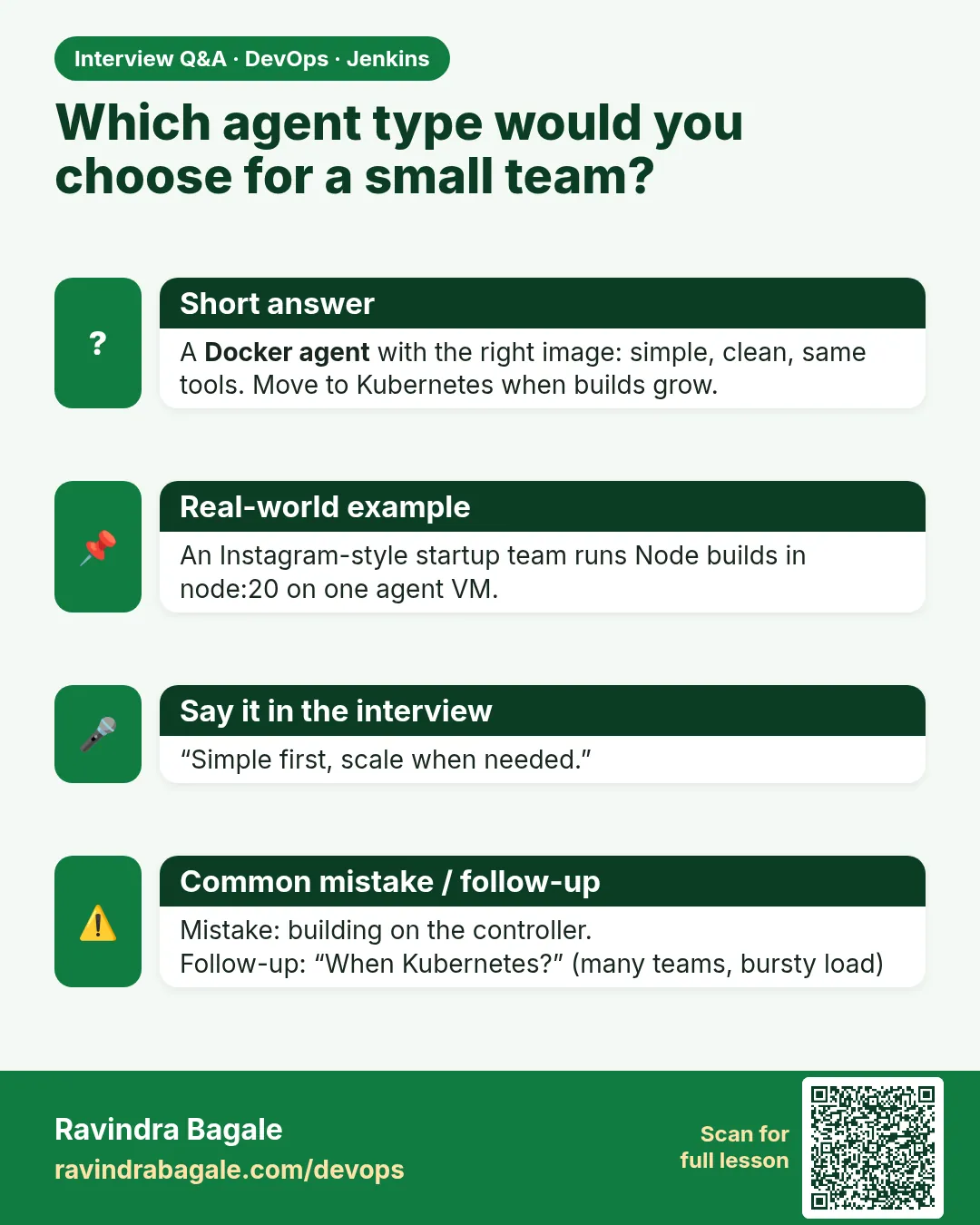
By build frequency, tools, resource needs, caches and trust level: pods for short PR builds, Docker agents for pinned tools, permanent agents for big caches, on-demand cloud VMs for heavy rare jobs.
-
How do you control Jenkins agent cost on AWS?
On-demand EC2 or pod agents, idle termination, instance caps, Spot for retryable jobs, and controller with 0 executors.
-
How do you stop builds running on the wrong agent?
Specific labels, strict usage mode on special agents, and a fail-fast tool check stage.
-
What are the risks of long-lived agents?
Leftover files and secrets, tool drift, and wasted cost when idle.
-
How do you run iOS builds in Jenkins?
On a labelled macOS agent with Xcode, connected by SSH or inbound mode.
Quick quiz
Q1. Which agent type suits many short PR builds?
Kubernetes pod agents.
Q2. Why keep a scan agent permanent?
Large scanner databases stay on disk.
Q3. What does idle termination do?
Removes on-demand agents after minutes with no work.
Q4. Why add a check agent stage?
To fail in seconds on the wrong agent.
Q5. Which agent is needed for Xcode builds?
A macOS agent.
Lab
- Add a permanent agent with label linux (inbound or SSH).
- Point badge-node-pipeline at agent { label 'linux' }.
- Set built-in executors to 0.
- Confirm the build node name in Console Output.
Practice task
Draw Controller → Kubernetes API → pod → destroyed. Write one sentence why DinD is rejected.
Ravindra Bagale's Tip
Label ani Jenkinsfile match. DinD / docker.sock — review reject. Dhyan rakho!
Thodkyaat sangaycha tar
- Labels connect Jenkinsfile to agents.
- Inbound or SSH — both fine when online.
- Docker agent image for Maven labs.
- DinD risky. Prefer ephemeral Kubernetes pods.
Samajla ka?
 Revision card
 Interview card