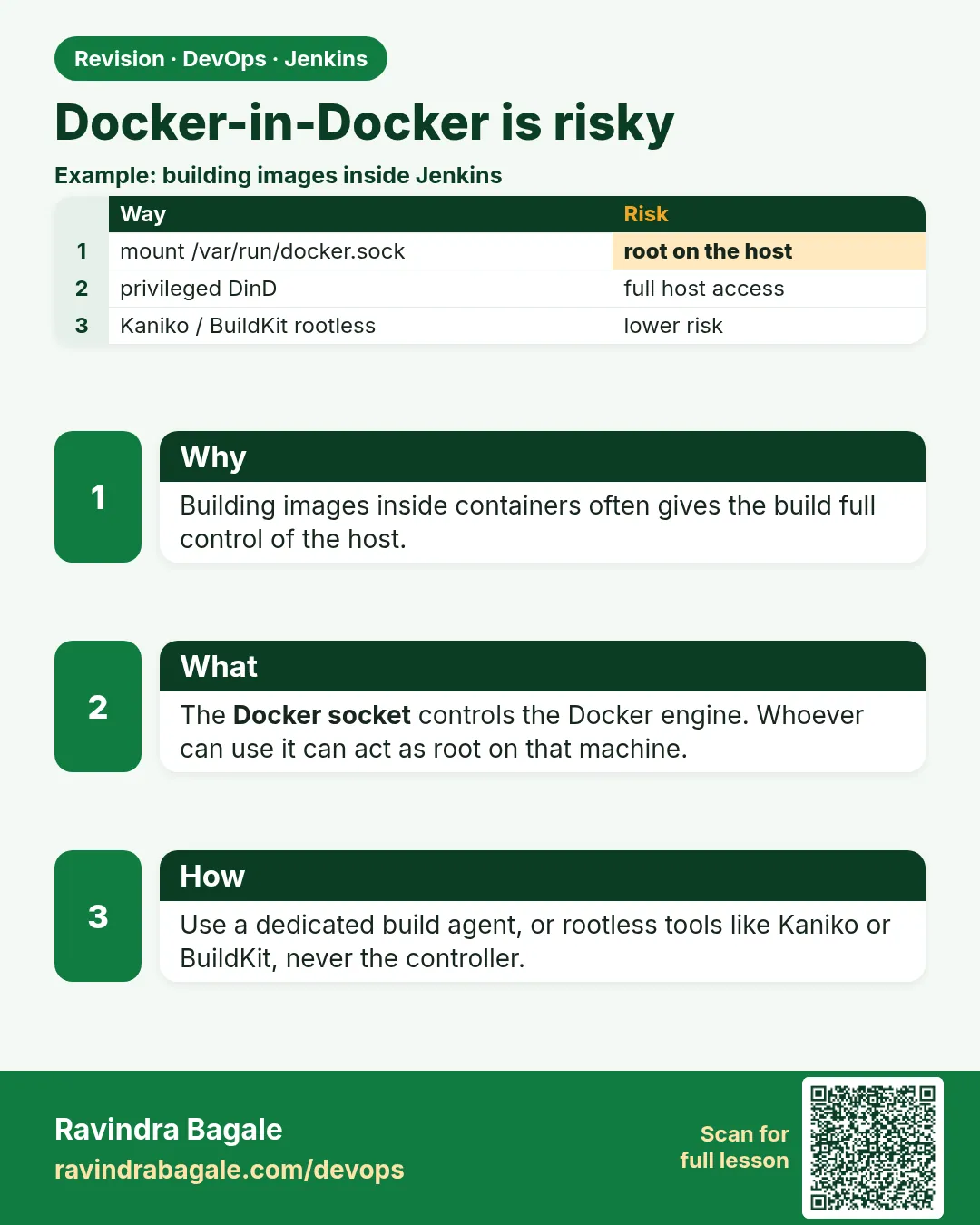
27.4 Docker-in-Docker is risky
Why: the problem
Think of a fintech company like Paytm. A developer wants Jenkins to build Docker images. The quick answer on many blogs is: mount /var/run/docker.sock into the build container, or run a docker:dind container with --privileged. Both work. Both are dangerous. Whoever can talk to the Docker socket can start a container that mounts the host root disk and become root on the agent. A privileged container can do almost anything on the host kernel. If a pull request from an outsider runs on that agent, the outsider owns the machine and can steal every secret on it. So security reviews reject these patterns on shared agents. Safe options exist: build images with Kaniko or Buildah, which need no Docker daemon, use rootless Docker, or give a dedicated, short-lived agent to trusted jobs only. In this lesson you will see the risk with your own eyes on a lab VM, and then build the same image safely in three ways.
What we will build
On a throwaway lab VM you will show how docker.sock gives root. Then you will build and push one image three safe ways: Kaniko in a Kubernetes pod agent, Buildah rootless on a normal agent, and rootless Docker for the jenkins user. You will finish with a short review checklist for agents that build images.
What: every term in plain English
- Docker socket — The file /var/run/docker.sock. Any program that can write to it controls Docker, which runs as root.
- docker group — Linux group that can use the socket. Being in it is almost the same as being root.
- Docker-in-Docker (DinD) — Running a full Docker daemon inside a container. Needs --privileged.
- --privileged — Gives a container nearly all host powers. Unsafe on shared machines.
- Kaniko — A Google tool that builds images from a Dockerfile inside a normal container, with no daemon.
- Buildah — A Red Hat tool that builds images without a daemon, and can run rootless.
- Rootless Docker — Docker daemon running as a normal user. A break-out gives only that user, not root.
- Trusted job — A job that runs only code from your own protected branches, not outside pull requests.
How: step by step
-
Show the risk on a lab VM only
docker run --rm -v /var/run/docker.sock:/var/run/docker.sock docker:27-cli docker run --rm -v /:/host alpine cat /host/etc/shadow | head -2What it does: A container with the socket starts another container that reads root-only host files.
Output
root:*:19800:0:99999:7::: daemon:*:19800:0:99999:7::: -
Find risky mounts in Jenkinsfiles
grep -rn "docker.sock\|--privileged\|dind" --include=Jenkinsfile .What it does: Lists jobs that use the risky patterns.
Output
./payments/Jenkinsfile:7: args "-v /var/run/docker.sock:/var/run/docker.sock" -
Create a registry secret for Kaniko
kubectl -n jenkins create secret docker-registry regcred --docker-server=https://index.docker.io/v1/ --docker-username=ravilab --docker-password="$DOCKERHUB_TOKEN"What it does: Kaniko reads this to push. The token comes from an env var, not typed in Git.
Output
secret/regcred created -
Install Buildah on an agent
sudo apt-get install -y buildah uidmap && buildah --versionWhat it does: Buildah with user namespace tools for rootless use.
Output
buildah version 1.33.7 -
Set up rootless Docker for jenkins
sudo apt-get install -y docker-ce-rootless-extras uidmap && sudo -iu jenkins dockerd-rootless-setuptool.sh installWhat it does: A Docker daemon that runs as the jenkins user.
Output
[INFO] Installed docker.service successfully. -
Point the client at it
export DOCKER_HOST=unix:///run/user/1001/docker.sock && docker info --format "{{.SecurityOptions}}"What it does: The client talks to the user daemon, not the root one.
Output
[name=seccomp,profile=builtin name=rootless name=cgroupns] -
Review rule
Shared agents: no docker.sock mounts, no --privileged. Image builds: Kaniko, Buildah or rootless.What it does: Write this in the team runbook.
Output
Rule added to runbook
Example 1: Build and push with Kaniko in a pod agent
Stack. Jenkins Kubernetes plugin, Kaniko, Docker Hub
Goal. Build and push with Kaniko in a pod agent.
Jenkinsfile
pipeline {
  agent {
    kubernetes {
      yaml """
apiVersion: v1
kind: Pod
spec:
  containers:
  - name: kaniko
    image: gcr.io/kaniko-project/executor:v1.23.2-debug
    command: ['sleep']
    args: ['infinity']
    volumeMounts:
    - name: docker-config
      mountPath: /kaniko/.docker
  volumes:
  - name: docker-config
    secret:
      secretName: regcred
      items:
      - key: .dockerconfigjson
        path: config.json
"""
    }
  }
  stages {
    stage('Build and push') {
      steps {
        container('kaniko') {
          sh '/kaniko/executor --context "$WORKSPACE" --dockerfile Dockerfile --destination ravilab/shop-api:$BUILD_NUMBER --cache=true'
        }
      }
    }
  }
}
What each line does
kubernetes { yaml ... }— Kubernetes plugin starts a pod as the agent (lesson 27.5).executor:v1.23.2-debug— The Kaniko image. The debug tag has a shell so sh steps work.command sleep infinity— Keeps the container alive so Jenkins can run steps in it.secret regcred to /kaniko/.docker/config.json— Kaniko reads registry login from here./kaniko/executor --context --destination— Builds the Dockerfile and pushes the image. No Docker daemon anywhere.--cache=true— Reuses layers from the registry to build faster.No privileged— The pod runs as a normal container.
Green output
[Pipeline] container
+ /kaniko/executor --context /home/jenkins/agent/workspace/shop-api --dockerfile Dockerfile --destination ravilab/shop-api:61 --cache=true
INFO[0002] Retrieving image manifest node:20-alpine
INFO[0011] Taking snapshot of full filesystem...
INFO[0019] Pushing image to ravilab/shop-api:61
INFO[0024] Pushed index.docker.io/ravilab/shop-api@sha256:2d4f...
Finished: SUCCESS
Expected result. The image was built and pushed from an ordinary pod. A security review accepts this.
Example 2: Build rootless with Buildah on a normal agent
Stack. Buildah rootless, Harbor registry, Jenkins
Goal. Build rootless with Buildah on a normal agent.
Jenkinsfile
pipeline {
  agent { label 'buildah' }
  environment { IMAGE = "registry.example.in/shop/api:${BUILD_NUMBER}" }
  stages {
    stage('Build') {
      steps { sh 'buildah bud --layers -t $IMAGE .' }
    }
    stage('Push') {
      steps {
        withCredentials([usernamePassword(credentialsId: 'harbor-robot', usernameVariable: 'U', passwordVariable: 'P')]) {
          sh 'echo "$P" | buildah login -u "$U" --password-stdin registry.example.in'
          sh 'buildah push $IMAGE'
        }
      }
    }
  }
  post { always { sh 'buildah rmi --prune || true' } }
}
What each line does
label 'buildah'— An agent with Buildah and no Docker group.buildah bud --layers -t— Build using Dockerfile, keep layer cache, tag the image.usernamePassword(...)— Harbor robot account from Jenkins credentials.--password-stdin— Password goes through a pipe, not the command line.buildah push— Uploads the image to the registry.buildah rmi --prune— Removes unused images so the disk stays clean.
Green output
+ buildah bud --layers -t registry.example.in/shop/api:62 .
STEP 1/6: FROM node:20-alpine
STEP 6/6: CMD ["node","server.js"]
COMMIT registry.example.in/shop/api:62
+ buildah login -u robot$shop-ci --password-stdin registry.example.in
Login Succeeded!
+ buildah push registry.example.in/shop/api:62
Writing manifest to image destination
Finished: SUCCESS
Expected result. The jenkins user built and pushed an image without root and without any socket.
Example 3: Rootless Docker for teams that need docker commands
Stack. Rootless Docker, Ubuntu 22.04, Jenkins
Goal. Rootless Docker for teams that need docker commands.
Jenkinsfile
pipeline {
  agent { label 'rootless-docker' }
  environment { DOCKER_HOST = 'unix:///run/user/1001/docker.sock' }
  stages {
    stage('Who runs Docker') {
      steps { sh 'docker info --format "rootless={{.SecurityOptions}}"; id -u' }
    }
    stage('Build and test') {
      steps {
        sh 'docker build -t shop-api:ci .'
        sh 'docker run --rm shop-api:ci npm test'
      }
    }
  }
}
agent check
# on the agent, as an admin
id jenkins
# must NOT show the docker group
systemctl --user -M jenkins@ status docker --no-pager | head -3
What each line does
DOCKER_HOST unix:///run/user/1001/docker.sock— Use the rootless daemon of uid 1001, the jenkins user.docker info ... rootless— Proves the daemon is rootless.id -u— Shows 1001, not 0.id jenkins— The jenkins user should not be in the docker group.docker run --rm ... npm test— Runs tests in the image you just built.
Green output
+ docker info --format rootless={{.SecurityOptions}}
rootless=[name=seccomp,profile=builtin name=rootless name=cgroupns]
+ id -u
1001
+ docker build -t shop-api:ci .
Successfully tagged shop-api:ci
+ docker run --rm shop-api:ci npm test
Tests: 14 passed, 14 total
Finished: SUCCESS
Expected result. Developers keep normal docker commands, but a break-out gets only the jenkins user.
Verify: did it work?
-
No socket in pod specs
kubectl -n jenkins get pods -o yaml | grep -c docker.sockWhat it does: Count should be 0.
Output
0 -
No privileged agents
kubectl -n jenkins get pods -o jsonpath="{..securityContext.privileged}"What it does: Should print nothing or false.
Output
(no output)
When it is red 1
error checking push permissions -- make sure you entered the correct tag name, and that you are authenticated correctly
Cause. Kaniko has no valid registry config.
Fix, step by step
- Check the regcred secret exists in the jenkins namespace.
- Check it is mounted at /kaniko/.docker/config.json.
- Use an access token with write scope.
When it is red 2
Error: cannot setup namespace using newuidmap: exit status 1
Cause. Rootless Buildah needs subuid and subgid ranges for the user.
Fix, step by step
- sudo usermod --add-subuids 100000-165535 --add-subgids 100000-165535 jenkins.
- Install uidmap.
- Log out and in again or restart the agent.
When it is red 3
Cannot connect to the Docker daemon at unix:///run/user/1001/docker.sock
Cause. The rootless daemon is not running for the jenkins user.
Fix, step by step
- sudo loginctl enable-linger jenkins.
- systemctl --user -M jenkins@ start docker.
- Check DOCKER_HOST matches the uid.
Cleanup
-
Remove the lab socket test image
docker image rm docker:27-cli alpineWhat it does: Cleans the risky demo images from the lab VM.
Output
Untagged: docker:27-cli -
Delete the Kaniko secret
kubectl -n jenkins delete secret regcredWhat it does: Removes the lab registry secret.
Output
secret "regcred" deleted
Ravindra Bagale's Tip
docker.sock mount mhanje host chi root chavi deli. Kaniko kiva Buildah vapra. Lakshat theva!
Practice tasks
Easy Find risky jobs
Why: You must know where the risk is.
What to do: grep Jenkinsfiles for docker.sock.
- Run grep.
- List the jobs.
Check: A list of risky jobs.
Medium Kaniko build
Why: Daemonless builds are review friendly.
What to do: Push one image with Kaniko.
- Create regcred.
- Pod agent with Kaniko.
Check: Image appears in the registry.
Hard Rootless agent
Why: Some teams need docker commands.
What to do: Set up rootless Docker for jenkins.
- Install rootless extras.
- enable-linger.
- Set DOCKER_HOST.
Check: docker info shows rootless.
Easy Say safe image builds without DinD in two lines
Why: If you can say it simply, you understand it. Juniors and interviewers want the short version first.
What to do: Write two short lines about safe image builds without DinD for a fresher who knows only Linux basics.
- Write what problem it solves.
- Write the one command or menu you use for it.
- Read it aloud to a friend.
Check: A fresher understands it without asking a question.
Easy Start a fresh lab Jenkins
Why: Practice needs a throwaway Jenkins. If you break it, you delete it and start again.
What to do: Run Jenkins LTS in Docker with a named volume.
- docker volume create jenkins_home
- docker run -d --name jenkins -p 8080:8080 -v jenkins_home:/var/jenkins_home jenkins/jenkins:lts-jdk17
- docker exec jenkins cat /var/jenkins_home/secrets/initialAdminPassword
Check: The Jenkins unlock page opens on localhost:8080.
Medium Break it on purpose
Why: You must know the red message by face. During an outage there is no time to read slowly.
What to do: Cause one error from the "When it is red" part of this lesson and fix it.
- Follow the error section.
- Copy the exact message into your notes.
- Write the fix in one line.
Check: You fixed it using only the steps, without searching the web.
Medium Write a one-page runbook
Why: At 2 a.m. nobody remembers where a file lives. A short page saves the on-call person.
What to do: Write a runbook page for this lesson.
- Title, when to use, exact command, how to check, how to undo.
Check: A teammate can follow it alone.
Medium Repeat it on a cloud VM
Why: A laptop is not a server. Real Jenkins runs on EC2 or a company VM.
What to do: Do the main steps of this lesson again on a small Ubuntu 22.04 EC2 instance.
- Launch t3.small with 20 GB disk.
- Open port 22 only to your IP.
- Repeat the steps and compare the output.
Check: Same green output on the VM as on your laptop.
Hard Explain it like an interview
Why: Interviewers want real stories, not definitions.
What to do: Record a 60 second answer about this lesson.
- Say the problem, the command you ran, and one error you hit.
Check: Your answer has a real command and a real error message.
Hard Draw the flow top to bottom
Why: A drawing shows who talks to whom and in what order.
What to do: Draw this lesson as boxes from top to bottom.
- Start at the developer push, go through the controller and agent, end at the result.
Check: Each box matches a real thing you saw on screen.
Homework: try at home
Try at home
At home, search all Jenkinsfiles in one of your repos for docker.sock, --privileged and dind. For each hit, write which safe method you would use instead: Kaniko, Buildah or rootless Docker. Rewrite one job and run it.
Recap
- docker.sock access is root access.
- DinD needs --privileged; avoid it on shared agents.
- Use Kaniko or Buildah to build images without a daemon.
- Use rootless Docker when docker commands are needed.
- Run untrusted pull requests only on isolated, short-lived agents.
FAQ
Is DinD ever okay?
On a dedicated, short-lived VM for trusted jobs only, and after a security sign-off.
Is Kaniko slower?
A little at first. Use --cache=true with a cache repo.
Can Kaniko run docker run for tests?
No. It only builds. Run tests in a separate container stage.
What about Podman?
Podman also runs rootless and works much like Buildah.
Does BuildKit help?
BuildKit rootless mode is another safe option.
Interview questions
-
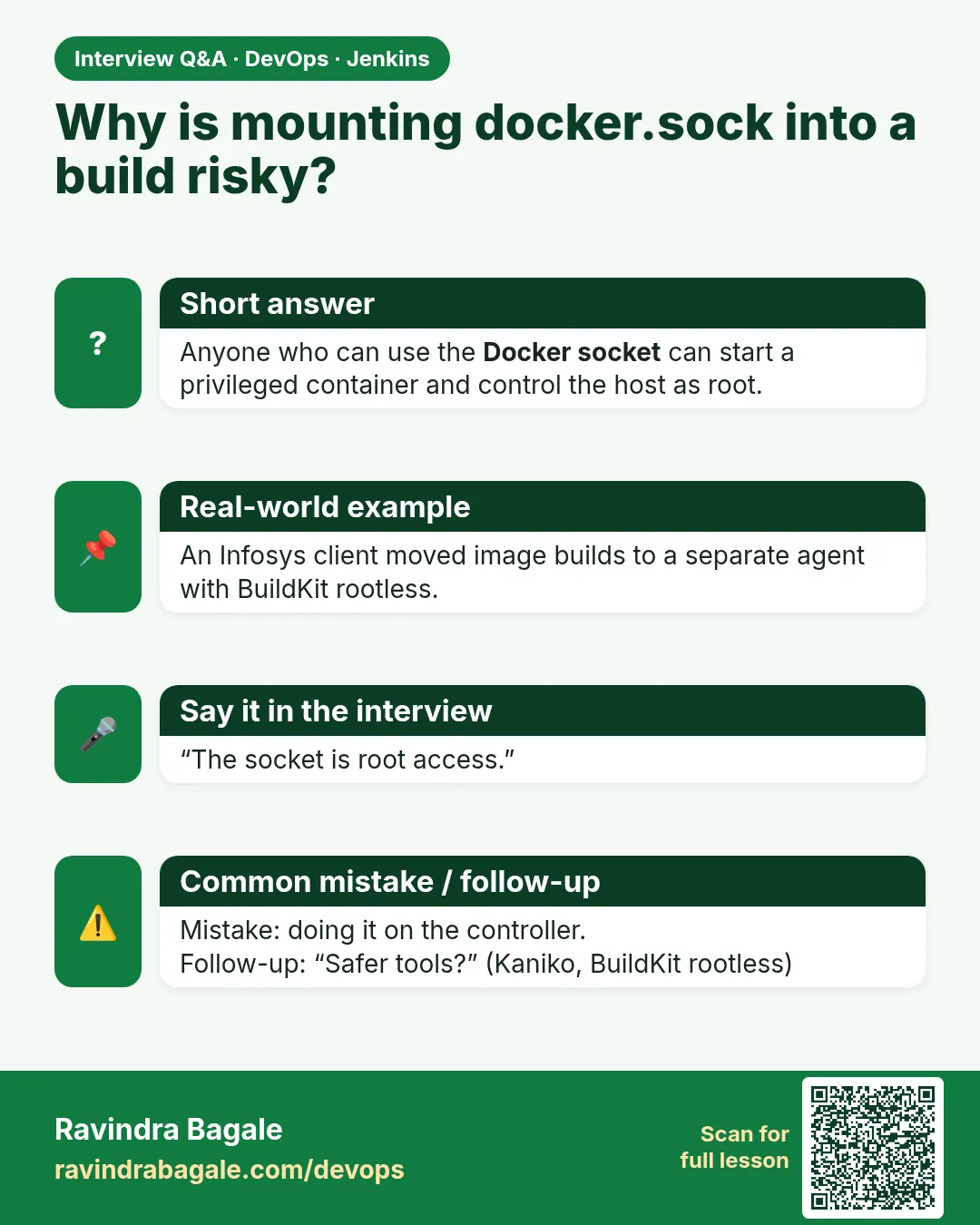
Why do security teams reject docker.sock mounts in CI?
The socket controls a root daemon. A job can start a container that mounts the host disk and take over the agent and its secrets.
-
How do you build images in Jenkins on Kubernetes without privileged pods?
Kaniko or Buildah in a pod agent, with registry credentials from a Kubernetes secret.
-
What is the difference between DinD and Docker-outside-of-Docker?
DinD runs a new daemon inside a privileged container; DooD mounts the host socket. Both give host-level power.
-
How would you run outside pull requests safely?
On isolated, ephemeral agents with no secrets and no socket, after approval.
-
What is rootless Docker?
The daemon and containers run in a user namespace as a normal user, so a break-out does not give host root.
Quick quiz
Q1. Why is mounting docker.sock risky?
Anyone who can use the socket can become root on the host.
Q2. What does DinD need that makes it risky?
--privileged.
Q3. Name two daemonless image builders.
Kaniko and Buildah.
Q4. What is rootless Docker?
A Docker daemon running as a normal user.
Q5. Is being in the docker group safe?
No. It is almost the same as root.
Samajla ka?
 Revision card
 Interview card