Chapter 25: Shared Libraries, Credentials and Environments
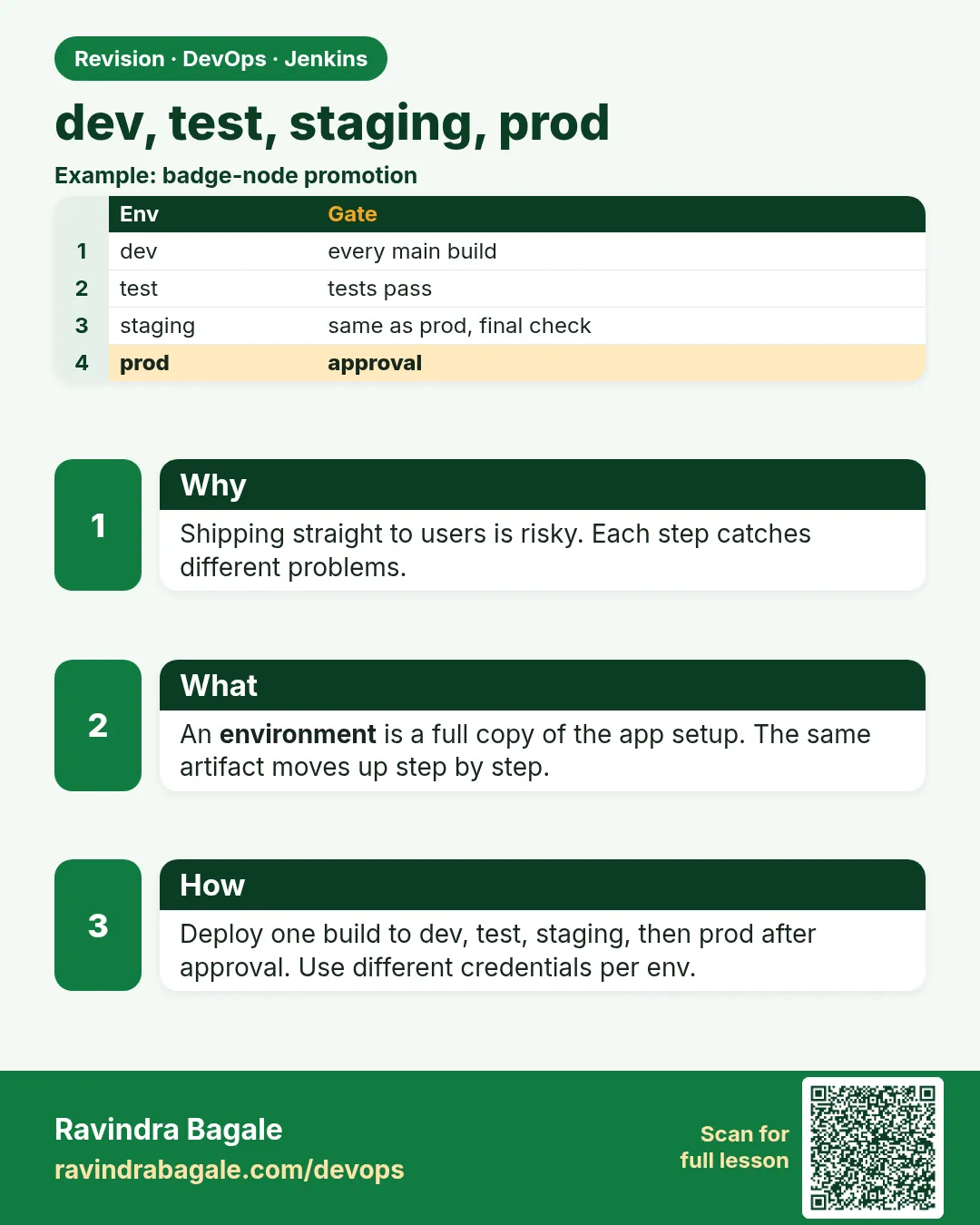
25.6 DEV, TEST, STAGING, PROD
Why: the problem
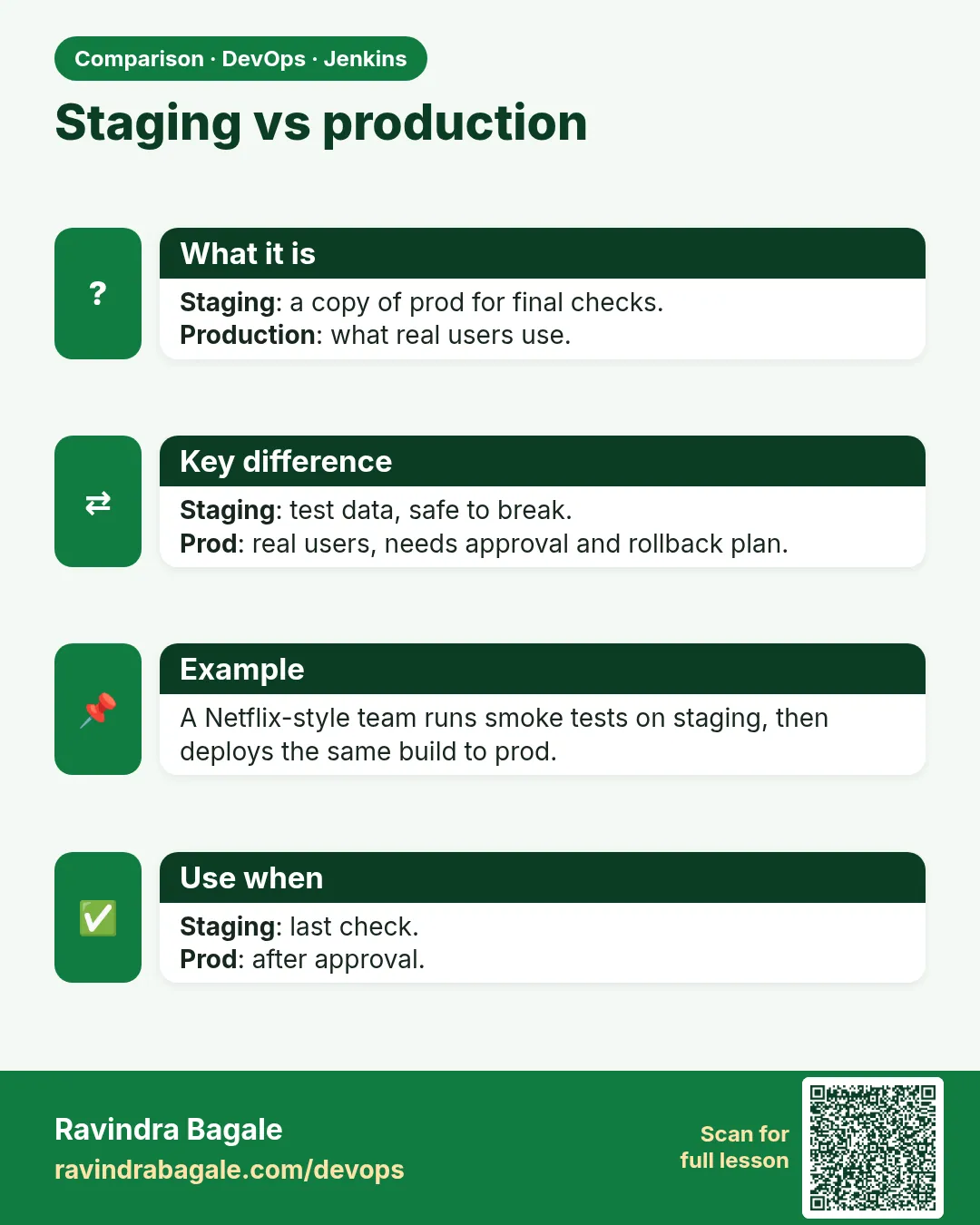
At Infosys, a client project has four environments. DEV is for developers. TEST is for testers. STAGING is a copy of production for the final check. PROD is what customers use. A change must move through them in order. If a developer can push straight to PROD, one typo can stop a bank's app. So the pipeline must build the image once, deploy the same image to each environment, and stop before PROD until a named person approves. Jenkins does this with stages, when conditions, the input step, a timeout and the milestone and lock steps. In this lesson you will build the full promotion pipeline and test both the approve path and the reject path.
What we will build
You will build one Jenkinsfile for badge-api. It builds and pushes one image tag. It deploys to DEV automatically on main. It deploys to TEST after DEV smoke passes. It asks for approval for STAGING and again, from a release group only, for PROD. It times out if nobody answers, and it uses a lock so two PROD deploys never overlap.
What: every term in plain English
- Environment — A separate copy of the app, like DEV, TEST, STAGING or PROD.
- Promotion — Moving the same image from one environment to the next.
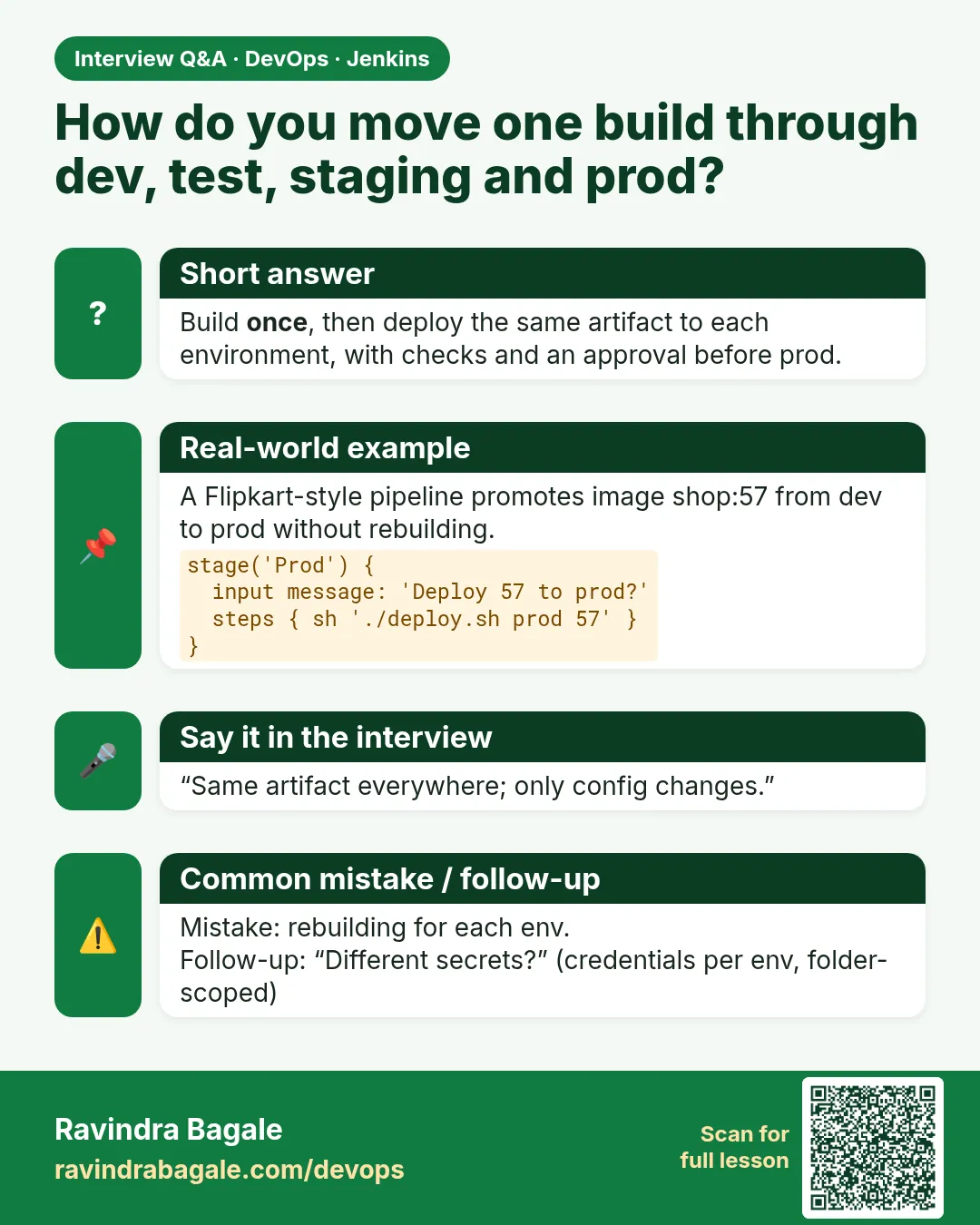
- Build once — Make the image one time and reuse its tag everywhere. No rebuilds.
- input step — Pauses the pipeline and shows Proceed and Abort buttons.
- submitter — Who may click Proceed, like a user or group name.
- timeout — Stops waiting after a set time.
- lock — From the Lockable Resources plugin. Only one build can hold it at a time.
- milestone — Cancels older builds that reach a point after a newer one.
How: step by step
-
Install plugins
Manage Jenkins > Plugins > Lockable Resources, Pipeline: Milestone StepWhat it does: Adds lock and milestone.
Output
Installed -
Make the release group
Manage Jenkins > Security > add group release-managers (or use your SSO group)What it does: Only these users can approve PROD.
Output
Group ready -
Add kubeconfigs
Credentials: kubeconfig-dev, kubeconfig-test, kubeconfig-staging, kubeconfig-prodWhat it does: One secret file per environment.
Output
4 credentials -
Write the Jenkinsfile
vim JenkinsfileWhat it does: The promotion pipeline below.
Output
(saved) -
Push to main
git push origin mainWhat it does: Triggers the multibranch job.
Output
Started by branch indexing -
Approve staging
Build page > Paused for Input > ProceedWhat it does: Pipeline continues to STAGING.
Output
Approved by ravi -
Approve prod as release manager
Log in as a release-managers user > ProceedWhat it does: Only that group can continue to PROD.
Output
Approved by priya
Example 1: Deploy one image through four environments
Stack. Jenkins, Kubernetes, shared library
Goal. Deploy one image through four environments.
vars/deployTo.groovy (in badge-lib)
def call(String envName, String image) {
  withCredentials([file(credentialsId: "kubeconfig-${envName}", variable: 'KUBECONFIG')]) {
    sh "kubectl -n badge set image deploy/badge-api app=${image}"
    sh "kubectl -n badge rollout status deploy/badge-api --timeout=180s"
  }
}
Jenkinsfile
@Library('badge-lib@v1.4.0') _
pipeline {
  agent { label 'docker' }
  environment { IMAGE = "registry.example.com/badge-api:${env.GIT_COMMIT.take(7)}" }
  stages {
    stage('Build once') { steps { sh 'docker build -t $IMAGE . && docker push $IMAGE' } }
    stage('DEV')  { when { branch 'main' } steps { deployTo('dev', env.IMAGE); smokeTest('https://dev.badge.example.com') } }
    stage('TEST') { when { branch 'main' } steps { deployTo('test', env.IMAGE); smokeTest('https://test.badge.example.com') } }
  }
}
What each line does
IMAGE uses GIT_COMMIT.take(7)— Tag is the short commit id. Same tag for every environment.Build once— Only one docker build per commit.kubeconfig-${envName}— Picks the right cluster secret by name.when { branch 'main' }— Feature branches build and test but never deploy.smokeTest— From lesson 25.2. Fails the stage if health is not 200.
Green output
[Pipeline] stage (Build once)
+ docker push registry.example.com/badge-api:8f3a2c1
[Pipeline] stage (DEV)
deployment "badge-api" successfully rolled out
SMOKE OK
[Pipeline] stage (TEST)
deployment "badge-api" successfully rolled out
SMOKE OK
Finished: SUCCESS
Expected result. DEV and TEST run the same image 8f3a2c1. What you test is what you ship.
Example 2: Add approval gates for STAGING and PROD
Stack. Jenkins input step
Goal. Add approval gates for STAGING and PROD.
Jenkinsfile (extra stages)
stage('Approve staging') {
  when { branch 'main' }
  steps {
    timeout(time: 30, unit: 'MINUTES') {
      input message: "Deploy ${env.IMAGE} to STAGING?", ok: 'Deploy'
    }
  }
}
stage('STAGING') { when { branch 'main' } steps { deployTo('staging', env.IMAGE) } }
stage('Approve prod') {
  when { branch 'main' }
  agent none
  steps {
    timeout(time: 4, unit: 'HOURS') {
      script {
        def r = input message: "Ship ${env.IMAGE} to PROD?", ok: 'Ship it',
                      submitter: 'release-managers',
                      parameters: [string(name: 'TICKET', description: 'Change ticket id')]
        env.CHANGE_TICKET = r
      }
    }
  }
}
What each line does
timeout(...) around input— If nobody answers in 30 minutes, the build is aborted, not stuck forever.input message: ..., ok: 'Deploy'— Shows a pause with a Deploy button.submitter: 'release-managers'— Only that group can approve PROD.parameters inside input— The approver must type a change ticket id.agent none on the approval stage— No executor is held while waiting for a human.
Green output
[Pipeline] stage (Approve staging)
Deploy registry.example.com/badge-api:8f3a2c1 to STAGING?
Deploy or Abort
Approved by ravi
[Pipeline] stage (STAGING)
deployment "badge-api" successfully rolled out
[Pipeline] stage (Approve prod)
Ship registry.example.com/badge-api:8f3a2c1 to PROD?
Approved by priya
CHANGE_TICKET=CHG-20481
Expected result. Two human gates. PROD needs the right group and a ticket.
Example 3: Stop overlapping PROD deploys with lock and milestone
Stack. Jenkins, Lockable Resources, Milestone
Goal. Stop overlapping PROD deploys with lock and milestone.
Jenkinsfile (PROD stage)
stage('PROD') {
  when { branch 'main' }
  steps {
    milestone(ordinal: 100, label: 'before prod')
    lock(resource: 'badge-prod', inversePrecedence: true) {
      deployTo('prod', env.IMAGE)
      smokeTest('https://badge.example.com')
      echo "PROD now runs ${env.IMAGE} (ticket ${env.CHANGE_TICKET})"
    }
  }
}
post {
  failure { echo 'Deploy failed. Run: kubectl -n badge rollout undo deploy/badge-api' }
}
What each line does
milestone(ordinal: 100)— If a newer build passes this point first, older builds are cancelled. Old code never overwrites new code.lock(resource: 'badge-prod')— Only one build at a time can be inside this block.inversePrecedence: true— The newest waiting build gets the lock next.post failure— Prints the rollback command when PROD fails.kubectl rollout undo— Goes back to the previous ReplicaSet in seconds.
Green output
[Pipeline] milestone
Trying to pass milestone 100
[Pipeline] lock
Trying to acquire lock on [Resource: badge-prod]
Lock acquired on [Resource: badge-prod]
deployment "badge-api" successfully rolled out
SMOKE OK
PROD now runs registry.example.com/badge-api:8f3a2c1 (ticket CHG-20481)
Lock released on resource [Resource: badge-prod]
Finished: SUCCESS
Expected result. PROD is safe from two deploys at once and from old builds landing last.
Verify: did it work?
-
Check what runs in each environment
for e in dev test staging prod; do kubectl --context $e -n badge get deploy badge-api -o jsonpath="{.spec.template.spec.containers[0].image}"; echo; doneWhat it does: Prints the image tag in each environment.
Output
...badge-api:8f3a2c1 ...badge-api:8f3a2c1 ...badge-api:8f3a2c1 ...badge-api:8f3a2c1 -
See who approved
Build page > Console, search Approved byWhat it does: Audit trail for every promotion.
Output
Approved by priya
When it is red 1
Rejected by ravi
Finished: ABORTED
Cause. Someone clicked Abort at the input.
Fix, step by step
- This is the reject path working.
- Read the reason, fix, and push again.
When it is red 2
Timeout has been exceeded
Finished: ABORTED
Cause. Nobody approved in time.
Fix, step by step
- Rerun from the stage with Restart from Stage.
- Agree approval windows with the team.
When it is red 3
ravi is not permitted to submit this input
Cause. The user is not in release-managers.
Fix, step by step
- Ask a release manager to approve.
- Check the group name in submitter matches exactly.
Cleanup
-
Release a stuck lock
Manage Jenkins > Lockable Resources > badge-prod > ResetWhat it does: Frees the lock if a build died while holding it.
Output
badge-prod free -
Clean old images
docker image prune -a --filter "until=168h" -fWhat it does: Removes week-old images from the agent.
Output
Total reclaimed space: 3.2GB
Ravindra Bagale's Tip
Image ekdach build kara, sagla kade tech tag. PROD la input, timeout ani lock. Lakshat theva!
Practice tasks
Easy Two namespaces
Why: Practice promotion cheaply.
What to do: Make dev and prod namespaces in kind.
- kubectl create ns dev
- kubectl create ns prod
Check: Both exist.
Medium Approve and reject
Why: Both paths must be tested.
What to do: Run once and approve, once and abort.
- Click each button.
Check: One SUCCESS, one ABORTED.
Hard Overlap test
Why: Locks prove themselves under load.
What to do: Start two builds and watch the lock queue.
- Push twice quickly.
Check: Second waits for the lock.
Easy Say environment promotion in two lines
Why: If you can say it simply, you understand it. Juniors and interviewers want the short version first.
What to do: Write two short lines about environment promotion for a fresher who knows only Linux basics.
- Write what problem it solves.
- Write the one command or menu you use for it.
- Read it aloud to a friend.
Check: A fresher understands it without asking a question.
Easy Start a fresh lab Jenkins
Why: Practice needs a throwaway Jenkins. If you break it, you delete it and start again.
What to do: Run Jenkins LTS in Docker with a named volume.
- docker volume create jenkins_home
- docker run -d --name jenkins -p 8080:8080 -v jenkins_home:/var/jenkins_home jenkins/jenkins:lts-jdk17
- docker exec jenkins cat /var/jenkins_home/secrets/initialAdminPassword
Check: The Jenkins unlock page opens on localhost:8080.
Medium Break it on purpose
Why: You must know the red message by face. During an outage there is no time to read slowly.
What to do: Cause one error from the "When it is red" part of this lesson and fix it.
- Follow the error section.
- Copy the exact message into your notes.
- Write the fix in one line.
Check: You fixed it using only the steps, without searching the web.
Medium Write a one-page runbook
Why: At 2 a.m. nobody remembers where a file lives. A short page saves the on-call person.
What to do: Write a runbook page for this lesson.
- Title, when to use, exact command, how to check, how to undo.
Check: A teammate can follow it alone.
Medium Repeat it on a cloud VM
Why: A laptop is not a server. Real Jenkins runs on EC2 or a company VM.
What to do: Do the main steps of this lesson again on a small Ubuntu 22.04 EC2 instance.
- Launch t3.small with 20 GB disk.
- Open port 22 only to your IP.
- Repeat the steps and compare the output.
Check: Same green output on the VM as on your laptop.
Hard Explain it like an interview
Why: Interviewers want real stories, not definitions.
What to do: Record a 60 second answer about this lesson.
- Say the problem, the command you ran, and one error you hit.
Check: Your answer has a real command and a real error message.
Hard Draw the flow top to bottom
Why: A drawing shows who talks to whom and in what order.
What to do: Draw this lesson as boxes from top to bottom.
- Start at the developer push, go through the controller and agent, end at the result.
Check: Each box matches a real thing you saw on screen.
Homework: try at home
Try at home
At home, build the four-stage promotion pipeline on a kind or minikube cluster with four namespaces instead of four clusters. Test approve, reject and timeout once each, and screenshot each result.
Recap
- Build once, deploy the same tag everywhere.
- Automate DEV and TEST.
- Gate STAGING and PROD with input and timeout.
- Limit PROD approval with submitter.
- Use lock and milestone for safe PROD deploys.
FAQ
Should each environment have its own Jenkins?
Usually no. One Jenkins with separate credentials per environment is common.
Can approval come from Slack?
Yes with plugins, but the Jenkins input step is the simple start.
Why not rebuild per environment?
A rebuild can pull different packages. Then you ship something you never tested.
Where do environment configs live?
In ConfigMaps or Helm values per environment, not inside the image.
How do I roll back?
kubectl rollout undo, or redeploy the previous tag with the same job.
Interview questions
-
How do you design a multi-environment Jenkins pipeline?
Build and push one image tagged by commit, deploy it to DEV and TEST automatically, gate STAGING and PROD with input, timeout and submitter, and lock PROD.
-
What is the input step and its risks?
It pauses for approval. Without a timeout and agent none it can hold executors forever.
-
How do you stop two PROD deploys overlapping?
Use lock on a PROD resource and milestone to drop older builds.
-
How do you keep secrets separate per environment?
One credential id per environment, picked by name in the deploy step.
-
How do you audit who deployed what?
Console shows Approved by, the input ticket parameter, and build descriptions with env and tag.
Quick quiz
Q1. Why build the image once?
So the tested image is the exact image in PROD.
Q2. Which step pauses for a human?
input
Q3. How do you limit who approves?
submitter
Q4. What does lock do?
Lets only one build into the block at a time.
Q5. Why agent none on the approval stage?
So no executor is held while waiting.
Lab
- Create badge-lib with vars/badgeCi.groovy.
- Register Global Pipeline Library badge-lib.
- Add @Library and Library stage to the badge Jenkinsfile.
- Confirm Console shows the shared echo.
Practice task
Write credential ids for Git, registry, and SonarQube. Next to each: where the secret is typed, where it must never appear.
Ravindra Bagale's Tip
Library madhe shared steps. Secret fakt Credentials UI. PROD la input. Dhyan rakho!
Thodkyaat sangaycha tar
- badge-lib: vars/src/resources.
- @Library in the app Jenkinsfile.
- withCredentials + ids only.
- PROD uses input; roles enforce who may Proceed.
Samajla ka?
 Revision card
 Interview card
 Comparison card