Chapter 25: Shared Libraries, Credentials and Environments
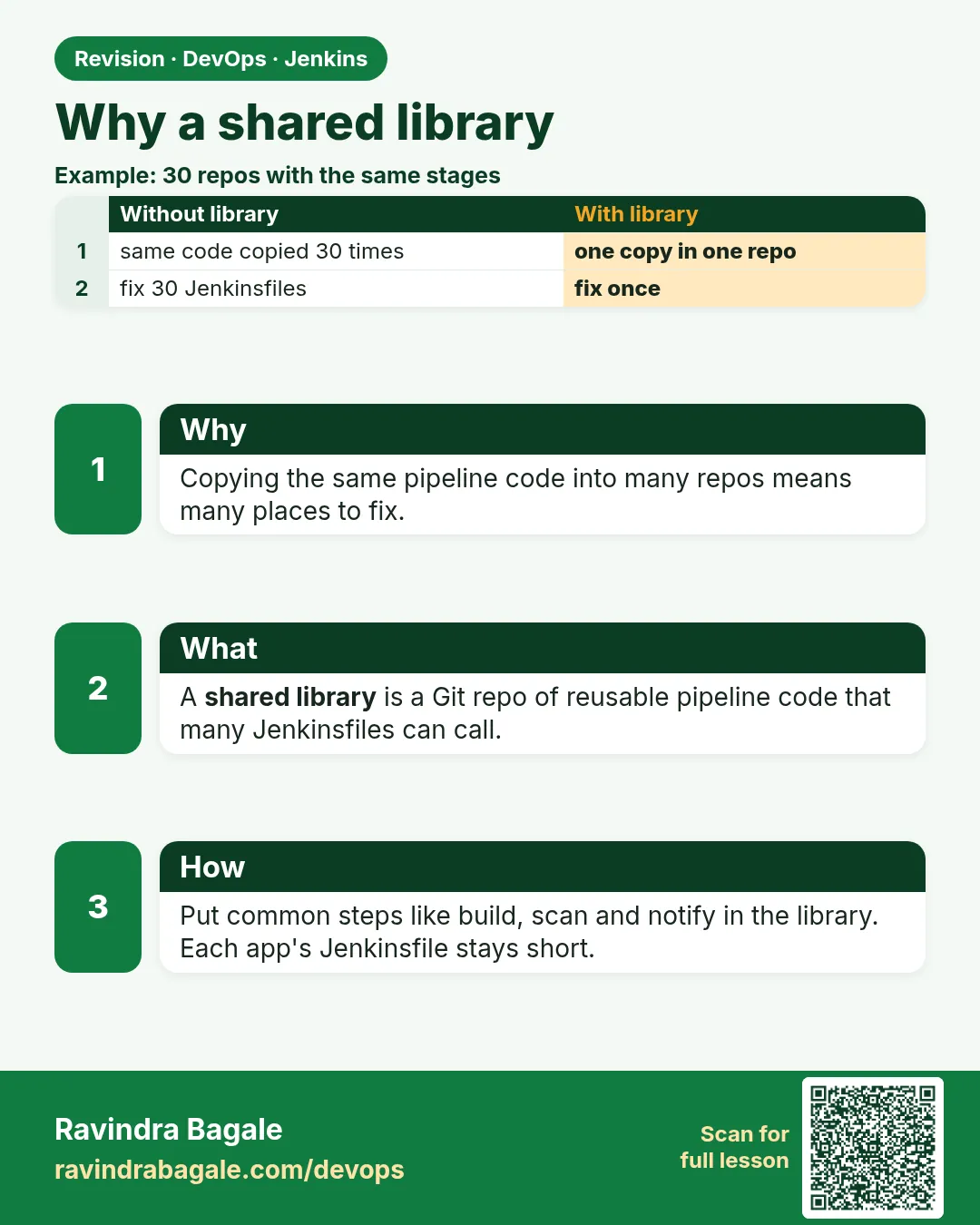
25.1 Why a library
Why: the problem
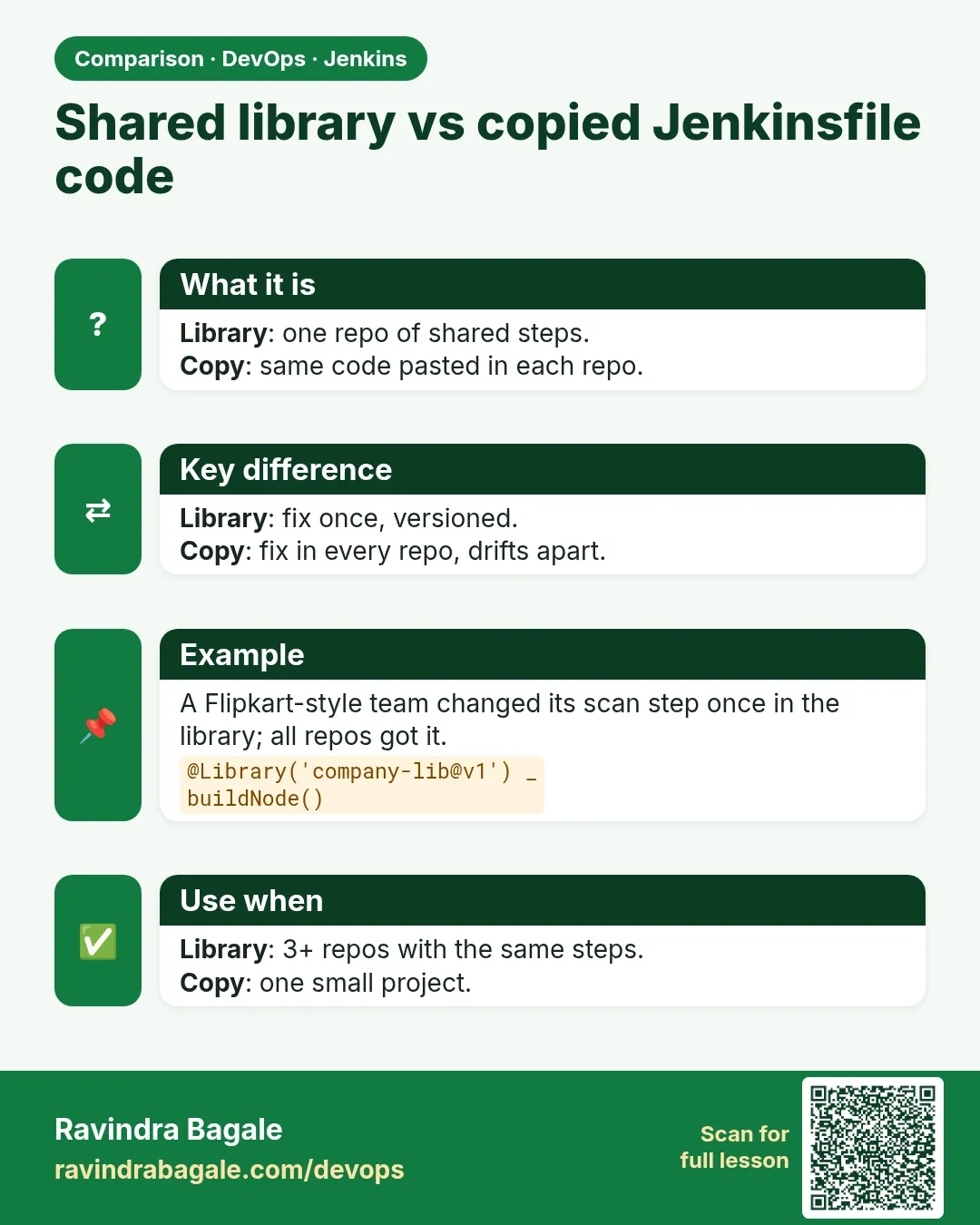
Think of Zomato. It has forty services. Each service has its own Jenkinsfile. Each Jenkinsfile has the same five stages: checkout, test, build image, scan image, push image. One day the security team says: use the new scanner flag. Now forty teams must edit forty files. Ten teams forget. Three teams delete the scan stage because it is slow. Nobody notices for a month. This is the copy-paste problem. A shared library fixes it. A shared library is a separate Git repo with Groovy code. Every app Jenkinsfile loads it with one line, @Library. The common stages live in one place. When the security team changes the scanner flag, they change one file in the library. All forty pipelines get the change on their next run. In this lesson you will see the copy-paste problem with your own eyes, create a tiny library repo, register it in Jenkins, and call your first shared step.
What we will build
You will make two app repos with copy-pasted Jenkinsfiles and see how they drift apart. Then you will create a library repo named badge-lib with one file, vars/sayHello.groovy. You will register it under Manage Jenkins as a Global Pipeline Library. Finally both apps will call sayHello and later a real step, badgeCi, that runs tests and builds the image.
What: every term in plain English
- Shared library — A Git repo of Groovy code that many Jenkinsfiles can load and reuse.
- Global Pipeline Library — A library registered by an admin in Manage Jenkins. Every job can load it by name.
- @Library — The line at the top of a Jenkinsfile that loads a library, like @Library('badge-lib') _
- Underscore after @Library — A Groovy trick. The annotation needs something to sit on, so we put _ there.
- Custom step — A file in vars/, like vars/badgeCi.groovy. Its name becomes a step you can call: badgeCi().
- Default version — The branch or tag Jenkins loads when the Jenkinsfile does not ask for one, usually main.
- Drift — When copies of the same file slowly become different over time.
- Trusted library — Global libraries run without the Groovy sandbox, so only admins should be able to change them.
How: step by step
-
Create the library repo
mkdir badge-lib && cd badge-lib && git init -b main
mkdir vars
What it does: Makes an empty Git repo with the vars folder.
Output
Initialized empty Git repository in /home/ravi/badge-lib/.git/ -
Add the first step
printf "def call(String name) {\n  echo \"Hello ${name} from badge-lib\"\n}\n" > vars/sayHello.groovy
cat vars/sayHello.groovy
What it does: Creates a step called sayHello. The function must be named call.
Output
def call(String name) { echo "Hello ${name} from badge-lib" } -
Commit and push
git add . && git commit -m "first step"
git remote add origin git@gitlab.example.com:platform/badge-lib.git
git push -u origin main
What it does: Puts the library on your Git server.
Output
* [new branch] main -> main -
Register the library
Manage Jenkins > System > Global Pipeline Libraries > Add
Name: badge-lib   Default version: main
Retrieval method: Modern SCM > Git > Project repository: git@gitlab.example.com:platform/badge-lib.git
Credentials: git-ssh-key
What it does: Tells Jenkins where the library lives and which branch to load.
Output
Currently maps to revision: 4e1f9a2 -
Call it from an app
@Library('badge-lib') _
pipeline {
  agent any
  stages { stage('Hi') { steps { sayHello('badge-api') } } }
}
What it does: The app loads the library and calls the step.
Output
Loading library badge-lib@main Hello badge-api from badge-lib -
Change once, see everywhere
sed -i "s/Hello/Namaste/" vars/sayHello.groovy && git commit -am "namaste" && git pushWhat it does: One change in the library reaches every app on its next build.
Output
main -> main -
Run both apps again
Build Now on badge-api and badge-webWhat it does: Both pipelines pick up the new text without editing their Jenkinsfiles.
Output
Namaste badge-api from badge-lib
Namaste badge-web from badge-lib
Example 1: See the copy-paste problem first
Stack. Two Node.js apps, Jenkins with a docker agent, Trivy
Goal. See the copy-paste problem first.
badge-api/Jenkinsfile
pipeline {
  agent { label 'docker' }
  stages {
    stage('Test')  { steps { sh 'npm ci && npm test' } }
    stage('Build') { steps { sh 'docker build -t badge-api:${BUILD_NUMBER} .' } }
    stage('Scan')  { steps { sh 'trivy image --exit-code 1 --severity HIGH,CRITICAL badge-api:${BUILD_NUMBER}' } }
  }
}
badge-web/Jenkinsfile (copied two months ago)
pipeline {
  agent { label 'docker' }
  stages {
    stage('Test')  { steps { sh 'npm ci && npm test' } }
    stage('Build') { steps { sh 'docker build -t badge-web:${BUILD_NUMBER} .' } }
    // Scan removed: "too slow" - someone, March
  }
}
What each line does
agent { label 'docker' }— Both files ask for the same kind of agent.npm ci && npm test— Same test step, typed twice.docker build -t ...— Same build step with a different name.trivy image --exit-code 1— Fails the build if HIGH or CRITICAL holes are found.// Scan removed— The second copy drifted. Nobody reviewed it.diff— Running diff on the two files shows the missing stage at once.
Green output
$ diff -u badge-api/Jenkinsfile badge-web/Jenkinsfile
--- badge-api/Jenkinsfile
+++ badge-web/Jenkinsfile
-    stage('Build') { steps { sh 'docker build -t badge-api:${BUILD_NUMBER} .' } }
-    stage('Scan')  { steps { sh 'trivy image --exit-code 1 --severity HIGH,CRITICAL badge-api:${BUILD_NUMBER}' } }
+    stage('Build') { steps { sh 'docker build -t badge-web:${BUILD_NUMBER} .' } }
+    // Scan removed: "too slow" - someone, March
Expected result. You can see the drift. Imagine this across forty repos. That is why a library is needed.
Example 2: Write your first real shared step, badgeCi
Stack. Jenkins LTS, badge-lib on GitLab, Node.js 20, Trivy
Goal. Write your first real shared step, badgeCi.
badge-lib/vars/badgeCi.groovy
def call(Map cfg = [:]) {
  String app = cfg.app ?: error('badgeCi: app name is required')
  String testCmd = cfg.testCmd ?: 'npm ci && npm test'
  pipeline {
    agent { label 'docker' }
    options { timestamps(); timeout(time: 20, unit: 'MINUTES') }
    stages {
      stage('Test')  { steps { sh testCmd } }
      stage('Build') { steps { sh "docker build -t ${app}:${env.BUILD_NUMBER} ." } }
      stage('Scan')  { steps { sh "trivy image --exit-code 1 --severity HIGH,CRITICAL ${app}:${env.BUILD_NUMBER}" } }
    }
    post { always { echo "badgeCi finished for ${app}" } }
  }
}
badge-web/Jenkinsfile (new, 2 lines)
@Library('badge-lib') _
badgeCi(app: 'badge-web')
What each line does
def call(Map cfg = [:])— The step takes named settings, like app and testCmd. Empty map if none.cfg.app ?: error(...)— Stop with a clear message if the app name is missing.pipeline { ... } inside call— The whole declarative pipeline lives in the library.timeout(time: 20...)— Kill stuck builds after 20 minutes for every app.Scan stage— Now every app scans. No team can delete it from its own repo.badgeCi(app: 'badge-web')— The app file shrinks to two lines.
Green output
Loading library badge-lib@main
Attempting to resolve main from remote references...
[Pipeline] stage (Test)
+ npm ci
added 188 packages in 5s
+ npm test
Tests: 22 passed, 22 total
[Pipeline] stage (Build)
+ docker build -t badge-web:41 .
Successfully tagged badge-web:41
[Pipeline] stage (Scan)
+ trivy image --exit-code 1 --severity HIGH,CRITICAL badge-web:41
Total: 0 (HIGH: 0, CRITICAL: 0)
badgeCi finished for badge-web
Finished: SUCCESS
Expected result. badge-web scans again. The scan cannot be deleted by the app team.
Example 3: Pin a library version for safety
Stack. Jenkins, Git tags
Goal. Pin a library version for safety.
badge-api/Jenkinsfile
@Library('badge-lib@v1.4.0') _
badgeCi(app: 'badge-api', testCmd: 'npm ci && npm run test:ci')
Make the tag in the library
cd badge-lib
git tag -a v1.4.0 -m "scan flag update"
git push origin v1.4.0
What each line does
@Library('badge-lib@v1.4.0')— Loads exactly tag v1.4.0, not the moving main branch.testCmd— The app overrides only the test command. Other stages stay shared.git tag -a— Annotated tag with a message. Release notes start here.Allow default version to be overridden— This box must be ticked in the library settings, or @version is refused.Why pin— A bad push to main cannot break production pipelines. Teams upgrade on purpose.
Green output
Loading library badge-lib@v1.4.0
Attempting to resolve v1.4.0 from remote references...
Selected Git installation does not exist. Using Default
Checking out Revision 9c3d7e1 (v1.4.0)
+ npm ci && npm run test:ci
Tests: 31 passed, 31 total
Finished: SUCCESS
Expected result. The console shows the exact tag and commit that ran. Audits become easy.
Verify: did it work?
-
See which library version ran
Build page > Console Output, search for Loading libraryWhat it does: Every build prints the library name, version and commit.
Output
Loading library badge-lib@v1.4.0 Checking out Revision 9c3d7e1 -
List libraries
Manage Jenkins > System > Global Pipeline LibrariesWhat it does: Shows every registered library and its default version.
Output
badge-lib default: main
When it is red 1
WorkflowScript: 1: Library badge-lib not found
Cause. The name in @Library does not match the name in Manage Jenkins, or the library is folder-level in a different folder.
Fix, step by step
- Open Manage Jenkins > System and copy the exact library name.
- Check the case: Badge-lib and badge-lib are different.
- If it is a folder library, move the job into that folder.
When it is red 2
No such DSL method 'badgeCi' found among steps
Cause. The file name in vars does not match the call, or the function is not named call.
Fix, step by step
- File must be vars/badgeCi.groovy, same spelling and case.
- Inside, the function must be def call(...).
- Push the library and run again.
When it is red 3
Version override not permitted for library badge-lib
Cause. The Jenkinsfile asks for @v1.4.0 but the admin did not allow overrides.
Fix, step by step
- Open the library settings.
- Tick Allow default version to be overridden.
- Save and rebuild.
Cleanup
-
Remove the test step
git rm vars/sayHello.groovy && git commit -m "remove demo" && git pushWhat it does: Keeps the library clean. Only real steps stay.
Output
delete mode 100644 vars/sayHello.groovy
Ravindra Bagale's Tip
Ek baar library madhe change kara, sagle 40 pipeline update. Production la tag pin kara. Lakshat theva!
Practice tasks
Easy Spot the drift
Why: You must see the problem before you trust the fix.
What to do: Diff two Jenkinsfiles from two of your projects.
- Run diff on them.
- Mark lines that should be the same.
Check: You list at least two drifted lines.
Medium First vars step
Why: Every library starts with one step.
What to do: Create vars/sayHello.groovy and call it.
- Register the library.
- Add @Library to an app.
Check: Console prints your hello text.
Hard Pin and upgrade
Why: Pinning protects production.
What to do: Pin an app to v1.0.0, release v1.1.0, then upgrade on purpose.
- Tag twice.
- Change the @ version.
Check: Console shows both versions in two builds.
Easy Say Jenkins shared libraries in two lines
Why: If you can say it simply, you understand it. Juniors and interviewers want the short version first.
What to do: Write two short lines about Jenkins shared libraries for a fresher who knows only Linux basics.
- Write what problem it solves.
- Write the one command or menu you use for it.
- Read it aloud to a friend.
Check: A fresher understands it without asking a question.
Easy Start a fresh lab Jenkins
Why: Practice needs a throwaway Jenkins. If you break it, you delete it and start again.
What to do: Run Jenkins LTS in Docker with a named volume.
- docker volume create jenkins_home
- docker run -d --name jenkins -p 8080:8080 -v jenkins_home:/var/jenkins_home jenkins/jenkins:lts-jdk17
- docker exec jenkins cat /var/jenkins_home/secrets/initialAdminPassword
Check: The Jenkins unlock page opens on localhost:8080.
Medium Break it on purpose
Why: You must know the red message by face. During an outage there is no time to read slowly.
What to do: Cause one error from the "When it is red" part of this lesson and fix it.
- Follow the error section.
- Copy the exact message into your notes.
- Write the fix in one line.
Check: You fixed it using only the steps, without searching the web.
Medium Write a one-page runbook
Why: At 2 a.m. nobody remembers where a file lives. A short page saves the on-call person.
What to do: Write a runbook page for this lesson.
- Title, when to use, exact command, how to check, how to undo.
Check: A teammate can follow it alone.
Medium Repeat it on a cloud VM
Why: A laptop is not a server. Real Jenkins runs on EC2 or a company VM.
What to do: Do the main steps of this lesson again on a small Ubuntu 22.04 EC2 instance.
- Launch t3.small with 20 GB disk.
- Open port 22 only to your IP.
- Repeat the steps and compare the output.
Check: Same green output on the VM as on your laptop.
Hard Explain it like an interview
Why: Interviewers want real stories, not definitions.
What to do: Record a 60 second answer about this lesson.
- Say the problem, the command you ran, and one error you hit.
Check: Your answer has a real command and a real error message.
Hard Draw the flow top to bottom
Why: A drawing shows who talks to whom and in what order.
What to do: Draw this lesson as boxes from top to bottom.
- Start at the developer push, go through the controller and agent, end at the result.
Check: Each box matches a real thing you saw on screen.
Homework: try at home
Try at home
At home, create badge-lib with two steps: sayHello and badgeCi. Register it in your lab Jenkins. Convert two app Jenkinsfiles to two lines each. Then change the timeout in the library and prove both apps picked up the change.
Recap
- Copy-paste Jenkinsfiles drift apart.
- A shared library is one Git repo of shared steps.
- vars/name.groovy with def call becomes the step name.
- Load it with @Library and an underscore.
- Pin a tag for production pipelines.
FAQ
Do I need Groovy skills?
Basic ones. Most vars steps are just sh and echo wrapped in a function.
Can a library hold a full pipeline?
Yes. Put pipeline { } inside call, like badgeCi.
Where do I register a library?
Manage Jenkins > System > Global Pipeline Libraries, or on a folder.
Does every build download the library?
Jenkins fetches it at the start of each build, so changes show up at once.
Can apps still add their own stages?
Give the step options, or let apps write their own pipeline and call smaller steps.
Interview questions
-
What is a Jenkins shared library?
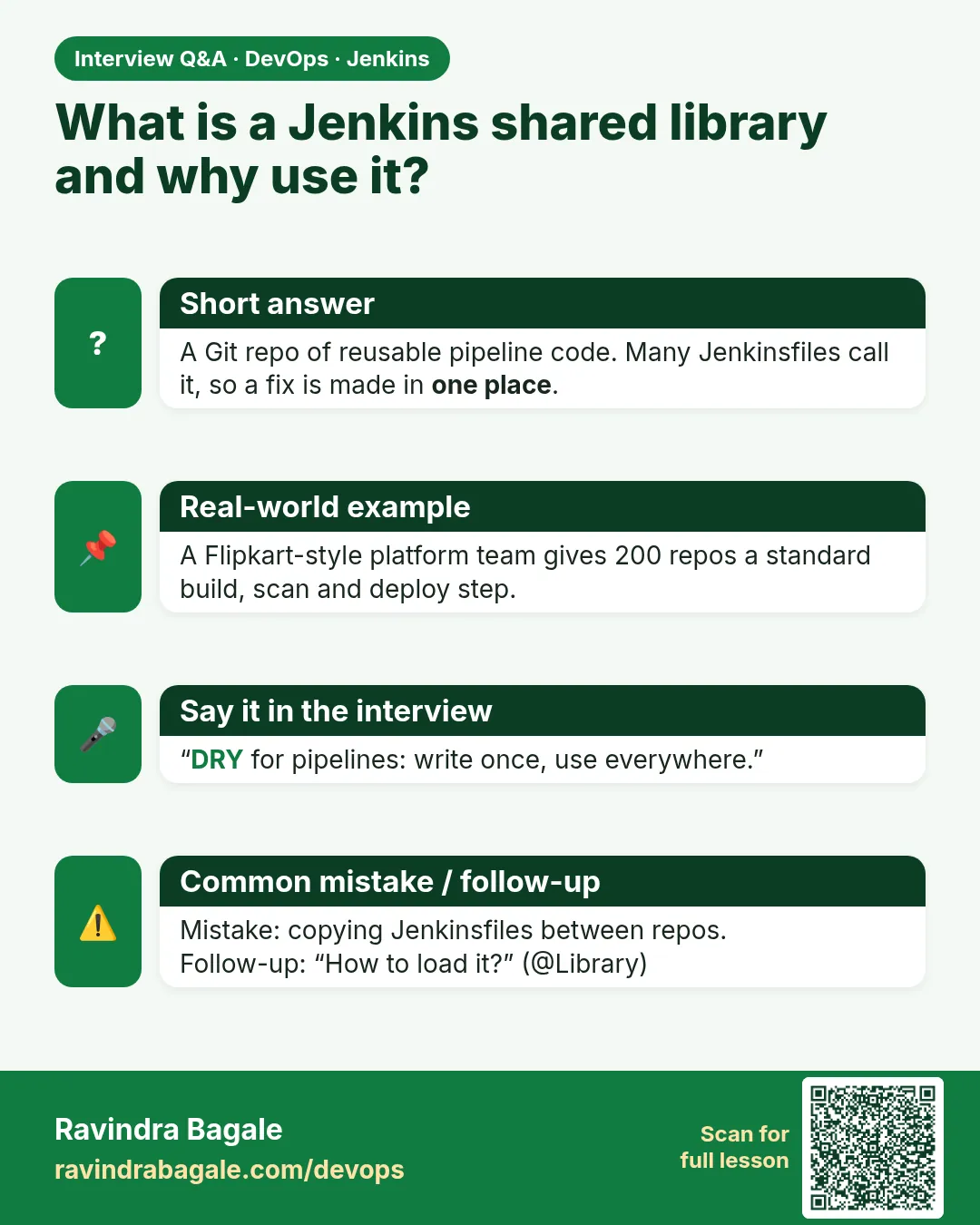
A separate Git repo with Groovy code that many Jenkinsfiles load with @Library to reuse common steps.
-
Why use one?
To stop copy-paste drift, enforce stages like scans in one place, and make changes once for all teams.
-
How do you avoid a bad library change breaking all builds?
Pin tags in production pipelines, test the library on a sandbox job, and review library merge requests.
-
What is the difference between global and folder libraries?
Global libraries are trusted and run outside the sandbox. Folder libraries run in the sandbox and serve only that folder.
-
How does Jenkins find the step badgeCi?
It looks for vars/badgeCi.groovy in loaded libraries and calls its call method.
Quick quiz
Q1. What problem does a shared library solve?
Copy-pasted Jenkinsfiles that drift apart.
Q2. Which folder holds custom steps?
vars/
Q3. What must the function inside a vars file be called?
call
Q4. What does @Library('badge-lib@v1.4.0') do?
Loads the library at tag v1.4.0.
Q5. Why the underscore after @Library?
The annotation needs something to attach to.
Samajla ka?
 Revision card
 Interview card
 Comparison card