Chapter 25: Shared Libraries, Credentials and Environments
25.2 The three folders
Why: the problem
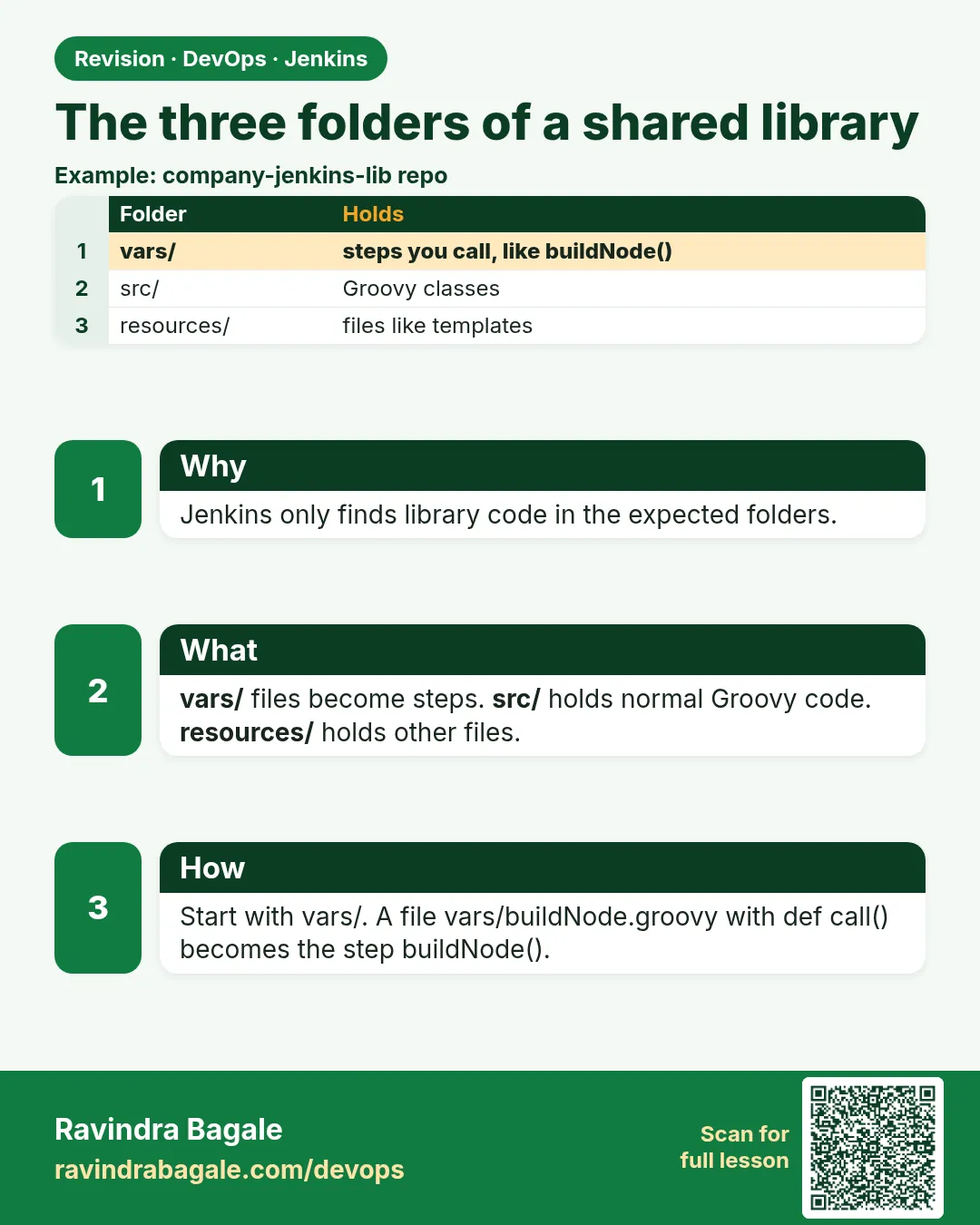
Now Zomato's library is growing. One file, badgeCi.groovy, has become 600 lines. It has helper code to read version numbers, a big YAML template, and a shell script inside a Groovy string. Nobody can read it. A shared library has three folders, and each folder has a clear job. vars holds simple steps that Jenkinsfiles call, like badgeCi or notifySlack. src holds normal Groovy classes, in packages, for bigger logic like version math. resources holds plain files, like YAML templates or shell scripts, that steps load with libraryResource. If you put each kind of thing in the right folder, the library stays easy to read, test and review. In this lesson you will build all three folders and see how they work together.
What we will build
You will grow badge-lib into the full shape. vars/badgeCi.groovy stays short. src/com/badge/Version.groovy computes the next version from Git tags. resources/badge/k8s-deploy.yaml is a template filled with the app name and image. resources/badge/smoke.sh is a script loaded and run on the agent. You will also add a vars/badgeCi.txt help file that shows in the Pipeline Syntax page.
What: every term in plain English
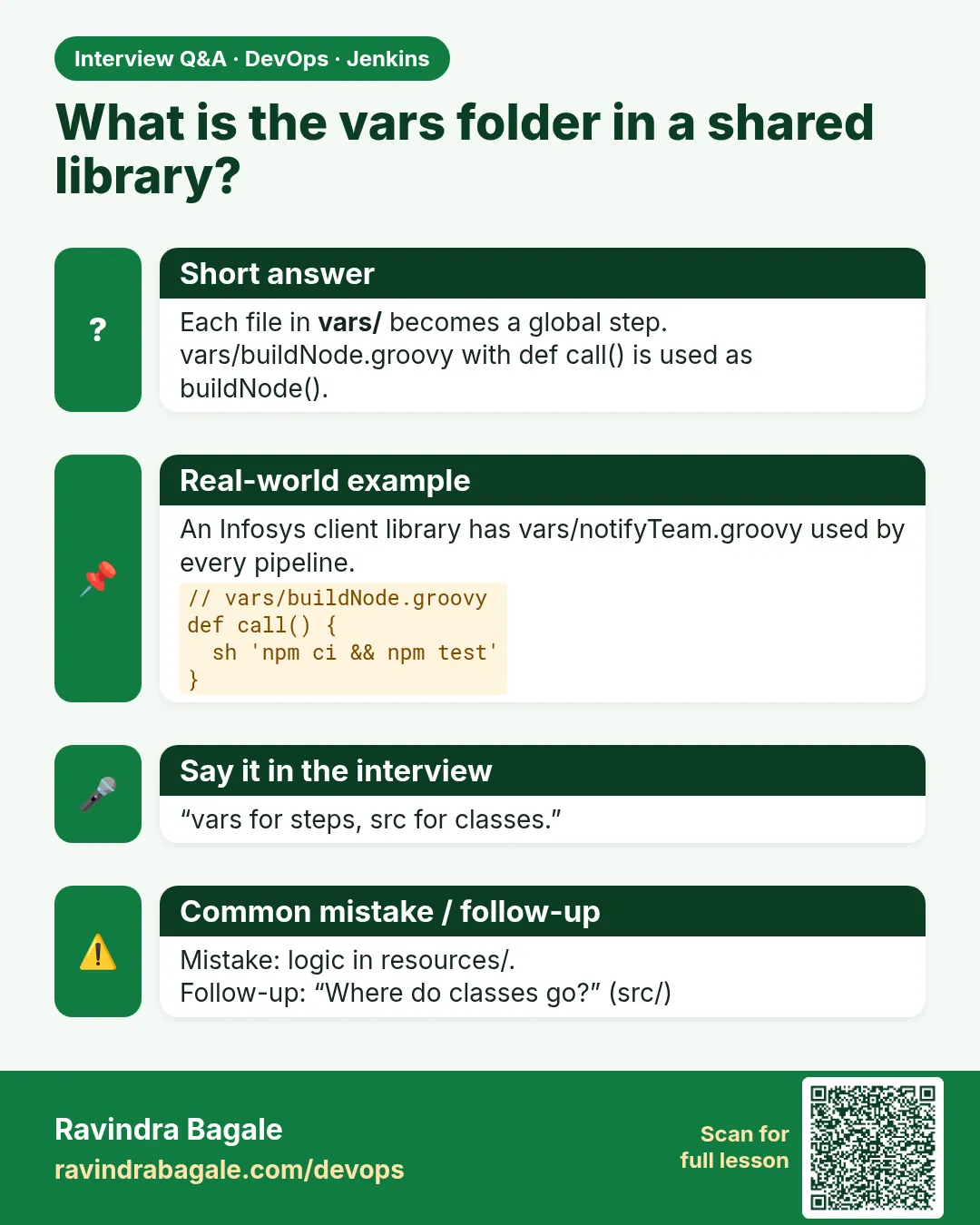
- vars/ — Folder for global steps. Each file name is a step name. Keep them short.
- src/ — Folder for Groovy classes in packages, like src/com/badge/Version.groovy. Imported with import.
- resources/ — Folder for non-Groovy files, like YAML, JSON or shell scripts.
- libraryResource — Step that reads a file from resources and returns its text.
- Package — A name space for classes, like com.badge. Must match the folder path.
- vars help file — vars/name.txt shows help text in Pipeline Syntax > Global Variables Reference.
- Serializable — Classes in src should implement Serializable so Jenkins can pause and resume the pipeline.
- steps object — A handle to pipeline steps passed into a src class so it can call sh or echo.
How: step by step
-
Make the folders
cd badge-lib
mkdir -p vars src/com/badge resources/badge
tree -d .
What it does: Creates the standard layout.
Output
. ├── resources │ └── badge ├── src │ └── com │ └── badge └── vars -
Add a src class
vim src/com/badge/Version.groovyWhat it does: A class to compute versions. Package line must be package com.badge.
Output
(file saved) -
Add a resource template
vim resources/badge/k8s-deploy.yamlWhat it does: A YAML file with placeholders like APP and IMAGE.
Output
(file saved) -
Add a resource script
vim resources/badge/smoke.shWhat it does: A health check script the pipeline will write to the workspace and run.
Output
(file saved) -
Add help text
echo "badgeCi(app: name, testCmd: cmd) runs test, build, scan." > vars/badgeCi.txtWhat it does: Shows up in the Jenkins Global Variables Reference.
Output
(file saved) -
Check the full tree
tree .What it does: See every file in its folder.
Output
. ├── resources/badge/k8s-deploy.yaml ├── resources/badge/smoke.sh ├── src/com/badge/Version.groovy ├── vars/badgeCi.groovy └── vars/badgeCi.txt -
Push
git add . && git commit -m "full layout" && git pushWhat it does: Every app sees the new layout on the next build.
Output
main -> main
Example 1: Use a src class for version logic
Stack. Jenkins, Groovy class in src
Goal. Use a src class for version logic.
src/com/badge/Version.groovy
package com.badge

class Version implements Serializable {
  def steps
  Version(steps) { this.steps = steps }

  String next() {
    String last = steps.sh(script: "git describe --tags --abbrev=0 2>/dev/null || echo v0.0.0", returnStdout: true).trim()
    def parts = last.replace('v', '').tokenize('.').collect { it as int }
    parts[2] = parts[2] + 1
    return "v${parts.join('.')}"
  }
}
Jenkinsfile
@Library('badge-lib') _
import com.badge.Version

pipeline {
  agent { label 'docker' }
  stages {
    stage('Version') {
      steps {
        script {
          env.APP_VERSION = new Version(this).next()
          echo "Next version: ${env.APP_VERSION}"
        }
      }
    }
  }
}
What each line does
package com.badge— Must match the folder src/com/badge.implements Serializable— Lets Jenkins save the pipeline state between steps.def steps— Holds the pipeline so the class can call sh.git describe --tags --abbrev=0— Prints the latest tag, like v1.4.2.parts[2] + 1— Adds one to the patch number.import com.badge.Version— Classes from src need an import. vars steps do not.new Version(this)— Passes the pipeline itself as steps.
Green output
Loading library badge-lib@main
[Pipeline] stage (Version)
+ git describe --tags --abbrev=0
v1.4.2
Next version: v1.4.3
Finished: SUCCESS
Expected result. The version math lives in one tested class, not in forty Jenkinsfiles.
Example 2: Fill a YAML template from resources
Stack. Jenkins, libraryResource, Kubernetes YAML
Goal. Fill a YAML template from resources.
resources/badge/k8s-deploy.yaml
apiVersion: apps/v1
kind: Deployment
metadata:
  name: APP
spec:
  replicas: 2
  selector:
    matchLabels: { app: APP }
  template:
    metadata:
      labels: { app: APP }
    spec:
      containers:
        - name: APP
          image: IMAGE
          ports: [{ containerPort: 8080 }]
vars/renderDeploy.groovy
def call(String app, String image) {
  String tpl = libraryResource('badge/k8s-deploy.yaml')
  String out = tpl.replace('APP', app).replace('IMAGE', image)
  writeFile file: 'deploy.yaml', text: out
  sh 'cat deploy.yaml | head -20'
}
What each line does
libraryResource('badge/k8s-deploy.yaml')— Reads the file from resources as text..replace('APP', app)— Puts the real app name in every APP spot.writeFile— Saves the filled YAML into the build workspace.sh 'cat deploy.yaml'— Shows the result in the console for checking.Why resources— YAML stays readable YAML, not a giant Groovy string.
Green output
+ cat deploy.yaml
apiVersion: apps/v1
kind: Deployment
metadata:
  name: badge-api
spec:
  replicas: 2
  ...
        - name: badge-api
          image: 1234.dkr.ecr.ap-south-1.amazonaws.com/badge-api:42
Expected result. The deploy file is made from one shared template. Every team gets the same safe shape.
Example 3: Run a shared shell script from resources
Stack. Jenkins, bash, curl
Goal. Run a shared shell script from resources.
resources/badge/smoke.sh
#!/usr/bin/env bash
set -euo pipefail
URL="$1"
for i in 1 2 3 4 5; do
  code=$(curl -s -o /dev/null -w "%{http_code}" "$URL/health" || true)
  echo "try $i -> $code"
  if [ "$code" = "200" ]; then echo "SMOKE OK"; exit 0; fi
  sleep 3
done
echo "SMOKE FAILED"; exit 1
vars/smokeTest.groovy
def call(String url) {
  writeFile file: 'smoke.sh', text: libraryResource('badge/smoke.sh')
  sh 'chmod 755 smoke.sh'
  sh "./smoke.sh ${url}"
}
What each line does
set -euo pipefail— Stop the script on any error or unset variable.curl -w "%{http_code}"— Prints only the HTTP status code.for i in 1 2 3 4 5— Try five times, three seconds apart.writeFile ... libraryResource— Copy the script from the library into the workspace.chmod 755— Owner can write; everyone can read and run. Safe for a script.smokeTest('http://10.0.2.15:8080')— How an app calls it.
Green output
+ ./smoke.sh http://10.0.2.15:8080
try 1 -> 000
try 2 -> 503
try 3 -> 200
SMOKE OK
Expected result. The same smoke test runs after every deploy in every team.
Verify: did it work?
-
See the help text
Any pipeline job > Pipeline Syntax > Global Variables ReferenceWhat it does: Your vars/badgeCi.txt text is listed there.
Output
badgeCi badgeCi(app: name, testCmd: cmd) runs test, build, scan. -
Check the class compiles
Run a job with import com.badge.VersionWhat it does: A compile error stops the build at the start.
Output
Finished: SUCCESS
When it is red 1
unable to resolve class com.badge.Version
Cause. The package line and folder do not match, or the import is missing.
Fix, step by step
- Check the file is src/com/badge/Version.groovy.
- First line must be package com.badge.
- Add import com.badge.Version after @Library.
When it is red 2
No such library resource badge/k8s-deploy.yaml could be found
Cause. Wrong path. The path is relative to resources/.
Fix, step by step
- Do not write resources/ in the call.
- Check the spelling and the subfolder.
- Push the file and rerun.
When it is red 3
java.io.NotSerializableException: com.badge.Version
Cause. The class does not implement Serializable.
Fix, step by step
- Add implements Serializable to the class.
- Push and rerun the build.
Cleanup
-
Delete demo files
git rm resources/badge/smoke.sh && git commit -m cleanup && git pushWhat it does: Only if you do not want the demo script anymore.
Output
delete mode 100644 resources/badge/smoke.sh
Ravindra Bagale's Tip
vars = steps, src = classes, resources = files. Teen folder, teen kaam. Gondhal karu naka. Lakshat theva!
Practice tasks
Easy Draw the tree
Why: Layout is the first thing reviewers check.
What to do: Draw your library tree on paper.
- Three folders, one file each.
Check: Matches tree output.
Medium Template a file
Why: Templates stop YAML copy-paste.
What to do: Fill a YAML template with libraryResource.
- Add placeholders.
- Replace them in a step.
Check: deploy.yaml has real values.
Hard Unit-test a class
Why: src code is normal Groovy and can be tested.
What to do: Write a test for Version.next with a fake steps object.
- Use a small Groovy script with a stub.
Check: v1.4.2 becomes v1.4.3.
Easy Say shared library folders in two lines
Why: If you can say it simply, you understand it. Juniors and interviewers want the short version first.
What to do: Write two short lines about shared library folders for a fresher who knows only Linux basics.
- Write what problem it solves.
- Write the one command or menu you use for it.
- Read it aloud to a friend.
Check: A fresher understands it without asking a question.
Easy Start a fresh lab Jenkins
Why: Practice needs a throwaway Jenkins. If you break it, you delete it and start again.
What to do: Run Jenkins LTS in Docker with a named volume.
- docker volume create jenkins_home
- docker run -d --name jenkins -p 8080:8080 -v jenkins_home:/var/jenkins_home jenkins/jenkins:lts-jdk17
- docker exec jenkins cat /var/jenkins_home/secrets/initialAdminPassword
Check: The Jenkins unlock page opens on localhost:8080.
Medium Break it on purpose
Why: You must know the red message by face. During an outage there is no time to read slowly.
What to do: Cause one error from the "When it is red" part of this lesson and fix it.
- Follow the error section.
- Copy the exact message into your notes.
- Write the fix in one line.
Check: You fixed it using only the steps, without searching the web.
Medium Write a one-page runbook
Why: At 2 a.m. nobody remembers where a file lives. A short page saves the on-call person.
What to do: Write a runbook page for this lesson.
- Title, when to use, exact command, how to check, how to undo.
Check: A teammate can follow it alone.
Medium Repeat it on a cloud VM
Why: A laptop is not a server. Real Jenkins runs on EC2 or a company VM.
What to do: Do the main steps of this lesson again on a small Ubuntu 22.04 EC2 instance.
- Launch t3.small with 20 GB disk.
- Open port 22 only to your IP.
- Repeat the steps and compare the output.
Check: Same green output on the VM as on your laptop.
Hard Explain it like an interview
Why: Interviewers want real stories, not definitions.
What to do: Record a 60 second answer about this lesson.
- Say the problem, the command you ran, and one error you hit.
Check: Your answer has a real command and a real error message.
Hard Draw the flow top to bottom
Why: A drawing shows who talks to whom and in what order.
What to do: Draw this lesson as boxes from top to bottom.
- Start at the developer push, go through the controller and agent, end at the result.
Check: Each box matches a real thing you saw on screen.
Homework: try at home
Try at home
At home, build all three folders in your lab library. Add one class in src, one YAML in resources and one step in vars that uses both. Run it from a test job and save the console output.
Recap
- vars is for steps, src for classes, resources for files.
- File name in vars equals step name.
- src classes need package, import and Serializable.
- libraryResource reads files as text.
- Keep each step short.
FAQ
Can vars steps use src classes?
Yes. Import the class at the top of the vars file.
Can resources hold binary files?
Use text files. For binaries use an artifact store instead.
Is a src class sandboxed?
In global libraries, no. That is why only admins should merge.
Can I have many vars files?
Yes. One file per step is the clean way.
Do I need tests for the library?
Yes for bigger libraries. Jenkins Pipeline Unit is the common tool.
Interview questions
-
Explain the three folders of a shared library.
vars holds global steps named by file, src holds Groovy classes in packages, and resources holds plain files read with libraryResource.
-
How do you use a template from a library?
Put it in resources, read it with libraryResource, replace placeholders, and writeFile it into the workspace.
-
Why must src classes be Serializable?
Pipelines are saved to disk between steps so they can survive restarts. Non-serializable objects break that.
-
How would you share a shell script across pipelines?
Keep it in resources, write it to the workspace with libraryResource and writeFile, then run it with sh.
-
What is the vars .txt file for?
Help text shown in the Global Variables Reference.
Quick quiz
Q1. Which folder holds step files?
vars/
Q2. Which folder holds Groovy classes?
src/
Q3. Which step reads a file from resources?
libraryResource
Q4. Do src classes need an import?
Yes.
Q5. Why implement Serializable?
So Jenkins can pause and resume the pipeline.
Samajla ka?
 Revision card
 Interview card