Chapter 24: Jenkins with GitHub, GitLab and Bitbucket
24.7 What not to do
Why: the problem
Think of a bank like HDFC. A security review finds three problems in one week. First, a Jenkinsfile on a public repo had a GitLab token typed in it. A bot found it in minutes. Second, a contractor opened a pull request from a fork. The PR changed the Jenkinsfile to run "aws s3 ls" on the main Jenkins agent, which had admin rights in the cloud account. Third, someone "fixed" missing webhooks by pasting a made-up URL, so no builds ran for two days and nobody knew. None of these need clever hackers. They are simple mistakes. In this lesson you will make each mistake in a safe lab, see how it is found, and fix it the right way.
What we will build
You will scan a repo for leaked tokens with gitleaks and fix a leak by rotating the token, not just deleting the line. You will set the Multibranch job to trust only PRs from people with write access, and run PR builds on a small agent with no cloud rights. You will add a check job that alerts when no build has run on main for a day, so a broken webhook is noticed. You will finish with a short checklist you can use in any company.
What: every term in plain English
- Secret leak — A token, password or key that ends up in Git, a log or a chat.
- gitleaks — A free tool that scans Git history for secrets.
- Rotate — Make a new secret and turn off the old one. Deleting the line is not enough; history keeps it.
- Fork PR — A pull request from a copy of the repo owned by someone outside the team.
- Trust setting — A Multibranch behaviour that decides whose Jenkinsfile changes are used in PR builds.
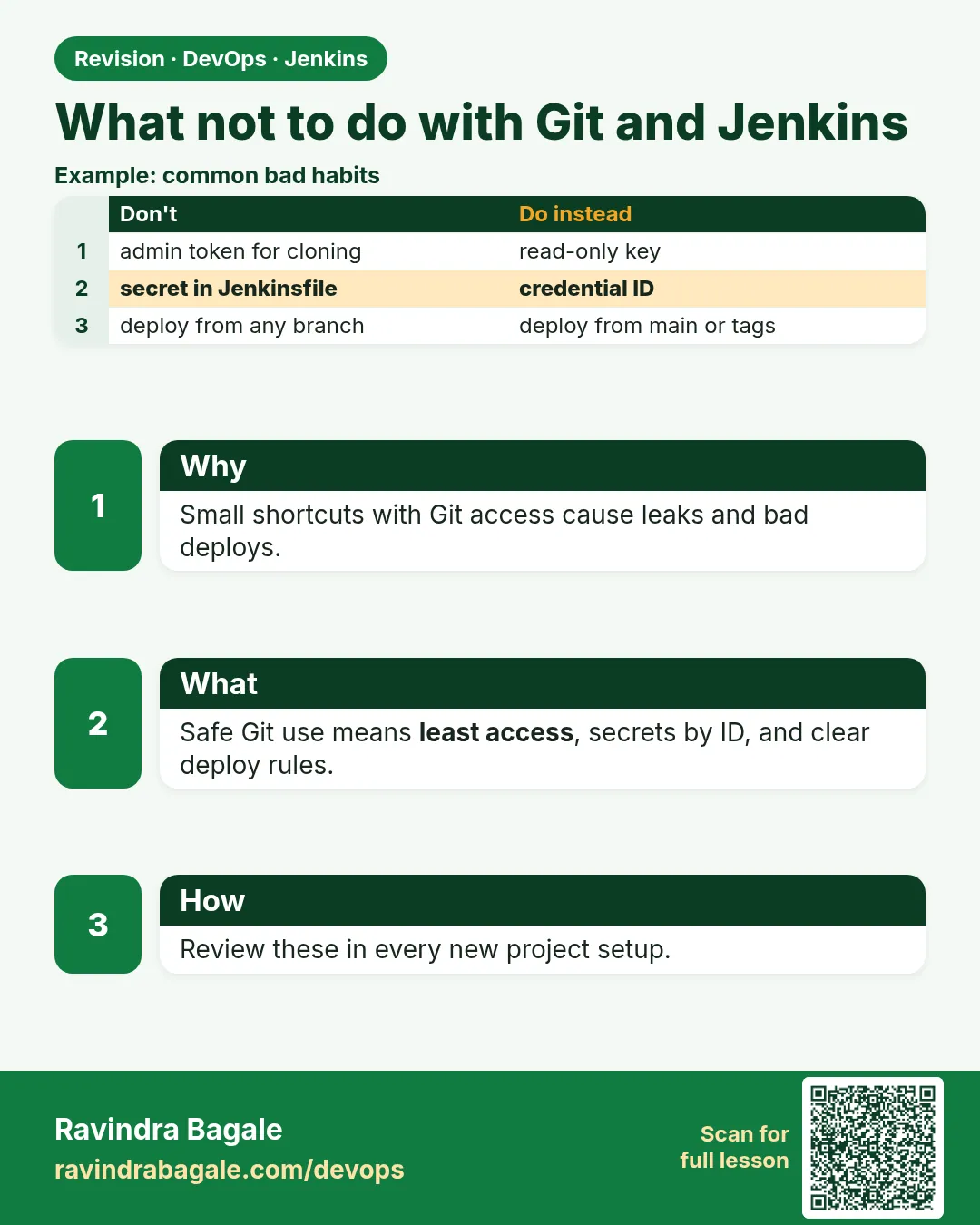
- Least privilege — Give each agent and token only the access it needs, nothing more.
- Agent label — A name on an agent, like pr-small, so jobs can pick where they run.
- Silent failure — Something is broken but no alert fires, like a dead webhook.
How: step by step
-
Install gitleaks
docker pull zricethezav/gitleaks:latestWhat it does: Gets the scanner as a container. No install on the laptop.
Output
Status: Downloaded newer image for zricethezav/gitleaks:latest -
Scan the repo history
docker run --rm -v "$PWD":/repo zricethezav/gitleaks:latest detect --source /repo -vWhat it does: Looks at every commit for secret patterns.
Output
Finding: token = "glpat-XXXXXXXXXXXXXXXXXXXX" RuleID: gitlab-pat Commit: 2f9c0aa 1 leaks found -
Rotate the token
GitLab > Access tokens > Revoke old > Create new > update credential gl-readWhat it does: The leaked value is now useless.
Output
Token revoked -
Remove it from the file
Replace the token line with credentialsId: 'gl-read' and commitWhat it does: Future commits are clean. The old commit is harmless after rotation.
Output
[main 7e1d3b2] use credential id -
Set PR trust
menu-api-mb > Configure > Discover merge requests from forks > Trust: MembersWhat it does: Fork PRs from outsiders use the Jenkinsfile from the target branch, not their changed one.
Output
(saved) -
Add a small PR agent
Manage Jenkins > Nodes > New node > pr-small > Labels: pr-small > no cloud roleWhat it does: PR builds run here, away from deploy rights.
Output
Agent pr-small is connected -
Add a "no builds" alert job
New Item > main-heartbeat > Pipeline > runs dailyWhat it does: Finds silent webhook failures.
Output
Job main-heartbeat created
Example 1: Wrong and right: a token in the Jenkinsfile vs a credential id
Stack. gitleaks, Jenkins credentials
Goal. Wrong and right: a token in the Jenkinsfile vs a credential id.
Jenkinsfile (wrong, never do this)
pipeline {
  agent any
  environment { GL_TOKEN = 'glpat-XXXXXXXXXXXXXXXXXXXX' }
  stages {
    stage('Clone') {
      steps { sh 'git clone https://ci:$GL_TOKEN@gitlab.com/shop-food/menu-api.git' }
    }
  }
}
Jenkinsfile (right)
pipeline {
  agent any
  stages {
    stage('Clone') {
      steps {
        git url: 'https://gitlab.com/shop-food/menu-api.git', branch: 'main', credentialsId: 'gl-read'
      }
    }
  }
}
What each line does
GL_TOKEN = 'glpat-...'— Wrong. The token is now in Git history for everyone who can read the repo.git clone https://ci:$GL_TOKEN@...— Wrong. The URL with the token can show up in logs and process lists.credentialsId: 'gl-read'— Right. Only the id is in Git. The secret stays in Jenkins.git step— Right. The Git plugin handles the login and masks it.
Green output
Wrong version, gitleaks:
Finding: GL_TOKEN = 'glpat-XXXXXXXXXXXXXXXXXXXX'
1 leaks found

Right version, gitleaks:
INF no leaks found
Expected result. The scan is clean, the old token is revoked, and the build still works with gl-read.
Example 2: Run PR builds on a small agent and deploys on a separate agent
Stack. Jenkins agents with labels
Goal. Run PR builds on a small agent and deploys on a separate agent.
Jenkinsfile
pipeline {
  agent none
  stages {
    stage('Test') {
      agent { label env.CHANGE_ID ? 'pr-small' : 'linux-docker' }
      steps { sh 'npm ci || npm install'; sh 'npm test' }
    }
    stage('Deploy') {
      when { branch 'main' }
      agent { label 'deploy' }
      steps {
        withCredentials([string(credentialsId: 'prod-deploy-key', variable: 'DEPLOY_KEY')]) {
          sh './deploy.sh'
        }
      }
    }
  }
}
What each line does
agent none— No default agent. Each stage picks its own.label env.CHANGE_ID ? 'pr-small' : 'linux-docker'— PR builds go to the small agent without cloud rights.when { branch 'main' }— Deploy never runs for PRs.agent { label 'deploy' }— Only this agent has the deploy role.credentialsId: 'prod-deploy-key'— Production secret used only in the deploy stage on main. Scope the credential to this folder.
Green output
menu-api-mb/MR-4 #1
Running on pr-small in /home/jenkins/workspace/menu-api-mb_MR-4
menu ok
Stage "Deploy" skipped due to when conditional
Finished: SUCCESS
Expected result. A PR, even a bad one, can only reach the small agent. It has no cloud role and no production secrets.
Example 3: Catch a silent webhook failure: alert if main has not built in 24 hours
Stack. Jenkins scripted check, email
Goal. Catch a silent webhook failure: alert if main has not built in 24 hours.
Jenkinsfile (main-heartbeat job)
pipeline {
  agent any
  triggers { cron('H 9 * * *') }
  stages {
    stage('Check last main build') {
      steps {
        script {
          def j = Jenkins.instance.getItemByFullName('menu-api-mb/main')
          def last = j?.lastBuild
          def hours = last ? (System.currentTimeMillis() - last.getTimeInMillis()) / 3600000 : 9999
          echo "Last main build: ${last?.number} , ${hours as int} hours ago"
          if (hours > 24) { error("No main build for ${hours as int} hours. Check the webhook.") }
        }
      }
    }
  }
  post { failure { mail to: 'devops-team@shop.local', subject: 'menu-api main is quiet', body: "${env.BUILD_URL}" } }
}
What each line does
cron('H 9 * * *')— Runs once a day near 9 AM.getItemByFullName('menu-api-mb/main')— Finds the main child job. Needs script approval once by an admin.lastBuild.getTimeInMillis()— The start time of the last build.if (hours > 24) error(...)— Fails the job, which makes the mail go out.mail to: ...— Sends an alert. You can use Slack or Teams plugins instead.
Green output
Last main build: 41 , 31 hours ago
ERROR: No main build for 31 hours. Check the webhook.
Sending email to: devops-team@shop.local
Finished: FAILURE
Expected result. The team learns about the broken webhook the next morning, not after a week.
Verify: did it work?
-
Scan again for secrets
docker run --rm -v "$PWD":/repo zricethezav/gitleaks:latest detect --source /repo --no-gitWhat it does: Scans the current files only.
Output
INF no leaks found -
Check where a PR ran
curl -s -u ravi:$JENKINS_TOKEN "http://localhost:8080/job/menu-api-mb/job/MR-4/lastBuild/consoleText" | grep "Running on"What it does: Must show pr-small.
Output
Running on pr-small in /home/jenkins/workspace/menu-api-mb_MR-4
When it is red 1
Fork PR build ran: aws s3 ls
2026-10-20 prod-backups
2026-10-20 customer-exports
Cause. A fork PR changed the Jenkinsfile, and the agent had cloud admin rights.
Fix, step by step
- Set fork PR trust to Members or Nobody.
- Move PR builds to pr-small with no role.
- Rotate any secret the agent could reach.
When it is red 2
gitleaks: 1 leaks found (after you deleted the line)
Cause. The secret is still in old commits.
Fix, step by step
- Rotate the secret first.
- Then optionally rewrite history with the security team.
- Add gitleaks as a PR stage so it never happens again.
When it is red 3
Builds stopped for two days, webhook page shows: Hook executed: 404 Not Found https://jenkins.example.invalid/project/menu-api
Cause. Someone pasted a made-up URL.
Fix, step by step
- Use the real reachable Jenkins URL or Poll SCM.
- Test with Push events and see 200.
- Keep the heartbeat job on.
Cleanup
-
Remove the lab agent
Manage Jenkins > Nodes > pr-small > Delete AgentWhat it does: Keeps the lab Jenkins tidy.
Output
Agent pr-small deleted -
Remove the gitleaks image
docker rmi zricethezav/gitleaks:latestWhat it does: Frees disk space.
Output
Untagged: zricethezav/gitleaks:latest
Ravindra Bagale's Tip
Token Git madhe kadhich nahi. PR la chhota agent. Khota URL nahi. Lakshat theva!
Practice tasks
Easy Scan one repo for secrets
Why: Leaks are common and easy to find.
What to do: Run gitleaks on one of your repos.
- Use the docker run command from the steps.
Check: You see the count of leaks, ideally zero.
Medium Split PR and deploy agents
Why: Least privilege limits damage.
What to do: Make PR builds run on one label and deploys on another.
- Add two agents or two labels.
- Use agent label per stage.
Check: Console shows different agents for PR and main.
Hard Add a gitleaks stage
Why: Stop leaks before merge.
What to do: Add a stage that fails the PR if gitleaks finds anything.
- sh 'gitleaks detect --source . --no-git'
Check: A PR with a fake token turns red.
Easy Say safe Git host setup in two lines
Why: If you can say it simply, you understand it. Juniors and interviewers both want the short version first.
What to do: Write two short lines about safe Git host setup for a fresher who knows only Linux and Git basics.
- Write the problem it solves.
- Write the one Jenkinsfile step or command you use for it.
- Read it aloud to a friend.
Check: A fresher understands it without asking a question.
Easy Start a fresh lab Jenkins
Why: Practice needs a throwaway Jenkins. If you break it, you delete it and start again.
What to do: Run Jenkins LTS in Docker with a named volume.
- docker volume create jenkins_home
- docker run -d --name jenkins -p 8080:8080 -v jenkins_home:/var/jenkins_home jenkins/jenkins:lts-jdk17
- docker logs jenkins 2>&1 | grep -A2 "initialAdminPassword"
Check: The Jenkins login page opens on localhost:8080.
Medium Do it on the second setup
Why: A release idea must work on a VM, on Docker and on Kubernetes. Only the deploy step should change.
What to do: Repeat this lesson on a different target than the one you used first.
- If you used Docker, use kind or minikube now.
- Change only the deploy commands.
- Keep the same Jenkinsfile stages.
Check: Same result, and the stage names did not change.
Medium Break it on purpose
Why: You must know the red output by face. In a real outage there is no time to read slowly.
What to do: Cause one error from the "When it is red" part of this lesson and fix it.
- Follow the error section.
- Copy the exact message into your notes.
- Write the fix in one line.
Check: You fixed it using only the steps, without searching the web.
Medium Write a release runbook page
Why: At 2 a.m. nobody remembers flags. A short page saves the on-call person.
What to do: Write a one-page runbook for this lesson.
- Title, when to use, exact commands, how to check, how to undo.
Check: A teammate can follow it alone.
Hard Explain it like an interview
Why: Interviewers want real stories, not definitions.
What to do: Record a 60 second answer about this lesson.
- Say the problem, the Jenkinsfile step, and one error you hit.
Check: Your answer has a real command and a real error message.
Hard Draw the flow top to bottom
Why: A drawing shows the order of work and who is waiting on whom.
What to do: Draw this lesson as boxes from top to bottom.
- Start at git push, go through the stages, end at the check in production.
Check: Each box matches a real step you ran.
Homework: try at home
Try at home
At home, put a fake token like glpat-XXXXXXXXXXXXXXXXXXXX in a test repo, scan it with gitleaks, then fix it with a credential id. Also run one PR build on a separate small agent and check the console says where it ran.
Recap
- Never put tokens in a Jenkinsfile; use credential ids.
- If a secret leaks, rotate it first.
- Do not let untrusted PRs run with powerful agents or secrets.
- Never invent webhook URLs; use polling or a real URL.
- Add a heartbeat check to catch silent failures.
FAQ
Is a private repo safe for tokens?
No. Many people and tools can read it, and it may become public later.
Can Jenkins mask every secret?
It masks values used through withCredentials. It cannot mask secrets you typed in plain text.
Should I build fork PRs at all?
Yes for open source, but with trust rules and a small agent.
What if I need a webhook on a laptop?
Use a short tunnel for a lab, then stop it.
Who should own the Jenkins bot account?
The team, not one person, so it keeps working when people leave.
Interview questions
-
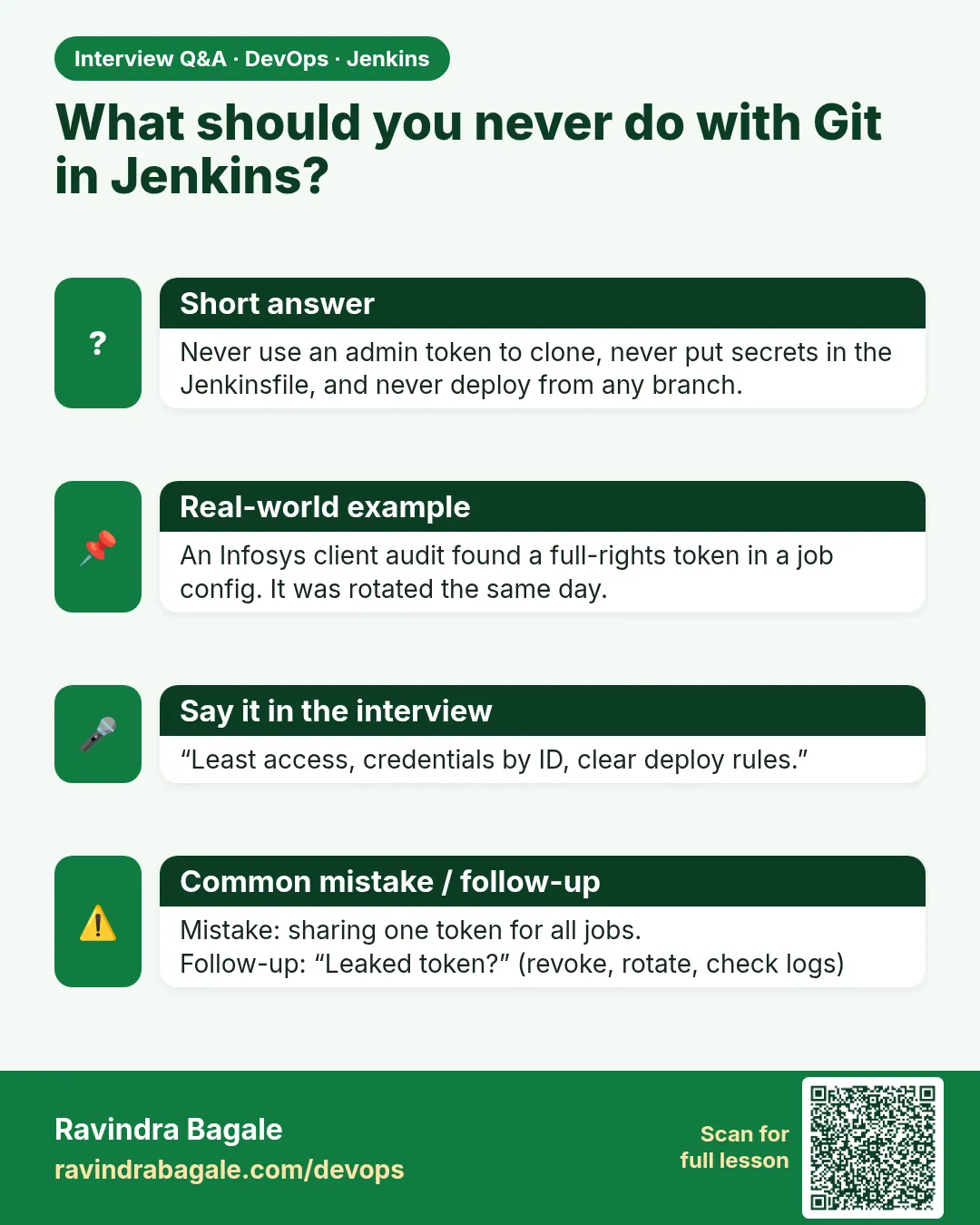
How do you handle a leaked token in Git?
Revoke and rotate it at once, replace it with a credential id, scan history, and add a secret scan stage.
-
How do you build PRs from forks safely?
Trust only members for Jenkinsfile changes, run on a small agent with no secrets, and never deploy from PRs.
-
What is least privilege for Jenkins agents?
Each agent has only the rights its jobs need. PR agents have none; deploy agents have only deploy rights.
-
How do you detect that webhooks stopped?
A heartbeat job or monitor that alerts when no build ran for a set time, plus the host delivery log.
-
Name three Jenkins anti-patterns with Git hosts.
Tokens in Jenkinsfiles, untrusted PRs on powerful agents, and fake or unreachable webhook URLs.
Quick quiz
Q1. Is deleting a leaked token line enough?
No. Rotate it; Git history still has it.
Q2. Where should PR builds run?
On a small agent with no cloud or deploy rights.
Q3. What does the fork trust setting control?
Whether a fork PR can use its own changed Jenkinsfile.
Q4. Why is a made-up webhook URL bad?
It never works, and nobody notices builds stopped.
Q5. Which tool scans Git history for secrets?
gitleaks.
Lab
- Push chapter 21 Jenkinsfile to main and feature/badge-color.
- Create Multibranch; scan; open both child jobs.
- Confirm laptop uses poll or Build Now unless Jenkins is reachable.
Practice task
Write one table: host | URL shape | credential id name | webhook possible on your laptop?
Ravindra Bagale's Tip
Host badalay — URL ani credential id. Jenkinsfile stages same. Lakshat theva!
In short
- GitHub, GitLab, Bitbucket: same Jenkins story.
- HTTPS or SSH credentials by id.
- Poll SCM for laptops; webhook when reachable.
- Multibranch indexes branches; orphaned strategy cleans up.
Samajla ka?
 Revision card
 Interview card