Chapter 24: Jenkins with GitHub, GitLab and Bitbucket
24.4 Multibranch
Why: the problem
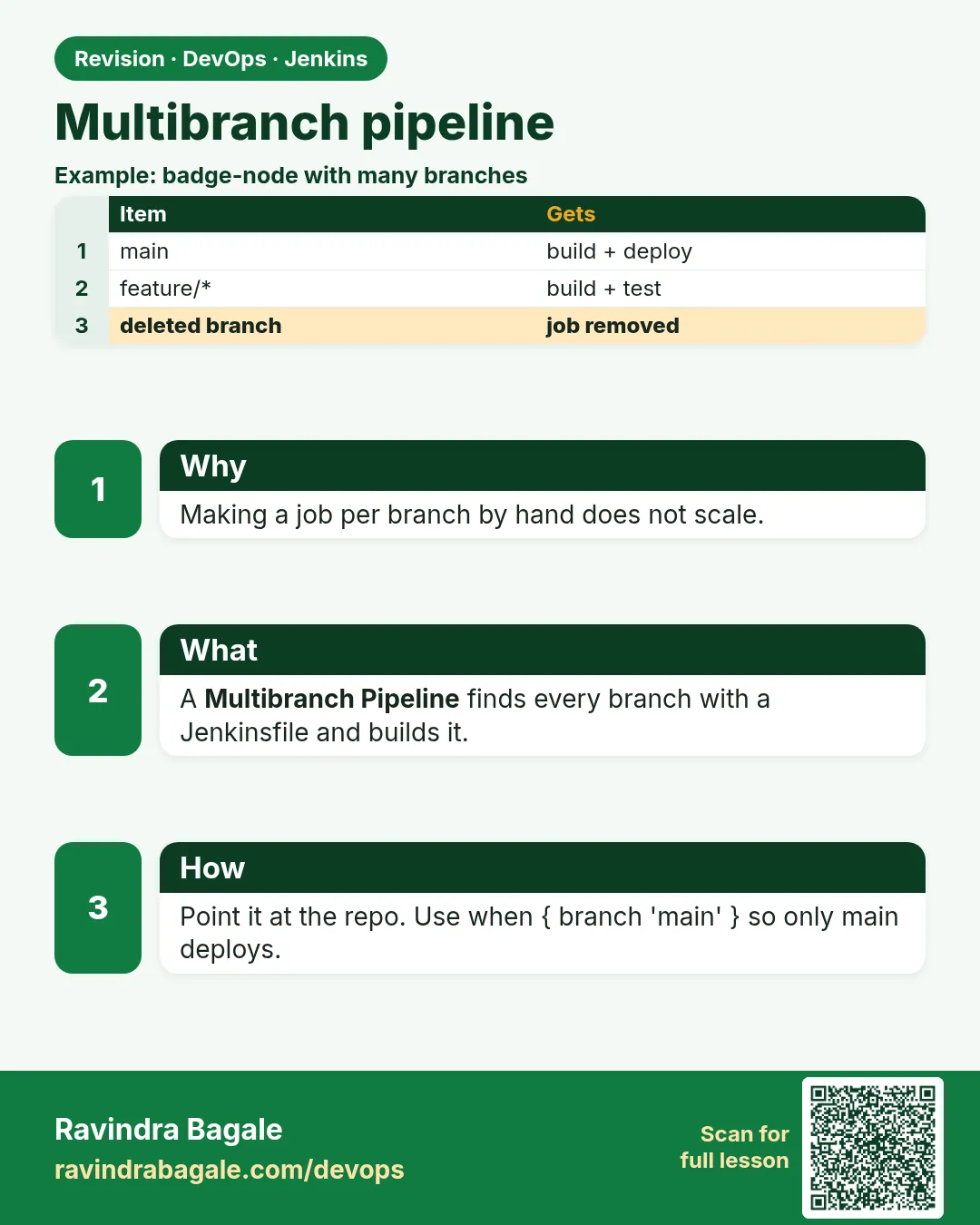
Think of Paytm. The payments repo has main, release/2.4, and twenty feature branches like feature/upi-qr. If you make one Jenkins job per branch by hand, you spend the day clicking. And when a branch is deleted, its job stays and confuses people. A Multibranch Pipeline fixes this. You make one job and point it at the repo. Jenkins scans the repo, finds every branch that has a Jenkinsfile, and makes a child job for each one by itself. A new branch gets a job on the next scan. Inside the Jenkinsfile you can use the BRANCH_NAME variable to do different things, for example deploy only from main. In this lesson you will make one Multibranch job and watch it grow.
What we will build
You will push menu-api with three branches: main, develop and feature/badge-color. You will create one Multibranch Pipeline job called menu-api-mb, scan the repo and see three child jobs. Then you will write one Jenkinsfile that tests on every branch, builds a Docker image on develop and main, and deploys only from main. Finally you will add a new branch and see Jenkins pick it up by itself.
What: every term in plain English
- Multibranch Pipeline — A Jenkins job type that makes one child job for each branch that has a Jenkinsfile.
- Branch source — The repo setting in a Multibranch job: which host, which repo, which credential.
- Scan — Jenkins lists all branches and checks which ones have a Jenkinsfile.
- Child job — The job Jenkins makes for one branch, like menu-api-mb/main.
- BRANCH_NAME — A variable Jenkins sets in each child job, for example develop.
- when { branch } — A Jenkinsfile rule. The stage runs only on the branch you name.
- Discover branches — A behaviour setting. It tells Jenkins which branches to look for.
- Folder URL encoding — A slash in a branch name becomes %2F in the URL, like feature%2Fbadge-color.
How: step by step
-
Create branches
git checkout -qb develop && git push -u gl develop && git checkout -qb feature/badge-color && git push -u gl feature/badge-color && git checkout -q mainWhat it does: Three branches, all with the same Jenkinsfile.
Output
* [new branch] develop -> develop * [new branch] feature/badge-color -> feature/badge-color -
Create the Multibranch job
New Item > menu-api-mb > Multibranch Pipeline > OKWhat it does: One job for the whole repo.
Output
Job menu-api-mb created -
Add the branch source
Branch Sources > Add source > GitLab Project > Server gitlab.com > credential gl-read > owner shop-food > project menu-apiWhat it does: Tells Jenkins where to scan.
Output
Projects: menu-api -
Pick discover behaviours
Discover branches: All branches. Script Path: JenkinsfileWhat it does: Jenkins will look for a Jenkinsfile on every branch.
Output
(saved) -
Save and scan
Save > Scan Multibranch Pipeline NowWhat it does: Jenkins reads all branches.
Output
Checking branch main Jenkinsfile found Checking branch develop Jenkinsfile found Checking branch feature/badge-color Jenkinsfile found Finished: SUCCESS -
Open the child jobs
http://localhost:8080/job/menu-api-mb/What it does: Three child jobs, each with its own build history.
Output
main #1 green develop #1 green feature/badge-color #1 green -
Add a new branch
git checkout -qb feature/menu-search && git push -u gl feature/menu-searchWhat it does: On the next scan or hook, a fourth child job appears.
Output
* [new branch] feature/menu-search -> feature/menu-search
Example 1: One Jenkinsfile that behaves by branch
Stack. Node.js, Docker, Multibranch
Goal. One Jenkinsfile that behaves by branch.
Jenkinsfile
pipeline {
  agent any
  environment { IMAGE = "shopfood/menu-api:${env.BRANCH_NAME.replace('/','-')}-${env.BUILD_NUMBER}" }
  stages {
    stage('Test') {
      steps { sh 'npm ci || npm install'; sh 'npm test' }
    }
    stage('Image') {
      when { anyOf { branch 'main'; branch 'develop' } }
      steps { sh 'docker build -t $IMAGE .' }
    }
    stage('Deploy') {
      when { branch 'main' }
      steps { sh 'echo deploying $IMAGE to production' }
    }
  }
}
What each line does
env.BRANCH_NAME.replace('/','-')— Docker tags cannot have a slash. feature/badge-color becomes feature-badge-color.stage('Test')— No when rule, so it runs on every branch.when { anyOf { branch 'main'; branch 'develop' } }— Build an image only on main and develop.when { branch 'main' }— Deploy only from main.sh 'docker build -t $IMAGE .'— Single quotes: the shell reads IMAGE from the environment.
Green output
menu-api-mb/feature%2Fbadge-color #1
[Pipeline] stage (Test)       menu ok
[Pipeline] stage (Image)      Stage "Image" skipped due to when conditional
[Pipeline] stage (Deploy)     Stage "Deploy" skipped due to when conditional
Finished: SUCCESS

menu-api-mb/main #1
[Pipeline] stage (Image)      Successfully tagged shopfood/menu-api:main-1
[Pipeline] stage (Deploy)     deploying shopfood/menu-api:main-1 to production
Finished: SUCCESS
Expected result. Feature branches only test. main tests, builds and deploys. One file, no copy jobs.
Example 2: Make the Multibranch job as code with Job DSL, so it is not lost
Stack. Job DSL plugin
Goal. Make the Multibranch job as code with Job DSL, so it is not lost.
seed/menu_api_mb.groovy
multibranchPipelineJob('menu-api-mb') {
  branchSources {
    branchSource {
      source {
        git {
          id('menu-api-gl')
          remote('https://gitlab.com/shop-food/menu-api.git')
          credentialsId('gl-read')
        }
      }
    }
  }
  factory { workflowBranchProjectFactory { scriptPath('Jenkinsfile') } }
  triggers { periodicFolderTrigger { interval('5m') } }
  orphanedItemStrategy { discardOldItems { numToKeep(10) } }
}
What each line does
multibranchPipelineJob('menu-api-mb')— Job DSL makes the Multibranch job from code.git { remote(...) credentialsId('gl-read') }— Plain Git source. Works with any host.scriptPath('Jenkinsfile')— Where the Jenkinsfile is in each branch.periodicFolderTrigger { interval('5m') }— Scan every 5 minutes if no webhook. Honest on a laptop.orphanedItemStrategy— Delete old child jobs for deleted branches. Lesson 24.6 goes deeper.
Green output
Processing DSL script seed/menu_api_mb.groovy
Added items:
    GeneratedJob{name='menu-api-mb'}
Finished: SUCCESS
Scan Multibranch Pipeline Triggered
Checking branches...
  3 branches were processed
Expected result. Run the seed job and the Multibranch job appears, the same every time.
Example 3: Java Spring Boot repo: run slow integration tests only on release branches
Stack. Java 17, Maven, Multibranch
Goal. Java Spring Boot repo: run slow integration tests only on release branches.
Jenkinsfile
pipeline {
  agent { docker { image 'maven:3.9-eclipse-temurin-17' } }
  stages {
    stage('Unit tests') { steps { sh 'mvn -B -ntp test' } }
    stage('Integration tests') {
      when { branch pattern: 'release/.*', comparator: 'REGEXP' }
      steps { sh 'mvn -B -ntp verify -Pintegration' }
    }
    stage('Package') {
      when { anyOf { branch 'main'; branch pattern: 'release/.*', comparator: 'REGEXP' } }
      steps {
        sh 'mvn -B -ntp -DskipTests package'
        archiveArtifacts artifacts: 'target/*.jar', fingerprint: true
      }
    }
  }
}
What each line does
image 'maven:3.9-eclipse-temurin-17'— Maven and Java 17 inside a container.branch pattern: 'release/.*', comparator: 'REGEXP'— Match any branch that starts with release/.mvn -B -ntp verify -Pintegration— Runs the integration test profile. Slow, so only for release branches.archiveArtifacts ... fingerprint: true— Keeps the jar on the build page.
Green output
payment-api-mb/release%2F2.4 #3
[Pipeline] stage (Unit tests)          Tests run: 84, Failures: 0
[Pipeline] stage (Integration tests)   Tests run: 12, Failures: 0
[Pipeline] stage (Package)             Archiving artifacts
Finished: SUCCESS
Expected result. Feature branches finish in 2 minutes. Release branches take 9 minutes but run every test.
Verify: did it work?
-
List child jobs with the API
curl -s -u ravi:$JENKINS_TOKEN "http://localhost:8080/job/menu-api-mb/api/json?tree=jobs[name,color]" | jq -r ".jobs[] | .name + \" \" + .color"What it does: Shows every branch job and its colour.
Output
develop blue feature%2Fbadge-color blue feature%2Fmenu-search blue main blue -
Read the scan log
http://localhost:8080/job/menu-api-mb/indexing/consoleWhat it does: Shows which branches Jenkins found and why.
Output
Checking branch feature/menu-search
  Jenkinsfile found
  Met criteria
Scheduled build for branch: feature/menu-search
When it is red 1
Checking branch develop
  'Jenkinsfile' not found
    Does not meet criteria
Cause. That branch has no Jenkinsfile, or it has a different name or path.
Fix, step by step
- Run git ls-tree develop --name-only.
- Merge main into develop to get the Jenkinsfile.
- Check Script Path.
When it is red 2
groovy.lang.MissingPropertyException: No such property: BRANCH_NAME
Cause. You used BRANCH_NAME in a normal Pipeline job. It is set only in Multibranch jobs.
Fix, step by step
- Use env.BRANCH_NAME ?: "main" for safety.
- Or move the job to Multibranch.
When it is red 3
ERROR: [Errno] invalid reference format: repository name must be lowercase / tag has a slash
Cause. The image tag uses the raw branch name with a slash.
Fix, step by step
- Use BRANCH_NAME.replace("/","-").
- Use toLowerCase() too if branches have capital letters.
Cleanup
-
Delete the lab branch
git push gl --delete feature/menu-search && git branch -D feature/menu-searchWhat it does: Next scan marks its job as orphaned.
Output
To https://gitlab.com/shop-food/menu-api.git - [deleted] feature/menu-search -
Rescan
Scan Multibranch Pipeline NowWhat it does: Jenkins updates the child job list.
Output
1 orphaned item(s) will be removed
Ravindra Bagale's Tip
Ek job, saglya branches. Deploy fakt main varun. Lakshat theva!
Practice tasks
Easy Count the child jobs
Why: You must know what Jenkins found.
What to do: Scan and list all child jobs with the API call.
- Run the curl from Verify.
Check: Count matches git branch -r.
Medium Add a develop-only stage
Why: Teams often deploy develop to a test server.
What to do: Add a stage that runs only on develop.
- when { branch 'develop' }
Check: Only the develop child runs it.
Hard Seed the job with Job DSL
Why: Clicked jobs get lost. Code jobs can be rebuilt.
What to do: Make the Multibranch job from a Job DSL seed.
- Install Job DSL.
- Run the seed job.
Check: Deleting and reseeding gives the same job.
Easy Say Multibranch Pipeline in two lines
Why: If you can say it simply, you understand it. Juniors and interviewers both want the short version first.
What to do: Write two short lines about Multibranch Pipeline for a fresher who knows only Linux and Git basics.
- Write the problem it solves.
- Write the one Jenkinsfile step or command you use for it.
- Read it aloud to a friend.
Check: A fresher understands it without asking a question.
Easy Start a fresh lab Jenkins
Why: Practice needs a throwaway Jenkins. If you break it, you delete it and start again.
What to do: Run Jenkins LTS in Docker with a named volume.
- docker volume create jenkins_home
- docker run -d --name jenkins -p 8080:8080 -v jenkins_home:/var/jenkins_home jenkins/jenkins:lts-jdk17
- docker logs jenkins 2>&1 | grep -A2 "initialAdminPassword"
Check: The Jenkins login page opens on localhost:8080.
Medium Do it on the second setup
Why: A release idea must work on a VM, on Docker and on Kubernetes. Only the deploy step should change.
What to do: Repeat this lesson on a different target than the one you used first.
- If you used Docker, use kind or minikube now.
- Change only the deploy commands.
- Keep the same Jenkinsfile stages.
Check: Same result, and the stage names did not change.
Medium Break it on purpose
Why: You must know the red output by face. In a real outage there is no time to read slowly.
What to do: Cause one error from the "When it is red" part of this lesson and fix it.
- Follow the error section.
- Copy the exact message into your notes.
- Write the fix in one line.
Check: You fixed it using only the steps, without searching the web.
Medium Write a release runbook page
Why: At 2 a.m. nobody remembers flags. A short page saves the on-call person.
What to do: Write a one-page runbook for this lesson.
- Title, when to use, exact commands, how to check, how to undo.
Check: A teammate can follow it alone.
Hard Explain it like an interview
Why: Interviewers want real stories, not definitions.
What to do: Record a 60 second answer about this lesson.
- Say the problem, the Jenkinsfile step, and one error you hit.
Check: Your answer has a real command and a real error message.
Hard Draw the flow top to bottom
Why: A drawing shows the order of work and who is waiting on whom.
What to do: Draw this lesson as boxes from top to bottom.
- Start at git push, go through the stages, end at the check in production.
Check: Each box matches a real step you ran.
Homework: try at home
Try at home
At home, make a Multibranch job for a repo with three branches. Add one when rule so a stage runs only on main. Push a new branch and see the new child job appear after a scan.
Recap
- A Multibranch Pipeline makes one child job per branch with a Jenkinsfile.
- Scans find new branches; webhooks make scans fast.
- Use BRANCH_NAME and when rules to change behaviour per branch.
- Clean branch names before using them in tags.
- Keep the job as code with Job DSL.
FAQ
Do all branches need a Jenkinsfile?
Only those you want to build. Others are skipped.
Can I limit which branches build?
Yes. Use a filter by name, like main develop release/ feature/.
Is Multibranch only for GitHub?
No. It works with any Git host.
Why does the URL show %2F?
Jenkins encodes the slash in branch names.
How often does it scan?
On each webhook, or on the periodic trigger you set.
Interview questions
-
What is a Multibranch Pipeline?
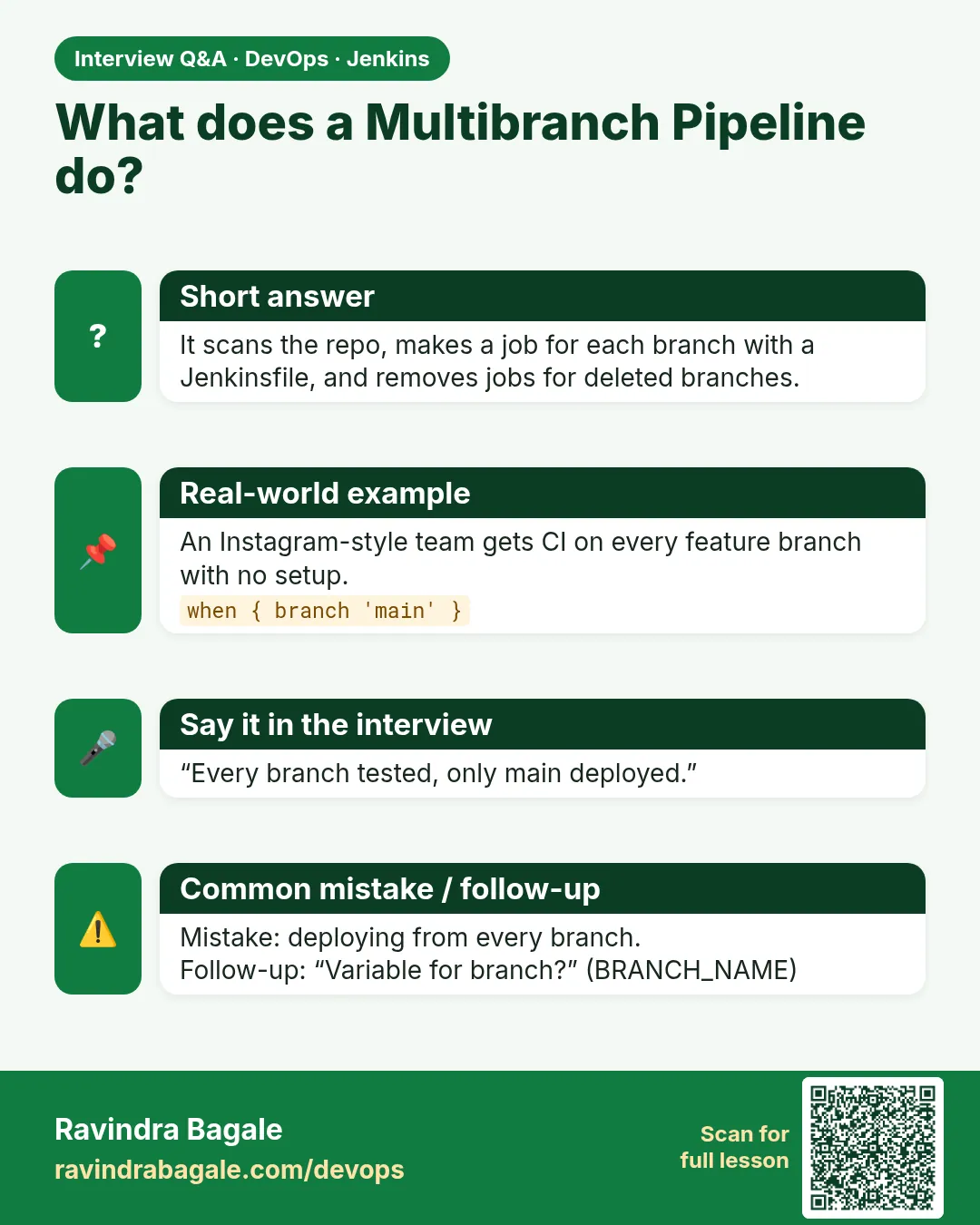
A job that scans a repo and makes a child Pipeline job for each branch that has a Jenkinsfile.
-
How do you deploy only from main?
Put when { branch 'main' } on the deploy stage.
-
How does Jenkins find new branches?
A scan on a timer or a webhook from the host.
-
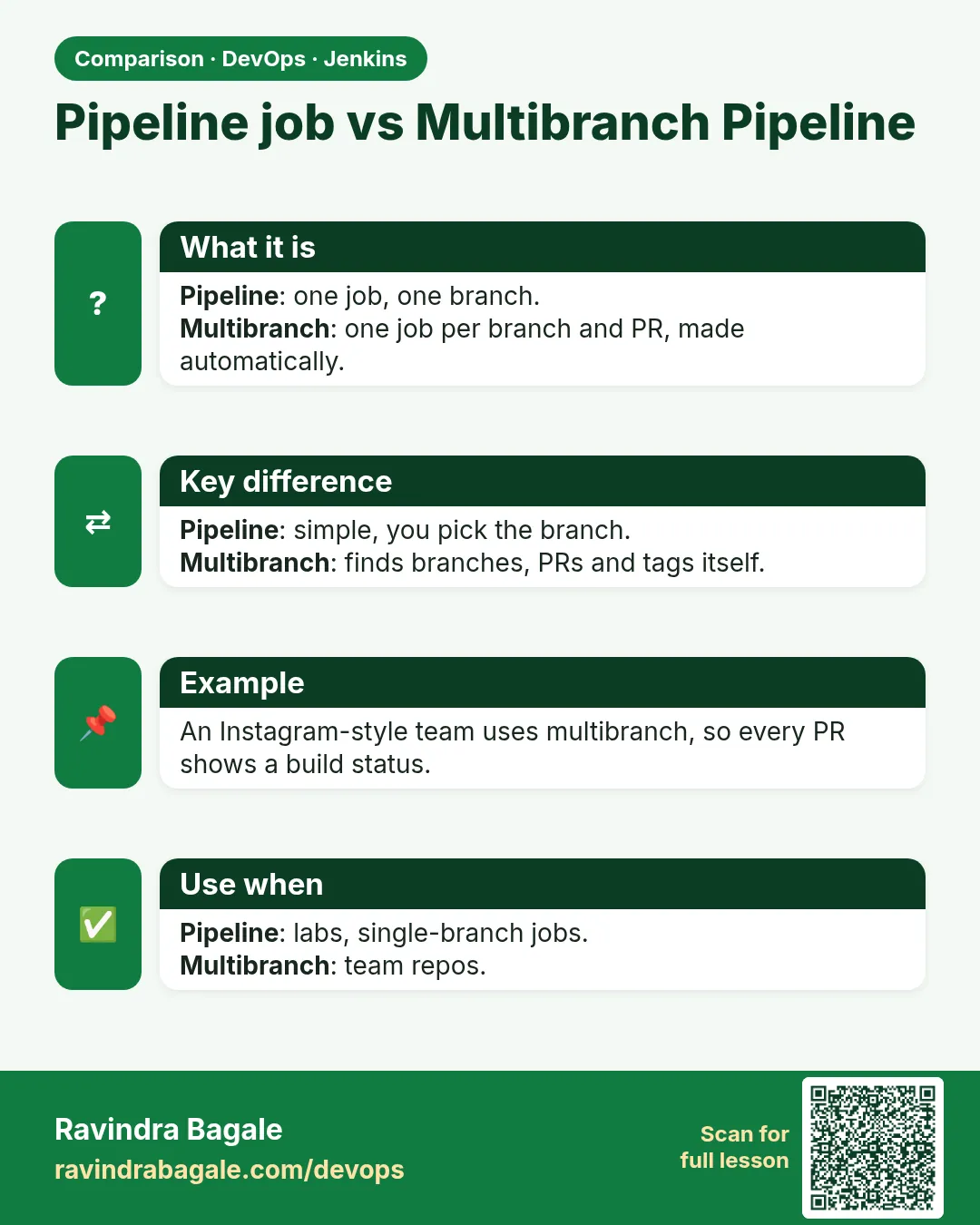
What is the difference between a Pipeline job and Multibranch?
A Pipeline job builds one branch you choose. Multibranch builds all matching branches by itself.
-
How do you avoid many slow builds on feature branches?
Run only fast tests on them and keep long tests for release branches with when rules.
Quick quiz
Q1. What does a Multibranch job create?
One child job for each branch with a Jenkinsfile.
Q2. Which variable has the branch name?
BRANCH_NAME.
Q3. How do you run a stage only on main?
when { branch 'main' }.
Q4. Why replace / in Docker tags?
Docker tags cannot contain a slash.
Q5. What shows %2F in a URL?
A slash inside a branch name.
Samajla ka?
 Revision card
 Interview card
 Comparison card