Chapter 24: Jenkins with GitHub, GitLab and Bitbucket
24.1 Three hosts, one Jenkins idea
Why: the problem
Think of Swiggy. One team keeps its code on GitHub. Another team, after a merger, keeps code on GitLab. A third small team uses Bitbucket because they already pay for Jira. The company has one Jenkins. Does each host need a new way of working? No. The idea is the same on all three. Jenkins clones the repo with a credential, reads the Jenkinsfile, runs the stages and reports the result back. Only three things change from host to host: the clone URL shape, the plugin that talks to the host, and the place where you create the token or webhook. Many freshers learn Jenkins with only one host. Then they join a company that uses another host, and they think they must learn Jenkins again. In this lesson you will connect the same Jenkinsfile to all three hosts and see that the stages never change.
What we will build
You will make one tiny Node.js app called menu-api with one Jenkinsfile. You will push it to three remotes: a GitHub Enterprise server inside the company, GitLab and Bitbucket. Then you will make three Pipeline jobs in one Jenkins. Each job points at a different host but uses the same Jenkinsfile. At the end you will fill a small table: host, URL shape, plugin, credential id and where the build status shows.
What: every term in plain English
- Git host — A website that stores Git repos and adds pull requests, reviews and webhooks. Examples: GitHub, GitLab, Bitbucket.
- Remote — A name in your local repo, like origin, that points to a URL on a Git host.
- Clone URL — The address Jenkins uses to download the code. It is either HTTPS or SSH.
- Jenkinsfile — A text file in the repo root. It lists the pipeline stages. Jenkins reads it after cloning.
- Pipeline script from SCM — A Jenkins job setting. It means: get the Jenkinsfile from the Git repo, not from a box on the job page.
- Branch Source plugin — A Jenkins plugin that knows one host well. There is one each for GitHub, GitLab and Bitbucket.
- Credential id — A short name, like gl-token, for a secret stored inside Jenkins. The Jenkinsfile uses only the name.
- Build status — A green tick or red cross that Jenkins sends back to the commit on the host.
How: step by step
-
Make the app folder
mkdir -p ~/lab/menu-api && cd ~/lab/menu-api && git init -q -b main && npm init -yWhat it does: A new Git repo with a package.json file.
Output
Wrote to /home/ravi/lab/menu-api/package.json -
Add one test script
npm pkg set scripts.test="echo menu ok"What it does: A tiny test that always passes. Enough to see green.
Output
(no output) -
Add the Jenkinsfile
nano JenkinsfileWhat it does: Paste the Jenkinsfile from Example 1 and save.
Output
(file saved) -
Commit
git add . && git commit -qm "menu-api first commit" && git log --onelineWhat it does: One commit to push to all three hosts.
Output
4c1a9e2 menu-api first commit -
Add three remotes
git remote add ghe https://ghe.shop.internal/food/menu-api.git && git remote add gl https://gitlab.com/shop-food/menu-api.git && git remote add bb https://bitbucket.org/shopfood/menu-api.git && git remote -vWhat it does: One local repo, three hosts. Each remote has its own name.
Output
bb https://bitbucket.org/shopfood/menu-api.git (fetch) ghe https://ghe.shop.internal/food/menu-api.git (fetch) gl https://gitlab.com/shop-food/menu-api.git (fetch) -
Push to each host
git push -u ghe main && git push -u gl main && git push -u bb mainWhat it does: The same commit now lives on three hosts.
Output
To https://gitlab.com/shop-food/menu-api.git * [new branch] main -> main -
Create one Pipeline job per host
New Item > menu-api-gl > Pipeline > Pipeline script from SCM > Git > paste the URL > pick credential > Script Path: JenkinsfileWhat it does: Repeat for ghe and bb. Only the URL and credential differ.
Output
Job menu-api-gl created
Example 1: One Jenkinsfile that runs the same on every host
Stack. Node.js 20, Jenkins LTS, Docker agent
Goal. One Jenkinsfile that runs the same on every host.
Jenkinsfile
pipeline {
  agent { docker { image 'node:20-alpine' } }
  options { timestamps() }
  stages {
    stage('Checkout info') {
      steps {
        sh 'git log -1 --oneline'
        echo "Branch: ${env.BRANCH_NAME ?: 'main'}"
      }
    }
    stage('Install') { steps { sh 'npm ci || npm install' } }
    stage('Test')    { steps { sh 'npm test' } }
  }
  post {
    success { echo 'menu-api is green' }
    failure { echo 'menu-api is red, open the console' }
  }
}
What each line does
agent { docker { image 'node:20-alpine' } }— Every stage runs inside a Node 20 container. Same Node on every host job.options { timestamps() }— Adds a time to every console line. Helps you see which step is slow.sh 'git log -1 --oneline'— Prints the commit Jenkins cloned. Proves which code it built.env.BRANCH_NAME ?: 'main'— BRANCH_NAME is set only in Multibranch jobs. In a normal job we print main.sh 'npm ci || npm install'— npm ci needs a lock file. If there is none, npm install runs.post { success ... failure ... }— Runs after all stages. Good place for messages and alerts.
Green output
Started by user Ravi
Cloning repository https://gitlab.com/shop-food/menu-api.git
 > git fetch --tags --force --progress -- https://gitlab.com/shop-food/menu-api.git
Checking out Revision 4c1a9e2 (refs/remotes/origin/main)
[Pipeline] stage (Checkout info)
+ git log -1 --oneline
4c1a9e2 menu-api first commit
Branch: main
[Pipeline] stage (Test)
menu ok
menu-api is green
Finished: SUCCESS
Expected result. All three jobs print the same commit 4c1a9e2 and finish green. Only the Cloning line shows a different URL.
Example 2: See the only real difference: the URL shape for each host
Stack. Git CLI on the Jenkins agent
Goal. See the only real difference: the URL shape for each host.
hosts.txt
Host                URL (HTTPS)                                         URL (SSH)
GitHub Enterprise   https://ghe.shop.internal/food/menu-api.git          git@ghe.shop.internal:food/menu-api.git
GitLab              https://gitlab.com/shop-food/menu-api.git           git@gitlab.com:shop-food/menu-api.git
Bitbucket Cloud     https://bitbucket.org/shopfood/menu-api.git         git@bitbucket.org:shopfood/menu-api.git
check-urls.sh
#!/usr/bin/env bash
set -euo pipefail
for r in ghe gl bb; do
  url=$(git remote get-url "$r")
  echo "== $r -> $url"
  git ls-remote "$r" refs/heads/main
done
What each line does
git remote get-url "$r"— Prints the URL saved for that remote name.git ls-remote "$r" refs/heads/main— Asks the host for the commit of main without cloning. Jenkins does the same first.set -euo pipefail— Stop the script at the first failure, so a bad login is not hidden.git@host:owner/repo.git— SSH shape. Note the colon after the host, not a slash.https://host/owner/repo.git— HTTPS shape. Needs a username and a token.
Green output
== ghe -> https://ghe.shop.internal/food/menu-api.git
4c1a9e2b7f0d1e3a5c6b8d9e0f1a2b3c4d5e6f70    refs/heads/main
== gl -> https://gitlab.com/shop-food/menu-api.git
4c1a9e2b7f0d1e3a5c6b8d9e0f1a2b3c4d5e6f70    refs/heads/main
== bb -> https://bitbucket.org/shopfood/menu-api.git
4c1a9e2b7f0d1e3a5c6b8d9e0f1a2b3c4d5e6f70    refs/heads/main
Expected result. The same commit id comes back from all three hosts. If ls-remote works on the Jenkins machine, the Jenkins clone will also work.
Example 3: Install the host plugins with the Jenkins CLI and confirm they load
Stack. Jenkins in Docker
Goal. Install the host plugins with the Jenkins CLI and confirm they load.
install.sh
#!/usr/bin/env bash
set -euo pipefail
docker exec jenkins jenkins-plugin-cli --plugins git workflow-aggregator gitlab-branch-source cloudbees-bitbucket-branch-source
docker restart jenkins
sleep 40
docker exec jenkins ls /var/jenkins_home/plugins | grep -E "branch-source.jpi$"
UI step for GitHub
Manage Jenkins > Plugins > Available plugins
Search: GitHub Branch Source
Tick it > Install > Restart Jenkins when no jobs are running
What each line does
git— The base Git plugin. Every host needs it.workflow-aggregator— The Pipeline plugin set. Gives you Jenkinsfile support.gitlab-branch-source— Talks to GitLab: projects, merge requests, pipeline status.cloudbees-bitbucket-branch-source— Talks to Bitbucket Cloud and Bitbucket Data Center.GitHub Branch Source (UI)— Talks to GitHub and GitHub Enterprise: repos, PRs, status checks. Here we install it from the Plugins page.jenkins-plugin-cli— The official tool inside the Jenkins image to install plugins by name.docker restart jenkins— New plugins load only after a restart.
Green output
Done
jenkins
cloudbees-bitbucket-branch-source.jpi
gitlab-branch-source.jpi
(after the UI install, the GitHub one shows too)
Expected result. Manage Jenkins > Plugins > Installed shows all three. Now each host has its own source type in New Item.
Verify: did it work?
-
Check each job cloned the same commit
for j in menu-api-ghe menu-api-gl menu-api-bb; do curl -s -u ravi:$JENKINS_TOKEN "http://localhost:8080/job/$j/lastBuild/api/json?tree=result" ; echo " $j"; doneWhat it does: Asks Jenkins for the last result of each job.
Output
{"result":"SUCCESS"} menu-api-ghe {"result":"SUCCESS"} menu-api-gl {"result":"SUCCESS"} menu-api-bb -
Check git works from the agent
docker exec jenkins git ls-remote https://gitlab.com/shop-food/menu-api.git HEADWhat it does: If this fails, Jenkins cannot clone either.
Output
4c1a9e2b7f0d1e3a5c6b8d9e0f1a2b3c4d5e6f70 HEAD
When it is red 1
ERROR: Error cloning remote repo 'origin'
hudson.plugins.git.GitException: Command "git fetch" returned status code 128:
remote: HTTP Basic: Access denied
Cause. The job has no credential, or the token is wrong or expired.
Fix, step by step
- Open the job and pick a credential in the Git section.
- Test the same token with git ls-remote from your laptop.
- Make a new token if it has expired.
When it is red 2
ERROR: Unable to find Jenkinsfile from git https://bitbucket.org/shopfood/menu-api.git
Cause. The file is missing on that branch, or the Script Path has a typo.
Fix, step by step
- Run git ls-tree main --name-only on your laptop.
- Check the file name is exactly Jenkinsfile, with capital J.
- Fix Script Path if the file lives in a sub folder.
When it is red 3
fatal: unable to access 'https://ghe.shop.internal/food/menu-api.git/': SSL certificate problem: unable to get local issuer certificate
Cause. The company GitHub Enterprise uses an inside certificate that the Jenkins Java and Git do not trust.
Fix, step by step
- Get the company root CA file from the IT team.
- Add it to the agent trust store and the Git config http.sslCAInfo.
- Never turn off SSL checks as a fix.
Cleanup
-
Delete the three lab jobs
for j in menu-api-ghe menu-api-gl menu-api-bb; do curl -s -X POST -u ravi:$JENKINS_TOKEN "http://localhost:8080/job/$j/doDelete"; doneWhat it does: Removes the jobs. The repos stay on the hosts.
Output
(no output) -
Remove the extra remotes
git remote remove ghe && git remote remove bbWhat it does: Keeps your laptop repo simple.
Output
(no output)
Ravindra Bagale's Tip
Host kuthlahi asu de, Jenkinsfile tech rahte. Fakt URL ani credential badla. Lakshat theva!
Practice tasks
Easy Fill the host table
Why: A table makes the small differences easy to see.
What to do: Write host, HTTPS URL, SSH URL, plugin and credential id for each of the three hosts.
- Use the hosts.txt example.
- Add one column for where you make the token.
Check: Every row is filled with real values from your lab.
Medium Move the repo to a new host
Why: Companies change hosts after mergers. You must move code without losing history.
What to do: Push the full history to a new remote with all branches and tags.
- git push --mirror bb
- Compare git log on both hosts.
Check: Both hosts show the same last commit and the same tags.
Hard Same job, switch host
Why: A host may go down. Knowing how to switch saves the release.
What to do: Change menu-api-gl to clone from Bitbucket instead and run it.
- Edit the URL and credential only.
- Run Build Now.
Check: Build is green and console shows the Bitbucket URL.
Easy Say Jenkins with three Git hosts in two lines
Why: If you can say it simply, you understand it. Juniors and interviewers both want the short version first.
What to do: Write two short lines about Jenkins with three Git hosts for a fresher who knows only Linux and Git basics.
- Write the problem it solves.
- Write the one Jenkinsfile step or command you use for it.
- Read it aloud to a friend.
Check: A fresher understands it without asking a question.
Easy Start a fresh lab Jenkins
Why: Practice needs a throwaway Jenkins. If you break it, you delete it and start again.
What to do: Run Jenkins LTS in Docker with a named volume.
- docker volume create jenkins_home
- docker run -d --name jenkins -p 8080:8080 -v jenkins_home:/var/jenkins_home jenkins/jenkins:lts-jdk17
- docker logs jenkins 2>&1 | grep -A2 "initialAdminPassword"
Check: The Jenkins login page opens on localhost:8080.
Medium Do it on the second setup
Why: A release idea must work on a VM, on Docker and on Kubernetes. Only the deploy step should change.
What to do: Repeat this lesson on a different target than the one you used first.
- If you used Docker, use kind or minikube now.
- Change only the deploy commands.
- Keep the same Jenkinsfile stages.
Check: Same result, and the stage names did not change.
Medium Break it on purpose
Why: You must know the red output by face. In a real outage there is no time to read slowly.
What to do: Cause one error from the "When it is red" part of this lesson and fix it.
- Follow the error section.
- Copy the exact message into your notes.
- Write the fix in one line.
Check: You fixed it using only the steps, without searching the web.
Medium Write a release runbook page
Why: At 2 a.m. nobody remembers flags. A short page saves the on-call person.
What to do: Write a one-page runbook for this lesson.
- Title, when to use, exact commands, how to check, how to undo.
Check: A teammate can follow it alone.
Hard Explain it like an interview
Why: Interviewers want real stories, not definitions.
What to do: Record a 60 second answer about this lesson.
- Say the problem, the Jenkinsfile step, and one error you hit.
Check: Your answer has a real command and a real error message.
Hard Draw the flow top to bottom
Why: A drawing shows the order of work and who is waiting on whom.
What to do: Draw this lesson as boxes from top to bottom.
- Start at git push, go through the stages, end at the check in production.
Check: Each box matches a real step you ran.
Homework: try at home
Try at home
At home, push one small repo to GitLab and Bitbucket (both have free plans). Make two Pipeline jobs with the same Jenkinsfile. Write down what was different in the job setup. It should be only the URL and the credential.
Recap
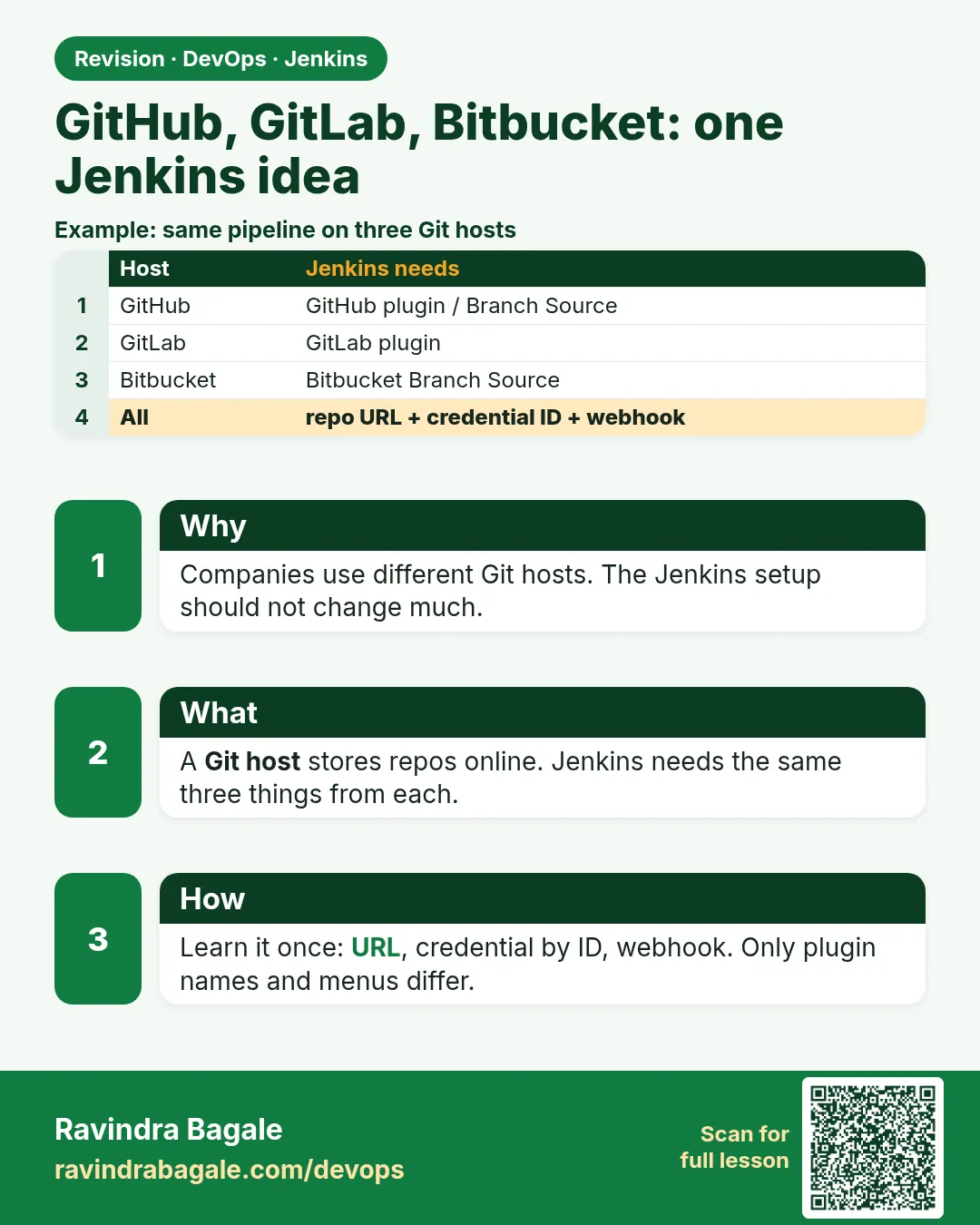
- The Jenkins idea is the same on GitHub, GitLab and Bitbucket.
- Only the URL, credential and host plugin change.
- git ls-remote on the agent is the fastest clone test.
- Install the Branch Source plugin for each host you use.
- Keep tokens in Jenkins credentials and use them by id.
FAQ
Do I need three Jenkins servers for three hosts?
No. One Jenkins can build from all of them.
Is GitHub Enterprise the same as GitHub?
The same product, but on the company network. URLs use the company host name.
Can I use the plain Git plugin without the Branch Source plugin?
Yes, for simple jobs. You lose PR discovery and status checks.
Which host is best for Jenkins?
All work well. Pick the one your company already uses.
Does Bitbucket Data Center differ from Bitbucket Cloud?
Yes, URLs and tokens differ, but the same plugin supports both.
Interview questions
-
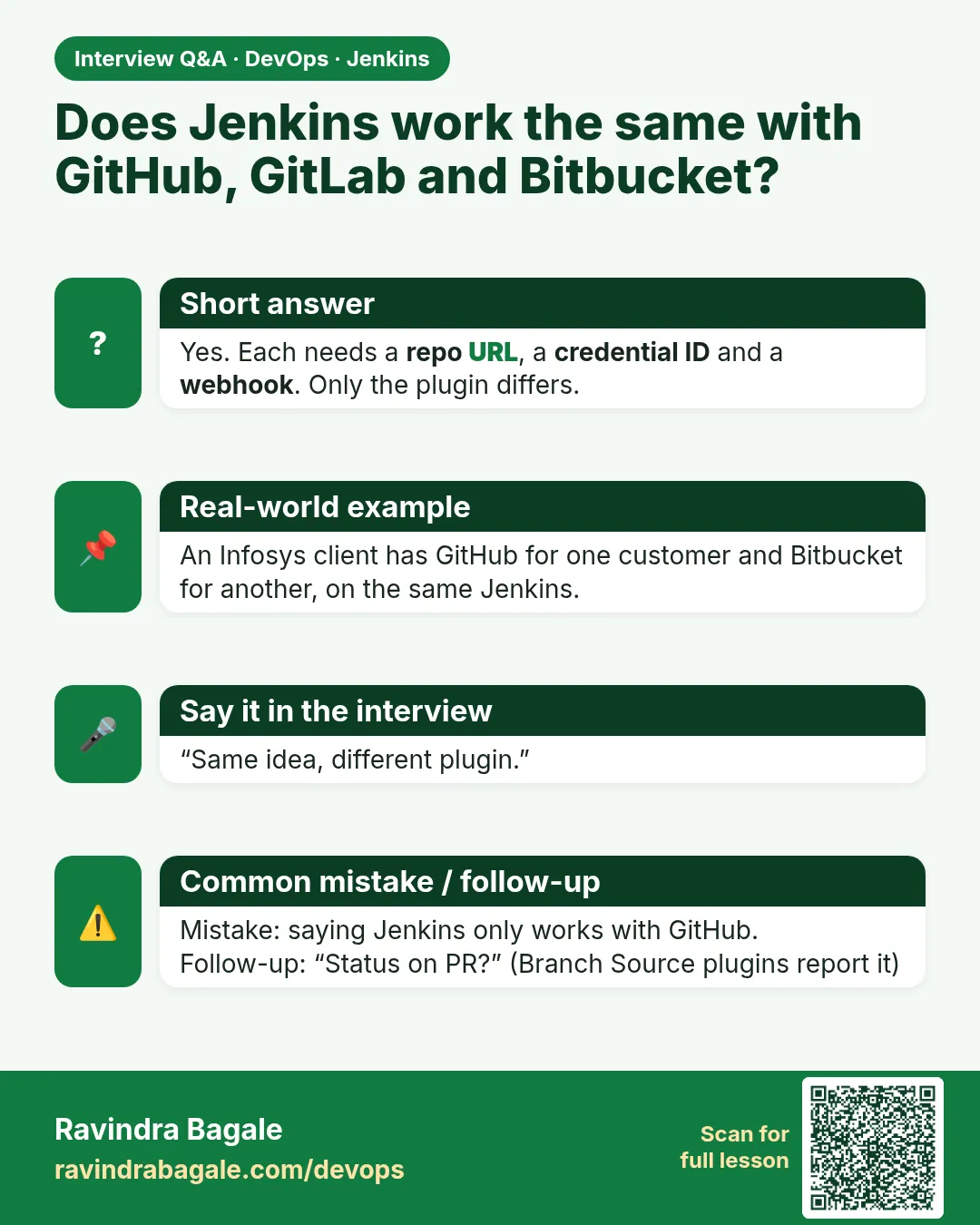
How do you connect Jenkins to different Git hosts?
Install the host Branch Source plugin, add a credential, use the clone URL in the job. The Jenkinsfile does not change.
-
What is the difference between Pipeline script and Pipeline script from SCM?
Pipeline script keeps the code in the job page. From SCM reads the Jenkinsfile from Git, so it is versioned and reviewed.
-
How do you debug a clone failure?
Run git ls-remote with the same URL and credential on the agent. Read the status code 128 message.
-
Why keep one Jenkinsfile for all hosts?
So the build is the same everywhere. Only the source settings change.
-
How do you trust a company GitHub Enterprise certificate?
Add the company root CA to the agent trust store. Never disable SSL verification.
Quick quiz
Q1. What stays the same across hosts?
The Jenkinsfile and its stages.
Q2. What changes across hosts?
The clone URL, the credential and the host plugin.
Q3. Which plugin talks to GitLab merge requests?
GitLab Branch Source.
Q4. What does git ls-remote prove?
That the machine can reach the repo and log in, without cloning.
Q5. Where should the token live?
In Jenkins credentials, used by id.
Samajla ka?
 Revision card
 Interview card