Chapter 24: Jenkins with GitHub, GitLab and Bitbucket
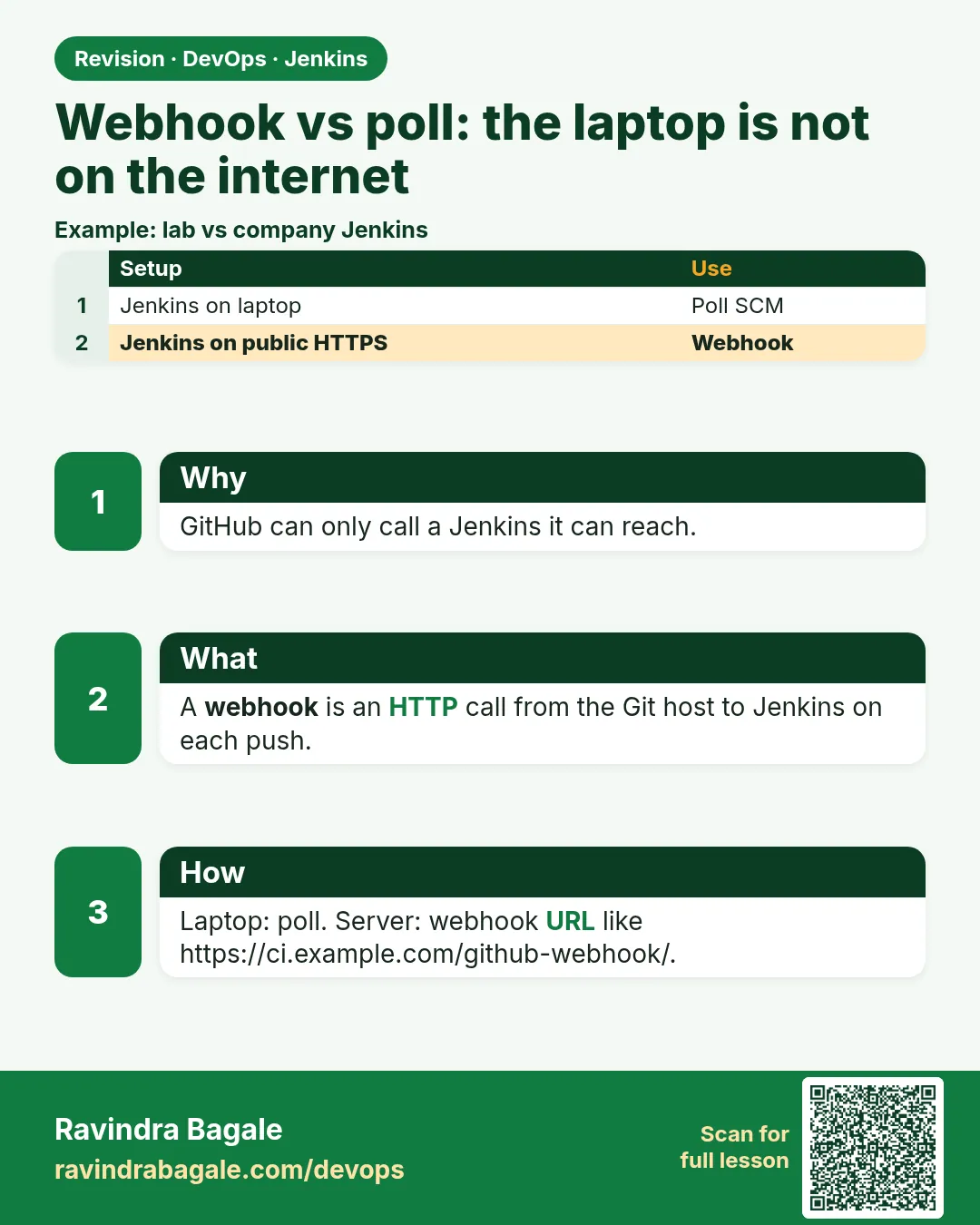
24.3 Webhook versus poll — the laptop is not on the internet
Why: the problem
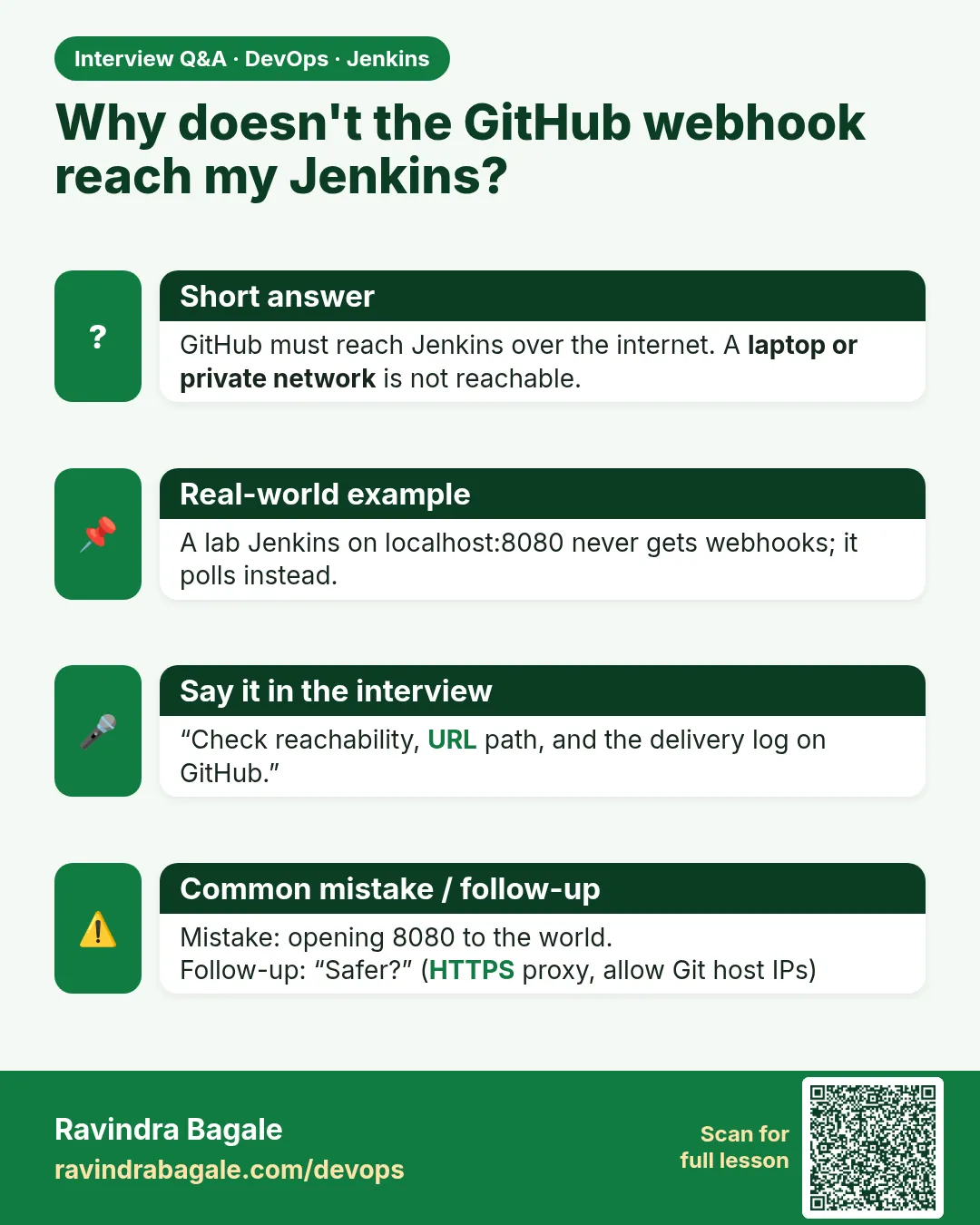
Think of Zomato. A developer pushes a fix at 10:00. Who tells Jenkins? There are two ways. In polling, Jenkins asks the host every few minutes: "Any new commit?" In a webhook, the host calls Jenkins the moment a push happens. Webhooks are faster and lighter. But there is a catch. The host lives on the internet. Your lab Jenkins on a laptop at localhost:8080 is not on the internet. GitLab cannot call your laptop. So many freshers paste a made-up URL into the webhook page, push, and wait for a build that never comes. In this lesson you will use honest polling on the laptop, then put Jenkins on an EC2 server with a real address and make a real webhook, and finally use a tunnel for a short lab test.
What we will build
You will add Poll SCM to the menu-api job on your laptop and watch it pick up a push within two minutes. Then you will run Jenkins on an EC2 instance behind nginx with a real HTTPS name like jenkins.shop-lab.in, add a GitLab webhook with a secret token, and see the build start within seconds. You will also learn how to read the webhook delivery log on the host, which is the first place to look when a build does not start.
What: every term in plain English
- Polling (Poll SCM) — Jenkins checks the repo on a timer. If there is a new commit, it builds.
- Webhook — An HTTP call the host sends to Jenkins when something happens, like a push.
- Cron syntax — Five fields: minute, hour, day, month, weekday. H/2 * * * * means about every 2 minutes.
- H in cron — A Jenkins trick. It spreads jobs so they do not all run at the same second.
- Reachable URL — An address the internet can open. localhost is never reachable from outside.
- Secret token — A shared word in the webhook and in Jenkins. Jenkins ignores calls without it.
- Delivery log — A page on the host that lists each webhook call and the HTTP status Jenkins returned.
- Tunnel — A tool like ngrok or cloudflared that gives your laptop a short-lived public URL.
How: step by step
-
Add polling to the Jenkinsfile
nano Jenkinsfile (add triggers { pollSCM("H/2 * * * *") })What it does: Jenkins will look for new commits about every 2 minutes.
Output
(file saved) -
Run the job once by hand
Build NowWhat it does: The trigger is saved only after one run reads the Jenkinsfile.
Output
Finished: SUCCESS -
Push a new commit
echo "v2" >> CHANGELOG && git add . && git commit -qm "poll test" && git push gl mainWhat it does: A change for Jenkins to find.
Output
To https://gitlab.com/shop-food/menu-api.git 4c1a9e2..9b77d10 main -> main -
Watch the polling log
Job page > Git Polling LogWhat it does: Shows what Jenkins saw on its last check.
Output
Started on Oct 25, 2026, 10:02:00 AM Changes found Done. Took 1.2 sec -
Move Jenkins to a reachable server
Run Jenkins on EC2 behind nginx with HTTPS at jenkins.shop-lab.inWhat it does: Now the internet can reach Jenkins on port 443.
Output
curl -I https://jenkins.shop-lab.in/login HTTP/2 200 -
Install GitLab plugin and add the trigger
Job > Configure > Build when a change is pushed to GitLab > Advanced > Generate Secret tokenWhat it does: Jenkins gives you the webhook URL and a secret.
Output
GitLab webhook URL: https://jenkins.shop-lab.in/project/menu-api-gl -
Add the webhook on GitLab
GitLab > Settings > Webhooks > URL + Secret token > Push events > Add > Test > Push eventsWhat it does: GitLab sends a test call right away.
Output
Hook executed successfully: HTTP 200
Example 1: Laptop Jenkins: honest polling every 2 minutes
Stack. Jenkins on laptop, GitLab
Goal. Laptop Jenkins: honest polling every 2 minutes.
Jenkinsfile
pipeline {
  agent any
  triggers { pollSCM('H/2 * * * *') }
  options { disableConcurrentBuilds() }
  stages {
    stage('Build') {
      steps {
        sh 'git log -1 --oneline'
        sh 'npm test'
      }
    }
  }
}
What each line does
triggers { pollSCM('H/2 * * * *') }— Check Git about every 2 minutes. Only builds when the commit changed.H/2— H picks a fixed random second for this job, so many jobs do not hit the host together.disableConcurrentBuilds()— If two pushes come fast, the second build waits. No two builds fight over the workspace.sh 'git log -1 --oneline'— Shows the new commit that polling found.
Green output
Git Polling Log
Started on Oct 25, 2026, 10:02:00 AM
Polling SCM changes on built-in
 > git ls-remote -h -- https://gitlab.com/shop-food/menu-api.git # timeout=10
Found 1 remote heads on https://gitlab.com/shop-food/menu-api.git
Changes found
Started by an SCM change
+ git log -1 --oneline
9b77d10 poll test
Finished: SUCCESS
Expected result. The build says "Started by an SCM change" within 2 minutes of your push.
Example 2: EC2 Jenkins: real GitLab webhook with a secret token
Stack. EC2, nginx, Lets Encrypt, GitLab plugin
Goal. EC2 Jenkins: real GitLab webhook with a secret token.
Jenkinsfile
pipeline {
  agent any
  triggers {
    gitlab(triggerOnPush: true, triggerOnMergeRequest: true, branchFilterType: 'All',
           secretToken: env.GL_HOOK_SECRET)
  }
  stages {
    stage('Build') { steps { sh 'npm test' } }
  }
  post {
    success { updateGitlabCommitStatus name: 'jenkins', state: 'success' }
    failure { updateGitlabCommitStatus name: 'jenkins', state: 'failed' }
  }
}
nginx site (jenkins.conf)
server {
  listen 443 ssl;
  server_name jenkins.shop-lab.in;
  ssl_certificate     /etc/letsencrypt/live/jenkins.shop-lab.in/fullchain.pem;
  ssl_certificate_key /etc/letsencrypt/live/jenkins.shop-lab.in/privkey.pem;
  location / {
    proxy_pass http://127.0.0.1:8080;
    proxy_set_header Host $host;
    proxy_set_header X-Forwarded-Proto https;
  }
}
What each line does
gitlab(triggerOnPush: true ...)— The GitLab plugin starts this job when GitLab sends a push hook.triggerOnMergeRequest: true— Also build when a merge request opens or updates.secretToken: env.GL_HOOK_SECRET— The secret comes from a global environment value, not typed in Git. Calls without it get 401.updateGitlabCommitStatus— Sends green or red back to the commit in GitLab.proxy_pass http://127.0.0.1:8080— nginx takes HTTPS on 443 and passes it to Jenkins on 8080.X-Forwarded-Proto https— Tells Jenkins the user came on HTTPS, so links are correct.
Green output
GitLab > Settings > Webhooks > Recent events
POST https://jenkins.shop-lab.in/project/menu-api-gl   200   0.21 s   Push Hook

Jenkins console:
Started by GitLab push by Ravi
+ npm test
menu ok
Finished: SUCCESS
Expected result. The build starts within 2 to 5 seconds of the push, and the commit in GitLab shows a green jenkins check.
Example 3: Short lab test: a tunnel gives the laptop a public URL for one hour
Stack. cloudflared, laptop Jenkins
Goal. Short lab test: a tunnel gives the laptop a public URL for one hour.
tunnel.sh
#!/usr/bin/env bash
set -euo pipefail
cloudflared tunnel --url http://localhost:8080 2>&1 | tee tunnel.log &
sleep 8
URL=$(grep -o 'https://[a-z0-9-]*\.trycloudflare\.com' tunnel.log | head -1)
echo "Webhook URL: $URL/project/menu-api-gl"
curl -s -o /dev/null -w "%{http_code}\n" "$URL/login"
What each line does
cloudflared tunnel --url http://localhost:8080— Opens a temporary public HTTPS address that forwards to your laptop Jenkins.tee tunnel.log &— Saves the output to a file and runs in the background.grep -o 'https://...trycloudflare.com'— Finds the random public URL in the log./project/menu-api-gl— The GitLab plugin path for this job. Paste the full URL in the webhook page.curl ... /login— Checks the tunnel works. 200 means yes.Stop it after the lab— Anyone with the URL can see your login page. Close it when done.
Green output
Webhook URL: https://quiet-river-1234.trycloudflare.com/project/menu-api-gl
200
Expected result. GitLab test hook returns 200 and the job starts. When you stop the tunnel, the URL is dead, so switch back to polling.
Verify: did it work?
-
Check the last cause of a build
curl -s -u ravi:$JENKINS_TOKEN "http://localhost:8080/job/menu-api-gl/lastBuild/api/json?tree=actions[causes[shortDescription]]" | jq -r ".actions[].causes[]?.shortDescription"What it does: Tells you if a timer, a webhook or a person started the build.
Output
Started by GitLab push by Ravi -
Send a fake hook without the secret
curl -s -o /dev/null -w "%{http_code}\n" -X POST https://jenkins.shop-lab.in/project/menu-api-glWhat it does: Proves Jenkins rejects calls without the secret.
Output
401
When it is red 1
GitLab: Hook execution failed: Failed to open TCP connection to localhost:8080 (Connection refused)
Cause. The webhook URL points to localhost. GitLab is calling its own server, not your laptop.
Fix, step by step
- Use Poll SCM on the laptop.
- Or use a real server or a tunnel URL.
- Never type a made-up URL.
When it is red 2
GitLab: Hook executed successfully but returned HTTP status 401 Unauthorized
Cause. The secret token in GitLab does not match the one in Jenkins.
Fix, step by step
- Generate the token again in the job.
- Paste the same value in GitLab.
- Click Test > Push events.
When it is red 3
Webhook returns 200 but no build starts
Cause. The job trigger is not saved yet, or the branch filter does not match.
Fix, step by step
- Run the job once by hand so Jenkins reads the triggers block.
- Check branchFilterType and the branch name.
- Look at Manage Jenkins > System Log for GitLab lines.
Cleanup
-
Stop the tunnel
pkill cloudflared && rm -f tunnel.logWhat it does: Closes the public URL.
Output
(no output) -
Remove the test webhook
GitLab > Settings > Webhooks > DeleteWhat it does: No calls to a dead URL.
Output
Webhook was deleted
Ravindra Bagale's Tip
Laptop var webhook yet nahi. Poll SCM vapra, ani khota URL kadhich taku naka. Lakshat theva!
Practice tasks
Easy Measure polling time
Why: Numbers beat guesses in a team chat.
What to do: Push three commits and note how many seconds each takes to start a build.
- Use the Git Polling Log times.
Check: You have three numbers, all under 2 minutes.
Medium Read the delivery log
Why: When builds do not start, the delivery log tells you why in one line.
What to do: Break the secret on purpose and read the failed delivery.
- Change one letter of the secret.
- Push.
- Open recent events.
Check: You see 401 and can fix it.
Hard Put Jenkins behind nginx with HTTPS
Why: Real webhooks need a real HTTPS URL.
What to do: Run Jenkins on an EC2 t3.small with nginx and a free certificate.
- Point a DNS name to the EC2 IP.
- Get a certificate with certbot.
- Add the nginx site.
Check: curl -I on the name returns HTTP 200.
Easy Say webhook vs polling in two lines
Why: If you can say it simply, you understand it. Juniors and interviewers both want the short version first.
What to do: Write two short lines about webhook vs polling for a fresher who knows only Linux and Git basics.
- Write the problem it solves.
- Write the one Jenkinsfile step or command you use for it.
- Read it aloud to a friend.
Check: A fresher understands it without asking a question.
Easy Start a fresh lab Jenkins
Why: Practice needs a throwaway Jenkins. If you break it, you delete it and start again.
What to do: Run Jenkins LTS in Docker with a named volume.
- docker volume create jenkins_home
- docker run -d --name jenkins -p 8080:8080 -v jenkins_home:/var/jenkins_home jenkins/jenkins:lts-jdk17
- docker logs jenkins 2>&1 | grep -A2 "initialAdminPassword"
Check: The Jenkins login page opens on localhost:8080.
Medium Do it on the second setup
Why: A release idea must work on a VM, on Docker and on Kubernetes. Only the deploy step should change.
What to do: Repeat this lesson on a different target than the one you used first.
- If you used Docker, use kind or minikube now.
- Change only the deploy commands.
- Keep the same Jenkinsfile stages.
Check: Same result, and the stage names did not change.
Medium Break it on purpose
Why: You must know the red output by face. In a real outage there is no time to read slowly.
What to do: Cause one error from the "When it is red" part of this lesson and fix it.
- Follow the error section.
- Copy the exact message into your notes.
- Write the fix in one line.
Check: You fixed it using only the steps, without searching the web.
Medium Write a release runbook page
Why: At 2 a.m. nobody remembers flags. A short page saves the on-call person.
What to do: Write a one-page runbook for this lesson.
- Title, when to use, exact commands, how to check, how to undo.
Check: A teammate can follow it alone.
Hard Explain it like an interview
Why: Interviewers want real stories, not definitions.
What to do: Record a 60 second answer about this lesson.
- Say the problem, the Jenkinsfile step, and one error you hit.
Check: Your answer has a real command and a real error message.
Hard Draw the flow top to bottom
Why: A drawing shows the order of work and who is waiting on whom.
What to do: Draw this lesson as boxes from top to bottom.
- Start at git push, go through the stages, end at the check in production.
Check: Each box matches a real step you ran.
Homework: try at home
Try at home
At home, use Poll SCM on your laptop Jenkins and time how long a push takes to start a build. Then run a tunnel for 15 minutes, add a webhook, and time it again. Write both times in your notes.
Recap
- Polling asks the host on a timer; a webhook is the host calling Jenkins.
- A laptop Jenkins is not reachable, so use polling there.
- Real webhooks need a reachable HTTPS URL and a secret token.
- Read the host delivery log first when builds do not start.
- Run the job once so Jenkins saves the trigger.
FAQ
Is polling bad?
No. It is fine for small teams and labs. Use H to spread the load.
Can I use both polling and webhook?
Yes. Many teams add slow polling, like H/30, as a backup for missed hooks.
Why did my first push not trigger?
The trigger is saved only after the first run reads the Jenkinsfile.
Do I need port 8080 open to the internet?
No. Open 443 on nginx and keep 8080 private.
Is a tunnel safe for production?
No. Use it only for short labs.
Interview questions
-
Webhook vs polling?
Webhook: host pushes an event, fast and light, needs a reachable URL. Polling: Jenkins asks on a timer, works behind firewalls, uses more calls.
-
A webhook shows 200 but no build. What do you check?
Job trigger saved, branch filter, job name in the URL, and the Jenkins system log.
-
How do you secure a webhook endpoint?
HTTPS, a secret token, and if possible an IP allow list of the host addresses.
-
What is H in Jenkins cron?
A hash that spreads job start times to avoid load spikes.
-
Jenkins is in a private network. How do you get push events?
Use polling, a reverse proxy in a DMZ, or a relay like the GitHub App webhook relay or Smee for tests.
Quick quiz
Q1. Why can GitLab not call localhost:8080?
localhost means the GitLab server itself, not your laptop.
Q2. What does H/2 * * * * mean?
Check about every 2 minutes, at a spread-out second.
Q3. Where do you see webhook calls and status codes?
In the host webhook page, under recent deliveries or events.
Q4. What does a 401 from the hook mean?
The secret token does not match.
Q5. Which trigger is lighter for the host?
Webhook, because there are no repeated checks.
Samajla ka?
 Revision card
 Interview card