Chapter 45: Terraform 3-Tier Architecture in a Single Availability Zone
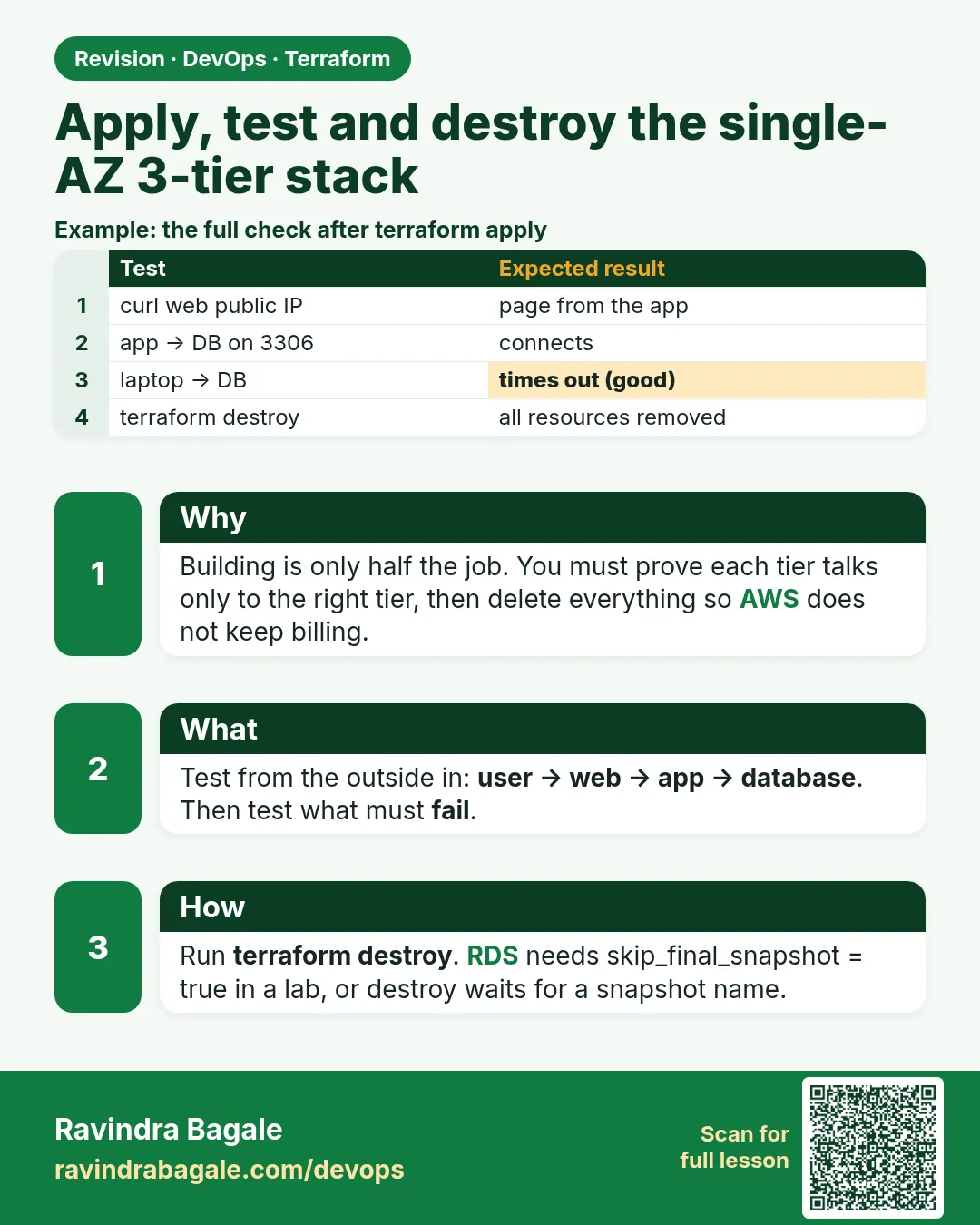
45.5 Apply, test and destroy the single-AZ 3-tier stack
Story. Suppose we are showing the HR portal pilot to the client on a call. We need three proofs: the web page loads, /api/ reaches the private app server, and the database endpoint exists without being public. After the demo we delete the whole stack, because a NAT gateway and RDS cost money every hour they run.
Steps
- Run init, fmt and validate.
- Save a plan and apply it.
- Wait 3 minutes for user_data.
- Curl / and /api/.
- Check the RDS settings.
- Run terraform destroy.
terraform init
terraform fmt -recursive
terraform validate
terraform plan -out tfplan
terraform apply tfplan

curl -s $(terraform output -raw web_url)
curl -s $(terraform output -raw web_url)/api/
aws rds describe-db-instances --db-instance-identifier tier1az-mysql \
  --query "DBInstances[0].[PubliclyAccessible,MultiAZ,AvailabilityZone]"

terraform destroy
What each line does
terraform plan -out tfplan— Saves the exact plan so apply runs what you reviewed.terraform apply tfplan— Applies that saved plan without asking again.curl -s .../— Tests the web tier.curl -s .../api/— Tests web to app through nginx.aws rds describe-db-instances ... --query— Shows public access false, Multi-AZ false and the zone.terraform destroy— Deletes all 24 resources.
When it is green.
web tier ok
app tier: ip-10-30-11-25.ap-south-1.compute.internal
[ false, false, "ap-south-1a" ]

Plan: 0 to add, 0 to change, 24 to destroy.
Destroy complete! Resources: 24 destroyed.
When it is red.
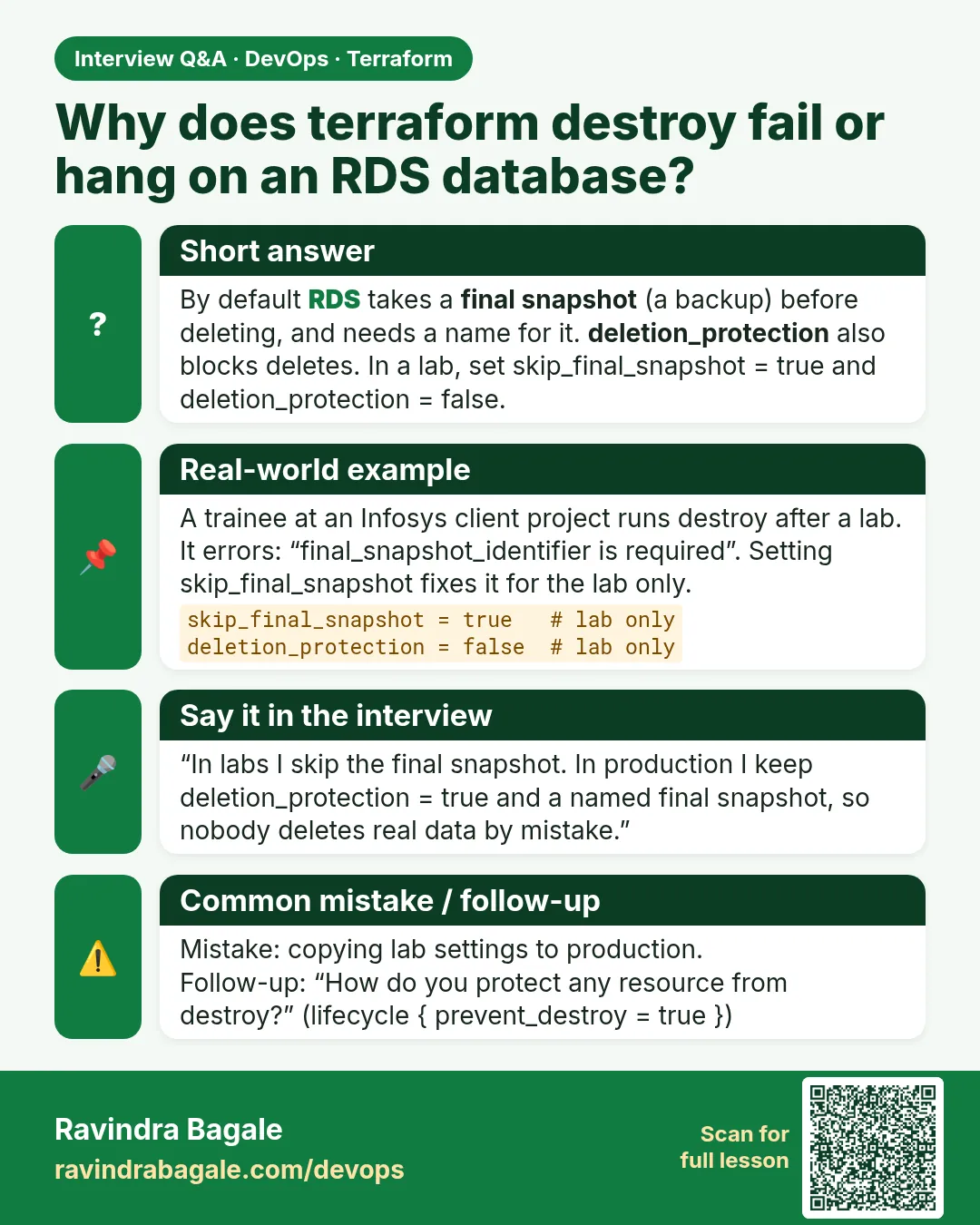
Error: deleting EC2 Internet Gateway: DependencyViolation:
Network vpc-... has some mapped public address(es)
Fix. Usually a resource created outside Terraform (for example a console test instance) is still in the VPC. Delete it, then run terraform destroy again.
What: every term in plain English
- saved plan — A file from terraform plan -out tfplan. apply tfplan runs exactly that plan, nothing else.
- smoke test — A quick check that the main paths work: page loads, API answers, DB reachable.
- output — A value Terraform prints after apply, such as web_url, used by tests and people.
- terraform destroy — Deletes every resource in the state, in reverse dependency order.
- dependency violation — AWS refuses to delete something because another object still uses it.
- drift — A difference between real AWS and the state, often from console changes.
- runbook — A short written list of steps that anyone on the team can follow.
Example 1: The full run as one runbook
At an L&T Infotech project, every lab and release follows the same runbook so a new joiner gets the same result as a senior.
- init, fmt, validate.
- plan -out tfplan.
- apply tfplan.
terraform init
terraform fmt -check -recursive
terraform validate
terraform plan -out tfplan
terraform apply tfplan
Output
Apply complete! Resources: 27 added, 0 changed, 0 destroyed.

Outputs:

app_private_ip = "10.30.11.25"
db_endpoint = "hrportal-mysql.c1a2b3c4d5e6.ap-south-1.rds.amazonaws.com:3306"
web_url = "http://13.233.10.20"
What it shows: fmt -check fails the run if a file is not formatted. Good habit before CI does it for you.
Example 2: Smoke test script
A Myntra release engineer never says "it looks fine". A tiny script checks every tier and prints PASS or FAIL.
- Read outputs.
- Curl both paths.
- Print PASS or FAIL per check.
#!/bin/bash
WEB=$(terraform output -raw web_url)
check() { if eval "$2" >/dev/null 2>&1; then echo "PASS $1"; else echo "FAIL $1"; fi; }
check "web page"  "curl -sf $WEB/ | grep -q 'web tier ok'"
check "api path"  "curl -sf $WEB/api/ | grep -q 'app tier'"
check "db private" "test \"$(aws rds describe-db-instances --db-instance-identifier hrportal-mysql --query 'DBInstances[0].PubliclyAccessible')\" = false"
Output
PASS web page
PASS api path
PASS db private
What it shows: Run it right after apply and again after any change. Three PASS lines means all tiers are healthy.
Example 3: Spot console drift before destroy
Someone may have added a rule in the console during testing. A refresh-only plan shows it before destroy surprises you.
- Run a refresh-only plan.
- Read any changes.
- Decide: import, revert or ignore.
terraform plan -refresh-only
Output
No changes. Your infrastructure still matches the configuration.
What it shows: If it lists changes, somebody touched AWS by hand. Fix that first, or destroy may fail on extra objects.
Example 4: Destroy and confirm nothing is left
A forgotten NAT gateway or Elastic IP keeps billing. After destroy, ask AWS directly instead of trusting memory.
- Run terraform destroy.
- Check state is empty.
- Query NAT gateways and EIPs.
terraform destroy -auto-approve
terraform state list | wc -l
aws ec2 describe-nat-gateways --filter Name=state,Values=available --query "length(NatGateways)"
aws ec2 describe-addresses --query "length(Addresses)"
Output
Destroy complete! Resources: 27 destroyed.
0
0
0
What it shows: Three zeros: empty state, no live NAT, no Elastic IP. Your bill is safe.
Example 5: Fix a stuck destroy
The classic stuck destroy: a console test instance still uses the VPC. Find it by VPC id and remove it.
- Read the error.
- List instances in the VPC.
- Terminate the stray one and destroy again.
VPC=$(aws ec2 describe-vpcs --filters Name=tag:Name,Values=hrportal-vpc --query "Vpcs[0].VpcId" --output text)
aws ec2 describe-instances --filters Name=vpc-id,Values=$VPC Name=instance-state-name,Values=running \
  --query "Reservations[].Instances[].[InstanceId,Tags[?Key=='Name']|[0].Value]" --output table
Output
-------------------------------------
|         DescribeInstances         |
+----------------------+------------+
|  i-0stray9876543210f |  test-box  |
+----------------------+------------+
What it shows: test-box was made by hand. Terminate it (after checking with the owner), then run terraform destroy again.
Command cheat sheet
| Command | What it does | When to use it |
|---|---|---|
terraform plan -out tfplan |
Saves a plan | Every apply |
terraform apply tfplan |
Applies saved plan | Safe apply |
terraform output -raw web_url |
Raw output | Scripts |
terraform plan -refresh-only |
Shows drift | Before destroy |
terraform destroy -auto-approve |
Deletes all | End of lab |
aws ec2 describe-nat-gateways |
Lists NATs | Cost check |
Verify: did it work?
-
Smoke test passes
bash smoke.sh | grep -c PASSOutput
3 -
State empty after destroy
terraform state list | wc -lOutput
0 -
No NAT left
aws ec2 describe-nat-gateways --filter Name=state,Values=available --query "length(NatGateways)"Output
0
When it is red 1
Error: Saved plan is stale: The given plan file can no longer be applied because the state was changed by another operation
Cause. State changed after the plan was saved.
Fix, step by step
- Run terraform plan -out tfplan again.
- Apply the new plan.
When it is red 2
curl: (7) Failed to connect to 13.233.10.20 port 80: Connection refused
Cause. nginx has not finished installing yet, or user_data failed.
Fix, step by step
- Wait three minutes and retry.
- Read /var/log/cloud-init-output.log on the web server.
When it is red 3
Error: deleting EC2 Subnet: DependencyViolation: The subnet 'subnet-0abc' has dependencies and cannot be deleted.
Cause. A hand-made resource (instance or ENI) is still in the subnet.
Fix, step by step
- List ENIs with describe-network-interfaces filtered by subnet-id.
- Remove the stray resource and destroy again.
Cleanup
terraform destroy -auto-approve
rm -f tfplan
Ravindra Bagale's Tip
Put apply, smoke test and destroy in one session and set a phone alarm. NAT gateways do not stop billing because you closed your laptop.
Practice tasks
Easy Run the runbook
Why: End to end.
What to do: Run init through apply tfplan.
- Save the plan.
Check: 27 added.
Easy Smoke test
Why: Check every tier.
What to do: Write and run smoke.sh.
- Three checks.
Check: Three PASS.
Medium Drift check
Why: Find console changes.
What to do: Add a tag in the console, then run plan -refresh-only.
- Read the diff.
Check: One tag change shown.
Medium Clean destroy
Why: Avoid surprise bills.
What to do: Destroy and prove no NAT or EIP remains.
- Two describe calls.
Check: 0 and 0.
Easy Say it in two lines
Why: If you can say it simply, you understand it.
What to do: Write two short lines about this lesson for a fresher.
- Write the problem it solves.
- Write the one command or file you use.
- Read it aloud.
Check: A fresher understands it without a question.
Easy Start a safe lab folder
Why: Practice needs a throwaway place.
What to do: Make a new folder with versions.tf and a random_pet resource, so no AWS cost.
- mkdir tf-lab and cd into it.
- Add the hashicorp/random provider and one random_pet.
- Run terraform init and terraform apply.
Check: Apply complete! with 1 added.
Medium Break it on purpose
Why: You must know the red output by face.
What to do: Cause one error from the red part of this lesson and fix it.
- Follow one red section.
- Copy the exact message to your notes.
- Write the fix in one line.
Check: You fixed it without searching the web.
Medium Run it twice
Why: A second run must be quiet.
What to do: Run the same plan two times with no edits.
- Run terraform plan.
- Run it again.
- Explain any change it still shows.
Check: The second plan says No changes, or you can explain each line.
Medium Write a runbook page
Why: At 2 a.m. nobody remembers flags.
What to do: Write a one-page runbook for this lesson.
- Title, when to use, exact commands, how to check, how to undo.
Check: A teammate can follow it alone.
Medium Run it from a pipeline
Why: Real teams run Terraform from CI, not from laptops.
What to do: Run the main command of this lesson inside a GitHub Actions or Jenkins job.
- Add a job with hashicorp/setup-terraform or a Terraform Docker image.
- Give it AWS access through an IAM role, never a key in the file.
- Run init, then the command from this lesson.
Check: The job log shows the same output you saw on your laptop.
Medium Check the cost
Why: Labs left running cost real money.
What to do: Find what this lesson would cost per day if you forgot to destroy it.
- Open the AWS Pricing Calculator.
- Add each resource from your plan.
- Write the daily cost in your notes.
Check: You know the daily cost and you ran terraform destroy.
Hard Draw the flow top to bottom
Why: A drawing shows the order of work.
What to do: Draw this lesson as boxes from top to bottom.
- Start at your code, go through plan and state, end at AWS.
- Mark where each command reads or writes.
Check: Each box matches a real step you ran.
Hard Explain it like an interview
Why: Interviewers want real stories.
What to do: Record a 60 second answer about this lesson.
- Say the problem, the command, and one error you hit.
Check: Your answer has a real command and a real error message.
Homework: try at home
Try at home
Write a one-page runbook for this stack that a teammate could follow without you: apply, test, common errors and destroy.
Recap
- Always apply a saved plan.
- Smoke test every tier with a script.
- Check drift before destroy.
- Confirm NAT and EIP are gone.
- Stray console resources block destroy.
FAQ
Why 27 resources?
Roughly 13 network resources, 3 security groups with their rules, 2 servers, the DB subnet group and RDS. Data sources such as the AMI lookup are not counted.
Can I keep RDS and destroy the rest?
Use -target only for emergencies; better split into separate stacks.
How long does destroy take?
About 10 minutes, mostly RDS and the NAT gateway.
Is -auto-approve safe?
In your own lab yes. In shared environments review the destroy plan first.
Interview questions
-
Why apply a saved plan?
It applies exactly what was reviewed, nothing that changed later.
-
How do you check drift?
terraform plan -refresh-only.
-
What causes DependencyViolation on destroy?
Resources created outside Terraform still using the VPC or subnet.
-
How do you avoid cost after a lab?
Destroy, then confirm no NAT gateway or Elastic IP remains.
Quick quiz
Q1. Command to save a plan?
terraform plan -out tfplan
Q2. Command to see drift only?
terraform plan -refresh-only
Q3. Flag for raw output?
-raw
Q4. Costliest idle item here?
NAT gateway
Q5. Resource count in this lab?
27
Lab
- Create the folder three-tier-single-az with the seven files.
- Run terraform init, fmt and validate.
- Run terraform plan -out tfplan and read it.
- Run terraform apply tfplan.
- Curl / and /api/ on web_url.
- Run terraform destroy.
Practice task
Add an IAM role with AmazonSSMManagedInstanceCore to both servers and connect to the app server with Session Manager.
Ravindra Bagale's Tip
Draw the picture before writing HCL. Every box becomes a resource.
In short
- Public subnet for web, private for app, DB subnets for RDS.
- NAT lets private servers reach out but blocks inbound.
- Security groups chain one tier to the next.
- A DB subnet group always needs two zones, even for a single-AZ database.
- Single-AZ is fine for a pilot, not for production.
Samajla ka?
 Revision card
 Interview card