Chapter 45: Terraform 3-Tier Architecture in a Single Availability Zone
45.2 Security groups for web, app and database tiers
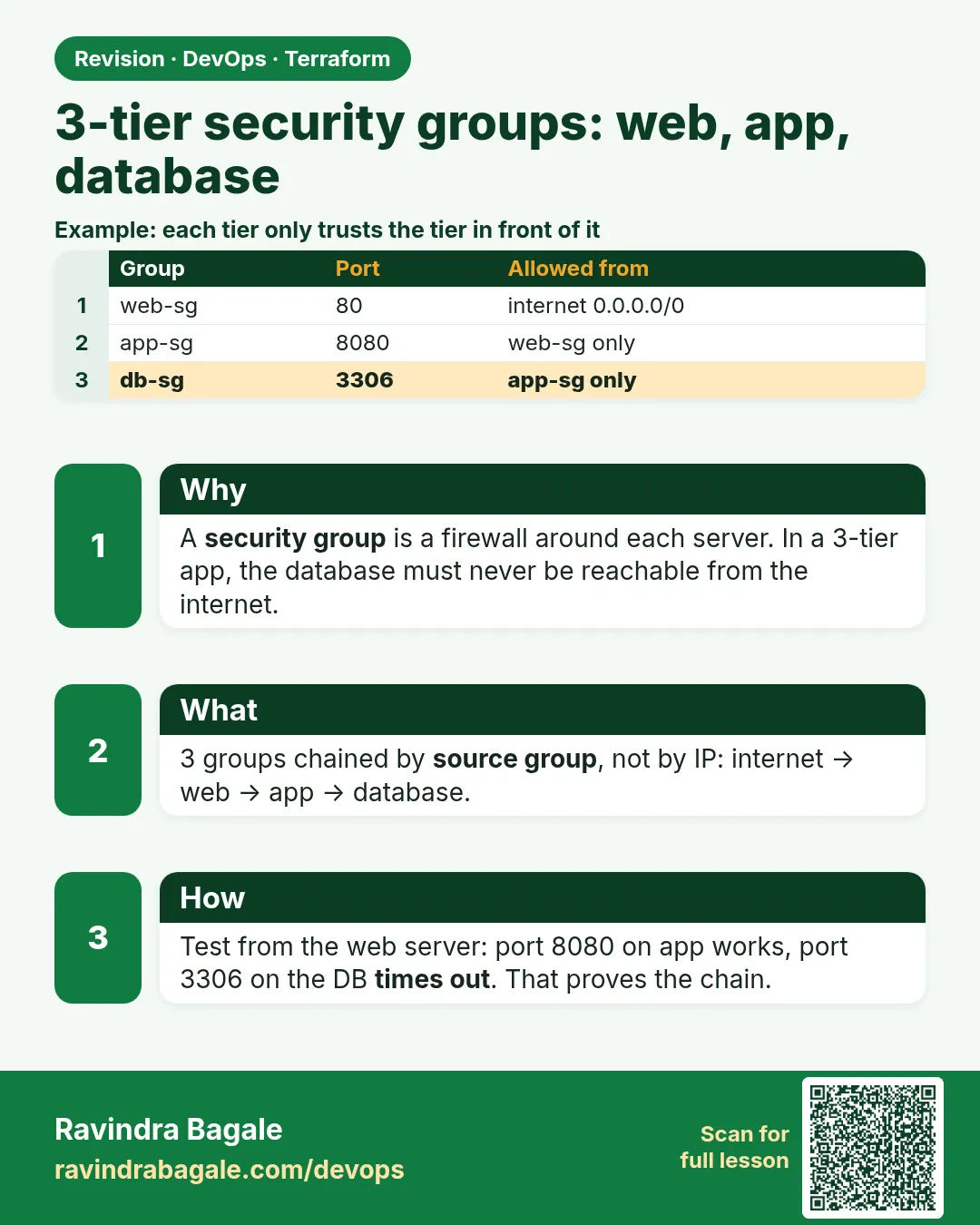
Story. Suppose we are reviewing that same HR portal with the client's security team. Their first question is always: who can talk to the database? The answer must be "only the app servers" and the code should prove it. Chaining security groups gives exactly that: the internet reaches web, web reaches app, app reaches the database, and nothing skips a layer.
Steps
- Add security.tf.
- Run terraform validate.
- Read the plan and check that no rule other than web_http uses 0.0.0.0/0 for ingress.
# ---- security.tf ----
resource "aws_security_group" "web" {
  name   = "${var.project}-web"
  vpc_id = aws_vpc.main.id
}

resource "aws_security_group" "app" {
  name   = "${var.project}-app"
  vpc_id = aws_vpc.main.id
}

resource "aws_security_group" "db" {
  name   = "${var.project}-db"
  vpc_id = aws_vpc.main.id
}

resource "aws_vpc_security_group_ingress_rule" "web_http" {
  security_group_id = aws_security_group.web.id
  cidr_ipv4         = "0.0.0.0/0"
  ip_protocol       = "tcp"
  from_port         = 80
  to_port           = 80
}

resource "aws_vpc_security_group_ingress_rule" "app_from_web" {
  security_group_id            = aws_security_group.app.id
  referenced_security_group_id = aws_security_group.web.id
  ip_protocol                  = "tcp"
  from_port                    = 8080
  to_port                      = 8080
}

resource "aws_vpc_security_group_ingress_rule" "db_from_app" {
  security_group_id            = aws_security_group.db.id
  referenced_security_group_id = aws_security_group.app.id
  ip_protocol                  = "tcp"
  from_port                    = 3306
  to_port                      = 3306
}

resource "aws_vpc_security_group_egress_rule" "web_all" {
  security_group_id = aws_security_group.web.id
  cidr_ipv4         = "0.0.0.0/0"
  ip_protocol       = "-1"
}

resource "aws_vpc_security_group_egress_rule" "app_all" {
  security_group_id = aws_security_group.app.id
  cidr_ipv4         = "0.0.0.0/0"
  ip_protocol       = "-1"
}
What each line does
aws_security_group "web" / "app" / "db"— One firewall per tier, all in the 3-tier VPC.web_http cidr_ipv4 = "0.0.0.0/0"— Only the web tier is open to the internet, on port 80.app_from_web referenced_security_group_id = web— The app port 8080 accepts only the web servers.db_from_app referenced_security_group_id = app— MySQL 3306 accepts only the app servers.web_all / app_all egress— Web and app can reach out; the DB group has no outbound rule because RDS does not need it.
When it is green.
$ terraform validate
Success! The configuration is valid.
When it is red.
Error: Reference to undeclared resource
  on security.tf line 26: referenced_security_group_id = aws_security_group.wb.id
Fix. A typo in a resource name. Terraform tells you the file and line; fix the name to aws_security_group.web.
What: every term in plain English
- security group — A stateful firewall attached to a network interface. Return traffic is allowed automatically.
- ingress rule — A rule that allows traffic coming in.
- egress rule — A rule that allows traffic going out.
- referenced security group — A rule source that is another security group instead of a CIDR, so only members of that group may connect.
- security group chain — Web allows the internet, app allows only web, DB allows only app.
- aws_vpc_security_group_ingress_rule — The newer resource for one ingress rule each. It avoids the conflicts of inline rules.
- stateful — If a request is allowed in, the reply is allowed out without an extra rule.
- least privilege — Open only the ports and sources a tier truly needs.
Example 1: Write the chain with referenced groups
At HDFC Bank style audits, a database port open to a CIDR is a finding. Referencing the app security group means only app servers reach MySQL, even if IPs change.
- Create three empty groups.
- Add one ingress rule per hop.
- Reference the previous group as the source.
resource "aws_vpc_security_group_ingress_rule" "app_from_web" {
  security_group_id            = aws_security_group.app.id
  referenced_security_group_id = aws_security_group.web.id
  ip_protocol                  = "tcp"
  from_port                    = 8080
  to_port                      = 8080
}

resource "aws_vpc_security_group_ingress_rule" "db_from_app" {
  security_group_id            = aws_security_group.db.id
  referenced_security_group_id = aws_security_group.app.id
  ip_protocol                  = "tcp"
  from_port                    = 3306
  to_port                      = 3306
}
Output
aws_vpc_security_group_ingress_rule.app_from_web: Creation complete after 1s [id=sgr-0a11b22c33d44e55f]
aws_vpc_security_group_ingress_rule.db_from_app: Creation complete after 1s [id=sgr-0f66e77d88c99b00a]
What it shows: No CIDR on the app or DB rules. The source is a group, so the chain stays correct after servers are replaced.
Example 2: Restrict web to HTTP and HTTPS only
Flipkart style public sites expose only 80 and 443. SSH on 22 to the internet is the first thing scanners flag.
- Allow 80 from 0.0.0.0/0.
- Allow 443 from 0.0.0.0/0.
- Do not add 22; use Session Manager.
resource "aws_vpc_security_group_ingress_rule" "web_http" {
  security_group_id = aws_security_group.web.id
  cidr_ipv4         = "0.0.0.0/0"
  ip_protocol       = "tcp"
  from_port         = 80
  to_port           = 80
}

resource "aws_vpc_security_group_ingress_rule" "web_https" {
  security_group_id = aws_security_group.web.id
  cidr_ipv4         = "0.0.0.0/0"
  ip_protocol       = "tcp"
  from_port         = 443
  to_port           = 443
}
Output
Plan: 2 to add, 0 to change, 0 to destroy.
What it shows: Even if nginx serves only HTTP today, open 443 now so adding a certificate later needs no firewall change.
Example 3: Read the chain from the CLI
During an incident at a Paytm-sized team, nobody opens the console. One CLI query shows who may reach the database.
- Get the DB group id from outputs or state.
- Query its ingress rules.
- Confirm the source is the app group.
DB_SG=$(terraform state show aws_security_group.db | awk '/^ *id /{print $3}' | tr -d '"')
aws ec2 describe-security-group-rules --filters Name=group-id,Values=$DB_SG \
  --query "SecurityGroupRules[?IsEgress==\`false\`].[FromPort,ReferencedGroupInfo.GroupId,CidrIpv4]" --output table
Output
----------------------------------------------
|         DescribeSecurityGroupRules         |
+------+------------------------+-----------+
|  3306|  sg-0app1234567890abc  |  None     |
+------+------------------------+-----------+
What it shows: Exactly one ingress rule, port 3306, source the app group, no CIDR. That is the audit evidence.
Example 4: Why the DB group has no egress rule
Security groups are stateful, so MySQL replies flow back without an egress rule. Leaving egress empty on the DB group stops the database from calling out if it were ever compromised.
- Give web and app an egress-all rule.
- Give the DB group none.
- Test that the app still gets query results.
resource "aws_security_group" "db" {
  name        = "${var.project}-db"
  description = "MySQL from app tier only"
  vpc_id      = aws_vpc.main.id
  # no egress rule on purpose: replies are allowed because SGs are stateful
}
Output
mysql> SELECT 1;
+---+
| 1 |
+---+
What it shows: The query result returned even with no egress rule. That proves stateful behaviour.
Example 5: Scan the groups before apply
Teams at Zomato run a scanner in CI so an open port never reaches review. Checkov reads the rules without touching AWS.
- Run Checkov on the folder.
- Look only at security group checks.
- Fix anything that opens 22 or 3306 to the world.
checkov -d . --framework terraform --compact --quiet | grep -A2 "security group"
Output
Check: CKV_AWS_23: "Ensure every security group and rule has a description"
    FAILED for resource: aws_vpc_security_group_ingress_rule.web_http
What it shows: Add description = "HTTP from internet" to each rule. Small fix, cleaner audits.
Command cheat sheet
| Command | What it does | When to use it |
|---|---|---|
aws ec2 describe-security-group-rules |
Lists rules | Audit a group |
referenced_security_group_id |
Source is another group | Tier to tier |
cidr_ipv4 = "0.0.0.0/0" |
Source is the internet | Web tier only |
ip_protocol = "-1" |
All protocols | Egress-all |
terraform state show aws_security_group.db |
Shows group details | Find ids |
checkov -d . |
Scans rules | Before push |
Verify: did it work?
-
Three groups exist
terraform state list | grep -c "aws_security_group\."Output
3 -
DB rule uses a group source
aws ec2 describe-security-group-rules --filters Name=group-id,Values=$DB_SG --query "length(SecurityGroupRules[?ReferencedGroupInfo])"Output
1 -
No port 22 anywhere
grep -c "from_port *= 22" security.tfOutput
0
When it is red 1
Error: InvalidPermission.Duplicate: the specified rule "peer: 0.0.0.0/0, TCP, from port: 80" already exists
Cause. An inline ingress block and a separate rule resource define the same rule.
Fix, step by step
- Use only aws_vpc_security_group_ingress_rule resources.
- Remove inline ingress blocks from aws_security_group.
When it is red 2
curl: (28) Failed to connect to 10.30.11.25 port 8080 after 5001 ms: Timeout was reached
Cause. The app group does not allow 8080 from the web group.
Fix, step by step
- Check app_from_web exists.
- Check the referenced group is web, not app.
When it is red 3
ERROR 2003 (HY000): Can't connect to MySQL server on 'hrportal-mysql...' (110)
Cause. The DB group does not allow 3306 from the app group.
Fix, step by step
- Check db_from_app.
- Confirm the app server has the app group attached.
Cleanup
terraform destroy -auto-approve
Ravindra Bagale's Tip
Write the chain as a sentence in a comment: internet to web on 80/443, web to app on 8080, app to db on 3306. If a rule does not match the sentence, delete it.
Practice tasks
Easy Draw the chain
Why: Know each hop.
What to do: Write source, target and port for all rules.
- Three hops.
Check: A table of rules.
Easy Remove SSH
Why: Least privilege.
What to do: Make sure no rule opens 22.
- grep from_port.
Check: 0 matches.
Medium Add descriptions
Why: Pass the scanner.
What to do: Add description to every rule and rerun Checkov.
- CKV_AWS_23.
Check: That check passes.
Medium Break and fix
Why: Learn the symptom.
What to do: Delete db_from_app, test MySQL, then restore it.
- Expect a timeout.
Check: Timeout, then success.
Easy Say it in two lines
Why: If you can say it simply, you understand it.
What to do: Write two short lines about this lesson for a fresher.
- Write the problem it solves.
- Write the one command or file you use.
- Read it aloud.
Check: A fresher understands it without a question.
Easy Start a safe lab folder
Why: Practice needs a throwaway place.
What to do: Make a new folder with versions.tf and a random_pet resource, so no AWS cost.
- mkdir tf-lab and cd into it.
- Add the hashicorp/random provider and one random_pet.
- Run terraform init and terraform apply.
Check: Apply complete! with 1 added.
Medium Break it on purpose
Why: You must know the red output by face.
What to do: Cause one error from the red part of this lesson and fix it.
- Follow one red section.
- Copy the exact message to your notes.
- Write the fix in one line.
Check: You fixed it without searching the web.
Medium Run it twice
Why: A second run must be quiet.
What to do: Run the same plan two times with no edits.
- Run terraform plan.
- Run it again.
- Explain any change it still shows.
Check: The second plan says No changes, or you can explain each line.
Medium Write a runbook page
Why: At 2 a.m. nobody remembers flags.
What to do: Write a one-page runbook for this lesson.
- Title, when to use, exact commands, how to check, how to undo.
Check: A teammate can follow it alone.
Medium Run it from a pipeline
Why: Real teams run Terraform from CI, not from laptops.
What to do: Run the main command of this lesson inside a GitHub Actions or Jenkins job.
- Add a job with hashicorp/setup-terraform or a Terraform Docker image.
- Give it AWS access through an IAM role, never a key in the file.
- Run init, then the command from this lesson.
Check: The job log shows the same output you saw on your laptop.
Medium Check the cost
Why: Labs left running cost real money.
What to do: Find what this lesson would cost per day if you forgot to destroy it.
- Open the AWS Pricing Calculator.
- Add each resource from your plan.
- Write the daily cost in your notes.
Check: You know the daily cost and you ran terraform destroy.
Hard Draw the flow top to bottom
Why: A drawing shows the order of work.
What to do: Draw this lesson as boxes from top to bottom.
- Start at your code, go through plan and state, end at AWS.
- Mark where each command reads or writes.
Check: Each box matches a real step you ran.
Hard Explain it like an interview
Why: Interviewers want real stories.
What to do: Record a 60 second answer about this lesson.
- Say the problem, the command, and one error you hit.
Check: Your answer has a real command and a real error message.
Homework: try at home
Try at home
Write the security group chain for a 3-tier ticket booking site such as BookMyShow, including an admin tier that only the office VPN can reach.
Recap
- Each tier allows only the tier in front of it.
- Use referenced groups instead of CIDRs between tiers.
- Security groups are stateful.
- Never open 22 or 3306 to 0.0.0.0/0.
- Use one rule resource per rule.
FAQ
Why not one group for all tiers?
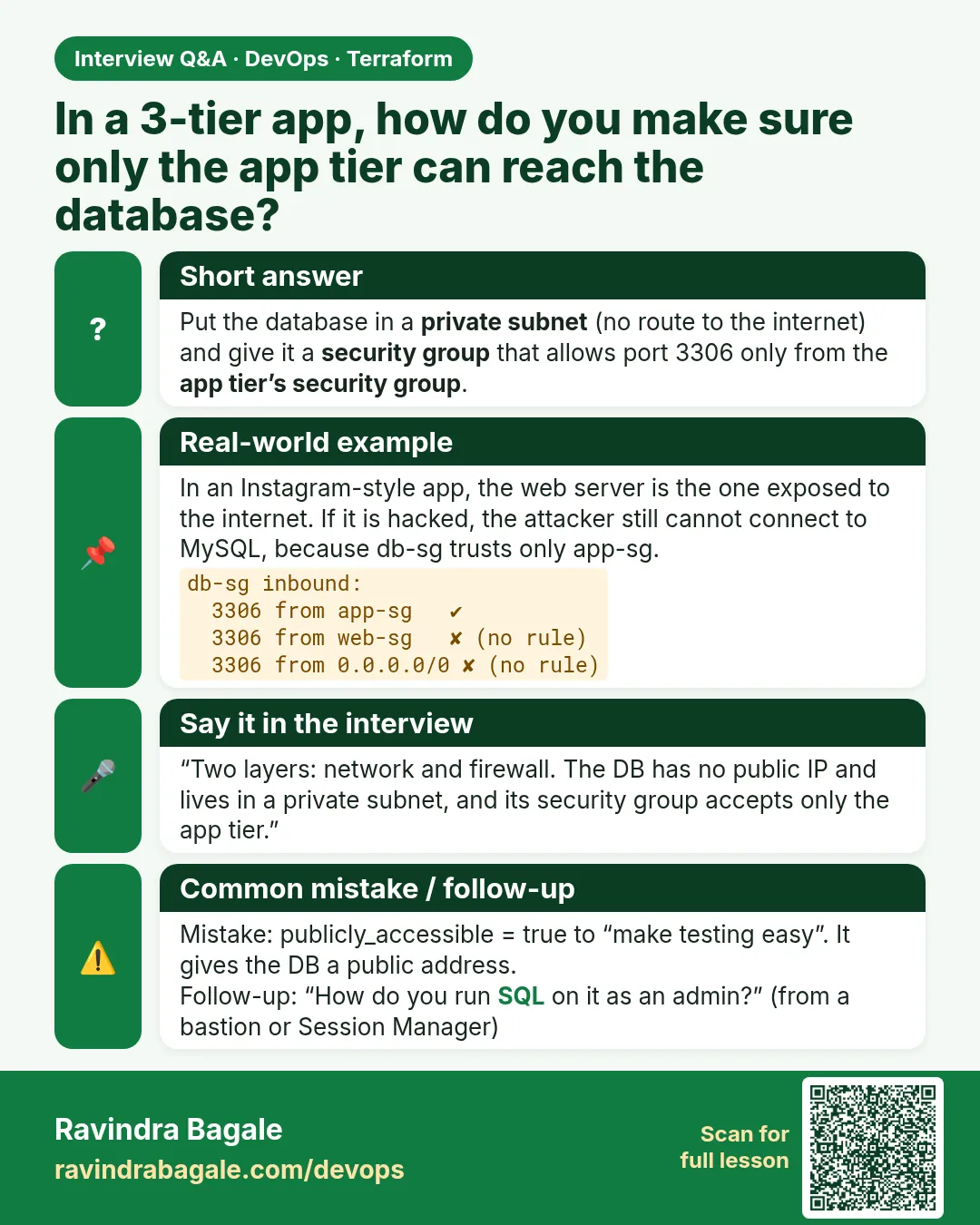
Then every server can reach the database; one hacked web server exposes everything.
Can a group reference itself?
Yes, useful for clusters where members talk to each other.
Do I need NACLs too?
Not for this lab. Security groups are enough for most apps; NACLs add a subnet-level layer.
Why the new rule resources?
Inline rules and separate rules fight each other. One rule per resource is clear and safe.
Interview questions
-
How do you allow only the app tier to reach RDS?
An ingress rule on the DB group for 3306 with the app security group as the source.
-
What does stateful mean for a security group?
Replies to allowed traffic are allowed automatically.
-
Security group versus NACL?
SG is stateful and per interface; NACL is stateless and per subnet.
-
How do you avoid SSH on servers?
Use Systems Manager Session Manager with an instance role.
Quick quiz
Q1. Port from web to app in this lab?
8080
Q2. Port from app to DB?
3306
Q3. Argument for a group source?
referenced_security_group_id
Q4. Are security groups stateful?
yes
Q5. Port that must never be open to the internet here?
22
Samajla ka?
 Revision card
 Interview card