Chapter 45: Terraform 3-Tier Architecture in a Single Availability Zone
45.3 Web tier and app tier EC2 servers
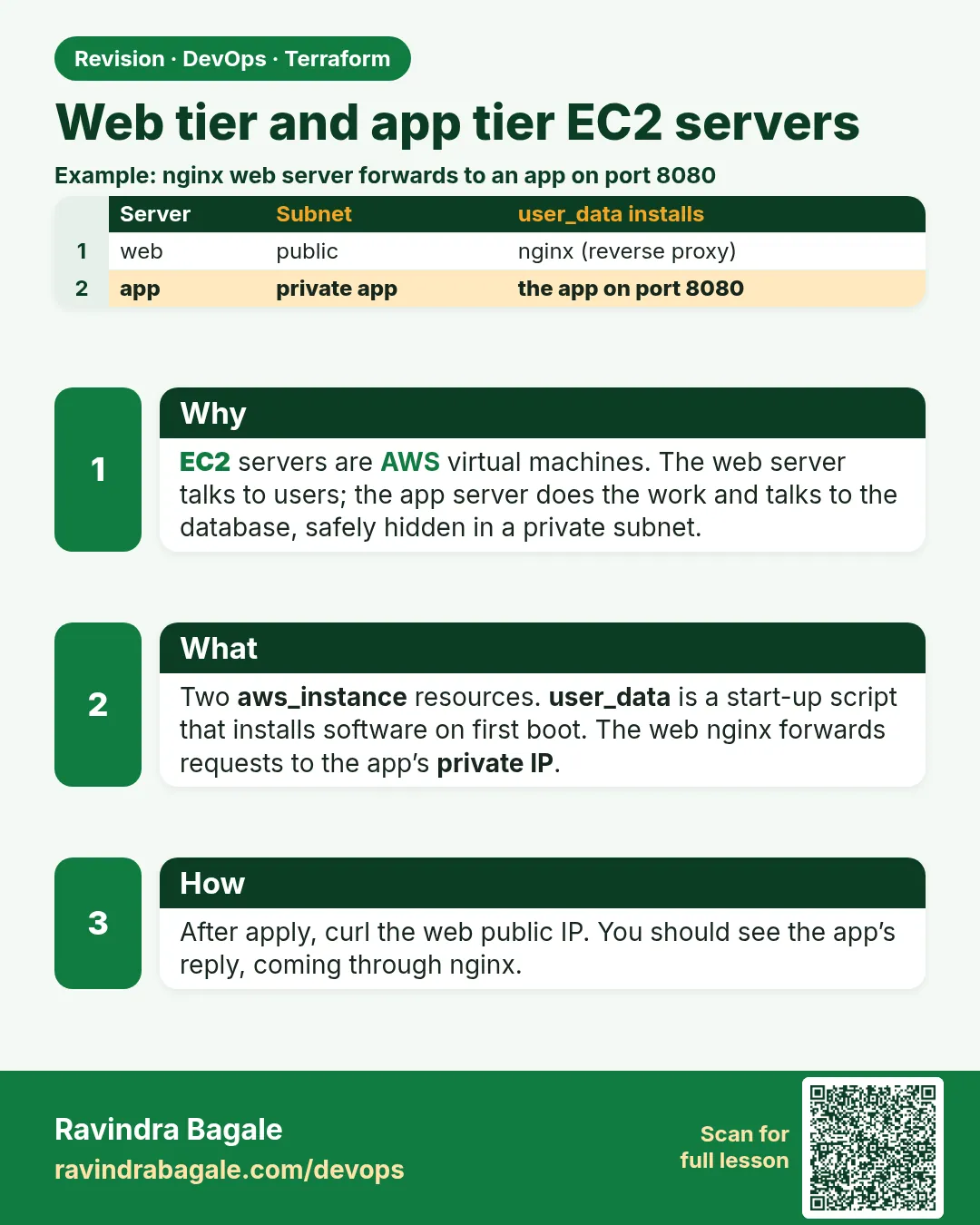
Story. Suppose we are deploying the HR portal's first release. The web server runs nginx and shows the page, and any request to /api/ is passed to the app server on its private IP. The app server has no public IP at all, so nobody on the internet can reach it directly. Terraform passes the app's private IP into the web server's boot script, so we never copy IPs by hand.
Steps
- Add compute.tf.
- Run terraform validate.
- Run terraform plan and see web depends on app.
# ---- compute.tf ----
data "aws_ami" "al2023" {
  most_recent = true
  owners      = ["amazon"]
  filter {
    name   = "name"
    values = ["al2023-ami-2023.*-x86_64"]
  }
}

resource "aws_instance" "app" {
  ami                    = data.aws_ami.al2023.id
  instance_type          = var.instance_type
  subnet_id              = aws_subnet.app.id
  vpc_security_group_ids = [aws_security_group.app.id]
  metadata_options {
    http_tokens = "required"
  }
  # The boot script lives in app_user_data.sh next to this file.
  user_data = file("${path.module}/app_user_data.sh")
  tags = {
    Name = "${var.project}-app"
  }
}

resource "aws_instance" "web" {
  ami                    = data.aws_ami.al2023.id
  instance_type          = var.instance_type
  subnet_id              = aws_subnet.public.id
  vpc_security_group_ids = [aws_security_group.web.id]
  metadata_options {
    http_tokens = "required"
  }
  # Terraform fills app_ip into the template before boot.
  user_data = templatefile("${path.module}/web_user_data.sh.tftpl", {
    app_ip = aws_instance.app.private_ip
  })
  tags = {
    Name = "${var.project}-web"
  }
}

# ---- app_user_data.sh ----
#!/bin/bash
# app tier boot script: a tiny stand-in app on port 8080
mkdir -p /opt/app
echo "app tier: $(hostname)" > /opt/app/index.html
printf '%s\n' '[Unit]' 'Description=demo app' '[Service]' \
  'ExecStart=/usr/bin/python3 -m http.server 8080 --directory /opt/app' \
  'Restart=always' '[Install]' 'WantedBy=multi-user.target' \
  > /etc/systemd/system/app.service
systemctl daemon-reload
systemctl enable --now app

# ---- web_user_data.sh.tftpl ----
#!/bin/bash
# web tier boot script: nginx forwards /api/ to the app server
dnf install -y nginx
echo "web tier ok" > /usr/share/nginx/html/index.html
printf '%s\n' 'location /api/ {' \
  '  proxy_pass http://${app_ip}:8080/;' \
  '}' > /etc/nginx/default.d/app.conf
systemctl enable --now nginx
What each line does
data "aws_ami" "al2023"— Latest Amazon Linux 2023 image.aws_instance "app" subnet_id = aws_subnet.app.id— App server in the private subnet; no public IP.http_tokens = "required"— IMDSv2 on both servers.user_data = file("${path.module}/app_user_data.sh")— Keeps the boot script in its own file, which is easier to read and test.mkdir -p /opt/app ... index.html— A tiny demo response for the app.printf ... > /etc/systemd/system/app.service— Writes a systemd unit so the app restarts after a crash or reboot.ExecStart=/usr/bin/python3 -m http.server 8080— A stand-in for your real app on port 8080.aws_instance "web" subnet_id = aws_subnet.public.id— Web server in the public subnet./etc/nginx/default.d/app.conf— Amazon Linux nginx loads this file inside its default server.templatefile(... { app_ip = aws_instance.app.private_ip })— Terraform fills the app private IP into the template, and this reference also makes web wait for app.proxy_pass http://${app_ip}:8080/;— The template variable becomes the real private IP at plan time.
When it is green.
aws_instance.app: Creation complete after 13s
aws_instance.web: Creation complete after 13s
When it is red.
$ curl http://<web-ip>/api/
<html><head><title>502 Bad Gateway</title></head>
Fix. 502 means nginx cannot reach the app. Check the app_from_web rule, and that the app service is running: connect with Session Manager (attach the IAM role from chapter 44) and run systemctl status app.
What: every term in plain English
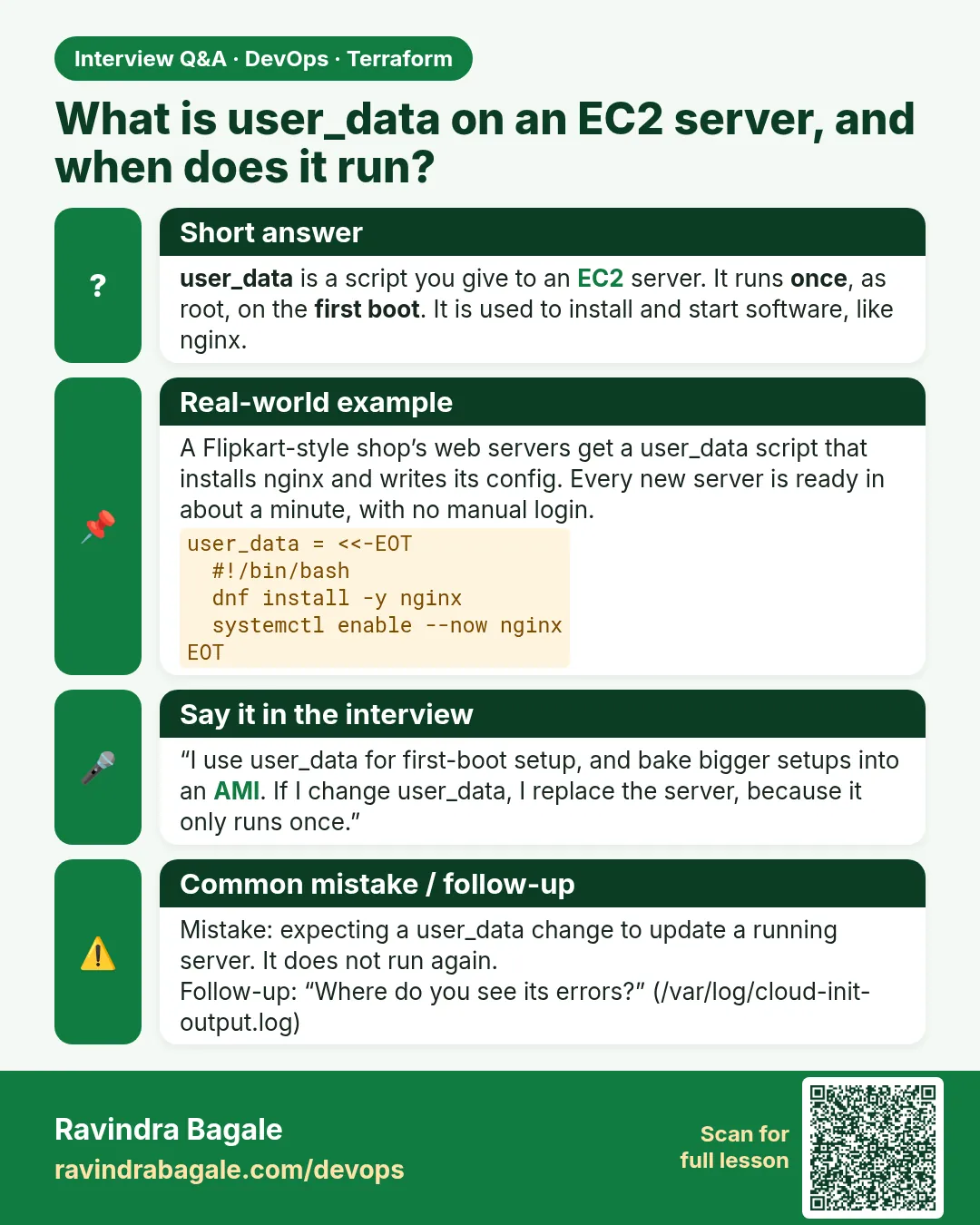
- user_data — A script EC2 runs once at first boot as root. We use it to install nginx and start the app.
- file() — A Terraform function that reads a file from disk as a string, here the app boot script.
- templatefile() — A Terraform function that reads a file and fills in variables, here the app private IP for nginx.
- reverse proxy — A server (nginx) that receives a request and forwards it to another server (the app).
- private IP — An address reachable only inside the VPC. The app server has only this.
- implicit dependency — When one resource refers to another, Terraform creates them in the right order automatically.
- systemd unit — A service definition that starts a program at boot and restarts it if it crashes.
- IMDSv2 — The token-based instance metadata service. http_tokens = "required" turns off the older, weaker version.
Example 1: Keep boot scripts in their own files
At Accenture code reviews, long scripts inside HCL strings are hard to read and impossible to lint. Separate .sh files can be checked with shellcheck and tested on a laptop.
- Put the app script in app_user_data.sh.
- Put the web script in web_user_data.sh.tftpl.
- Load them with file() and templatefile().
resource "aws_instance" "app" {
  ami                    = data.aws_ami.al2023.id
  instance_type          = var.instance_type
  subnet_id              = aws_subnet.app.id
  vpc_security_group_ids = [aws_security_group.app.id]
  user_data              = file("${path.module}/app_user_data.sh")
}
shellcheck app_user_data.sh web_user_data.sh.tftpl && echo "scripts clean"
Output
scripts clean
What it shows: path.module is the folder of the current .tf file, so the code works no matter where you run terraform.
Example 2: Pass the app IP into the nginx config
Hard-coding 10.30.11.25 breaks the day the app server is replaced. templatefile() puts the live private IP into the script every plan.
- Use ${app_ip} in the template.
- Pass app_ip from aws_instance.app.private_ip.
- Plan and read the rendered user_data hash.
resource "aws_instance" "web" {
  ami                    = data.aws_ami.al2023.id
  instance_type          = var.instance_type
  subnet_id              = aws_subnet.public.id
  vpc_security_group_ids = [aws_security_group.web.id]
  user_data = templatefile("${path.module}/web_user_data.sh.tftpl", {
    app_ip = aws_instance.app.private_ip
  })
}
terraform console
> templatefile("web_user_data.sh.tftpl", { app_ip = "10.30.11.25" })
Output
#!/bin/bash
# web tier boot script: nginx forwards /api/ to the app server
dnf install -y nginx
echo "web tier ok" > /usr/share/nginx/html/index.html
printf '%s\n' 'location /api/ {' \
  '  proxy_pass http://10.30.11.25:8080/;' \
  '}' > /etc/nginx/default.d/app.conf
systemctl enable --now nginx
What it shows: terraform console lets you preview the rendered script with a fake IP before creating anything.
Example 3: See the dependency order in the plan
Because web refers to aws_instance.app.private_ip, Terraform must build app first. No depends_on needed.
- Run terraform graph.
- Look for the edge from web to app.
- Apply and watch the order.
terraform graph | grep "aws_instance.web" | grep "aws_instance.app"
terraform apply tfplan | grep "aws_instance"
Output
        "[root] aws_instance.web (expand)" -> "[root] aws_instance.app (expand)"
aws_instance.app: Creating...
aws_instance.app: Creation complete after 13s [id=i-0app0123456789abc]
aws_instance.web: Creating...
aws_instance.web: Creation complete after 12s [id=i-0web0123456789abc]
What it shows: The arrow reads "web depends on app". The apply log shows app finished before web started.
Example 4: Write the systemd unit without a heredoc
Course rule and many CI linters reject heredocs inside user_data. printf with one quoted line per argument writes the same file and is easy to read.
- List each unit line as a quoted argument.
- Let printf add a newline after each.
- Reload systemd and start the service.
printf '%s\n' '[Unit]' 'Description=demo app' '[Service]' \
  'ExecStart=/usr/bin/python3 -m http.server 8080 --directory /opt/app' \
  'Restart=always' '[Install]' 'WantedBy=multi-user.target' \
  > /etc/systemd/system/app.service
systemctl daemon-reload
systemctl enable --now app
systemctl is-active app
Output
active
What it shows: Restart=always means a crash brings the app back within seconds. In real projects replace http.server with your Java or Node app.
Example 5: Test both tiers from your laptop
Swiggy release checklists test the public page and the API path separately, so a failure points to one tier immediately.
- Wait about three minutes for user_data.
- Curl the root path (web tier).
- Curl /api/ (web to app).
WEB=$(terraform output -raw web_url)
curl -s $WEB/
curl -s $WEB/api/
Output
web tier ok
app tier: ip-10-30-11-25.ap-south-1.compute.internal
What it shows: The second answer shows the app server hostname with its private IP. That proves nginx reached the private subnet.
Example 6: Read the boot log when something fails
If curl gives 502, the app or nginx script failed. The cloud-init log on the server shows the exact error line.
- Connect with Session Manager.
- Read the cloud-init output log.
- Fix the script and replace the server.
aws ssm start-session --target i-0app0123456789abc
sudo tail -n 20 /var/log/cloud-init-output.log
# after fixing the script on your laptop
terraform apply -replace=aws_instance.app
Output
Cloud-init v. 22.2.2 finished at Sun, 25 Oct 2026 06:12:40 +0000. Datasource DataSourceEc2. Up 41.20 seconds
What it shows: user_data runs only at first boot, so a changed script needs a new server. -replace forces that cleanly.
Command cheat sheet
| Command | What it does | When to use it |
|---|---|---|
file("${path.module}/x.sh") |
Reads a script | Static user_data |
templatefile(path, {k = v}) |
Fills variables | Dynamic user_data |
terraform graph |
Shows dependencies | Check order |
terraform apply -replace=ADDR |
Rebuilds one resource | After user_data change |
/var/log/cloud-init-output.log |
Boot script log | Debug user_data |
systemctl is-active app |
Service state | Check the app |
Verify: did it work?
-
Web answers
curl -s $(terraform output -raw web_url)/Output
web tier ok -
API path reaches app
curl -s $(terraform output -raw web_url)/api/ | cut -d: -f1Output
app tier -
App has no public IP
aws ec2 describe-instances --instance-ids $(terraform state show aws_instance.app | awk '/^ *id /{print $3}' | tr -d '"') --query "Reservations[0].Instances[0].PublicIpAddress"Output
null
When it is red 1
Error: Invalid function argument: Invalid value for "path" parameter: no file exists at "./web_user_data.sh"
Cause. The file name in templatefile() does not match the real file.
Fix, step by step
- Check the .tftpl extension.
- Use ls to confirm the name.
When it is red 2
502 Bad Gateway
Cause. nginx cannot reach the app on 8080.
Fix, step by step
- Check app_from_web rule.
- Check systemctl status app on the app server.
When it is red 3
Error: Invalid template interpolation value: vars map does not contain key "app_ip"
Cause. The template uses a variable that was not passed in.
Fix, step by step
- Add app_ip to the templatefile map.
- Match the spelling exactly.
Cleanup
terraform destroy -auto-approve
Ravindra Bagale's Tip
Changing user_data does not change a running server. Plan will show the instance must be replaced, so read the plan before you apply on a shared environment.
Practice tasks
Easy Preview the template
Why: Check before apply.
What to do: Render web_user_data.sh.tftpl in terraform console with a fake IP.
- templatefile in console.
Check: Script with your IP.
Easy Find the order
Why: Read dependencies.
What to do: Use terraform graph to show web depends on app.
- grep both names.
Check: One arrow line.
Medium Change the app message
Why: Practise replace.
What to do: Edit the echo text and apply with -replace.
- user_data runs once.
Check: New text from /api/.
Medium Break nginx
Why: Learn 502.
What to do: Stop the app service and curl /api/.
- systemctl stop app.
Check: 502, then fixed after start.
Easy Say it in two lines
Why: If you can say it simply, you understand it.
What to do: Write two short lines about this lesson for a fresher.
- Write the problem it solves.
- Write the one command or file you use.
- Read it aloud.
Check: A fresher understands it without a question.
Easy Start a safe lab folder
Why: Practice needs a throwaway place.
What to do: Make a new folder with versions.tf and a random_pet resource, so no AWS cost.
- mkdir tf-lab and cd into it.
- Add the hashicorp/random provider and one random_pet.
- Run terraform init and terraform apply.
Check: Apply complete! with 1 added.
Medium Break it on purpose
Why: You must know the red output by face.
What to do: Cause one error from the red part of this lesson and fix it.
- Follow one red section.
- Copy the exact message to your notes.
- Write the fix in one line.
Check: You fixed it without searching the web.
Medium Run it twice
Why: A second run must be quiet.
What to do: Run the same plan two times with no edits.
- Run terraform plan.
- Run it again.
- Explain any change it still shows.
Check: The second plan says No changes, or you can explain each line.
Medium Write a runbook page
Why: At 2 a.m. nobody remembers flags.
What to do: Write a one-page runbook for this lesson.
- Title, when to use, exact commands, how to check, how to undo.
Check: A teammate can follow it alone.
Medium Run it from a pipeline
Why: Real teams run Terraform from CI, not from laptops.
What to do: Run the main command of this lesson inside a GitHub Actions or Jenkins job.
- Add a job with hashicorp/setup-terraform or a Terraform Docker image.
- Give it AWS access through an IAM role, never a key in the file.
- Run init, then the command from this lesson.
Check: The job log shows the same output you saw on your laptop.
Medium Check the cost
Why: Labs left running cost real money.
What to do: Find what this lesson would cost per day if you forgot to destroy it.
- Open the AWS Pricing Calculator.
- Add each resource from your plan.
- Write the daily cost in your notes.
Check: You know the daily cost and you ran terraform destroy.
Hard Draw the flow top to bottom
Why: A drawing shows the order of work.
What to do: Draw this lesson as boxes from top to bottom.
- Start at your code, go through plan and state, end at AWS.
- Mark where each command reads or writes.
Check: Each box matches a real step you ran.
Hard Explain it like an interview
Why: Interviewers want real stories.
What to do: Record a 60 second answer about this lesson.
- Say the problem, the command, and one error you hit.
Check: Your answer has a real command and a real error message.
Homework: try at home
Try at home
Write a templatefile() that passes two values (app IP and a site title) into an nginx boot script, and preview it in terraform console.
Recap
- Keep boot scripts in .sh files.
- file() for static, templatefile() for dynamic.
- A reference creates an implicit dependency.
- Avoid heredocs; printf writes config files cleanly.
- user_data runs only at first boot.
FAQ
Why not hard-code the app IP?
A replaced server gets a new IP and nginx would break.
Can I use Ansible instead of user_data?
Yes for bigger setups. user_data is enough for a small boot step.
Why IMDSv2?
It needs a session token, which blocks a common SSRF attack on metadata.
How do I SSH to the app server?
Do not. Use Session Manager with an instance role.
Interview questions
-
How do you pass a value into user_data?
Use templatefile() with a variables map.
-
Why does the web server wait for the app server?
It references aws_instance.app.private_ip, creating an implicit dependency.
-
What happens if you change user_data?
The instance is replaced, because user_data runs only at first boot.
-
How do you debug a failed boot script?
Read /var/log/cloud-init-output.log on the instance.
Quick quiz
Q1. Function that reads a file and fills variables?
templatefile
Q2. Log file for user_data output?
/var/log/cloud-init-output.log
Q3. Flag to rebuild one resource?
-replace
Q4. Setting that enforces IMDSv2?
http_tokens = "required"
Q5. Port the app listens on?
8080
Samajla ka?
 Revision card
 Interview card