Chapter 43: Terraform Interview Questions and Capstone Project
43.1 Interview round 1 — core concepts
In short: The interviewer is checking whether you understand state, references and version constraints, not whether you memorised flags.
Story. Infosys client interviews for DevOps roles almost always start by showing a small Terraform file and asking what it does. The interviewer is checking whether you understand state, references and version constraints, not whether you memorised flags. Read the snippet line by line out loud, then answer the follow-up questions below in one or two sentences each.
terraform {
  required_providers {
    aws = { source = "hashicorp/aws", version = "~> 5.0" }
  }
  backend "s3" {
    bucket       = "corp-tfstate"
    key          = "web/prod.tfstate"
    region       = "ap-south-1"
    use_lockfile = true
  }
}

resource "aws_s3_bucket" "b" {
  for_each = toset(["logs", "assets"])
  bucket   = "corp-${each.key}-<account-id>"
}
What each line does
aws = { source = "hashicorp/aws", version = "~> 5.0" }— Pins the AWS provider to the 5.x series.backend "s3" {— Stores state remotely in S3.key = "web/prod.tfstate"— The prod state object for this project.use_lockfile = true— Native S3 locking so only one apply runs at a time.for_each = toset(["logs", "assets"])— Two buckets keyed by name.bucket = "corp-${each.key}-<account-id>"— Names become corp-logs-... and corp-assets-....
Questions and model answers
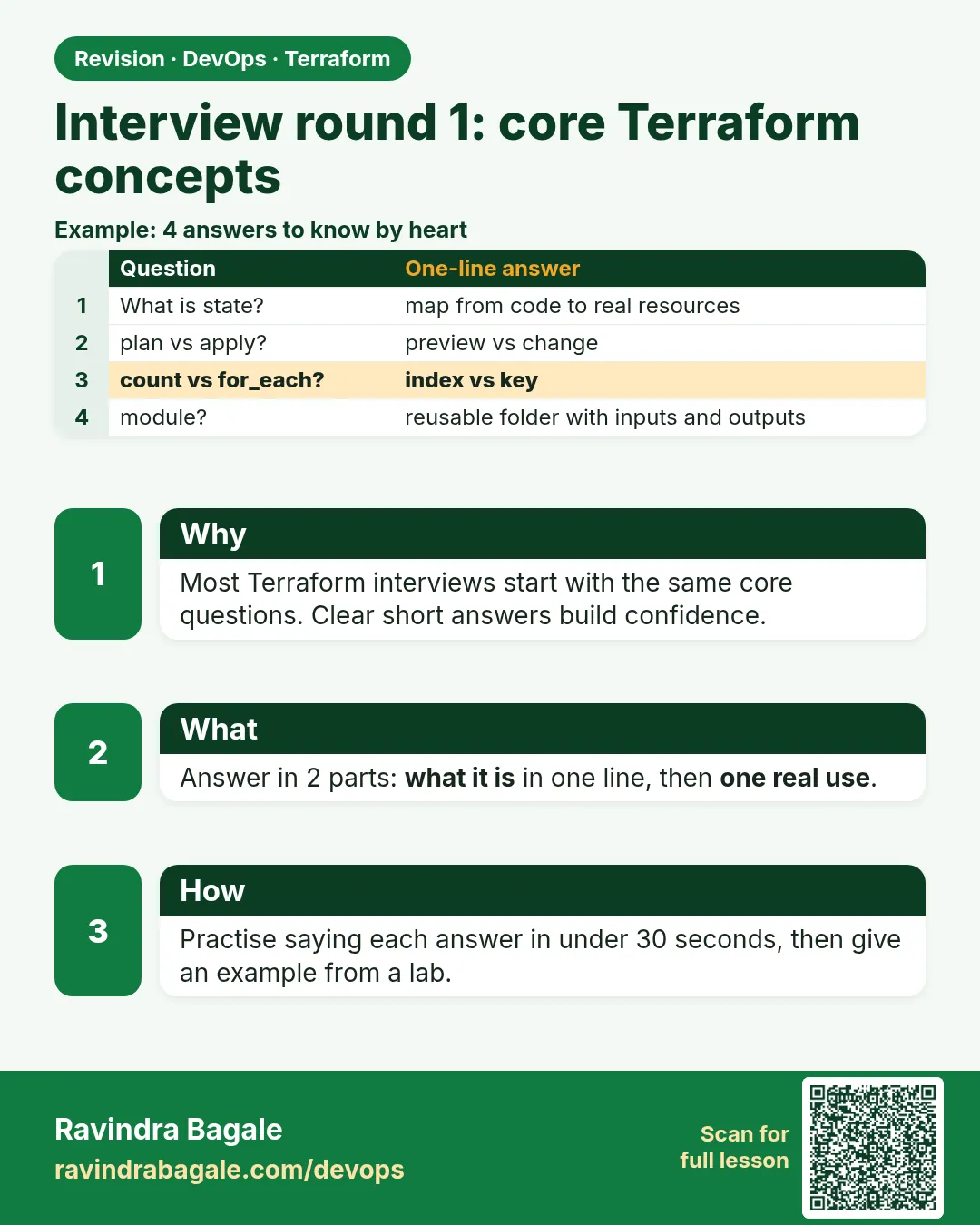
- What is state? — A file mapping each resource address to its real cloud id and attributes; Terraform compares it with code and AWS on every plan.
- Why a remote backend? — One shared source of truth, locking, versioning and encryption instead of copies on laptops.
- How does locking work on S3 today? — use_lockfile = true writes a .tflock object; DynamoDB with a LockID key is the older pattern.
- count or for_each? — for_each for named items, because removing one key does not renumber the others; count for N identical copies or a 1 or 0 switch.
- What does ~> 5.0 mean? — Any 5.x version, never 6.0.
- Variable, local, output? — Input from outside, named expression inside, value returned to the caller.
- How do you rename without destroy? — A moved block.
- How do you adopt a console resource? — An import block, optionally with plan -generate-config-out.
- taint or -replace? — -replace, because the rebuild appears in a reviewed plan; taint is deprecated.
- Does sensitive encrypt? — No. It hides output; state still has the value.
When it is green.
  # aws_s3_bucket.b["assets"] will be created
  # aws_s3_bucket.b["logs"] will be created
Plan: 2 to add, 0 to change, 0 to destroy.
When it is red.
Candidate answer: "Plan: 2 to add" - but then says removing "logs" will recreate "assets".
(wrong: that happens with count, not for_each)
Fix. Practise explaining the difference between count indexes and for_each keys until it is automatic.
What: every term in plain English
- state — The file that maps each resource address to its real AWS id. Terraform reads it on every plan.
- resource address — The name Terraform uses, such as aws_s3_bucket.b["logs"].
- backend — Where state lives. S3 is the common choice on AWS.
- use_lockfile — An S3 backend setting. It writes a .tflock object so two applies cannot run together.
- for_each key — The name of one copy, such as "logs". Removing one key does not touch the others.
- count index — The number of one copy, such as [0]. Removing one in the middle shifts the rest.
- version constraint — A rule such as ~> 5.0. It allows 5.x and blocks 6.0.
Example 1: Read a snippet and predict the plan
At a TCS client round the interviewer pasted this file and asked: what will plan show? Run it yourself so your answer comes from real output, not memory.
- Make an empty folder.
- Paste the file below.
- Run init and plan.
- Say the summary line aloud before you read it.
# main.tf
terraform {
  required_providers {
    random = {
      source  = "hashicorp/random"
      version = "~> 3.6"
    }
  }
}

resource "random_pet" "b" {
  for_each = toset(["logs", "assets"])
  prefix   = each.key
}

output "names" {
  value = { for k, v in random_pet.b : k => v.id }
}
terraform init
terraform plan
Output
Terraform will perform the following actions:

  # random_pet.b["assets"] will be created
  + resource "random_pet" "b" {
      + id        = (known after apply)
      + prefix    = "assets"
      + separator = "-"
    }

  # random_pet.b["logs"] will be created
  + resource "random_pet" "b" {
      + id        = (known after apply)
      + prefix    = "logs"
      + separator = "-"
    }

Plan: 2 to add, 0 to change, 0 to destroy.
What it shows: The random provider costs nothing, so you can practise interview snippets as many times as you want.
Example 2: Prove for_each versus count with a real plan
The most common follow-up: "What happens if I remove the first item?" Show it with count first, then with for_each.
- Write the count version with three names.
- Apply it.
- Remove the first name and plan.
- Repeat with for_each and compare.
variable "names" {
  default = ["logs", "assets", "backup"]
}

resource "random_pet" "c" {
  count  = length(var.names)
  prefix = var.names[count.index]
}
terraform apply -auto-approve
# now edit default to ["assets", "backup"]
terraform plan | tail -1
Output
  # random_pet.c[0] must be replaced
-/+ resource "random_pet" "c" {
      ~ prefix = "logs" -> "assets" # forces replacement
  # random_pet.c[1] must be replaced
      ~ prefix = "assets" -> "backup" # forces replacement
  # random_pet.c[2] will be destroyed

Plan: 2 to add, 0 to change, 3 to destroy.
What it shows: With count, removing one item rebuilt two others. With for_each the same edit gives Plan: 0 to add, 0 to change, 1 to destroy.
Example 3: Explain state with a live command
"What is state?" is asked in almost every round. A good answer shows it, not only says it.
terraform state list
terraform state show 'random_pet.b["logs"]'
terraform show -json | jq '.values.root_module.resources | length'
Output
random_pet.b["assets"]
random_pet.b["logs"]

# random_pet.b["logs"]:
resource "random_pet" "b" {
    id        = "logs-quick-tiger"
    length    = 2
    prefix    = "logs"
    separator = "-"
}

2
What it shows: Say it like this: state is the map from the address random_pet.b["logs"] to the real id logs-quick-tiger.
Example 4: Check the version constraint
Interviewers ask what ~> 5.0 means. Show that init refuses a provider outside the rule.
terraform {
  required_providers {
    aws = {
      source  = "hashicorp/aws"
      version = "~> 4.0"
    }
  }
}
# the lock file already has aws 5.x from an earlier init
terraform init
terraform init -upgrade
Output
Error: Failed to query available provider packages
locked provider registry.terraform.io/hashicorp/aws 5.x.x does not match
configured version constraint ~> 4.0; must use terraform init -upgrade
to allow selection of new versions

Terraform has been successfully initialized!
What it shows: The lock file and the constraint must agree. -upgrade picks a new version that fits the rule.
Command cheat sheet
| Command | What it does | When to use it |
|---|---|---|
terraform plan |
Predict what will change | Before every answer about a snippet |
terraform state list |
Show every address in state | When asked what state holds |
terraform state show ADDR |
Show one resource in state | Prove the id mapping |
terraform providers |
Show provider rules | Version questions |
terraform console |
Try an expression live | for, toset, lookup questions |
terraform fmt -check |
Check formatting | Code review questions |
Verify: did it work?
-
Two items in state
terraform state list | wc -lOutput
2 -
Expression works
echo 'toset(["a","b","a"])' | terraform consoleOutput
toset([
  "a",
  "b",
])
When it is red 1
Error: Invalid for_each argument
The given "for_each" argument value is unsuitable: the "for_each" argument
must be a map, or set of strings, and you have provided a value of type list of string.
Cause. for_each got a list, not a set or map.
Fix, step by step
- Wrap the list in toset().
- Run plan again.
- In the interview, say why: a set has no order, so keys stay stable.
When it is red 2
Error: Reference to undeclared resource
A managed resource "random_pet" "bb" has not been declared in the root module.
Cause. A typo in the reference name.
Fix, step by step
- Match the name in the reference to the resource block.
- Run terraform validate before plan.
When it is red 3
Error: Inconsistent dependency lock file
provider registry.terraform.io/hashicorp/random: required by this configuration but no version is selected
Cause. The lock file was not updated after a new provider was added.
Fix, step by step
- Run terraform init.
- Commit the new .terraform.lock.hcl.
Cleanup
terraform destroy -auto-approve
Ravindra Bagale's Tip
Interviewers trust you more when you say "I would run plan and read the summary line first" than when you guess the answer.
Practice tasks
Easy Ten answers
Why: Speed comes from practice.
What to do: Answer the ten core questions aloud in under five minutes.
- Use a timer.
- Record yourself.
Check: Each answer is one or two lines.
Medium count vs for_each demo
Why: Show, do not tell.
What to do: Run both versions and save the two plan summaries.
- Use the random provider.
Check: You have both summary lines in your notes.
Medium State tour
Why: Know the file.
What to do: Run state list, state show and show -json on a lab.
- Write what each one prints.
Check: You can explain each output.
Hard Mock round
Why: Real pressure.
What to do: Ask a friend to paste any Terraform file and question you for ten minutes.
- Predict the plan first, then run it.
Check: Your prediction matches the real plan.
Easy Say it in two lines
Why: If you can say it simply, you understand it.
What to do: Write two short lines about this lesson for a fresher.
- Write the problem it solves.
- Write the one command or file you use.
- Read it aloud.
Check: A fresher understands it without a question.
Easy Start a safe lab folder
Why: Practice needs a throwaway place.
What to do: Make a new folder with versions.tf and a random_pet resource, so no AWS cost.
- mkdir tf-lab and cd into it.
- Add the hashicorp/random provider and one random_pet.
- Run terraform init and terraform apply.
Check: Apply complete! with 1 added.
Medium Break it on purpose
Why: You must know the red output by face.
What to do: Cause one error from the red part of this lesson and fix it.
- Follow one red section.
- Copy the exact message to your notes.
- Write the fix in one line.
Check: You fixed it without searching the web.
Medium Run it twice
Why: A second run must be quiet.
What to do: Run the same plan two times with no edits.
- Run terraform plan.
- Run it again.
- Explain any change it still shows.
Check: The second plan says No changes, or you can explain each line.
Medium Write a runbook page
Why: At 2 a.m. nobody remembers flags.
What to do: Write a one-page runbook for this lesson.
- Title, when to use, exact commands, how to check, how to undo.
Check: A teammate can follow it alone.
Medium Run it from a pipeline
Why: Real teams run Terraform from CI, not from laptops.
What to do: Run the main command of this lesson inside a GitHub Actions or Jenkins job.
- Add a job with hashicorp/setup-terraform or a Terraform Docker image.
- Give it AWS access through an IAM role, never a key in the file.
- Run init, then the command from this lesson.
Check: The job log shows the same output you saw on your laptop.
Medium Check the cost
Why: Labs left running cost real money.
What to do: Find what this lesson would cost per day if you forgot to destroy it.
- Open the AWS Pricing Calculator.
- Add each resource from your plan.
- Write the daily cost in your notes.
Check: You know the daily cost and you ran terraform destroy.
Hard Draw the flow top to bottom
Why: A drawing shows the order of work.
What to do: Draw this lesson as boxes from top to bottom.
- Start at your code, go through plan and state, end at AWS.
- Mark where each command reads or writes.
Check: Each box matches a real step you ran.
Hard Explain it like an interview
Why: Interviewers want real stories.
What to do: Record a 60 second answer about this lesson.
- Say the problem, the command, and one error you hit.
Check: Your answer has a real command and a real error message.
Homework: try at home
Try at home
Pick three Terraform files from your own projects. For each one, write the plan summary you expect, then run plan and compare.
Recap
- Predict the plan, then prove it with a real run.
- State maps addresses to real ids.
- for_each keys stay stable; count indexes shift.
- ~> 5.0 allows 5.x, never 6.0.
- Free random provider labs are perfect for interview practice.
FAQ
Do I need an AWS account to practise?
No. The random and local providers run without any cloud.
Should I memorise flags?
Know the common ones. For the rest, say you would check terraform -help.
How long should an answer be?
One or two lines, then one real example if they ask more.
What if I do not know an answer?
Say how you would find out: docs, plan output or a small lab.
Is taint still asked?
Yes. Say it is deprecated and you use -replace instead.
Interview questions
-
What is Terraform state and why does it matter?
It maps code addresses to real resource ids. Without it Terraform cannot know what it already built.
-
Why use a remote backend?
One shared state, locking, versioning and encryption for the whole team.
-
When would you use count over for_each?
For N identical copies or a 1 or 0 switch on an optional resource.
-
What does the lock file do?
It pins exact provider versions and hashes so every machine uses the same build.
-
How do you rename a resource without destroying it?
Add a moved block from the old address to the new one and run plan.
Quick quiz
Q1. Which gives stable copies when one item is removed?
for_each
Q2. Does ~> 5.0 allow 6.1?
No.
Q3. Which command lists addresses in state?
terraform state list
Q4. Which file pins provider hashes?
.terraform.lock.hcl
Q5. Which flag replaced taint?
-replace
Samajla ka?
 Revision card
 Interview card