Chapter 42: Terraform Drift and Troubleshooting
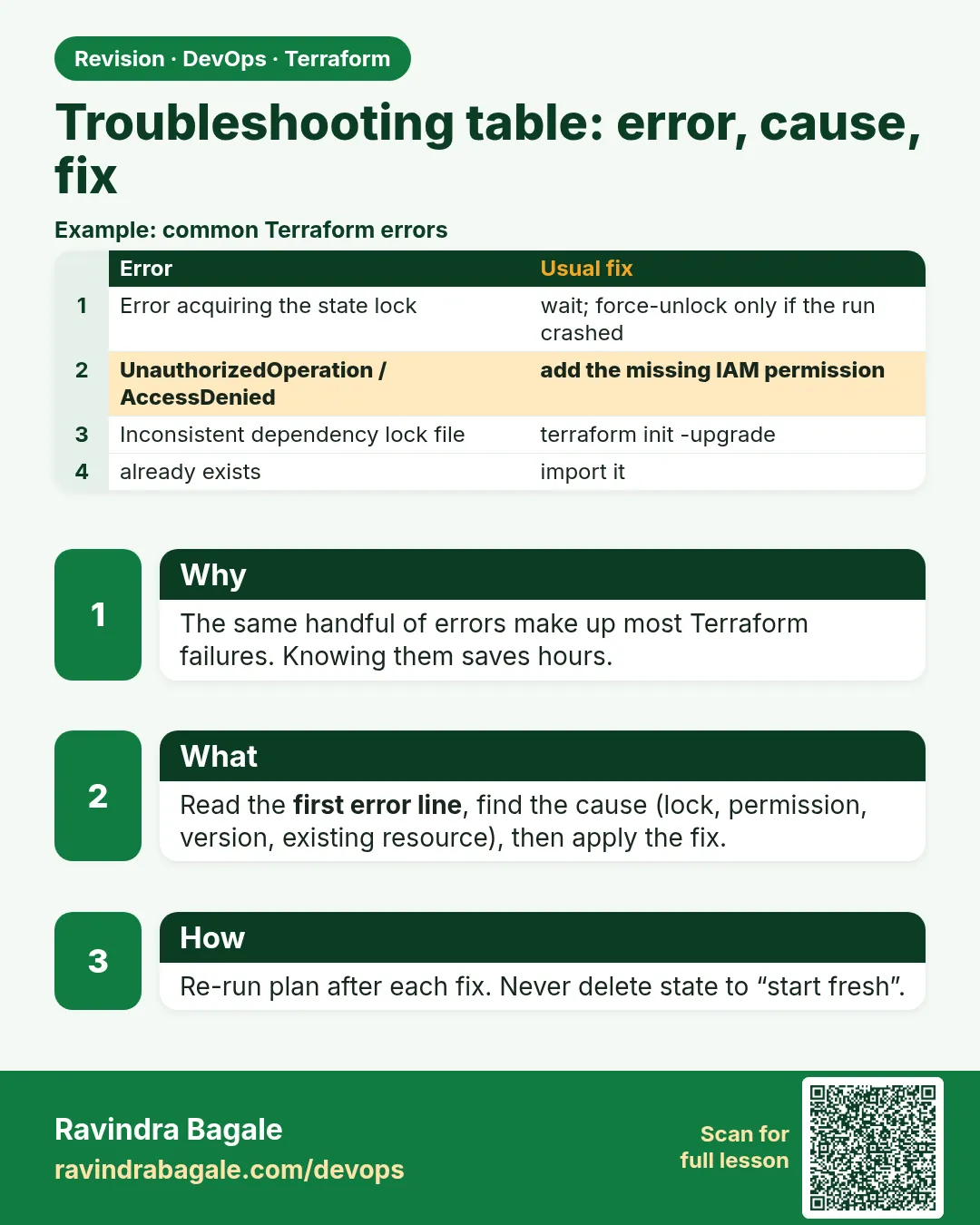
42.3 Troubleshooting table — error, cause, fix
Story. Every Instagram-style platform team keeps a short runbook of the Terraform errors that come back again and again. Reading the first line of the error, not the last, usually names the problem. The table below covers the errors you will meet most in the labs. Each one maps to a section earlier in this course.
| Error text                                   | Usual cause                          | Fix                                        |
|----------------------------------------------|--------------------------------------|--------------------------------------------|
| Inconsistent dependency lock file            | init not run after provider change   | terraform init (or -upgrade)               |
| Error acquiring the state lock               | another run in progress              | wait; force-unlock only if it crashed      |
| Saved plan is stale                          | state changed after plan             | plan again                                 |
| Invalid count / for_each argument            | value unknown at plan time           | use known variables or toset()             |
| Cycle: a, b                                  | circular depends_on or references    | terraform graph, remove one edge           |
| BucketAlreadyExists                          | global name taken                    | add account id suffix                      |
| DependencyViolation on destroy               | resource made outside Terraform      | delete it, destroy again                   |
| No valid credential sources found            | no role or SSO session               | aws sso login or attach instance role      |
| Unexpected destroy after rename              | missing moved block                  | add moved { from to }                      |
What each line does
Inconsistent dependency lock file— The lock file and provider block disagree; init fixes it.Error acquiring the state lock— Locking working as designed; wait for the other run.Saved plan is stale— Somebody applied after your plan.Invalid count / for_each argument— Keys or counts must be known before apply.Cycle: a, b— Two resources wait for each other.BucketAlreadyExists— S3 names are global across all accounts.DependencyViolation on destroy— An unmanaged resource still uses something you are deleting.No valid credential sources found— Terraform has no identity; never solve it with keys in code.Unexpected destroy after rename— Refactors need moved blocks.
When it is green.
No changes. Your infrastructure matches the configuration.
When it is red.
Error: No valid credential sources found
  with provider["registry.terraform.io/hashicorp/aws"]
Please see https://registry.terraform.io/providers/hashicorp/aws for more information.
Fix. Run aws sso login or run Terraform on an instance with a role. Do not paste access keys into the provider block.
What: every term in plain English
- lock file — .terraform.lock.hcl. Records exact provider versions and hashes.
- state lock — A lock in DynamoDB or S3 that stops two applies at once.
- stale plan — A saved plan made before someone else changed state.
- unknown value — A value Terraform will only know after apply, such as a new instance id.
- cycle — Two or more resources that wait for each other forever.
- force-unlock — A command that removes a stuck state lock by its id.
Example 1: Inconsistent lock file
A TCS developer changed the provider version and pushed. CI failed on init.
required_providers {
  aws = {
    source  = "hashicorp/aws"
    version = "~> 5.60"
  }
}
terraform plan
terraform init -upgrade
git add .terraform.lock.hcl
git commit -m "bump aws provider lock"
terraform plan
Output
Error: Inconsistent dependency lock file
  - provider registry.terraform.io/hashicorp/aws: locked version selection 5.31.0 doesn't match the updated version constraints "~> 5.60"

Upgrading provider plugins...
- Installing hashicorp/aws v5.x.x...
Terraform has made some changes to the provider dependency selections recorded in the .terraform.lock.hcl file.

No changes. Your infrastructure matches the configuration.
What it shows: Always commit the lock file. Then CI and laptops use the same provider.
Example 2: Stuck state lock after a killed job
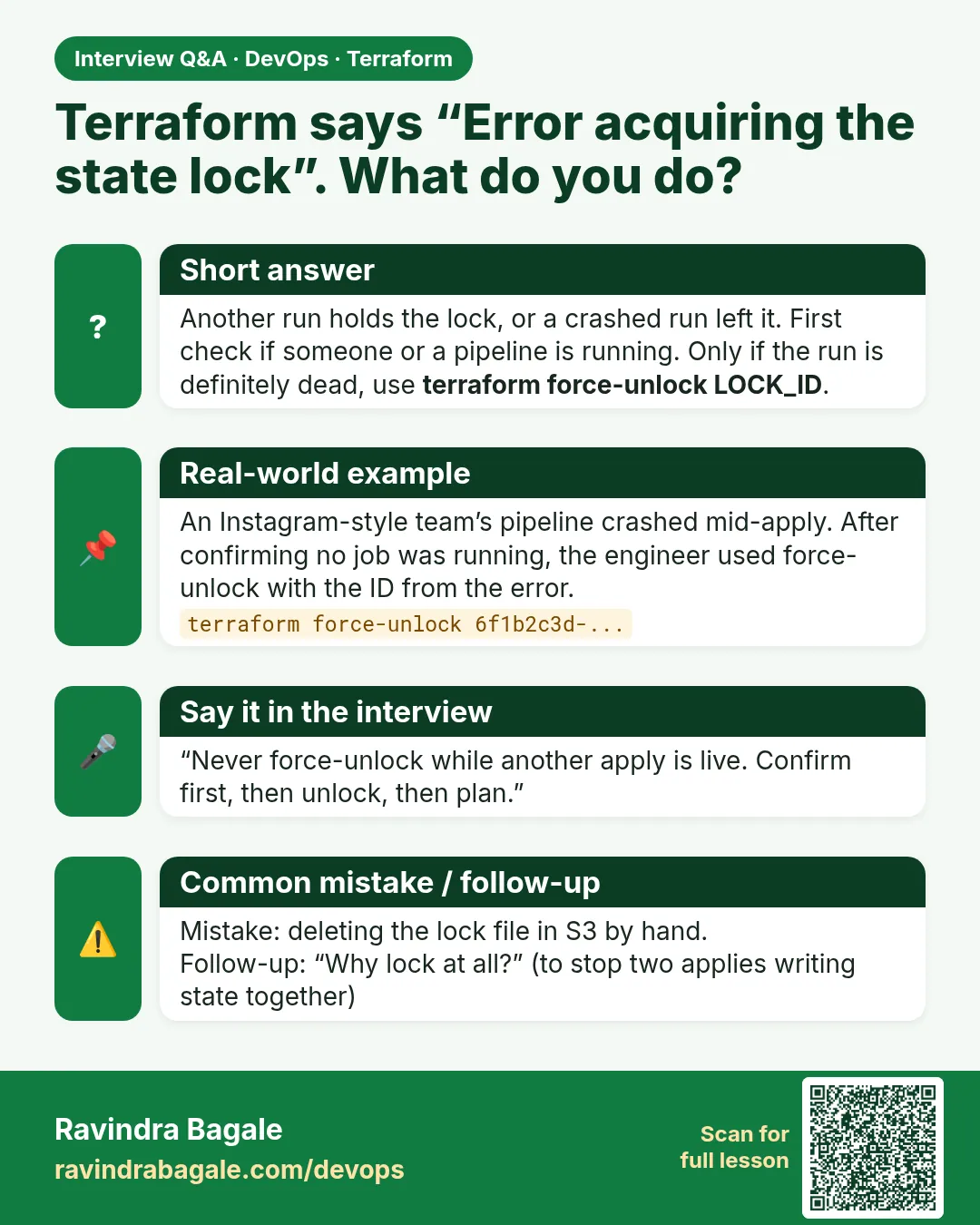
A Jenkins agent died in the middle of an apply at a Swiggy-style team. The lock stayed.
- Read the lock info.
- Confirm no job is running for that folder.
- force-unlock with the exact id.
- Plan to check state is fine.
terraform plan
# check Jenkins: no running job for envs/prod
terraform force-unlock 9db590f1-b6fe-c5f2-2678-8804f089deba
terraform plan
Output
Error: Error acquiring the state lock
Lock Info:
  ID:        9db590f1-b6fe-c5f2-2678-8804f089deba
  Path:      company-tf-state/prod/terraform.tfstate
  Operation: OperationTypeApply
  Who:       jenkins@agent-7
  Created:   2026-10-24 21:10:03 UTC

Do you really want to force-unlock?
  Enter a value: yes
Terraform state has been successfully unlocked!

No changes. Your infrastructure matches the configuration.
What it shows: 21:10 UTC is 02:40 IST the next day. Force-unlock only when you are sure nothing is running.
Example 3: Invalid for_each with unknown values
An Ola-style team used for_each over ids of subnets created in the same apply. Terraform cannot know the keys yet.
# bad: keys are unknown until apply
resource "aws_route_table_association" "a" {
  for_each       = toset(aws_subnet.public[*].id)
  subnet_id      = each.value
  route_table_id = aws_route_table.public.id
}

# good: keys come from a known map in variables
resource "aws_route_table_association" "b" {
  for_each       = aws_subnet.public_map
  subnet_id      = each.value.id
  route_table_id = aws_route_table.public.id
}
terraform plan
Output
Error: Invalid for_each argument
  on main.tf line 3, in resource "aws_route_table_association" "a":
The "for_each" set includes values derived from resource attributes that cannot be determined until apply.

(after the fix)
Plan: 6 to add, 0 to change, 0 to destroy.
What it shows: Use keys you write in code, like az names, not ids AWS makes later.
Example 4: DependencyViolation on destroy
At a Zomato-style lab, destroy hung on a security group. Someone had launched an EC2 by hand that used it.
terraform destroy -auto-approve
SG=sg-0abc1234def567890
aws ec2 describe-network-interfaces --filters Name=group-id,Values=$SG \
  --query "NetworkInterfaces[].[NetworkInterfaceId,Description]" --output text
Output
Error: deleting Security Group (sg-0abc1234def567890): DependencyViolation: resource sg-0abc1234def567890 has a dependent object

eni-0aa11bb22cc33dd44    Primary network interface   (i-0fedcba9876543210)
What it shows: Terminate the hand-made instance i-0fedc..., wait a minute, then run destroy again.
Command cheat sheet
| Command | What it does | When to use it |
|---|---|---|
terraform init -upgrade |
Fix lock file mismatch | After changing a provider version |
terraform force-unlock ID |
Remove a stuck lock | Only when no run is active |
terraform graph | dot -Tsvg > g.svg |
Draw dependencies | Cycle errors |
terraform plan -out=tfplan |
Save a fresh plan | After a stale plan error |
aws ec2 describe-network-interfaces |
Find what uses a group | DependencyViolation |
aws sso login |
Get a session | No valid credential sources |
Verify: did it work?
-
Lock file committed
git status --short .terraform.lock.hclOutput
(no output) -
No lock held
terraform plan -lock-timeout=10sOutput
No changes. Your infrastructure matches the configuration. -
Credentials work
aws sts get-caller-identity --query Account --output textOutput
111122223333
When it is red 1
Error: Saved plan is stale
The given plan file can no longer be applied because the state was changed by another operation after the plan was created.
Cause. Someone applied after your plan.
Fix, step by step
- Run terraform plan -out=tfplan again.
- Review and apply the new plan.
When it is red 2
Error: Cycle: aws_security_group.app, aws_security_group.db
Cause. Two groups reference each other inline.
Fix, step by step
- Move the rules to separate aws_vpc_security_group_ingress_rule resources.
- Plan again.
When it is red 3
Error: creating S3 Bucket (logs): BucketAlreadyExists
Cause. S3 names are global; someone has it.
Fix, step by step
- Add your account id: "logs-${data.aws_caller_identity.me.account_id}".
Cleanup
terraform destroy -auto-approve
Ravindra Bagale's Tip
Keep this table as a runbook in your repo. Add a line every time a new error costs you more than ten minutes.
Practice tasks
Easy Lock file error
Why: Know it on sight.
What to do: Change the provider version and run plan.
- Then init -upgrade.
Check: Plan works.
Medium Stale plan
Why: Know it on sight.
What to do: Save a plan, apply a change from another terminal, apply the old plan.
- Plan again.
Check: You saw Saved plan is stale.
Medium Cycle
Why: Draw it.
What to do: Make two groups that reference each other.
- terraform graph.
Check: You fixed it with separate rules.
Hard Runbook
Why: Team memory.
What to do: Write RUNBOOK.md with ten errors from your labs.
- Error, cause, fix.
Check: A teammate fixes one alone.
Easy Say it in two lines
Why: If you can say it simply, you understand it.
What to do: Write two short lines about this lesson for a fresher.
- Write the problem it solves.
- Write the one command or file you use.
- Read it aloud.
Check: A fresher understands it without a question.
Easy Start a safe lab folder
Why: Practice needs a throwaway place.
What to do: Make a new folder with versions.tf and a random_pet resource, so no AWS cost.
- mkdir tf-lab and cd into it.
- Add the hashicorp/random provider and one random_pet.
- Run terraform init and terraform apply.
Check: Apply complete! with 1 added.
Medium Break it on purpose
Why: You must know the red output by face.
What to do: Cause one error from the red part of this lesson and fix it.
- Follow one red section.
- Copy the exact message to your notes.
- Write the fix in one line.
Check: You fixed it without searching the web.
Medium Run it twice
Why: A second run must be quiet.
What to do: Run the same plan two times with no edits.
- Run terraform plan.
- Run it again.
- Explain any change it still shows.
Check: The second plan says No changes, or you can explain each line.
Medium Write a runbook page
Why: At 2 a.m. nobody remembers flags.
What to do: Write a one-page runbook for this lesson.
- Title, when to use, exact commands, how to check, how to undo.
Check: A teammate can follow it alone.
Medium Run it from a pipeline
Why: Real teams run Terraform from CI, not from laptops.
What to do: Run the main command of this lesson inside a GitHub Actions or Jenkins job.
- Add a job with hashicorp/setup-terraform or a Terraform Docker image.
- Give it AWS access through an IAM role, never a key in the file.
- Run init, then the command from this lesson.
Check: The job log shows the same output you saw on your laptop.
Medium Check the cost
Why: Labs left running cost real money.
What to do: Find what this lesson would cost per day if you forgot to destroy it.
- Open the AWS Pricing Calculator.
- Add each resource from your plan.
- Write the daily cost in your notes.
Check: You know the daily cost and you ran terraform destroy.
Hard Draw the flow top to bottom
Why: A drawing shows the order of work.
What to do: Draw this lesson as boxes from top to bottom.
- Start at your code, go through plan and state, end at AWS.
- Mark where each command reads or writes.
Check: Each box matches a real step you ran.
Hard Explain it like an interview
Why: Interviewers want real stories.
What to do: Record a 60 second answer about this lesson.
- Say the problem, the command, and one error you hit.
Check: Your answer has a real command and a real error message.
Homework: try at home
Try at home
Break three things in a lab on purpose: the lock file, a bucket name, and a cycle. Write the first error line and the fix for each.
Recap
- Read the first error line; it is the cause.
- Commit .terraform.lock.hcl.
- force-unlock only when nothing runs.
- for_each keys must be known at plan.
- Find hidden users of a group before destroy.
FAQ
Is force-unlock dangerous?
Yes, if a run is still active. Two applies can then corrupt state.
Why is my plan stale?
State changed after you saved it. Plan again.
How do I see a cycle?
terraform graph, then look for arrows going both ways.
Why BucketAlreadyExists if I have no bucket?
Another AWS account owns that name.
Should I delete the lock file to fix errors?
No. Run init -upgrade and commit the new one.
Interview questions
-
How do you handle a stuck state lock?
Confirm no run is active, then terraform force-unlock with the lock id, then plan.
-
What causes Invalid for_each argument?
Keys that are unknown until apply. Use known keys from variables or locals.
-
How do you fix a dependency cycle?
Find it with terraform graph and break one reference, often by moving inline rules to separate resources.
-
Destroy fails with DependencyViolation. Why?
Something outside Terraform still uses the resource. Find and remove it, then destroy again.
-
What is the inconsistent lock file error?
The lock file and provider constraint disagree. Run init -upgrade and commit the lock file.
Quick quiz
Q1. Command for a stuck lock?
terraform force-unlock ID
Q2. Fix for lock file mismatch?
terraform init -upgrade
Q3. Saved plan is stale means?
State changed after the plan.
Q4. Are S3 bucket names global?
Yes.
Q5. Which line of an error matters most?
The first.
Lab
- Apply the Chapter 40 lab.
- Add a tag by hand in the console.
- Run drift-check.sh and confirm exit code 2.
- Decide: add the tag to code, or apply to remove it.
- Break a permission on purpose and find it with TF_LOG.
- Run terraform destroy to avoid cost.
Practice task
Write a Jenkins cron trigger that runs drift-check.sh every night at 2 AM IST.
Ravindra Bagale's Tip
Read the first error line, not the last. The first one is the cause; the rest are consequences.
In short
- Drift is a difference between AWS and code plus state.
- plan -detailed-exitcode returns 2 when drift exists.
- Codify or revert; never fix drift by clicking.
- TF_LOG shows the exact failing API call; delete the log after.
Samajla ka?
 Revision card
 Interview card