Chapter 42: Terraform Drift and Troubleshooting
42.2 Troubleshooting with TF_LOG and the common errors
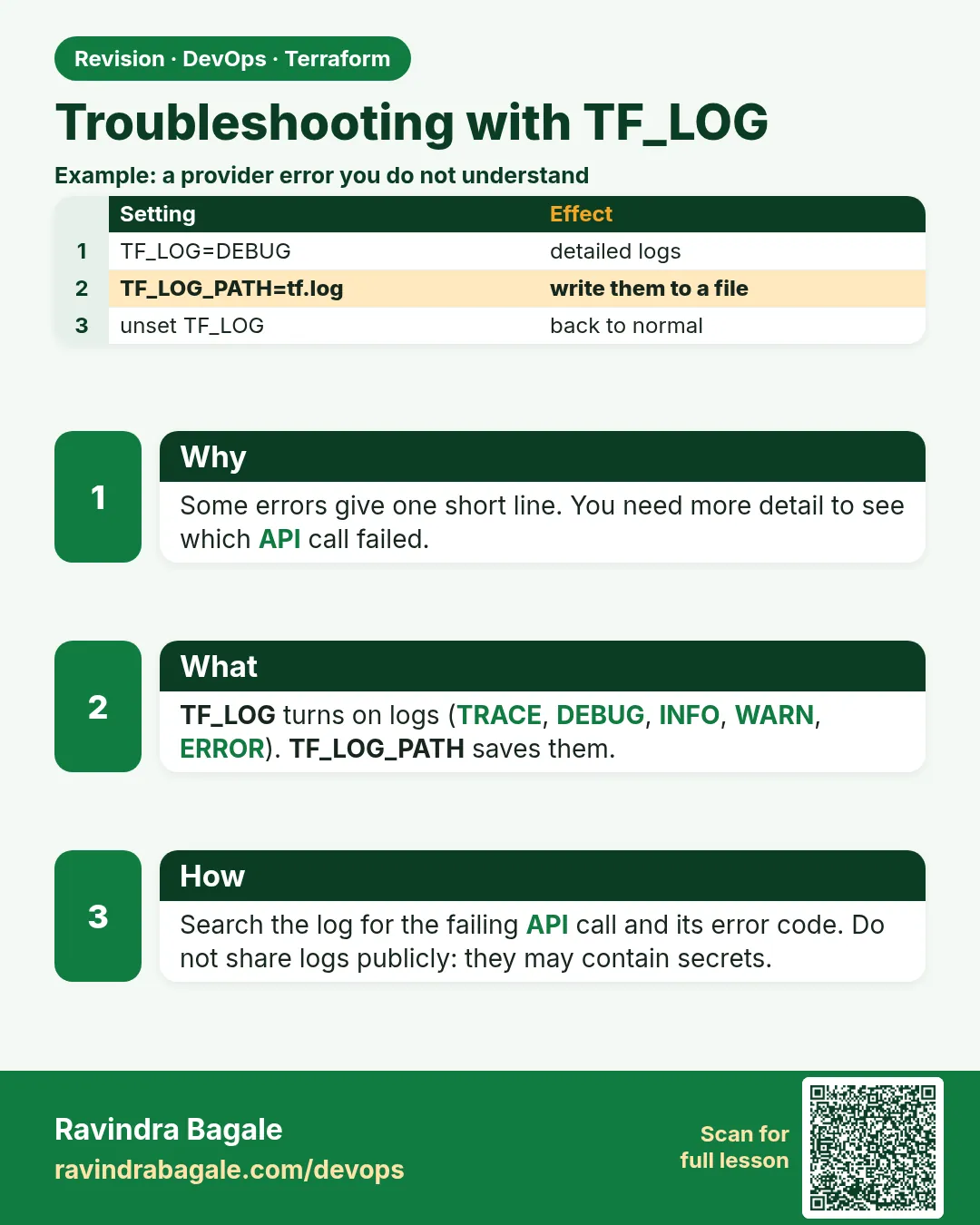
Story. An Infosys client pipeline failed with a vague AccessDenied and the team guessed at IAM for a day. Terraform can log every API call it makes. TF_LOG=DEBUG with TF_LOG_PATH writes those calls to a file, so you see the exact action and resource that failed. Delete the log afterwards, because debug logs can contain sensitive values.
Steps
- Set TF_LOG and TF_LOG_PATH.
- Rerun the failing command.
- Search the log for the first error.
- Fix the specific cause.
- Unset the variables and delete the log.
export TF_LOG=DEBUG
export TF_LOG_PATH=./tf-debug.log
terraform plan
grep -n "AccessDenied\|Error" tf-debug.log | head
unset TF_LOG TF_LOG_PATH
rm tf-debug.log
What each line does
export TF_LOG=DEBUG— Turns on detailed logging; TRACE is even more verbose.export TF_LOG_PATH=./tf-debug.log— Writes the log to a file instead of the screen.terraform plan— Reproduces the problem with logging on.grep -n "AccessDenied\|Error" tf-debug.log | head— Finds the first failing API calls.unset TF_LOG TF_LOG_PATH— Turns logging off again.rm tf-debug.log— Deletes the log, which may hold secrets.
When it is green.
412: [DEBUG] provider: HTTP Request: ec2/DescribeVpcs
413: [DEBUG] provider: HTTP Response: 200 OK
When it is red.
2088: [DEBUG] provider: HTTP Response: 403 Forbidden ... iam/GetRole
      User: arn:aws:sts::...:assumed-role/JenkinsRole is not authorized to perform: iam:GetRole
Fix. The exact missing permission is iam:GetRole. Add it to the deploy role policy rather than granting broad admin.
What: every term in plain English
- TF_LOG — An env variable that turns on logs. Levels: TRACE, DEBUG, INFO, WARN, ERROR.
- TF_LOG_PATH — A file where the log is written instead of the screen.
- TF_LOG_CORE — Logs only Terraform itself.
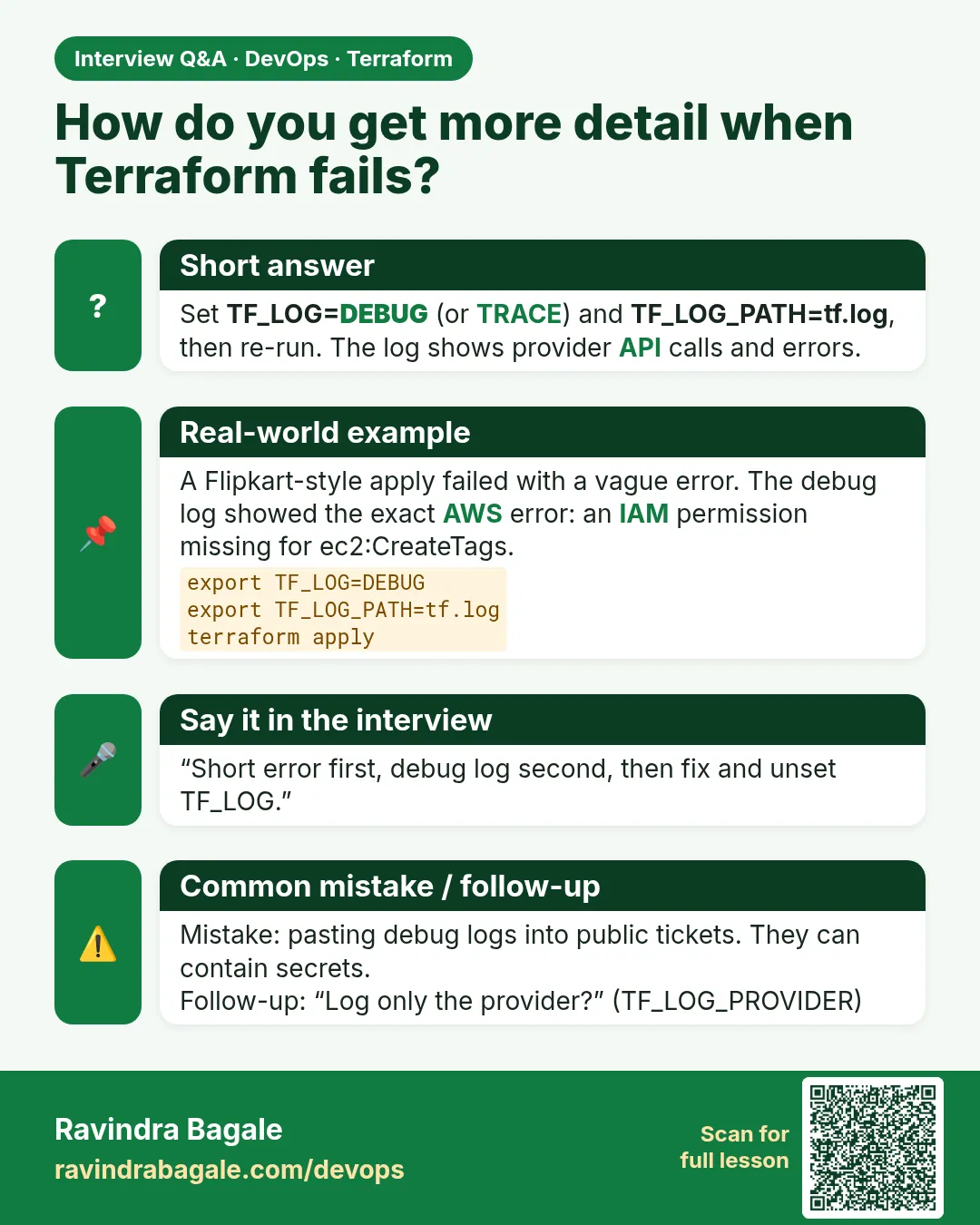
- TF_LOG_PROVIDER — Logs only the providers, such as AWS API calls.
- HTTP Request / Response — Log lines that show each AWS API call and its status code.
- 403 Forbidden — AWS said no. The log names the missing action.
- crash.log — A file Terraform writes if it panics. Attach it to a bug report.
Example 1: Find a missing IAM permission
An Infosys pipeline failed with a vague AccessDenied. The debug log names the exact action in one grep.
- Turn on DEBUG logs to a file.
- Run the failing plan.
- Search for 403 and AccessDenied.
- Add only that action to the role.
- Turn logs off and delete the file.
export TF_LOG=DEBUG
export TF_LOG_PATH=./tf-debug.log
terraform plan
grep -n "403\|not authorized" tf-debug.log | head -3
unset TF_LOG TF_LOG_PATH
rm -f tf-debug.log
Output
Error: reading IAM Role (app-role): AccessDenied: User: arn:aws:sts::111122223333:assumed-role/JenkinsRole/build-42 is not authorized to perform: iam:GetRole

2088:[DEBUG] provider.terraform-provider-aws: HTTP Response Received: http.status_code=403 aws.operation=GetRole aws.service=IAM
2090:... is not authorized to perform: iam:GetRole on resource: role app-role
What it shows: Now you add iam:GetRole for that one role, not AdministratorAccess.
Example 2: Provider logs only
A full TRACE log can be 50 MB. When you only care about AWS calls, log the provider alone.
export TF_LOG_PROVIDER=DEBUG
export TF_LOG_PATH=./aws-calls.log
terraform plan -refresh=true > /dev/null
grep -o 'aws.operation=[A-Za-z]*' aws-calls.log | sort | uniq -c | sort -rn | head
unset TF_LOG_PROVIDER TF_LOG_PATH
rm -f aws-calls.log
Output
14 aws.operation=DescribeInstances
 6 aws.operation=DescribeSecurityGroups
 3 aws.operation=GetBucketTagging
 2 aws.operation=GetCallerIdentity
 1 aws.operation=DescribeVpcs
What it shows: This also shows why big plans are slow: each resource is one or more API calls.
Example 3: Find the slow resource
A Flipkart-style apply sat at "Still creating..." for 20 minutes. Logs show what it is waiting for.
export TF_LOG=INFO
export TF_LOG_PATH=./slow.log
terraform apply -auto-approve
grep -E "Still creating|Creation complete" slow.log | tail -5
unset TF_LOG TF_LOG_PATH
Output
aws_db_instance.main: Still creating... [9m50s elapsed]
aws_db_instance.main: Still creating... [10m0s elapsed]
aws_db_instance.main: Creation complete after 10m12s [id=orders-db]
aws_instance.web: Creation complete after 13s [id=i-0123456789abcdef0]
What it shows: RDS takes about 10 minutes. That is normal, not a hang. Set a timeouts block if your pipeline has a shorter limit.
Example 4: Debug logs in CI without leaking secrets
A Paytm-style team turned on DEBUG in Jenkins and a password showed in the build log. Write to a file, keep it short, delete it.
// Jenkinsfile stage
stage('plan-debug') {
  when { expression { params.DEBUG_TF } }
  steps {
    withEnv(['TF_LOG=DEBUG', 'TF_LOG_PATH=tf-debug.log']) {
      sh 'terraform plan -input=false || true'
    }
    sh 'grep -n "status_code=4\|status_code=5" tf-debug.log | head -20'
    sh 'rm -f tf-debug.log'
  }
}
Output
+ grep -n "status_code=4\|status_code=5" tf-debug.log
1502: HTTP Response Received: http.status_code=403 aws.operation=PutBucketPolicy
+ rm -f tf-debug.log
What it shows: Only the failing lines reach the console. The full log never becomes a build artifact.
Command cheat sheet
| Command | What it does | When to use it |
|---|---|---|
export TF_LOG=DEBUG |
Turn on detailed logs | A vague error |
export TF_LOG_PATH=./tf.log |
Write logs to a file | Always with TF_LOG |
export TF_LOG_PROVIDER=DEBUG |
Log only provider calls | AWS errors |
grep "status_code=403" |
Find denied API calls | Permission errors |
unset TF_LOG TF_LOG_PATH |
Turn logs off | When done |
aws sts get-caller-identity |
See who you are | Every AccessDenied |
Verify: did it work?
-
Logging is off
env | grep TF_LOGOutput
(no output) -
Log file removed
ls tf-debug.logOutput
ls: cannot access 'tf-debug.log': No such file or directory -
Right identity
aws sts get-caller-identity --query Arn --output textOutput
arn:aws:sts::111122223333:assumed-role/JenkinsRole/build-42
When it is red 1
Error: configuring Terraform AWS Provider: no valid credential sources for Terraform AWS Provider found.
Cause. No identity at all.
Fix, step by step
- Run aws sts get-caller-identity.
- Use aws sso login on a laptop, or a role on EC2 or in CI.
When it is red 2
Error: creating EC2 Instance: UnauthorizedOperation: You are not authorized to perform this operation.
Encoded authorization failure message: 4kz...
Cause. Permission denied; the reason is encoded.
Fix, step by step
- Run aws sts decode-authorization-message --encoded-message 4kz... --query DecodedMessage --output text.
- Read the action and fix the policy.
When it is red 3
!!!!!!!!!!!!!!!!!!!!!!!!!!! TERRAFORM CRASH !!!!!!!!!!!!!!!!!!!!!!!!!!!!
Terraform crashed! A crash log has been placed at "crash.log".
Cause. A bug in Terraform or a provider.
Fix, step by step
- Upgrade the provider with init -upgrade.
- If it still crashes, report it with crash.log after removing secrets.
Cleanup
unset TF_LOG TF_LOG_PATH TF_LOG_PROVIDER TF_LOG_CORE
rm -f tf-debug.log aws-calls.log slow.log
Ravindra Bagale's Tip
Debug logs can hold passwords and tokens. Log to a file, grep what you need, then delete it.
Practice tasks
Easy First debug log
Why: See the API calls.
What to do: Run plan with TF_LOG=DEBUG to a file.
- grep aws.operation.
Check: You can name three calls.
Medium Find a 403
Why: Fix the right permission.
What to do: Remove one permission from a lab role and find it in the log.
- grep status_code=403.
Check: You name the action.
Medium Decode a message
Why: Read hidden reasons.
What to do: Decode an encoded authorization failure.
- Use sts decode-authorization-message.
Check: You see the action.
Medium Log levels
Why: Pick the right noise.
What to do: Run the same plan with INFO, DEBUG and TRACE and compare file sizes.
- Use ls -lh after each run.
- Write which level found the error first.
Check: You can say which level to start with and why.
Hard Safe CI debug
Why: No leaks.
What to do: Add a debug stage that prints only error lines.
- Delete the file at the end.
Check: No full log is saved.
Easy Say it in two lines
Why: If you can say it simply, you understand it.
What to do: Write two short lines about this lesson for a fresher.
- Write the problem it solves.
- Write the one command or file you use.
- Read it aloud.
Check: A fresher understands it without a question.
Easy Start a safe lab folder
Why: Practice needs a throwaway place.
What to do: Make a new folder with versions.tf and a random_pet resource, so no AWS cost.
- mkdir tf-lab and cd into it.
- Add the hashicorp/random provider and one random_pet.
- Run terraform init and terraform apply.
Check: Apply complete! with 1 added.
Medium Break it on purpose
Why: You must know the red output by face.
What to do: Cause one error from the red part of this lesson and fix it.
- Follow one red section.
- Copy the exact message to your notes.
- Write the fix in one line.
Check: You fixed it without searching the web.
Medium Run it twice
Why: A second run must be quiet.
What to do: Run the same plan two times with no edits.
- Run terraform plan.
- Run it again.
- Explain any change it still shows.
Check: The second plan says No changes, or you can explain each line.
Medium Write a runbook page
Why: At 2 a.m. nobody remembers flags.
What to do: Write a one-page runbook for this lesson.
- Title, when to use, exact commands, how to check, how to undo.
Check: A teammate can follow it alone.
Medium Run it from a pipeline
Why: Real teams run Terraform from CI, not from laptops.
What to do: Run the main command of this lesson inside a GitHub Actions or Jenkins job.
- Add a job with hashicorp/setup-terraform or a Terraform Docker image.
- Give it AWS access through an IAM role, never a key in the file.
- Run init, then the command from this lesson.
Check: The job log shows the same output you saw on your laptop.
Medium Check the cost
Why: Labs left running cost real money.
What to do: Find what this lesson would cost per day if you forgot to destroy it.
- Open the AWS Pricing Calculator.
- Add each resource from your plan.
- Write the daily cost in your notes.
Check: You know the daily cost and you ran terraform destroy.
Hard Draw the flow top to bottom
Why: A drawing shows the order of work.
What to do: Draw this lesson as boxes from top to bottom.
- Start at your code, go through plan and state, end at AWS.
- Mark where each command reads or writes.
Check: Each box matches a real step you ran.
Hard Explain it like an interview
Why: Interviewers want real stories.
What to do: Record a 60 second answer about this lesson.
- Say the problem, the command, and one error you hit.
Check: Your answer has a real command and a real error message.
Homework: try at home
Try at home
Run a plan with TF_LOG_PROVIDER=DEBUG on any lab. Count the API calls per service. Write which resource caused the most calls.
Recap
- TF_LOG turns on logs; TF_LOG_PATH sends them to a file.
- grep for status_code=403 to find missing permissions.
- Use provider-only logs to cut noise.
- Delete debug logs; they can hold secrets.
- Fix the one missing action, never grant admin.
FAQ
Which level should I use?
DEBUG first. TRACE only if DEBUG is not enough.
Does TF_LOG slow Terraform?
A little, and the file can get large.
Can I keep it on all the time?
No. It is noisy and may leak secrets.
Where is the crash log?
crash.log in the folder where you ran Terraform.
Can I log only one run in CI?
Yes. Set TF_LOG for one stage with withEnv or env on one step, not for the whole job.
Is TF_LOG=JSON a thing?
Yes, TF_LOG=JSON prints structured TRACE logs for tools.
Interview questions
-
How do you debug a vague Terraform error?
Set TF_LOG=DEBUG and TF_LOG_PATH, rerun, grep the log for the failing API call, fix, then delete the log.
-
How do you find the exact missing IAM permission?
grep the debug log for 403 and read the action, or decode the authorization message with STS.
-
Why delete debug logs?
They may contain secrets, tokens and request bodies.
-
Difference between TF_LOG_CORE and TF_LOG_PROVIDER?
Core logs Terraform itself; provider logs the plugin and its API calls.
-
An apply looks stuck. What do you check?
The Still creating lines, the resource type, and AWS console events. RDS and CloudFront are slow by nature.
Quick quiz
Q1. Env var for log level?
TF_LOG
Q2. Env var for log file?
TF_LOG_PATH
Q3. Status code for denied?
403
Q4. Command to see your AWS identity?
aws sts get-caller-identity
Q5. Should you keep debug logs?
No, delete them.
Samajla ka?
 Revision card
 Interview card