Chapter 41: Terraform Environments and Jenkins Plan Approval Apply Pipeline
41.3 Reading Checkov and tfsec results
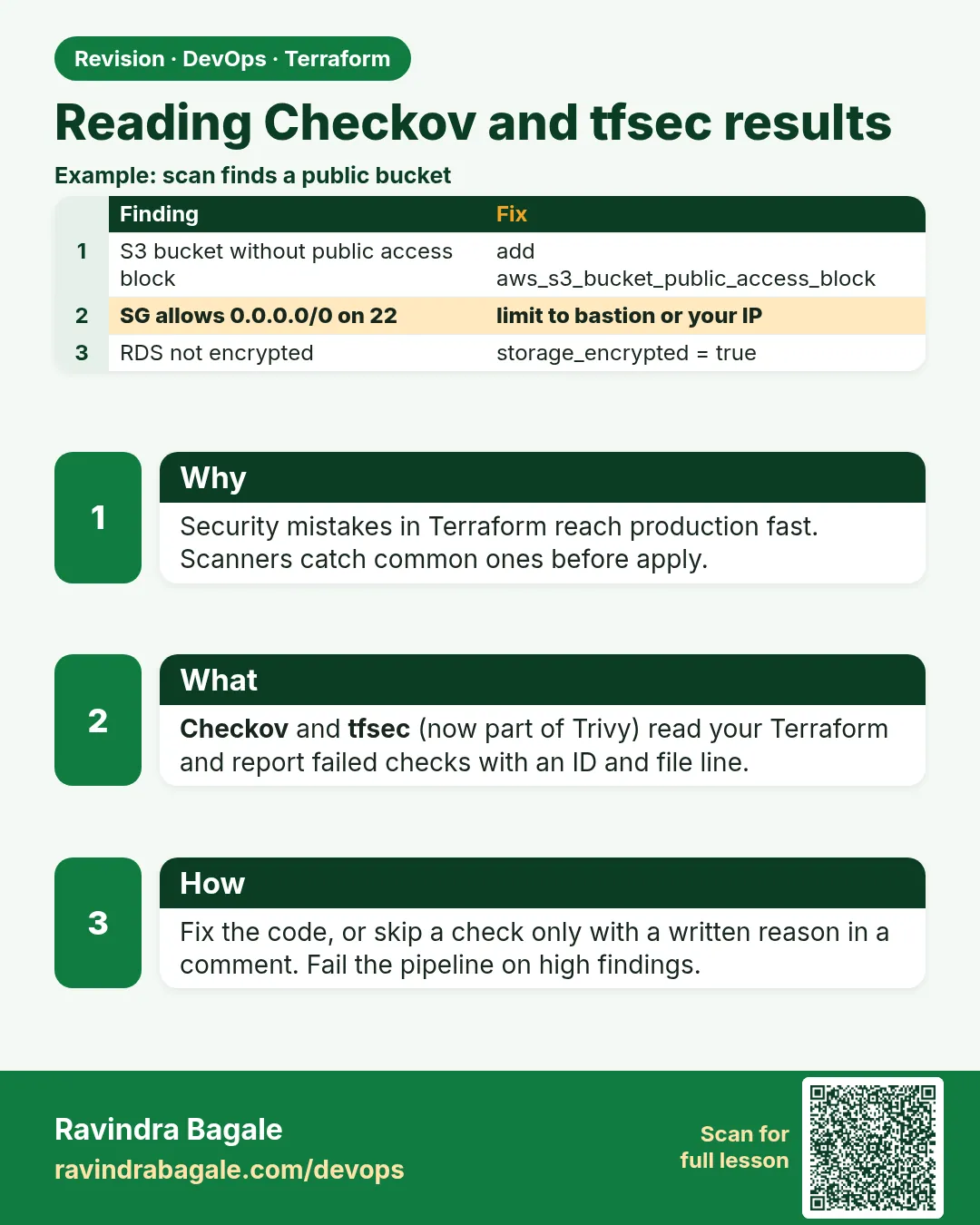
In short: Checkov and tfsec are static scanners: they read the code or the plan and compare it with hundreds of rules, such as encryption, public access and open ports.
Story. An Infosys client security team asked for proof that every Terraform change is scanned. Checkov and tfsec are static scanners: they read the code or the plan and compare it with hundreds of rules, such as encryption, public access and open ports. You run them locally before pushing, and Jenkins runs them again so nobody can skip it. Fix the finding, or skip it with a written reason that reviewers see.
pip install checkov
checkov -d envs/dev --framework terraform

tfsec envs/dev

resource "aws_s3_bucket" "logs" {
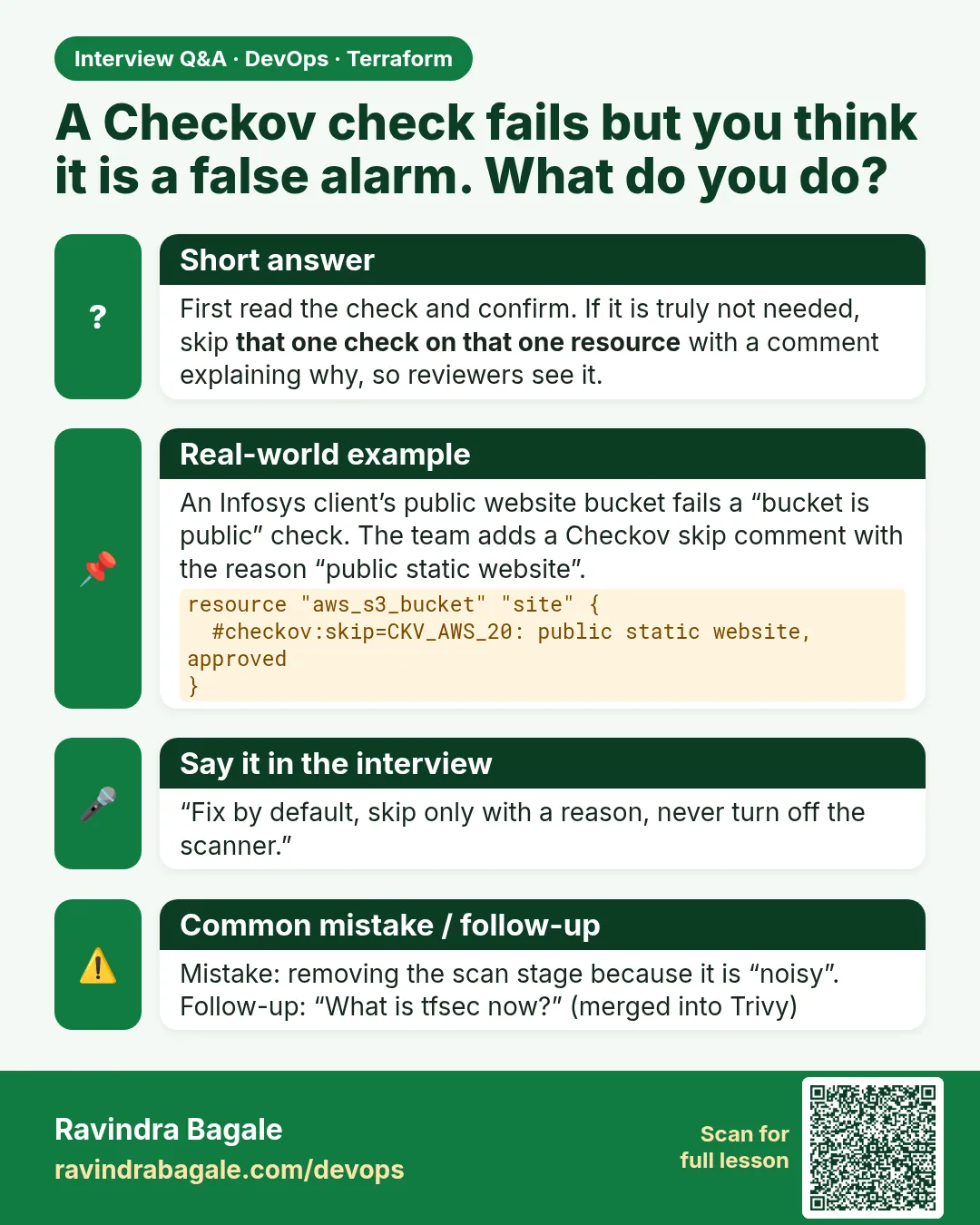
  #checkov:skip=CKV_AWS_18:Access logging bucket cannot log to itself
  #tfsec:ignore:aws-s3-enable-bucket-logging
  bucket = "badge-logs-<your-account-id>"
}
What each line does
pip install checkov— Installs Checkov.checkov -d envs/dev --framework terraform— Scans every .tf file in the dev folder.tfsec envs/dev— Runs tfsec on the same folder.#checkov:skip=CKV_AWS_18:...— Skips one Checkov rule for this resource, with the reason after the colon.#tfsec:ignore:aws-s3-enable-bucket-logging— Skips the matching tfsec rule for this resource.
When it is green.
Passed checks: 18, Failed checks: 0, Skipped checks: 1
No problems detected!
When it is red.
Result #1 HIGH Security group rule allows ingress from public internet.
  sg.tf:12   cidr_blocks = ["0.0.0.0/0"]   (port 22)
  1 potential problem(s) detected.
Fix. SSH is open to the world. Remove the rule and use Session Manager, or limit it to your office range.
What: every term in plain English
- static scanner — A tool that reads code or a plan and checks it against rules, without creating anything.
- Checkov — An open-source scanner from Prisma Cloud with rule ids such as CKV_AWS_18.
- tfsec — An older Terraform scanner. Its rules now live in Trivy, so new projects run trivy config.
- finding — One rule that failed for one resource, with the file and line.
- skip comment — A comment such as checkov:skip=CKV_AWS_18:reason that ignores one rule for one resource, with a written reason.
- soft fail — The scanner reports but does not fail the build. Useful only while a team cleans up old code.
- plan scan — Scanning the plan JSON, which sees final values from variables and modules.
Example 1: Scan a bucket and read the finding
At an ICICI Lombard vendor, the first Checkov run on old code found 40 issues. Learn to read one finding fully before fixing anything.
- Write a plain bucket.
- Run Checkov on the folder.
- Read the rule id, resource, file and line.
# main.tf
resource "aws_s3_bucket" "logs" {
  bucket = "badge-scan-logs-123456789012"
}
checkov -d . --framework terraform --compact --quiet
Output
terraform scan results:

Passed checks: 2, Failed checks: 5, Skipped checks: 0

Check: CKV_AWS_18: "Ensure the S3 bucket has access logging enabled"
    FAILED for resource: aws_s3_bucket.logs
    File: /main.tf:2-4
Check: CKV2_AWS_6: "Ensure that S3 bucket has a Public Access block"
    FAILED for resource: aws_s3_bucket.logs
    File: /main.tf:2-4
Check: CKV_AWS_144: "Ensure that S3 bucket has cross-region replication enabled"
    FAILED for resource: aws_s3_bucket.logs
    File: /main.tf:2-4
What it shows: Rule id, plain-English title, resource and lines. That is enough to fix or to decide to skip with a reason.
Example 2: Fix the important finding
Public access is the finding that makes news. Fix it first; the scan then passes that rule.
- Add a public access block.
- Scan again.
- Compare the counts.
resource "aws_s3_bucket_public_access_block" "logs" {
  bucket                  = aws_s3_bucket.logs.id
  block_public_acls       = true
  block_public_policy     = true
  ignore_public_acls      = true
  restrict_public_buckets = true
}
checkov -d . --framework terraform --compact --quiet | grep "Passed checks"
Output
Passed checks: 7, Failed checks: 4, Skipped checks: 0
What it shows: Each fix moves numbers from failed to passed. Keep going until only findings with a reason remain.
Example 3: Skip a rule with a written reason
Cross-region replication doubles cost and a log bucket in a lab does not need it. A Mu Sigma reviewer accepted the skip because the reason was right there in the code.
- Add the skip comment inside the resource.
- Scan again.
- Read the Skipped count.
resource "aws_s3_bucket" "logs" {
  # checkov:skip=CKV_AWS_144:Lab log bucket, replication not needed, approved by platform team
  # checkov:skip=CKV_AWS_18:This bucket is itself the access-log target
  bucket = "badge-scan-logs-123456789012"
}
checkov -d . --framework terraform --compact --quiet | grep -E "Passed|SKIPPED" | head -3
Output
Passed checks: 7, Failed checks: 2, Skipped checks: 2
Check: CKV_AWS_144: "Ensure that S3 bucket has cross-region replication enabled"
    SKIPPED for resource: aws_s3_bucket.logs
What it shows: The skip is visible in the code, in review, and in the report. No hidden exceptions.
Example 4: Run the tfsec rules through Trivy
tfsec development moved into Trivy. Teams at Freshworks-style companies run trivy config with the same kind of rules.
- Install Trivy.
- Scan the folder for high and critical issues.
trivy config --severity HIGH,CRITICAL .
Output
main.tf (terraform)
Tests: 9 (SUCCESSES: 7, FAILURES: 2)
Failures: 2 (HIGH: 2, CRITICAL: 0)

AVD-AWS-0088 (HIGH): Bucket does not have encryption enabled
AVD-AWS-0132 (HIGH): Bucket does not encrypt data with a customer managed key.
What it shows: Different ids, same idea. Many teams run Checkov and Trivy together; each catches things the other misses.
Example 5: Scan the plan JSON in Jenkins
Values from variables and modules only appear in the plan. A Netflix-style pipeline scans the plan again just before approval.
- Create plan JSON after the plan.
- Run Checkov on the JSON.
- Fail the build on findings.
stage('Scan plan') {
  steps {
    dir("envs/${params.ENV}") {
      sh 'terraform show -json tfplan > tfplan.json'
      sh 'checkov -f tfplan.json --framework terraform_plan --compact --quiet'
    }
  }
}
Output
terraform_plan scan results:
Passed checks: 18, Failed checks: 0, Skipped checks: 2
[Pipeline] }
What it shows: Delete tfplan.json at the end of the job; like the binary plan, it can contain sensitive values.
Command cheat sheet
| Command | What it does | When to use it |
|---|---|---|
checkov -d DIR --framework terraform |
Scans code | Before every push |
checkov -f tfplan.json --framework terraform_plan |
Scans the plan | In Jenkins before approval |
checkov --check CKV_AWS_18 |
Runs one rule | Test one fix |
checkov --soft-fail |
Reports without failing | Cleanup phase only |
trivy config --severity HIGH,CRITICAL . |
tfsec rules through Trivy | Second opinion |
terraform show -json tfplan |
Plan as JSON | Input for plan scans |
Verify: did it work?
-
No failed checks
checkov -d . --framework terraform --compact --quiet | grep -o "Failed checks: [0-9]*"Output
Failed checks: 0 -
Skips have reasons
grep -c "checkov:skip=CKV_[A-Z0-9_]*:[A-Za-z]" main.tfOutput
2
When it is red 1
Check: CKV_AWS_24: "Ensure no security groups allow ingress from 0.0.0.0:0 to port 22"
    FAILED for resource: aws_security_group.web
Cause. The code opens SSH to the internet.
Fix, step by step
- Remove the port 22 rule.
- Use Session Manager through the instance role.
- Scan again.
When it is red 2
script returned exit code 1 (Jenkins stage Scan code)
Cause. Checkov found failed checks and the build stopped, which is the goal.
Fix, step by step
- Open the console log.
- Fix each finding or add a skip with a reason.
- Push and run again.
When it is red 3
checkov: command not found
Cause. The Jenkins agent image has no Checkov.
Fix, step by step
- Add pip install checkov to the agent image.
- Or run Checkov in a container image in that stage.
Cleanup
terraform destroy -auto-approve
rm -f tfplan tfplan.json
Ravindra Bagale's Tip
A skip without a reason is a hidden risk. Reviewers should reject any skip that does not say why and who approved it.
Practice tasks
Easy First scan
Why: Read findings.
What to do: Run Checkov on a plain bucket.
- Use --compact.
Check: Failed checks listed.
Easy Fix one
Why: Close the big risk.
What to do: Add a public access block and rescan.
- Compare counts.
Check: Passed count rises.
Medium Skip with reason
Why: Handle exceptions.
What to do: Skip CKV_AWS_144 with a reason.
- Comment inside the resource.
Check: SKIPPED shown.
Medium Plan scan
Why: Scan final values.
What to do: Scan tfplan.json in Jenkins.
- Use terraform_plan framework.
Check: Failed checks: 0.
Easy Say it in two lines
Why: If you can say it simply, you understand it.
What to do: Write two short lines about this lesson for a fresher.
- Write the problem it solves.
- Write the one command or file you use.
- Read it aloud.
Check: A fresher understands it without a question.
Easy Start a safe lab folder
Why: Practice needs a throwaway place.
What to do: Make a new folder with versions.tf and a random_pet resource, so no AWS cost.
- mkdir tf-lab and cd into it.
- Add the hashicorp/random provider and one random_pet.
- Run terraform init and terraform apply.
Check: Apply complete! with 1 added.
Medium Break it on purpose
Why: You must know the red output by face.
What to do: Cause one error from the red part of this lesson and fix it.
- Follow one red section.
- Copy the exact message to your notes.
- Write the fix in one line.
Check: You fixed it without searching the web.
Medium Run it twice
Why: A second run must be quiet.
What to do: Run the same plan two times with no edits.
- Run terraform plan.
- Run it again.
- Explain any change it still shows.
Check: The second plan says No changes, or you can explain each line.
Medium Write a runbook page
Why: At 2 a.m. nobody remembers flags.
What to do: Write a one-page runbook for this lesson.
- Title, when to use, exact commands, how to check, how to undo.
Check: A teammate can follow it alone.
Medium Run it from a pipeline
Why: Real teams run Terraform from CI, not from laptops.
What to do: Run the main command of this lesson inside a GitHub Actions or Jenkins job.
- Add a job with hashicorp/setup-terraform or a Terraform Docker image.
- Give it AWS access through an IAM role, never a key in the file.
- Run init, then the command from this lesson.
Check: The job log shows the same output you saw on your laptop.
Medium Check the cost
Why: Labs left running cost real money.
What to do: Find what this lesson would cost per day if you forgot to destroy it.
- Open the AWS Pricing Calculator.
- Add each resource from your plan.
- Write the daily cost in your notes.
Check: You know the daily cost and you ran terraform destroy.
Hard Draw the flow top to bottom
Why: A drawing shows the order of work.
What to do: Draw this lesson as boxes from top to bottom.
- Start at your code, go through plan and state, end at AWS.
- Mark where each command reads or writes.
Check: Each box matches a real step you ran.
Hard Explain it like an interview
Why: Interviewers want real stories.
What to do: Record a 60 second answer about this lesson.
- Say the problem, the command, and one error you hit.
Check: Your answer has a real command and a real error message.
Homework: try at home
Try at home
Run Checkov on one of your earlier lab folders, fix three findings and write a reason for one skip.
Recap
- Scanners read code or plans and check rules.
- Read rule id, resource and lines before fixing.
- Fix real risks; skip only with a written reason.
- tfsec rules now run through trivy config.
- Scan the plan JSON in Jenkins before approval.
FAQ
Checkov or Trivy?
Both are free. Many teams run both because their rule sets differ.
Does a scan need AWS access?
No for code scans. The plan scan needs a plan, which needs access.
Should every finding be fixed?
Fix real risks. Skip low-value ones with a reason that reviewers accept.
Can I scan modules from the registry?
Checkov can download external modules with --download-external-modules true.
Where do I see all rules?
Run checkov --list for the full list of rule ids.
Interview questions
-
How do you add security scanning to Terraform?
Run Checkov and Trivy on code locally and in CI, and Checkov on the plan JSON before approval.
-
Why scan the plan as well as the code?
The plan has final values from variables and modules.
-
How do you handle a false positive?
A skip comment with rule id and reason, reviewed in the pull request.
-
What happened to tfsec?
Its rules moved into Trivy; new setups use trivy config.
-
Should scan failures stop the pipeline?
Yes, except during a short soft-fail cleanup period.
Quick quiz
Q1. Checkov framework for plan JSON?
terraform_plan
Q2. Command that replaced tfsec?
trivy config
Q3. Comment format to skip a rule?
checkov:skip=ID:reason
Q4. Flag to report without failing?
--soft-fail
Q5. Command to make plan JSON?
terraform show -json tfplan
Lab
- Lay out envs/dev, envs/stage and envs/prod with separate backend keys.
- Add the Jenkinsfile from 41.2 to the repository root.
- Run the job with ENV = dev.
- Add a public bucket on purpose and watch the scan stage fail.
- Fix it, run with ENV = stage and approve.
- Destroy every environment you created to avoid cost.
Practice task
Explain in five lines why the pipeline applies tfplan instead of running a new plan inside the Apply stage.
Ravindra Bagale's Tip
Scanners run before the approval, so the approver only ever sees plans that already passed.
In short
- Each environment has its own folder, state key and often account.
- Jenkins runs validate, scans, a saved plan, an approval, then apply of that plan.
- Checkov and tfsec scan code; Checkov also scans the plan JSON.
- No AWS keys in Jenkins; the agent uses a role.
Samajla ka?
 Revision card
 Interview card