Chapter 41: Terraform Environments and Jenkins Plan Approval Apply Pipeline
41.1 Environments — dev, stage and prod
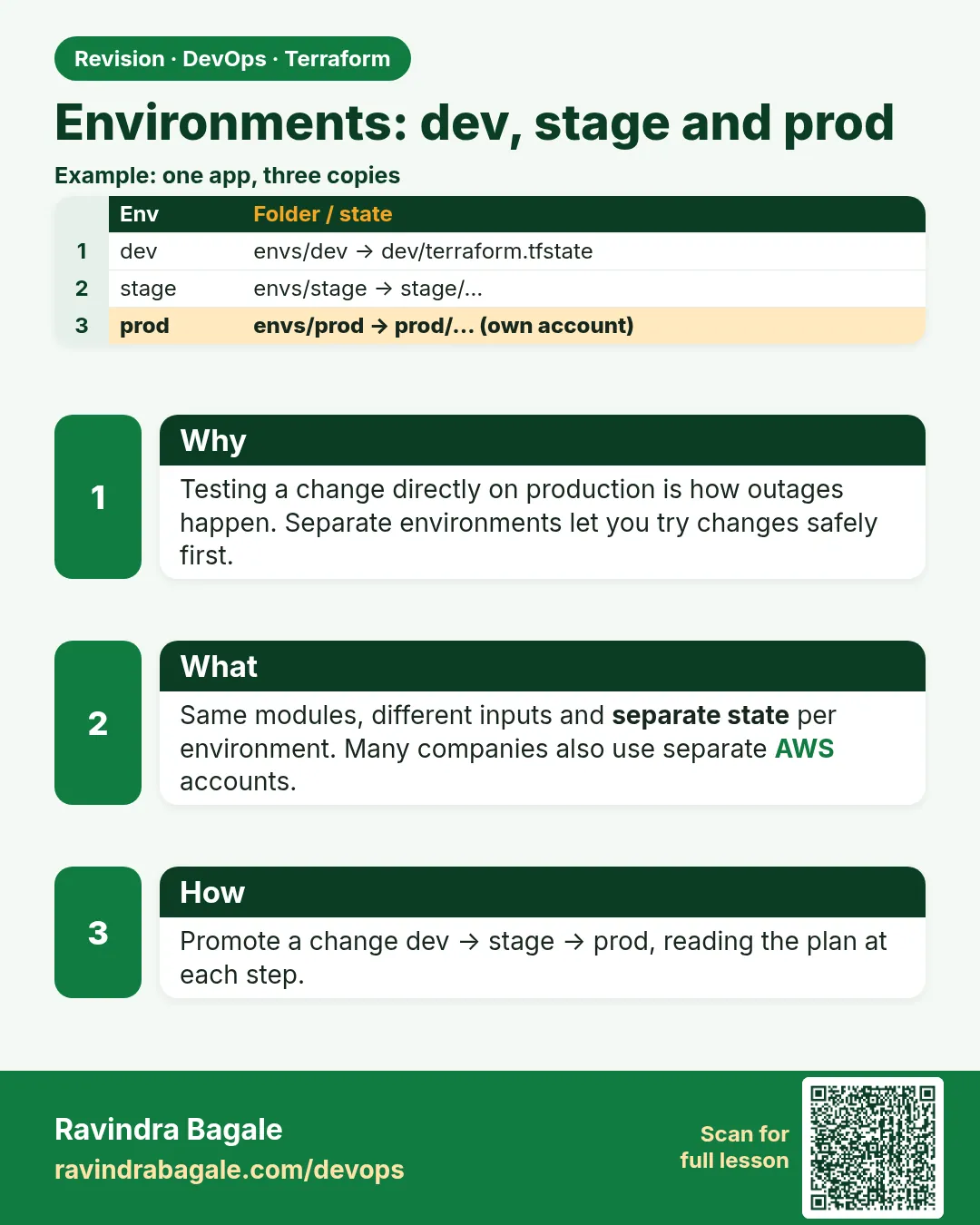
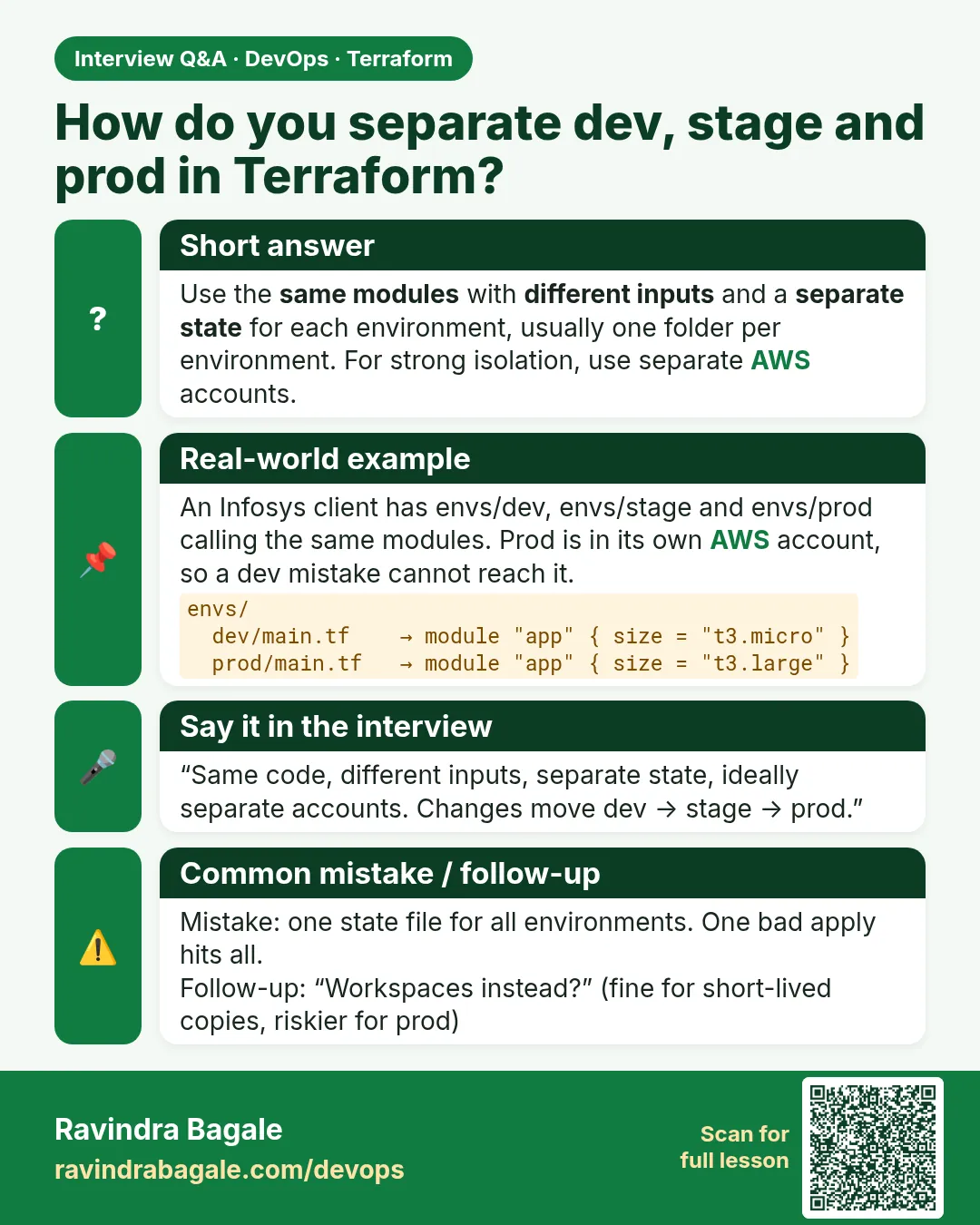
Story. An Infosys client once applied a dev change to production because both used the same folder and someone forgot to switch the workspace. The safer layout gives each environment its own folder, its own state key and often its own AWS account, while all of them call the same module. A change is promoted by merging, applying in dev, then stage, then prod with the same module version.
modules/web-server/          # shared code, versioned
envs/
  dev/
    backend.tf    key = "badge-api/dev/terraform.tfstate"
    main.tf       module "web" { source = "../../modules/web-server" ... }
    dev.tfvars    instance_type = "t3.micro"
  stage/
    backend.tf    key = "badge-api/stage/terraform.tfstate"
    stage.tfvars  instance_type = "t3.small"
  prod/
    backend.tf    key = "badge-api/prod/terraform.tfstate"
    prod.tfvars   instance_type = "t3.small"

# envs/prod/main.tf
provider "aws" {
  region = "ap-south-1"
  assume_role {
    role_arn = "arn:aws:iam::<prod-account-id>:role/TerraformDeploy"
  }
}

module "web" {
  source        = "../../modules/web-server"
  name          = "badge-prod-web"
  instance_type = var.instance_type
}
What each line does
modules/web-server/— The one copy of the logic every environment uses.envs/dev/backend.tf key = ".../dev/..."— Dev state lives under its own key, so a dev apply cannot touch prod state.dev.tfvars instance_type = "t3.micro"— Dev is small.stage.tfvars / prod.tfvars— Stage mirrors prod sizing so tests are realistic.role_arn = "arn:aws:iam::<prod-account-id>:role/TerraformDeploy"— Prod deploys into a separate account through a role; a placeholder id here.source = "../../modules/web-server"— Every environment calls the same module.instance_type = var.instance_type— The only difference comes from the environment's tfvars.
When it is green.
$ cd envs/dev  && terraform plan -var-file=dev.tfvars
Plan: 3 to add, 0 to change, 0 to destroy.
$ cd ../prod   && terraform plan -var-file=prod.tfvars
Plan: 0 to add, 1 to change, 0 to destroy.
When it is red.
Error: Error acquiring the state lock ... Path: badge-tfstate-.../badge-api/dev/terraform.tfstate
(you are in envs/prod but backend.tf was copied from dev)
Fix. A copied backend.tf still points at dev. Fix the key in envs/prod/backend.tf and run terraform init -reconfigure.
What: every term in plain English
- environment — One full copy of the system for one purpose: dev for building, stage for testing, prod for customers.
- environment folder — envs/dev, envs/stage, envs/prod. Each has its own backend key, tfvars and often its own AWS account.
- module version pinning — Each environment calls the module with a fixed ref or version, so prod changes only when you promote it.
- promotion — Moving the same module version from dev to stage to prod after each one passes.
- tfvars — A file of variable values for one environment, such as dev.tfvars.
- account per environment — Dev and prod in different AWS accounts, so a dev mistake cannot touch prod.
- blast radius — How much can break from one wrong command. Folders and accounts keep it small.
Example 1: Build the folder layout in one minute
When a new service starts at a Wipro client, the first pull request is the folder skeleton. Everyone then knows where dev ends and prod begins.
- Make the folders.
- Add an empty main.tf in each.
- Print the tree.
mkdir -p modules/web-server envs/dev envs/stage envs/prod
for e in dev stage prod; do touch envs/$e/main.tf envs/$e/backend.tf envs/$e/terraform.tfvars; done
touch modules/web-server/main.tf modules/web-server/variables.tf modules/web-server/outputs.tf
tree -L 2
Output
.
├── envs
│   ├── dev
│   ├── prod
│   └── stage
└── modules
    └── web-server
What it shows: The module holds the logic. Each environment folder only says which version and which values.
Example 2: Give each environment its own state key and size
Same module, different values. Dev is small and cheap; prod is bigger and has two copies.
- Write envs/dev/main.tf and envs/prod/main.tf.
- Use different backend keys.
- Plan both.
# envs/dev/main.tf
module "web" {
  source        = "../../modules/web-server"
  env           = "dev"
  instance_type = "t3.micro"
  instance_count = 1
}

# envs/prod/main.tf
module "web" {
  source         = "../../modules/web-server"
  env            = "prod"
  instance_type  = "t3.medium"
  instance_count = 2
}
terraform -chdir=envs/dev init -backend-config="key=badge-api/dev/terraform.tfstate"
terraform -chdir=envs/prod init -backend-config="key=badge-api/prod/terraform.tfstate"
terraform -chdir=envs/dev plan | tail -1
terraform -chdir=envs/prod plan | tail -1
Output
Plan: 3 to add, 0 to change, 0 to destroy.
Plan: 5 to add, 0 to change, 0 to destroy.
What it shows: -chdir runs Terraform in a folder without cd. The two plans read and write two separate state files.
Example 3: Promote a module version from dev to prod
At a Dream11-style company, prod uses a tagged module version. A change goes to dev first; prod moves only when the tag is updated in a reviewed pull request.
- Tag the module repo v1.3.0.
- Point dev at v1.3.0 and apply.
- After testing, point stage and then prod at v1.3.0.
# envs/dev/main.tf
module "web" {
  source = "git::ssh://git@git.example.com/platform/tf-modules.git//web-server?ref=v1.3.0"
  env    = "dev"
}

# envs/prod/main.tf  (still on the old version until promoted)
module "web" {
  source = "git::ssh://git@git.example.com/platform/tf-modules.git//web-server?ref=v1.2.4"
  env    = "prod"
}
grep -h "ref=" envs/*/main.tf
Output
source = "git::ssh://git@git.example.com/platform/tf-modules.git//web-server?ref=v1.3.0"
source = "git::ssh://git@git.example.com/platform/tf-modules.git//web-server?ref=v1.2.4"
source = "git::ssh://git@git.example.com/platform/tf-modules.git//web-server?ref=v1.3.0"
What it shows: One grep shows which environment runs which version. That answers the auditor question "what is in prod?".
Example 4: Stop prod applies from the wrong account
An HDFC vendor added allowed_account_ids so a prod folder refuses to run with dev credentials, and the reverse.
- Add allowed_account_ids in each provider block.
- Run prod plan with the dev profile.
- Read the error.
# envs/prod/providers.tf
provider "aws" {
  region              = "ap-south-1"
  allowed_account_ids = ["210987654321"]   # prod account
}
AWS_PROFILE=badge-dev terraform -chdir=envs/prod plan
Output
Error: AWS account ID not allowed: 123456789012
What it shows: The plan fails before any change. A wrong-profile mistake costs nothing.
Command cheat sheet
| Command | What it does | When to use it |
|---|---|---|
terraform -chdir=envs/dev plan |
Runs in a folder without cd | Scripts and Jenkins |
terraform init -backend-config="key=..." |
Sets the state key per environment | First init of a folder |
terraform plan -var-file=prod.tfvars |
Uses one environment's values | Shared folder layouts |
grep -h "ref=" envs/*/main.tf |
Shows module versions per environment | Audit what runs where |
aws sts get-caller-identity |
Shows the current account | Before every apply |
terraform workspace show |
Must say default in folder layouts | Catch mixed patterns |
Verify: did it work?
-
Separate state keys
aws s3 ls s3://badge-tfstate-123456789012/badge-api/Output
PRE dev/ PRE prod/ PRE stage/ -
Wrong account refused
AWS_PROFILE=badge-dev terraform -chdir=envs/prod plan 2>&1 | grep -c "not allowed"Output
1
When it is red 1
Plan: 0 to add, 4 to change, 0 to destroy. (in prod, expected none)
Cause. Prod picked up a new module version because the source has no ref, or a local path.
Fix, step by step
- Pin prod to a tag with ?ref=.
- Run init -upgrade.
- Plan again and expect no changes.
When it is red 2
Error: AWS account ID not allowed
Cause. You are using the wrong profile for this folder.
Fix, step by step
- Check AWS_PROFILE.
- Log in to the right account.
- Plan again.
When it is red 3
Error: Duplicate module call (after copying a folder)
Cause. Two module blocks with the same name in one folder.
Fix, step by step
- Rename one block or remove the copy.
- Plan again.
Cleanup
for e in prod stage dev; do terraform -chdir=envs/$e destroy -auto-approve; done
Ravindra Bagale's Tip
Destroy in reverse order, prod first in a lab, so nothing in a lower environment is still depended on.
Practice tasks
Easy Skeleton
Why: Know the layout.
What to do: Create the folders and print the tree.
- Use mkdir -p.
Check: envs and modules shown.
Easy Two plans
Why: Separate state.
What to do: Plan dev and prod with different keys.
- Use -chdir.
Check: Different add counts.
Medium Pin versions
Why: Safe promotion.
What to do: Pin prod to an older ref and grep.
- Use ?ref=.
Check: Two versions listed.
Medium Account guard
Why: Stop mistakes.
What to do: Add allowed_account_ids and test the wrong profile.
- Use AWS_PROFILE.
Check: not allowed error.
Easy Say it in two lines
Why: If you can say it simply, you understand it.
What to do: Write two short lines about this lesson for a fresher.
- Write the problem it solves.
- Write the one command or file you use.
- Read it aloud.
Check: A fresher understands it without a question.
Easy Start a safe lab folder
Why: Practice needs a throwaway place.
What to do: Make a new folder with versions.tf and a random_pet resource, so no AWS cost.
- mkdir tf-lab and cd into it.
- Add the hashicorp/random provider and one random_pet.
- Run terraform init and terraform apply.
Check: Apply complete! with 1 added.
Medium Break it on purpose
Why: You must know the red output by face.
What to do: Cause one error from the red part of this lesson and fix it.
- Follow one red section.
- Copy the exact message to your notes.
- Write the fix in one line.
Check: You fixed it without searching the web.
Medium Run it twice
Why: A second run must be quiet.
What to do: Run the same plan two times with no edits.
- Run terraform plan.
- Run it again.
- Explain any change it still shows.
Check: The second plan says No changes, or you can explain each line.
Medium Write a runbook page
Why: At 2 a.m. nobody remembers flags.
What to do: Write a one-page runbook for this lesson.
- Title, when to use, exact commands, how to check, how to undo.
Check: A teammate can follow it alone.
Medium Run it from a pipeline
Why: Real teams run Terraform from CI, not from laptops.
What to do: Run the main command of this lesson inside a GitHub Actions or Jenkins job.
- Add a job with hashicorp/setup-terraform or a Terraform Docker image.
- Give it AWS access through an IAM role, never a key in the file.
- Run init, then the command from this lesson.
Check: The job log shows the same output you saw on your laptop.
Medium Check the cost
Why: Labs left running cost real money.
What to do: Find what this lesson would cost per day if you forgot to destroy it.
- Open the AWS Pricing Calculator.
- Add each resource from your plan.
- Write the daily cost in your notes.
Check: You know the daily cost and you ran terraform destroy.
Hard Draw the flow top to bottom
Why: A drawing shows the order of work.
What to do: Draw this lesson as boxes from top to bottom.
- Start at your code, go through plan and state, end at AWS.
- Mark where each command reads or writes.
Check: Each box matches a real step you ran.
Hard Explain it like an interview
Why: Interviewers want real stories.
What to do: Record a 60 second answer about this lesson.
- Say the problem, the command, and one error you hit.
Check: Your answer has a real command and a real error message.
Homework: try at home
Try at home
Write the promotion steps for a module change from dev to prod, with who approves each step at your company.
Recap
- One module, one folder per environment.
- Each folder has its own state key, values and often account.
- Pin module versions and promote by pull request.
- allowed_account_ids stops wrong-account applies.
- -chdir makes scripts simple.
FAQ
Why not workspaces for prod?
They share backend and credentials, so one wrong select hits prod.
Is the code duplicated in each folder?
Only the small module call and values. The logic lives in the module.
Do I need three AWS accounts?
Not for learning, but most companies separate at least prod.
How does stage differ from prod?
Same module version, smaller sizes, test data.
Can Terragrunt help?
Yes, it reduces repeated backend and provider code, but plain folders work well too.
Interview questions
-
How do you structure Terraform for dev, stage and prod?
A shared versioned module and one folder per environment with its own backend key and values.
-
How do you promote changes?
Bump the module ref in dev, test, then stage, then prod through reviewed pull requests.
-
How do you prevent applying to the wrong account?
allowed_account_ids in the provider, plus separate roles per account.
-
Folders or workspaces?
Folders for long-lived environments; workspaces for short-lived copies.
-
Why pin module versions?
So prod changes only when you decide, not when the module changes.
Quick quiz
Q1. Flag to run Terraform in another folder?
-chdir
Q2. Provider setting that guards the account?
allowed_account_ids
Q3. How is a git module version pinned?
?ref=TAG
Q4. Where does the logic live?
In the module
Q5. Order of promotion?
dev, stage, prod
Samajla ka?
 Revision card
 Interview card