Chapter 36: Terraform count for_each dynamic lifecycle and depends_on
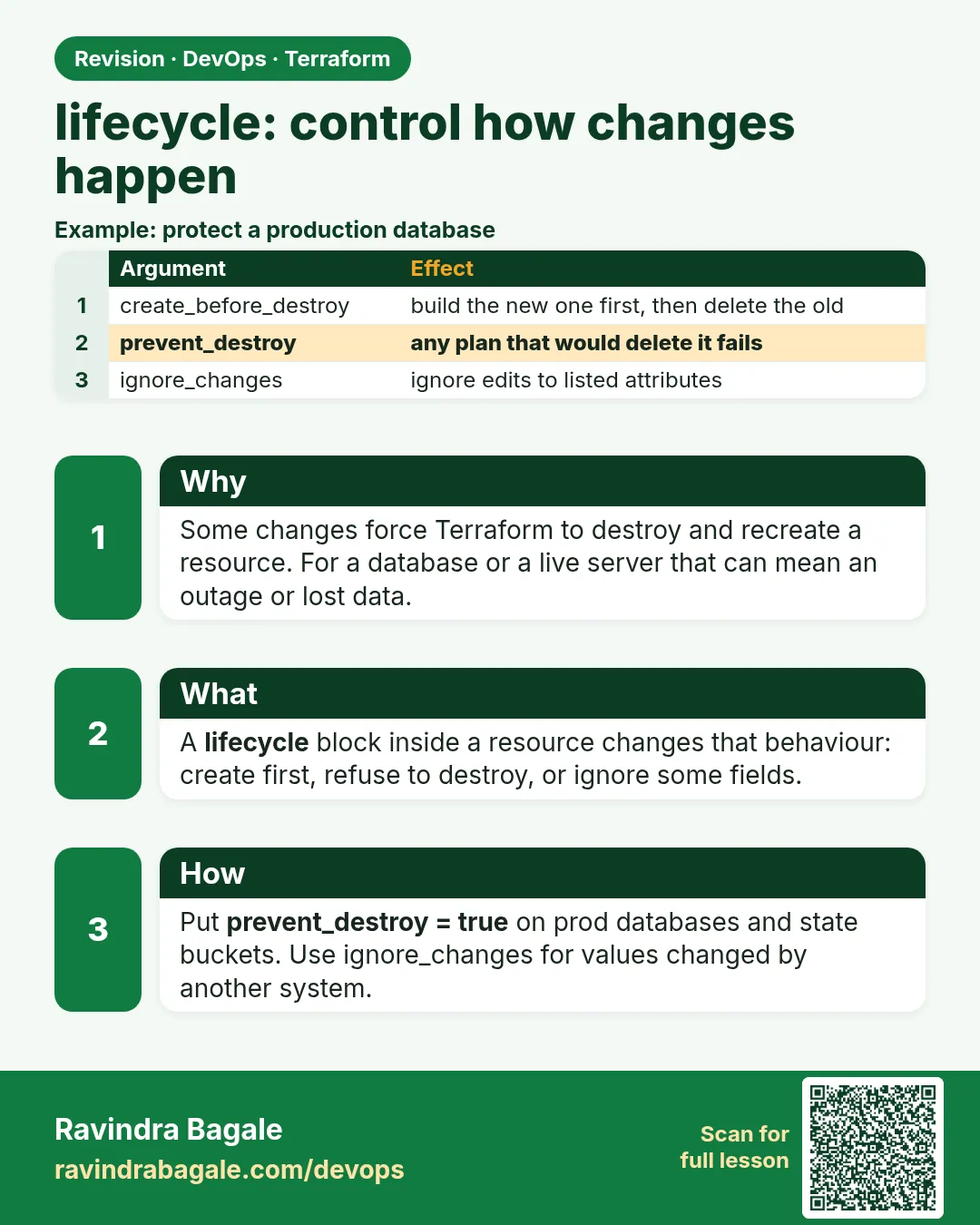
36.4 lifecycle — control how changes happen
Story. An Instagram-style team changed the AMI of a production instance, and Terraform destroyed the old server before the new one was ready, causing a short outage. The lifecycle block changes that behaviour. create_before_destroy builds the replacement first. prevent_destroy refuses to delete precious resources. ignore_changes stops Terraform fighting with a value another system manages.
resource "aws_instance" "web" {
  ami           = data.aws_ami.al2023.id
  instance_type = var.instance_type

  lifecycle {
    create_before_destroy = true
    ignore_changes        = [tags["LastPatched"]]
    precondition {
      condition     = var.instance_type != "t3.nano"
      error_message = "t3.nano is too small for nginx plus the app."
    }
  }
}

resource "aws_s3_bucket" "tfstate" {
  bucket = "badge-tfstate-<your-account-id>"
  lifecycle {
    prevent_destroy = true
  }
}
What each line does
lifecycle {— Opens settings for how Terraform changes this resource.create_before_destroy = true— When replacement is needed, create the new instance before deleting the old one.ignore_changes = [tags["LastPatched"]]— A patching tool updates this tag; Terraform will not undo it.precondition { ... }— A check that runs before the resource is planned.condition = var.instance_type != "t3.nano"— Fails the plan if someone picks a tiny type.prevent_destroy = true— Any plan that would delete the state bucket fails instead.
When it is green.
  # aws_instance.web must be replaced
+/- resource "aws_instance" "web" {
      ~ ami = "ami-0old..." -> "ami-0new..." # forces replacement
    }
Plan: 1 to add, 0 to change, 1 to destroy.
When it is red.
Error: Instance cannot be destroyed
  on main.tf line 18: resource "aws_s3_bucket" "tfstate":
Resource aws_s3_bucket.tfstate has lifecycle.prevent_destroy set, but the plan calls for this
resource to be destroyed.
Fix. This is the guard working. If deleting is truly intended, remove prevent_destroy in a reviewed change first. Note +/- means create then destroy; -/+ means destroy then create.
What: every term in plain English
- create_before_destroy — Build the replacement first, then delete the old one.
- prevent_destroy — Fail any plan that would delete this resource.
- ignore_changes — Do not undo changes to the listed attributes.
- replace_triggered_by — Replace this resource when another one changes.
- precondition — A check before the resource is created or changed.
- postcondition — A check after Terraform reads the result.
Example 1: create_before_destroy on a free resource
See the order with no cloud cost. random_pet replaced with the new one made first.
variable "v" {
  default = "1"
}

resource "random_pet" "web" {
  keepers = {
    version = var.v
  }
  lifecycle {
    create_before_destroy = true
  }
}
terraform apply -auto-approve
terraform apply -auto-approve -var v=2
Output
random_pet.web: Creating...
random_pet.web: Creation complete after 0s [id=calm-otter]
random_pet.web (deposed object 1a2b3c4d): Destroying... [id=quiet-panda]
random_pet.web: Destruction complete after 0s
Apply complete! Resources: 1 added, 0 changed, 1 destroyed.
What it shows: Creating comes before Destroying. On EC2 behind a load balancer this means no gap.
Example 2: prevent_destroy guards a bucket
At a Razorpay-style company, the audit-log bucket must never be deleted by mistake.
resource "aws_s3_bucket" "audit" {
  bucket = "audit-logs-111122223333"
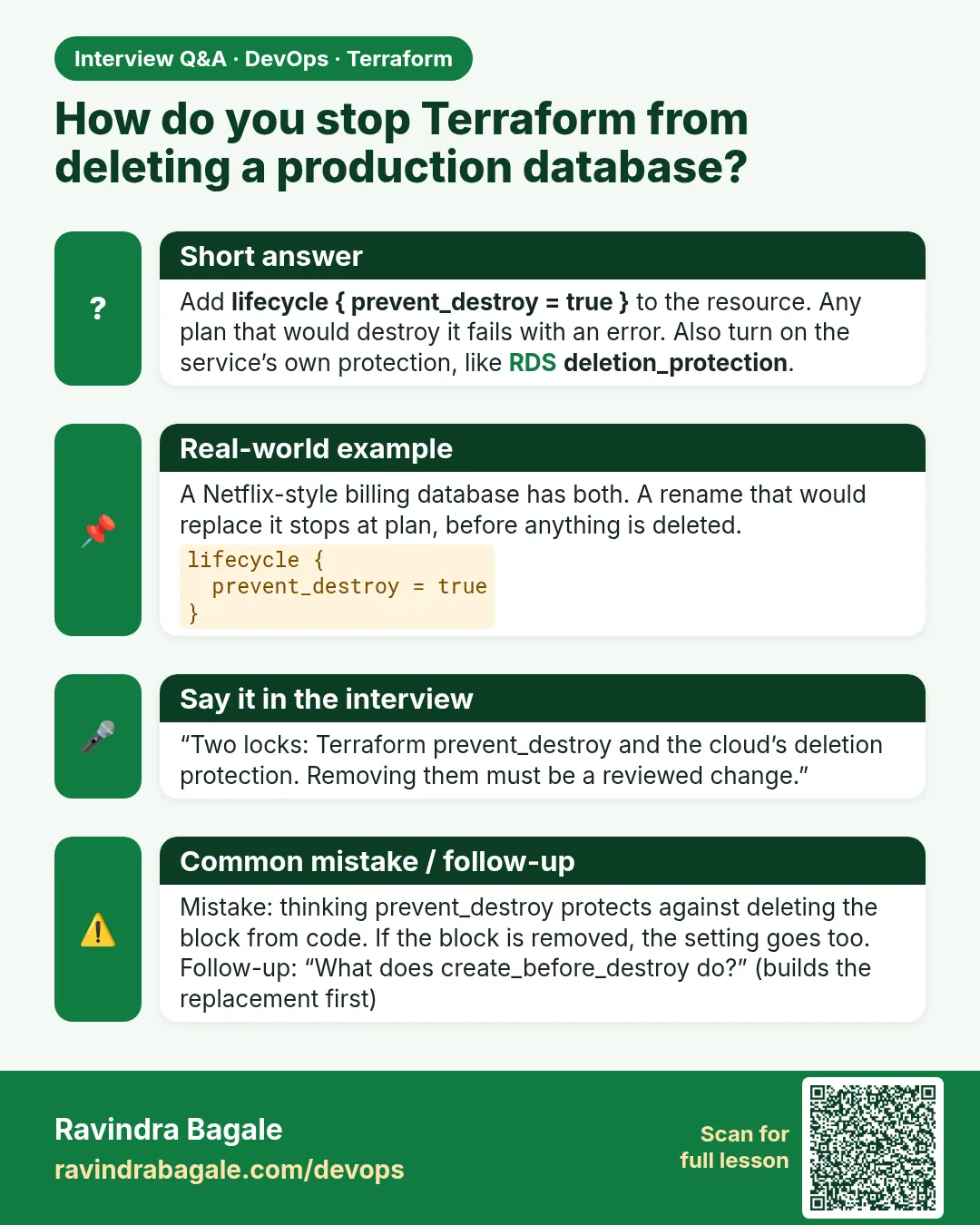
  lifecycle {
    prevent_destroy = true
  }
}
terraform destroy
Output
Error: Instance cannot be destroyed
  on main.tf line 1:
   1: resource "aws_s3_bucket" "audit" {
Resource aws_s3_bucket.audit has lifecycle.prevent_destroy set, but the plan calls for this resource to be destroyed.
What it shows: Note: deleting the whole resource block from code also removes the guard. Protect with IAM too.
Example 3: ignore_changes for an autoscaled count
An autoscaling group changes desired_capacity at runtime. Without ignore_changes, every apply resets it.
resource "aws_autoscaling_group" "web" {
  name             = "web-asg"
  min_size         = 2
  max_size         = 10
  desired_capacity = 2
  vpc_zone_identifier = var.subnet_ids
  launch_template {
    id      = aws_launch_template.web.id
    version = "$Latest"
  }
  lifecycle {
    ignore_changes = [desired_capacity]
  }
}
aws autoscaling set-desired-capacity --auto-scaling-group-name web-asg --desired-capacity 6
terraform plan | tail -1
Output
No changes. Your infrastructure matches the configuration.
What it shows: Without ignore_changes the plan would show desired_capacity = 6 -> 2 and shrink the fleet at peak time.
Example 4: replace_triggered_by and a postcondition
When the user_data script changes, a Swiggy-style team wants a fresh instance. A postcondition checks it got a public IP.
resource "terraform_data" "boot" {
  input = filesha256("${path.module}/nginx.sh")
}

resource "aws_instance" "web" {
  ami           = data.aws_ami.al2023.id
  instance_type = "t3.micro"
  user_data     = file("${path.module}/nginx.sh")
  lifecycle {
    replace_triggered_by = [terraform_data.boot]
    postcondition {
      condition     = self.public_ip != ""
      error_message = "The web server must have a public IP."
    }
  }
}
echo "# v2" >> nginx.sh
terraform plan | grep -E "replace|Plan:"
Output
  # aws_instance.web will be replaced due to changes in replace_triggered_by
Plan: 1 to add, 1 to change, 1 to destroy.
What it shows: terraform_data changes when the script changes, and that triggers the instance replace.
Example 5: Real AWS: deletion_protection plus prevent_destroy on RDS
A bank-style team never wants the prod database deleted. Two guards work together: Terraform blocks the plan, and AWS blocks the API call.
resource "aws_db_instance" "prod" {
  identifier          = "orders-prod"
  engine              = "mysql"
  instance_class      = "db.t3.micro"
  allocated_storage   = 20
  username            = "admin"
  manage_master_user_password = true
  deletion_protection = true
  skip_final_snapshot = false
  final_snapshot_identifier = "orders-prod-final"
  lifecycle {
    prevent_destroy = true
    ignore_changes  = [engine_version]
  }
}
terraform plan -destroy 2>&1 | grep -E "Error|prevent_destroy"
Output
Error: Instance cannot be destroyed
Resource aws_db_instance.prod has lifecycle.prevent_destroy set
What it shows: ignore_changes on engine_version lets AWS minor upgrades happen without Terraform undoing them. manage_master_user_password keeps the password in Secrets Manager.
Command cheat sheet
| Command | What it does | When to use it |
|---|---|---|
create_before_destroy = true |
New first, then old | Zero-gap replace |
prevent_destroy = true |
Block deletes | State buckets, databases |
ignore_changes = [attr] |
Do not undo outside edits | ASG size, patched tags |
ignore_changes = all |
Ignore every change | Rare; resources managed elsewhere |
replace_triggered_by = [res] |
Replace when another changes | Config files |
precondition / postcondition |
Checks before or after | Guard rails |
Verify: did it work?
-
Guard works
terraform plan -destroy 2>&1 | grep -c "cannot be destroyed"Output
1 -
Ignored field
terraform plan -detailed-exitcode; echo $?Output
0
When it is red 1
Error: creating EC2 Instance: InvalidGroup.Duplicate: The security group 'web-sg' already exists
Cause. create_before_destroy tried to make a new group with the same fixed name.
Fix, step by step
- Use name_prefix instead of name.
- Plan again.
When it is red 2
Error: Resource postcondition failed
  The web server must have a public IP.
Cause. The subnet does not give public IPs.
Fix, step by step
- Set associate_public_ip_address = true.
- Or use a public subnet.
When it is red 3
Error: Invalid ignore_changes wildcard
The ["*"] form of ignore_changes wildcard is was deprecated and is now invalid. Use "ignore_changes = all".
Cause. Old syntax.
Fix, step by step
- Write ignore_changes = all.
Cleanup
terraform destroy -auto-approve
Ravindra Bagale's Tip
Put prevent_destroy on state buckets and databases on day one. It costs nothing and saves a career.
Practice tasks
Easy See the order
Why: Feel create first.
What to do: Run the random_pet replace demo.
- Read the log order.
Check: Creating before Destroying.
Medium Guard
Why: Block deletes.
What to do: Add prevent_destroy and try destroy.
- Read the error.
Check: Destroy fails.
Medium ASG size
Why: Stop resets.
What to do: Add ignore_changes to desired_capacity.
- Change size in CLI, then plan.
Check: No changes.
Hard Trigger
Why: Rebuild on config change.
What to do: Use replace_triggered_by with terraform_data.
- Edit the script.
Check: Plan shows replace.
Easy Say it in two lines
Why: If you can say it simply, you understand it.
What to do: Write two short lines about this lesson for a fresher.
- Write the problem it solves.
- Write the one command or file you use.
- Read it aloud.
Check: A fresher understands it without a question.
Easy Start a safe lab folder
Why: Practice needs a throwaway place.
What to do: Make a new folder with versions.tf and a random_pet resource, so no AWS cost.
- mkdir tf-lab and cd into it.
- Add the hashicorp/random provider and one random_pet.
- Run terraform init and terraform apply.
Check: Apply complete! with 1 added.
Medium Break it on purpose
Why: You must know the red output by face.
What to do: Cause one error from the red part of this lesson and fix it.
- Follow one red section.
- Copy the exact message to your notes.
- Write the fix in one line.
Check: You fixed it without searching the web.
Medium Run it twice
Why: A second run must be quiet.
What to do: Run the same plan two times with no edits.
- Run terraform plan.
- Run it again.
- Explain any change it still shows.
Check: The second plan says No changes, or you can explain each line.
Medium Write a runbook page
Why: At 2 a.m. nobody remembers flags.
What to do: Write a one-page runbook for this lesson.
- Title, when to use, exact commands, how to check, how to undo.
Check: A teammate can follow it alone.
Medium Run it from a pipeline
Why: Real teams run Terraform from CI, not from laptops.
What to do: Run the main command of this lesson inside a GitHub Actions or Jenkins job.
- Add a job with hashicorp/setup-terraform or a Terraform Docker image.
- Give it AWS access through an IAM role, never a key in the file.
- Run init, then the command from this lesson.
Check: The job log shows the same output you saw on your laptop.
Medium Check the cost
Why: Labs left running cost real money.
What to do: Find what this lesson would cost per day if you forgot to destroy it.
- Open the AWS Pricing Calculator.
- Add each resource from your plan.
- Write the daily cost in your notes.
Check: You know the daily cost and you ran terraform destroy.
Hard Draw the flow top to bottom
Why: A drawing shows the order of work.
What to do: Draw this lesson as boxes from top to bottom.
- Start at your code, go through plan and state, end at AWS.
- Mark where each command reads or writes.
Check: Each box matches a real step you ran.
Hard Explain it like an interview
Why: Interviewers want real stories.
What to do: Record a 60 second answer about this lesson.
- Say the problem, the command, and one error you hit.
Check: Your answer has a real command and a real error message.
Homework: try at home
Try at home
List the three most important resources in your project. Decide which lifecycle rule each one needs and why.
Recap
- create_before_destroy avoids gaps on replace.
- prevent_destroy blocks deletes.
- ignore_changes stops undoing outside edits.
- replace_triggered_by links rebuilds.
- Pre and post conditions are guard rails.
FAQ
Does prevent_destroy protect against console deletes?
No. Use IAM and AWS Backup for that.
Can lifecycle use variables?
Most lifecycle settings must be literal values.
What does +/- mean in plan?
Create then destroy, from create_before_destroy.
Is taint the same as replace_triggered_by?
No. -replace is a one-time CLI choice; replace_triggered_by is in code.
Why use name_prefix?
So the new and old copy can exist at the same time.
Interview questions
-
How do you avoid downtime on replace?
create_before_destroy, plus name_prefix for named resources.
-
How do you protect a database from terraform destroy?
prevent_destroy, deletion_protection, and IAM.
-
When do you use ignore_changes?
When another system owns an attribute, such as an ASG size.
-
What is replace_triggered_by?
It forces a replace when a referenced resource changes.
-
What is a postcondition?
A check on the result after apply or read.
Quick quiz
Q1. Plan symbol for create then destroy?
+/-
Q2. Rule that blocks deletes?
prevent_destroy
Q3. Keep ASG size from resets?
ignore_changes = [desired_capacity]
Q4. Use instead of name to avoid clashes?
name_prefix
Q5. Resource often used as a trigger?
terraform_data
Samajla ka?
 Revision card
 Interview card