Chapter 36: Terraform count for_each dynamic lifecycle and depends_on
36.1 count — N copies of the same thing
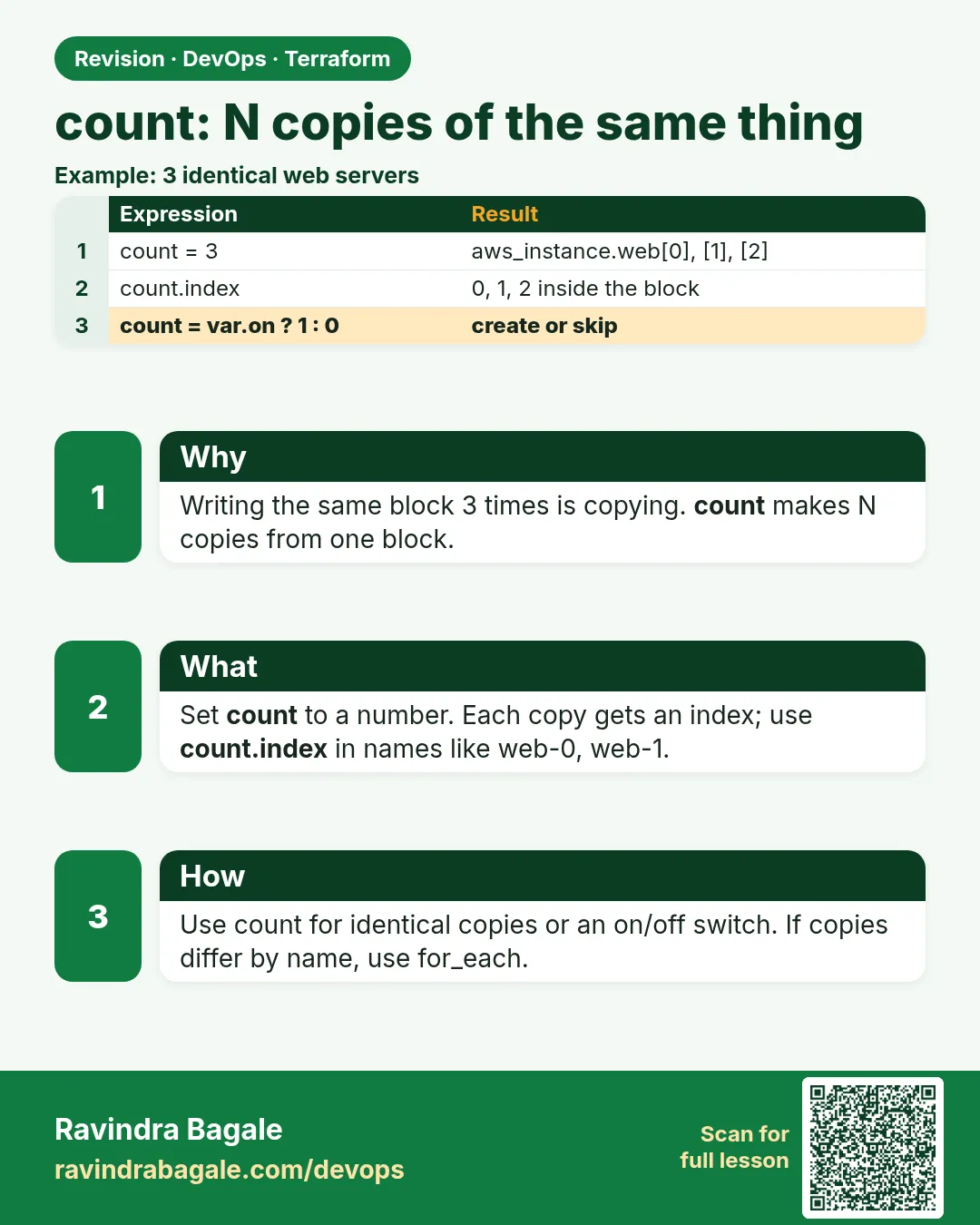
Story. An Instagram-style feature launch needed three identical worker instances for a load test, and later zero. count creates a number of copies of a resource, indexed 0, 1, 2. It is also the simple on and off switch: count = var.enabled ? 1 : 0. Its weakness is that removing an item from the middle of a list renumbers everything after it.
variable "worker_count" {
  type    = number
  default = 3
}

resource "aws_instance" "worker" {
  count         = var.worker_count
  ami           = data.aws_ami.al2023.id
  instance_type = "t3.micro"
  tags          = { Name = "badge-worker-${count.index}" }
}

resource "aws_eip" "bastion" {
  count = var.create_bastion ? 1 : 0
}

output "worker_ids" {
  value = aws_instance.worker[*].id
}
What each line does
variable "worker_count" {— An input number of workers.count = var.worker_count— Creates that many copies of the instance.tags = { Name = "badge-worker-${count.index}" }— count.index is 0, 1, 2, so each copy gets a distinct name.count = var.create_bastion ? 1 : 0— Creates the Elastic IP only when the flag is true.value = aws_instance.worker[*].id— The splat expression returns a list of every copy's id.
When it is green.
  # aws_instance.worker[0] will be created
  # aws_instance.worker[1] will be created
  # aws_instance.worker[2] will be created
Plan: 3 to add, 0 to change, 0 to destroy.
When it is red.
Error: Invalid count argument
  on main.tf line 7: count = length(aws_subnet.new[*].id)
The "count" value depends on resource attributes that cannot be determined until apply.
Fix. count must be known at plan time. Base it on a variable or a list you already know, not on ids that do not exist yet.
What: every term in plain English
- count — A meta-argument. It makes N copies of one resource block.
- count.index — The number of the current copy: 0, 1, 2 and so on.
- splat [*] — Collects one attribute from every copy into a list.
- 1 or 0 switch — count = var.flag ? 1 : 0. Makes the resource optional.
- index shift — Removing an item in the middle renumbers every copy after it.
- known at plan time — count must be a value Terraform knows before apply.
Example 1: Three copies with no cloud cost
A Zomato-style trainee wanted to see count without paying for EC2. The local_file resource writes files on your laptop.
- Make a folder.
- Paste the code.
- Run init and apply.
- List the files.
variable "workers" {
  type    = number
  default = 3
}

resource "local_file" "worker" {
  count    = var.workers
  filename = "${path.module}/out/worker-${count.index}.txt"
  content  = "I am worker ${count.index}"
}

output "files" {
  value = local_file.worker[*].filename
}
terraform init
terraform apply -auto-approve
ls out/
cat out/worker-1.txt
Output
Apply complete! Resources: 3 added, 0 changed, 0 destroyed.

Outputs:

files = [
  "./out/worker-0.txt",
  "./out/worker-1.txt",
  "./out/worker-2.txt",
]
worker-0.txt  worker-1.txt  worker-2.txt
I am worker 1
What it shows: Change workers to 5 and plan: only worker-3 and worker-4 are added.
Example 2: Scale down to zero for the night
A load-test team at Swiggy turns test workers off at night. With count, zero means none.
terraform apply -auto-approve -var workers=0
ls out/ 2>/dev/null | wc -l
terraform apply -auto-approve -var workers=2
Output
Plan: 0 to add, 0 to change, 3 to destroy.
Apply complete! Resources: 0 added, 0 changed, 3 destroyed.
0
Plan: 2 to add, 0 to change, 0 to destroy.
Apply complete! Resources: 2 added, 0 changed, 0 destroyed.
What it shows: The same code serves day and night. Only the input changes.
Example 3: Optional bastion with a 1 or 0 switch
Prod at an HDFC-style bank has no bastion; dev does. One flag decides.
variable "create_bastion" {
  type    = bool
  default = false
}

resource "aws_eip" "bastion" {
  count  = var.create_bastion ? 1 : 0
  domain = "vpc"
}

output "bastion_ip" {
  value = one(aws_eip.bastion[*].public_ip)
}
terraform plan -var create_bastion=false | tail -1
terraform plan -var create_bastion=true  | tail -1
Output
Plan: 0 to add, 0 to change, 0 to destroy.
Plan: 1 to add, 0 to change, 0 to destroy.
What it shows: one() returns null when the list is empty, so the output never fails.
Example 4: See the index shift problem
This is why count is risky for named things. Remove the middle name and watch the replace.
variable "names" {
  default = ["auth", "feed", "search"]
}

resource "local_file" "svc" {
  count    = length(var.names)
  filename = "${path.module}/out/${var.names[count.index]}.txt"
  content  = var.names[count.index]
}
terraform apply -auto-approve
terraform plan -var 'names=["auth","search"]' | grep -E "must be replaced|destroyed|Plan:"
Output
  # local_file.svc[1] must be replaced
  # local_file.svc[2] will be destroyed
Plan: 1 to add, 0 to change, 2 to destroy.
What it shows: search moved from index 2 to index 1, so Terraform rebuilt it. With for_each this does not happen.
Example 5: Real AWS: N worker instances with names
The same count pattern on EC2. A Myntra-style sale test needs 3 workers for one afternoon, then zero. Each worker gets a numbered Name tag so the team can find it in the console.
- Set worker_count to 3 and apply.
- Check the names in the console or CLI.
- Set worker_count to 0 after the test and apply again.
resource "aws_instance" "worker" {
  count         = var.worker_count
  ami           = data.aws_ami.al2023.id
  instance_type = "t3.micro"
  tags = {
    Name = "sale-worker-${count.index + 1}"
  }
}
terraform apply -auto-approve -var worker_count=3
aws ec2 describe-instances --filters Name=tag:Name,Values=sale-worker-* \
  --query 'Reservations[].Instances[].Tags[?Key==`Name`].Value[]' --output text
Output
Apply complete! Resources: 3 added, 0 changed, 0 destroyed.
sale-worker-1   sale-worker-2   sale-worker-3
What it shows: count.index + 1 gives human-friendly names starting at 1. Always scale back to 0 after a test to stop the cost.
Command cheat sheet
| Command | What it does | When to use it |
|---|---|---|
count = N |
Make N copies | Identical things |
count = var.x ? 1 : 0 |
Optional resource | Features on or off |
res.name[0] |
One copy by index | Reference one copy |
res.name[*].id |
All ids as a list | Outputs |
one(res.name[*].id) |
Value or null | Optional resource outputs |
terraform state list |
See the indexes | Debug count |
Verify: did it work?
-
Three copies
terraform state list | grep -c local_file.workerOutput
3 -
Index names
terraform state listOutput
local_file.worker[0]
local_file.worker[1]
local_file.worker[2]
When it is red 1
Error: Invalid count argument
The "count" value depends on resource attributes that cannot be determined until apply
Cause. count uses something only known after apply.
Fix, step by step
- Base count on a variable or a known list.
- Or apply the first resource with -target, then the rest.
When it is red 2
Error: Missing resource instance key
Because aws_eip.bastion has "count" set, its attributes must be accessed on specific instances.
Cause. You wrote aws_eip.bastion.public_ip without an index.
Fix, step by step
- Use aws_eip.bastion[0].public_ip.
- Or one(aws_eip.bastion[*].public_ip) for optional ones.
When it is red 3
Error: Invalid index
The given key does not identify an element in this collection value: the collection has no elements.
Cause. You asked for [0] when count is 0.
Fix, step by step
- Use one() or a conditional.
- Check the flag value.
Cleanup
terraform destroy -auto-approve
rm -rf out
Ravindra Bagale's Tip
If the copies have names, they are not identical. Use for_each.
Practice tasks
Easy Five files
Why: Feel count.
What to do: Make five files with count.
- Use local_file.
Check: Five files in out/.
Medium Night mode
Why: Scale to zero.
What to do: Apply with workers=0, then back to 2.
- Read each plan.
Check: 3 destroyed, then 2 added.
Medium Optional output
Why: No crash at zero.
What to do: Use one() for an optional resource output.
- Test with the flag off.
Check: Output is null, no error.
Hard Shift demo
Why: Know the trap.
What to do: Remove the middle name and record the plan.
- Save the summary line.
Check: You see a replace you did not want.
Easy Say it in two lines
Why: If you can say it simply, you understand it.
What to do: Write two short lines about this lesson for a fresher.
- Write the problem it solves.
- Write the one command or file you use.
- Read it aloud.
Check: A fresher understands it without a question.
Easy Start a safe lab folder
Why: Practice needs a throwaway place.
What to do: Make a new folder with versions.tf and a random_pet resource, so no AWS cost.
- mkdir tf-lab and cd into it.
- Add the hashicorp/random provider and one random_pet.
- Run terraform init and terraform apply.
Check: Apply complete! with 1 added.
Medium Break it on purpose
Why: You must know the red output by face.
What to do: Cause one error from the red part of this lesson and fix it.
- Follow one red section.
- Copy the exact message to your notes.
- Write the fix in one line.
Check: You fixed it without searching the web.
Medium Run it twice
Why: A second run must be quiet.
What to do: Run the same plan two times with no edits.
- Run terraform plan.
- Run it again.
- Explain any change it still shows.
Check: The second plan says No changes, or you can explain each line.
Medium Write a runbook page
Why: At 2 a.m. nobody remembers flags.
What to do: Write a one-page runbook for this lesson.
- Title, when to use, exact commands, how to check, how to undo.
Check: A teammate can follow it alone.
Medium Run it from a pipeline
Why: Real teams run Terraform from CI, not from laptops.
What to do: Run the main command of this lesson inside a GitHub Actions or Jenkins job.
- Add a job with hashicorp/setup-terraform or a Terraform Docker image.
- Give it AWS access through an IAM role, never a key in the file.
- Run init, then the command from this lesson.
Check: The job log shows the same output you saw on your laptop.
Medium Check the cost
Why: Labs left running cost real money.
What to do: Find what this lesson would cost per day if you forgot to destroy it.
- Open the AWS Pricing Calculator.
- Add each resource from your plan.
- Write the daily cost in your notes.
Check: You know the daily cost and you ran terraform destroy.
Hard Draw the flow top to bottom
Why: A drawing shows the order of work.
What to do: Draw this lesson as boxes from top to bottom.
- Start at your code, go through plan and state, end at AWS.
- Mark where each command reads or writes.
Check: Each box matches a real step you ran.
Hard Explain it like an interview
Why: Interviewers want real stories.
What to do: Record a 60 second answer about this lesson.
- Say the problem, the command, and one error you hit.
Check: Your answer has a real command and a real error message.
Homework: try at home
Try at home
Find a count in a real project. Ask: are these copies identical? If not, write the for_each version.
Recap
- count makes N indexed copies.
- count.index numbers each copy from 0.
- A 1 or 0 count makes a resource optional.
- Removing a middle item shifts indexes and rebuilds.
- count must be known at plan time.
FAQ
Can I use count and for_each together?
No. One resource block uses one of them.
Is count bad?
No. It is right for identical copies and switches.
Can count be negative?
No. It must be zero or more.
How do I move from count to for_each safely?
Add moved blocks from res[0] to res["name"] for each copy.
Does count work on modules?
Yes, since Terraform 0.13.
Interview questions
-
When do you use count?
For N identical copies or to turn a resource on or off.
-
What is the risk with count?
Removing a middle item shifts indexes and rebuilds resources.
-
How do you reference all copies?
The splat expression res[*].attr.
-
Why must count be known at plan?
Terraform needs the number of resources to build the plan.
-
How do you safely output an optional resource?
one(res[*].attr) returns null when there is none.
Quick quiz
Q1. First count.index value?
0
Q2. Expression to make a resource optional?
count = var.flag ? 1 : 0
Q3. Splat for all ids?
res[*].id
Q4. Can count use an id known only after apply?
No.
Q5. Better choice for named copies?
for_each
Samajla ka?
 Revision card
![When do you use count? count creates a number of identical copies of a resource, addressed as name[0], name[1]. It is also used as an on/off switch with count = var.enabled ? 1 : 0.](/devops/ravi-sirs-cards/cards/en/int-tf-count-when.webp) Interview card
Interview card