Chapter 36: Terraform count for_each dynamic lifecycle and depends_on
36.2 for_each — named copies that survive edits
Story. A Netflix-style team kept one S3 bucket per microservice in a list with count. Deleting the second service from the list made Terraform want to destroy and recreate the third bucket, because its index changed. for_each keys every copy by a stable name instead of a number. Removing one key removes only that one resource.
variable "services" {
  type = map(object({
    versioning = bool
  }))
  default = {
    auth = { versioning = true }
    feed = { versioning = false }
  }
}

resource "aws_s3_bucket" "svc" {
  for_each = var.services
  bucket   = "badge-${each.key}-<your-account-id>"
  tags     = { Service = each.key }
}

resource "aws_s3_bucket_versioning" "svc" {
  for_each = { for k, v in var.services : k => v if v.versioning }
  bucket   = aws_s3_bucket.svc[each.key].id
  versioning_configuration { status = "Enabled" }
}
What each line does
type = map(object({ versioning = bool }))— Each map entry is an object with one true or false field.default = { auth = ..., feed = ... }— Two services keyed by name.for_each = var.services— Creates one bucket per map key.bucket = "badge-${each.key}-..."— each.key is auth or feed.for_each = { for k, v in var.services : k => v if v.versioning }— A for expression keeps only the services that want versioning.bucket = aws_s3_bucket.svc[each.key].id— Looks up the matching bucket by the same key.
When it is green.
  # aws_s3_bucket.svc["auth"] will be created
  # aws_s3_bucket.svc["feed"] will be created
  # aws_s3_bucket_versioning.svc["auth"] will be created
Plan: 3 to add, 0 to change, 0 to destroy.
When it is red.
Error: Invalid for_each argument
  The given "for_each" argument value is unsuitable: the "for_each" argument must be a map,
  or set of strings, and you have provided a value of type list of string.
Fix. Wrap a list in toset(var.names), or convert it to a map. Keys must be known at plan time.
What: every term in plain English
- for_each — A meta-argument. It makes one copy per key in a map or set.
- each.key — The key of the current copy, such as "auth".
- each.value — The value for that key. For a set it equals each.key.
- toset() — Turns a list into a set of unique strings.
- for expression — Builds a new map or list, such as a filtered map.
- instance key — The name in square brackets, such as svc["auth"].
Example 1: Named files that survive edits
The same three services as the count trap. Now remove the middle one and see only one change.
variable "names" {
  type    = set(string)
  default = ["auth", "feed", "search"]
}

resource "local_file" "svc" {
  for_each = var.names
  filename = "${path.module}/out/${each.key}.txt"
  content  = each.key
}
terraform apply -auto-approve
terraform plan -var 'names=["auth","search"]' | grep -E "destroyed|Plan:"
Output
  # local_file.svc["feed"] will be destroyed
Plan: 0 to add, 0 to change, 1 to destroy.
What it shows: Only feed goes. auth and search keep their addresses because the key is the name.
Example 2: A map with settings per service
A Flipkart-style team gives each service its own retention days. A map carries the setting with the key.
variable "services" {
  type = map(object({
    days = number
  }))
  default = {
    auth   = { days = 30 }
    orders = { days = 365 }
  }
}

resource "local_file" "policy" {
  for_each = var.services
  filename = "${path.module}/out/${each.key}-retention.txt"
  content  = "${each.key} keeps logs for ${each.value.days} days"
}

output "policies" {
  value = { for k, f in local_file.policy : k => f.content }
}
terraform apply -auto-approve
terraform output policies
Output
Apply complete! Resources: 2 added, 0 changed, 0 destroyed.

{
  "auth" = "auth keeps logs for 30 days"
  "orders" = "orders keeps logs for 365 days"
}
What it shows: The output is a map keyed by service, easy for other modules to read.
Example 3: Filter with a for expression
Only some buckets need versioning. Filter the map so for_each creates only those.
locals {
  needs_versioning = { for k, v in var.services : k => v if v.days > 90 }
}

resource "local_file" "versioned" {
  for_each = local.needs_versioning
  filename = "${path.module}/out/${each.key}-versioned.txt"
  content  = "versioning on"
}
terraform plan | grep -E "will be created|Plan:"
Output
  # local_file.versioned["orders"] will be created
Plan: 1 to add, 0 to change, 0 to destroy.
What it shows: auth has 30 days, so it is filtered out. Change auth to 120 days and it joins.
Example 4: Move from count to for_each without rebuilding
Old code at an Infosys client used count. Switch to for_each with moved blocks so nothing is destroyed.
resource "local_file" "svc" {
  for_each = toset(["auth", "feed", "search"])
  filename = "${path.module}/out/${each.key}.txt"
  content  = each.key
}

moved {
  from = local_file.svc[0]
  to   = local_file.svc["auth"]
}
moved {
  from = local_file.svc[1]
  to   = local_file.svc["feed"]
}
moved {
  from = local_file.svc[2]
  to   = local_file.svc["search"]
}
terraform plan | tail -1
Output
  # local_file.svc[0] has moved to local_file.svc["auth"]
  # local_file.svc[1] has moved to local_file.svc["feed"]
  # local_file.svc[2] has moved to local_file.svc["search"]
Plan: 0 to add, 0 to change, 0 to destroy.
What it shows: Zero changes means the move is safe. Keep the moved blocks for one release, then delete them.
Example 5: Real AWS: one bucket per service
A Netflix-style team keeps one S3 bucket per microservice. With for_each, adding a new service is one new line in the map, and removing one touches only that bucket.
- Put the services in a set.
- Apply.
- Add a new service and plan again.
data "aws_caller_identity" "me" {}

resource "aws_s3_bucket" "svc" {
  for_each = toset(["auth", "feed", "search"])
  bucket   = "svc-${each.key}-${data.aws_caller_identity.me.account_id}"
  tags = {
    Service = each.key
  }
}
terraform apply -auto-approve
terraform state list | grep aws_s3_bucket
Output
Apply complete! Resources: 3 added, 0 changed, 0 destroyed.
aws_s3_bucket.svc["auth"]
aws_s3_bucket.svc["feed"]
aws_s3_bucket.svc["search"]
What it shows: Add "payments" to the set and the plan shows exactly 1 to add. No other bucket moves.
Command cheat sheet
| Command | What it does | When to use it |
|---|---|---|
for_each = toset(list) |
One copy per unique string | Simple names |
for_each = var.map |
One copy per key with settings | Per-item config |
each.key / each.value |
Current key and value | Inside the block |
res["key"].attr |
One copy by key | References |
{ for k, v in m : k => v if cond } |
Filtered map | Some items only |
moved { from = r[0] to = r["a"] } |
Change address safely | count to for_each |
Verify: did it work?
-
Keys in state
terraform state listOutput
local_file.svc["auth"] local_file.svc["search"] -
One value
terraform consoleOutput
> local_file.policy["orders"].content
"orders keeps logs for 365 days"
When it is red 1
Error: Invalid for_each argument
you have provided a value of type list of string.
Cause. for_each needs a set or map.
Fix, step by step
- Wrap the list with toset().
- Or build a map with a for expression.
When it is red 2
Error: Invalid for_each argument
The "for_each" set includes values derived from resource attributes that cannot be determined until apply
Cause. A key depends on an id made during apply.
Fix, step by step
- Use names you know, such as variable values, as keys.
- Put unknown ids in the values, not the keys.
When it is red 3
Error: Invalid index
  on main.tf line 12: aws_s3_bucket.svc["Feed"]
The given key does not identify an element in this collection value.
Cause. Wrong key, often a case mistake.
Fix, step by step
- Run terraform state list to see the exact keys.
- Use the same spelling.
Cleanup
terraform destroy -auto-approve
rm -rf out
Ravindra Bagale's Tip
Keys are forever. Pick short, stable names like auth or orders, never something that may change, such as a display title.
Practice tasks
Easy Set of names
Why: First for_each.
What to do: Make three files with toset.
- Use local_file.
Check: Three keys in state.
Medium Remove one
Why: See the benefit.
What to do: Remove the middle name and plan.
- Compare with the count lesson.
Check: 1 to destroy only.
Medium Map settings
Why: Real config.
What to do: Give each service its own days.
- Use map(object).
Check: Output shows each days value.
Hard Migrate
Why: No downtime refactor.
What to do: Convert a count resource to for_each with moved blocks.
- Plan after.
Check: 0 to add, 0 to change, 0 to destroy.
Easy Say it in two lines
Why: If you can say it simply, you understand it.
What to do: Write two short lines about this lesson for a fresher.
- Write the problem it solves.
- Write the one command or file you use.
- Read it aloud.
Check: A fresher understands it without a question.
Easy Start a safe lab folder
Why: Practice needs a throwaway place.
What to do: Make a new folder with versions.tf and a random_pet resource, so no AWS cost.
- mkdir tf-lab and cd into it.
- Add the hashicorp/random provider and one random_pet.
- Run terraform init and terraform apply.
Check: Apply complete! with 1 added.
Medium Break it on purpose
Why: You must know the red output by face.
What to do: Cause one error from the red part of this lesson and fix it.
- Follow one red section.
- Copy the exact message to your notes.
- Write the fix in one line.
Check: You fixed it without searching the web.
Medium Run it twice
Why: A second run must be quiet.
What to do: Run the same plan two times with no edits.
- Run terraform plan.
- Run it again.
- Explain any change it still shows.
Check: The second plan says No changes, or you can explain each line.
Medium Write a runbook page
Why: At 2 a.m. nobody remembers flags.
What to do: Write a one-page runbook for this lesson.
- Title, when to use, exact commands, how to check, how to undo.
Check: A teammate can follow it alone.
Medium Run it from a pipeline
Why: Real teams run Terraform from CI, not from laptops.
What to do: Run the main command of this lesson inside a GitHub Actions or Jenkins job.
- Add a job with hashicorp/setup-terraform or a Terraform Docker image.
- Give it AWS access through an IAM role, never a key in the file.
- Run init, then the command from this lesson.
Check: The job log shows the same output you saw on your laptop.
Medium Check the cost
Why: Labs left running cost real money.
What to do: Find what this lesson would cost per day if you forgot to destroy it.
- Open the AWS Pricing Calculator.
- Add each resource from your plan.
- Write the daily cost in your notes.
Check: You know the daily cost and you ran terraform destroy.
Hard Draw the flow top to bottom
Why: A drawing shows the order of work.
What to do: Draw this lesson as boxes from top to bottom.
- Start at your code, go through plan and state, end at AWS.
- Mark where each command reads or writes.
Check: Each box matches a real step you ran.
Hard Explain it like an interview
Why: Interviewers want real stories.
What to do: Record a 60 second answer about this lesson.
- Say the problem, the command, and one error you hit.
Check: Your answer has a real command and a real error message.
Homework: try at home
Try at home
Write the bucket list for your own project as a map with one setting per bucket, and create it with for_each.
Recap
- for_each keys copies by name.
- Removing a key touches only that copy.
- Use a map to carry settings per item.
- Filter with a for expression.
- Move from count with moved blocks.
FAQ
Set or map?
Set for names only. Map when each item has settings.
Can keys come from a data source?
Only if known at plan. Usually use variables.
Does order matter in a set?
No. Sets have no order, which is why keys stay stable.
Can I for_each a module?
Yes, since Terraform 0.13.
What is each.value for a set?
The same as each.key.
Interview questions
-
Why prefer for_each over count?
Keys are stable, so removing one item does not rebuild others.
-
What types does for_each accept?
A map or a set of strings.
-
How do you convert count to for_each safely?
Add moved blocks from each index to each key.
-
How do you create only some items?
Filter the map with a for expression and an if.
-
Where do you put unknown values?
In each.value, never in the keys.
Quick quiz
Q1. Function to turn a list into a set?
toset()
Q2. Address of the auth copy?
res["auth"]
Q3. For a set, each.value equals?
each.key
Q4. Can keys be unknown until apply?
No.
Q5. Block to rename addresses?
moved
Samajla ka?
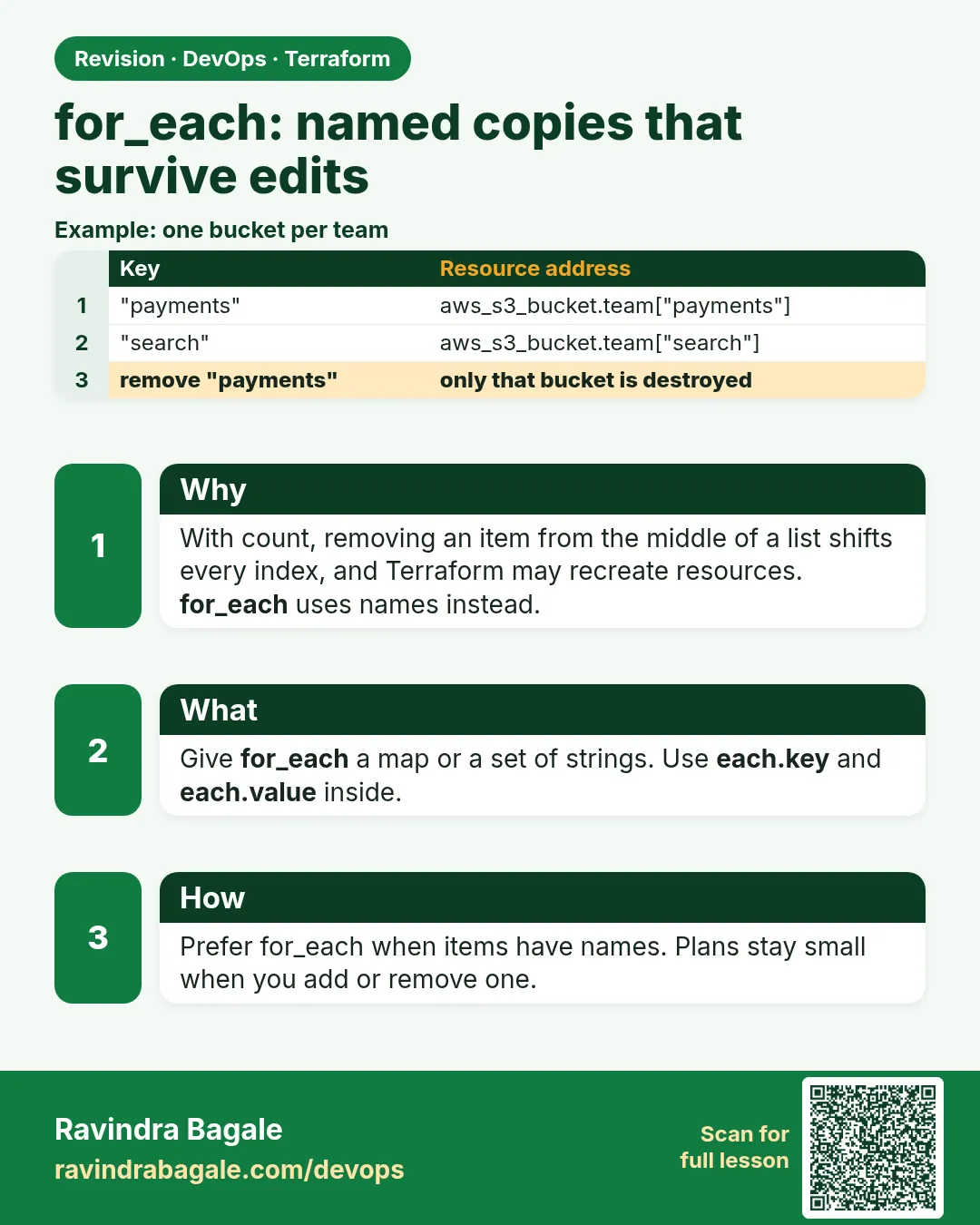 Revision card
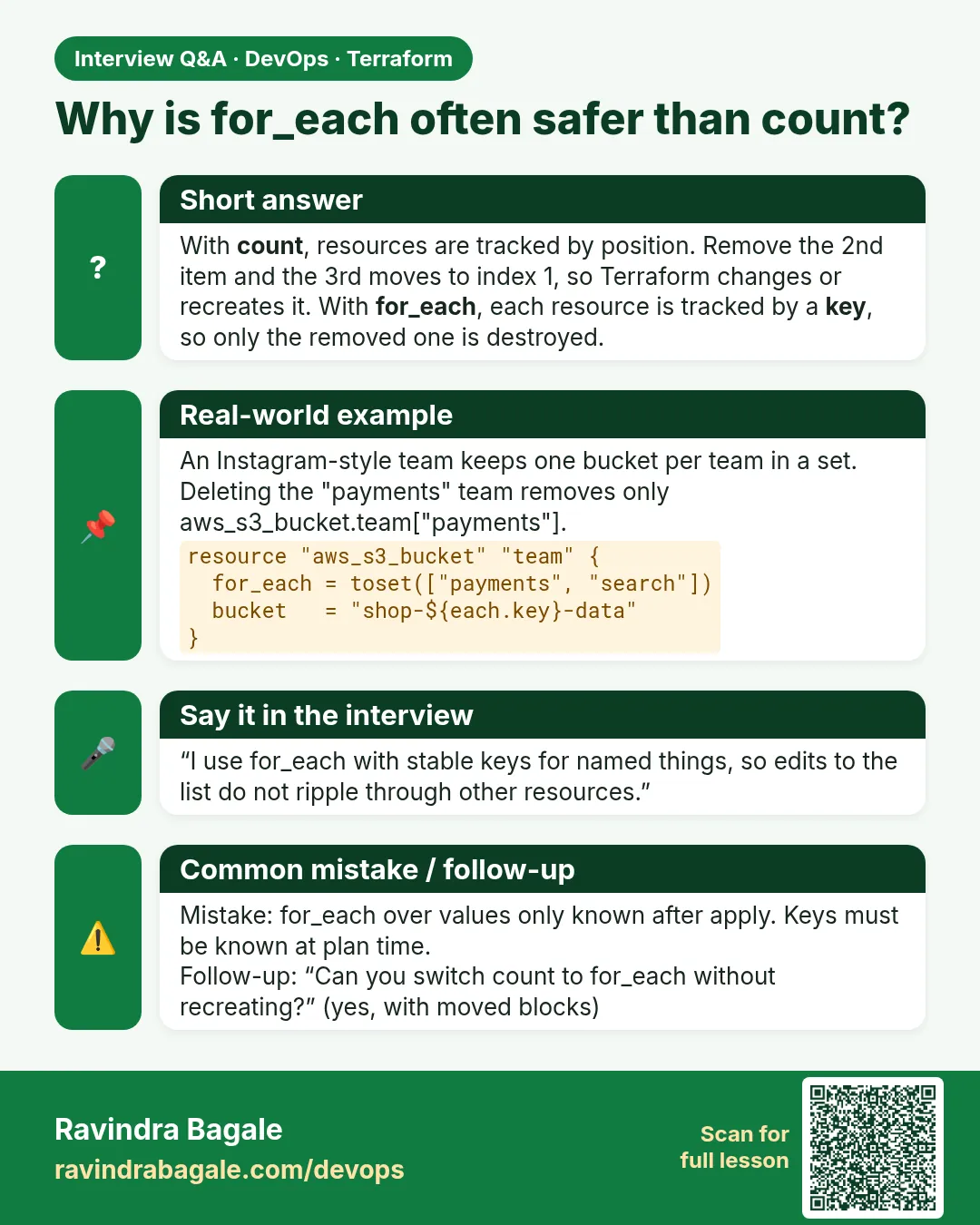 Interview card