Chapter 36: Terraform count for_each dynamic lifecycle and depends_on
36.3 dynamic blocks — repeat a nested block from data
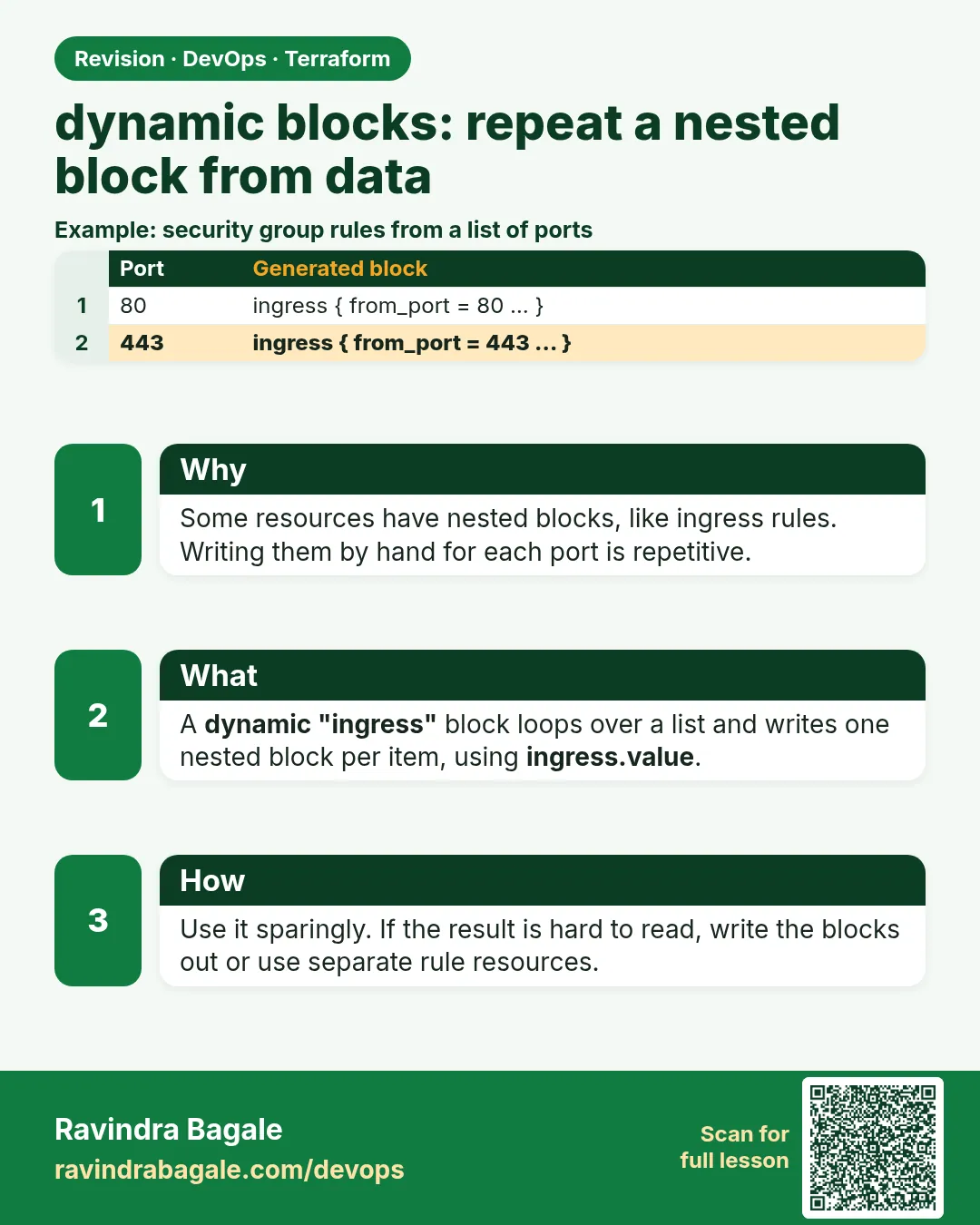
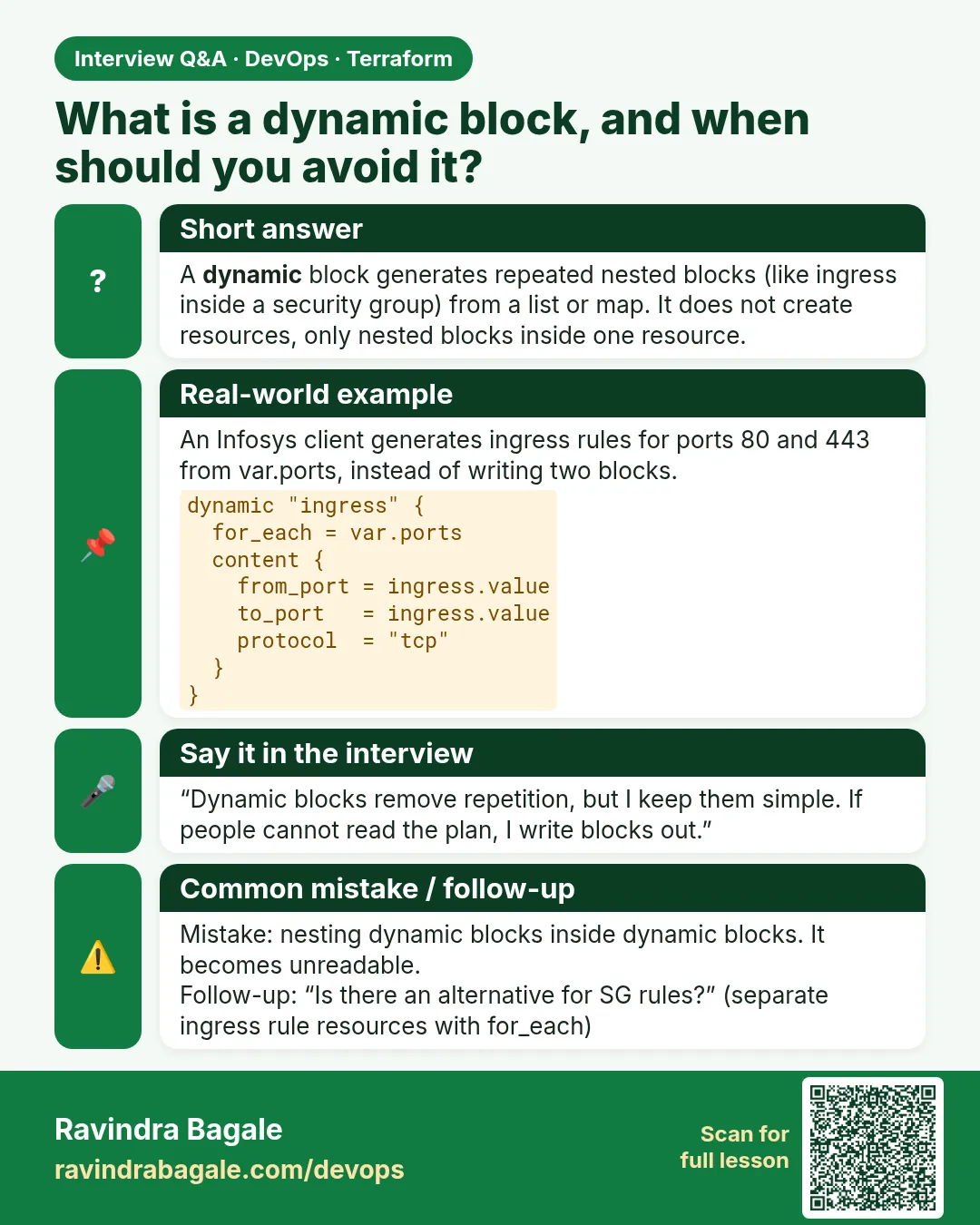
Story. An Infosys client security group needed nine ingress rules, and the copy-pasted blocks hid a typo that opened the wrong port. A dynamic block generates repeated nested blocks, such as ingress, from a list. You keep the rules as data in a variable that reviewers can read. Use dynamic blocks only for nested blocks; overusing them makes code hard to read.
variable "ingress" {
  type = list(object({ port = number, cidr = string, note = string }))
  default = [
    { port = 80,  cidr = "0.0.0.0/0",      note = "http" },
    { port = 443, cidr = "0.0.0.0/0",      note = "https" },
    { port = 22,  cidr = "203.0.113.0/24", note = "office ssh" },
  ]
}

resource "aws_security_group" "web" {
  name   = "badge-web-sg"
  vpc_id = var.vpc_id

  dynamic "ingress" {
    for_each = var.ingress
    content {
      description = ingress.value.note
      from_port   = ingress.value.port
      to_port     = ingress.value.port
      protocol    = "tcp"
      cidr_blocks = [ingress.value.cidr]
    }
  }

  egress {
    from_port   = 0
    to_port     = 0
    protocol    = "-1"
    cidr_blocks = ["0.0.0.0/0"]
  }
}
What each line does
type = list(object({ port, cidr, note }))— Each rule has a port, a source range and a note.{ port = 22, cidr = "203.0.113.0/24", ... }— SSH is limited to an office range; replace it with yours and never use 0.0.0.0/0 for SSH.dynamic "ingress" {— Generates ingress blocks inside this security group.for_each = var.ingress— One ingress block per list item.content {— The template for each generated block.description = ingress.value.note— ingress.value is the current list item.from_port = ingress.value.port— Start of the port range.to_port = ingress.value.port— End of the port range; same as the start for one port.protocol = "tcp"— All three rules are TCP.cidr_blocks = [ingress.value.cidr]— Allowed source range for this rule.egress { ... protocol = "-1" ... }— Allows all outbound traffic.
When it is green.
      + ingress = [
          + { from_port = 22,  description = "office ssh", cidr_blocks = ["203.0.113.0/24"] },
          + { from_port = 80,  description = "http" },
          + { from_port = 443, description = "https" },
        ]
Plan: 1 to add, 0 to change, 0 to destroy.
When it is red.
Error: Unsupported attribute
  on main.tf line 16: each.value.port
"each" is not available here. Inside a dynamic block use the block label: ingress.value
Fix. Inside a dynamic block the iterator is named after the block (ingress.value), not each.value.
What: every term in plain English
- dynamic block — Generates repeated nested blocks, such as ingress, from a list or map.
- content — The template for each generated nested block.
- iterator — The name for the current item. By default it is the block label, such as ingress.
- ingress.value — The current item inside a dynamic "ingress" block.
- ingress.key — The index or map key of the current item.
- nested block — A block inside a resource, such as ingress, tag or setting.
Example 1: Rules from a map
A Paytm-style security team wants each rule named. A map keyed by rule name reads well in reviews.
variable "rules" {
  type = map(object({
    port = number
    cidr = string
  }))
  default = {
    http  = { port = 80, cidr = "0.0.0.0/0" }
    https = { port = 443, cidr = "0.0.0.0/0" }
  }
}

resource "aws_security_group" "web" {
  name = "web-dyn-sg"

  dynamic "ingress" {
    for_each = var.rules
    content {
      description = ingress.key
      from_port   = ingress.value.port
      to_port     = ingress.value.port
      protocol    = "tcp"
      cidr_blocks = [ingress.value.cidr]
    }
  }
}
terraform plan | grep -E "description|from_port|Plan:"
Output
          + description      = "http"
          + from_port        = 80
          + description      = "https"
          + from_port        = 443
Plan: 1 to add, 0 to change, 0 to destroy.
What it shows: ingress.key is the map key, so every rule carries a readable name.
Example 2: Custom iterator name
Nested dynamic blocks get confusing. A custom iterator name makes it clear.
resource "aws_security_group" "app" {
  name = "app-dyn-sg"

  dynamic "ingress" {
    for_each = [8080, 8443]
    iterator = port
    content {
      from_port   = port.value
      to_port     = port.value
      protocol    = "tcp"
      cidr_blocks = ["10.0.0.0/16"]
    }
  }
}
terraform validate
Output
Success! The configuration is valid.
What it shows: With iterator = port you write port.value instead of ingress.value.
Example 3: Optional nested block
Some buckets at a Swiggy-style team need a lifecycle rule; most do not. A dynamic block with zero or one items makes it optional.
variable "expire_days" {
  type    = number
  default = 0
}

resource "aws_s3_bucket_lifecycle_configuration" "logs" {
  count  = var.expire_days > 0 ? 1 : 0
  bucket = aws_s3_bucket.logs.id

  rule {
    id     = "expire"
    status = "Enabled"
    filter {}
    dynamic "expiration" {
      for_each = var.expire_days > 0 ? [var.expire_days] : []
      content {
        days = expiration.value
      }
    }
  }
}
terraform plan -var expire_days=30 | grep -E "days|Plan:"
Output
              + days = 30
Plan: 1 to add, 0 to change, 0 to destroy.
What it shows: An empty list makes zero blocks. A one-item list makes one block.
Example 4: Spot a bad rule before it ships
A typo once opened port 2 instead of 22. Add a validation so wrong ports fail at plan.
variable "rules" {
  type = map(object({ port = number, cidr = string }))
  validation {
    condition     = alltrue([for r in values(var.rules) : r.cidr != "0.0.0.0/0" || contains([80, 443], r.port)])
    error_message = "Only ports 80 and 443 may be open to the world."
  }
}
terraform plan -var 'rules={ssh={port=22,cidr="0.0.0.0/0"}}'
Output
Error: Invalid value for variable
  Only ports 80 and 443 may be open to the world.
What it shows: The bad rule never reaches AWS. Validation plus dynamic blocks keeps long rule lists safe.
Example 5: Real AWS: tags from a map with dynamic tag blocks
An autoscaling group needs a tag block for every tag, each with propagate_at_launch. A Swiggy-style team keeps tags in one map and lets dynamic write the blocks.
variable "tags" {
  default = {
    Team = "platform"
    Env  = "dev"
    Cost = "web"
  }
}

resource "aws_autoscaling_group" "web" {
  name                = "web-asg"
  min_size            = 1
  max_size            = 3
  vpc_zone_identifier = var.subnet_ids
  launch_template {
    id      = aws_launch_template.web.id
    version = "$Latest"
  }
  dynamic "tag" {
    for_each = var.tags
    content {
      key                 = tag.key
      value               = tag.value
      propagate_at_launch = true
    }
  }
}
terraform plan | grep -E "key|value|Plan:"
Output
          + key                 = "Cost"
          + value               = "web"
          + key                 = "Env"
          + value               = "dev"
          + key                 = "Team"
          + value               = "platform"
Plan: 1 to add, 0 to change, 0 to destroy.
What it shows: One map, three tag blocks. Every new instance from the group gets all three tags.
Command cheat sheet
| Command | What it does | When to use it |
|---|---|---|
dynamic "NAME" { } |
Repeat a nested block | Many rules or settings |
for_each = list or map |
Items to repeat | Inside dynamic |
content { } |
Template per item | Inside dynamic |
NAME.value / NAME.key |
Current item | Inside content |
iterator = x |
Rename the item | Nested dynamics |
for_each = cond ? [v] : [] |
Zero or one block | Optional nested block |
Verify: did it work?
-
Valid
terraform validateOutput
Success! The configuration is valid. -
Rule count
terraform show -json | jq ".values.root_module.resources[0].values.ingress | length"Output
2
When it is red 1
Error: Unsupported attribute
"each" is not available here. Inside a dynamic block use the block label: ingress.value
Cause. You used each.value inside content.
Fix, step by step
- Use ingress.value, or your iterator name.
When it is red 2
Error: Unsupported block type
Blocks of type "ingres" are not expected here.
Cause. The dynamic label must match a real nested block name.
Fix, step by step
- Fix the spelling: ingress.
When it is red 3
Error: Invalid dynamic for_each value
Cannot use a number value in for_each. An iterable collection is required.
Cause. for_each got a single number.
Fix, step by step
- Wrap it in a list: [var.expire_days].
Cleanup
terraform destroy -auto-approve
Ravindra Bagale's Tip
Use dynamic blocks for long lists of rules. For two fixed rules, plain blocks are easier to read.
Practice tasks
Easy Two rules
Why: First dynamic.
What to do: Make 80 and 443 with one dynamic block.
- Use a list of ports.
Check: Plan shows two ingress rules.
Medium Map rules
Why: Readable names.
What to do: Switch to a map with descriptions.
- Use ingress.key.
Check: Descriptions match keys.
Medium Optional block
Why: Zero or one.
What to do: Make expiration optional.
- Test 0 and 30.
Check: Block only appears for 30.
Hard Guard rule
Why: Stop mistakes.
What to do: Add the validation and try port 22 open to all.
- Read the error.
Check: Plan fails with your message.
Easy Say it in two lines
Why: If you can say it simply, you understand it.
What to do: Write two short lines about this lesson for a fresher.
- Write the problem it solves.
- Write the one command or file you use.
- Read it aloud.
Check: A fresher understands it without a question.
Easy Start a safe lab folder
Why: Practice needs a throwaway place.
What to do: Make a new folder with versions.tf and a random_pet resource, so no AWS cost.
- mkdir tf-lab and cd into it.
- Add the hashicorp/random provider and one random_pet.
- Run terraform init and terraform apply.
Check: Apply complete! with 1 added.
Medium Break it on purpose
Why: You must know the red output by face.
What to do: Cause one error from the red part of this lesson and fix it.
- Follow one red section.
- Copy the exact message to your notes.
- Write the fix in one line.
Check: You fixed it without searching the web.
Medium Run it twice
Why: A second run must be quiet.
What to do: Run the same plan two times with no edits.
- Run terraform plan.
- Run it again.
- Explain any change it still shows.
Check: The second plan says No changes, or you can explain each line.
Medium Write a runbook page
Why: At 2 a.m. nobody remembers flags.
What to do: Write a one-page runbook for this lesson.
- Title, when to use, exact commands, how to check, how to undo.
Check: A teammate can follow it alone.
Medium Run it from a pipeline
Why: Real teams run Terraform from CI, not from laptops.
What to do: Run the main command of this lesson inside a GitHub Actions or Jenkins job.
- Add a job with hashicorp/setup-terraform or a Terraform Docker image.
- Give it AWS access through an IAM role, never a key in the file.
- Run init, then the command from this lesson.
Check: The job log shows the same output you saw on your laptop.
Medium Check the cost
Why: Labs left running cost real money.
What to do: Find what this lesson would cost per day if you forgot to destroy it.
- Open the AWS Pricing Calculator.
- Add each resource from your plan.
- Write the daily cost in your notes.
Check: You know the daily cost and you ran terraform destroy.
Hard Draw the flow top to bottom
Why: A drawing shows the order of work.
What to do: Draw this lesson as boxes from top to bottom.
- Start at your code, go through plan and state, end at AWS.
- Mark where each command reads or writes.
Check: Each box matches a real step you ran.
Hard Explain it like an interview
Why: Interviewers want real stories.
What to do: Record a 60 second answer about this lesson.
- Say the problem, the command, and one error you hit.
Check: Your answer has a real command and a real error message.
Homework: try at home
Try at home
Find a security group with many copy-pasted rules. Rewrite it with a dynamic block and check the plan shows 0 changes.
Recap
- dynamic repeats nested blocks.
- Inside content use LABEL.value.
- iterator renames the item.
- Empty list means no block.
- Validate rule lists before they reach AWS.
FAQ
Can I nest dynamic blocks?
Yes. Use iterator names to keep it readable.
Does dynamic work for top-level resources?
No. Use count or for_each for whole resources.
Does order of rules matter?
AWS stores rules as a set, so no.
Why does plan show changes after switching to dynamic?
It should not if the rules match. Compare values carefully.
Should I use separate rule resources instead?
For big groups, aws_vpc_security_group_ingress_rule with for_each is clearer.
Interview questions
-
What is a dynamic block?
A way to generate repeated nested blocks from a collection.
-
What is the iterator?
The variable holding the current item, named after the block unless you set iterator.
-
How do you make a nested block optional?
for_each with a list of zero or one items.
-
When should you avoid dynamic?
When there are only one or two fixed blocks; it hurts readability.
-
How do you stop bad rules?
Variable validation, plus a scanner like Checkov.
Quick quiz
Q1. Item variable in dynamic "ingress"?
ingress.value
Q2. Template block name?
content
Q3. Makes zero blocks?
An empty list
Q4. Rename the item?
iterator
Q5. Can dynamic create a whole resource?
No.
Samajla ka?
 Revision card
 Interview card