Chapter 35: Terraform Modules Writing Using Registry and Versioning
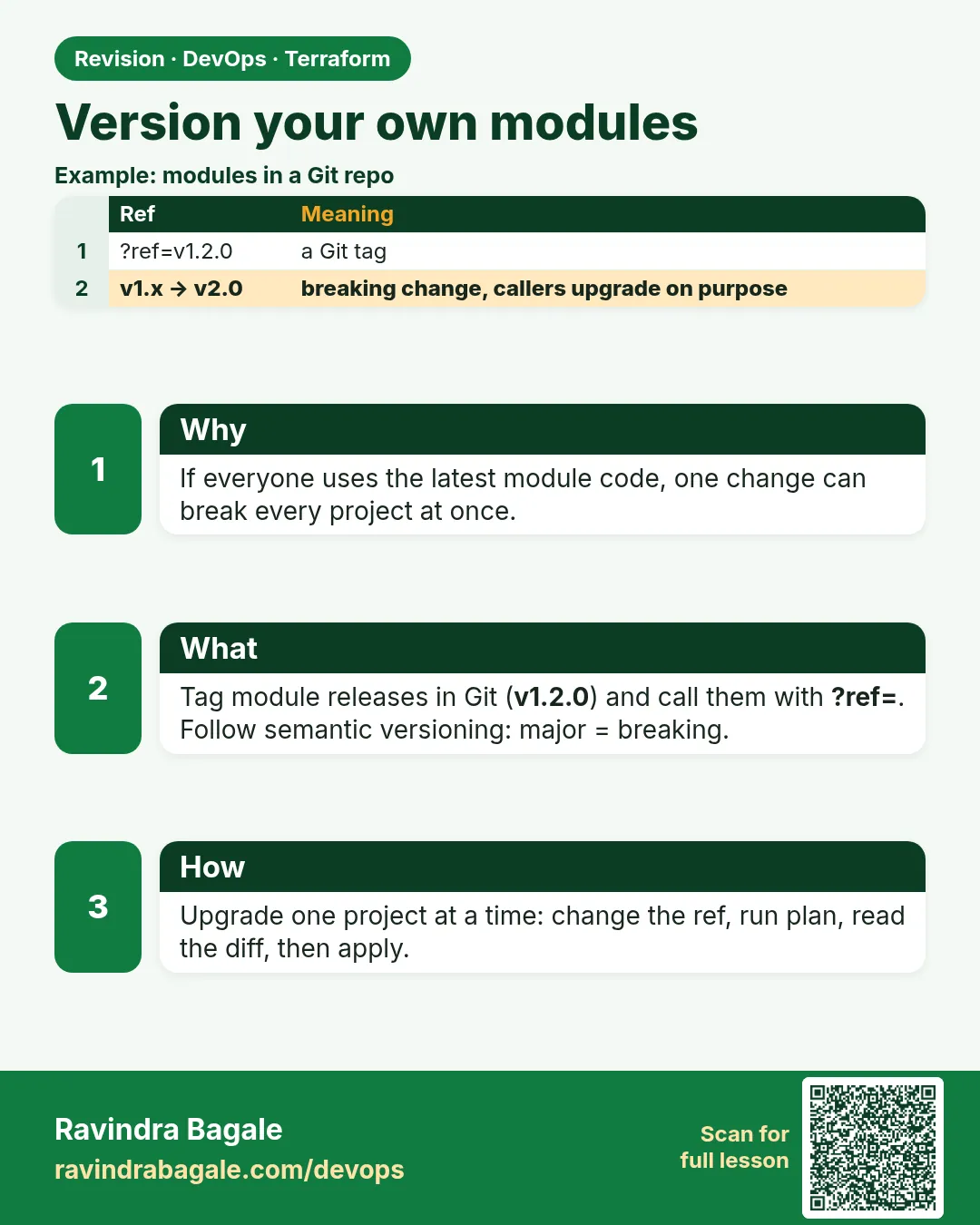
35.4 Version your own modules
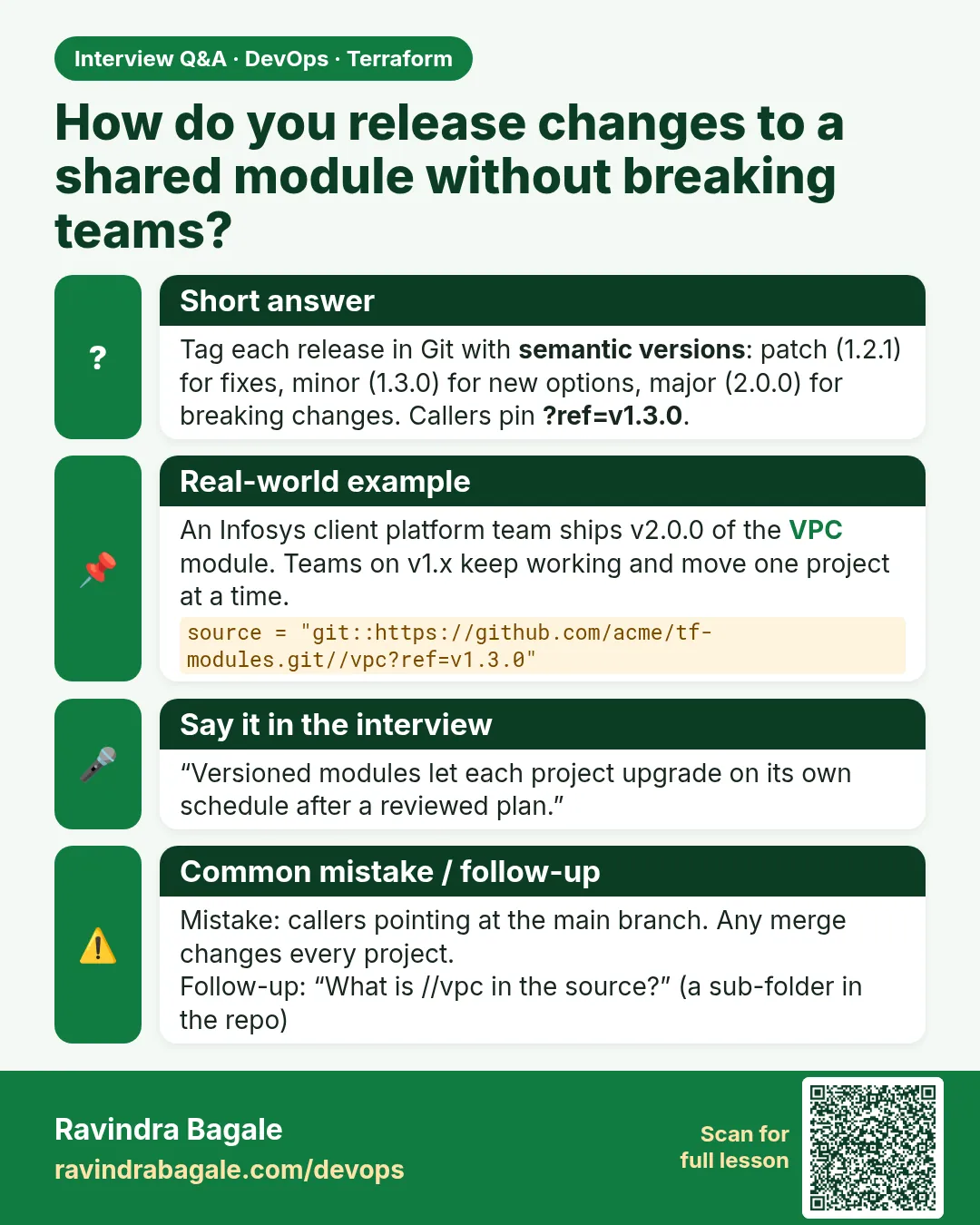
Story. An Infosys client platform team changed a shared module and broke three product teams on the same morning, because everyone pointed at the latest code. Version tags fix that. Publish the module from a Git repository with tags such as v1.2.0, and each caller pins a ref. Upgrades become a reviewed one-line change in each caller.
# in the module repository
git tag -a v1.2.0 -m "web-server: add IMDSv2 requirement"
git push origin v1.2.0

# in the caller (placeholder host - use your company Git server)
module "web" {
  source = "git::https://git.example.com/platform/tf-web-server.git?ref=v1.2.0"
  name   = "badge-dev-web"
}

terraform init -upgrade
terraform plan
What each line does
git tag -a v1.2.0 -m "..."— Creates an annotated release tag on the module code.git push origin v1.2.0— Publishes the tag so callers can use it.source = "git::https://git.example.com/...?ref=v1.2.0"— Downloads the module from Git at exactly that tag; replace the placeholder host.terraform init -upgrade— Fetches the new module version after you change the ref.terraform plan— Shows exactly what the new module version would change.
When it is green.
Downloading git::https://git.example.com/platform/tf-web-server.git?ref=v1.2.0 for web...
  ~ resource "aws_instance" "this" {
      ~ metadata_options { ~ http_tokens = "optional" -> "required" }
    }
Plan: 0 to add, 1 to change, 0 to destroy.
When it is red.
Error: Failed to download module
  Could not download module "web" source code from "git::https://...?ref=v1.3.0":
  error downloading: exit status 128 - fatal: Remote branch v1.3.0 not found
Fix. The tag does not exist yet or was not pushed. Run git push origin with the tag name, or fix the ref.
What: every term in plain English
- semantic version — A tag like v1.4.2: major.minor.patch.
- major — Breaking change. Callers must change code, such as a renamed input.
- minor — New feature that does not break callers, such as a new optional input.
- patch — A fix with no new inputs.
- ref — The Git tag or branch in a git:: source, such as ?ref=v1.2.0.
- CHANGELOG.md — A file listing what changed in each version.
- private registry — A company registry, such as Terraform Cloud or GitLab, that hosts modules by version.
Example 1: Release v1.0.0 of a module
An HCL Tech platform team kept the web-server module in its own Git repo, so each release gets a tag.
- Create a repo called tf-web-server with the module files at the root.
- Commit and tag v1.0.0.
- Push the tag.
cd tf-web-server
git init -b main
git add .
git commit -m "web-server module first release"
git tag -a v1.0.0 -m "v1.0.0: server, security group, outputs"
git remote add origin https://git.example.com/platform/tf-web-server.git
git push origin main --tags
git tag -l
Output
[main (root-commit) 3f2a1b0] web-server module first release
 4 files changed, 92 insertions(+)
 * [new branch]      main -> main
 * [new tag]         v1.0.0 -> v1.0.0
v1.0.0
What it shows: git.example.com is a placeholder. Use your company Git server.
Example 2: Call the module at a tag
Product teams pin the tag. The module can change on main without touching them.
module "web" {
  source    = "git::https://git.example.com/platform/tf-web-server.git?ref=v1.0.0"
  name      = "orders-dev-web"
  vpc_id    = data.aws_vpc.default.id
  subnet_id = data.aws_subnets.default.ids[0]
}
terraform init
terraform plan
Output
Initializing modules...
Downloading git::https://git.example.com/platform/tf-web-server.git?ref=v1.0.0 for web...
- web in .terraform/modules/web

Plan: 2 to add, 0 to change, 0 to destroy.
What it shows: For SSH access use git::ssh://git@git.example.com/platform/tf-web-server.git?ref=v1.0.0.
Example 3: Ship a minor release and upgrade one caller
The platform team added IMDSv2 as a safe default. That is v1.1.0. The orders team upgrades first in dev.
# in the module: main.tf
resource "aws_instance" "this" {
  # ...
  metadata_options {
    http_tokens = "required"
  }
}
# module repo
git commit -am "require IMDSv2"
git tag -a v1.1.0 -m "v1.1.0: IMDSv2 required"
git push origin v1.1.0

# caller repo: change ?ref=v1.0.0 to ?ref=v1.1.0, then
terraform init -upgrade
terraform plan
Output
Downloading git::https://git.example.com/platform/tf-web-server.git?ref=v1.1.0 for web...

  # module.web.aws_instance.this will be updated in-place
  ~ resource "aws_instance" "this" {
      ~ metadata_options {
          ~ http_tokens = "optional" -> "required"
        }
    }

Plan: 0 to add, 1 to change, 0 to destroy.
What it shows: In-place update, no server rebuild. Prod upgrades only after dev is green.
Example 4: Major release: renamed input with a moved block
The team renamed resource this to server in v2.0.0. Without a moved block, every caller would see a destroy.
# in the module v2.0.0: main.tf
resource "aws_instance" "server" {
  # ...
}

moved {
  from = aws_instance.this
  to   = aws_instance.server
}
# CHANGELOG.md
## v2.0.0
- BREAKING: input size renamed to instance_type
- resource renamed this -> server (moved block included, no destroy)
## v1.1.0
- IMDSv2 required
## v1.0.0
- first release
terraform init -upgrade
terraform plan
Output
  # module.web.aws_instance.this has moved to module.web.aws_instance.server
    resource "aws_instance" "server" {
        id = "i-0123456789abcdef0"
    }

Plan: 0 to add, 0 to change, 0 to destroy.
What it shows: Major means callers read the CHANGELOG. The moved block keeps the real server safe.
Command cheat sheet
| Command | What it does | When to use it |
|---|---|---|
git tag -a v1.2.0 -m "..." |
Make a release | Each module change |
git push origin v1.2.0 |
Publish the release | Right after tagging |
?ref=v1.2.0 |
Pin a Git module | Every git:: source |
terraform init -upgrade |
Download the new ref | After changing ref |
git tag -l |
List releases | Before choosing a version |
moved { from to } |
Keep resources on rename | Major releases |
Verify: did it work?
-
Tag exists
git ls-remote --tags originOutput
3f2a1b0... refs/tags/v1.1.0 -
Caller uses the tag
grep ref= main.tfOutput
source = "git::https://git.example.com/platform/tf-web-server.git?ref=v1.1.0" -
Upgrade is safe
terraform planOutput
Plan: 0 to add, 1 to change, 0 to destroy.
When it is red 1
Error: Failed to download module
  error downloading: exit status 128 - fatal: Remote branch v1.3.0 not found
Cause. The tag was not pushed, or has a typo.
Fix, step by step
- Run git ls-remote --tags origin.
- Push the tag or fix the ref.
When it is red 2
Error: Failed to download module
  fatal: could not read Username for 'https://git.example.com': terminal prompts disabled
Cause. The CI runner has no Git access.
Fix, step by step
- Use an SSH deploy key or a CI token stored as a secret.
- Never write the token in the .tf file.
When it is red 3
  # module.web.aws_instance.this will be destroyed
  # module.web.aws_instance.server will be created
Plan: 1 to add, 0 to change, 1 to destroy.
Cause. The module renamed a resource with no moved block.
Fix, step by step
- Do not apply.
- Add a moved block in the module and release a patch.
Cleanup
terraform destroy -auto-approve
Ravindra Bagale's Tip
Never point callers at main. A tag is a promise; a branch is a moving target.
Practice tasks
Easy Tag a release
Why: Start versioning.
What to do: Tag your module v1.0.0 and push it.
- git tag -a, git push --tags.
Check: git tag -l shows it.
Medium Pin a caller
Why: Stable callers.
What to do: Change a caller to ?ref=v1.0.0.
- init, plan.
Check: No changes.
Medium Minor upgrade
Why: Safe change.
What to do: Add an optional input, tag v1.1.0, upgrade dev.
- init -upgrade, plan.
Check: 0 to destroy.
Hard Major with moved
Why: No surprise destroy.
What to do: Rename a resource, add moved, tag v2.0.0.
- Write CHANGELOG.
- Upgrade a caller.
Check: Plan shows has moved and 0 to destroy.
Easy Say it in two lines
Why: If you can say it simply, you understand it.
What to do: Write two short lines about this lesson for a fresher.
- Write the problem it solves.
- Write the one command or file you use.
- Read it aloud.
Check: A fresher understands it without a question.
Easy Start a safe lab folder
Why: Practice needs a throwaway place.
What to do: Make a new folder with versions.tf and a random_pet resource, so no AWS cost.
- mkdir tf-lab and cd into it.
- Add the hashicorp/random provider and one random_pet.
- Run terraform init and terraform apply.
Check: Apply complete! with 1 added.
Medium Break it on purpose
Why: You must know the red output by face.
What to do: Cause one error from the red part of this lesson and fix it.
- Follow one red section.
- Copy the exact message to your notes.
- Write the fix in one line.
Check: You fixed it without searching the web.
Medium Run it twice
Why: A second run must be quiet.
What to do: Run the same plan two times with no edits.
- Run terraform plan.
- Run it again.
- Explain any change it still shows.
Check: The second plan says No changes, or you can explain each line.
Medium Write a runbook page
Why: At 2 a.m. nobody remembers flags.
What to do: Write a one-page runbook for this lesson.
- Title, when to use, exact commands, how to check, how to undo.
Check: A teammate can follow it alone.
Medium Run it from a pipeline
Why: Real teams run Terraform from CI, not from laptops.
What to do: Run the main command of this lesson inside a GitHub Actions or Jenkins job.
- Add a job with hashicorp/setup-terraform or a Terraform Docker image.
- Give it AWS access through an IAM role, never a key in the file.
- Run init, then the command from this lesson.
Check: The job log shows the same output you saw on your laptop.
Medium Check the cost
Why: Labs left running cost real money.
What to do: Find what this lesson would cost per day if you forgot to destroy it.
- Open the AWS Pricing Calculator.
- Add each resource from your plan.
- Write the daily cost in your notes.
Check: You know the daily cost and you ran terraform destroy.
Hard Draw the flow top to bottom
Why: A drawing shows the order of work.
What to do: Draw this lesson as boxes from top to bottom.
- Start at your code, go through plan and state, end at AWS.
- Mark where each command reads or writes.
Check: Each box matches a real step you ran.
Hard Explain it like an interview
Why: Interviewers want real stories.
What to do: Record a 60 second answer about this lesson.
- Say the problem, the command, and one error you hit.
Check: Your answer has a real command and a real error message.
Homework: try at home
Try at home
Write a CHANGELOG.md for a module with three releases. For each, say if it is major, minor or patch and why.
Recap
- Tag every module release with semantic versions.
- Callers pin ?ref=TAG, never a branch.
- Upgrades go dev first, through a reviewed plan.
- Major releases need a CHANGELOG and moved blocks.
- Keep Git tokens out of code.
FAQ
Can I use a branch as ref?
It works, but the code changes under you. Use tags.
Can I delete a tag?
Avoid it. Callers may use it. Release a new patch instead.
Git or private registry?
Git tags are simple. A private registry adds a version picker and search.
How do I use version = with Git?
You cannot. version works only for registry sources. Use ?ref= for Git.
Monorepo or one repo per module?
Both work. One repo per module makes tags simple.
Interview questions
-
How do you version Terraform modules?
Keep them in Git, tag releases with semantic versions, and callers pin ?ref=TAG.
-
What is a breaking change in a module?
Removing or renaming an input or output, or a change that forces replacement.
-
How do you rename a resource inside a shared module?
Add a moved block in the module so callers see no destroy.
-
How do callers upgrade?
Change ref in a branch, init -upgrade, plan in dev, then promote.
-
How does CI download a private Git module?
With an SSH deploy key or a token from the CI secret store, never in code.
Quick quiz
Q1. What does the 2 in v2.0.0 mean?
Major, a breaking change.
Q2. How do you pin a Git module?
?ref=v1.2.0
Q3. Which command fetches the new ref?
terraform init -upgrade
Q4. Can you use version = with a Git source?
No.
Q5. What keeps a renamed resource safe?
A moved block.
Lab
- Create modules/web-server from 35.2.
- Create envs/dev/main.tf calling the registry VPC module and your module.
- Run terraform init and terraform plan; count the resources to add.
- Run terraform apply and print web_ip.
- Change the module default instance type and run plan to see the update.
- Run terraform destroy to avoid cost.
Practice task
List the five inputs and two outputs you would give a reusable S3 bucket module, and explain why.
Ravindra Bagale's Tip
A module with forty inputs is just a copy with extra steps. Expose only what callers should change.
In short
- A module is a folder with inputs, resources and outputs.
- The root module calls child modules; outputs wire into inputs.
- Registry modules are pinned with a version range.
- Your own modules are pinned with Git tags and upgraded through review.
Samajla ka?
 Revision card
 Interview card