Chapter 35: Terraform Modules Writing Using Registry and Versioning
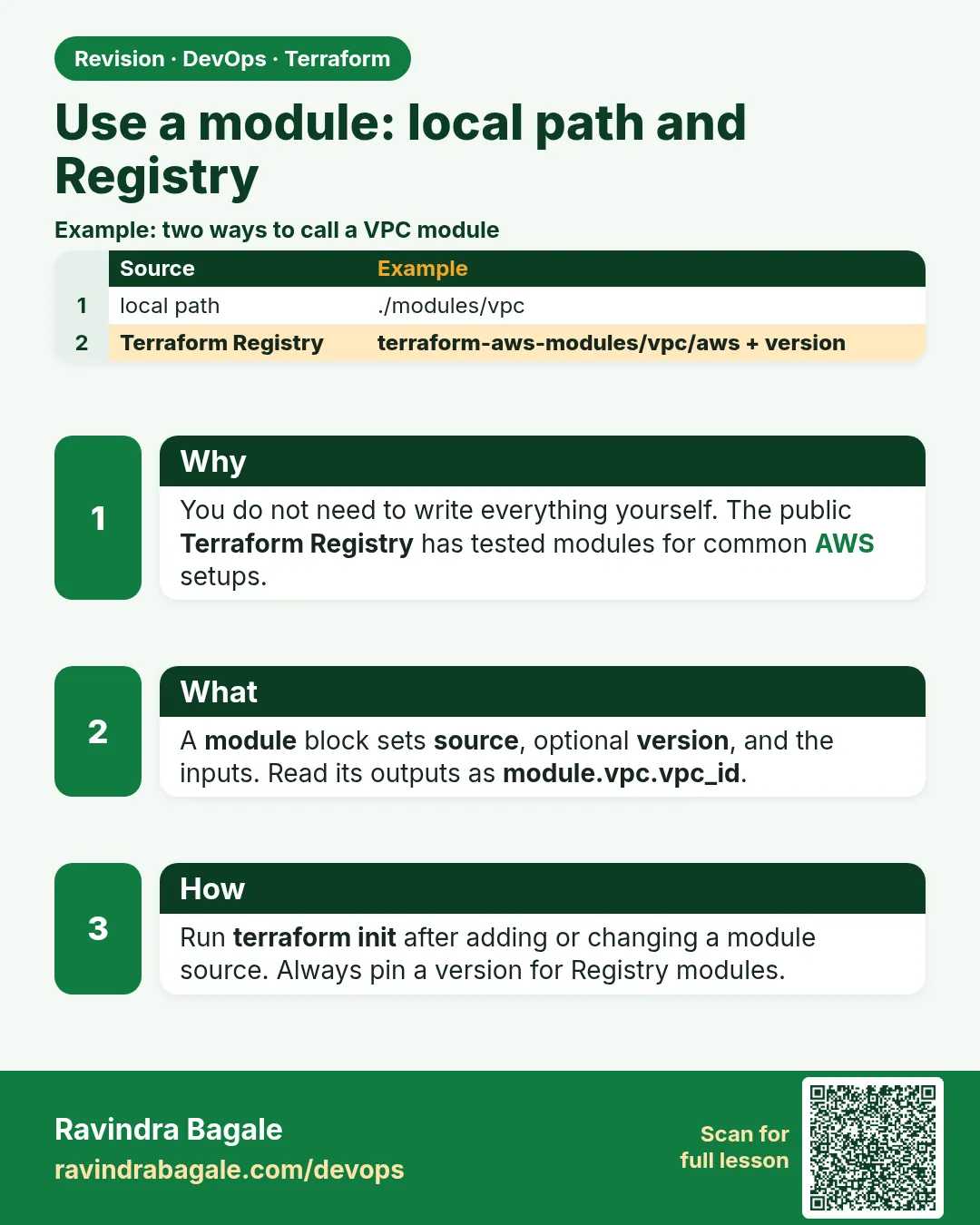
35.3 Use a module — local path and registry
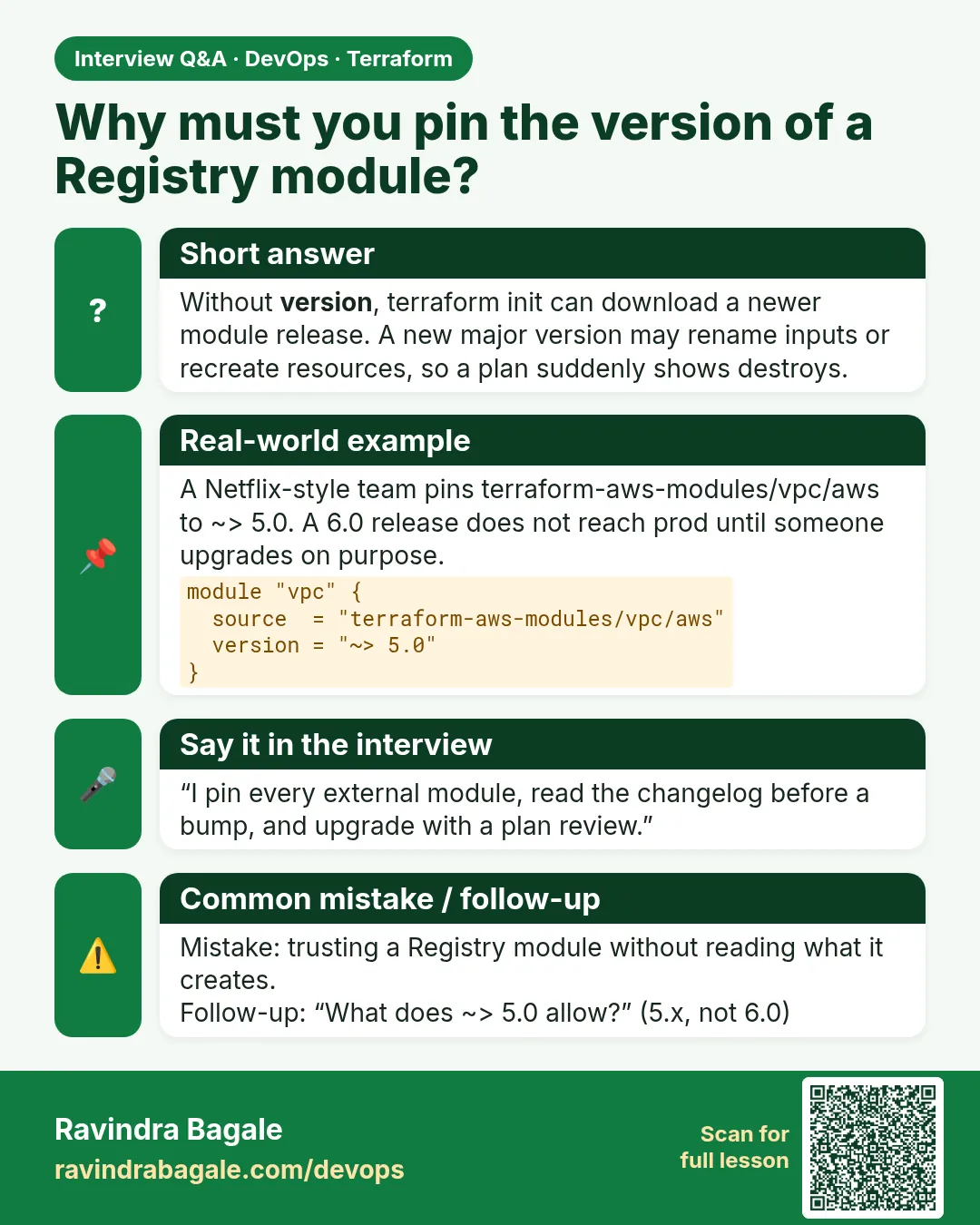
Story. An Instagram-style feature team needed a VPC fast and did not want to write sixty lines of route tables. The public Terraform Registry has widely used community modules such as terraform-aws-modules/vpc/aws. Always pin a version range for registry modules, read their inputs page, and run plan before trusting them.
module "vpc" {
  source  = "terraform-aws-modules/vpc/aws"
  version = "~> 5.0"

  name            = "badge-dev"
  cidr            = "10.10.0.0/16"
  azs             = ["ap-south-1a", "ap-south-1b"]
  public_subnets  = ["10.10.1.0/24", "10.10.2.0/24"]
  private_subnets = ["10.10.11.0/24", "10.10.12.0/24"]
  enable_nat_gateway = false
}

module "web" {
  source    = "../../modules/web-server"
  name      = "badge-dev-web"
  vpc_id    = module.vpc.vpc_id
  subnet_id = module.vpc.public_subnets[0]
}

output "web_ip" {
  value = module.web.public_ip
}
What each line does
module "vpc" {— Calls a module and names this call vpc.source = "terraform-aws-modules/vpc/aws"— Downloads the VPC module from the public Terraform Registry.version = "~> 5.0"— Accepts 5.x releases only, so a breaking 6.0 cannot arrive silently.cidr = "10.10.0.0/16"— The address range for the whole VPC.azs = [...]— Two availability zones for the subnets.public_subnets = [...]— One public subnet per zone.private_subnets = [...]— One private subnet per zone.enable_nat_gateway = false— Skips the NAT gateway, which is billed hourly, for this lab.source = "../../modules/web-server"— Calls the local module from 35.2 by relative path.vpc_id = module.vpc.vpc_id— Feeds the VPC module output into the web module input.subnet_id = module.vpc.public_subnets[0]— Takes the first public subnet id from the list.value = module.web.public_ip— Re-exports the child module output at the root.
When it is green.
Initializing modules...
Downloading registry.terraform.io/terraform-aws-modules/vpc/aws 5.x.x for vpc...
- web in ../../modules/web-server

Plan: 14 to add, 0 to change, 0 to destroy.
When it is red.
Error: Unsupported attribute
  on main.tf line 16: module.vpc.public_subnet_ids
This object does not have an attribute named "public_subnet_ids".
Fix. Output names come from the module's documentation. This module calls it public_subnets. Check the Outputs tab on the registry page.
What: every term in plain English
- Terraform Registry — The public site registry.terraform.io where shared modules and providers are listed.
- namespace/name/provider — The registry address form, such as terraform-aws-modules/vpc/aws.
- version constraint — A rule such as ~> 5.0 that says which releases are allowed.
- .terraform.lock.hcl — Locks provider versions. Module versions are not locked here, so pin them in code.
- wiring — Passing one module output into another module input.
- terraform init -upgrade — Downloads the newest module and provider versions your constraints allow.
Example 1: Build a VPC from the registry
An Instagram-style feature team needed a VPC with public and private subnets today. The community VPC module does it in 15 lines.
provider "aws" {
  region = "ap-south-1"
}

module "vpc" {
  source  = "terraform-aws-modules/vpc/aws"
  version = "~> 5.0"

  name            = "reels-dev"
  cidr            = "10.20.0.0/16"
  azs             = ["ap-south-1a", "ap-south-1b"]
  public_subnets  = ["10.20.1.0/24", "10.20.2.0/24"]
  private_subnets = ["10.20.11.0/24", "10.20.12.0/24"]

  enable_nat_gateway = false
  tags = {
    Team = "reels"
  }
}

output "vpc_id" {
  value = module.vpc.vpc_id
}
output "public_subnets" {
  value = module.vpc.public_subnets
}
terraform init
terraform plan | tail -3
terraform apply -auto-approve
terraform output
Output
Downloading registry.terraform.io/terraform-aws-modules/vpc/aws 5.x.x for vpc...
- vpc in .terraform/modules/vpc

Plan: 13 to add, 0 to change, 0 to destroy.

Apply complete! Resources: 13 added, 0 changed, 0 destroyed.

Outputs:
public_subnets = [
  "subnet-0aaa1111bbbb2222c",
  "subnet-0ddd3333eeee4444f",
]
vpc_id = "vpc-0123abcd4567ef890"
What it shows: The exact count may change with the module version. Always read the plan, not only the count.
Example 2: Wire the VPC into your own module
The same team placed the web-server module from 35.2 into the new VPC. Outputs from one module feed inputs of the other.
module "web" {
  source    = "../../modules/web-server"
  name      = "reels-dev-web"
  vpc_id    = module.vpc.vpc_id
  subnet_id = module.vpc.public_subnets[0]
}

output "web_url" {
  value = "http://${module.web.public_ip}"
}
terraform init
terraform apply -auto-approve
terraform graph | grep -E "module.vpc|module.web" | head -5
Output
- web in ../../modules/web-server
Plan: 2 to add, 0 to change, 0 to destroy.
Apply complete! Resources: 2 added, 0 changed, 0 destroyed.
web_url = "http://13.233.44.55"
What it shows: Terraform sees module.web needs module.vpc outputs, so it builds the VPC first. You never write depends_on for this.
Example 3: Read the module inputs before use
At Amazon-style teams, a reviewer will ask: what does this module create? Read the inputs and outputs first.
- Open the module page on registry.terraform.io.
- Read the Inputs and Outputs tabs.
- After init, read the downloaded variables.tf.
- Grep for the inputs you plan to set.
ls .terraform/modules/vpc
grep -n 'variable "enable_nat_gateway"' -A 4 .terraform/modules/vpc/variables.tf
grep -n 'output "public_subnets"' -A 3 .terraform/modules/vpc/outputs.tf
Output
CHANGELOG.md  LICENSE  README.md  main.tf  outputs.tf  variables.tf  versions.tf  ...
1012:variable "enable_nat_gateway" {
1013-  description = "Should be true if you want to provision NAT Gateways for each of your private networks"
1014-  type        = bool
1015-  default     = false
1016-}
12:output "public_subnets" {
13-  description = "List of IDs of public subnets"
14-  value       = aws_subnet.public[*].id
What it shows: The line numbers will differ by version. The code on disk is the truth.
Example 4: Pin, then upgrade on purpose
A Myntra-style team had version = ">= 5.0" and got a breaking 6.0 on a Monday. Pin with ~> and upgrade in a branch.
module "vpc" {
  source  = "terraform-aws-modules/vpc/aws"
  version = "~> 5.8"   # 5.8 or later, but below 6.0
  # ...
}
terraform init -upgrade
terraform plan
Output
Upgrading modules...
Downloading registry.terraform.io/terraform-aws-modules/vpc/aws 5.x.x for vpc...

No changes. Your infrastructure matches the configuration.
What it shows: No changes after an upgrade is the best result. If you see replace lines, read the module CHANGELOG first.
Command cheat sheet
| Command | What it does | When to use it |
|---|---|---|
source = "ns/name/aws" |
Use a registry module | Common building blocks |
version = "~> 5.8" |
Allow minor updates only | Every registry module |
source = "../../modules/x" |
Use a local module | Your own code in the same repo |
terraform init -upgrade |
Fetch newer allowed versions | Planned upgrades |
module.vpc.vpc_id |
Read a module output | Wiring modules |
terraform providers |
Show provider needs of each module | Version conflicts |
Verify: did it work?
-
Module downloaded
ls .terraform/modulesOutput
modules.json vpc web -
Wiring works
terraform output web_urlOutput
"http://13.233.44.55" -
Plan is quiet
terraform planOutput
No changes. Your infrastructure matches the configuration.
When it is red 1
Error: Unsupported attribute
  on main.tf line 16: module.vpc.public_subnet_ids
This object does not have an attribute named "public_subnet_ids".
Cause. The output name is wrong.
Fix, step by step
- Read outputs.tf of the module.
- Use public_subnets.
When it is red 2
Error: Module version requirements have changed
The version requirements have changed since this module was installed.
Cause. You edited version but did not reinstall.
Fix, step by step
- Run terraform init -upgrade.
When it is red 3
Error: Unsupported Terraform Core version
Module module.vpc requires Terraform >= 1.0 and provider aws >= 5.46.
Cause. Your provider or Terraform is older than the module needs.
Fix, step by step
- Run terraform version.
- Upgrade the provider constraint and run init -upgrade.
Cleanup
terraform destroy -auto-approve
Ravindra Bagale's Tip
A registry module is someone else's code running in your account. Read it, pin it, and plan it before you trust it.
Practice tasks
Easy First registry module
Why: Save time.
What to do: Create a VPC with the registry module.
- Pin ~> 5.0.
- Apply.
Check: vpc_id output shows.
Medium Wire two modules
Why: Outputs feed inputs.
What to do: Put your web-server in the new VPC.
- Use module.vpc.public_subnets[0].
Check: web_url works.
Medium Read the source
Why: Know what you run.
What to do: Find three inputs with their defaults in the downloaded code.
- grep variables.tf.
Check: Three inputs listed.
Hard Safe upgrade
Why: No surprise.
What to do: Move the version pin up one minor and check the plan.
- init -upgrade, plan, read CHANGELOG.
Check: You can explain every planned change.
Easy Say it in two lines
Why: If you can say it simply, you understand it.
What to do: Write two short lines about this lesson for a fresher.
- Write the problem it solves.
- Write the one command or file you use.
- Read it aloud.
Check: A fresher understands it without a question.
Easy Start a safe lab folder
Why: Practice needs a throwaway place.
What to do: Make a new folder with versions.tf and a random_pet resource, so no AWS cost.
- mkdir tf-lab and cd into it.
- Add the hashicorp/random provider and one random_pet.
- Run terraform init and terraform apply.
Check: Apply complete! with 1 added.
Medium Break it on purpose
Why: You must know the red output by face.
What to do: Cause one error from the red part of this lesson and fix it.
- Follow one red section.
- Copy the exact message to your notes.
- Write the fix in one line.
Check: You fixed it without searching the web.
Medium Run it twice
Why: A second run must be quiet.
What to do: Run the same plan two times with no edits.
- Run terraform plan.
- Run it again.
- Explain any change it still shows.
Check: The second plan says No changes, or you can explain each line.
Medium Write a runbook page
Why: At 2 a.m. nobody remembers flags.
What to do: Write a one-page runbook for this lesson.
- Title, when to use, exact commands, how to check, how to undo.
Check: A teammate can follow it alone.
Medium Run it from a pipeline
Why: Real teams run Terraform from CI, not from laptops.
What to do: Run the main command of this lesson inside a GitHub Actions or Jenkins job.
- Add a job with hashicorp/setup-terraform or a Terraform Docker image.
- Give it AWS access through an IAM role, never a key in the file.
- Run init, then the command from this lesson.
Check: The job log shows the same output you saw on your laptop.
Medium Check the cost
Why: Labs left running cost real money.
What to do: Find what this lesson would cost per day if you forgot to destroy it.
- Open the AWS Pricing Calculator.
- Add each resource from your plan.
- Write the daily cost in your notes.
Check: You know the daily cost and you ran terraform destroy.
Hard Draw the flow top to bottom
Why: A drawing shows the order of work.
What to do: Draw this lesson as boxes from top to bottom.
- Start at your code, go through plan and state, end at AWS.
- Mark where each command reads or writes.
Check: Each box matches a real step you ran.
Hard Explain it like an interview
Why: Interviewers want real stories.
What to do: Record a 60 second answer about this lesson.
- Say the problem, the command, and one error you hit.
Check: Your answer has a real command and a real error message.
Homework: try at home
Try at home
Find the S3 bucket module on the registry. Read its inputs. Write a module block that turns on versioning and blocks public access. Stop at plan.
Recap
- Registry modules use namespace/name/provider.
- Always pin version with ~>.
- Wire outputs into inputs with module.NAME.OUTPUT.
- Terraform orders work from those references.
- Upgrade on purpose with init -upgrade and a reviewed plan.
FAQ
Are registry modules safe?
Popular ones are widely used, but you still read and pin them.
Why is the module version not in the lock file?
The lock file is for providers. Pin modules in code.
Can I change a registry module?
Do not edit .terraform. Fork it into your own repo and pin a tag.
Do I need depends_on between modules?
No, if you pass outputs into inputs. Terraform sees the link.
Is NAT gateway free?
No, it is billed per hour. Keep it off in labs.
Interview questions
-
How do you use a public module?
Add a module block with the registry source and a pinned version, run init, read the plan.
-
How do two modules share values?
One module returns an output; the caller passes it into the other module input.
-
What does ~> 5.8 allow?
Any 5.x version from 5.8 up, but not 6.0.
-
How do you upgrade a module safely?
Change the pin in a branch, run init -upgrade, read the plan and the CHANGELOG, then merge.
-
Where does Terraform keep downloaded modules?
In .terraform/modules, recorded in modules.json.
Quick quiz
Q1. Which flag fetches newer module versions?
-upgrade
Q2. Which file locks providers but not modules?
.terraform.lock.hcl
Q3. How do you read vpc_id from module vpc?
module.vpc.vpc_id
Q4. Does ~> 5.0 allow 6.1?
No.
Q5. Should NAT be on in labs?
No, it costs per hour.
Samajla ka?
 Revision card
 Interview card