Chapter 35: Terraform Modules Writing Using Registry and Versioning
35.2 Write a module — inputs, resources, outputs
Story. A Netflix-style platform team gives product teams a web-server module with only the knobs they should turn. The module hides the security group rules and the AMI lookup. Callers pass a name, a subnet and an instance type, and they get back an id and a public IP. Good modules expose few inputs, validate them, and return what callers actually need.
# modules/web-server/variables.tf
variable "name"          { type = string }
variable "subnet_id"     { type = string }
variable "vpc_id"        { type = string }
variable "instance_type" {
  type    = string
  default = "t3.micro"
}

# modules/web-server/main.tf
data "aws_ami" "al2023" {
  most_recent = true
  owners      = ["amazon"]
  filter {
    name   = "name"
    values = ["al2023-ami-*-x86_64"]
  }
}

resource "aws_security_group" "this" {
  name   = "${var.name}-sg"
  vpc_id = var.vpc_id
}

resource "aws_instance" "this" {
  ami                    = data.aws_ami.al2023.id
  instance_type          = var.instance_type
  subnet_id              = var.subnet_id
  vpc_security_group_ids = [aws_security_group.this.id]
  tags                   = { Name = var.name }
}

# modules/web-server/outputs.tf
output "instance_id" { value = aws_instance.this.id }
output "public_ip"   { value = aws_instance.this.public_ip }
What each line does
variable "name" { type = string }— A required input used for naming.variable "subnet_id" { type = string }— The subnet the caller wants the server in.variable "vpc_id" { type = string }— The VPC for the security group.default = "t3.micro"— Callers may skip instance_type and get the small default.data "aws_ami" "al2023" {— The module finds the AMI itself, so callers do not need to.resource "aws_security_group" "this" {— Inside a module, this is the common name when there is only one of a type.name = "${var.name}-sg"— Names the group after the caller's name.vpc_security_group_ids = [aws_security_group.this.id]— Attaches the module's own group to the instance.output "instance_id" { value = aws_instance.this.id }— Returns the instance id to the caller.output "public_ip" { value = aws_instance.this.public_ip }— Returns the public IP to the caller.
When it is green.
Success! The configuration is valid.
When it is red.
Error: Unsupported argument
  on main.tf line 4, in module "web":
  4:   ami = "ami-0abc..."
An argument named "ami" is not expected here.
Fix. The caller passed an input the module does not declare. Either remove it or add a matching variable to the module.
What: every term in plain English
- variable block — Declares an input. It can have a type, a default, a description and validation.
- required input — A variable with no default. The caller must set it.
- optional input — A variable with a default. The caller may skip it.
- validation — A rule inside a variable. Bad values fail at plan time with your own message.
- sensitive — Marks an output or variable so it is hidden in plan output.
- this — The common resource name inside a module when there is only one of that type.
- README.md — A short file that lists inputs, outputs and one example call.
Example 1: A web-server module with validation
A Paytm-style platform team saw people pass t3.2xlarge for test servers. They added a validation rule so the plan fails early.
# modules/web-server/variables.tf
variable "name" {
  type        = string
  description = "Name tag and prefix for all resources"
}

variable "instance_type" {
  type    = string
  default = "t3.micro"
  validation {
    condition     = contains(["t3.micro", "t3.small", "t3.medium"], var.instance_type)
    error_message = "Use t3.micro, t3.small or t3.medium only."
  }
}

variable "subnet_id" {
  type = string
}

variable "vpc_id" {
  type = string
}
terraform plan -var instance_type=t3.2xlarge
Output
Error: Invalid value for variable

  on main.tf line 4, in module "web":
   4:   instance_type = "t3.2xlarge"

Use t3.micro, t3.small or t3.medium only.
What it shows: The plan stops before any AWS call. The message is written by you, so it is clear for the caller.
Example 2: Full module: security group, server and outputs
A Swiggy-style team wants a server with port 80 open and SSH closed. The caller only gives a name and a subnet.
- Write main.tf below in modules/web-server.
- Write outputs.tf.
- Call it from envs/dev with the default VPC.
- Apply and open the IP in a browser.
# modules/web-server/main.tf
data "aws_ami" "al2023" {
  most_recent = true
  owners      = ["amazon"]
  filter {
    name   = "name"
    values = ["al2023-ami-2023.*-x86_64"]
  }
}

resource "aws_security_group" "this" {
  name   = "${var.name}-sg"
  vpc_id = var.vpc_id

  ingress {
    from_port   = 80
    to_port     = 80
    protocol    = "tcp"
    cidr_blocks = ["0.0.0.0/0"]
  }

  egress {
    from_port   = 0
    to_port     = 0
    protocol    = "-1"
    cidr_blocks = ["0.0.0.0/0"]
  }
}

resource "aws_instance" "this" {
  ami                    = data.aws_ami.al2023.id
  instance_type          = var.instance_type
  subnet_id              = var.subnet_id
  vpc_security_group_ids = [aws_security_group.this.id]
  user_data              = <<-EOT
    #!/bin/bash
    dnf install -y nginx
    echo "Hello from ${var.name}" > /usr/share/nginx/html/index.html
    systemctl enable --now nginx
  EOT
  tags = {
    Name = var.name
  }
}

# modules/web-server/outputs.tf
output "instance_id" {
  value = aws_instance.this.id
}
output "public_ip" {
  value = aws_instance.this.public_ip
}
# envs/dev/main.tf
provider "aws" {
  region = "ap-south-1"
}

data "aws_vpc" "default" {
  default = true
}

data "aws_subnets" "default" {
  filter {
    name   = "vpc-id"
    values = [data.aws_vpc.default.id]
  }
}

module "web" {
  source    = "../../modules/web-server"
  name      = "dev-web"
  vpc_id    = data.aws_vpc.default.id
  subnet_id = data.aws_subnets.default.ids[0]
}

output "url" {
  value = "http://${module.web.public_ip}"
}
terraform init
terraform apply -auto-approve
curl -s $(terraform output -raw url)
Output
Plan: 2 to add, 0 to change, 0 to destroy.
module.web.aws_security_group.this: Creation complete after 2s [id=sg-0abc1234def567890]
module.web.aws_instance.this: Creation complete after 13s [id=i-0123456789abcdef0]

Apply complete! Resources: 2 added, 0 changed, 0 destroyed.

Outputs:
url = "http://13.233.10.20"

Hello from dev-web
What it shows: Wait about one minute after apply for nginx to start. The IP shown is a sample.
Example 3: Write a README with inputs and outputs
At Zerodha-style teams, nobody uses a module without a README. Callers must not read main.tf to learn the inputs.
# modules/web-server/README.md
web-server module
Creates one EC2 server with nginx and a security group (port 80 only).

Inputs
| name          | type   | default  | required |
| name          | string | -        | yes      |
| vpc_id        | string | -        | yes      |
| subnet_id     | string | -        | yes      |
| instance_type | string | t3.micro | no       |

Outputs
| instance_id | EC2 instance id |
| public_ip   | public IP       |

Example
module "web" {
  source    = "../../modules/web-server"
  name      = "dev-web"
  vpc_id    = "vpc-..."
  subnet_id = "subnet-..."
}
terraform fmt -recursive
terraform validate
Output
modules/web-server/main.tf
Success! The configuration is valid.
What it shows: fmt prints files it changed. validate checks that the module and its callers fit together.
Example 4: Optional inputs with object and optional()
An Ola-style team wanted tags and a disk size to be optional, inside one settings object.
variable "settings" {
  type = object({
    disk_gb = optional(number, 8)
    tags    = optional(map(string), {})
  })
  default = {}
}

resource "aws_instance" "this" {
  # ... same as before ...
  root_block_device {
    volume_size = var.settings.disk_gb
  }
  tags = merge({ Name = var.name }, var.settings.tags)
}
module "web" {
  source    = "../../modules/web-server"
  name      = "dev-web"
  vpc_id    = data.aws_vpc.default.id
  subnet_id = data.aws_subnets.default.ids[0]
  settings = {
    disk_gb = 20
    tags    = { Team = "payments" }
  }
}
terraform plan
Output
  ~ resource "aws_instance" "this" {
      ~ tags = {
          + "Team" = "payments"
        }
      ~ root_block_device {
          ~ volume_size = 8 -> 20
        }
    }
Plan: 0 to add, 1 to change, 0 to destroy.
What it shows: optional() needs Terraform 1.3 or later. Callers set only what they need.
Command cheat sheet
| Command | What it does | When to use it |
|---|---|---|
variable "x" { type = string } |
Declare a required input | Every value the caller must give |
default = "t3.micro" |
Make an input optional | Safe defaults |
validation { condition = ... } |
Reject bad input at plan time | Sizes, names, CIDRs |
output "id" { value = ... } |
Return a value to the caller | IDs, IPs, ARNs |
sensitive = true |
Hide a value in plan output | Passwords, tokens |
terraform validate |
Check module and caller fit | Before every commit |
Verify: did it work?
-
Module is valid
terraform validateOutput
Success! The configuration is valid. -
Outputs come back
terraform outputOutput
url = "http://13.233.10.20" -
Server answers
curl -s $(terraform output -raw url)Output
Hello from dev-web
When it is red 1
Error: Missing required argument
  on main.tf line 14, in module "web":
The argument "subnet_id" is required, but no definition was found.
Cause. The module has a required input and the caller did not set it.
Fix, step by step
- Open the module variables.tf.
- Add the input to the module block.
When it is red 2
Error: Reference to undeclared resource
  on main.tf line 5: value = aws_instance.web.id
A managed resource "aws_instance" "web" has not been declared in the root module.
Cause. The caller tried to read a resource inside the module directly.
Fix, step by step
- Add an output in the module.
- Read it as module.web.instance_id.
When it is red 3
Error: Invalid value for variable
Use t3.micro, t3.small or t3.medium only.
Cause. Your validation rule caught a bad value.
Fix, step by step
- Use an allowed value.
- Or change the rule in the module through review.
Cleanup
terraform destroy -auto-approve
Ravindra Bagale's Tip
If a caller has to read your main.tf to use the module, the module is not finished. Write the README.
Practice tasks
Easy Add a description
Why: Clear inputs.
What to do: Add description to every variable in your module.
- One short line each.
Check: validate passes.
Medium Validation rule
Why: Fail early.
What to do: Allow only names that start with dev-, test- or prod-.
- Use can(regex(...)).
Check: A bad name fails at plan.
Medium New output
Why: Give callers more.
What to do: Add a private_ip output.
- Add output, apply, run terraform output.
Check: private_ip shows.
Hard Optional settings
Why: Fewer required inputs.
What to do: Add an optional settings object with disk size and tags.
- Use optional() with defaults.
Check: Callers that skip it still work.
Easy Say it in two lines
Why: If you can say it simply, you understand it.
What to do: Write two short lines about this lesson for a fresher.
- Write the problem it solves.
- Write the one command or file you use.
- Read it aloud.
Check: A fresher understands it without a question.
Easy Start a safe lab folder
Why: Practice needs a throwaway place.
What to do: Make a new folder with versions.tf and a random_pet resource, so no AWS cost.
- mkdir tf-lab and cd into it.
- Add the hashicorp/random provider and one random_pet.
- Run terraform init and terraform apply.
Check: Apply complete! with 1 added.
Medium Break it on purpose
Why: You must know the red output by face.
What to do: Cause one error from the red part of this lesson and fix it.
- Follow one red section.
- Copy the exact message to your notes.
- Write the fix in one line.
Check: You fixed it without searching the web.
Medium Run it twice
Why: A second run must be quiet.
What to do: Run the same plan two times with no edits.
- Run terraform plan.
- Run it again.
- Explain any change it still shows.
Check: The second plan says No changes, or you can explain each line.
Medium Write a runbook page
Why: At 2 a.m. nobody remembers flags.
What to do: Write a one-page runbook for this lesson.
- Title, when to use, exact commands, how to check, how to undo.
Check: A teammate can follow it alone.
Medium Run it from a pipeline
Why: Real teams run Terraform from CI, not from laptops.
What to do: Run the main command of this lesson inside a GitHub Actions or Jenkins job.
- Add a job with hashicorp/setup-terraform or a Terraform Docker image.
- Give it AWS access through an IAM role, never a key in the file.
- Run init, then the command from this lesson.
Check: The job log shows the same output you saw on your laptop.
Medium Check the cost
Why: Labs left running cost real money.
What to do: Find what this lesson would cost per day if you forgot to destroy it.
- Open the AWS Pricing Calculator.
- Add each resource from your plan.
- Write the daily cost in your notes.
Check: You know the daily cost and you ran terraform destroy.
Hard Draw the flow top to bottom
Why: A drawing shows the order of work.
What to do: Draw this lesson as boxes from top to bottom.
- Start at your code, go through plan and state, end at AWS.
- Mark where each command reads or writes.
Check: Each box matches a real step you ran.
Hard Explain it like an interview
Why: Interviewers want real stories.
What to do: Record a 60 second answer about this lesson.
- Say the problem, the command, and one error you hit.
Check: Your answer has a real command and a real error message.
Homework: try at home
Try at home
Write a module for one S3 bucket with versioning. Inputs: name and tags. Outputs: bucket name and ARN. Call it twice.
Recap
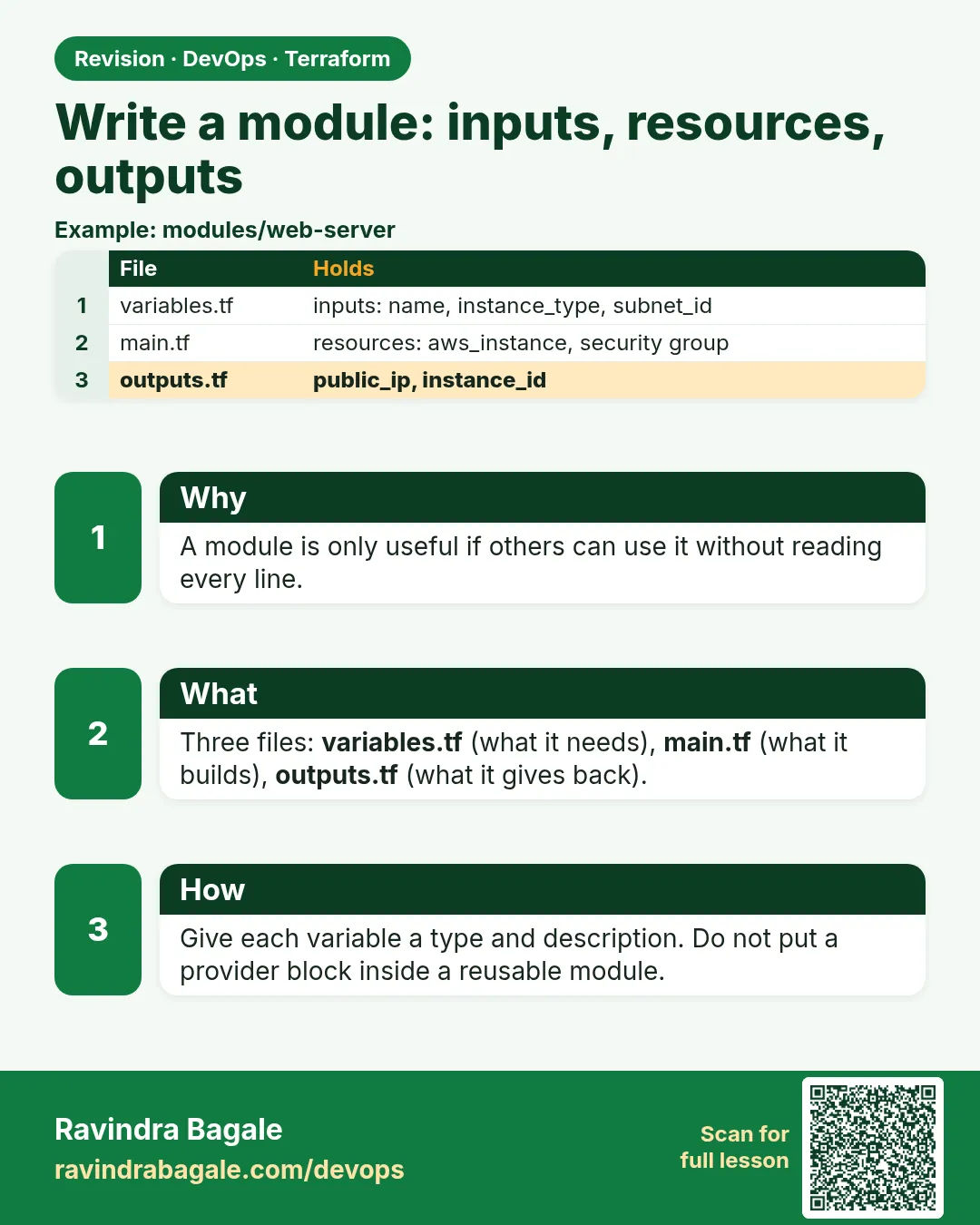
- Inputs go in variables.tf, resources in main.tf, outputs in outputs.tf.
- Required inputs have no default.
- Validation stops bad values at plan time.
- Callers read only outputs, never inner resources.
- A README lists inputs, outputs and one example.
FAQ
Can a caller read a resource inside the module?
No. Only through an output.
How many inputs is too many?
If callers set more than ten, split the module or use sensible defaults.
Where do I put the AMI lookup?
Inside the module, so callers do not need to know it.
Should a module create its own VPC?
Usually no. Pass vpc_id and subnet_id in, so it fits any network.
Can outputs be secret?
Mark them sensitive = true. They still live in state, so protect state.
Interview questions
-
How do you design a good module?
One job, few inputs with safe defaults, validation for risky values, clear outputs and a README.
-
How does a caller get a value from inside a module?
The module declares an output and the caller reads module.NAME.OUTPUT.
-
What is variable validation?
A condition and an error message in a variable that fails plan when the value is wrong.
-
Why use optional() in objects?
So callers can pass only some fields and get defaults for the rest.
-
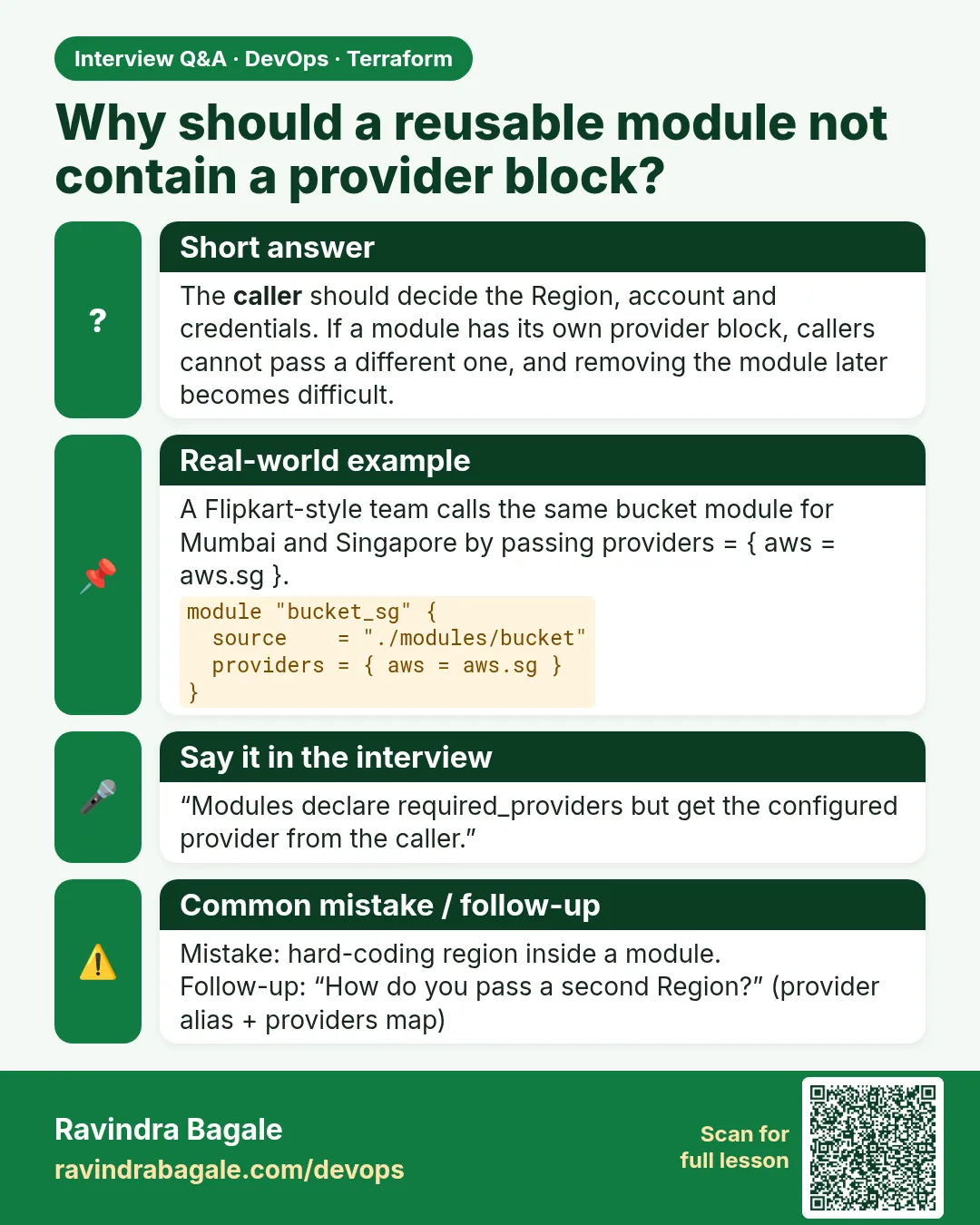
Should child modules have provider blocks?
No. They declare required_providers and inherit the provider from the root.
Quick quiz
Q1. Which file holds inputs?
variables.tf
Q2. How do you make an input optional?
Give it a default.
Q3. Where does a custom error message go?
In a validation block.
Q4. How do you hide an output in plan?
sensitive = true
Q5. Which command checks the module fits the caller?
terraform validate
Samajla ka?
 Revision card
 Interview card