Chapter 34: Terraform State Remote S3 Backend Locking and Workspaces
34.1 State — Terraform's memory of what it built
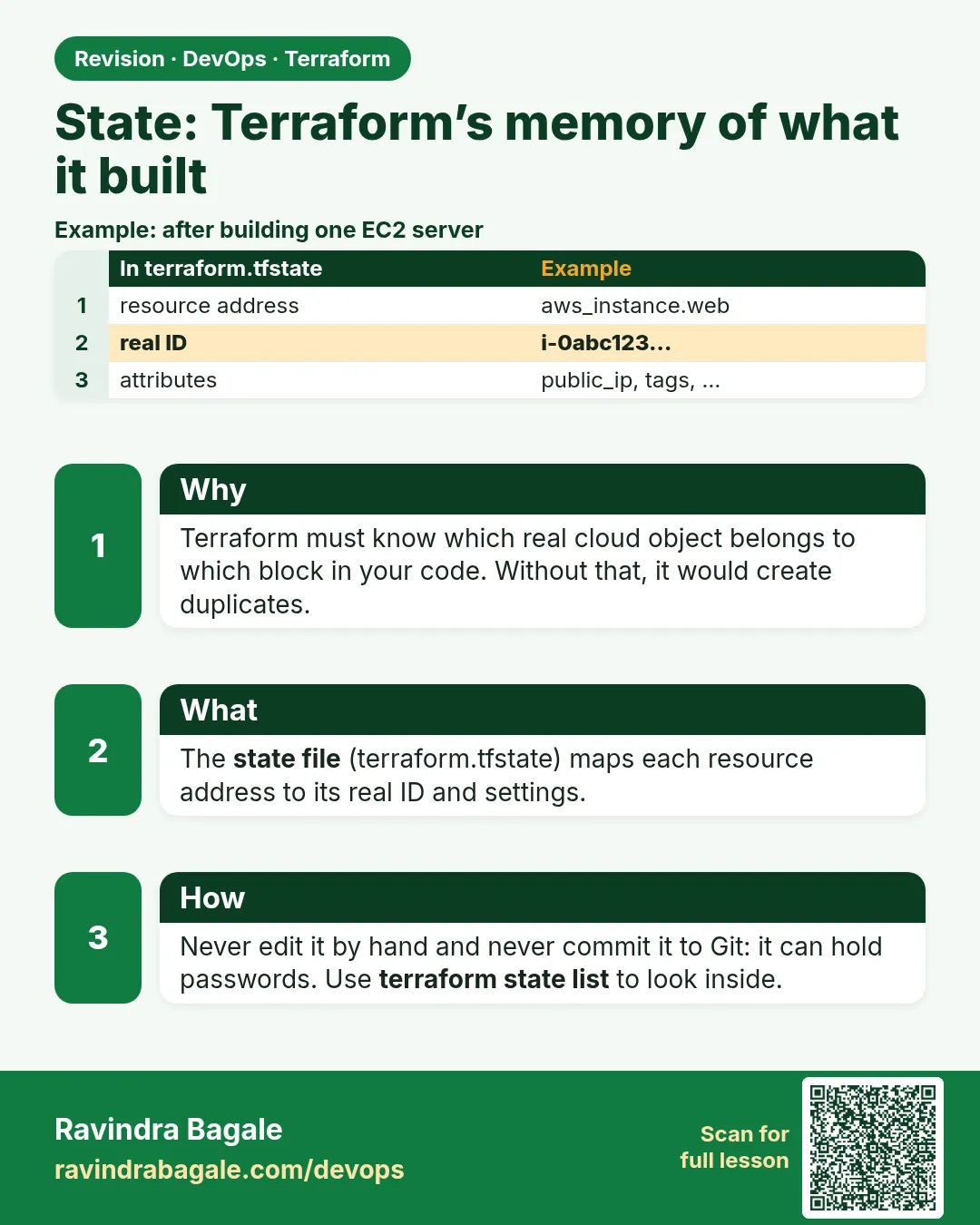
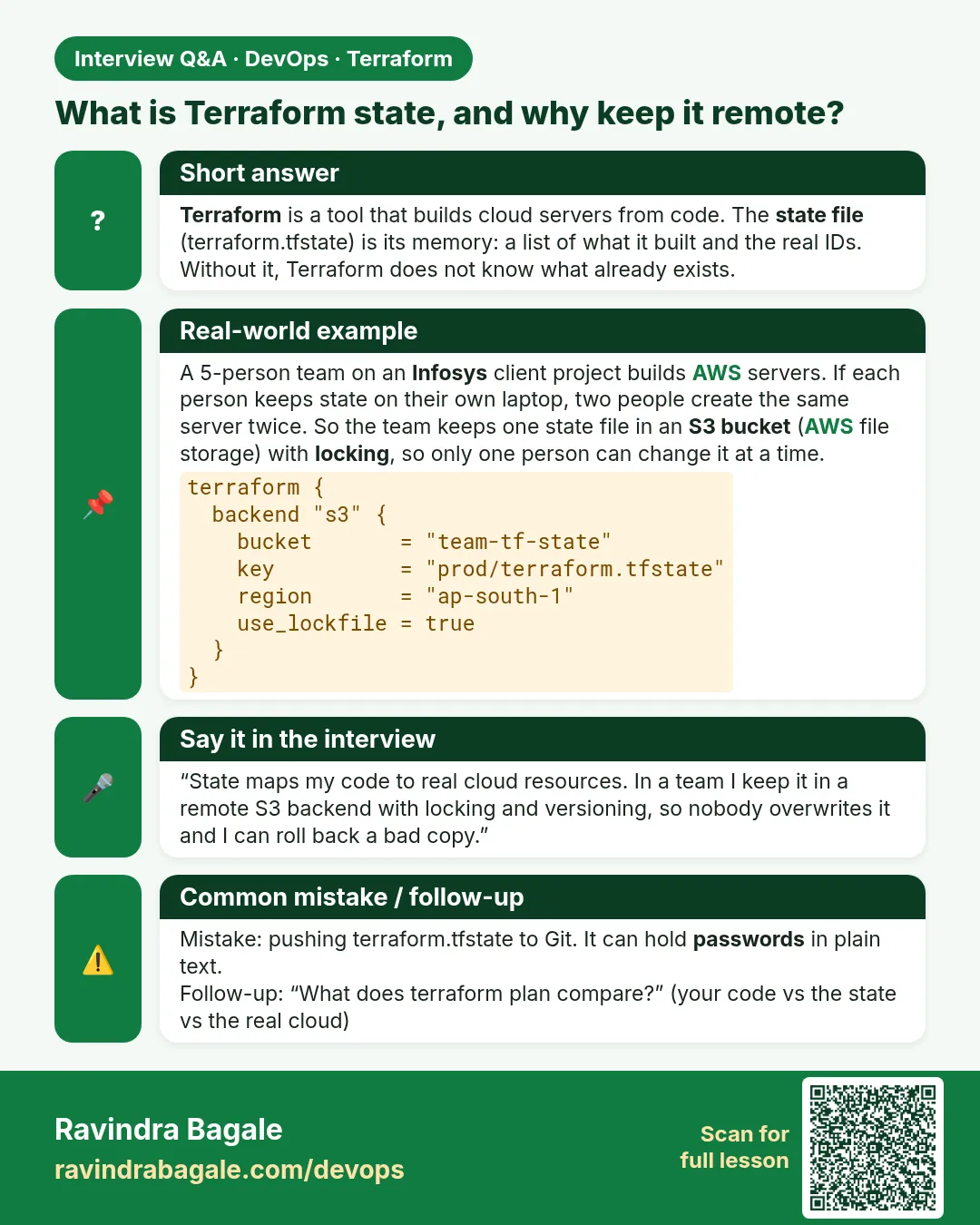
Story. On a Netflix-style team, an engineer deleted terraform.tfstate from a laptop to "clean up" and the next plan wanted to create every resource again. State is the file that maps each resource block to a real cloud id. Without it Terraform cannot tell what it owns. State also stores attribute values in plain text, including passwords, so it must never be committed to Git.
# .gitignore
.terraform/
*.tfstate
*.tfstate.*
crash.log
*.tfvars
!example.tfvars

terraform state list
terraform show
What each line does
.terraform/— Ignores the downloaded provider plugins.*.tfstate— Never commits the state file, which can hold secrets.*.tfstate.*— Also ignores backup copies such as terraform.tfstate.backup.crash.log— Ignores crash logs that may contain sensitive data.*.tfvars— Ignores personal value files.!example.tfvars— Keeps the shared example file so teammates know what to fill in.terraform state list— Lists every resource address Terraform tracks.terraform show— Prints the full current state in readable form.
When it is green.
aws_instance.web
aws_s3_bucket.logs
aws_security_group.web
When it is red.
Plan: 3 to add, 0 to change, 0 to destroy.
(expected 0 changes - state file was lost; the real resources still exist)
Fix. Do not apply. Restore the state from backup or remote versioning, or import the existing resources (Chapter 37). This is exactly why the next section moves state to S3.
What: every term in plain English
- state file — terraform.tfstate. A JSON file that links every resource block in your code to a real object id in AWS.
- resource address — The name of one resource inside state, such as aws_s3_bucket.logs or module.vpc.aws_subnet.public[0].
- serial — A number inside state that goes up by one on every write. Terraform uses it to refuse an older copy.
- lineage — A random id given to a state when it is first created. Two states with different lineage are different projects.
- terraform.tfstate.backup — The previous copy of local state. Terraform writes it just before it saves a new one.
- refresh — Terraform asks AWS for the current value of every resource in state before it plans.
- sensitive in state — Passwords and keys are stored in plain text inside state, even when the output is hidden on screen.
Example 1: Look inside a real state file
At a Wipro client, a new joiner was told "never touch state" but nobody showed him what it is. Open one yourself with a free provider so the file stops being a mystery.
- Make a folder named state-lab.
- Paste main.tf below.
- Run init and apply.
- Open terraform.tfstate with jq and read the keys.
# main.tf
terraform {
  required_providers {
    random = {
      source  = "hashicorp/random"
      version = "~> 3.6"
    }
  }
}

resource "random_pet" "app" {
  prefix = "badge"
}

resource "random_password" "db" {
  length  = 16
  special = false
}

output "app_name" {
  value = random_pet.app.id
}
terraform init
terraform apply -auto-approve
jq '{version, serial, lineage, resources: [.resources[] | .type + "." + .name]}' terraform.tfstate
Output
{
  "version": 4,
  "serial": 3,
  "lineage": "6f1c2a8e-7d4b-1e2f-9a10-3c5d7e9f0b12",
  "resources": [
    "random_password.db",
    "random_pet.app"
  ]
}
What it shows: State is plain JSON. version is the file format, serial counts writes, lineage identifies the project, and resources lists what Terraform owns.
Example 2: See that state stores secrets in plain text
A Paytm security review once flagged a state file in a shared folder because it held a database password. Prove it to yourself, then you will never commit state again.
- Use the same folder.
- Ask Terraform for the password output only through state.
- Search the state file for the result field.
terraform state show random_password.db
jq -r '.resources[] | select(.type=="random_password") | .instances[0].attributes.result' terraform.tfstate
Output
# random_password.db:
resource "random_password" "db" {
    id          = "none"
    length      = 16
    result      = (sensitive value)
    special     = false
}
Xk3PqL9vT2mWbR7a
What it shows: The CLI hides the value, but the file holds it in clear text. That is why state goes to an encrypted, private S3 bucket and never to Git.
Example 3: Use the state commands you will need every week
When a Flipkart engineer asks "is this bucket managed by Terraform?", the answer comes from state list and state show, not from guessing.
- List all addresses.
- Show one resource.
- Print outputs from state.
- Pull a copy of state to a file.
terraform state list
terraform state show random_pet.app
terraform output
terraform state pull > copy.tfstate
ls -l copy.tfstate
Output
random_password.db
random_pet.app
# random_pet.app:
resource "random_pet" "app" {
    id        = "badge-proud-falcon"
    length    = 2
    prefix    = "badge"
    separator = "-"
}
app_name = "badge-proud-falcon"
-rw-r--r-- 1 ravi ravi 1874 Oct 25 10:12 copy.tfstate
What it shows: state pull works for both local and remote state, so it is the safe way to take a copy before any risky change.
Example 4: Recover after deleting local state by mistake
This is the Netflix-style story from the top of the lesson. Practise it on free resources so a real outage does not scare you.
- Delete terraform.tfstate on purpose.
- Run plan and read the summary.
- Restore from terraform.tfstate.backup or your pulled copy.
- Plan again and confirm zero changes.
rm terraform.tfstate
terraform plan | tail -1
cp copy.tfstate terraform.tfstate
terraform plan | tail -1
Output
Plan: 2 to add, 0 to change, 0 to destroy.
No changes. Your infrastructure matches the configuration.
What it shows: Without state Terraform thinks nothing exists. With the copy back, it matches again. On AWS you would import instead if no copy existed.
Command cheat sheet
| Command | What it does | When to use it |
|---|---|---|
terraform state list |
Lists every address in state | First check on any project |
terraform state show ADDR |
Prints all attributes of one resource | Find an id or an IP |
terraform state pull |
Prints the current state as JSON | Take a backup before risky work |
terraform output |
Prints output values from state | Give values to scripts or teammates |
terraform show |
Shows the whole state in readable form | Review everything after apply |
terraform plan -refresh-only |
Shows what changed in AWS without changing code | Check drift safely |
Verify: did it work?
-
State has resources
terraform state list | wc -lOutput
2 -
No state in Git
git check-ignore terraform.tfstateOutput
terraform.tfstate
When it is red 1
Error: state snapshot was created by Terraform v1.9.5, which is newer than current v1.6.0
Cause. Someone applied with a newer Terraform version. Older versions cannot read the newer file format.
Fix, step by step
- Run terraform version on both machines.
- Upgrade your Terraform to the same or newer version.
- Pin the version with required_version in the terraform block.
- Plan again.
When it is red 2
Error: Failed to load state: state snapshot has lineage "aaa..." but expected "bbb..."
Cause. You copied a state file from a different project into this folder.
Fix, step by step
- Stop and do not apply.
- Find the right state copy for this project.
- Compare lineage values with jq.
- Put the matching file back and plan.
When it is red 3
Plan: 12 to add, 0 to change, 0 to destroy. (on a project that is already live)
Cause. State is missing or the backend points to the wrong key.
Fix, step by step
- Do not apply.
- Run terraform state list to see if state is empty.
- Check the backend key in backend.tf.
- Restore state or import the resources.
Cleanup
terraform destroy -auto-approve
rm -f copy.tfstate
Ravindra Bagale's Tip
Before any state surgery, run terraform state pull and save the file with the date in its name. One minute of backup saves a full day of import work.
Practice tasks
Easy Read the keys
Why: Know what state holds.
What to do: Apply the lab and print version, serial and lineage with jq.
- Use jq with a field list.
Check: Three values printed, serial above 0.
Easy Watch serial grow
Why: See every write counted.
What to do: Change the prefix, apply, and print serial again.
- Compare the number before and after.
Check: Serial is higher by at least one.
Medium Find the secret
Why: See why state must be private.
What to do: Print the random_password result from the file with jq.
- Look under instances[0].attributes.
Check: A 16-character password appears.
Medium Recover state
Why: Practise the outage.
What to do: Delete state, plan, restore, plan again.
- Use the pulled copy.
Check: No changes after restore.
Easy Say it in two lines
Why: If you can say it simply, you understand it.
What to do: Write two short lines about this lesson for a fresher.
- Write the problem it solves.
- Write the one command or file you use.
- Read it aloud.
Check: A fresher understands it without a question.
Easy Start a safe lab folder
Why: Practice needs a throwaway place.
What to do: Make a new folder with versions.tf and a random_pet resource, so no AWS cost.
- mkdir tf-lab and cd into it.
- Add the hashicorp/random provider and one random_pet.
- Run terraform init and terraform apply.
Check: Apply complete! with 1 added.
Medium Break it on purpose
Why: You must know the red output by face.
What to do: Cause one error from the red part of this lesson and fix it.
- Follow one red section.
- Copy the exact message to your notes.
- Write the fix in one line.
Check: You fixed it without searching the web.
Medium Run it twice
Why: A second run must be quiet.
What to do: Run the same plan two times with no edits.
- Run terraform plan.
- Run it again.
- Explain any change it still shows.
Check: The second plan says No changes, or you can explain each line.
Medium Write a runbook page
Why: At 2 a.m. nobody remembers flags.
What to do: Write a one-page runbook for this lesson.
- Title, when to use, exact commands, how to check, how to undo.
Check: A teammate can follow it alone.
Medium Run it from a pipeline
Why: Real teams run Terraform from CI, not from laptops.
What to do: Run the main command of this lesson inside a GitHub Actions or Jenkins job.
- Add a job with hashicorp/setup-terraform or a Terraform Docker image.
- Give it AWS access through an IAM role, never a key in the file.
- Run init, then the command from this lesson.
Check: The job log shows the same output you saw on your laptop.
Medium Check the cost
Why: Labs left running cost real money.
What to do: Find what this lesson would cost per day if you forgot to destroy it.
- Open the AWS Pricing Calculator.
- Add each resource from your plan.
- Write the daily cost in your notes.
Check: You know the daily cost and you ran terraform destroy.
Hard Draw the flow top to bottom
Why: A drawing shows the order of work.
What to do: Draw this lesson as boxes from top to bottom.
- Start at your code, go through plan and state, end at AWS.
- Mark where each command reads or writes.
Check: Each box matches a real step you ran.
Hard Explain it like an interview
Why: Interviewers want real stories.
What to do: Record a 60 second answer about this lesson.
- Say the problem, the command, and one error you hit.
Check: Your answer has a real command and a real error message.
Homework: try at home
Try at home
Draw the three boxes: your code, the state file, and AWS. Write next to each arrow what plan reads and what apply writes.
Recap
- State links code addresses to real cloud ids.
- Serial counts writes; lineage names the project.
- Secrets sit in state as plain text.
- state list, state show and state pull are the daily tools.
- Lost state means plan wants to create everything again.
FAQ
Can I edit terraform.tfstate by hand?
Avoid it. Use terraform state mv, state rm or import. A hand edit can break the JSON or the serial.
Why is there a .backup file?
Terraform keeps the previous local copy before it writes a new one, so you can go back one step.
Does state hold my code?
No. It holds what was created and its attributes. Your code stays in .tf files.
Is state needed for destroy?
Yes. Terraform destroys only what is listed in state.
Where should state live in a team?
In a remote backend such as S3 with encryption and locking. The next lesson shows it.
Interview questions
-
What is Terraform state and why is it needed?
It maps each resource address to a real id. Terraform needs it to know what it owns, to plan changes and to destroy.
-
What happens if state is lost?
Plan shows everything as new. Restore a backup or import the existing resources before applying.
-
Why should state not be in Git?
It can contain secrets in plain text and two people can commit conflicting copies.
-
What are serial and lineage?
Serial counts writes so an older copy is refused. Lineage is a unique id for one state.
-
How do you take a safe copy of remote state?
Run terraform state pull and save the output to a dated file.
Quick quiz
Q1. Which command lists all resources in state?
terraform state list
Q2. Are sensitive values encrypted inside local state?
No, they are plain text.
Q3. Which field goes up on every write?
serial
Q4. What does plan show when state is deleted?
Everything as to add.
Q5. Name the file that holds the previous local copy.
terraform.tfstate.backup
Samajla ka?
 Revision card
 Interview card