Chapter 17: Interview Questions and Job Readiness
17.6 CI/CD, Actions, Jenkins
Why: the problem
A CI/CD question at a Freshworks-style company sounds like this: "The pipeline is green on my branch but fails on main," or "Tests pass on my laptop but fail in Jenkins," or "A deploy went bad at 7 p.m. How do you roll back in two minutes?" Panels also ask you to read a pipeline file on screen and spot the bug, like a secret printed in logs or a missing stage. This lesson gives you a small but real pipeline for GitHub Actions and the same idea in Jenkins. You will break it in three realistic ways, read the job log like a detective, fix it, and then practise the rollback story that every interviewer wants to hear.
What we will build
You will write a pipeline with test, build and deploy stages. You will break it with a missing dependency, an environment difference and an unsafe secret print. Then you will show how image tags with the commit SHA make rollback a one line change.
What: every term in plain English
- Pipeline — The list of automatic steps from code push to deploy.
- Job log — The text output of each step. The first red line is the clue.
- Artifact — The built output, like a Docker image or a jar, saved for later stages.
- Environment — A target like staging or production, often with its own approvals and secrets.
- Secret masking — The CI tool hides known secret values as *** in logs.
- Rollback — Putting the last good version back.
- Flaky test — A test that sometimes passes and sometimes fails without code changes.
- Cache — Saved dependencies between runs to make pipelines faster.
How: step by step
-
Make the lab app
mkdir -p ~/iq/ci && cd ~/iq/ci && printf "def add(a, b):\n return a + b\n" > calc.pyWhat it does: A tiny Python module.
Output
(no output) -
Add a test
printf "from calc import add\n\ndef test_add():\n assert add(2, 3) == 5\n" > test_calc.pyWhat it does: pytest will run this.
Output
(no output) -
Run the test locally
python3 -m pip install -q pytest && python3 -m pytest -qWhat it does: Green on your laptop.
Output
. [100%] 1 passed in 0.01s -
Freeze dependencies
python3 -m pip freeze | grep -i pytest > requirements.txt && cat requirements.txtWhat it does: CI installs exactly these versions.
Output
pytest==8.3.3 -
Reproduce CI locally in a clean container
docker run --rm -v "$PWD":/app -w /app python:3.12-slim sh -c "pip install -q -r requirements.txt && pytest -q"What it does: A clean box, like the CI runner. If it fails here, it fails in CI.
Output
1 passed in 0.01s
Example 1: The pipeline file and how to read a failed log
Stack. GitHub Actions, Python, Docker
Goal. The pipeline file and how to read a failed log.
.github/workflows/ci.yml
name: ci
on: [push]
jobs:
  test:
    runs-on: ubuntu-24.04
    steps:
      - uses: actions/checkout@v4
      - uses: actions/setup-python@v5
        with: { python-version: "3.12", cache: pip }
      - run: pip install -r requirements.txt
      - run: pytest -q
  build:
    needs: test
    runs-on: ubuntu-24.04
    steps:
      - uses: actions/checkout@v4
      - run: docker build -t shop/calc:${{ github.sha }} .
The red log
Run pytest -q
ImportError while importing test module '/home/runner/work/calc/test_calc.py'.
E   ModuleNotFoundError: No module named 'requests'
Error: Process completed with exit code 2.
What each line does
needs: test— build runs only if test passed. Fail fast.cache: pip— Saves dependencies to speed up runs.github.sha— The commit SHA as the image tag.Read the first red line— ModuleNotFoundError tells you requests is used but not in requirements.txt.Fix— Add requests to requirements.txt, commit, push.
Green output
test   passed 34s
build  passed 52s
Expected result. Interview line: it works on my laptop because requests was installed globally there. CI starts clean, so it caught the missing dependency.
Example 2: Spot the bug: a secret printed in the log
Stack. GitHub Actions
Goal. Spot the bug: a secret printed in the log.
Bad step
- run: |
    echo "Deploying with token $DEPLOY_TOKEN"
    curl -H "Authorization: Bearer $DEPLOY_TOKEN" https://deploy.example.com/hook
  env:
    DEPLOY_TOKEN: ${{ secrets.DEPLOY_TOKEN }}
Good step
- run: curl -fsS -H "Authorization: Bearer $DEPLOY_TOKEN" https://deploy.example.com/hook
  env:
    DEPLOY_TOKEN: ${{ secrets.DEPLOY_TOKEN }}
What each line does
echo with the token— Never print secrets. Masking helps, but changed or encoded values are not masked.secrets.DEPLOY_TOKEN— Stored in repo or environment secrets, not in the file.curl -fsS— Fail on HTTP errors, quiet, but show errors.Better still— Use OIDC to get short-lived cloud credentials instead of long-lived tokens.
Green output
Deploying with token ***
deploy ok
Expected result. You spot the risky echo, explain masking limits and suggest OIDC. That is a strong security-aware answer.
Example 3: Rollback in two minutes with SHA tags
Stack. Docker, Kubernetes
Goal. Rollback in two minutes with SHA tags.
Commands
# Every build pushes app:SHA. Production runs one SHA.
docker images shop/calc --format "{{.Tag}} {{.CreatedSince}}"
# Current bad version: 7e1c9aa. Last good: 3f9c2a1.
docker rm -f calc
docker run -d --name calc -p 8000:8000 shop/calc:3f9c2a1
docker ps --format "{{.Names}} {{.Image}}"
# In Kubernetes the same idea is one line:
kubectl rollout undo deployment/calc
kubectl rollout status deployment/calc
What each line does
Tag with SHA— Every version is kept and named by its commit.Run the last good tag— Rollback is just running an older image.kubectl rollout undo— Kubernetes keeps old ReplicaSets so undo is instant.After rollback— Write a short postmortem and add a test for the bug.
Green output
7e1c9aa 10 minutes ago
3f9c2a1 2 days ago
calc shop/calc:3f9c2a1
deployment "calc" successfully rolled out
Expected result. You show that rollback is planned, fast and boring. That is what panels want.
Example 4: Same pipeline in Jenkins, for teams that use it
Stack. Jenkins
Goal. Same pipeline in Jenkins, for teams that use it.
Jenkinsfile
pipeline {
  agent { docker { image 'python:3.12-slim' } }
  stages {
    stage('Test')  { steps { sh 'pip install -r requirements.txt && pytest -q' } }
    stage('Build') { steps { sh 'docker build -t shop/calc:${GIT_COMMIT} .' } }
    stage('Deploy') {
      when { branch 'main' }
      steps {
        input message: 'Deploy to prod?'
        withCredentials([string(credentialsId: 'deploy-token', variable: 'T')]) {
          sh 'curl -fsS -H "Authorization: Bearer $T" https://deploy.example.com/hook'
        }
      }
    }
  }
}
What each line does
agent docker— Each run gets a clean Python container.when branch main— Deploy only from main.input— A manual approval: Continuous Delivery.withCredentials— Pulls the secret from the Jenkins credential store and masks it.Single quotes in sh— Groovy does not expand $T, so the shell does. Safer.
Green output
[Pipeline] stage (Test)  1 passed
[Pipeline] stage (Build) Successfully tagged shop/calc:3f9c2a1
[Pipeline] input  Deploy to prod? Proceed or Abort
Expected result. You can talk about both tools with one mental model.
Verify: did it work?
-
Confirm a clean run locally
docker run --rm -v "$PWD":/app -w /app python:3.12-slim sh -c "pip install -q -r requirements.txt && pytest -q"What it does: Same result as CI.
Output
1 passed -
Check the running version
docker inspect calc --format "{{.Config.Image}}"What it does: Shows which SHA is live.
Output
shop/calc:3f9c2a1
When it is red 1
Error: Process completed with exit code 1. (only in CI)
Cause. Environment difference: missing package, different Python, missing env var or file.
Fix, step by step
- Run the same steps in a clean container locally.
- Pin versions in requirements.txt.
- Print versions in CI: python --version.
When it is red 2
denied: requested access to the resource is denied
Cause. The runner is not logged in to the registry.
Fix, step by step
- Add a docker login step with a secret token.
- Check the image name includes the right registry and repo.
When it is red 3
Test passes sometimes and fails sometimes
Cause. A flaky test: timing, random data or shared state.
Fix, step by step
- Run it 20 times: pytest --count 20 (pytest-repeat).
- Remove sleeps and shared files.
- Quarantine and fix, do not just retry forever.
Cleanup
-
Remove lab files
cd ~ && rm -rf ~/iq/ci && docker rm -f calc 2>/dev/nullWhat it does: Cleans the lab.
Output
(no output)
Ravindra Bagale's Tip
When a pipeline goes red, read the first red line. Keep a rollback plan ready — a SHA tag is insurance.
Pipeline लाल झाली की पहिली लाल line वाचा. Rollback चा plan आधीपासून ठेवा — SHA tag म्हणजे विमा.
Pipeline लाल हो तो पहली लाल line पढ़ो. Rollback का plan पहले से रखो — SHA tag यानी बीमा.
Practice tasks
Medium Add a matrix
Why: Panels ask how to test many versions.
What to do: Run tests on Python 3.11 and 3.12 with a matrix.
- strategy: { matrix: { py: ["3.11","3.12"] } }
- python-version: ${{ matrix.py }}
Check: Two jobs run in parallel.
Hard Blue-green on one VM
Why: Zero-downtime is a top follow-up.
What to do: Run two containers on 8001 and 8002 and switch nginx upstream.
- Start new version on 8002.
- Change proxy_pass and nginx -s reload.
- Stop the old one.
Check: curl never fails during the switch.
Easy Say CI/CD troubleshooting in two lines
Why: Interviewers cut you off after 30 seconds. The short version must come first.
What to do: Write a two line answer about CI/CD troubleshooting for a fresher interview.
- Line 1: the problem it solves.
- Line 2: the one command or file you used.
- Say it aloud with a timer.
Check: You finish inside 30 seconds and you name one real command.
Easy Run the commands, not just read them
Why: An interviewer can tell if you only read. Typing the command once gives you the real output to talk about.
What to do: Run every command in the How part of this lesson on your own lab machine.
- Start a small Ubuntu VM, WSL or EC2 t3.micro.
- Run each step and save the output in notes.txt.
- Mark any output that looks different from the lesson.
Check: notes.txt has the real output of every step.
Medium Break it on purpose
Why: You must know the red error by face. In a live round there is no time to read slowly.
What to do: Cause one error from the "When it is red" part of this lesson and fix it.
- Follow the error section.
- Copy the exact message into your notes.
- Write the fix in one line.
Check: You fixed it using only your notes.
Medium Answer in the 4-line shape
Why: A clear shape makes any answer sound senior: Situation, Check, Fix, Prevent.
What to do: Pick one interview question from this lesson and answer in four lines.
- Situation: what broke.
- Check: the command you ran and what it showed.
- Fix: the change you made.
- Prevent: the alert, test or doc you added.
Check: Each of the four lines has a real noun, like a command, a file or a number.
Medium Mock round with a friend
Why: Speaking is a different skill from knowing. Practice it.
What to do: Let a friend ask you three questions from this lesson.
- Friend picks random questions.
- You answer, friend times you.
- Swap and repeat.
Check: You answer all three without saying "I am not sure" twice.
Hard Whiteboard it top to bottom
Why: Many panels say "draw it". A neat top-to-bottom drawing shows you see the whole flow.
What to do: Draw the main flow of this lesson as boxes from top to bottom.
- Start at the user or the trigger.
- Add each hop: server, container, pipeline, tool.
- Write the command you use to check each box beside it.
Check: Every box has one check command next to it.
Hard Write a mini runbook
Why: Good engineers leave notes for the next person. Interviewers love to hear that you do this.
What to do: Write a one page runbook for the main scenario in this lesson.
- Title, symptoms, first 3 checks, fix, how to confirm, how to undo.
Check: A teammate can follow it alone at 2 a.m.
Homework: try at home
Try at home
At home, add a lint stage with flake8 before tests and make it fail on purpose. Then add a cache and compare pipeline time before and after.
Recap
- Read the first red line of the job log.
- Reproduce CI in a clean container.
- Never echo secrets; prefer OIDC.
- Tag images with the SHA so rollback is one command.
- The same model works in GitHub Actions, GitLab CI and Jenkins.
FAQ
Do I need to know both Jenkins and GitHub Actions?
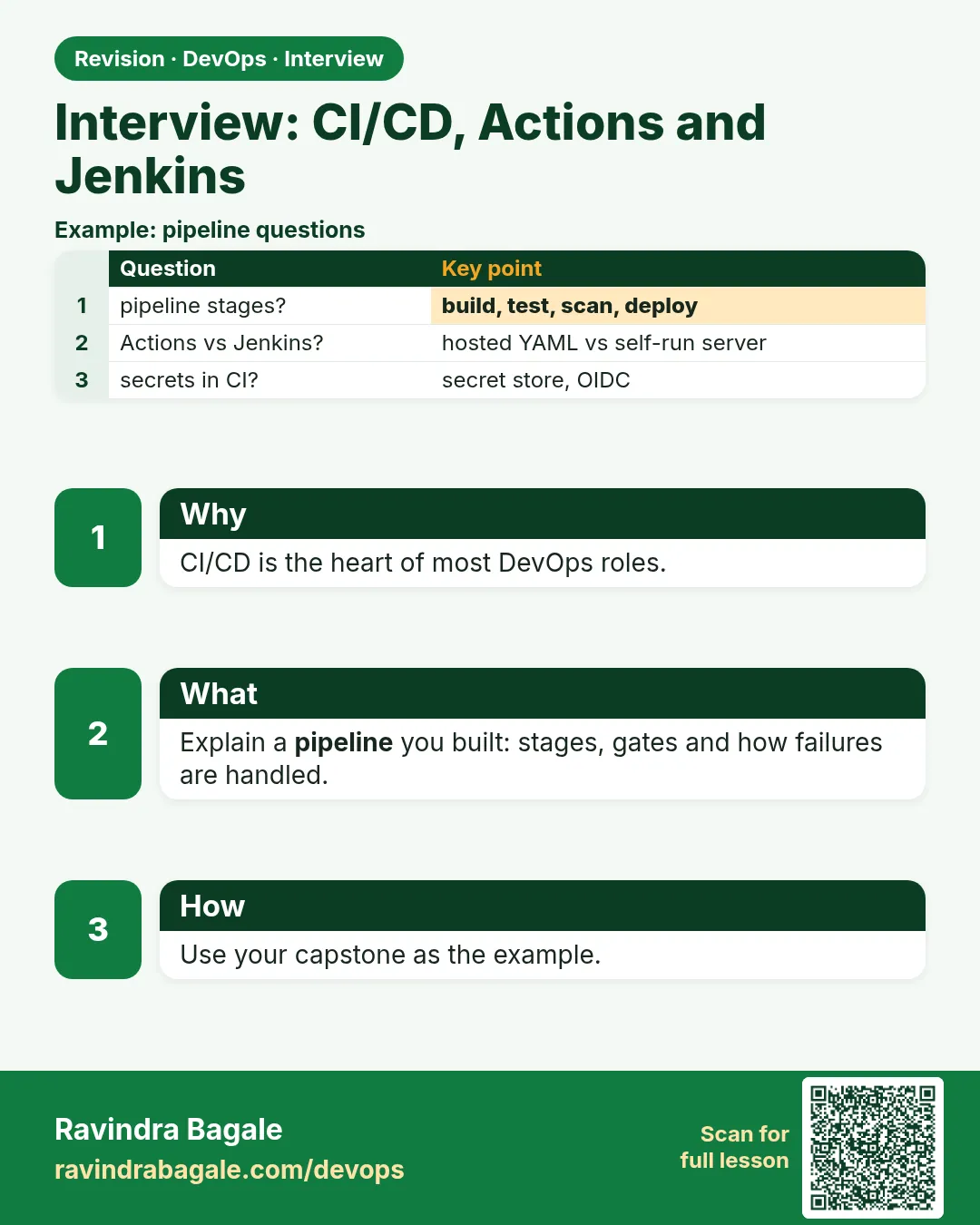
Know one well and the idea of the other. The stages are the same.
What makes a pipeline fast?
Caching, parallel jobs, small images and running only needed tests.
Where should tests run, CI or CD?
Unit tests in CI. Smoke tests after deploy in CD.
What is a self-hosted runner?
Your own machine that runs CI jobs, used for private networks or special hardware.
Is retrying a failed job ok?
Once, for infra blips. Repeated retries hide flaky tests.
Interview questions
-
Pipeline passes on branch, fails on main. Why?
Main may have new commits, different secrets, protected environment rules or a merge result that breaks. Rebase, rerun, compare logs.
-
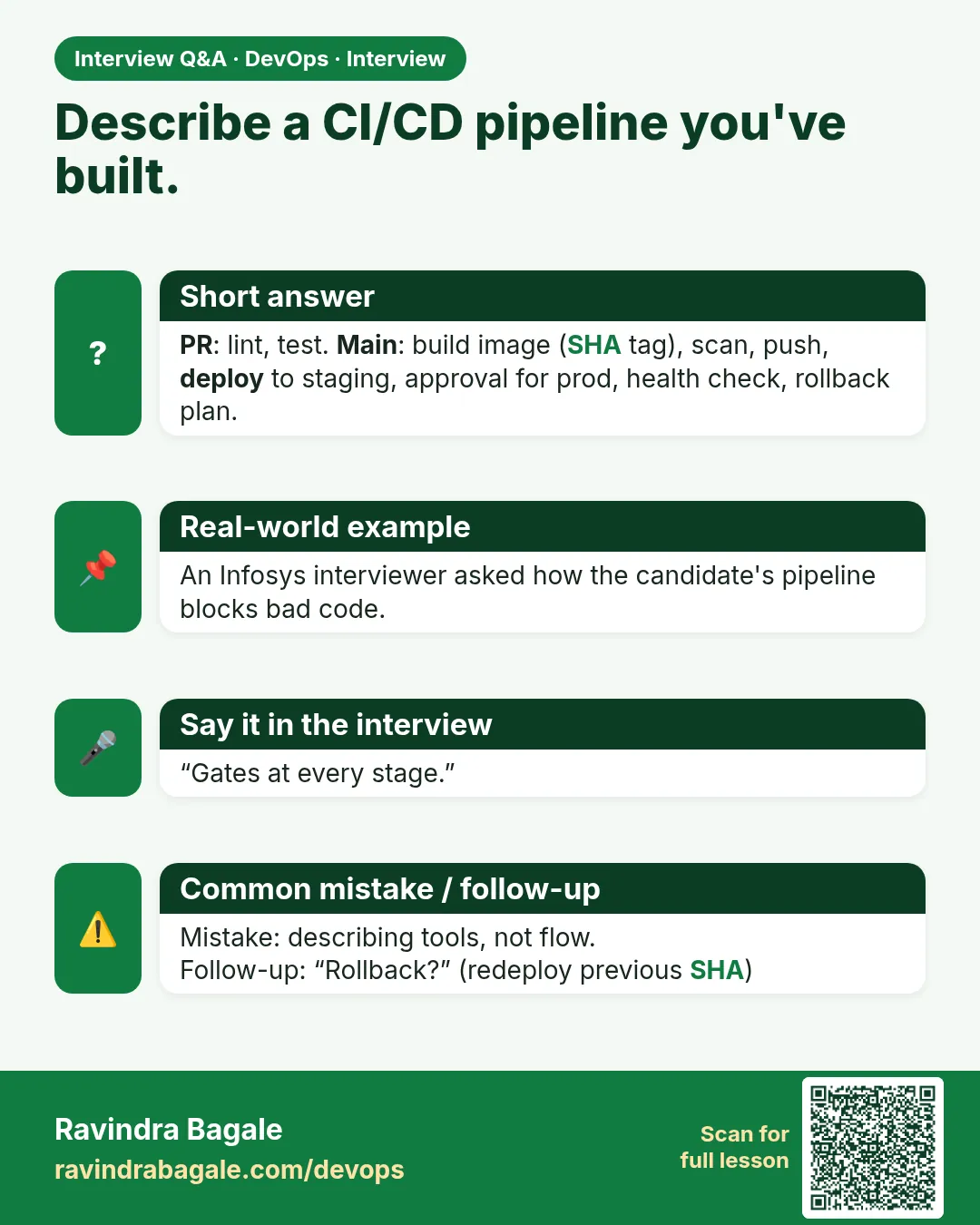
How do you roll back a bad deploy?
Redeploy the last good SHA image or kubectl rollout undo, then postmortem and add a test.
-
How do you keep secrets safe in CI?
Secret store, least privilege, OIDC short-lived creds, no echo, protected environments.
-
What stages does your pipeline have?
Lint, test, build image, scan, push, deploy to staging, smoke test, approve, deploy prod.
-
How do you speed up a slow pipeline?
Cache dependencies, parallel jobs, docker layer cache, test only changed parts.
-
Blue-green vs canary?
Blue-green switches all traffic at once between two stacks. Canary sends a small percent first.
Quick quiz
Q1. What does needs: test do?
Runs the job only after test passes.
Q2. Why tag images with the SHA?
Exact version and easy rollback.
Q3. Where do CI secrets live?
In the CI secret store or a vault, never in the repo.
Q4. Passes locally, fails in CI. First idea?
Environment difference; reproduce in a clean container.
Q5. Delivery vs Deployment?
Delivery has a manual approval; Deployment does not.
Did you understand? Let us try it once more.
 Revision card
 Interview card