Chapter 17: Interview Questions and Job Readiness
17.11 Portfolio checklist (job readiness)
Why: the problem
When a recruiter at TCS or a startup founder looks at your profile, they spend about one minute. In that minute they want proof that you can actually do DevOps work. A list of tools on a resume is not proof. A project repo with a clear README, a pipeline that runs, a diagram, screenshots of a dashboard and a runbook is proof. Many panels open your repo during the interview and ask "show me how this pipeline works" or "what happens if this container dies". In this lesson you will build a portfolio project skeleton from the terminal, with the right folders, a README template, a working CI file and a runbook, and a checklist script that tells you what is still missing.
What we will build
You will create one portfolio repo called shop-devops with app, docker, infra, k8s, ci, docs and runbooks folders. You will write a README that answers the five questions every reviewer has. You will write a checker script that scans the repo for missing parts and for accidental secrets, and fix what it reports.
What: every term in plain English
- Portfolio repo — One public project that shows your DevOps skills end to end.
- README — The front page of the repo. It explains what, why, how to run and what you learned.
- Architecture diagram — A picture of the parts and how they connect.
- Runbook — Step by step notes for a common problem, like "app returns 502".
- Screenshot — A picture of a green pipeline or a dashboard, saved in docs/.
- Secret scan — A check that no keys or passwords are in the repo.
- Talk track — A 90 second spoken tour of your project.
- Pinned repo — A repo you put at the top of your profile so reviewers see it first.
How: step by step
-
Create the repo skeleton
mkdir -p ~/iq/shop-devops/{app,docker,infra,k8s,ci,docs,runbooks} && cd ~/iq/shop-devops && git init -qWhat it does: Clear folders make the repo easy to read.
Output
(no output) -
See the layout
find . -maxdepth 1 -type d -not -name .git | sortWhat it does: Each folder has one job.
Output
. ./app ./ci ./docker ./docs ./infra ./k8s ./runbooks -
Add a .gitignore first
printf ".env\n*.tfstate\n*.tfstate.*\n.terraform/\n__pycache__/\n*.pem\n" > .gitignore && cat .gitignoreWhat it does: Keeps secrets and state out from day one.
Output
.env *.tfstate *.tfstate.* .terraform/ __pycache__/ *.pem -
Add a sample env file
printf "DB_URL=postgresql://user:CHANGE_ME@db:5432/shop\n" > .env.exampleWhat it does: Shows which settings exist, with no real values.
Output
(no output) -
Write the README from Example 1
nano README.mdWhat it does: Copy the template and fill your numbers.
Output
(editor) -
Run the checker from Example 3
python3 check_portfolio.pyWhat it does: It tells you what is missing.
Output
MISSING docs/architecture.png
MISSING runbooks/502.md
OK no secrets found
Example 1: A README that answers the reviewer in one minute
Stack. Markdown
Goal. A README that answers the reviewer in one minute.
README.md
# shop-devops: CI/CD, Docker and Kubernetes for a small shop API
## What it is
A Python Flask shop API with Postgres, deployed with Docker, Terraform and Kubernetes.
## Architecture

User -> ALB -> EKS (2 pods) -> RDS Postgres. CI builds image:SHA and deploys.
## Run it locally in 3 commands
cp .env.example .env
docker compose up -d --build
curl localhost:8080/health
## Pipeline
lint -> test -> build image:SHA -> Trivy scan -> push -> deploy staging -> smoke test -> approve -> prod

## Numbers
- Image size cut from 1.02 GB to 148 MB (multi-stage build)
- Deploy time 4 min, rollback 40 s (kubectl rollout undo)
- 3 incidents practised, see runbooks/
## What I learned
- Never use localhost between containers.
- Read terraform plan before apply.
## Cost and cleanup
terraform destroy removes everything. Lab cost about 3 USD per day.
What each line does
Title line— Says the stack in one line.Architecture image— Reviewers love a picture.Run in 3 commands— Proves it really runs.Pipeline line— Shows you know the stages.Numbers— The strongest part of any portfolio.Cost and cleanup— Shows cloud cost awareness, which managers value.
Green output
Reviewer reads: what, picture, run, pipeline, numbers, lessons. Time: under 60 s.
Expected result. A README that makes a reviewer want to interview you.
Example 2: A runbook file that you can show in the interview
Stack. Kubernetes
Goal. A runbook file that you can show in the interview.
runbooks/502.md
# Runbook: users get 502 Bad Gateway

## Symptoms
- curl -s -o /dev/null -w "%{http_code}" https://shop.example.com/health gives 502
- Alert: 5xx rate over 2 percent for 5 minutes

## First checks (5 minutes)
1. kubectl get pods -n shop            (all Running and Ready?)
2. kubectl logs deploy/shop -n shop --since=10m | tail -50
3. kubectl get endpoints shop -n shop  (not empty?)
4. kubectl rollout history deploy/shop -n shop  (recent deploy?)

## Mitigate
kubectl rollout undo deploy/shop -n shop
kubectl rollout status deploy/shop -n shop

## Confirm
5xx rate under 0.5 percent on the dashboard for 10 minutes.

## Follow up
Postmortem doc within 2 days. Add a test for the cause.
What each line does
Symptoms— How you know this runbook applies.First checks— Numbered, copy-paste commands.Mitigate— The safe fast action.Confirm— A clear "done" signal.Follow up— Shows the team habit of learning.
Green output
runbooks/502.md 42 lines
Expected result. A panel that reads this sees an on-call ready engineer.
Example 3: A checker script that finds gaps and leaked secrets
Stack. Python
Goal. A checker script that finds gaps and leaked secrets.
check_portfolio.py
import pathlib, re
root = pathlib.Path(".")
need = ["README.md", ".gitignore", ".env.example", "docker/Dockerfile",
        "compose.yaml", "ci/pipeline.yml", "infra/main.tf", "k8s/deployment.yaml",
        "docs/architecture.png", "docs/pipeline.png", "runbooks/502.md"]
for n in need:
    print(("OK      " if (root / n).exists() else "MISSING ") + n)
patterns = {
    "aws key": r"AKIA[0-9A-Z]{16}",
    "private key": r"-----BEGIN [A-Z ]*PRIVATE KEY-----",
    "password": r"password\s*=\s*['\"][^'\"]{6,}",
}
found = 0
for f in root.rglob("*"):
    if f.is_file() and ".git" not in f.parts and f.stat().st_size > 0:
        text = f.read_text(errors="ignore")
        for name, p in patterns.items():
            if re.search(p, text, re.I):
                print(f"SECRET? {name} in {f}"); found += 1
print("OK no secrets found" if found == 0 else f"FIX {found} possible secrets")
What each line does
need = [...]— The checklist of files a good DevOps portfolio has.exists()— Prints OK or MISSING for each.AKIA...— Pattern for an AWS access key id.BEGIN PRIVATE KEY— Pattern for SSH or TLS private keys.rglob("*")— Looks at every file except the .git folder.
Green output
OK      README.md
OK      .gitignore
OK      .env.example
MISSING docker/Dockerfile
MISSING docs/architecture.png
OK no secrets found
Expected result. Run it before every push. Fix every MISSING line one by one.
Verify: did it work?
-
Run the checker again
python3 check_portfolio.py | grep -c MISSINGWhat it does: Goal is zero.
Output
0 -
Check nothing secret is tracked
git ls-files | grep -E "\.env$|tfstate|\.pem$" || echo "clean"What it does: Only examples are tracked.
Output
clean
When it is red 1
README images do not show
Cause. The path is wrong or the image was never committed.
Fix, step by step
- Use a relative path like docs/pipeline.png.
- git add docs/*.png and push.
When it is red 2
Checker says SECRET? aws key
Cause. A real or test key is in a file.
Fix, step by step
- Remove it and rotate the key if it was real.
- Use .env.example with CHANGE_ME values.
When it is red 3
Reviewer cannot run it
Cause. Missing steps or hidden setup.
Fix, step by step
- Clone into a fresh folder and follow your own README exactly.
- Fix every step that was missing.
Cleanup
-
Keep it
ls ~/iq/shop-devopsWhat it does: This is your real project; do not delete.
Output
app ci docker docs infra k8s runbooks
Ravindra Bagale's Tip
Do not list tools on the resume — show a project. Put numbers in the README — a tech lead sees them at once.
Resume वर tool list नको, project दाखवा. README मध्ये numbers लिहा — tech lead ला ते लगेच दिसतात.
Resume पर tool list नहीं, project दिखाओ. README में numbers लिखो — tech lead को तुरंत दिखते हैं.
Practice tasks
Medium Draw the architecture
Why: A picture is the first thing reviewers look at.
What to do: Draw your project in draw.io and save docs/architecture.png.
- Boxes top to bottom: user, load balancer, app, DB, CI.
Check: The README shows the image.
Hard Record a talk track
Why: Many panels say "show me your project".
What to do: Record a 90 second screen video walking through the repo.
- README, pipeline run, a runbook, one number.
Check: Video is under 90 seconds.
Easy Say Portfolio in two lines
Why: Interviewers cut you off after 30 seconds. The short version must come first.
What to do: Write a two line answer about Portfolio for a fresher interview.
- Line 1: the problem it solves.
- Line 2: the one command or file you used.
- Say it aloud with a timer.
Check: You finish inside 30 seconds and you name one real command.
Easy Run the commands, not just read them
Why: An interviewer can tell if you only read. Typing the command once gives you the real output to talk about.
What to do: Run every command in the How part of this lesson on your own lab machine.
- Start a small Ubuntu VM, WSL or EC2 t3.micro.
- Run each step and save the output in notes.txt.
- Mark any output that looks different from the lesson.
Check: notes.txt has the real output of every step.
Medium Break it on purpose
Why: You must know the red error by face. In a live round there is no time to read slowly.
What to do: Cause one error from the "When it is red" part of this lesson and fix it.
- Follow the error section.
- Copy the exact message into your notes.
- Write the fix in one line.
Check: You fixed it using only your notes.
Medium Answer in the 4-line shape
Why: A clear shape makes any answer sound senior: Situation, Check, Fix, Prevent.
What to do: Pick one interview question from this lesson and answer in four lines.
- Situation: what broke.
- Check: the command you ran and what it showed.
- Fix: the change you made.
- Prevent: the alert, test or doc you added.
Check: Each of the four lines has a real noun, like a command, a file or a number.
Medium Mock round with a friend
Why: Speaking is a different skill from knowing. Practice it.
What to do: Let a friend ask you three questions from this lesson.
- Friend picks random questions.
- You answer, friend times you.
- Swap and repeat.
Check: You answer all three without saying "I am not sure" twice.
Hard Whiteboard it top to bottom
Why: Many panels say "draw it". A neat top-to-bottom drawing shows you see the whole flow.
What to do: Draw the main flow of this lesson as boxes from top to bottom.
- Start at the user or the trigger.
- Add each hop: server, container, pipeline, tool.
- Write the command you use to check each box beside it.
Check: Every box has one check command next to it.
Hard Write a mini runbook
Why: Good engineers leave notes for the next person. Interviewers love to hear that you do this.
What to do: Write a one page runbook for the main scenario in this lesson.
- Title, symptoms, first 3 checks, fix, how to confirm, how to undo.
Check: A teammate can follow it alone at 2 a.m.
Homework: try at home
Try at home
At home, clone your own project into an empty folder and follow only the README. Every time you get stuck, fix the README. Then record a 90 second talk track.
Recap
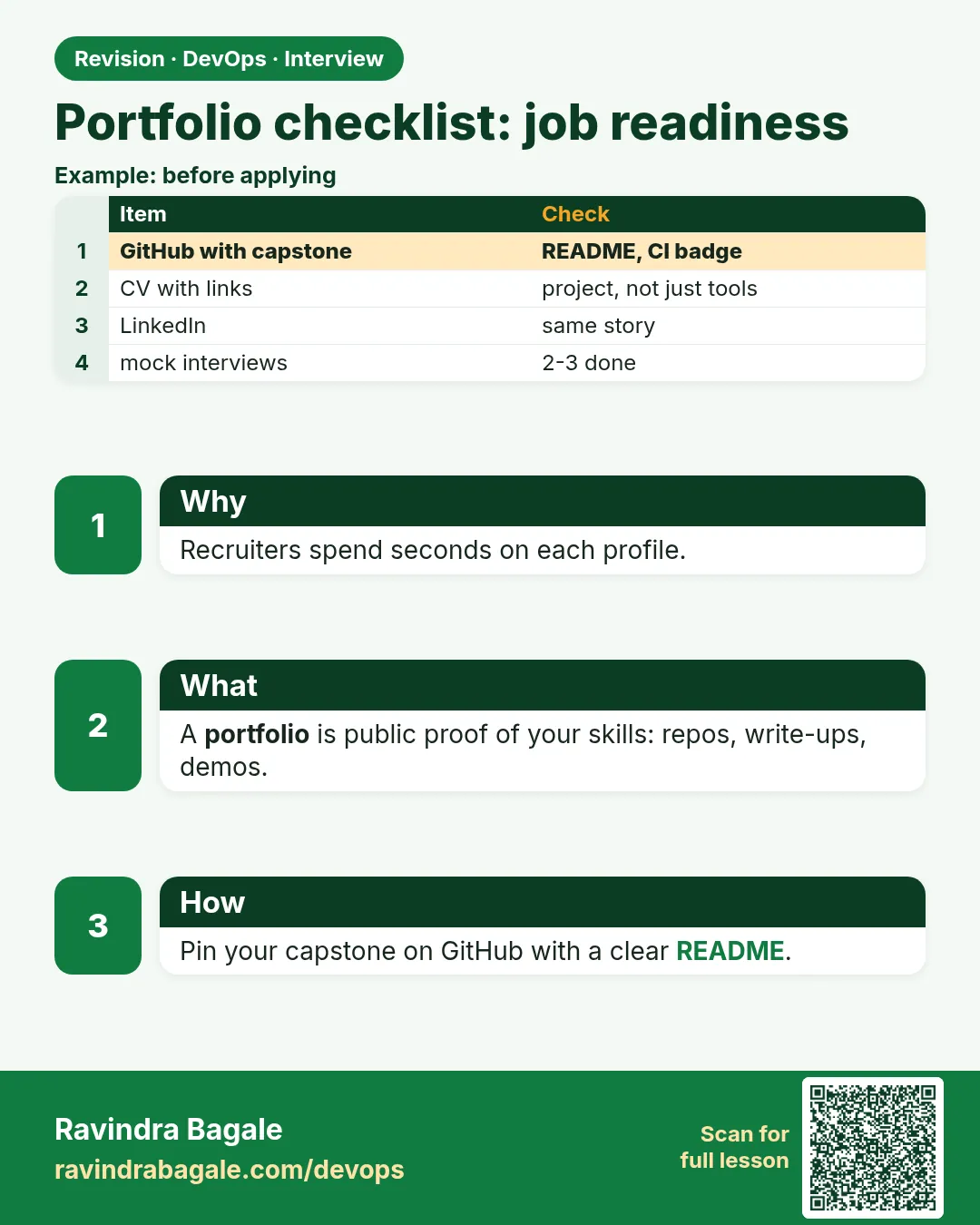
- A portfolio is proof; a tool list is not.
- Clear folders, a strong README, a pipeline, IaC and runbooks.
- Show numbers: size, time, cost.
- Never commit secrets or state files.
- Run a checker before every push.
FAQ
One big project or many small ones?
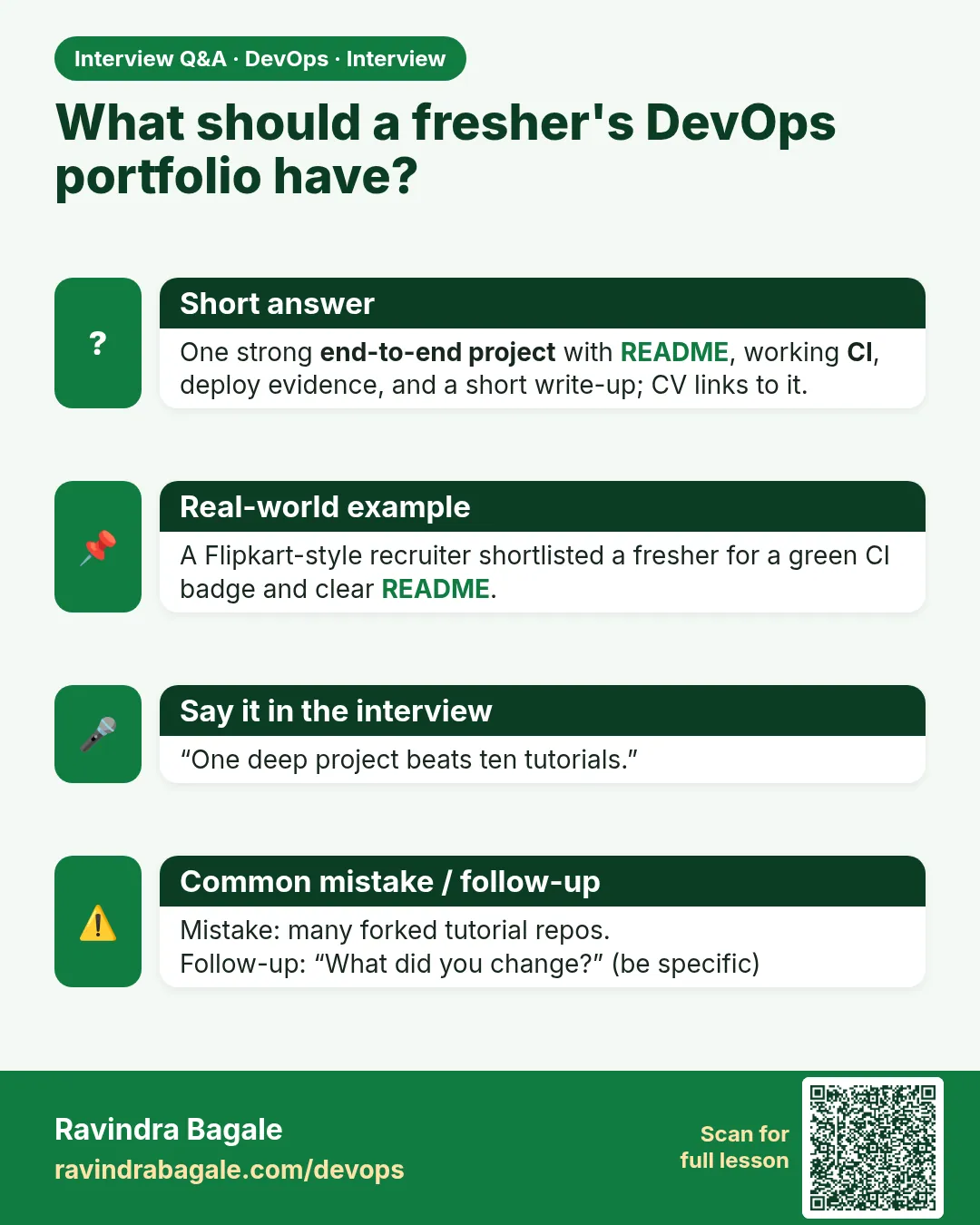
One strong end to end project plus two or three small ones.
Should I deploy it to AWS?
Yes for screenshots, then destroy it to save money.
Is a blog needed?
Helpful, not required. Good README notes are enough.
Can I use course projects?
Yes, but change and extend them so they are yours.
Do I need a certificate?
It helps get past filters. Projects win the interview.
Interview questions
-
Walk me through your project.
User to load balancer to app to DB, then the pipeline from push to deploy, then one incident I practised and the numbers.
-
How did you secure your pipeline?
Secrets in the CI store, OIDC to AWS, image scan, no secrets in repo, least privilege IAM.
-
What would you improve?
Add canary deploys, better alerts and cost dashboards.
-
How do you keep cloud cost low?
Small instances, destroy when idle, budgets and alerts.
-
What was the hardest bug?
Tell one with the 4-line shape.
-
How do you document work?
README, runbooks and short postmortems in the repo.
Quick quiz
Q1. What is the most important part of a README?
How to run it, plus numbers and a diagram.
Q2. Should .env be in the repo?
No. Commit .env.example with fake values.
Q3. What is a runbook?
Step by step notes for handling a known problem.
Q4. Why show numbers?
They prove real impact.
Q5. What should be pinned on your profile?
Your best end to end DevOps project.
Did you understand? Let us try it once more.
 Revision card
 Interview card