Chapter 12: Terraform Introduction
12.4 Terraform versus Ansible — build the house, then furnish it
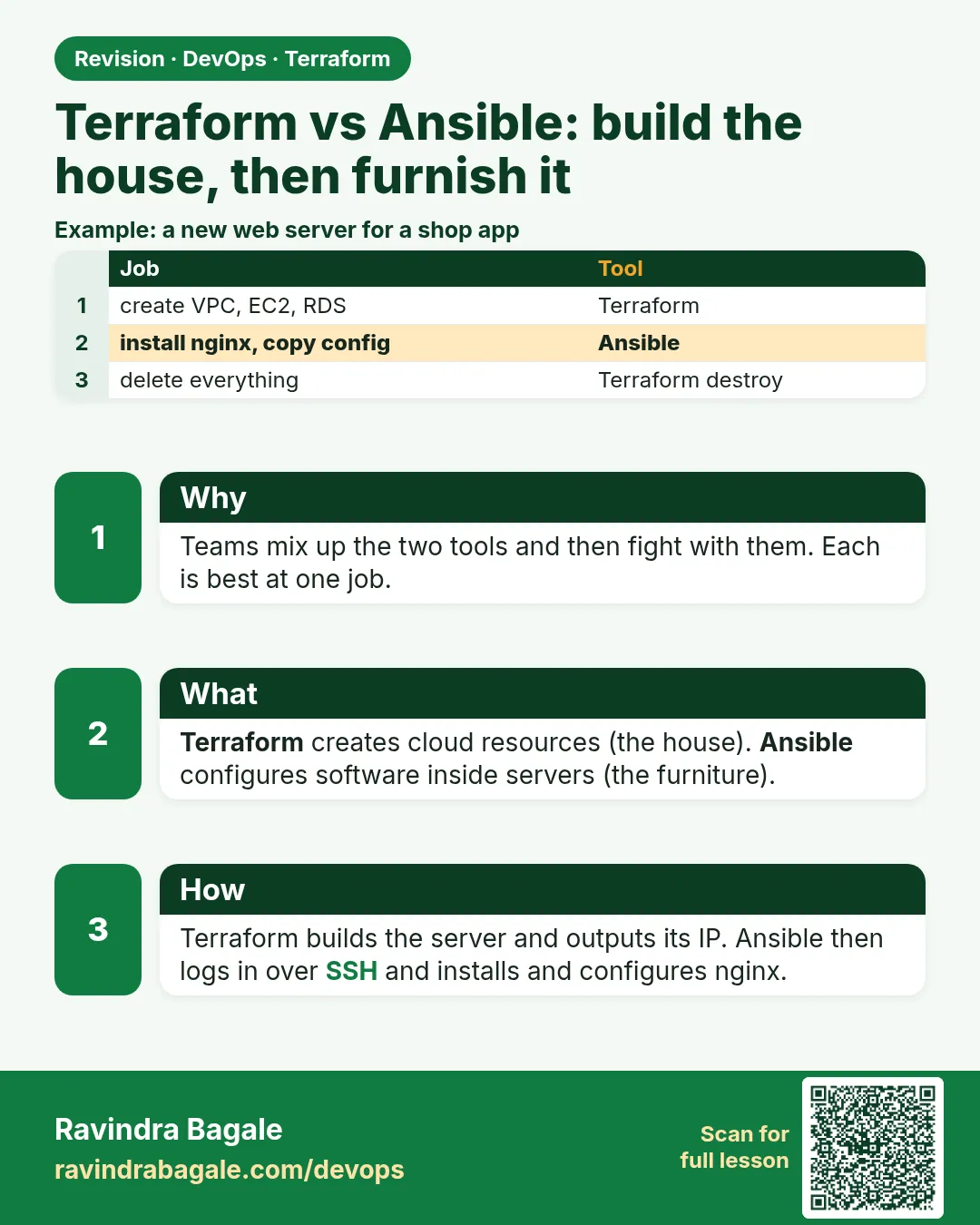
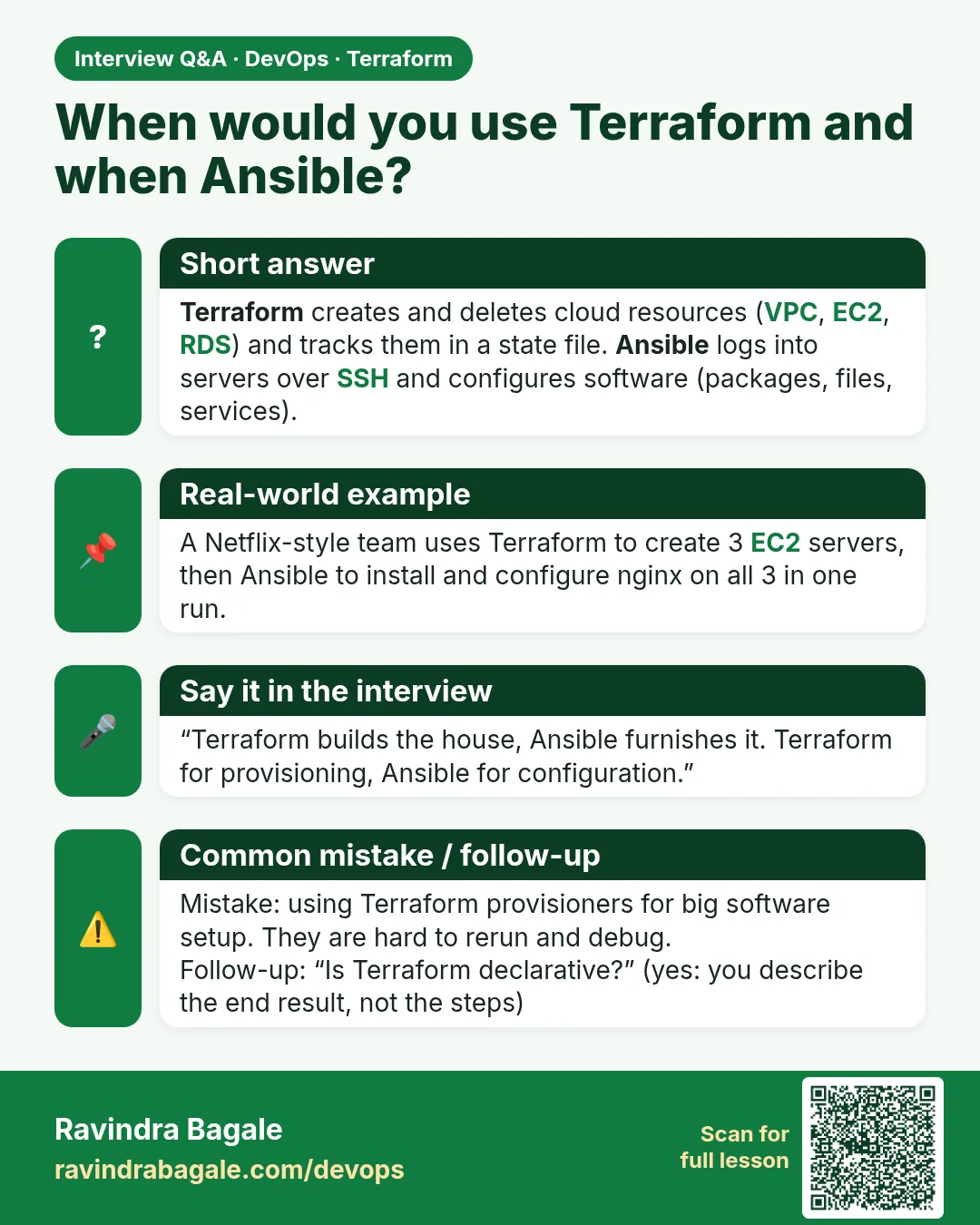
Story. An Infosys client team used Ansible to create EC2 instances and Terraform to install nginx, and both tools fought each other for months. The clean split is simple. Terraform creates and deletes cloud resources and remembers them in state. Ansible logs in to servers that already exist and configures packages and files.
output "web_public_ip" {
  value = aws_instance.web.public_ip
}

# then, on the control node
terraform output -raw web_public_ip > ip.txt
ansible-playbook -i "$(cat ip.txt)," site.yml
What each line does
output "web_public_ip" {— Declares a value Terraform will print after apply.value = aws_instance.web.public_ip— Reads the public IP attribute of the EC2 instance Terraform built.terraform output -raw web_public_ip > ip.txt— Writes the plain IP, with no quotes, into a file.ansible-playbook -i "$(cat ip.txt)," site.yml— Runs the playbook against that one host; the trailing comma makes it an inline inventory.
When it is green.
web_public_ip = "203.0.113.25"

PLAY RECAP *********************************************************
203.0.113.25 : ok=4  changed=2  unreachable=0  failed=0
When it is red.
Error: Unsupported attribute
  on outputs.tf line 2: aws_instance.web.public_ip
This object does not have an attribute named "public_ip".
Fix. Usually the resource is named differently (for example aws_instance.app). Match the name in the resource block exactly.
What: every term in plain English
- provisioning — Creating infrastructure: VPCs, servers, buckets. Terraform's job.
- configuration management — Setting up software inside servers. Ansible's job.
- inventory — Ansible's list of servers to manage.
- playbook — An Ansible YAML file of tasks.
- agentless — Ansible connects over SSH or SSM; no agent on the server.
- user_data — A boot script AWS runs once when an instance starts.
- immutable server — Replace the server instead of changing it in place.
Example 1: Terraform builds the server
A Swiggy-style team splits the work: Terraform makes the EC2 and prints its IP for Ansible.
resource "aws_instance" "web" {
  ami                    = data.aws_ami.al2023.id
  instance_type          = "t3.micro"
  vpc_security_group_ids = [aws_security_group.web.id]
  key_name               = "lab-key"
  tags = {
    Name = "web-1"
    Role = "web"
  }
}

output "web_ip" {
  value = aws_instance.web.public_ip
}
terraform apply -auto-approve
terraform output -raw web_ip
Output
Apply complete! Resources: 2 added, 0 changed, 0 destroyed.
13.233.10.20
What it shows: The Role tag lets Ansible find this server later with a dynamic inventory.
Example 2: Hand the IP to Ansible
Write the inventory from Terraform output so nobody copies IPs by hand.
echo "[web]" > inventory.ini
echo "$(terraform output -raw web_ip) ansible_user=ec2-user" >> inventory.ini
cat inventory.ini
ansible -i inventory.ini web -m ping
Output
[web]
13.233.10.20 ansible_user=ec2-user
13.233.10.20 | SUCCESS => {
    "changed": false,
    "ping": "pong"
}
What it shows: For many servers use the aws_ec2 inventory plugin instead, filtered on the Role tag.
Example 3: Ansible furnishes the house
Now Ansible installs nginx and a page. Run it twice and see it is idempotent too.
# site.yml
- hosts: web
  become: true
  tasks:
    - name: Install nginx
      ansible.builtin.dnf:
        name: nginx
        state: present
    - name: Home page
      ansible.builtin.copy:
        dest: /usr/share/nginx/html/index.html
        content: "Hello from Ansible\n"
    - name: Start nginx
      ansible.builtin.service:
        name: nginx
        state: started
        enabled: true
ansible-playbook -i inventory.ini site.yml
curl -s http://$(terraform output -raw web_ip)
Output
PLAY RECAP
13.233.10.20 : ok=4  changed=3  unreachable=0  failed=0
Hello from Ansible
What it shows: Run the playbook again: changed=0. Same idea as a quiet second plan.
Example 4: The other way: user_data only
For a small app, a boot script may be enough and you skip Ansible. Know when each fits.
resource "aws_instance" "web2" {
  ami           = data.aws_ami.al2023.id
  instance_type = "t3.micro"
  user_data     = file("${path.module}/nginx.sh")
  user_data_replace_on_change = true
}
cat nginx.sh
terraform apply -auto-approve
Output
#!/bin/bash
dnf install -y nginx
echo "Hello from user_data" > /usr/share/nginx/html/index.html
systemctl enable --now nginx

Apply complete! Resources: 1 added, 0 changed, 0 destroyed.
What it shows: user_data runs once at boot. For changes on running servers, Ansible is better.
Example 5: Choose the tool
Interviewers ask this every time. A table makes the answer clear.
Task                                   Tool
-------------------------------------  -----------------------
Create VPC, subnets, EC2, RDS, S3      Terraform
Install packages, edit config files    Ansible
Rolling restart of 20 servers          Ansible
Scale an Auto Scaling group            Terraform
Patch OS every month                   Ansible or SSM Patch Manager
One-time boot script                   Terraform user_data
Output
Rule: Terraform builds the house. Ansible furnishes it.
What it shows: Chapter 11 covers Ansible in depth.
Example 6: One pipeline, both tools
In a real Jenkins or GitHub Actions job the two tools run one after the other. Terraform builds, then Ansible configures, then a curl check proves it worked.
# .github/workflows/web.yml
name: web
on: workflow_dispatch
jobs:
  build-and-configure:
    runs-on: ubuntu-latest
    permissions:
      id-token: write
      contents: read
    steps:
      - uses: actions/checkout@v4
      - uses: aws-actions/configure-aws-credentials@v4
        with:
          role-to-assume: arn:aws:iam::111122223333:role/ci-terraform
          aws-region: ap-south-1
      - uses: hashicorp/setup-terraform@v3
      - run: terraform init -input=false
      - run: terraform apply -auto-approve -input=false
      - run: echo "[web]" > inventory.ini && echo "$(terraform output -raw web_ip) ansible_user=ec2-user" >> inventory.ini
      - run: ansible-playbook -i inventory.ini site.yml
      - run: curl -fsS "http://$(terraform output -raw web_ip)"
Output
Apply complete! Resources: 2 added, 0 changed, 0 destroyed.
PLAY RECAP
13.233.10.20 : ok=4  changed=3  unreachable=0  failed=0
Hello from Ansible
What it shows: The job uses an IAM role through OIDC, so there are no AWS keys stored anywhere.
Command cheat sheet
| Command | What it does | When to use it |
|---|---|---|
terraform output -raw ip |
Get a value for scripts | Hand-off to Ansible |
ansible -m ping |
Check connection | Before a playbook |
ansible-playbook site.yml |
Run tasks | Configure servers |
ansible-playbook --check |
Dry run | Like plan |
user_data |
Boot script | Simple one-time setup |
terraform destroy |
Remove servers | End of lab |
Verify: did it work?
-
Page
curl -s http://13.233.10.20Output
Hello from Ansible -
Idempotent
ansible-playbook -i inventory.ini site.yml | tail -1Output
13.233.10.20 : ok=4 changed=0 unreachable=0 failed=0
When it is red 1
13.233.10.20 | UNREACHABLE! => {"msg": "Failed to connect to the host via ssh: Connection timed out"}
Cause. Port 22 is closed or the IP is wrong.
Fix, step by step
- Allow SSH only from your IP in the group.
- Or use the SSM connection plugin.
When it is red 2
fatal: [13.233.10.20]: FAILED! => {"msg": "Missing sudo password"}
Cause. The task needs root.
Fix, step by step
- Add become: true.
When it is red 3
curl: (7) Failed to connect to 13.233.10.20 port 80
Cause. nginx not started or port 80 not open.
Fix, step by step
- Check the service task.
- Check the security group.
Cleanup
terraform destroy -auto-approve
rm -f inventory.ini
Ravindra Bagale's Tip
Do not use Terraform provisioners to run long scripts. Hand the server to Ansible or use user_data.
Practice tasks
Easy Build
Why: Terraform first.
What to do: Apply the web-1 instance.
- Print the IP.
Check: An IP prints.
Medium Inventory
Why: No copy paste.
What to do: Write inventory.ini from output.
- ping it.
Check: pong
Medium Furnish
Why: Ansible second.
What to do: Run site.yml.
- curl the page.
Check: Hello from Ansible.
Hard Compare
Why: Pick tools.
What to do: Do the same page with user_data only.
- Compare effort.
Check: Both pages work.
Easy Say it in two lines
Why: If you can say it simply, you understand it.
What to do: Write two short lines about this lesson for a fresher.
- Write the problem it solves.
- Write the one command or file you use.
- Read it aloud.
Check: A fresher understands it without a question.
Easy Start a safe lab folder
Why: Practice needs a throwaway place.
What to do: Make a new folder with versions.tf and a random_pet resource, so no AWS cost.
- mkdir tf-lab and cd into it.
- Add the hashicorp/random provider and one random_pet.
- Run terraform init and terraform apply.
Check: Apply complete! with 1 added.
Medium Break it on purpose
Why: You must know the red output by face.
What to do: Cause one error from the red part of this lesson and fix it.
- Follow one red section.
- Copy the exact message to your notes.
- Write the fix in one line.
Check: You fixed it without searching the web.
Medium Run it twice
Why: A second run must be quiet.
What to do: Run the same plan two times with no edits.
- Run terraform plan.
- Run it again.
- Explain any change it still shows.
Check: The second plan says No changes, or you can explain each line.
Medium Write a runbook page
Why: At 2 a.m. nobody remembers flags.
What to do: Write a one-page runbook for this lesson.
- Title, when to use, exact commands, how to check, how to undo.
Check: A teammate can follow it alone.
Medium Run it from a pipeline
Why: Real teams run Terraform from CI, not from laptops.
What to do: Run the main command of this lesson inside a GitHub Actions or Jenkins job.
- Add a job with hashicorp/setup-terraform or a Terraform Docker image.
- Give it AWS access through an IAM role, never a key in the file.
- Run init, then the command from this lesson.
Check: The job log shows the same output you saw on your laptop.
Medium Check the cost
Why: Labs left running cost real money.
What to do: Find what this lesson would cost per day if you forgot to destroy it.
- Open the AWS Pricing Calculator.
- Add each resource from your plan.
- Write the daily cost in your notes.
Check: You know the daily cost and you ran terraform destroy.
Hard Draw the flow top to bottom
Why: A drawing shows the order of work.
What to do: Draw this lesson as boxes from top to bottom.
- Start at your code, go through plan and state, end at AWS.
- Mark where each command reads or writes.
Check: Each box matches a real step you ran.
Hard Explain it like an interview
Why: Interviewers want real stories.
What to do: Record a 60 second answer about this lesson.
- Say the problem, the command, and one error you hit.
Check: Your answer has a real command and a real error message.
Homework: try at home
Try at home
List five tasks from your job or college project. Mark each one Terraform or Ansible and say why.
Recap
- Terraform creates infrastructure.
- Ansible configures what runs inside.
- Pass Terraform outputs to Ansible.
- user_data fits simple boot setup.
- Both tools are idempotent.
FAQ
Can Terraform install software?
With user_data, yes, once. Ongoing changes are better in Ansible.
Can Ansible create EC2?
Yes, but it has no plan or state like Terraform.
Do I need both?
Most teams use both, or Terraform plus container images.
What about Kubernetes?
Terraform makes the cluster; Helm or Argo CD deploy the apps.
Is Packer related?
Packer bakes images; then Terraform launches them.
Interview questions
-
Terraform vs Ansible?
Terraform provisions infrastructure with state; Ansible configures servers over SSH.
-
How do they work together?
Terraform outputs IPs or tags; Ansible uses them as inventory.
-
Why not provisioners?
They are a last resort; failures taint resources and they have no state.
-
What is immutable infrastructure?
Bake a new image and replace servers instead of changing them.
-
When is user_data enough?
For simple, one-time boot setup.
Quick quiz
Q1. Which tool keeps state?
Terraform
Q2. Ansible connects with?
SSH or SSM
Q3. Ansible dry run flag?
--check
Q4. Boot script setting?
user_data
Q5. Who builds the house?
Terraform
Lab
- Install Terraform and run terraform version.
- Run aws sts get-caller-identity and confirm you use a role or SSO.
- Create main.tf with the security group from 12.1 and a provider block for your region.
- Run terraform init.
- Run terraform plan and confirm Plan: 1 to add.
- Run terraform apply and type yes.
- Run terraform destroy and confirm Destroy complete! to avoid cost.
Practice task
Write five lines explaining why a plan file (tfplan) is safer than running apply directly in a team.
Ravindra Bagale's Tip
Read the last line of every plan before typing yes. If it says destroy and you did not expect it, stop.
In short
- IaC turns console clicks into reviewed files in Git.
- Install from the official HashiCorp repository and use roles, not keys.
- The loop is init, plan, apply, then destroy at the end of a lab.
- Terraform builds infrastructure; Ansible configures servers.
- Chapters 33 to 43 cover every Terraform topic in depth.
Samajla ka?
 Revision card
 Interview card