Chapter 12: Terraform Introduction
12.1 Why IaC — console clicks versus code
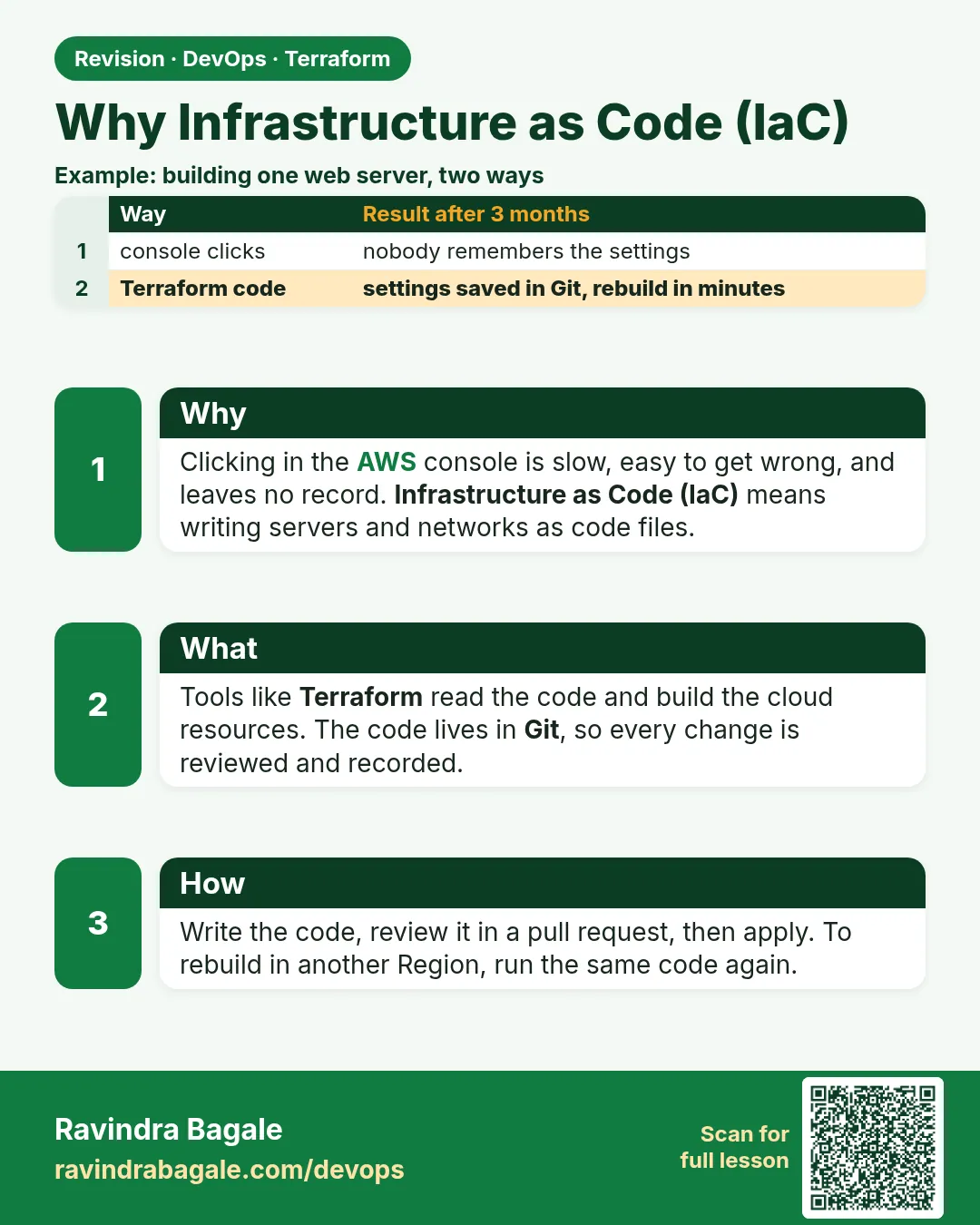
Story. A Netflix-style platform team once rebuilt a test environment by hand after a region drill. Two engineers clicked through the AWS console for an afternoon and still ended up with different security group rules. With Infrastructure as Code the same environment lives in .tf files in Git, so a reviewer reads the change before it happens and a rebuild is one command. That is the whole reason Terraform exists: the files are the blueprint, the cloud is the building.
# main.tf - the same security group every time, from code
resource "aws_security_group" "web" {
  name        = "badge-web-sg"
  description = "Allow HTTP to the badge web server"

  tags = {
    Project = "badge-api"
    Owner   = "devops-class"
  }
}
What each line does
# main.tf - ...— A comment; Terraform ignores lines that start with #.resource "aws_security_group" "web" {— Declares one AWS security group that Terraform will name web inside this project.name = "badge-web-sg"— The name AWS shows in the console for this group.description = "..."— Free text that tells the next engineer why the group exists.tags = {— Opens a map of labels attached to the resource.Project = "badge-api"— Tag that lets billing and cleanup scripts find everything for this app.Owner = "devops-class"— Tag that says who to ask before deleting it.
When it is green.
Terraform will perform the following actions:

  # aws_security_group.web will be created
  + resource "aws_security_group" "web" {
      + name        = "badge-web-sg"
      + tags        = { "Owner" = "devops-class", "Project" = "badge-api" }
    }

Plan: 1 to add, 0 to change, 0 to destroy.
When it is red.
Error: creating Security Group (badge-web-sg): InvalidGroup.Duplicate:
The security group 'badge-web-sg' already exists for VPC 'vpc-0abc...'
Fix. Someone already clicked a group with that name in the console. Either delete the clicked copy or bring it under Terraform with an import block (Chapter 37), then plan again.
What: every term in plain English
- IaC — Infrastructure as Code. You write servers, networks and buckets in files instead of clicking.
- declarative — You describe the end result. Terraform works out the steps.
- idempotent — Running the same code twice gives the same result, with no extra copies.
- HCL — HashiCorp Configuration Language, the file format Terraform reads.
- plan — A preview of what Terraform will add, change or destroy.
- review — A teammate reads your change in a pull request before it runs.
- console drift — Clicks in the AWS console that nobody wrote down.
Example 1: Console clicks versus one file
A TCS fresher built a security group by clicking 14 times. Next week prod needed the same group and nobody remembered the steps. Here is the same group as code you can run again any day.
- Make a folder called sg-lab.
- Save main.tf below.
- Run init, plan and apply.
- Run plan again and see no changes.
# main.tf
provider "aws" {
  region = "ap-south-1"
}

resource "aws_security_group" "web" {
  name        = "web-lab-sg"
  description = "HTTP from anywhere"

  ingress {
    from_port   = 80
    to_port     = 80
    protocol    = "tcp"
    cidr_blocks = ["0.0.0.0/0"]
  }

  egress {
    from_port   = 0
    to_port     = 0
    protocol    = "-1"
    cidr_blocks = ["0.0.0.0/0"]
  }
}
terraform init
terraform apply -auto-approve
terraform plan
Output
aws_security_group.web: Creating...
aws_security_group.web: Creation complete after 2s [id=sg-0a1b2c3d4e5f67890]

Apply complete! Resources: 1 added, 0 changed, 0 destroyed.

aws_security_group.web: Refreshing state... [id=sg-0a1b2c3d4e5f67890]

No changes. Your infrastructure matches the configuration.
What it shows: The second plan says No changes. That is idempotent: running again does not make a second group.
Example 2: Same code, second region in one minute
A Zomato-style team opened in a new region. With code, the copy is one variable change, not an afternoon of clicking.
variable "region" {
  default = "ap-south-1"
}

provider "aws" {
  region = var.region
}
terraform workspace new singapore
terraform apply -auto-approve -var region=ap-southeast-1
Output
Created and switched to workspace "singapore"!

aws_security_group.web: Creating...
aws_security_group.web: Creation complete after 2s [id=sg-0f9e8d7c6b5a43210]
Apply complete! Resources: 1 added, 0 changed, 0 destroyed.
What it shows: Workspaces keep a separate state for the copy. Chapter 34 covers this in depth.
Example 3: A change you can review
At an HDFC-style bank no change reaches prod without review. With code, the review is a Git diff and a plan.
ingress {
  from_port   = 443
  to_port     = 443
  protocol    = "tcp"
  cidr_blocks = ["0.0.0.0/0"]
}
git diff --stat
terraform plan
Output
 main.tf | 7 +++++++
 1 file changed, 7 insertions(+)

  # aws_security_group.web will be updated in-place
  ~ resource "aws_security_group" "web" {
      ~ ingress = [
          + {
              + from_port   = 443
              + to_port     = 443
            },
        ]
    }

Plan: 0 to add, 1 to change, 0 to destroy.
What it shows: The reviewer sees both the code diff and the plan. A console click shows neither.
Example 4: Destroy the lab in one command
Forgotten lab servers are the top surprise bill for freshers. Code makes cleanup one command.
terraform destroy -auto-approve
terraform workspace select default
terraform destroy -auto-approve
Output
aws_security_group.web: Destroying... [id=sg-0f9e8d7c6b5a43210]
aws_security_group.web: Destruction complete after 1s
Destroy complete! Resources: 1 destroyed.

aws_security_group.web: Destroying... [id=sg-0a1b2c3d4e5f67890]
Destroy complete! Resources: 1 destroyed.
What it shows: Destroy each workspace you created. Then run aws ec2 describe-security-groups to confirm both are gone.
Example 5: Practise free with no AWS account
Not everyone has an AWS account on day one. The local provider writes files, so you learn the same loop for free.
resource "local_file" "hello" {
  filename = "${path.module}/hello.txt"
  content  = "Hello from Terraform"
}
terraform init
terraform apply -auto-approve
cat hello.txt
terraform destroy -auto-approve
Output
Apply complete! Resources: 1 added, 0 changed, 0 destroyed.
Hello from Terraform
Destroy complete! Resources: 1 destroyed.
What it shows: Same init, plan, apply, destroy. Only the provider changes.
Command cheat sheet
| Command | What it does | When to use it |
|---|---|---|
terraform init |
Download providers | First time in a folder |
terraform plan |
Preview changes | Before every apply |
terraform apply |
Make the changes | After reading the plan |
terraform destroy |
Delete everything in state | End of every lab |
terraform fmt |
Format files | Before commit |
git diff |
See code changes | Before review |
Verify: did it work?
-
Group exists
aws ec2 describe-security-groups --group-names web-lab-sg --query "SecurityGroups[0].GroupId" --output textOutput
sg-0a1b2c3d4e5f67890 -
Second run is quiet
terraform plan -detailed-exitcode; echo $?Output
No changes. Your infrastructure matches the configuration.
0
When it is red 1
Error: creating Security Group (web-lab-sg): InvalidGroup.Duplicate: The security group 'web-lab-sg' already exists for VPC 'vpc-0abc'
Cause. A clicked copy with the same name already exists.
Fix, step by step
- Delete the clicked copy in the console, or import it (Chapter 37).
- Run plan again.
When it is red 2
Error: No valid credential sources found
Cause. Terraform cannot find AWS access.
Fix, step by step
- Run aws sso login or use an instance role.
- Check with aws sts get-caller-identity.
When it is red 3
Error: Unsupported argument
  on main.tf line 9: protcol = "tcp"
An argument named "protcol" is not expected here.
Cause. A typo in an argument name.
Fix, step by step
- Fix the spelling to protocol.
- Run terraform validate.
Cleanup
terraform destroy -auto-approve
Ravindra Bagale's Tip
If you clicked it twice, write it as code. The third time will be free.
Practice tasks
Easy Free loop
Why: Learn without cost.
What to do: Run the local_file example.
- init, apply, cat, destroy.
Check: hello.txt appears and disappears.
Medium Security group
Why: First AWS code.
What to do: Apply the web-lab-sg group.
- Plan twice.
Check: Second plan shows No changes.
Medium Add 443
Why: Review a change.
What to do: Add HTTPS and read the diff and plan.
- git diff, plan.
Check: 1 to change.
Hard Second region
Why: Copy fast.
What to do: Apply the same code in Singapore with a workspace.
- Destroy both after.
Check: Two groups, then none.
Easy Say it in two lines
Why: If you can say it simply, you understand it.
What to do: Write two short lines about this lesson for a fresher.
- Write the problem it solves.
- Write the one command or file you use.
- Read it aloud.
Check: A fresher understands it without a question.
Easy Start a safe lab folder
Why: Practice needs a throwaway place.
What to do: Make a new folder with versions.tf and a random_pet resource, so no AWS cost.
- mkdir tf-lab and cd into it.
- Add the hashicorp/random provider and one random_pet.
- Run terraform init and terraform apply.
Check: Apply complete! with 1 added.
Medium Break it on purpose
Why: You must know the red output by face.
What to do: Cause one error from the red part of this lesson and fix it.
- Follow one red section.
- Copy the exact message to your notes.
- Write the fix in one line.
Check: You fixed it without searching the web.
Medium Run it twice
Why: A second run must be quiet.
What to do: Run the same plan two times with no edits.
- Run terraform plan.
- Run it again.
- Explain any change it still shows.
Check: The second plan says No changes, or you can explain each line.
Medium Write a runbook page
Why: At 2 a.m. nobody remembers flags.
What to do: Write a one-page runbook for this lesson.
- Title, when to use, exact commands, how to check, how to undo.
Check: A teammate can follow it alone.
Medium Run it from a pipeline
Why: Real teams run Terraform from CI, not from laptops.
What to do: Run the main command of this lesson inside a GitHub Actions or Jenkins job.
- Add a job with hashicorp/setup-terraform or a Terraform Docker image.
- Give it AWS access through an IAM role, never a key in the file.
- Run init, then the command from this lesson.
Check: The job log shows the same output you saw on your laptop.
Medium Check the cost
Why: Labs left running cost real money.
What to do: Find what this lesson would cost per day if you forgot to destroy it.
- Open the AWS Pricing Calculator.
- Add each resource from your plan.
- Write the daily cost in your notes.
Check: You know the daily cost and you ran terraform destroy.
Hard Draw the flow top to bottom
Why: A drawing shows the order of work.
What to do: Draw this lesson as boxes from top to bottom.
- Start at your code, go through plan and state, end at AWS.
- Mark where each command reads or writes.
Check: Each box matches a real step you ran.
Hard Explain it like an interview
Why: Interviewers want real stories.
What to do: Record a 60 second answer about this lesson.
- Say the problem, the command, and one error you hit.
Check: Your answer has a real command and a real error message.
Homework: try at home
Try at home
Write down three things you have clicked in the AWS console this month. Pick one and write it as Terraform code.
Recap
- IaC turns clicks into reviewed files.
- Terraform is declarative and idempotent.
- A plan shows the change before it happens.
- The same code builds any region or environment.
- Destroy ends every lab.
FAQ
Is Terraform only for AWS?
No. It has providers for Azure, GCP, Kubernetes, GitHub and many more.
Do I still need the console?
For looking, yes. For changes, use code.
What about CloudFormation?
It is AWS only. Terraform works across clouds with one language.
Is OpenTofu the same?
OpenTofu is an open-source fork. The commands and HCL are almost the same.
How long to learn?
The basic loop in a day. Modules and state in a few weeks.
Interview questions
-
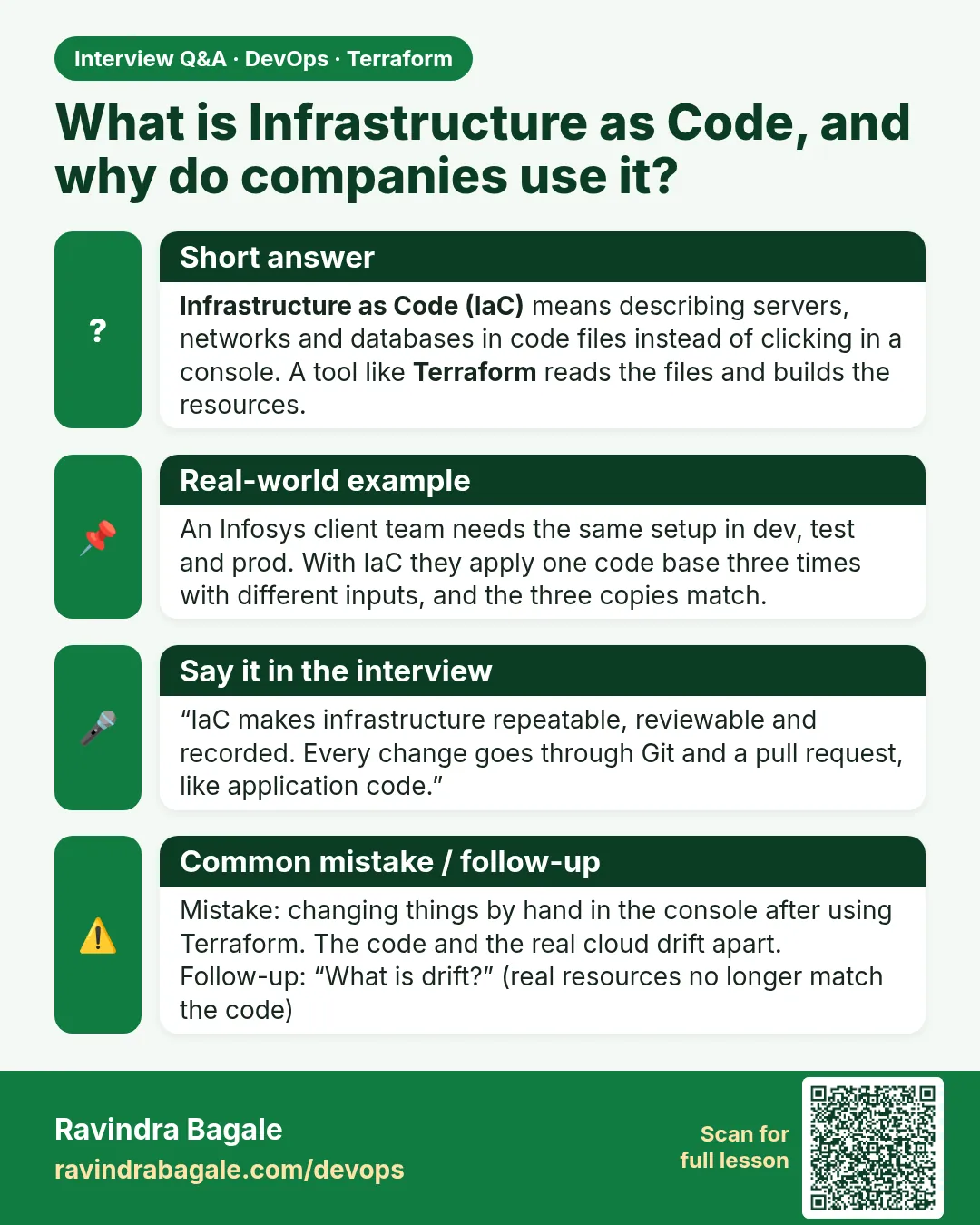
What is IaC?
Managing infrastructure with code files that are reviewed and versioned.
-
Declarative vs imperative?
Declarative says what you want; imperative lists steps. Terraform is declarative.
-
What does idempotent mean here?
Applying the same code twice changes nothing the second time.
-
Why not just use the console?
No history, no review, no repeat, easy mistakes.
-
Terraform vs CloudFormation?
Terraform is multi-cloud with a plan; CloudFormation is AWS only.
Quick quiz
Q1. Command to preview changes?
terraform plan
Q2. Second plan with no edits shows?
No changes.
Q3. File format name?
HCL
Q4. Free provider for practice?
local
Q5. Command to clean a lab?
terraform destroy
Samajla ka?
 Revision card
 Interview card