Chapter 12: Terraform Introduction
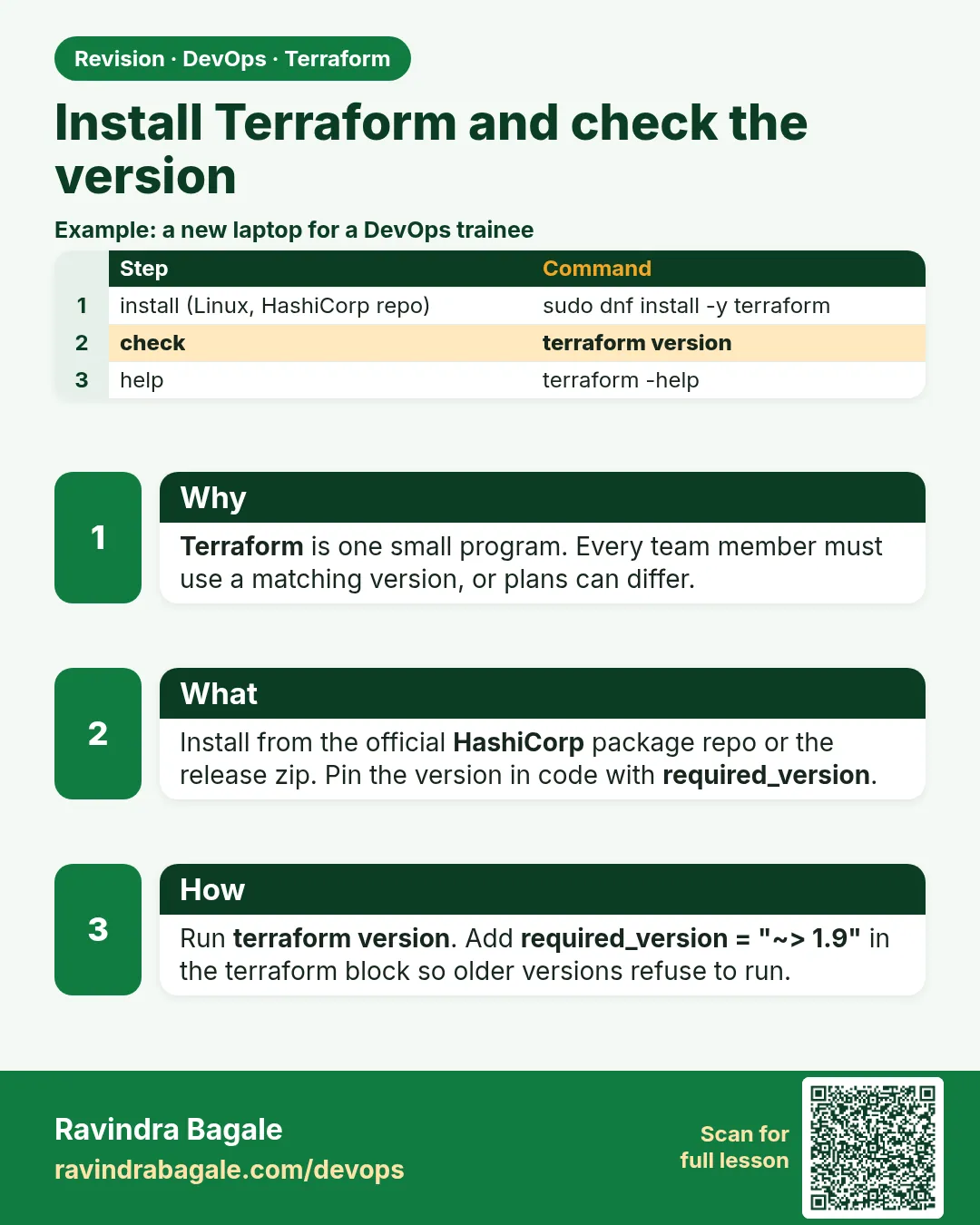
12.2 Install Terraform and check the version
Story. An Infosys client project starts every new joiner with the same first-day check: is the right Terraform on the laptop, and is the AWS CLI logged in through a role or SSO, not a pasted key. Mismatched Terraform versions on two laptops cause confusing lock-file and state upgrade messages. So install from HashiCorp's official package repository and pin the version range in code.
Steps
- Add the HashiCorp signing key.
- Add the HashiCorp repository.
- Install the terraform package.
- Run terraform version.
- Run aws sts get-caller-identity to confirm the role.
# Ubuntu / Debian
wget -O- https://apt.releases.hashicorp.com/gpg | sudo gpg --dearmor -o /usr/share/keyrings/hashicorp-archive-keyring.gpg
echo "deb [signed-by=/usr/share/keyrings/hashicorp-archive-keyring.gpg] https://apt.releases.hashicorp.com $(lsb_release -cs) main" | sudo tee /etc/apt/sources.list.d/hashicorp.list
sudo apt update && sudo apt install terraform

# Amazon Linux 2023
sudo dnf install -y dnf-plugins-core
sudo dnf config-manager --add-repo https://rpm.releases.hashicorp.com/AmazonLinux/hashicorp.repo
sudo dnf install -y terraform

terraform version
aws sts get-caller-identity
What each line does
wget -O- .../gpg | sudo gpg --dearmor ...— Downloads HashiCorp's signing key so apt can trust the packages.echo "deb [signed-by=...] ..." | sudo tee ...— Adds the official HashiCorp apt repository for your Ubuntu release.sudo apt update && sudo apt install terraform— Refreshes the package list and installs Terraform.sudo dnf install -y dnf-plugins-core— Installs the plugin that lets dnf add repositories on Amazon Linux.sudo dnf config-manager --add-repo ...— Adds the HashiCorp repository for Amazon Linux.sudo dnf install -y terraform— Installs Terraform on Amazon Linux 2023.terraform version— Prints the installed Terraform version so you can compare with the team.aws sts get-caller-identity— Shows which AWS account and role your credentials point to, without printing any secret.
When it is green.
Terraform v1.x.y
on linux_amd64

{
    "UserId": "AROA...:ravindra",
    "Account": "<your-account-id>",
    "Arn": "arn:aws:sts::<your-account-id>:assumed-role/DevOpsLab/ravindra"
}
When it is red.
terraform: command not found

Unable to locate credentials. You can configure credentials by running "aws configure".
Fix. If terraform is not found, the repository step failed; rerun it and check the release name. For credentials, use aws sso login or an EC2 instance role. Never paste access keys into .tf files.
What: every term in plain English
- binary — Terraform is one program file. Install puts it on your PATH.
- PATH — The list of folders your shell searches for commands.
- tfenv — A tool to switch between Terraform versions.
- AWS CLI — The aws command. Terraform uses the same login.
- SSO — AWS IAM Identity Center login. Gives short-lived keys.
- sts get-caller-identity — Shows which AWS user or role you are.
- required_version — A setting that stops old Terraform versions from running your code.
Example 1: Install on Ubuntu from the HashiCorp repo
An Infosys lab machine runs Ubuntu. Use the official package repository so updates come with apt.
sudo apt-get update && sudo apt-get install -y gnupg software-properties-common curl
curl -fsSL https://apt.releases.hashicorp.com/gpg | sudo gpg --dearmor -o /usr/share/keyrings/hashicorp.gpg
echo "deb [signed-by=/usr/share/keyrings/hashicorp.gpg] https://apt.releases.hashicorp.com $(lsb_release -cs) main" \
  | sudo tee /etc/apt/sources.list.d/hashicorp.list
sudo apt-get update && sudo apt-get install -y terraform
terraform version
Output
Terraform v1.x.x
on linux_amd64
What it shows: Your version number will be newer. Any 1.6 or later works for this course.
Example 2: Install on Amazon Linux 2023
Many teams run Terraform from an EC2 build server. Amazon Linux uses dnf.
sudo dnf install -y dnf-plugins-core
sudo dnf config-manager --add-repo https://rpm.releases.hashicorp.com/AmazonLinux/hashicorp.repo
sudo dnf install -y terraform
terraform -version
which terraform
Output
Terraform v1.x.x
on linux_amd64
/usr/bin/terraform
What it shows: On this EC2 server, attach an IAM role. Then Terraform needs no keys at all.
Example 3: Install on Windows and macOS
Laptops at a Wipro client were mixed Windows and Mac. Each has a one-line package manager install.
# Windows PowerShell
winget install HashiCorp.Terraform
terraform -version

# macOS
brew tap hashicorp/tap
brew install hashicorp/tap/terraform
terraform -version
Output
Terraform v1.x.x
on windows_amd64

Terraform v1.x.x
on darwin_arm64
What it shows: Close and reopen the terminal after install so PATH updates.
Example 4: Log in to AWS without keys in files
Never paste access keys into .tf files. Use SSO on a laptop, a role on a server.
aws configure sso
aws sso login --profile lab
export AWS_PROFILE=lab
aws sts get-caller-identity
Output
{
    "UserId": "AROAEXAMPLEID:ravi",
    "Account": "111122223333",
    "Arn": "arn:aws:sts::111122223333:assumed-role/AWSReservedSSO_Lab_abc123/ravi"
}
What it shows: assumed-role in the Arn means short-lived keys. That is what you want.
Example 5: Pin the version for the team
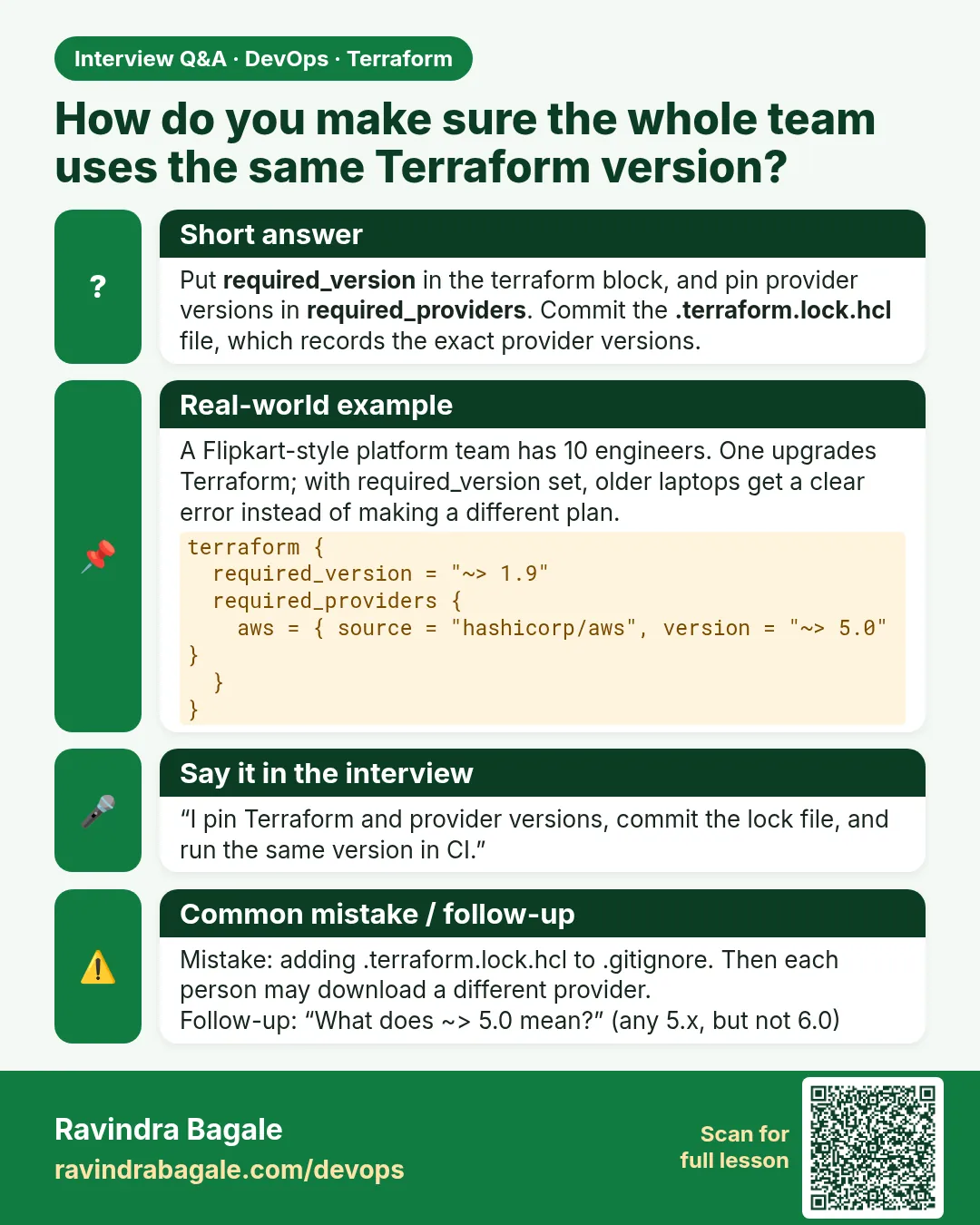
One teammate had Terraform 1.3 and broke a shared state. Pin a minimum in code.
terraform {
  required_version = ">= 1.6.0"
  required_providers {
    aws = {
      source  = "hashicorp/aws"
      version = "~> 5.0"
    }
  }
}
tfenv install 1.5.7 && tfenv use 1.5.7
terraform init
Output
Error: Unsupported Terraform Core version
This configuration does not support Terraform version 1.5.7. To proceed,
either choose another supported Terraform version or update this version constraint.
What it shows: Switch back with tfenv use latest. The pin protects state from old versions.
Example 6: Turn on tab completion and a short alias
You will type terraform hundreds of times a day. Tab completion and a short alias save time and typos, which matters at 2 a.m. during an incident.
- Install autocomplete once.
- Add an alias tf.
- Reload the shell and test.
terraform -install-autocomplete
echo "alias tf=terraform" >> ~/.bashrc
source ~/.bashrc
tf version
Output
Terraform v1.x.x
on linux_amd64
What it shows: Now type tf pl and press Tab, and the shell completes plan. Use the full word terraform in scripts and docs so everyone can read them.
Command cheat sheet
| Command | What it does | When to use it |
|---|---|---|
terraform version |
Show version | After install |
which terraform |
Show where it is | PATH problems |
terraform -install-autocomplete |
Tab completion | Once per machine |
aws sso login |
Get short-lived AWS keys | Every morning |
aws sts get-caller-identity |
Who am I in AWS | Before every apply |
tfenv use VERSION |
Switch versions | Old projects |
Verify: did it work?
-
Version
terraform version | head -1Output
Terraform v1.x.x -
Identity
aws sts get-caller-identity --query Arn --output textOutput
arn:aws:sts::111122223333:assumed-role/AWSReservedSSO_Lab_abc123/ravi
When it is red 1
terraform: command not found
Cause. Terraform is not on PATH.
Fix, step by step
- Run which terraform.
- Reopen the terminal.
- Check the install finished without errors.
When it is red 2
Error: The SSO session associated with this profile has expired or is otherwise invalid.
Cause. SSO keys expired.
Fix, step by step
- Run aws sso login --profile lab.
- Run the command again.
When it is red 3
E: Unable to locate package terraform
Cause. The HashiCorp repo was not added, or apt update was skipped.
Fix, step by step
- Add the repo line again.
- Run sudo apt-get update.
- Install again.
Cleanup
unset AWS_PROFILE
Ravindra Bagale's Tip
Run aws sts get-caller-identity before every apply. It takes one second and tells you which account you are about to change.
Practice tasks
Easy Install
Why: Get the tool.
What to do: Install Terraform on your machine.
- Use your OS method.
Check: terraform version works.
Medium SSO
Why: No keys in files.
What to do: Set up an SSO profile.
- aws configure sso.
Check: get-caller-identity shows assumed-role.
Medium Autocomplete
Why: Type less.
What to do: Turn on tab completion.
- Reopen the shell.
Check: terraform pl then Tab completes plan.
Hard Version pin
Why: Protect state.
What to do: Add required_version and test with an old version.
- Use tfenv.
Check: Init fails on the old version.
Easy Say it in two lines
Why: If you can say it simply, you understand it.
What to do: Write two short lines about this lesson for a fresher.
- Write the problem it solves.
- Write the one command or file you use.
- Read it aloud.
Check: A fresher understands it without a question.
Easy Start a safe lab folder
Why: Practice needs a throwaway place.
What to do: Make a new folder with versions.tf and a random_pet resource, so no AWS cost.
- mkdir tf-lab and cd into it.
- Add the hashicorp/random provider and one random_pet.
- Run terraform init and terraform apply.
Check: Apply complete! with 1 added.
Medium Break it on purpose
Why: You must know the red output by face.
What to do: Cause one error from the red part of this lesson and fix it.
- Follow one red section.
- Copy the exact message to your notes.
- Write the fix in one line.
Check: You fixed it without searching the web.
Medium Run it twice
Why: A second run must be quiet.
What to do: Run the same plan two times with no edits.
- Run terraform plan.
- Run it again.
- Explain any change it still shows.
Check: The second plan says No changes, or you can explain each line.
Medium Write a runbook page
Why: At 2 a.m. nobody remembers flags.
What to do: Write a one-page runbook for this lesson.
- Title, when to use, exact commands, how to check, how to undo.
Check: A teammate can follow it alone.
Medium Run it from a pipeline
Why: Real teams run Terraform from CI, not from laptops.
What to do: Run the main command of this lesson inside a GitHub Actions or Jenkins job.
- Add a job with hashicorp/setup-terraform or a Terraform Docker image.
- Give it AWS access through an IAM role, never a key in the file.
- Run init, then the command from this lesson.
Check: The job log shows the same output you saw on your laptop.
Medium Check the cost
Why: Labs left running cost real money.
What to do: Find what this lesson would cost per day if you forgot to destroy it.
- Open the AWS Pricing Calculator.
- Add each resource from your plan.
- Write the daily cost in your notes.
Check: You know the daily cost and you ran terraform destroy.
Hard Draw the flow top to bottom
Why: A drawing shows the order of work.
What to do: Draw this lesson as boxes from top to bottom.
- Start at your code, go through plan and state, end at AWS.
- Mark where each command reads or writes.
Check: Each box matches a real step you ran.
Hard Explain it like an interview
Why: Interviewers want real stories.
What to do: Record a 60 second answer about this lesson.
- Say the problem, the command, and one error you hit.
Check: Your answer has a real command and a real error message.
Homework: try at home
Try at home
Install Terraform on a second machine or a free cloud shell, and make both report the same version.
Recap
- Install from the official HashiCorp package source.
- Check with terraform version.
- Log in with SSO or a role, never keys in files.
- Confirm the account with sts get-caller-identity.
- Pin required_version for the team.
FAQ
Do I need Docker?
No. Terraform is a single binary.
Can I use AWS CloudShell?
Yes. Install Terraform there for quick labs.
Which version should I use?
The latest 1.x. Pin a minimum in code.
What is OpenTofu?
A community fork with the tofu command. This course uses terraform.
Is the AWS CLI required?
Not strictly, but it helps for login and checks.
Interview questions
-
How do you install Terraform on a build server?
From the HashiCorp repo with apt or dnf, version pinned.
-
How does Terraform get AWS access?
The same chain as the AWS CLI: env vars, profile, SSO, or instance role.
-
Why not access keys in provider blocks?
They leak into Git and never expire.
-
How do you manage many Terraform versions?
tfenv or asdf, plus required_version in code.
-
First command before apply in a new shell?
aws sts get-caller-identity.
Quick quiz
Q1. Command to show the version?
terraform version
Q2. Who am I in AWS?
aws sts get-caller-identity
Q3. Tool to switch versions?
tfenv
Q4. Setting to block old versions?
required_version
Q5. Safest login on a laptop?
SSO
Samajla ka?
 Revision card
 Interview card