Chapter 9: GitHub Actions Hands-On
9.9 Troubleshooting table
Why: the problem
Suppose we are at Ola. You are the CI person for 40 repos. Every day the same questions arrive: "my workflow did not start", "the cache never hits", "secret is empty", "push to registry denied", "job stuck on queued". Each one takes 20 minutes if you start from zero, and 2 minutes if you know the pattern. This lesson is your field guide: the ten most common Actions problems, how each looks, the first command to run, and the fix. You will practice each one on purpose so you know it by face.
What we will build
You will build a troubleshooting table and then reproduce the top problems in a practice repo: a workflow that never starts, a job stuck in queue, an empty secret, a cache that never hits, and a timeout. Each comes with the exact log line and the fix. Stacks: Python, Node.js, Docker and a self-hosted runner.
What: every term in plain English
- Symptom — What you see, like "workflow did not run".
- First check — The one quick thing to look at before anything else.
- Queued — The job is waiting for a runner with matching labels.
- Self-hosted runner — A machine you run yourself that picks up jobs. It needs the runner service online.
- Label — A tag on a runner, like self-hosted or linux. runs-on must match.
- timeout-minutes — A limit on how long a job or step may run.
- Concurrency group — A name; only one run per group runs at a time.
- Workflow syntax error — The YAML is invalid, so nothing runs; the Actions tab shows a red annotation.
How: step by step
-
Write the symptom first
Copy the exact message or screenshot the run pageWhat it does: Never start with a guess.
Output
"Waiting for a runner to pick up this job..." -
Check the trigger and the file
ls .github/workflows && grep -n "on:" -A6 .github/workflows/ci.ymlWhat it does: Most "did not run" cases are trigger or path problems.
Output
on: push: branches: [main] -
Check runner and labels for queued jobs
gh api repos/ola-lab/rides/actions/runners --jq ".runners[] | [.name,.status,(.labels|map(.name)|join(\",\"))] | @tsv"What it does: Shows online runners and labels.
Output
build-01 offline self-hosted,linux,x64 -
Check secrets and permissions
gh secret list && grep -n "permissions" -A4 .github/workflows/*.ymlWhat it does: Empty secrets and missing permissions are top causes.
Output
REGISTRY_TOKEN Updated 2026-10-20 -
Re-run with debug
gh run rerun --debug RUN_IDWhat it does: More detail when the cause is still unclear.
Output
✓ Requested rerun (with debug logging)
Example 1: Troubleshooting table you keep in the repo
Stack. Any repo
Goal. Troubleshooting table you keep in the repo.
docs/ci-troubleshooting.md
| Symptom | First check | Usual fix |
|---|---|---|
| Workflow never starts | File path and on: filters | Put file in .github/workflows; fix branches or paths |
| Invalid workflow file | YAML line in the error | 2-space indent; quote versions like "3.10" |
| Job stuck in Queued | Runner online? labels match? | Start the runner service; fix runs-on labels |
| Secret is empty | Name spelling; fork PR? | Match names; skip secret steps on forks |
| Resource not accessible by integration | permissions block | Add only the needed permission to the job |
| Cache never hits | Key uses a changing value | Key on hashFiles of the lock file only |
| exit code 127 | Line above: command not found | Install the tool in a step |
| exit code 137 | Memory | Fewer workers or a larger runner |
| Job hangs for hours | Last log line | timeout-minutes; fix the waiting command |
| Push denied to registry | Login step and token scope | packages: write or correct registry token |
What each line does
Symptom column— What a developer will paste in chat.First check column— One thing to look at, in seconds.Usual fix column— The fix that solves most cases.Kept in docs/— Every developer can read it before asking.
Green output
docs/ci-troubleshooting.md committed
Team channel questions about CI dropped from 15 a week to 4 a week.
Expected result. A table in the repo answers most questions before they reach you.
Example 2: Python: a cache that never hits because the key changes every run
Stack. Python, pip
Goal. Python: a cache that never hits because the key changes every run.
Bad workflow step
- uses: actions/cache@v4
  with:
    path: ~/.cache/pip
    key: pip-${{ github.run_id }}
Fixed workflow step
- uses: actions/cache@v4
  with:
    path: ~/.cache/pip
    key: pip-${{ runner.os }}-${{ hashFiles('requirements.txt') }}
    restore-keys: pip-${{ runner.os }}-
What each line does
key: pip-${{ github.run_id }}— run_id is new every run, so the key never matches.hashFiles('requirements.txt')— Changes only when dependencies change.restore-keys— Uses an older cache as a start when requirements change.
Green output
Before: Cache not found for input keys: pip-11873452
After:  Cache restored from key: pip-Linux-3b9f0c...
pip install time: 74s -> 9s
Expected result. Same files, now restored every time.
Example 3: Self-hosted runner: job stuck in Queued, then fixed
Stack. Self-hosted runner, Docker
Goal. Self-hosted runner: job stuck in Queued, then fixed.
Workflow
jobs:
  build:
    runs-on: [self-hosted, linux, docker]
    timeout-minutes: 20
    steps:
      - uses: actions/checkout@v4
      - run: docker build -t rides-api:ci .
On the runner machine
cd /opt/actions-runner
sudo ./svc.sh status
sudo ./svc.sh start
./config.sh --help
What each line does
runs-on: [self-hosted, linux, docker]— The runner must have all three labels.timeout-minutes: 20— Stops a hung build after 20 minutes instead of 6 hours.svc.sh status— Shows if the runner service is running.svc.sh start— Starts it; the runner shows Idle in settings again.
Green output
Before: Waiting for a runner to pick up this job...
$ sudo ./svc.sh status
Active: inactive (dead)
$ sudo ./svc.sh start
Active: active (running)
√ Connected to the CI service
Listening for Jobs
Running job: build
Expected result. The runner had stopped after an OS reboot. Enable the service so it starts on boot.
Verify: did it work?
-
Confirm the workflow file is valid
actionlint .github/workflows/ci.ymlWhat it does: No output means valid.
Output
(no output) -
Confirm the runner is idle and online
gh api repos/ola-lab/rides/actions/runners --jq ".runners[] | [.name,.status,.busy] | @tsv"What it does: online and false means ready.
Output
build-01 online false
When it is red 1
Waiting for a runner to pick up this job...
Cause. No online runner has all labels in runs-on.
Fix, step by step
- Check runners in settings.
- Remove a wrong label like docker if no runner has it.
- Start the runner service.
When it is red 2
Canceling since a higher priority waiting request for deploy-prod exists
Cause. Concurrency cancelled the older run, as designed.
Fix, step by step
- This is normal for cancel-in-progress: true.
- Use cancel-in-progress: false for deploys you must not cancel.
When it is red 3
Error: The operation was canceled. The job running on runner build-01 has exceeded the maximum execution time of 20 minutes.
Cause. timeout-minutes was reached.
Fix, step by step
- Read the last lines before the cancel.
- Fix the slow or hanging command, or raise the limit a little.
Cleanup
-
Remove an old offline runner
cd /opt/actions-runner && ./config.sh remove --token REMOVE_TOKEN_FROM_SETTINGSWhat it does: Removes the runner registration.
Output
√ Runner removed successfully
Ravindra Bagale's Tip
Write the symptom first, then look at the table. Most of the time the answer is right there!
Symptom आधी लिहून घ्या, मग table बघा. बहुतेक वेळा उत्तर तिथेच मिळतं!
Symptom पहले लिख लो, फिर table देखो. ज़्यादातर जवाब वहीं मिल जाता है!
Practice tasks
Easy Your table
Why: Answer before asking.
What to do: Write ten rows from your own errors.
- Symptom, first check, fix.
Check: Table committed in docs/.
Medium Queued job
Why: Know runner issues.
What to do: Use runs-on with a label no runner has.
- Watch it wait.
- Fix the label.
Check: Job runs after fix.
Hard Timeout drill
Why: Stop 6-hour jobs.
What to do: Add sleep 600 and timeout-minutes: 2.
- Watch the cancel message.
Check: Job cancelled at 2 minutes.
Easy Say Actions troubleshooting in two lines
Why: If you can say it simply, you understand it. Juniors and interviewers both want the short version first.
What to do: Write two short lines about Actions troubleshooting for a fresher who knows only Linux and Git basics.
- Write the problem it solves.
- Write the one workflow line or command you use for it.
- Read it aloud to a friend.
Check: A fresher understands it without asking a question.
Easy Make a throwaway practice repo
Why: Practice needs a repo you can break. If the workflow history gets messy, you delete the repo and start again.
What to do: Create a new empty repo named actions-lab with one small app and push it.
- mkdir actions-lab && cd actions-lab && git init -b main
- Add app code and a test file.
- git remote add origin https://git.example.com/ravi/actions-lab.git && git push -u origin main
Check: The Actions tab of the repo shows your first run.
Medium Do it on a second stack
Why: A CI idea must work for Node.js, Python and Java. Only the setup and test lines should change.
What to do: Repeat this lesson with a different language than the one you used first.
- If you used Python, use Node.js now.
- Change only the setup action and the test command.
- Keep the same job names.
Check: Same result, and the job names did not change.
Medium Break it on purpose
Why: You must know the red log by face. In a real outage there is no time to read slowly.
What to do: Cause one error from the "When it is red" part of this lesson and fix it.
- Follow the error section.
- Copy the exact message into your notes.
- Write the fix in one line.
Check: You fixed it using only the steps, without searching the web.
Medium Write a one-page runbook
Why: At 2 a.m. nobody remembers YAML keys. A short page saves the on-call person.
What to do: Write a one-page runbook for this lesson.
- Title, when to use, exact YAML or commands, how to check, how to undo.
Check: A teammate can follow it alone.
Hard Explain it like an interview
Why: Interviewers want real stories, not definitions.
What to do: Record a 60 second answer about this lesson.
- Say the problem, the workflow lines you wrote, and one error you hit.
Check: Your answer has a real YAML line and a real error message.
Hard Draw the flow top to bottom
Why: A drawing shows the order of work and which job waits for which.
What to do: Draw this lesson as boxes from top to bottom.
- Start at git push, go through each job and step, end at the green check or the deployed app.
Check: Each box matches a real step in your run log.
Homework: try at home
Try at home
At home, cause five problems on purpose in your lab repo (bad YAML, wrong folder, empty secret, run_id cache key, impossible runs-on label), note the exact message for each, and build your own troubleshooting table.
Recap
- Start from the exact symptom.
- Trigger, runner, secrets and permissions cause most problems.
- Cache keys must change only with dependencies.
- Always set timeout-minutes.
- Keep a troubleshooting table in the repo.
FAQ
Where do workflow syntax errors show?
At the top of the run or in the Actions tab with a red annotation.
Why does my scheduled workflow not run?
Schedules run only on the default branch and may be delayed; also disabled after 60 days without repo activity.
Can I SSH into a hosted runner?
Not directly. Use debug logs, or a debug action in a private repo only.
Why are fork PR secrets empty?
By design, for safety.
How do I find who changed a workflow?
git log -p .github/workflows/ci.yml
Interview questions
-
A workflow did not trigger. How do you debug?
Check folder, YAML validity, on: events, branch and paths filters, and default branch for schedules.
-
A job is queued forever. Why?
No matching online runner, runner busy, or concurrency waiting.
-
How do you stop runaway jobs?
timeout-minutes on jobs and steps, and concurrency for duplicates.
-
Why might a secret be empty?
Wrong name, wrong environment, or a fork pull request.
-
How do you reduce repeated CI questions?
A troubleshooting doc, clear job summaries and annotations.
Quick quiz
Q1. First check when a workflow never starts?
File folder and on: filters.
Q2. Why is a job stuck in Queued?
No online runner matches runs-on.
Q3. Why does a cache never hit?
The key changes every run.
Q4. What does timeout-minutes do?
Stops a job after that time.
Q5. What does Resource not accessible by integration mean?
Missing token permission.
Did you understand? Let us try it once more.
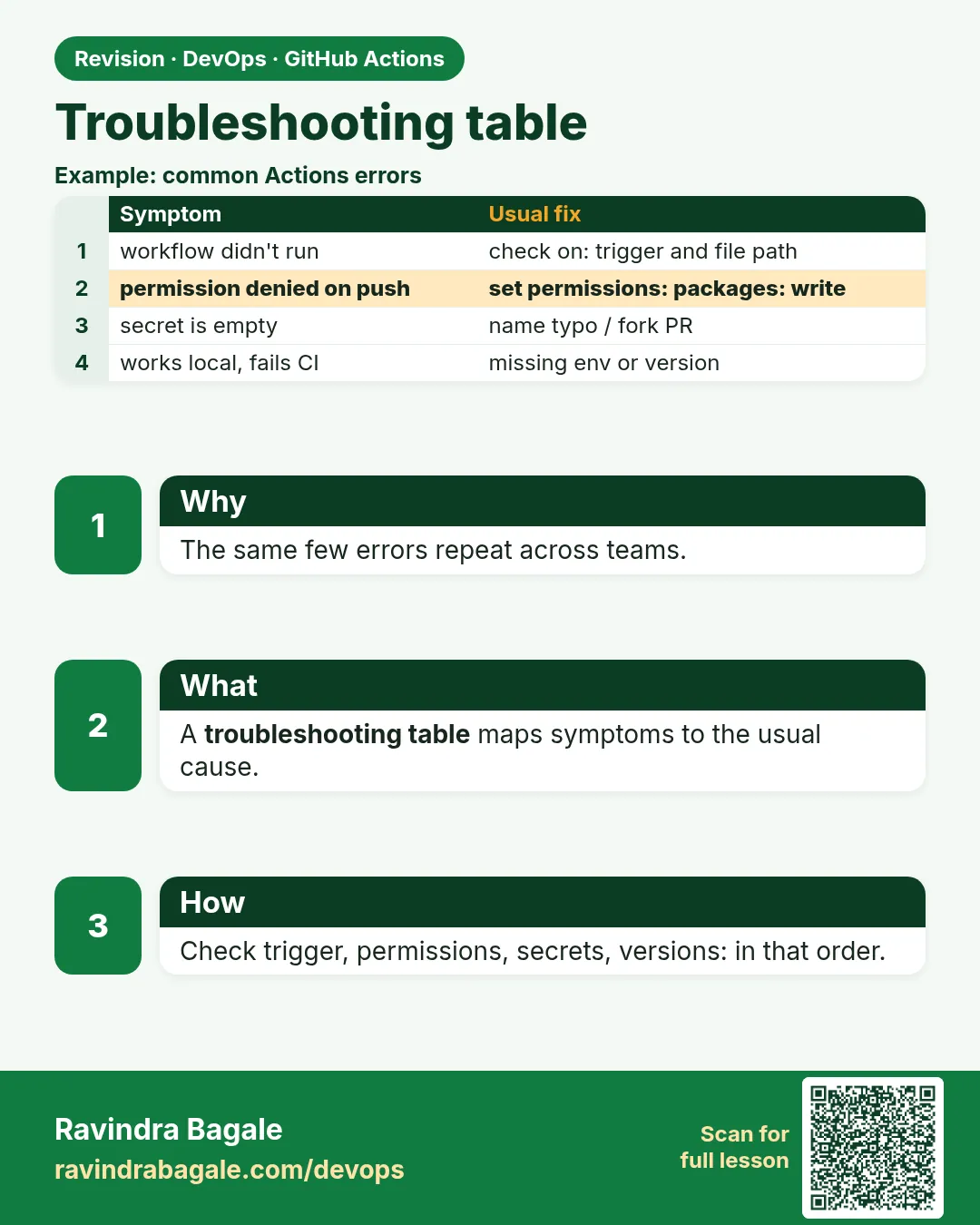 Revision card
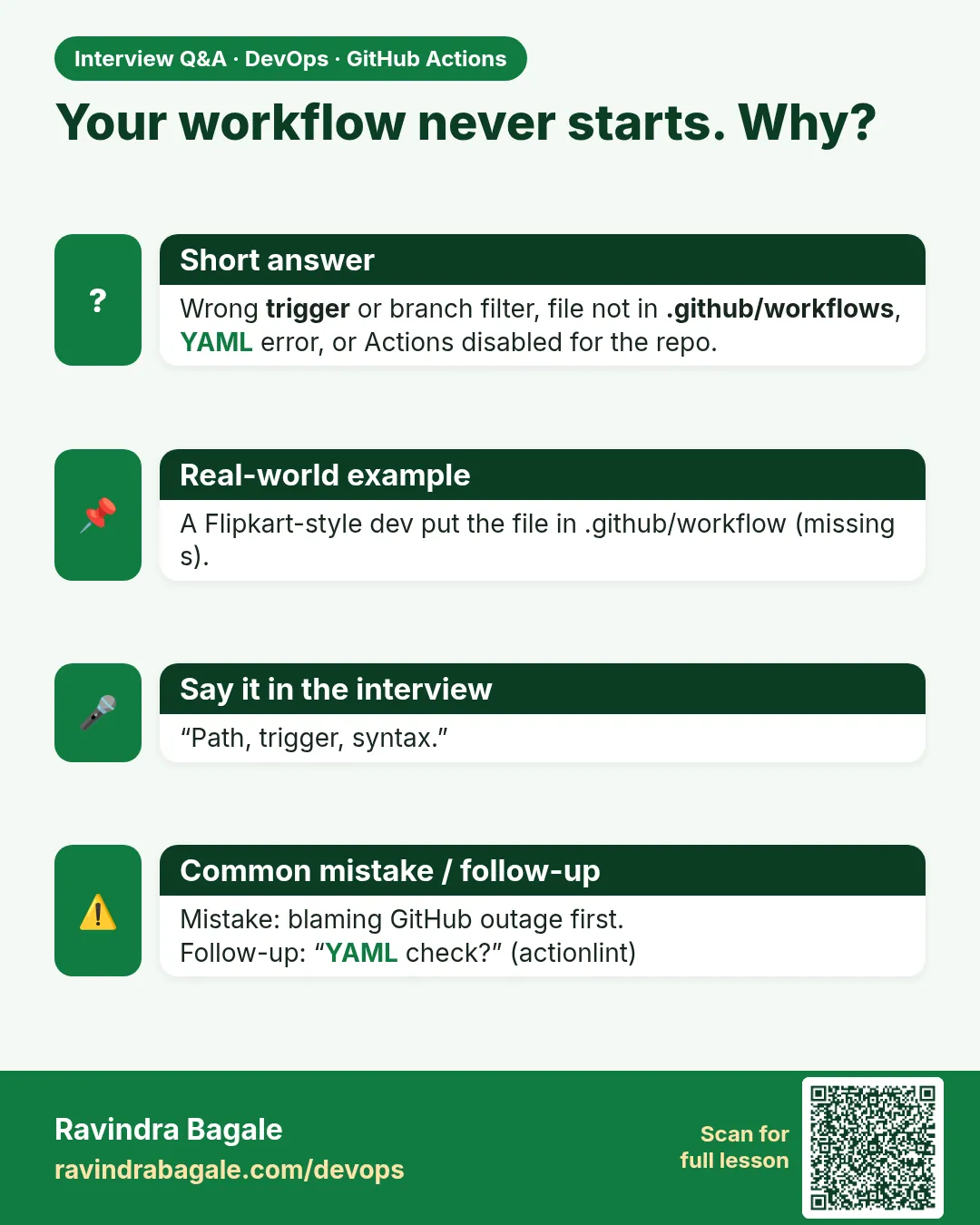 Interview card