Chapter 9: GitHub Actions Hands-On
9.3 Jobs, steps, needs and permissions
Why: the problem
Suppose we are at Flipkart. One workflow does lint, unit tests, a Docker build and a deploy, all in one long job. It takes 25 minutes. If lint fails at minute 1, you still see it only after everything. And the deploy step has the same powerful token as the lint step. That is slow and risky. Jobs fix this. You split work into jobs that run in parallel, use needs to set the order, and give each job only the permissions it needs.
What we will build
You will split one long workflow into lint, test and build jobs. Lint and test will run side by side. Build will wait for both with needs. You will pass a value from one job to another with outputs, and lock the token down with permissions. You will do it for Python, Node.js and a Go service.
What: every term in plain English
- Job — A group of steps on one runner. Jobs run in parallel by default.
- needs — Makes a job wait for other jobs to finish green first.
- outputs — A small value one job hands to the next, like a version number.
- GITHUB_OUTPUT — A file path; writing name=value into it creates a step output.
- permissions — What the automatic token in the job may do, like contents: read.
- Automatic token — A short-lived token the platform makes for each run, called secrets.GITHUB_TOKEN.
- if — A condition. The job or step runs only when it is true.
- Least privilege — Give only the access that is truly needed.
How: step by step
-
Set default permissions for the whole workflow
permissions:
  contents: read
What it does: Put this at the top of the YAML. Every job starts read-only.
Output
(saved in ci.yml) -
Add a lint job and a test job
jobs:
  lint: ...
  test: ...
What it does: No needs between them, so they start together.
Output
lint In progress test In progress -
Add a build job that waits
build:
  needs: [lint, test]
What it does: Build starts only if both are green.
Output
build Waiting for lint, test -
Push and look at the graph
git pushWhat it does: The run page draws jobs as boxes with arrows.
Output
lint ✓ 20s
test ✓ 48s
build ✓ 35s
Example 1: Python: lint and test in parallel, build waits
Stack. Python, ruff, pytest, Docker
Goal. Python: lint and test in parallel, build waits.
.github/workflows/ci.yml
name: ci
on: [push, pull_request]
permissions:
  contents: read
jobs:
  lint:
    runs-on: ubuntu-latest
    steps:
      - uses: actions/checkout@v4
      - run: pip install ruff==0.7.1 && ruff check .
  test:
    runs-on: ubuntu-latest
    steps:
      - uses: actions/checkout@v4
      - uses: actions/setup-python@v5
        with:
          python-version: "3.12"
          cache: pip
      - run: pip install -r requirements.txt && pytest -q
  build:
    needs: [lint, test]
    runs-on: ubuntu-latest
    steps:
      - uses: actions/checkout@v4
      - run: docker build -t cart-api:ci .
What each line does
permissions: contents: read— The token can only read code in all jobs.lint: and test:— Two jobs, no needs, so they run at the same time on two runners.ruff check .— A very fast Python linter.needs: [lint, test]— Build waits. If either is red, build is skipped.docker build -t cart-api:ci .— Proves the Dockerfile still builds.
Green output
lint   Success  14s
test   Success  41s
build  Success  33s
Total duration: 1m 16s (was 1m 28s in one job)
Expected result. Lint failures now show in 14 seconds, and build never wastes time on broken code.
Example 2: Node
Stack. Node.js, Docker
Goal. Node.js: pass a version from one job to the next with outputs.
.github/workflows/ci.yml
name: ci
on: [push]
permissions:
  contents: read
jobs:
  version:
    runs-on: ubuntu-latest
    outputs:
      tag: ${{ steps.v.outputs.tag }}
    steps:
      - uses: actions/checkout@v4
      - id: v
        run: echo "tag=$(node -p "require('./package.json').version")-${GITHUB_SHA::7}" >> "$GITHUB_OUTPUT"
  build:
    needs: version
    runs-on: ubuntu-latest
    steps:
      - uses: actions/checkout@v4
      - run: echo "Building image menu-api:${{ needs.version.outputs.tag }}"
      - run: docker build -t menu-api:${{ needs.version.outputs.tag }} .
What each line does
outputs: tag:— The job publishes one value called tag.id: v— A step id so we can read its outputs.node -p "require(...).version"— Prints the version from package.json, like 1.4.0.${GITHUB_SHA::7}— First 7 characters of the commit id.>> "$GITHUB_OUTPUT"— Writes tag=1.4.0-a3f2c1d as a step output.needs.version.outputs.tag— The build job reads that value.
Green output
Run echo "Building image menu-api:1.4.0-a3f2c1d"
Building image menu-api:1.4.0-a3f2c1d
Run docker build -t menu-api:1.4.0-a3f2c1d .
#8 naming to docker.io/library/menu-api:1.4.0-a3f2c1d done
Expected result. Every image has a unique, readable tag made once and used everywhere.
Example 3: Go service: deploy job only on main, with extra permission only there
Stack. Go 1.23
Goal. Go service: deploy job only on main, with extra permission only there.
.github/workflows/ci.yml
name: ci
on: [push, pull_request]
permissions:
  contents: read
jobs:
  test:
    runs-on: ubuntu-latest
    steps:
      - uses: actions/checkout@v4
      - uses: actions/setup-go@v5
        with:
          go-version: "1.23"
      - run: go vet ./... && go test ./...
  release:
    needs: test
    if: github.ref == 'refs/heads/main' && github.event_name == 'push'
    runs-on: ubuntu-latest
    permissions:
      contents: write
    steps:
      - uses: actions/checkout@v4
      - run: go build -o pricing ./cmd/pricing
      - run: gh release create "v0.1.${{ github.run_number }}" pricing --notes "auto build"
        env:
          GH_TOKEN: ${{ secrets.GITHUB_TOKEN }}
What each line does
go vet ./... && go test ./...— Static checks and tests for all packages.if: github.ref == ...— Release only on pushes to main, never on pull requests.permissions: contents: write— Only this job may create a release. Others stay read-only.github.run_number— A counter that grows by 1 each run, used in the version.GH_TOKEN— The CLI reads the token from this variable.
Green output
test     Success  29s
release  Success  18s
Run gh release create "v0.1.57" pricing --notes "auto build"
https://git.example.com/ravi/pricing/releases/tag/v0.1.57
Expected result. On pull requests, release shows "skipped". On main it publishes the binary.
Verify: did it work?
-
See which jobs ran and which skipped
gh run view --log-failed || gh run viewWhat it does: Shows the job list with states.
Output
✓ test in 29s - release (skipped) -
Check the token permissions in the log
Open the job > Set up job > GITHUB_TOKEN PermissionsWhat it does: The log lists what the token could do.
Output
GITHUB_TOKEN Permissions
  Contents: read
  Metadata: read
When it is red 1
Resource not accessible by integration
Cause. The job tried to write (release, comment, package) with a read-only token.
Fix, step by step
- Add permissions: contents: write (or packages: write) to that one job.
- Do not raise it for the whole workflow.
When it is red 2
The workflow is not valid. .github/workflows/ci.yml: Job 'build' depends on unknown job 'tests'.
Cause. A typo in needs.
Fix, step by step
- Match the needs name to the job id exactly.
- Push again.
When it is red 3
Error: Unable to process file command 'output' successfully. Invalid format
Cause. The output line had spaces or no = sign.
Fix, step by step
- Write exactly: echo "tag=VALUE" >> "$GITHUB_OUTPUT"
- No spaces around =.
Cleanup
-
Delete test releases
gh release delete v0.1.57 --yesWhat it does: Removes practice releases.
Output
✓ Deleted release v0.1.57
Ravindra Bagale's Tip
Do not make one huge job. Keep lint, test and build separate, and give the token only read. Safe and fast!
एक मोठा job नको. Lint, test, build वेगळे ठेवा आणि token ला फक्त read द्या. Safe आणि fast!
एक बड़ा job नहीं. Lint, test, build अलग रखो और token को सिर्फ read दो. Safe और fast!
Practice tasks
Easy Draw your job graph
Why: See parallel work.
What to do: Draw the boxes for your workflow.
- Mark which jobs have needs.
Check: The drawing matches the run page.
Medium Add a step output
Why: Share data cleanly.
What to do: Make a job output the short commit id.
- echo "sha=${GITHUB_SHA::7}" >> "$GITHUB_OUTPUT"
Check: The next job prints it.
Hard Lock down permissions
Why: Reduce damage if a step is bad.
What to do: Set contents: read at top and raise only in one job.
- Check the token permissions in the setup log.
Check: Only the release job has write.
Easy Say jobs and needs in two lines
Why: If you can say it simply, you understand it. Juniors and interviewers both want the short version first.
What to do: Write two short lines about jobs and needs for a fresher who knows only Linux and Git basics.
- Write the problem it solves.
- Write the one workflow line or command you use for it.
- Read it aloud to a friend.
Check: A fresher understands it without asking a question.
Easy Make a throwaway practice repo
Why: Practice needs a repo you can break. If the workflow history gets messy, you delete the repo and start again.
What to do: Create a new empty repo named actions-lab with one small app and push it.
- mkdir actions-lab && cd actions-lab && git init -b main
- Add app code and a test file.
- git remote add origin https://git.example.com/ravi/actions-lab.git && git push -u origin main
Check: The Actions tab of the repo shows your first run.
Medium Do it on a second stack
Why: A CI idea must work for Node.js, Python and Java. Only the setup and test lines should change.
What to do: Repeat this lesson with a different language than the one you used first.
- If you used Python, use Node.js now.
- Change only the setup action and the test command.
- Keep the same job names.
Check: Same result, and the job names did not change.
Medium Break it on purpose
Why: You must know the red log by face. In a real outage there is no time to read slowly.
What to do: Cause one error from the "When it is red" part of this lesson and fix it.
- Follow the error section.
- Copy the exact message into your notes.
- Write the fix in one line.
Check: You fixed it using only the steps, without searching the web.
Medium Write a one-page runbook
Why: At 2 a.m. nobody remembers YAML keys. A short page saves the on-call person.
What to do: Write a one-page runbook for this lesson.
- Title, when to use, exact YAML or commands, how to check, how to undo.
Check: A teammate can follow it alone.
Hard Explain it like an interview
Why: Interviewers want real stories, not definitions.
What to do: Record a 60 second answer about this lesson.
- Say the problem, the workflow lines you wrote, and one error you hit.
Check: Your answer has a real YAML line and a real error message.
Hard Draw the flow top to bottom
Why: A drawing shows the order of work and which job waits for which.
What to do: Draw this lesson as boxes from top to bottom.
- Start at git push, go through each job and step, end at the green check or the deployed app.
Check: Each box matches a real step in your run log.
Homework: try at home
Try at home
At home, split your actions-lab workflow into lint, test and build jobs, add needs, and set permissions: contents: read at the top. Then pass a version tag from one job to another with outputs.
Recap
- Split long work into jobs; they run in parallel.
- Use needs for order and to skip work after failure.
- Use outputs to share small values.
- Set permissions to read and raise only per job.
- Use if to limit risky jobs to main.
FAQ
Do jobs share files?
No. Each job has its own runner. Use artifacts to share files.
Can a job need many jobs?
Yes: needs: [a, b, c].
What if a needed job fails?
The waiting job is skipped unless you use if: always().
Where do I see the token permissions?
In the Set up job step of each job log.
Is permissions: write-all ok?
Avoid it. Give only what one job needs.
Interview questions
-
How do you control job order?
With needs; jobs without needs run in parallel.
-
How do jobs share data?
Small values with outputs, files with artifacts.
-
What is the automatic token and how do you secure it?
A per-run token; set permissions to least privilege at workflow and job level.
-
How do you run a deploy only from main?
A job-level if on github.ref and event name, plus environment protection.
-
Why split lint and test into jobs?
Faster feedback, parallel work and clearer failures.
Quick quiz
Q1. Do jobs run in parallel by default?
Yes, unless needs is used.
Q2. What does needs do?
Makes a job wait for others to succeed.
Q3. How do you pass a value between jobs?
Job outputs read with needs.JOB.outputs.NAME.
Q4. Why set permissions: contents: read?
Least privilege for the automatic token.
Q5. How do you run a job only on main?
if: github.ref == refs/heads/main.
Did you understand? Let us try it once more.
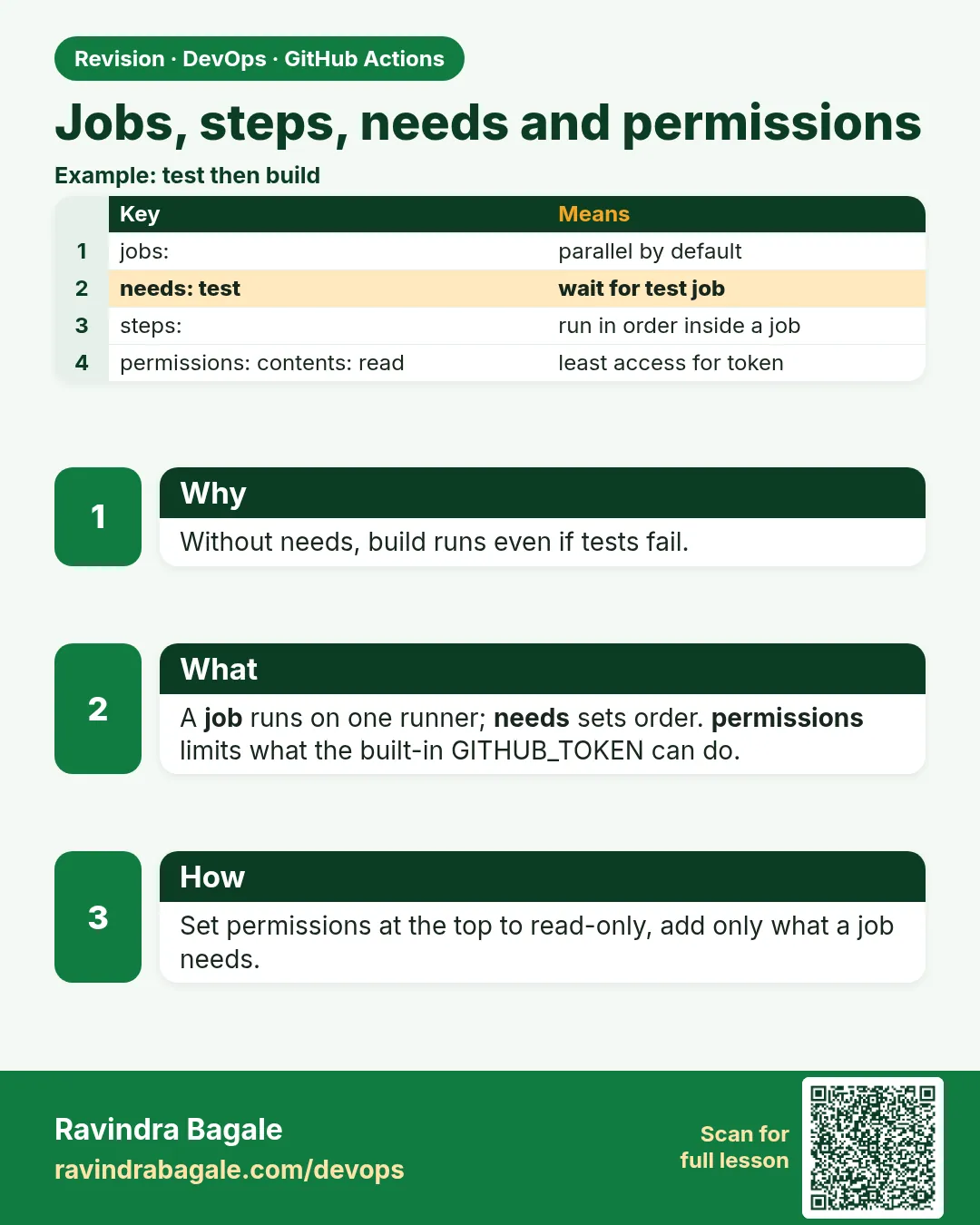 Revision card
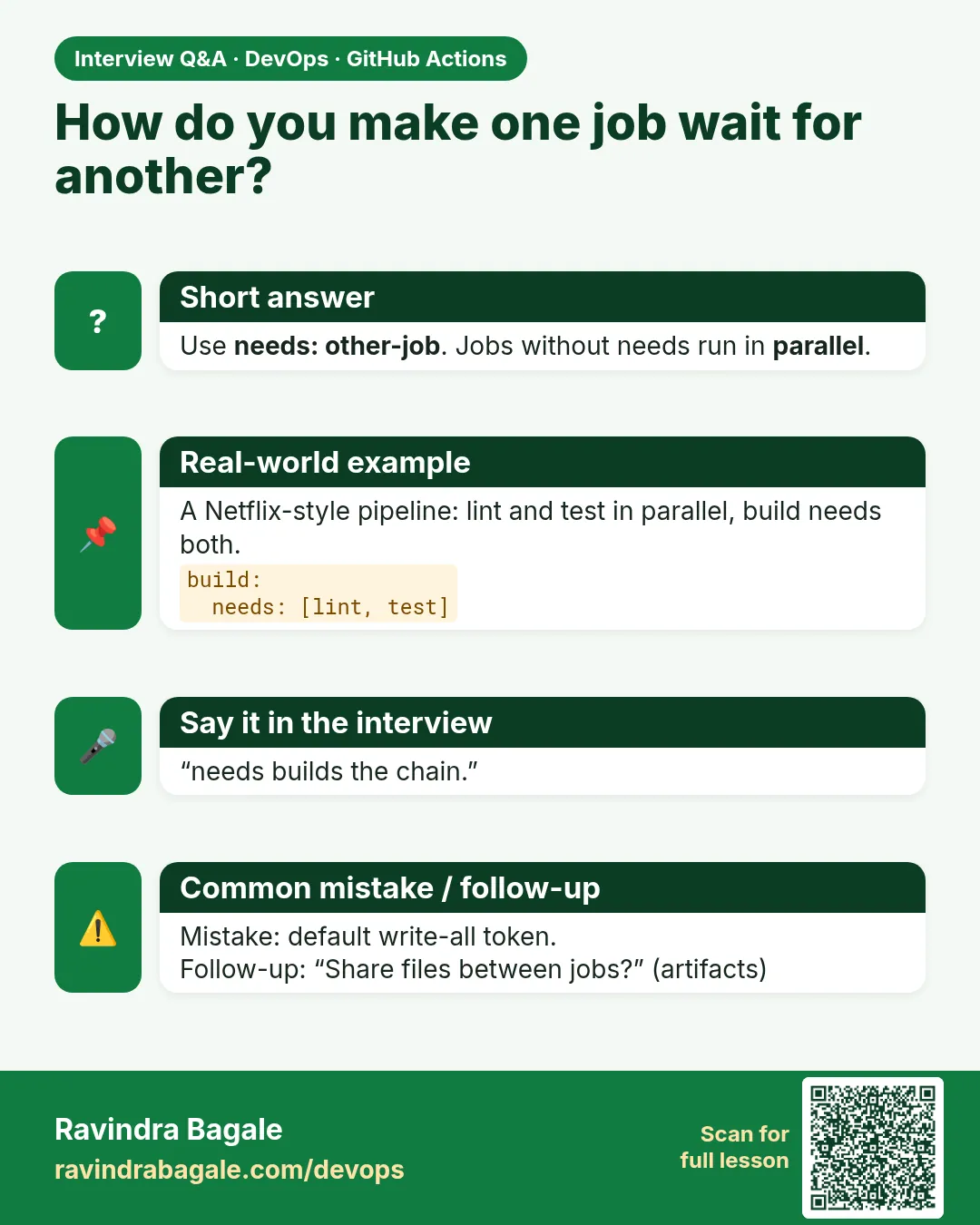 Interview card