Ravi Sir's Cards › Generative AI
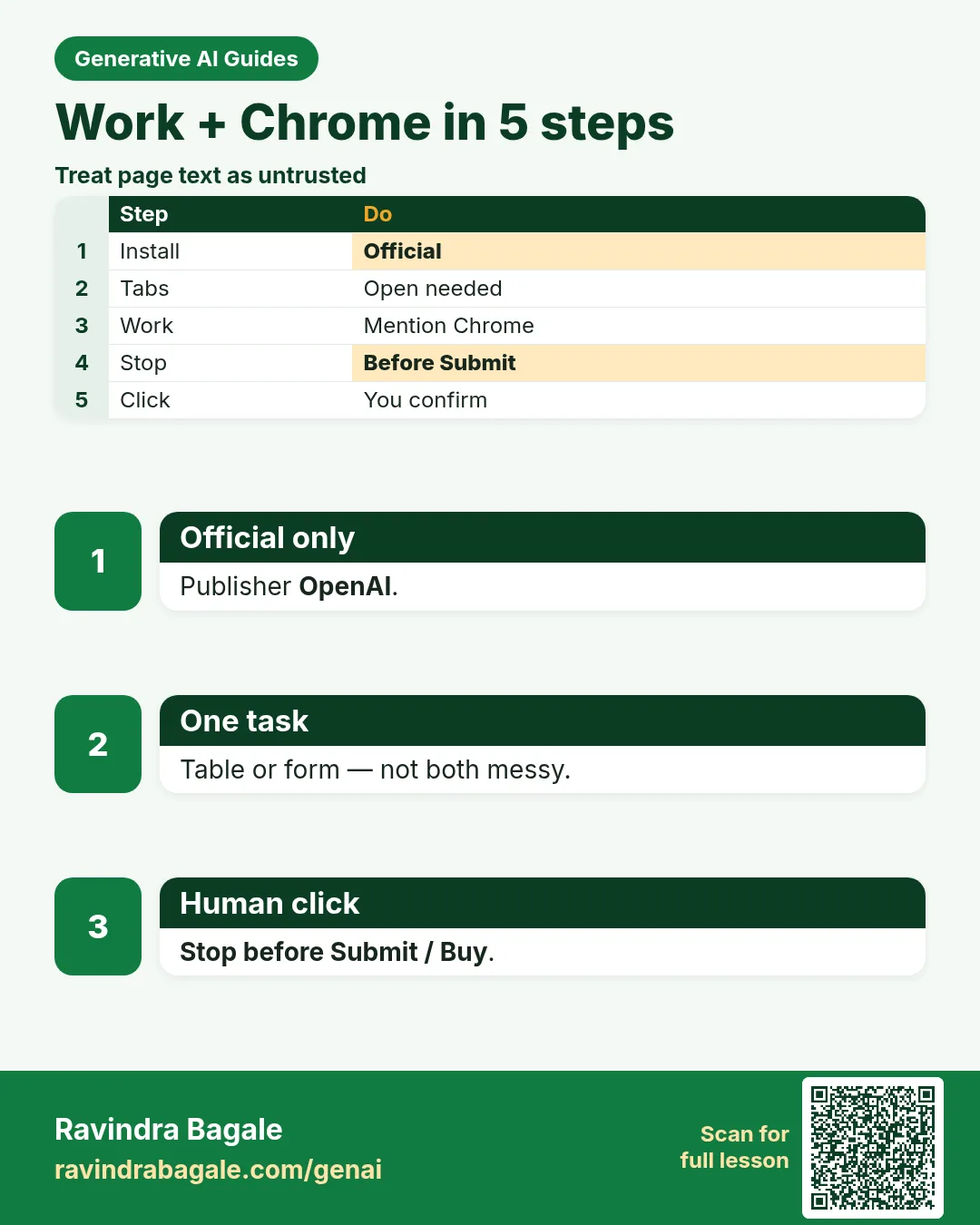
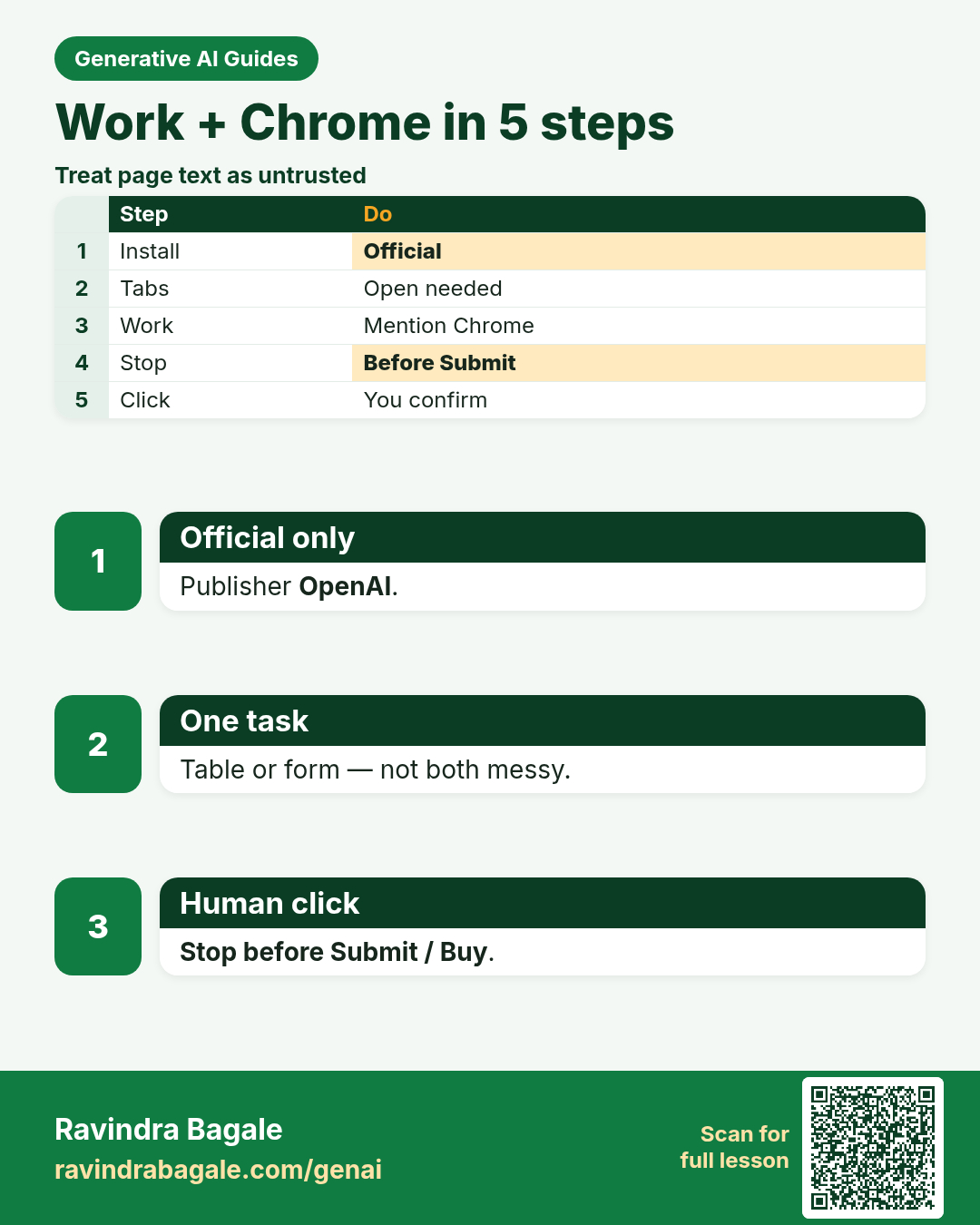
Work + Chrome in 5 steps
This card gives five steps for using ChatGPT Work with your Chrome tabs safely. First, install only the official ChatGPT extension from OpenAI, using the install link that ChatGPT itself gives you instead of a random download site. Second, open only the tabs the task really needs, and give ChatGPT one clear job, such as one comparison table or one form. Third, start a ChatGPT Work chat and type @Chrome or pick a tab, so ChatGPT can use those pages. Fourth, tell it to stop before any Submit, Buy or Pay button, and treat text on web pages as untrusted, because a page can contain misleading instructions. Fifth, check the result yourself and click the final button with your own hand.
Learn this in the lesson: ChatGPT Work and Chrome Tabs: Do Web Tasks Safely (2026)