Chapter 14: Logging and Light Observability
14.9 Security and hygiene
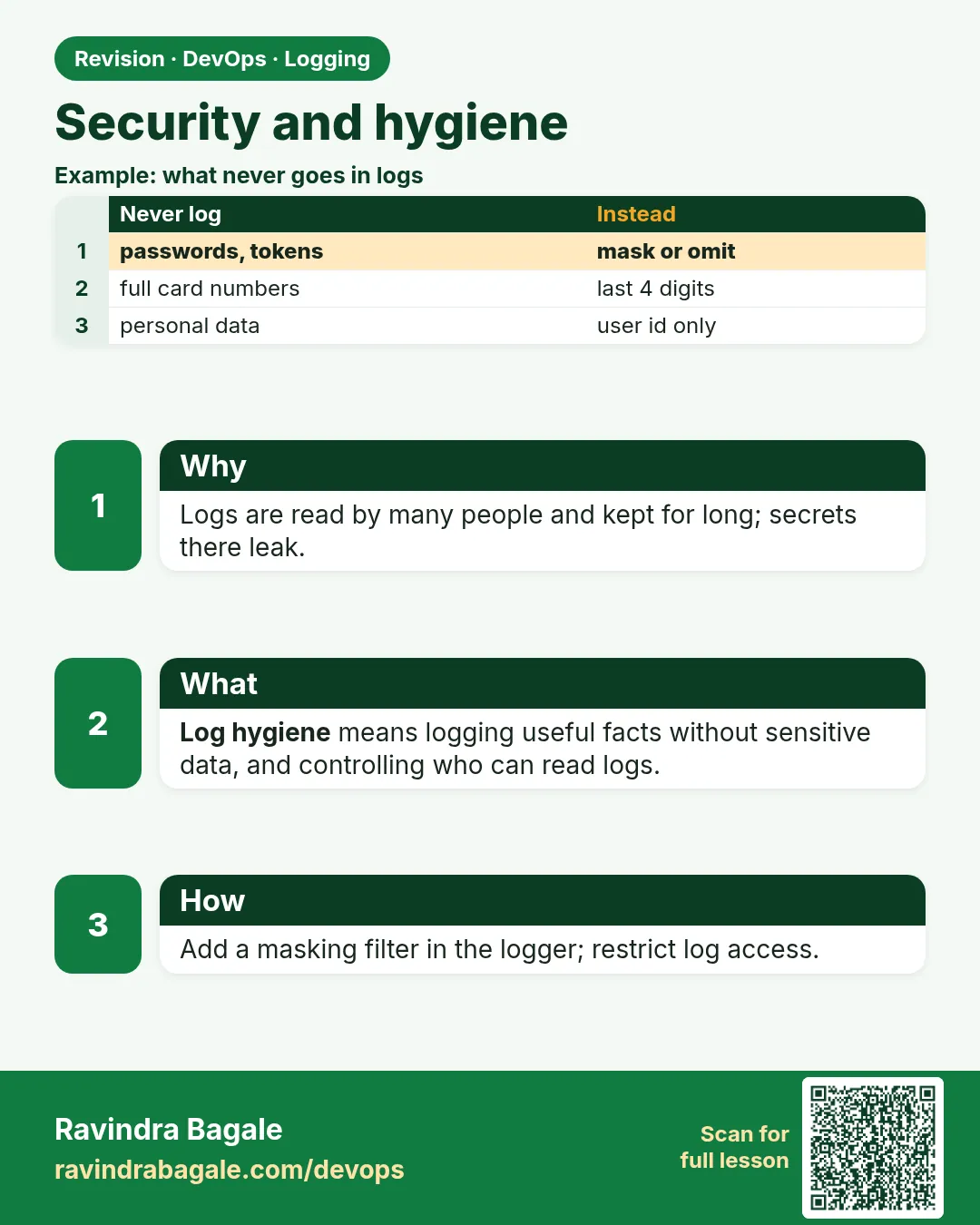
Why: the problem
Suppose a developer at a fintech company adds one debug line: log the full payment request. The request has the card number and the CVV. The logs go to CloudWatch, then to a vendor tool, then to the laptops of 50 people. Now card data is in ten places. That breaks PCI DSS rules and India's data protection law. It can cost crores in fines. Logs are often the biggest leak in a company, because people forget they are data too. Good log hygiene means: never log secrets or personal data, mask what you must keep, control who can read logs, encrypt them, and keep them only as long as needed. In this lesson you will build masking into Python and Node, and lock down CloudWatch access.
What we will build
You will write a Python logging filter that masks card numbers, emails and tokens, do the same in Node.js with pino redact, scan existing logs for leaks with grep, and set up a read-only IAM policy and KMS encryption for a log group.
What: every term in plain English
- PII — Personally identifiable information: name, phone, email, Aadhaar, address.
- Secret — A password, API key, token or private key.
- Masking — Replacing part of a value with stars, like ****1111.
- Redaction — Removing a value fully, like [REDACTED].
- PCI DSS — The card industry security rule. Never store CVV; never log full card numbers.
- Least privilege — Give people only the access they need, like read-only on one log group.
- KMS — AWS Key Management Service. It holds keys that encrypt data.
- Audit log — A log of who did what, like AWS CloudTrail. It must not be editable.
How: step by step
-
Scan for card-like numbers
grep -E -c "[0-9]{4}[- ]?[0-9]{4}[- ]?[0-9]{4}[- ]?[0-9]{4}" app.logWhat it does: Counts lines that look like card numbers.
Output
3 -
Scan for tokens
grep -E -i -c "(password|token|secret|authorization)[=:]" app.logWhat it does: Counts lines with risky words.
Output
2 -
Add the masking filter
Add Example 1 code to the appWhat it does: Every log line passes through the filter first.
Output
(code saved) -
Restart and test
python mask_demo.pyWhat it does: Card and token are masked.
Output
INFO pay card=************1111 token=[REDACTED] -
Create a KMS key for logs
aws kms create-key --description loglab-logs --query KeyMetadata.Arn --output textWhat it does: A key to encrypt the group. The key policy must allow logs.ap-south-1.amazonaws.com.
Output
arn:aws:kms:ap-south-1:111122223333:key/1a2b... -
Attach the key
aws logs associate-kms-key --log-group-name /loglab/checkout --kms-key-id arn:aws:kms:ap-south-1:111122223333:key/1a2b...What it does: New events are encrypted with your key.
Output
(no output)
Example 1: Python logging filter that masks secrets and PII
Stack. Python 3, logging, re
Goal. Python logging filter that masks secrets and PII.
mask_demo.py
import logging, re

PATTERNS = [
    (re.compile(r"\b(\d{12})(\d{4})\b"), lambda m: "*" * 12 + m.group(2)),
    (re.compile(r"(?i)(password|token|secret|cvv)=\S+"), lambda m: m.group(1) + "=[REDACTED]"),
    (re.compile(r"([\w.]+)@([\w.]+)"), lambda m: m.group(1)[0] + "***@" + m.group(2)),
]

class MaskFilter(logging.Filter):
    def filter(self, record):
        msg = record.getMessage()
        for pat, fn in PATTERNS:
            msg = pat.sub(fn, msg)
        record.msg, record.args = msg, ()
        return True

logging.basicConfig(level=logging.INFO, format="%(levelname)s %(message)s")
for h in logging.getLogger().handlers:
    h.addFilter(MaskFilter())

log = logging.getLogger("pay")
log.info("pay card=4111111111111111 cvv=123 token=eyJhbGciOi email=ravi@example.com")
What each line does
re.compile(...)— Patterns for card numbers, key=value secrets and emails."*" * 12 + last 4— Keep only the last 4 digits, the PCI-friendly way.=[REDACTED]— Remove the value fully for secrets and CVV.record.msg, record.args = msg, ()— Replace the final message with the masked one.h.addFilter(MaskFilter())— Put the filter on every handler, so no path skips it.
Green output
$ python mask_demo.py
INFO pay card=************1111 cvv=[REDACTED] token=[REDACTED] email=r***@example.com
Expected result. Even if a developer logs the whole request, the dangerous parts never reach disk or CloudWatch.
Example 2: Node
Stack. Node.js, pino
Goal. Node.js with pino redact.
app.js
const pino = require("pino");
const log = pino({
  redact: {
    paths: ["req.headers.authorization", "card.number", "card.cvv", "user.password"],
    censor: "[REDACTED]"
  }
});

log.info({
  req: { headers: { authorization: "Bearer abc.def.ghi" } },
  card: { number: "4111111111111111", cvv: "123", last4: "1111" },
  user: { id: 42, password: "x" }
}, "payment request");
What each line does
pino— A fast JSON logger for Node.js.redact.paths— Field paths that must never be printed.censor— The text that replaces them.last4— Safe to keep; useful for support.
Green output
$ npm i pino && node app.js
{"level":30,"time":1761372000000,"req":{"headers":{"authorization":"[REDACTED]"}},"card":{"number":"[REDACTED]","cvv":"[REDACTED]","last4":"1111"},"user":{"id":42,"password":"[REDACTED]"},"msg":"payment request"}
Expected result. Structured logs make redaction exact: by field name, not by guessing patterns.
Example 3: Lock down who can read logs in AWS
Stack. AWS IAM, KMS, CloudWatch Logs
Goal. Lock down who can read logs in AWS.
readonly-logs-policy.json
{
  "Version": "2012-10-17",
  "Statement": [
    {
      "Effect": "Allow",
      "Action": ["logs:FilterLogEvents", "logs:GetLogEvents", "logs:StartQuery", "logs:GetQueryResults", "logs:DescribeLogStreams"],
      "Resource": "arn:aws:logs:ap-south-1:111122223333:log-group:/loglab/checkout:*"
    }
  ]
}
Commands
aws iam create-policy --policy-name LogLabCheckoutRead --policy-document file://readonly-logs-policy.json
aws iam attach-group-policy --group-name support-l1 --policy-arn arn:aws:iam::111122223333:policy/LogLabCheckoutRead
aws logs describe-log-groups --log-group-name-prefix /loglab/checkout --query "logGroups[0].kmsKeyId"
What each line does
Action list— Only read and query. No delete, no put, no retention change.Resource ... /loglab/checkout:*— Only this one group.attach-group-policy— Give it to the support team group, not to each person.kmsKeyId— Proves the group is encrypted with your key.
Green output
{
    "Policy": { "PolicyName": "LogLabCheckoutRead", "Arn": "arn:aws:iam::111122223333:policy/LogLabCheckoutRead" }
}
"arn:aws:kms:ap-south-1:111122223333:key/1a2b..."
Expected result. Support can search checkout logs but cannot delete them or read other groups.
Verify: did it work?
-
Rescan after the fix
grep -E -c "[0-9]{16}" app.logWhat it does: Should be 0 for new lines.
Output
0 -
Try a forbidden action as support
aws logs delete-log-group --log-group-name /loglab/checkout --profile supportWhat it does: Must be denied.
Output
An error occurred (AccessDeniedException) ... not authorized to perform: logs:DeleteLogGroup
When it is red 1
Masking misses some lines
Cause. A handler was added later without the filter, or a library logs on its own logger.
Fix, step by step
- Add the filter to the root logger handlers after all setup.
- Also add it to library loggers like urllib3.
- Rescan with grep.
When it is red 2
AccessDeniedException when associating the KMS key
Cause. The key policy does not allow the CloudWatch Logs service.
Fix, step by step
- Edit the key policy.
- Allow principal logs.ap-south-1.amazonaws.com to use kms:Encrypt and kms:Decrypt for this account.
- Run associate-kms-key again.
When it is red 3
Secrets already leaked into old logs
Cause. Masking only protects new lines.
Fix, step by step
- Rotate the leaked secret now.
- Delete or shorten the affected streams after approval.
- Write an incident note.
Cleanup
-
Remove lab policy
aws iam detach-group-policy --group-name support-l1 --policy-arn arn:aws:iam::111122223333:policy/LogLabCheckoutReadWhat it does: Removes the lab access.
Output
(no output)
Ravindra Bagale's Tip
Never put a password, token or CVV in logs. If one leaks, the first job is: change the secret.
Password, token, CVV logs मध्ये कधीही नको. एकदा leak झाला तर पहिलं काम: secret बदला.
Password, token, CVV logs में कभी नहीं. एक बार leak हो तो पहला काम: secret बदलो.
Practice tasks
Easy Mask phone numbers
Why: Indian numbers are 10 digits.
What to do: Add a pattern that keeps the last 2 digits.
- re.compile(r"\b(\d{8})(\d{2})\b")
Check: 9876543210 becomes ********10.
Medium Block secrets in CI
Why: Stop leaks before release.
What to do: Add a CI step that greps test logs for tokens and fails.
- grep -E -i "token=" test.log and exit 1 if found
Check: Pipeline fails on a leak.
Hard Data protection on CloudWatch
Why: AWS can mask data itself.
What to do: Create a data protection policy on a log group for EmailAddress.
- aws logs put-data-protection-policy ...
Check: Emails show as **** in the console.
Easy Say log security in two lines
Why: If you can say it simply, you understand it. Juniors and interviewers both want the short version first.
What to do: Write two short lines about log security for a fresher who knows only Linux, Git and Docker basics.
- Write the problem it solves.
- Write the one command or config line you use for it.
- Read it aloud to a friend.
Check: A fresher understands it without asking a question.
Easy Keep a throwaway log lab
Why: Practice needs a lab you can break. If it gets messy, you delete the containers and start again.
What to do: Run a small app in Docker that prints logs every second.
- docker run -d --name ticker busybox sh -c "while true; do date; sleep 1; done"
- docker logs -f ticker
- Press Ctrl+C, then docker rm -f ticker.
Check: You see one new time line every second.
Medium Do it on a second stack
Why: Logging ideas must work for Python, Node.js and Java. Only the library changes.
What to do: Repeat this lesson with a different language than the one you used first.
- If you used Python, use Node.js or Spring Boot now.
- Keep the same field names: time, level, msg, request_id.
- Compare the two outputs side by side.
Check: Both apps print the same fields in the same shape.
Medium Break it on purpose
Why: You must know the red error by face. In a real outage there is no time to read slowly.
What to do: Cause one error from the "When it is red" part of this lesson and fix it.
- Follow the error section.
- Copy the exact message into your notes.
- Write the fix in one line.
Check: You fixed it using only the steps, without searching the web.
Medium Write a one-page runbook
Why: At 2 a.m. nobody remembers log commands. A short page saves the on-call person.
What to do: Write a one-page runbook for this lesson.
- Title, when to use, exact commands, how to check, how to undo.
Check: A teammate can follow it alone.
Hard Explain it like an interview
Why: Interviewers want real stories, not definitions.
What to do: Record a 60 second answer about this lesson.
- Say the problem, the command you ran, the log line you found and the fix.
Check: Your answer has a real command and a real log line.
Hard Draw the flow top to bottom
Why: A drawing shows where a log line is born and where it ends up.
What to do: Draw this lesson as boxes from top to bottom.
- Start at the user click, go through the app, the log driver or agent, and end at the place you search.
Check: Each box matches a real command or file in this lesson.
Homework: try at home
Try at home
At home, scan your own project logs for emails, phone numbers and tokens with grep -E, and add a masking filter for anything you find.
Recap
- Logs are data and can leak.
- Never log passwords, tokens, CVV or full card numbers.
- Mask in the app with filters or redact.
- Encrypt log groups with KMS.
- Give read-only, per-group access.
FAQ
Is masking in the app enough?
It is the first line. Also encrypt, limit access and set retention.
Can I log user ids?
Yes, internal ids are fine. Avoid names, phones and emails.
Should debug logs show request bodies?
Only in dev with fake data. Never in production.
Who should read production logs?
Only on-call and support, with read-only access.
Does CloudWatch encrypt by default?
Yes, with AWS keys. KMS gives you your own key and control.
Interview questions
-
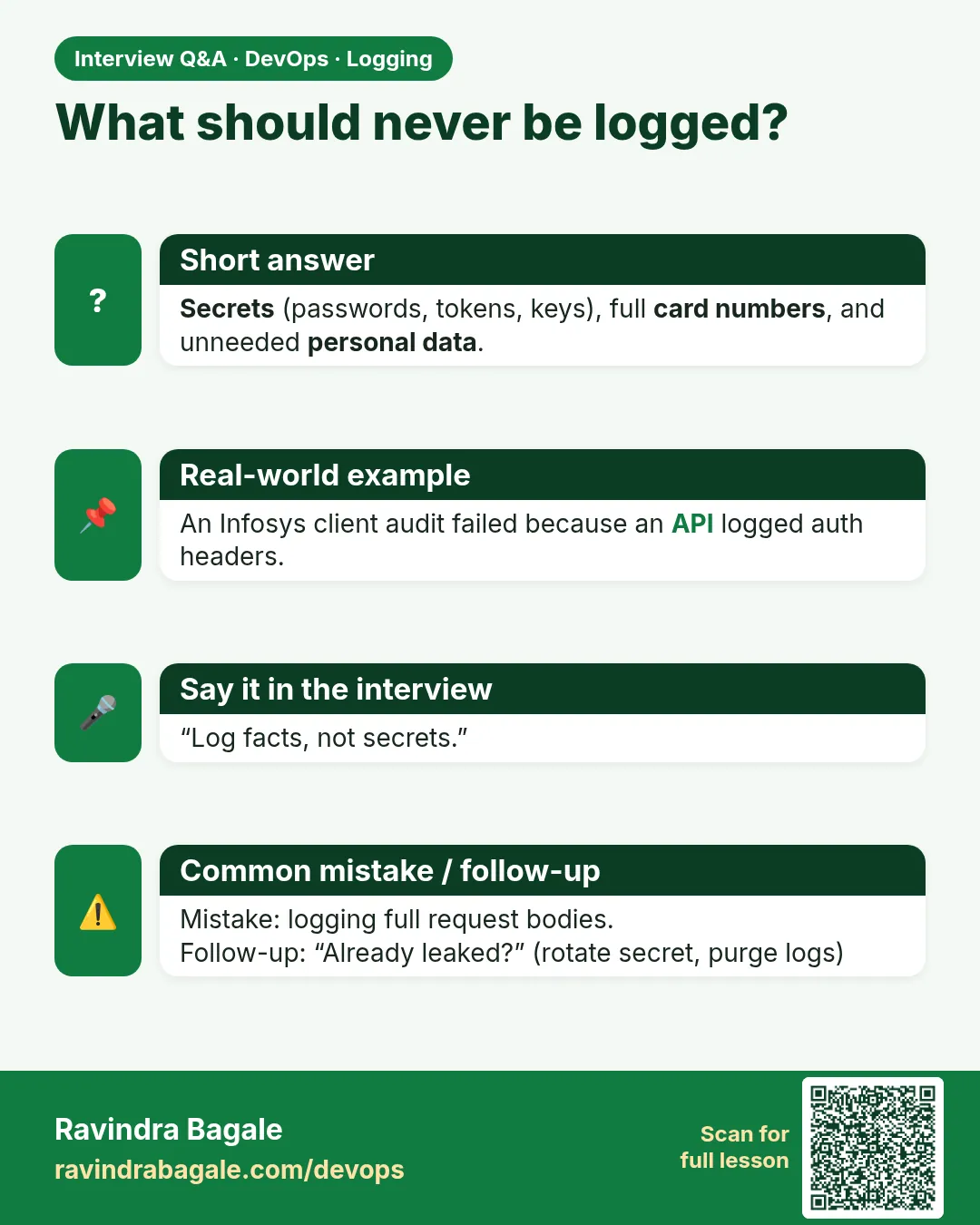
How do you prevent sensitive data in logs?
Never log secrets, mask PII with filters or redact, use structured fields, scan logs in CI, and review logging code.
-
What does PCI DSS say about logs?
Never store CVV; mask card numbers to show at most first 6 and last 4.
-
How do you secure CloudWatch logs?
Least privilege IAM, KMS encryption, retention, and data protection policies.
-
A token leaked into logs. What do you do?
Rotate it, find the scope, purge or restrict the logs, fix the code, write a post-incident note.
-
Why structured logs help security?
You redact by field name exactly instead of guessing patterns in text.
Quick quiz
Q1. What is PII?
Personal data like name, phone, email, Aadhaar.
Q2. Can we log the CVV?
Never.
Q3. How much of a card number may we show?
Only the last 4 digits.
Q4. What does pino redact do?
Replaces chosen fields with a censor text.
Q5. What first, when a secret leaks in logs?
Rotate the secret.
Did you understand? Let us try it once more.
 Revision card
 Interview card