Chapter 14: Logging and Light Observability
14.7 Correlation IDs — one paragraph that saves hours
Why: the problem
Suppose you book a cab on Ola. Your one tap goes through many services: the API gateway, the booking service, the pricing service and the payment service. Each writes its own logs on different servers. The booking fails. Now the engineer must find your one request in four services. Time alone is not enough, because thousands of requests happen in the same second. The answer is a correlation id, also called a request id. It is one unique id, made at the first service, passed to every next service in an HTTP header, and written in every log line. Search for that one id, and you see the full story of the request across all services. This small habit saves hours in every incident.
What we will build
You will make nginx create a request id, pass it to a Python Flask service in the X-Request-ID header, log it in every line, pass it again to a Node.js service, and then find one request across all logs with one grep or one Logs Insights query.
What: every term in plain English
- Correlation id — One unique id for one user request, written in every log line of every service.
- Request id — Another name for the same idea.
- X-Request-ID — A common HTTP header that carries the id between services.
- UUID — A random unique id, like 6f1c2a9e-4b7d-4c1e-9a3f-2d8e1b7c5a90.
- Propagation — Passing the id from one service to the next.
- Middleware — Code that runs on every request before your route. Good place to read or create the id.
- Trace id — The id used by tracing tools like OpenTelemetry. Same idea, more detail.
- $request_id — An nginx variable with a random id for each request.
How: step by step
-
Add the id in nginx
In the server block: proxy_set_header X-Request-ID $request_id;What it does: nginx makes one id per request and sends it to the app.
Output
(config saved) -
Log it in nginx
log_format withid '$remote_addr [$time_local] "$request" $status rid=$request_id'; access_log /var/log/nginx/access.log withid;What it does: The access log line now has rid=...
Output
(config saved) -
Test and reload nginx
sudo nginx -t && sudo systemctl reload nginxWhat it does: Check the config, then load it with no downtime.
Output
nginx: configuration file /etc/nginx/nginx.conf test is successful -
Run the Flask app
python booking.pyWhat it does: Reads the header and logs it.
Output
INFO rid=- booking service on 5000 -
Send a request
curl -s localhost/bookWhat it does: Goes through nginx to Flask to Node.
Output
booked -
Find all lines for the id
RID=$(sudo tail -n 1 /var/log/nginx/access.log | grep -o "rid=[a-f0-9]*" | cut -d= -f2); grep -r "$RID" /var/log/nginx/access.log booking.log pricing.logWhat it does: One id, three services.
Output
access.log: ... rid=4f1d...
booking.log: ... rid=4f1d... booking start
pricing.log: ... rid=4f1d... price=212
Example 1: Flask booking service: read, create and log the id
Stack. Python 3, Flask, requests, nginx
Goal. Flask booking service: read, create and log the id.
booking.py
import logging, uuid, requests
from flask import Flask, request, g

class RidFilter(logging.Filter):
    def filter(self, record):
        record.rid = getattr(g, "rid", "-") if request else "-"
        return True

h = logging.FileHandler("booking.log")
h.setFormatter(logging.Formatter("%(asctime)s %(levelname)s rid=%(rid)s %(message)s"))
h.addFilter(RidFilter())
log = logging.getLogger("booking"); log.addHandler(h); log.setLevel(logging.INFO)

app = Flask(__name__)

@app.before_request
def set_rid():
    g.rid = request.headers.get("X-Request-ID") or uuid.uuid4().hex

@app.route("/book")
def book():
    log.info("booking start")
    r = requests.get("http://localhost:3000/price", headers={"X-Request-ID": g.rid}, timeout=2)
    log.info("price=%s", r.text)
    return "booked"

@app.after_request
def add_header(resp):
    resp.headers["X-Request-ID"] = g.rid
    return resp

app.run(port=5000)
What each line does
@app.before_request— Runs before every route: our middleware.request.headers.get("X-Request-ID") or uuid4— Use the id from nginx, or make a new one.RidFilter— Adds rid to every log record so the format can print it.headers={"X-Request-ID": g.rid}— Propagation: pass the same id to the next service.resp.headers["X-Request-ID"]— Return the id to the caller. Support teams can ask users for it.
Green output
$ curl -si localhost/book | grep -i x-request-id
X-Request-ID: 4f1d9c2b8e7a4d61a3b5c0e9f2d1a7b6
$ cat booking.log
2026-10-25 11:00:01,201 INFO rid=4f1d9c2b8e7a4d61a3b5c0e9f2d1a7b6 booking start
2026-10-25 11:00:01,233 INFO rid=4f1d9c2b8e7a4d61a3b5c0e9f2d1a7b6 price=212
Expected result. Every Flask line has the id, and the caller gets the id back in the header.
Example 2: Node
Stack. Node.js 20, Express
Goal. Node.js pricing service: log the same id.
pricing.js
const express = require("express");
const crypto = require("crypto");
const fs = require("fs");
const app = express();
const out = fs.createWriteStream("pricing.log", { flags: "a" });

app.use((req, res, next) => {
  req.rid = req.get("X-Request-ID") || crypto.randomUUID();
  res.set("X-Request-ID", req.rid);
  next();
});

function log(req, level, msg) {
  out.write(JSON.stringify({ time: new Date().toISOString(), level, rid: req.rid, msg }) + "\n");
}

app.get("/price", (req, res) => {
  log(req, "INFO", "price=212");
  res.send("212");
});

app.listen(3000);
What each line does
app.use((req, res, next) => ...)— Express middleware. Runs for every request.req.get("X-Request-ID") || randomUUID()— Take the id or create one.JSON.stringify({... rid ...})— A JSON line with the id as a field.next()— Continue to the route.
Green output
$ cat pricing.log
{"time":"2026-10-25T05:30:01.230Z","level":"INFO","rid":"4f1d9c2b8e7a4d61a3b5c0e9f2d1a7b6","msg":"price=212"}
Expected result. The Node service uses the exact same id. Python and Node now tell one story.
Example 3: Find one request across services in CloudWatch
Stack. CloudWatch Logs Insights, Spring Boot, logback
Goal. Find one request across services in CloudWatch.
Logs Insights (select 3 groups: nginx, booking, pricing)
fields @timestamp, @logStream, @message
| filter @message like /4f1d9c2b8e7a4d61a3b5c0e9f2d1a7b6/
| sort @timestamp asc
Spring Boot: add the id with MDC (logback pattern)
<pattern>%d{ISO8601} %-5level rid=%X{rid} %logger{20} - %msg%n</pattern>
Spring Boot filter (Java)
@Component
public class RidFilter extends OncePerRequestFilter {
  protected void doFilterInternal(HttpServletRequest req, HttpServletResponse res, FilterChain chain)
      throws ServletException, IOException {
    String rid = Optional.ofNullable(req.getHeader("X-Request-ID")).orElse(UUID.randomUUID().toString());
    MDC.put("rid", rid);
    res.setHeader("X-Request-ID", rid);
    try { chain.doFilter(req, res); } finally { MDC.remove("rid"); }
  }
}
What each line does
filter @message like /id/— Find the id in any group selected.sort @timestamp asc— Oldest first: the story in order.MDC.put("rid", rid)— Java Mapped Diagnostic Context: logback adds it to every line on this thread.%X{rid}— Prints the MDC value in the pattern.finally MDC.remove— Clear it so the next request does not reuse it.
Green output
@timestamp              @logStream     @message
11:00:01.199            nginx-i-0ab    "GET /book" 200 rid=4f1d9c2b...
11:00:01.201            booking-i-0ab  INFO rid=4f1d9c2b... booking start
11:00:01.230            pricing-i-0cd  {"level":"INFO","rid":"4f1d9c2b...","msg":"price=212"}
11:00:01.233            booking-i-0ab  INFO rid=4f1d9c2b... price=212
Expected result. One query shows the whole request across nginx, Python and Node, in time order.
Verify: did it work?
-
Header comes back
curl -si localhost/book | grep -i x-request-idWhat it does: The id is returned to the client.
Output
X-Request-ID: 4f1d9c2b8e7a4d61a3b5c0e9f2d1a7b6 -
Same id in both apps
grep -c 4f1d9c2b booking.log pricing.logWhat it does: Both files have it.
Output
booking.log:2
pricing.log:1
When it is red 1
rid=- in every booking line
Cause. nginx does not send the header, and the code fell back to "-" outside a request.
Fix, step by step
- Check nginx has proxy_set_header X-Request-ID $request_id;
- sudo nginx -t and reload.
- Check the before_request hook is above the routes.
When it is red 2
Different ids in booking and pricing logs
Cause. The id was not passed to the next call.
Fix, step by step
- Add headers={"X-Request-ID": g.rid} to every outgoing request.
- In Node use req.rid in fetch or axios headers.
- Test again and compare.
When it is red 3
KeyError: 'rid' in logging
Cause. A log line was written by a handler without RidFilter.
Fix, step by step
- Add the filter to every handler.
- Or use a default in the formatter with a LoggerAdapter.
- Restart the app.
Cleanup
-
Stop the lab
pkill -f booking.py ; pkill -f pricing.jsWhat it does: Stops both services.
Output
(no output)
Ravindra Bagale's Tip
One request, one id. Put that id on every log line and a 4-service problem is found in 2 minutes.
एक request, एक id. ही id प्रत्येक log line मध्ये असेल की ४ services मधला problem २ मिनिटांत सापडतो.
एक request, एक id. ये id हर log line में हो तो ४ services वाला problem २ मिनट में मिल जाता है.
Practice tasks
Easy Show the id in an error page
Why: Users can quote it to support.
What to do: Print the id in the 500 page.
- return f"failed, id {g.rid}", 500
Check: The error page shows the id.
Medium Use the AWS ALB id
Why: The load balancer adds X-Amzn-Trace-Id.
What to do: Log X-Amzn-Trace-Id if present.
- request.headers.get("X-Amzn-Trace-Id")
Check: Your log shows Root=1-...
Hard Pass the id through a queue
Why: Async jobs lose ids.
What to do: Put rid inside the SQS or Kafka message body and log it in the worker.
- Add "rid" to the message JSON.
Check: The worker log has the same id.
Easy Say correlation ids in two lines
Why: If you can say it simply, you understand it. Juniors and interviewers both want the short version first.
What to do: Write two short lines about correlation ids for a fresher who knows only Linux, Git and Docker basics.
- Write the problem it solves.
- Write the one command or config line you use for it.
- Read it aloud to a friend.
Check: A fresher understands it without asking a question.
Easy Keep a throwaway log lab
Why: Practice needs a lab you can break. If it gets messy, you delete the containers and start again.
What to do: Run a small app in Docker that prints logs every second.
- docker run -d --name ticker busybox sh -c "while true; do date; sleep 1; done"
- docker logs -f ticker
- Press Ctrl+C, then docker rm -f ticker.
Check: You see one new time line every second.
Medium Do it on a second stack
Why: Logging ideas must work for Python, Node.js and Java. Only the library changes.
What to do: Repeat this lesson with a different language than the one you used first.
- If you used Python, use Node.js or Spring Boot now.
- Keep the same field names: time, level, msg, request_id.
- Compare the two outputs side by side.
Check: Both apps print the same fields in the same shape.
Medium Break it on purpose
Why: You must know the red error by face. In a real outage there is no time to read slowly.
What to do: Cause one error from the "When it is red" part of this lesson and fix it.
- Follow the error section.
- Copy the exact message into your notes.
- Write the fix in one line.
Check: You fixed it using only the steps, without searching the web.
Medium Write a one-page runbook
Why: At 2 a.m. nobody remembers log commands. A short page saves the on-call person.
What to do: Write a one-page runbook for this lesson.
- Title, when to use, exact commands, how to check, how to undo.
Check: A teammate can follow it alone.
Hard Explain it like an interview
Why: Interviewers want real stories, not definitions.
What to do: Record a 60 second answer about this lesson.
- Say the problem, the command you ran, the log line you found and the fix.
Check: Your answer has a real command and a real log line.
Hard Draw the flow top to bottom
Why: A drawing shows where a log line is born and where it ends up.
What to do: Draw this lesson as boxes from top to bottom.
- Start at the user click, go through the app, the log driver or agent, and end at the place you search.
Check: Each box matches a real command or file in this lesson.
Homework: try at home
Try at home
At home, add the request id to a Django or FastAPI app with middleware and return it in the response header.
Recap
- One request needs one id across all services.
- Create it at the edge, pass it in X-Request-ID.
- Log it in every line, in every language.
- Return it to the caller.
- Search one id to see the full story.
FAQ
Is the correlation id a secret?
No. It is random and safe to show. Never put user data in it.
UUID or nginx $request_id?
Both are fine. Use whatever the first service creates.
Is this the same as tracing?
Tracing goes further with timings per hop, but the id idea is the same.
What if a service does not support it?
Add a small middleware. Every framework supports one.
Does it slow the app?
No. It is one header and one field.
Interview questions
-
What is a correlation id and why use it?
A unique id per request propagated across services in a header and logged everywhere, to trace a request in distributed logs.
-
How do you implement it in Python Flask?
before_request reads X-Request-ID or creates uuid4, a logging filter adds it, outgoing calls pass it, after_request returns it.
-
How in Spring Boot?
A OncePerRequestFilter puts it in MDC and the logback pattern prints %X{rid}.
-
Where do you generate the id?
At the edge: load balancer, API gateway or nginx.
-
How do you keep the id across async queues?
Put it in the message body or headers and restore it in the consumer.
Quick quiz
Q1. What is a correlation id?
One unique id per request, logged by every service.
Q2. Which header is common?
X-Request-ID.
Q3. Where do you create it?
At the first service, often nginx or the API gateway.
Q4. Why return it to the user?
Support can ask for it and find the request fast.
Q5. Java tool to add it to every line?
MDC in logback or log4j2.
Did you understand? Let us try it once more.
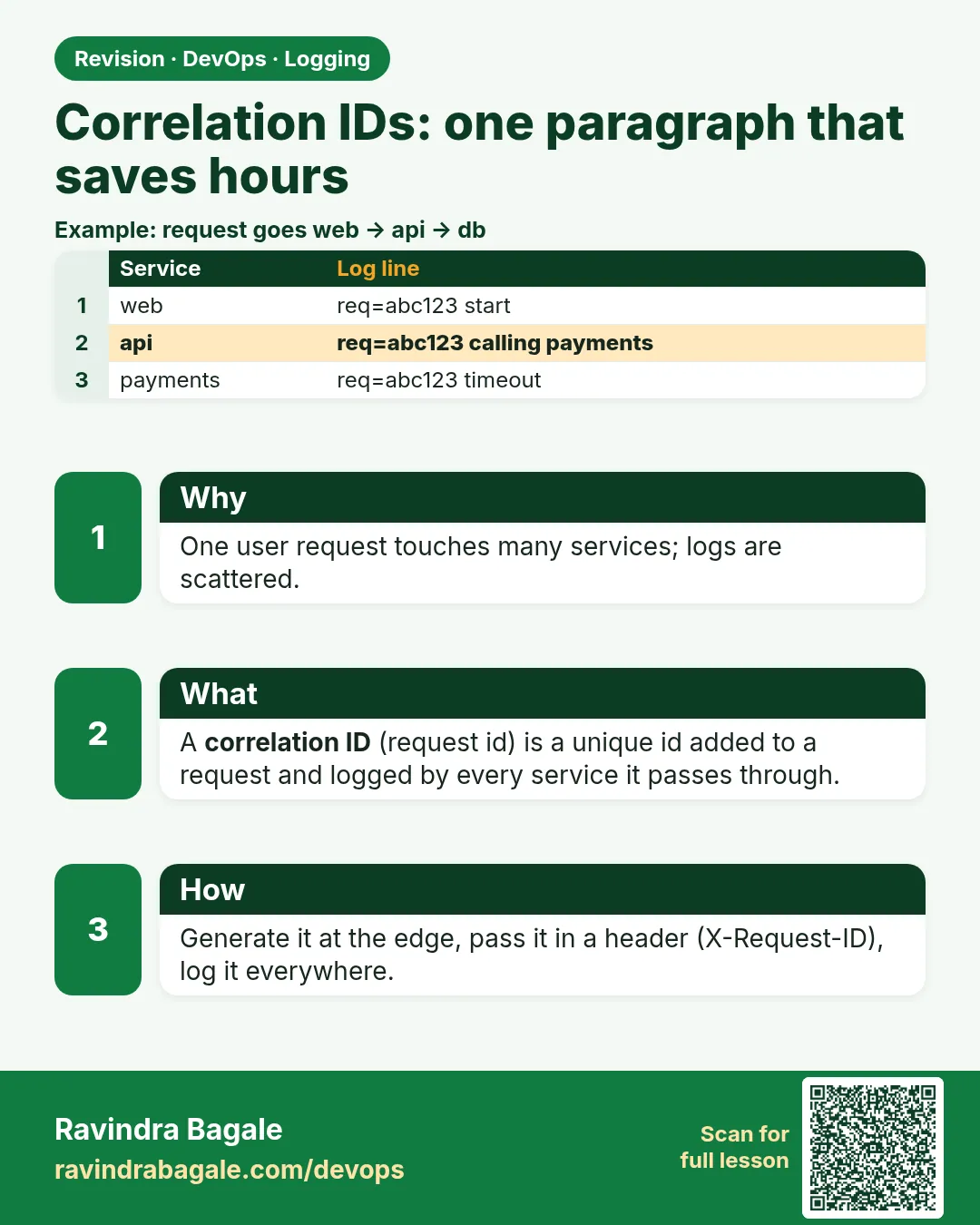 Revision card
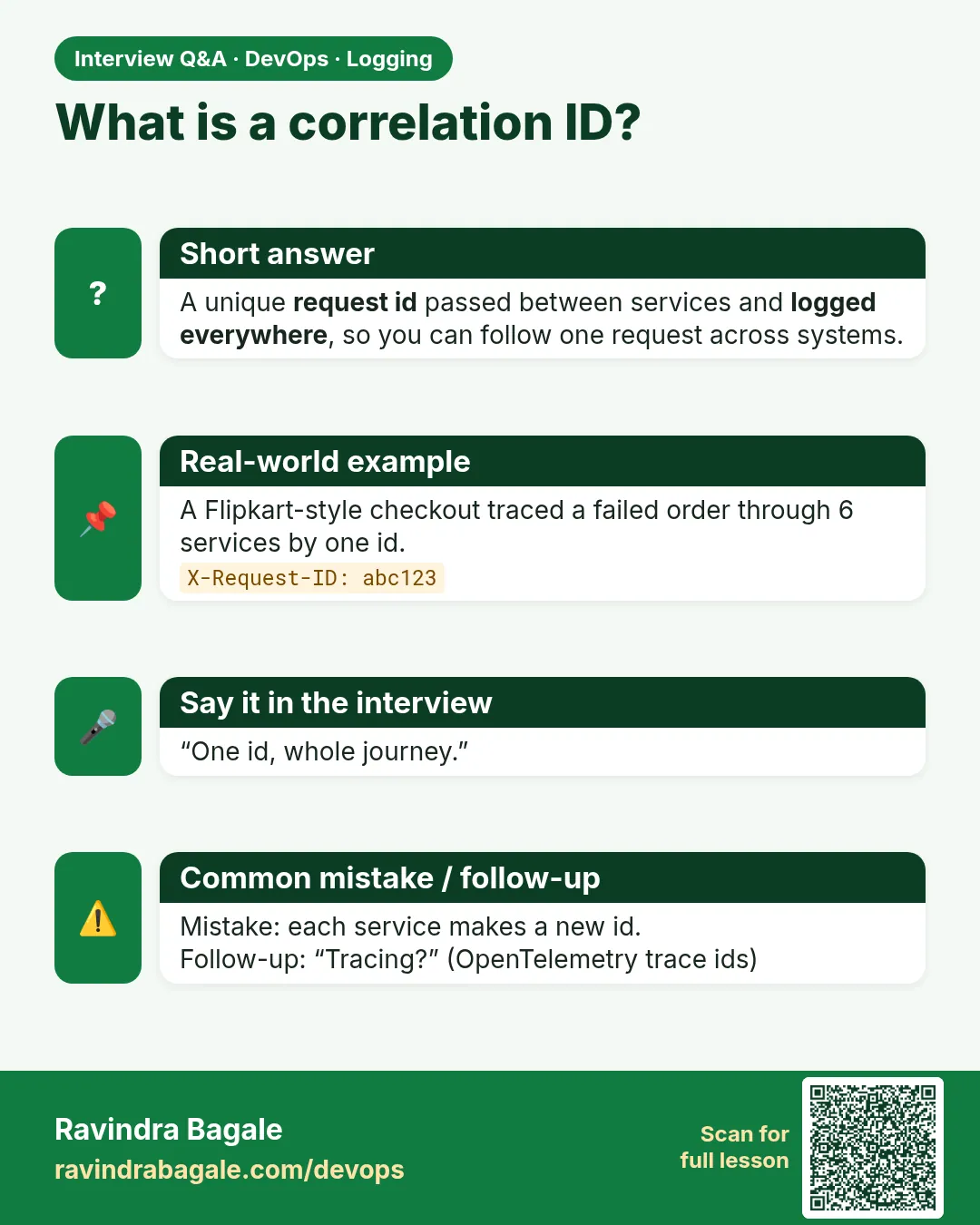 Interview card