Chapter 14: Logging and Light Observability
14.11b Retention, cost awareness and lab hygiene
Why: the problem
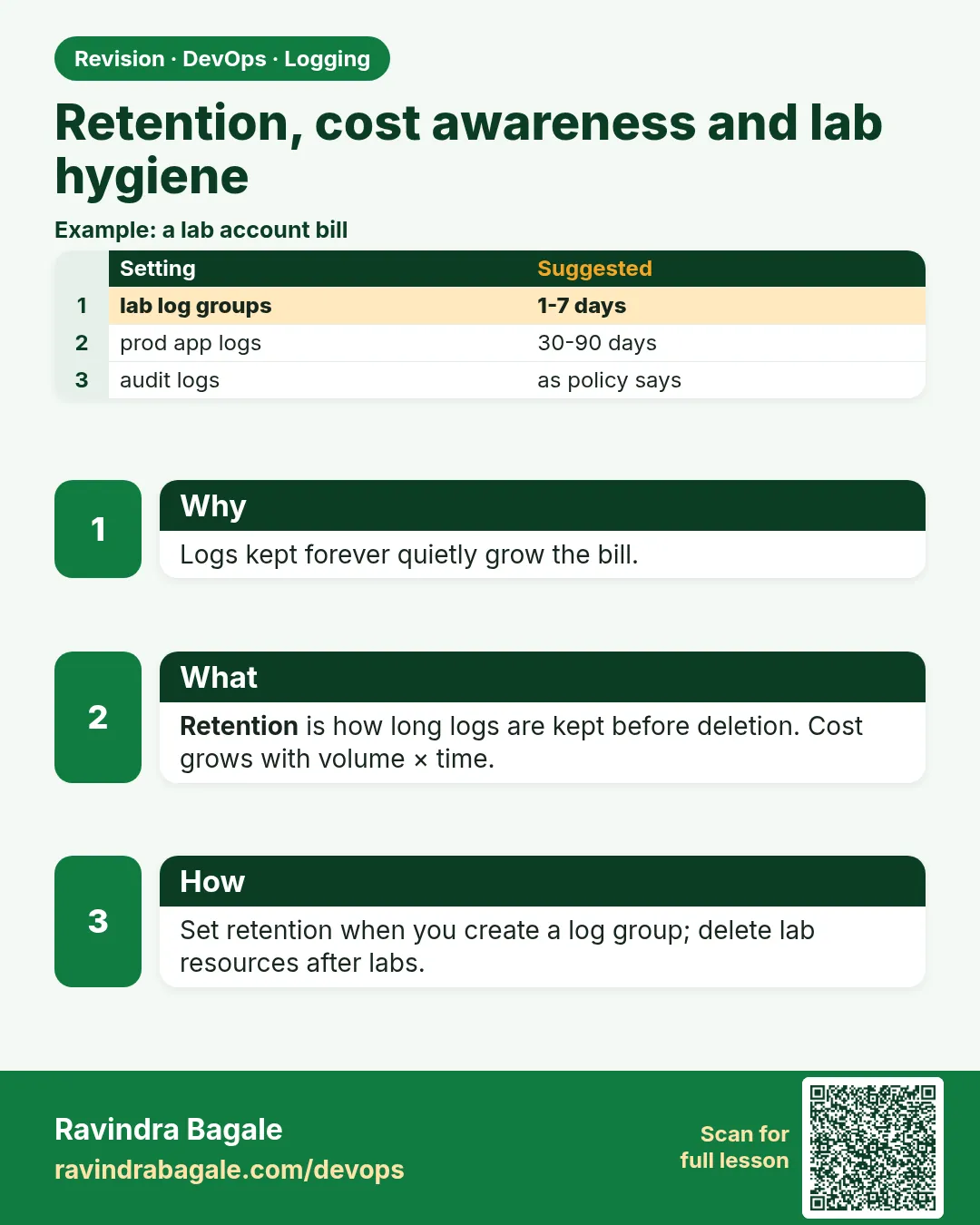
Suppose a Bengaluru startup sends all logs to CloudWatch with no retention and DEBUG on. After one year they have 40 TB of logs nobody reads. The monthly bill is now bigger than their EC2 bill. Nobody noticed, because logs feel free. They are not. You pay to send logs in (ingestion), to store them every month, and to search them. The fix is simple: keep only what you need, for only as long as you need, and move old logs to cheap storage like S3. Law and audits may need some logs for years, like bank audit logs. Most app logs need 7 to 30 days. In this lesson you will measure log cost, set retention, export old logs to S3, and clean up a lab.
What we will build
You will find which log groups store the most data, set retention by type, export a group to S3 with a lifecycle rule to Glacier, use the cheaper Infrequent Access class, and write a lab cleanup script.
What: every term in plain English
- Retention — How many days logs are kept before automatic delete.
- Ingestion — Data sent into CloudWatch. Charged per GB.
- Storage — Data kept in CloudWatch. Charged per GB per month.
- storedBytes — The field that tells how much a log group stores.
- Export to S3 — Copy logs from CloudWatch to an S3 bucket.
- S3 lifecycle — A rule that moves or deletes S3 objects after N days.
- Glacier — Very cheap S3 storage for archives you rarely read.
- Infrequent Access log class — A cheaper CloudWatch log class with fewer features.
How: step by step
-
Top groups by size
aws logs describe-log-groups --query "reverse(sort_by(logGroups,&storedBytes))[:5].[logGroupName,storedBytes,retentionInDays]" --output tableWhat it does: The five biggest groups and their retention.
Output
| /ecs/menu-api | 912345678901 | None | -
Groups with no retention
aws logs describe-log-groups --query "logGroups[?retentionInDays==null].logGroupName" --output textWhat it does: These keep data forever.
Output
/ecs/menu-api /aws/lambda/test-old -
Set app retention
aws logs put-retention-policy --log-group-name /ecs/menu-api --retention-in-days 30What it does: Old events are deleted after 30 days.
Output
(no output) -
Make a bucket for archives
aws s3 mb s3://ravi-loglab-archive-2026 --region ap-south-1What it does: Bucket names are global; pick a unique one.
Output
make_bucket: ravi-loglab-archive-2026 -
Export a time range
aws logs create-export-task --log-group-name /ecs/menu-api --from $(date -d "-7 day" +%s000) --to $(date +%s000) --destination ravi-loglab-archive-2026 --destination-prefix menu-apiWhat it does: Copies 7 days to S3. The bucket policy must allow logs.ap-south-1.amazonaws.com.
Output
{ "taskId": "8c1e2f3a-..." } -
Check the export
aws logs describe-export-tasks --task-id 8c1e2f3a-... --query "exportTasks[0].status.code"What it does: Wait until it is COMPLETED.
Output
"COMPLETED"
Example 1: Retention by log type with one script
Stack. AWS CLI v2, bash
Goal. Retention by log type with one script.
set-retention.sh
#!/usr/bin/env bash
set -euo pipefail
apply() { aws logs put-retention-policy --log-group-name "$1" --retention-in-days "$2" && echo "$2d  $1"; }
for g in $(aws logs describe-log-groups --query "logGroups[].logGroupName" --output text); do
  case "$g" in
    */audit*)     apply "$g" 365 ;;
    */prod/*)     apply "$g" 30 ;;
    /aws/lambda/*) apply "$g" 14 ;;
    *)            apply "$g" 7 ;;
  esac
done
What each line does
apply()— A small bash function to set and print retention.case "$g" in— Choose days by the name pattern.*/audit*) 365— Audit logs: one year for compliance.*/prod/*) 30— Production app logs: 30 days.*) 7— Dev and test: one week.
Green output
$ bash set-retention.sh
365d  /bank/core/prod/audit
30d   /tcs/orders/prod/app
14d   /aws/lambda/resize-image
7d    /loglab/wallet
Expected result. Every group now has a sensible life. Nothing keeps data forever by accident.
Example 2: S3 lifecycle: archive to Glacier, delete after 3 years
Stack. Amazon S3, Glacier
Goal. S3 lifecycle: archive to Glacier, delete after 3 years.
lifecycle.json
{
  "Rules": [
    {
      "ID": "logs-archive",
      "Filter": { "Prefix": "menu-api/" },
      "Status": "Enabled",
      "Transitions": [ { "Days": 30, "StorageClass": "GLACIER" } ],
      "Expiration": { "Days": 1095 }
    }
  ]
}
Commands
aws s3api put-bucket-lifecycle-configuration --bucket ravi-loglab-archive-2026 --lifecycle-configuration file://lifecycle.json
aws s3api get-bucket-lifecycle-configuration --bucket ravi-loglab-archive-2026 --query "Rules[0].Transitions"
aws s3 ls s3://ravi-loglab-archive-2026/menu-api/ --recursive | head -n 3
What each line does
Prefix "menu-api/"— The rule only touches exported menu logs.Days 30 to GLACIER— After a month, move to very cheap storage.Expiration 1095— Delete after 3 years.aws s3 ls --recursive— See the exported .gz files.
Green output
[
    { "Days": 30, "StorageClass": "GLACIER" }
]
2026-10-25 13:01:12   10485 menu-api/8c1e2f3a-.../ecs-menu-api-1/000000.gz
Expected result. Old logs cost very little and still exist for audits.
Example 3: Measure the bill and use the cheaper log class
Stack. CloudWatch metrics, CloudWatch Logs
Goal. Measure the bill and use the cheaper log class.
Commands
aws cloudwatch get-metric-statistics --namespace AWS/Logs --metric-name IncomingBytes \
  --dimensions Name=LogGroupName,Value=/ecs/menu-api \
  --start-time $(date -u -d "-1 day" +%FT%TZ) --end-time $(date -u +%FT%TZ) \
  --period 86400 --statistics Sum --query "Datapoints[0].Sum"

aws logs create-log-group --log-group-name /loglab/debug-ia --log-group-class INFREQUENT_ACCESS
aws logs describe-log-groups --log-group-name-prefix /loglab/debug-ia --query "logGroups[0].logGroupClass"
What each line does
IncomingBytes— How many bytes came in per day. Ingestion is the biggest cost.--period 86400— One day in seconds.INFREQUENT_ACCESS— Lower ingestion price, fewer features (no metric filters). Good for debug logs you rarely read.logGroupClass— Shows STANDARD or INFREQUENT_ACCESS.
Green output
53687091200.0
"INFREQUENT_ACCESS"
Expected result. The menu API sends about 50 GB a day. Cutting DEBUG and using IA for noisy logs can save a big part of the bill.
Verify: did it work?
-
Nothing without retention
aws logs describe-log-groups --query "length(logGroups[?retentionInDays==null])"What it does: Should be 0.
Output
0 -
Export files exist
aws s3 ls s3://ravi-loglab-archive-2026/menu-api/ --recursive | wc -lWhat it does: Some files.
Output
14
When it is red 1
An error occurred (InvalidParameterException) when calling CreateExportTask: GetBucketAcl call on the given bucket failed
Cause. The bucket policy does not allow CloudWatch Logs to write.
Fix, step by step
- Add a bucket policy allowing logs.ap-south-1.amazonaws.com s3:GetBucketAcl and s3:PutObject on the prefix.
- Bucket must be in the same region.
- Run create-export-task again.
When it is red 2
LimitExceededException: Resource limit exceeded (export)
Cause. Only one export task can run at a time per account.
Fix, step by step
- Wait for the running task to finish.
- Check with describe-export-tasks.
- Start the next one.
When it is red 3
Retention set but storage did not fall
Cause. Deletion happens in the background and can take up to 72 hours.
Fix, step by step
- Wait a few days.
- Check storedBytes again.
Cleanup
-
Delete the lab bucket and IA group
aws s3 rb s3://ravi-loglab-archive-2026 --force ; aws logs delete-log-group --log-group-name /loglab/debug-iaWhat it does: Lab only. Never on production archives.
Output
remove_bucket: ravi-loglab-archive-2026
Ravindra Bagale's Tip
Logs are not free. Set retention on every log group, or the bill keeps growing.
Logs free नाहीत. प्रत्येक log group ला retention ठेवा, नाहीतर bill वाढत जाईल.
Logs मुफ़्त नहीं. हर log group पर retention रखो, नहीं तो bill बढ़ता जाएगा.
Practice tasks
Easy Find your biggest group
Why: Know where the money goes.
What to do: Run the top 5 by storedBytes query.
- Use --output table.
Check: You know your top group.
Medium Retention in Terraform
Why: Code stops drift.
What to do: Set retention_in_days = 30 on aws_cloudwatch_log_group.
- terraform plan shows the change.
Check: Plan shows retention 30.
Hard Subscription to S3 via Firehose
Why: Real-time archive.
What to do: Stream a group to S3 with a subscription filter and Kinesis Firehose.
- aws logs put-subscription-filter ...
Check: New objects appear in S3 every few minutes.
Easy Say log retention and cost in two lines
Why: If you can say it simply, you understand it. Juniors and interviewers both want the short version first.
What to do: Write two short lines about log retention and cost for a fresher who knows only Linux, Git and Docker basics.
- Write the problem it solves.
- Write the one command or config line you use for it.
- Read it aloud to a friend.
Check: A fresher understands it without asking a question.
Easy Keep a throwaway log lab
Why: Practice needs a lab you can break. If it gets messy, you delete the containers and start again.
What to do: Run a small app in Docker that prints logs every second.
- docker run -d --name ticker busybox sh -c "while true; do date; sleep 1; done"
- docker logs -f ticker
- Press Ctrl+C, then docker rm -f ticker.
Check: You see one new time line every second.
Medium Do it on a second stack
Why: Logging ideas must work for Python, Node.js and Java. Only the library changes.
What to do: Repeat this lesson with a different language than the one you used first.
- If you used Python, use Node.js or Spring Boot now.
- Keep the same field names: time, level, msg, request_id.
- Compare the two outputs side by side.
Check: Both apps print the same fields in the same shape.
Medium Break it on purpose
Why: You must know the red error by face. In a real outage there is no time to read slowly.
What to do: Cause one error from the "When it is red" part of this lesson and fix it.
- Follow the error section.
- Copy the exact message into your notes.
- Write the fix in one line.
Check: You fixed it using only the steps, without searching the web.
Medium Write a one-page runbook
Why: At 2 a.m. nobody remembers log commands. A short page saves the on-call person.
What to do: Write a one-page runbook for this lesson.
- Title, when to use, exact commands, how to check, how to undo.
Check: A teammate can follow it alone.
Hard Explain it like an interview
Why: Interviewers want real stories, not definitions.
What to do: Record a 60 second answer about this lesson.
- Say the problem, the command you ran, the log line you found and the fix.
Check: Your answer has a real command and a real log line.
Hard Draw the flow top to bottom
Why: A drawing shows where a log line is born and where it ends up.
What to do: Draw this lesson as boxes from top to bottom.
- Start at the user click, go through the app, the log driver or agent, and end at the place you search.
Check: Each box matches a real command or file in this lesson.
Homework: try at home
Try at home
At home, list all your log groups, set retention by type with the script, and write down how many GB you will stop storing.
Recap
- Logs cost money: in, stored and searched.
- Every group needs a retention.
- Audit logs keep longer; dev logs a week.
- Export to S3 and use lifecycle to Glacier.
- Measure IncomingBytes to find the noisy apps.
FAQ
Do logs ever delete by default?
No. CloudWatch keeps them forever unless you set retention.
Is S3 cheaper than CloudWatch for storage?
Yes, much cheaper, and Glacier even more.
Can I search logs in S3?
Yes, with Amazon Athena, but it is slower.
Who decides audit retention?
Security and legal teams, based on laws like RBI rules for banks.
Will setting retention delete logs right away?
Older logs are deleted in the background over a few days.
Interview questions
-
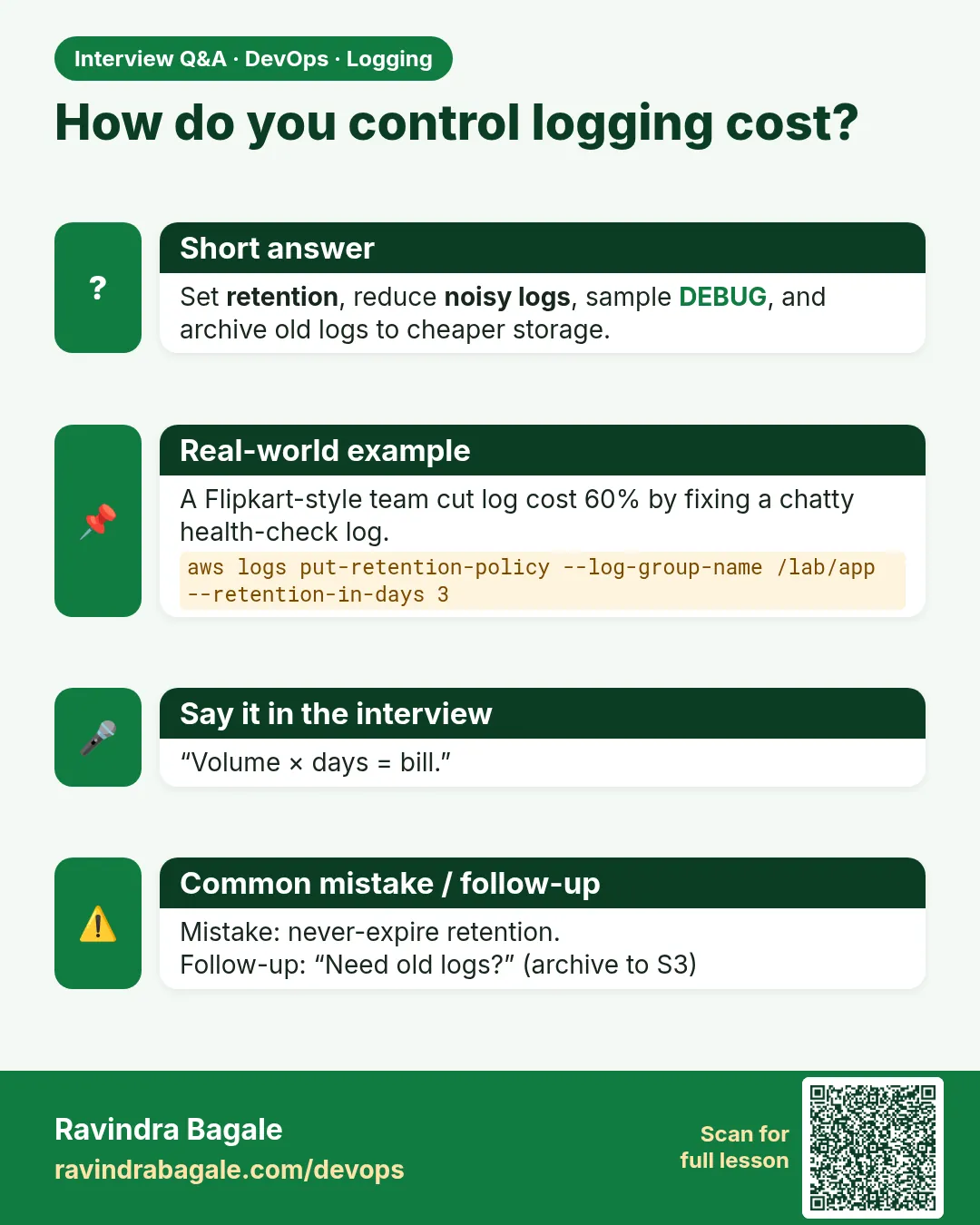
How do you control CloudWatch Logs cost?
Retention on every group, lower log levels, sampling, IA class, exporting archives to S3.
-
Where do you keep long-term logs?
S3 with lifecycle rules to Glacier and an expiry date.
-
How do you find groups with no retention?
describe-log-groups with a JMESPath query on retentionInDays==null.
-
What is an export task?
A one-off copy of a log group time range to S3.
-
How long do you keep logs?
Depends on type and law: dev 7 days, prod 30 days, audit 1 year or more.
Quick quiz
Q1. What three things cost money in CloudWatch Logs?
Ingestion, storage and queries.
Q2. How long should prod app logs live?
Usually 7 to 30 days, more if law needs it.
Q3. Where do old logs go cheaply?
S3 with lifecycle to Glacier.
Q4. Which query finds groups kept forever?
logGroups[?retentionInDays==null].
Q5. What is the IA log class?
A cheaper class for logs you rarely read.
Did you understand? Let us try it once more.
 Revision card
 Interview card