Chapter 11: Ansible Introduction
11.9c Tags — run part of a playbook
Why: the problem
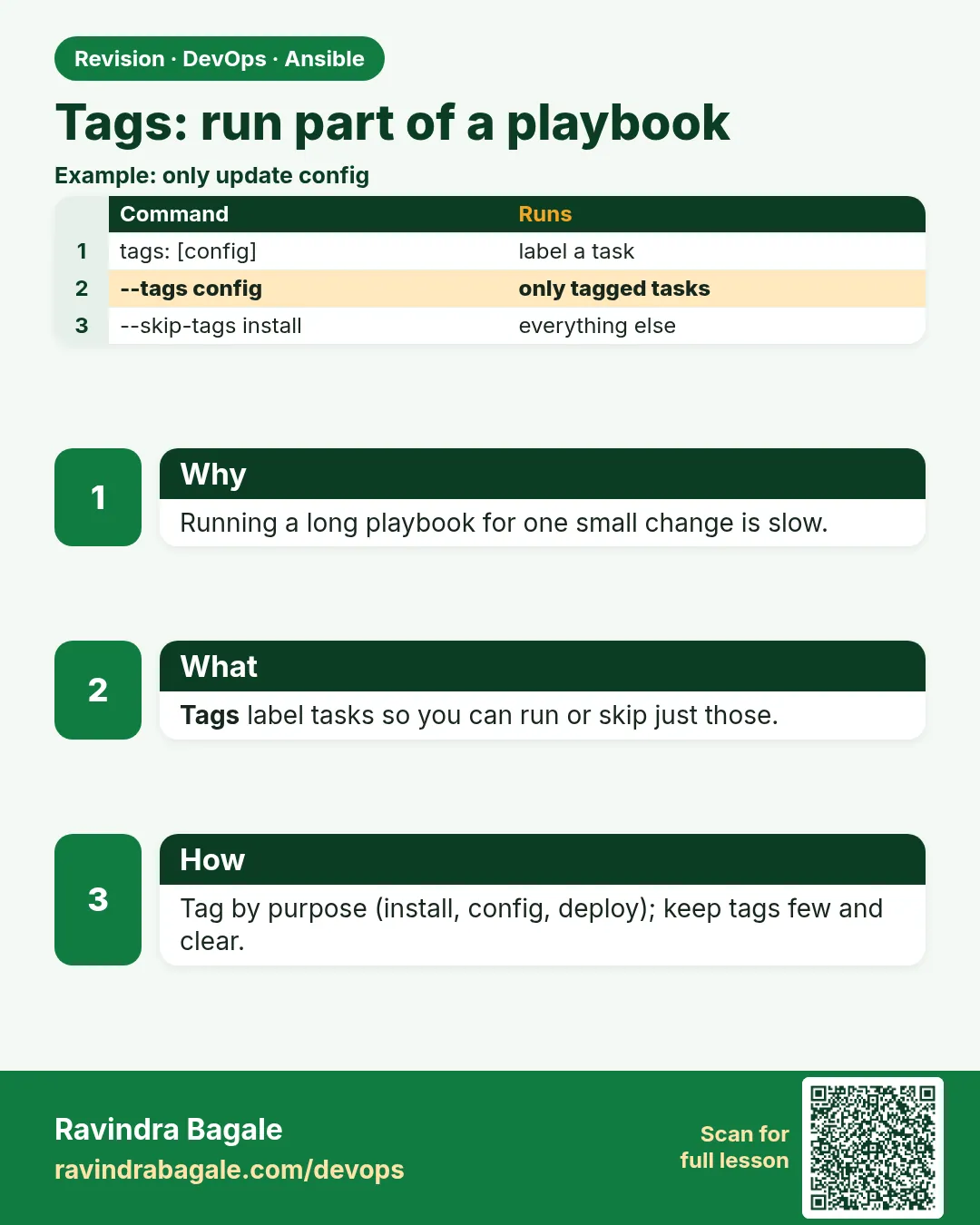
Suppose we are at Myntra and the site playbook takes 12 minutes: users, packages, nginx, app, monitoring. Today you only changed the nginx config. Running all 12 minutes for one file is slow. Tags are labels on tasks. You run only the tasks with a tag, like --tags nginx, and skip the rest.
What we will build
You will tag tasks and roles in site.yml, list tags, run only nginx or only deploy, skip slow tags, and use the special always and never tags.
What: every term in plain English
- Tag — A label on a task, block or role, like nginx or deploy.
- --tags — Run only tasks with these tags.
- --skip-tags — Run everything except these tags.
- --list-tags — Show all tags in a playbook.
- always — A special tag: the task runs even when you pick other tags.
- never — A special tag: the task runs only when you ask for it by name.
How: step by step
-
Add tags to tasks
tags: [nginx]What it does: Write under the task.
Output
(file edit) -
List all tags
ansible-playbook site.yml --list-tagsWhat it does: See what you can pick.
Output
play #1 (web): TAGS: [] TASK TAGS: [always, app, deploy, monitoring, nginx, packages, users] -
List tasks for one tag
ansible-playbook site.yml --tags nginx --list-tasksWhat it does: Check before running.
Output
nginx : Install nginx TAGS: [nginx] nginx : Site config TAGS: [nginx] -
Run only nginx
ansible-playbook site.yml --tags nginxWhat it does: Much faster.
Output
web1 : ok=4 changed=1 -
Skip slow tags
ansible-playbook site.yml --skip-tags packages,monitoringWhat it does: Everything else runs.
Output
web1 : ok=14 changed=0 -
Run a never-tagged task on purpose
ansible-playbook site.yml --tags db_resetWhat it does: Only when named.
Output
TASK [Reset demo database] *** changed: [db1] -
Time it
time ansible-playbook site.yml --tags nginxWhat it does: Compare with a full run.
Output
real 0m21.3s
Example 1: site
Stack. Roles with tags
Goal. site.yml with tagged roles and tasks.
site.yml
- hosts: web
  become: true
  pre_tasks:
    - name: Check disk space
      ansible.builtin.assert:
        that: ansible_mounts | selectattr('mount','equalto','/') | map(attribute='size_available') | first > 1000000000
      tags: [always]
  roles:
    - { role: users,      tags: [users] }
    - { role: common,     tags: [packages] }
    - { role: nginx,      tags: [nginx] }
    - { role: node_app,   tags: [app, deploy] }
    - { role: node_exporter, tags: [monitoring] }
What each line does
tags: [always]— The disk check runs on every run.{ role: nginx, tags: [nginx] }— Every task in the role gets the tag.tags: [app, deploy]— Two names for the same part.
Green output
$ time ansible-playbook site.yml --tags nginx
TASK [Check disk space] ********************************
ok: [web1]
TASK [nginx : Install nginx] ***************************
ok: [web1]
TASK [nginx : Site config from template] ***************
changed: [web1]
web1 : ok=5 changed=1 unreachable=0 failed=0
real    0m21.3s
Expected result. 21 seconds instead of 12 minutes.
Example 2: Deploy only: a Java Spring Boot jar release with the deploy tag
Stack. Java 17, Spring Boot jar, systemd
Goal. Deploy only: a Java Spring Boot jar release with the deploy tag.
roles/java_app/tasks/main.yml
- name: Java runtime
  ansible.builtin.apt: { name: openjdk-17-jre-headless, state: present }
  tags: [packages]
- name: Copy the new jar
  ansible.builtin.copy:
    src: "builds/orders-{{ app_version }}.jar"
    dest: /opt/orders/orders.jar
  notify: Restart orders
  tags: [deploy]
- name: Service running
  ansible.builtin.systemd: { name: orders, state: started, enabled: true }
  tags: [deploy]
What each line does
tags: [packages]— Skipped on a normal deploy.tags: [deploy]— The release tasks only.app_version— Passed with -e.
Green output
$ ansible-playbook site.yml --tags deploy -e app_version=2.3.0
TASK [java_app : Copy the new jar] *********************
changed: [api1]
RUNNING HANDLER [java_app : Restart orders] ************
changed: [api1]
api1 : ok=4 changed=2 unreachable=0 failed=0
Expected result. Release in seconds; packages untouched.
Example 3: A dangerous task protected by the never tag: reset a demo MongoDB
Stack. MongoDB 7, mongosh
Goal. A dangerous task protected by the never tag: reset a demo MongoDB.
roles/mongo/tasks/main.yml
- name: MongoDB running
  ansible.builtin.service: { name: mongod, state: started }
- name: Reset demo database (only when asked)
  ansible.builtin.command: mongosh --quiet --eval "db.getSiblingDB('demo').dropDatabase()"
  tags: [never, db_reset]
What each line does
tags: [never, db_reset]— Never runs unless you pass --tags db_reset.mongosh --eval— Runs one Mongo command.
Green output
$ ansible-playbook site.yml           # normal run
TASK [mongo : Reset demo database (only when asked)] -> not listed
$ ansible-playbook site.yml --tags db_reset --limit db1
changed: [db1]
Expected result. A normal run can never drop data by accident.
Example 4: Tags on a block: one label for a group of tasks in a Python FastAPI deploy
Stack. Python FastAPI, uvicorn, systemd
Goal. Tags on a block: one label for a group of tasks in a Python FastAPI deploy.
roles/fastapi/tasks/main.yml
- name: Release steps
  tags: [deploy]
  block:
    - name: Copy code
      ansible.builtin.copy: { src: apps/likes-api/, dest: /opt/likes-api/ }
    - name: Install requirements in venv
      ansible.builtin.pip:
        requirements: /opt/likes-api/requirements.txt
        virtualenv: /opt/likes-api/venv
        virtualenv_command: python3 -m venv
    - name: Restart uvicorn service
      ansible.builtin.systemd: { name: likes-api, state: restarted }
What each line does
block:— Groups tasks so one tag covers all of them.tags: [deploy] on the block— Every task inside gets the deploy tag.requirements:— pip installs from the file, only what is missing.
Green output
$ ansible-playbook site.yml --tags deploy --limit web1
TASK [fastapi : Copy code] *****************************
changed: [web1]
TASK [fastapi : Install requirements in venv] **********
ok: [web1]
TASK [fastapi : Restart uvicorn service] ***************
changed: [web1]
web1 : ok=4 changed=2 unreachable=0 failed=0
Expected result. One tag on the block, three release tasks run together.
Verify: did it work?
-
Tags present
ansible-playbook site.yml --list-tagsWhat it does: All expected tags.
Output
TASK TAGS: [always, app, db_reset, deploy, monitoring, never, nginx, packages, users] -
Only nginx ran
ansible-playbook site.yml --tags nginx | grep -c "TASK \[nginx"What it does: Only nginx tasks.
Output
3 -
Never task stays off
ansible-playbook site.yml --list-tasks | grep -c "Reset demo"What it does: 0.
Output
0
When it is red 1
ERROR! tags must be a list or a string
Cause. Wrong tag format.
Fix, step by step
- Use tags: [nginx] or tags: nginx.
When it is red 2
Nothing ran: PLAY RECAP web1 : ok=1 changed=0 (only Gathering Facts)
Cause. Tag name typo, like ngnix.
Fix, step by step
- Run --list-tags.
- Use the exact name.
When it is red 3
Handler not found when running with --tags deploy
Cause. Handlers run only if notified by a tagged task that ran; a notify inside an untagged include was skipped.
Fix, step by step
- Tag the notifying task too.
- Or use --tags deploy,nginx.
Cleanup
-
Nothing to clean
ansible-playbook site.yml --list-tags > /dev/nullWhat it does: Tags are only labels.
Output
(no output)
Ravindra Bagale's Tip
If only Nginx changed, use --tags nginx. No need to wait the full 12 minutes.
फक्त nginx बदलला तर --tags nginx. पूरा १२ मिनिट थांबायची गरज नाही.
सिर्फ nginx बदला तो --tags nginx. पूरे १२ मिनट रुकने की ज़रूरत नहीं.
Practice tasks
Easy Tag three tasks
Why: Practice syntax.
What to do: Add tags to three tasks and list them.
- Edit the playbook.
- --list-tags
Check: Three tags listed.
Medium Protect a risky task
Why: Avoid accidents.
What to do: Add a never tag to a cleanup task.
- tags: [never, cleanup]
Check: Runs only with --tags cleanup.
Easy Say tags in two lines
Why: If you can say it simply, you understand it. Interviewers and juniors both need the short version first.
What to do: Write two short lines about tags for a fresher who knows only Linux basics.
- Write the problem it solves.
- Write the one command or file you use for it.
- Read it aloud to a friend.
Check: A fresher understands it without asking a question.
Easy Start a two-server Ansible lab
Why: Practice needs safe throwaway servers. If you break them, you delete them and start again in one minute.
What to do: Start two Ubuntu containers that accept SSH, and one control machine with Ansible.
- python3 -m pip install --user ansible-core
- docker run -d --name web1 -p 2221:22 lscr.io/linuxserver/openssh-server
- docker run -d --name web2 -p 2222:22 lscr.io/linuxserver/openssh-server
- ansible --version
Check: ansible --version prints a core version, and ssh to both ports works.
Medium Do it on the second setup
Why: The idea must work on a VM, a container and a cloud server. Only the inventory should change, never the playbook.
What to do: Repeat this lesson on a different target than the one you used first.
- If you used containers, use one EC2 or local VM now.
- Change only the inventory file.
- Run the same playbook.
Check: Same result, and you changed only the inventory.
Medium Break it on purpose
Why: You must know the red output by face. On a real outage there is no time to read slowly.
What to do: Cause one error from the "When it is red" part of this lesson and fix it.
- Follow the error section.
- Copy the exact message into your notes.
- Write the fix in one line.
Check: You fixed it using the steps, without searching the web.
Medium Run it twice and read the recap
Why: Idempotence is the heart of Ansible.
What to do: Run your playbook or command two times and compare the PLAY RECAP lines.
- Run once and note changed=.
- Run again with no edits.
- Explain any task that still says changed.
Check: The second run shows changed=0, or you can explain every change.
Medium Write a runbook page
Why: At 2 a.m. nobody remembers flags. A short written page saves the on-call person.
What to do: Write a one-page runbook for this lesson.
- Title, when to use, exact commands, how to check, how to undo.
Check: A teammate can follow it alone.
Hard Explain it like an interview
Why: Interviewers want real stories, not definitions.
What to do: Record a 60 second answer about this lesson.
- Say the problem, the playbook or command, and one error you hit.
Check: Your answer has a real command and a real error message.
Hard Draw the flow top to bottom
Why: A drawing shows the order of work.
What to do: Draw this lesson as boxes from top to bottom.
- Start at your laptop, go through SSH, end at the check on the server.
Check: Each box matches a real step you ran.
Homework: try at home
Try at home
At home, tag your site playbook by role, then time a full run and a --tags run. Add one never-tagged task and prove it does not run normally.
Recap
- Tags label tasks, blocks and roles.
- --tags runs only those; --skip-tags skips them.
- always and never are special.
- Tags save minutes on big playbooks.
- Always --list-tasks with tags before a real run.
FAQ
Do tags change idempotence?
No. They only pick which tasks run.
Can a task have many tags?
Yes, like [app, deploy].
Does a tag on a role tag all its tasks?
Yes, when the role is used with tags in roles:.
Are tags good for prod?
Yes, but run the full playbook regularly so nothing drifts.
Can I combine --tags and --limit?
Yes, that is common.
Why did facts still run with --tags?
Gathering facts is tagged always by default, so it runs unless you set gather_facts: false.
Interview questions
-
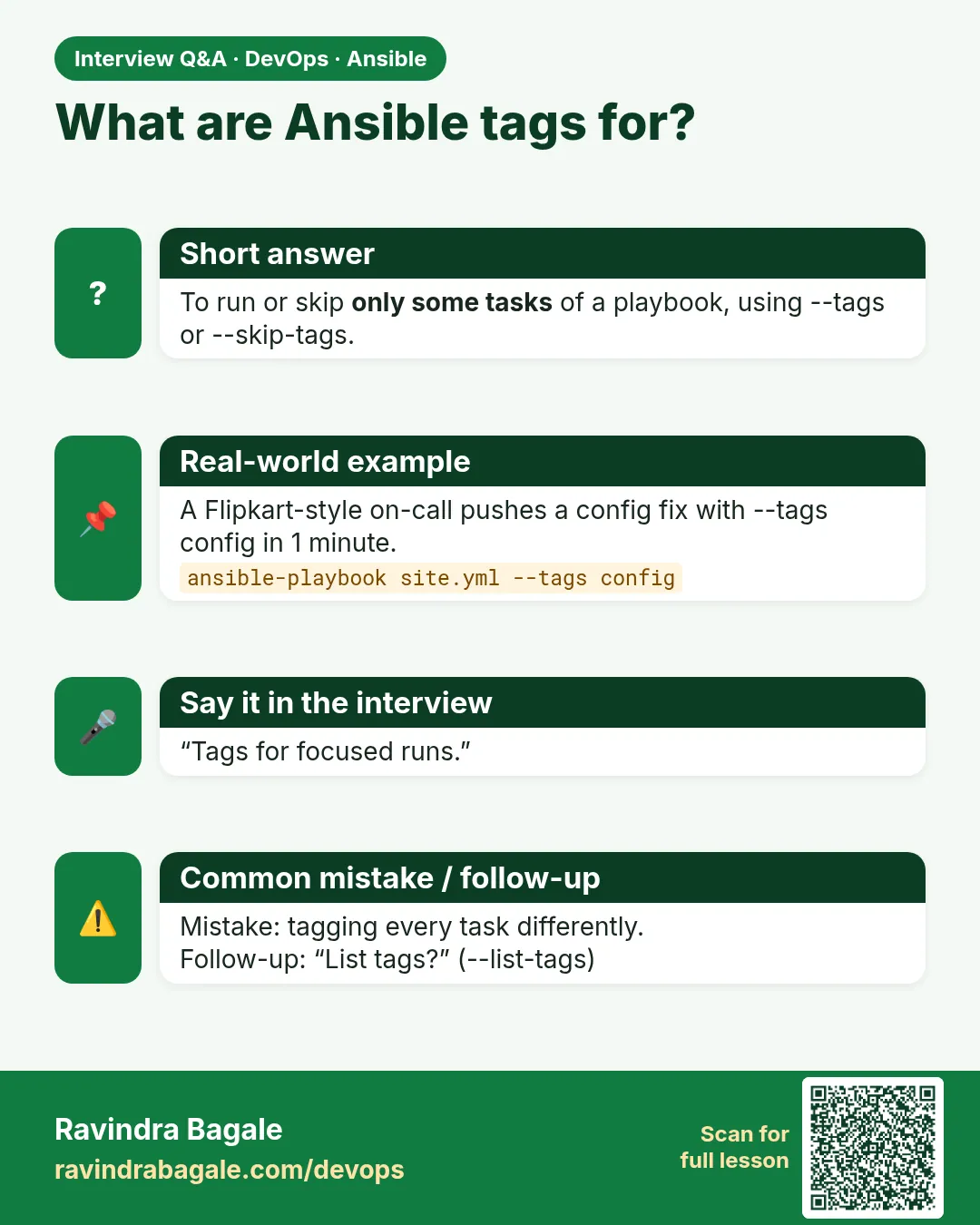
What are tags in Ansible?
Labels on tasks or roles so you can run or skip parts of a playbook.
-
Explain always and never tags.
always runs on every run unless skipped by name; never runs only when its other tag is requested.
-
How do you deploy only the app?
Tag the release tasks deploy and run --tags deploy.
-
Risk of using tags?
Some tasks may be skipped for a long time, causing drift. Run full playbooks too.
-
How do you check what a tag will run?
--tags x --list-tasks
-
Tags or separate playbooks?
Tags for parts of one flow, separate playbooks for very different jobs like backup or restore.
Quick quiz
Q1. How do you run only tagged tasks?
--tags name
Q2. How do you skip tags?
--skip-tags name
Q3. Which tag always runs?
always
Q4. Which tag runs only when named?
never
Q5. How do you see all tags?
--list-tags
Did you understand? Let us try it once more.
 Revision card
 Interview card