Chapter 11: Ansible Introduction
11.3 Modules and ad-hoc commands
Why: the problem
Suppose we are at Zomato and a security alert says: update openssl on every web server now. Writing a whole playbook takes time. An ad-hoc command runs one module on many servers in one line. Modules are Ansible's tools. Each one does one job, like install a package, copy a file, or restart a service. And each one checks first, so it does not repeat work.
What we will build
You will use the most common modules (ping, command, shell, apt/dnf, copy, file, service, user, get_url) as ad-hoc commands on your web group, and read module help with ansible-doc.
What: every term in plain English
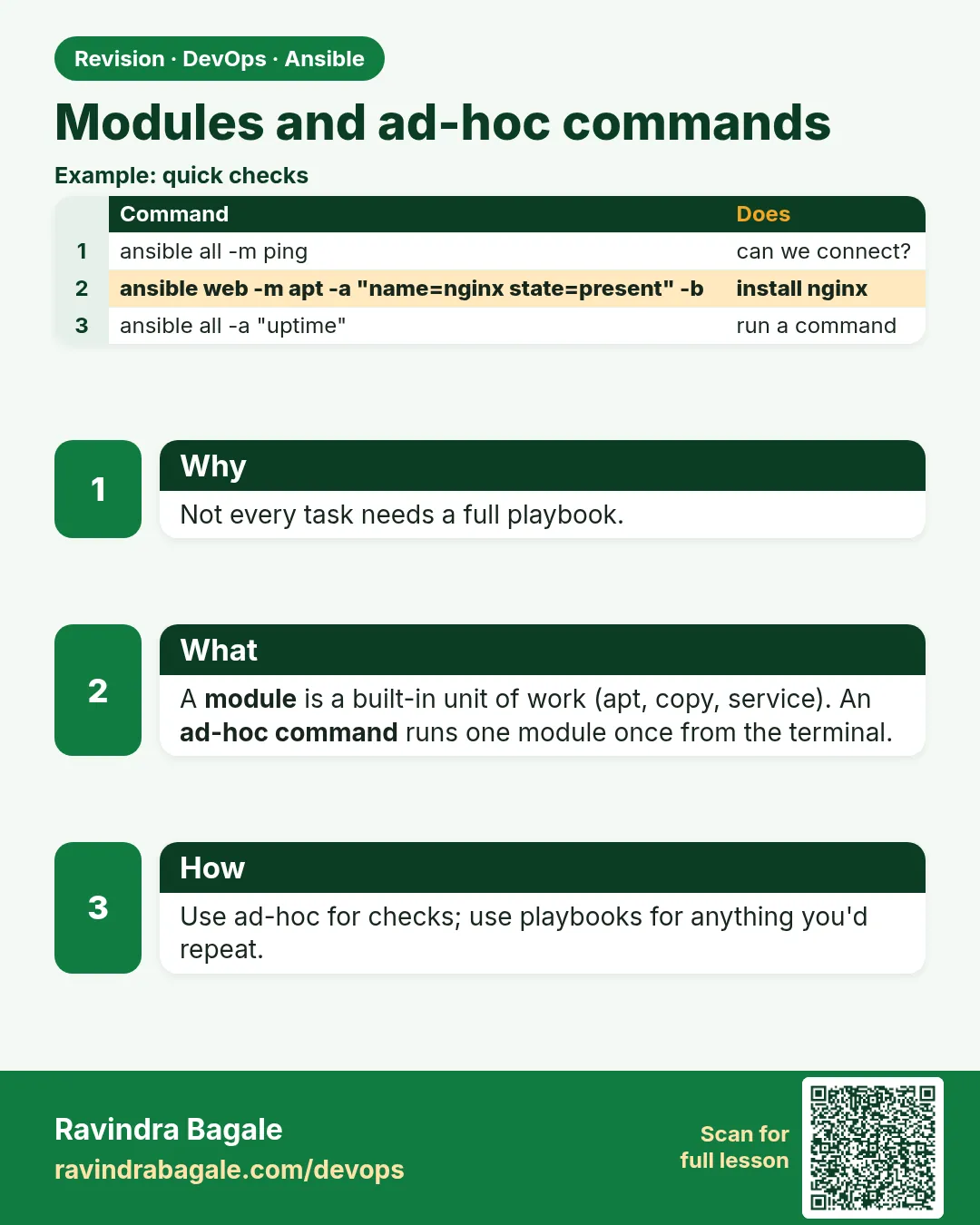
- Module — A built-in tool that does one task, such as apt, copy or service.
- Ad-hoc command — Running one module from the terminal, without a playbook.
- -m — Which module to use.
- -a — The arguments for that module, as key=value.
- ansible-doc — Shows help and examples for any module, offline.
- CHANGED / SUCCESS — CHANGED means Ansible changed the server. SUCCESS means it was already right.
How: step by step
-
List modules about packages
ansible-doc -l | grep -E "^ansible.builtin.(apt|dnf|package) "What it does: ansible-doc lists every module installed.
Output
ansible.builtin.apt Manages apt-packages ansible.builtin.dnf Manages packages with the dnf package manager ansible.builtin.package Generic OS package manager -
Read help for one module
ansible-doc ansible.builtin.copy | head -15What it does: Shows options like src, dest, owner and backup.
Output
> ANSIBLE.BUILTIN.COPY The copy module copies a file from the local machine to a location on the remote machine. -
Update one package everywhere
ansible web -m apt -a "name=openssl state=latest update_cache=true" --becomeWhat it does: state=latest upgrades if a newer version exists.
Output
web1 | CHANGED => {"changed": true} web2 | CHANGED => {"changed": true} -
Copy a file
ansible web -m copy -a "src=motd.txt dest=/etc/motd backup=true" --becomeWhat it does: backup=true keeps the old file with a date.
Output
web1 | CHANGED => {"dest": "/etc/motd", "backup_file": "/etc/motd.2026-10-25@10:15:01~"} -
Make a folder
ansible web -m file -a "path=/opt/shop state=directory owner=ubuntu" --becomeWhat it does: file module creates folders and links.
Output
web1 | CHANGED => {"path": "/opt/shop", "state": "directory"} -
Restart a service
ansible web -m service -a "name=nginx state=restarted" --becomeWhat it does: Restarts nginx on both servers.
Output
web1 | CHANGED => {"name": "nginx", "state": "started"} -
Collect facts
ansible web1 -m setup -a "filter=ansible_distribution*"What it does: setup reads facts like OS name and version.
Output
web1 | SUCCESS => {"ansible_facts": {"ansible_distribution": "Ubuntu", "ansible_distribution_version": "22.04"}}
Example 1: Security patch: update openssl and check the version on all web servers
Stack. Ubuntu, apt module
Goal. Security patch: update openssl and check the version on all web servers.
terminal
ansible web -m apt -a "name=openssl state=latest update_cache=true" --become
ansible web -a "openssl version"
What each line does
state=latest— Upgrade to the newest version in the repo.-a "openssl version"— With no -m, Ansible uses the command module.
Green output
web1 | CHANGED => {"changed": true}
web2 | CHANGED => {"changed": true}
web1 | CHANGED | rc=0 >>
OpenSSL 3.0.2 15 Mar 2022 (Library: OpenSSL 3.0.2 15 Mar 2022)
web2 | CHANGED | rc=0 >>
OpenSSL 3.0.2 15 Mar 2022 (Library: OpenSSL 3.0.2 15 Mar 2022)
Expected result. Both servers have the patched package, done in under a minute.
Example 2: Deploy a static page with copy and check it with uri
Stack. nginx, copy, uri
Goal. Deploy a static page with copy and check it with uri.
files/index.html
<!doctype html>
<html><body><h1>Shop is open</h1><p>Served by Ansible</p></body></html>
terminal
ansible web -m apt -a "name=nginx state=present" --become
ansible web -m copy -a "src=files/index.html dest=/var/www/html/index.html" --become
ansible web -m uri -a "url=http://localhost return_content=true" | grep -o "Shop is open"
What each line does
copy src= dest=— Sends the local file to each server.uri module— Makes an HTTP call from the server itself.grep -o— Prints only the matching words.
Green output
web1 | CHANGED => {"dest": "/var/www/html/index.html"}
web2 | CHANGED => {"dest": "/var/www/html/index.html"}
Shop is open
Shop is open
Expected result. Each server serves the new page.
Example 3: command vs shell: when you need a pipe, use shell, and know the risk
Stack. command, shell, service_facts
Goal. command vs shell: when you need a pipe, use shell, and know the risk.
terminal
# command: no pipes, no $VARS, safer
ansible web -m command -a "df -h /"
# shell: pipes work
ansible web -m shell -a "ps aux | grep -c nginx"
# better: a real module instead of shell
ansible web -m service_facts | grep -A2 '"nginx.service"'
What each line does
command— Runs a program directly. Safe, but no | or >.shell— Runs through /bin/sh, so pipes work.service_facts— Reads all service states as data.
Green output
web1 | CHANGED | rc=0 >>
Filesystem      Size  Used Avail Use% Mounted on
/dev/root        20G  6.1G   14G  31% /
web1 | CHANGED | rc=0 >>
3
            "nginx.service": {
                "name": "nginx.service",
                "state": "running",
Expected result. Prefer a module. Use shell only when no module fits.
Verify: did it work?
-
Check the page
curl -s http://10.0.1.11 | grep -o "Shop is open"What it does: From your laptop.
Output
Shop is open -
Check nothing changes on the second run
ansible web -m copy -a "src=files/index.html dest=/var/www/html/index.html" --becomeWhat it does: Now it says SUCCESS.
Output
web1 | SUCCESS => {"changed": false} -
Check the backup file
ansible web -a "ls /etc/ | grep motd"What it does: The old motd is kept.
Output
motd
motd.2026-10-25@10:15:01~
When it is red 1
web1 | FAILED! => {"msg": "Could not find or access 'files/index.html'"}
Cause. The src path is relative to where you run the command.
Fix, step by step
- cd to the project folder.
- Or give a full path in src=.
When it is red 2
web1 | FAILED! => {"msg": "No package matching 'ngnix' is available"}
Cause. The package name is spelled wrong.
Fix, step by step
- Search with apt-cache search nginx on one server.
- Fix the name and run again.
When it is red 3
web1 | FAILED | rc=2 >> ps: unrecognized option |
Cause. You used a pipe with the command module.
Fix, step by step
- Use -m shell for pipes.
- Or better, use a module like service_facts.
Cleanup
-
Remove the test page
ansible web -m file -a "path=/var/www/html/index.html state=absent" --becomeWhat it does: Cleans the lab.
Output
web1 | CHANGED => {"state": "absent"}
Ravindra Bagale's Tip
Keep the shell module as the last option. First search for a module: ansible-doc -l.
Shell module शेवटचा पर्याय ठेवा. आधी module शोधा: ansible-doc -l.
Shell module आखिरी विकल्प रखो. पहले module खोजो: ansible-doc -l.
Practice tasks
Easy Create a user on all servers
Why: Practice the user module.
What to do: Make user intern with bash shell.
- ansible web -m user -a "name=intern shell=/bin/bash" --become
Check: id intern works on each server.
Medium Download a file with get_url
Why: Real servers fetch installers.
What to do: Download node_exporter tarball to /tmp.
- ansible web -m get_url -a "url=https://example.com/file.tgz dest=/tmp/"
Check: File exists in /tmp on both.
Easy Say Ansible modules in two lines
Why: If you can say it simply, you understand it. Interviewers and juniors both need the short version first.
What to do: Write two short lines about Ansible modules for a fresher who knows only Linux basics.
- Write the problem it solves.
- Write the one command or file you use for it.
- Read it aloud to a friend.
Check: A fresher understands it without asking a question.
Easy Start a two-server Ansible lab
Why: Practice needs safe throwaway servers. If you break them, you delete them and start again in one minute.
What to do: Start two Ubuntu containers that accept SSH, and one control machine with Ansible.
- python3 -m pip install --user ansible-core
- docker run -d --name web1 -p 2221:22 lscr.io/linuxserver/openssh-server
- docker run -d --name web2 -p 2222:22 lscr.io/linuxserver/openssh-server
- ansible --version
Check: ansible --version prints a core version, and ssh to both ports works.
Medium Do it on the second setup
Why: The idea must work on a VM, a container and a cloud server. Only the inventory should change, never the playbook.
What to do: Repeat this lesson on a different target than the one you used first.
- If you used containers, use one EC2 or local VM now.
- Change only the inventory file.
- Run the same playbook.
Check: Same result, and you changed only the inventory.
Medium Break it on purpose
Why: You must know the red output by face. On a real outage there is no time to read slowly.
What to do: Cause one error from the "When it is red" part of this lesson and fix it.
- Follow the error section.
- Copy the exact message into your notes.
- Write the fix in one line.
Check: You fixed it using the steps, without searching the web.
Medium Run it twice and read the recap
Why: Idempotence is the heart of Ansible.
What to do: Run your playbook or command two times and compare the PLAY RECAP lines.
- Run once and note changed=.
- Run again with no edits.
- Explain any task that still says changed.
Check: The second run shows changed=0, or you can explain every change.
Medium Write a runbook page
Why: At 2 a.m. nobody remembers flags. A short written page saves the on-call person.
What to do: Write a one-page runbook for this lesson.
- Title, when to use, exact commands, how to check, how to undo.
Check: A teammate can follow it alone.
Hard Explain it like an interview
Why: Interviewers want real stories, not definitions.
What to do: Record a 60 second answer about this lesson.
- Say the problem, the playbook or command, and one error you hit.
Check: Your answer has a real command and a real error message.
Hard Draw the flow top to bottom
Why: A drawing shows the order of work.
What to do: Draw this lesson as boxes from top to bottom.
- Start at your laptop, go through SSH, end at the check on the server.
Check: Each box matches a real step you ran.
Homework: try at home
Try at home
At home, use five different modules ad-hoc (apt, copy, file, user, service) on your lab group. Run each twice and note CHANGED then SUCCESS.
Recap
- A module does one job and checks state first.
- Ad-hoc = ansible GROUP -m MODULE -a "ARGS".
- No -m means the command module.
- Use shell only for pipes, and prefer modules.
- ansible-doc gives offline help.
FAQ
Are ad-hoc commands bad?
No. They are perfect for quick checks and emergencies. Repeated work goes into playbooks.
What is FQCN?
Fully qualified collection name, like ansible.builtin.copy. It avoids name clashes.
Can modules return data?
Yes, as JSON. Playbooks can save it with register.
Why does command always say CHANGED?
Ansible cannot know if a command changed something, so it says CHANGED to be safe.
Where do extra modules come from?
From collections, installed with ansible-galaxy collection install.
Is raw a module?
Yes. raw sends a plain SSH command and needs no Python. Use it only to install Python.
Interview questions
-
What is the difference between command and shell modules?
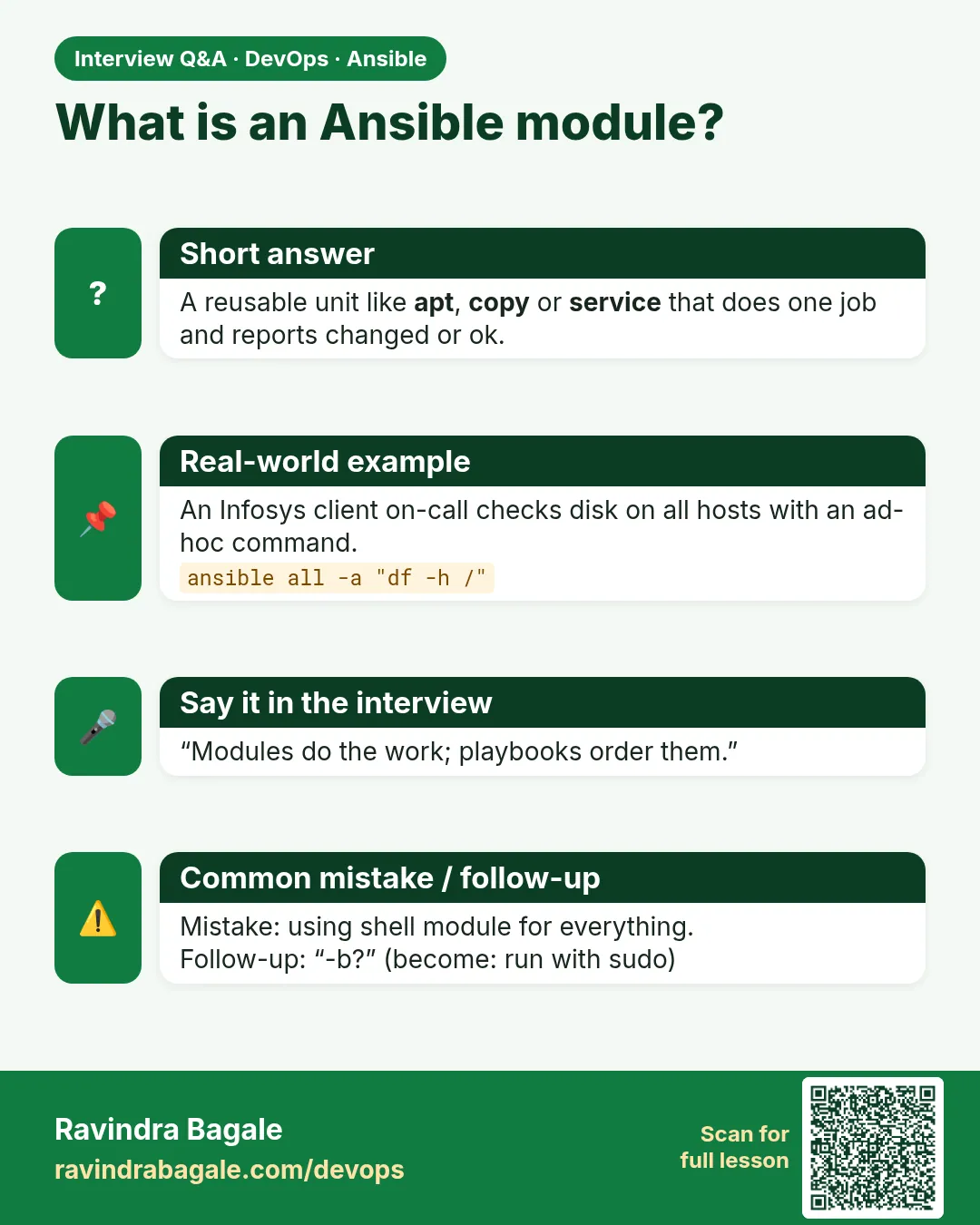
command runs without a shell, so no pipes or variables, and is safer. shell runs through /bin/sh.
-
What does idempotent mean for a module?
Running it again gives the same result without changing anything again.
-
How would you patch one package on 200 servers fast?
An ad-hoc apt or dnf command with state=latest and --become, maybe with --forks 50.
-
What is the setup module?
It gathers facts like OS, IPs, memory and CPU.
-
How do you find module options?
ansible-doc, or the docs page for the collection.
Quick quiz
Q1. Which module runs when you give no -m?
command
Q2. Why prefer modules over shell?
Modules check state first and are idempotent.
Q3. How do you read help for a module?
ansible-doc <module name>
Q4. What does backup=true do in copy?
Keeps the old file with a timestamp.
Q5. Which module reads OS details?
setup
Did you understand? Let us try it once more.
 Revision card
 Interview card