Chapter 5: Bash Scripting for Automation
5.9 Functions — keep scripts readable
Why: the problem
Think of Myntra. A deploy script started at 20 lines. Six months later it is 300 lines. The same five lines that print a log message with time are copied twelve times. The same curl health check is copied four times, and one copy has a bug that the others do not. Nobody wants to touch the script any more. Functions fix this. A function is a named block of lines. You write it once and call it by name many times. If there is a bug, you fix it in one place. Functions also make the main part of the script read like a story: check_tools, pull_image, deploy, wait_healthy. In this lesson you will turn a long, repeated script into small functions, use local variables so functions do not step on each other, return status codes, and move shared functions into a library file that many scripts can load.
What we will build
You will take a messy 40-line deploy script with copied blocks. You will write functions log, die, need, wait_healthy and deploy_one. You will use local variables and return codes. Then you will move log, die and need into lib.sh and load it from two scripts. Finally you will add a trap that cleans up temp files even when the script fails.
What: every term in plain English
- Function — A named block of commands. Define with name() { ...; } and call with name.
- Function arguments — Inside a function, $1, $2 and "$@" are the function arguments, not the script ones.
- local — Makes a variable exist only inside the function.
- return N — Ends the function with status N. 0 means success.
- Library file — A file of shared functions, loaded with source or the dot command.
- source / . — Reads another file into the current script so its functions can be used.
- trap — Runs a command when the script exits or gets a signal, like cleanup on error.
- main function — A function holding the main steps, called at the bottom. Keeps the flow easy to read.
How: step by step
-
Look at the messy script
grep -c "date +" old-deploy.shWhat it does: The same timestamp code appears many times.
Output
12 -
Write a log function
log() { echo "$(date '+%F %T') [$1] ${*:2}"; }; log INFO helloWhat it does: One place for log format.
Output
2026-10-25 12:30:01 [INFO] hello -
Write die
die() { log ERROR "$*"; exit 1; }What it does: Print an error and stop.
Output
(defined) -
Write lib.sh
nano lib.shWhat it does: Paste the library from Example 2.
Output
(file saved) -
Load it
. ./lib.sh && need docker curl && log INFO "tools ok"What it does: Functions from the file are ready.
Output
2026-10-25 12:31:10 [INFO] tools ok -
Write deploy2.sh with main()
nano deploy2.shWhat it does: Paste Example 1.
Output
(file saved) -
Run it
bash deploy2.sh menu-api 1.5.0What it does: Clean, readable steps.
Output
[INFO] pulling shoplab/menu-api:1.5.0
[INFO] menu-api healthy
Example 1: Turn repeated blocks into functions with a main()
Stack. Bash, Docker
Goal. Turn repeated blocks into functions with a main().
deploy2.sh
#!/usr/bin/env bash
set -euo pipefail
log()  { echo "$(date '+%F %T') [$1] ${*:2}"; }
die()  { log ERROR "$*"; exit 1; }

wait_healthy() {
  local url="$1" tries="${2:-10}" i
  for ((i=1; i!=tries+1; i++)); do
    if curl -fsS --max-time 2 -o /dev/null "$url"; then return 0; fi
    sleep 2
  done
  return 1
}

deploy_one() {
  local app="$1" version="$2" port="$3"
  local image="shoplab/${app}:${version}"
  log INFO "pulling $image"
  docker pull -q "$image" >/dev/null || die "pull failed for $image"
  docker rm -f "$app" >/dev/null 2>&1 || true
  docker run -d --name "$app" -p "$port:3000" "$image" >/dev/null
  wait_healthy "http://localhost:$port/health" 15 && log INFO "$app healthy" || die "$app not healthy"
}

main() {
  local app="${1:?app}" version="${2:-latest}"
  deploy_one "$app" "$version" 3000
}
main "$@"
What each line does
log() / die()— Small helpers used everywhere.${*:2}— All function arguments from the second one on.local url="$1" ...— Variables only for this function. They do not change script variables with the same name.for ((i=1; i!=tries+1; i++))— A counting loop from 1 to tries.return 0 / return 1— Function result. Callers can use it in if or with && and ||.main "$@"— Pass all script arguments to main. The flow lives in one place.
Green output
$ bash deploy2.sh menu-api 1.5.0
2026-10-25 12:33:02 [INFO] pulling shoplab/menu-api:1.5.0
2026-10-25 12:33:09 [INFO] menu-api healthy
$ bash deploy2.sh nosuch-app 9.9
2026-10-25 12:33:20 [INFO] pulling shoplab/nosuch-app:9.9
2026-10-25 12:33:22 [ERROR] pull failed for shoplab/nosuch-app:9.9
Expected result. The main part is three lines. Each helper is tested once and reused.
Example 2: Share functions across scripts with a library file
Stack. Bash
Goal. Share functions across scripts with a library file.
lib.sh
# lib.sh - shared helpers. Load with: . "$(dirname "$0")/lib.sh"
log()  { echo "$(date '+%F %T') [$1] ${*:2}"; }
die()  { log ERROR "$*"; exit 1; }
need() {
  local t
  for t in "$@"; do
    command -v "$t" >/dev/null 2>&1 || die "missing tool: $t"
  done
}
confirm() {
  local answer
  read -rp "$1 [yes/no]: " answer
  [ "$answer" = yes ]
}
backup2.sh
#!/usr/bin/env bash
set -euo pipefail
. "$(dirname "$0")/lib.sh"
need tar gzip
log INFO "backup start"
tar -czf "/tmp/site-$(date +%F).tgz" -C "$HOME/bash-lab" .
log INFO "backup done"
What each line does
No shebang in lib.sh— It is loaded, not run on its own.. "$(dirname "$0")/lib.sh"— Load lib.sh from the same folder as the script, wherever you run it from.need tar gzip— Stop early with a clear message if a tool is missing.confirm()— Returns 0 only if the user types yes.Reuse— deploy2.sh and backup2.sh now share one log format.
Green output
$ bash backup2.sh
2026-10-25 12:40:01 [INFO] backup start
2026-10-25 12:40:01 [INFO] backup done
$ PATH=/bin bash backup2.sh
2026-10-25 12:40:15 [ERROR] missing tool: gzip
Expected result. One fix in lib.sh fixes every script that loads it.
Example 3: Always clean up with trap, even on failure
Stack. Bash
Goal. Always clean up with trap, even on failure.
build-tmp.sh
#!/usr/bin/env bash
set -euo pipefail
. "$(dirname "$0")/lib.sh"
WORK=$(mktemp -d)
cleanup() {
  local code=$?
  rm -rf -- "$WORK"
  log INFO "cleaned $WORK (exit $code)"
}
trap cleanup EXIT
log INFO "working in $WORK"
echo "build data" > "$WORK/out.txt"
[ "${FAIL:-0}" = 1 ] && die "simulated failure"
log INFO "build ok"
What each line does
mktemp -d— Makes a unique temp folder.cleanup()— Removes the temp folder and logs the exit code.local code=$?— Saves the exit code before other commands change it.trap cleanup EXIT— Run cleanup whenever the script ends: success, error or Ctrl+C.FAIL=1— A test switch to see cleanup run after a failure.
Green output
$ bash build-tmp.sh
2026-10-25 12:45:01 [INFO] working in /tmp/tmp.Xy12Ab
2026-10-25 12:45:01 [INFO] build ok
2026-10-25 12:45:01 [INFO] cleaned /tmp/tmp.Xy12Ab (exit 0)
$ FAIL=1 bash build-tmp.sh
2026-10-25 12:45:10 [INFO] working in /tmp/tmp.Qw98Zx
2026-10-25 12:45:10 [ERROR] simulated failure
2026-10-25 12:45:10 [INFO] cleaned /tmp/tmp.Qw98Zx (exit 1)
Expected result. No temp files are left behind, even when the script fails.
Verify: did it work?
-
Functions are defined
bash -c '. ./lib.sh; declare -F'What it does: Lists loaded functions.
Output
declare -f confirm declare -f die declare -f log declare -f need -
No temp folders left
ls -d /tmp/tmp.* 2>/dev/null | wc -lWhat it does: Should not grow after runs.
Output
0
When it is red 1
lib.sh: No such file or directory
Cause. The script was run from another folder and loads lib.sh by a relative path.
Fix, step by step
- Load with . "$(dirname "$0")/lib.sh".
When it is red 2
Variable changed after calling a function
Cause. The function used a variable without local.
Fix, step by step
- Declare variables inside functions with local.
When it is red 3
command not found: log
Cause. The function is called before it is defined.
Fix, step by step
- Define functions at the top, or load lib.sh first, then call main at the bottom.
Cleanup
-
Remove temp backups
rm -f /tmp/site-*.tgzWhat it does: Clean lab files.
Output
(no output) -
Keep lib.sh
ls lib.shWhat it does: Used in 5.10 and 5.11.
Output
lib.sh
Ravindra Bagale's Tip
If you copy the same code twice, make it a function. Keep it in lib.sh. Keep that in mind!
एकाच code दोन वेळा copy केला तर तो function बनवा. lib.sh मध्ये ठेवा. लक्षात ठेवा!
एक ही code दो बार copy किया तो उसे function बनाओ. lib.sh में रखो. याद रखो!
Practice tasks
Easy Write log()
Why: Every script needs logs.
What to do: Write a log function with time and level.
- Use it five times.
Check: Same format everywhere.
Medium Make lib.sh
Why: Sharing saves time.
What to do: Move log, die and need to lib.sh.
- Load it in two scripts.
Check: Both scripts work.
Hard Add trap
Why: Leftover files fill disks.
What to do: Add trap cleanup EXIT to a script with temp files.
- Test success and failure.
Check: Temp folder gone both times.
Easy Say functions in scripts in two lines
Why: If you can say it simply, you understand it. Juniors and interviewers both want the short version first.
What to do: Write two short lines about functions in scripts for a fresher who knows only basic Linux commands.
- Write the problem it solves.
- Write the one command or line of script you use for it.
- Read it aloud to a friend.
Check: A fresher understands it without asking a question.
Easy Make a safe lab folder
Why: Scripts can delete or overwrite files. Practice in a folder you can throw away.
What to do: Create a lab folder and work only inside it.
- mkdir -p ~/bash-lab && cd ~/bash-lab
- Run every script in this lesson from here with bash name.sh
- When done, rm -rf ~/bash-lab only after checking the path with pwd.
Check: All lab files live in ~/bash-lab and nothing else changed.
Medium Run it on a second machine
Why: A script that works only on your laptop is not finished. Servers have a different PATH, user and shell.
What to do: Copy the script to an Ubuntu EC2 or a Docker ubuntu container and run it there.
- docker run --rm -it -v "$PWD":/lab -w /lab ubuntu:24.04 bash
- Run the script.
- Note anything that changed.
Check: Same output on both machines, or you fixed the difference.
Medium Break it on purpose
Why: You must know the red message by face. In a real outage there is no time to read slowly.
What to do: Cause one error from the "When it is red" part of this lesson and fix it.
- Follow the error section.
- Copy the exact message into your notes.
- Write the fix in one line.
Check: You fixed it using only the steps, without searching the web.
Medium Check it with ShellCheck
Why: ShellCheck finds quoting bugs and mistakes before they hit a server.
What to do: Run ShellCheck on every script from this lesson.
- sudo apt install -y shellcheck
- shellcheck name.sh
- Fix each warning and run again.
Check: ShellCheck prints nothing.
Hard Explain it like an interview
Why: Interviewers want real stories, not definitions.
What to do: Record a 60 second answer about this lesson.
- Say the problem, the script line, and one error you hit.
Check: Your answer has a real command and a real error message.
Hard Draw the flow top to bottom
Why: A drawing shows the order of checks and what happens on failure.
What to do: Draw this lesson script as boxes from top to bottom.
- Start at the first line, show each if as a split, end at the exit code.
Check: Each box matches a real line in the script.
Homework: try at home
Try at home
At home, find a script you wrote with repeated lines. Turn the repeats into functions, add a main(), and move shared helpers to lib.sh.
Recap
- Functions remove copy-paste and make scripts readable.
- Use local inside functions.
- Return 0 for success, non-zero for failure.
- Share helpers in lib.sh and load with the dot command.
- Use trap cleanup EXIT to always clean up.
FAQ
function name or name()?
Both work in bash. name() is portable to sh.
Can a function return text?
Echo it and capture with $(name).
How big should a function be?
One job each. If it needs a long comment, split it.
Does set -e work inside functions?
Yes, but not when the function is called inside an if test. Check results explicitly there.
Can I unit test bash functions?
Yes, with bats-core.
Interview questions
-
Why use functions in bash scripts?
Reuse, readability, one place to fix bugs, and easier testing.
-
What does local do and why is it important?
It limits a variable to the function, avoiding side effects on global variables.
-
How do you return a value from a function?
Status via return; data via echo and command substitution.
-
What is trap used for?
Cleanup or handling signals, for example removing temp files on EXIT.
-
How do you share code between scripts?
A library file loaded with source, located relative to the script.
Quick quiz
Q1. How do you define a function?
name() { commands; }
Q2. What does local do?
Keeps a variable inside the function.
Q3. How does a function report failure?
return with a non-zero number.
Q4. How do you load a library?
. path/lib.sh or source path/lib.sh
Q5. What does trap cleanup EXIT do?
Runs cleanup when the script ends for any reason.
Did you understand? Let us try it once more.
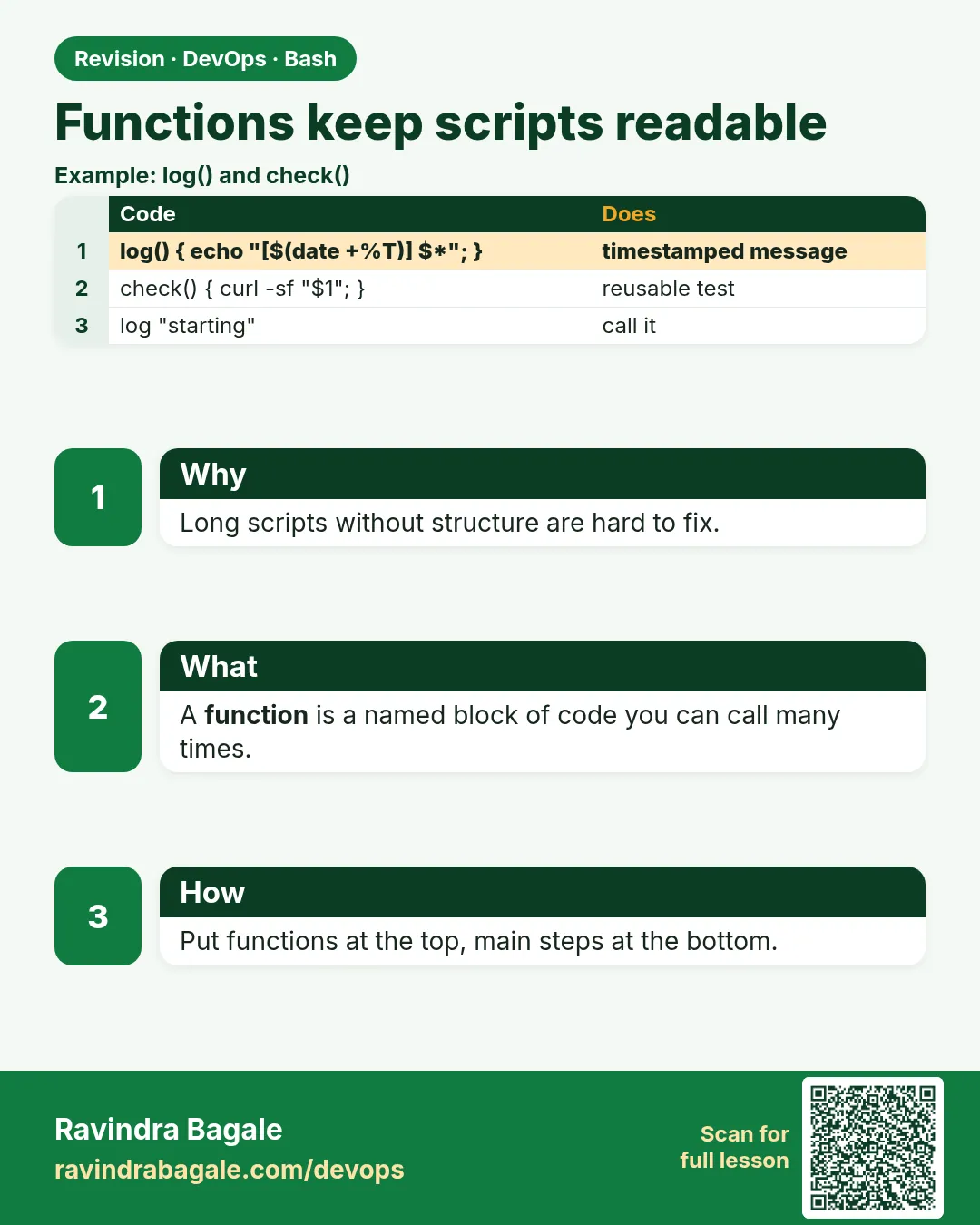 Revision card
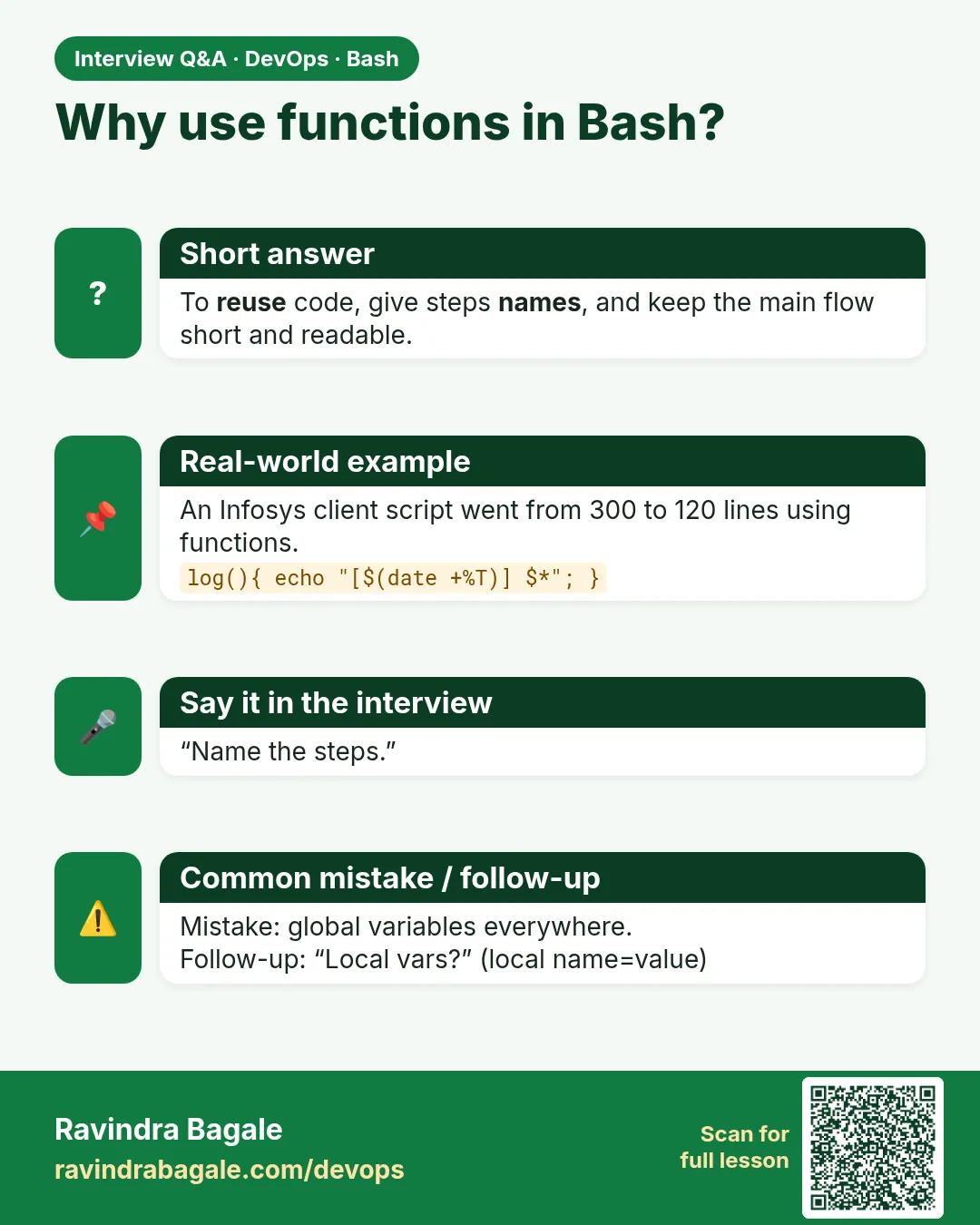 Interview card