Chapter 5: Bash Scripting for Automation
5.3 Variables, quotes and exit codes
Why: the problem
Think of Ola. A deploy script needs the app name, the version, the server and the port. If these values are typed again and again inside the script, one day someone changes the version in one place and forgets the other three. The script deploys half old, half new. Variables fix this. You set a value once at the top and use it everywhere. But variables bring two common traps. The first trap is quotes. A file name with a space, like "sales report.csv", becomes two words if you forget quotes, and the script deletes or copies the wrong thing. The second trap is ignoring exit codes. Every command says if it worked, with a number. If the script does not check it, it keeps going after a failure. In this lesson you will use variables, learn exactly when to use double quotes, single quotes and no quotes, and read exit codes so your script can decide what to do.
What we will build
You will write deploy-info.sh with variables for app, version and port. You will break it with a file name that has a space and fix it with quotes. You will capture command output into variables with $( ). Then you will read exit codes with $? and with if, and make your script return its own exit codes so other tools, like Jenkins, know if it worked.
What: every term in plain English
- Variable — A name that holds a value, like APP=menu-api. No spaces around =.
- $VAR or ${VAR} — How you read a variable. Braces help when text follows, like ${APP}-v2.
- Double quotes " " — Keep spaces, but still expand variables and $( ).
- Single quotes ' ' — Keep everything exactly as typed. No variables are expanded.
- Command substitution $( ) — Runs a command and puts its output in place.
- Environment variable — A variable passed to child programs, set with export.
- Exit code $? — The number the last command returned. 0 is success.
- exit N — Ends your script with exit code N, so callers know the result.
How: step by step
-
Set and read a variable
APP=menu-api; echo "$APP"What it does: No spaces around =.
Output
menu-api -
See the space trap
APP = menu-apiWhat it does: Bash thinks APP is a command.
Output
APP: command not found -
Make a file with a space
touch "sales report.csv" && lsWhat it does: A real-world file name.
Output
sales report.csv -
Break it without quotes
f="sales report.csv"; ls -l $fWhat it does: Bash splits it into two words.
Output
ls: cannot access 'sales': No such file or directory ls: cannot access 'report.csv': No such file or directory -
Fix with quotes
ls -l "$f"What it does: One argument, as intended.
Output
-rw-r--r-- 1 ravi ravi 0 Oct 25 10:40 sales report.csv -
Capture output
today=$(date +%F); echo "Backup name: db-$today.sql"What it does: Command output inside a variable.
Output
Backup name: db-2026-10-25.sql -
Read an exit code
grep -q nginx /etc/passwd; echo $?What it does: 1 means grep found nothing.
Output
1
Example 1: Variables, quoting and command output in a deploy info script
Stack. Bash, Git
Goal. Variables, quoting and command output in a deploy info script.
deploy-info.sh
#!/usr/bin/env bash
set -euo pipefail
APP="menu-api"
VERSION="${VERSION:-1.4.2}"
PORT=3000
IMAGE="shoplab/${APP}:${VERSION}"
GIT_SHA=$(git rev-parse --short HEAD 2>/dev/null || echo "no-git")
NOW=$(date "+%Y-%m-%d %H:%M %Z")

echo "App     : $APP"
echo "Image   : $IMAGE"
echo "Port    : $PORT"
echo "Commit  : $GIT_SHA"
echo "Time    : $NOW"
echo 'Literal : $APP stays as typed in single quotes'
What each line does
APP="menu-api"— Set once, used everywhere.VERSION="${VERSION:-1.4.2}"— Use VERSION from the environment if set, else 1.4.2.IMAGE="shoplab/${APP}:${VERSION}"— Braces mark where the name ends.GIT_SHA=$(... || echo "no-git")— If git fails, use no-git, so set -e does not stop the script.NOW=$(date "+%Y-%m-%d %H:%M %Z")— Date with time zone, quoted because the format has spaces.echo '... $APP ...'— Single quotes print $APP literally.
Green output
$ VERSION=1.5.0 bash deploy-info.sh
App     : menu-api
Image   : shoplab/menu-api:1.5.0
Port    : 3000
Commit  : 9b77d10
Time    : 2026-10-25 10:45 IST
Literal : $APP stays as typed in single quotes
Expected result. One change to VERSION updates the image line. Jenkins can pass VERSION the same way.
Example 2: Quotes save you from deleting the wrong files
Stack. Bash
Goal. Quotes save you from deleting the wrong files.
cleanup-bad.sh
#!/usr/bin/env bash
DIR="old reports"
mkdir -p "$DIR" && touch "$DIR/a.csv"
mkdir -p old reports-keep && touch old/keep.txt
rm -rf $DIR
ls
cleanup-good.sh
#!/usr/bin/env bash
set -euo pipefail
DIR="old reports"
[ -n "$DIR" ] || { echo "DIR is empty, stop"; exit 2; }
rm -rf -- "$DIR"
ls
What each line does
DIR="old reports"— A folder name with a space.rm -rf $DIR— No quotes: bash removes "old" and "reports". The folder old had a file you wanted.rm -rf -- "$DIR"— Quotes keep it one name. -- means no more options follow.[ -n "$DIR" ] || ...— Stop if DIR is empty, so rm never runs on an empty path.exit 2— Our own error code for "bad input".
Green output
$ bash cleanup-bad.sh
old reports  reports-keep
   (the folder "old" with keep.txt is gone!)
$ bash cleanup-good.sh
old  reports-keep
Expected result. The good script removed only "old reports". Always quote variables, especially with rm, cp and mv.
Example 3: Make your script return clear exit codes for Jenkins
Stack. Bash, netcat, Jenkins
Goal. Make your script return clear exit codes for Jenkins.
check-port.sh
#!/usr/bin/env bash
set -uo pipefail
HOST="${1:-localhost}"
PORT="${2:-3000}"
if ! command -v nc >/dev/null; then
  echo "nc is not installed"; exit 3
fi
if nc -z -w 3 "$HOST" "$PORT"; then
  echo "OK: $HOST:$PORT is open"; exit 0
else
  echo "FAIL: $HOST:$PORT is closed"; exit 1
fi
Jenkinsfile stage
stage('Port check') {
  steps { sh 'bash check-port.sh app.internal 3000' }
}
What each line does
set -uo pipefail— No -e here because we check exit codes ourselves with if.command -v nc— Checks that nc exists. Exit 3 means a missing tool.nc -z -w 3— Try to connect, send nothing, wait max 3 seconds.exit 0 / exit 1— 0 tells Jenkins the stage passed; 1 makes it red.sh 'bash check-port.sh ...'— Jenkins reads the exit code of the sh step.
Green output
$ bash check-port.sh localhost 3000; echo "exit=$?"
FAIL: localhost:3000 is closed
exit=1
$ bash check-port.sh localhost 22; echo "exit=$?"
OK: localhost:22 is open
exit=0
Expected result. Clear exit codes mean Jenkins, cron and other scripts can trust your script result.
Verify: did it work?
-
Check a variable is set
echo "${APP:?APP is not set}"What it does: Prints the value or stops with a message.
Output
bash: APP: APP is not set -
Check last exit code
false; echo $?; true; echo $?What it does: false returns 1, true returns 0.
Output
1
0
When it is red 1
APP: command not found
Cause. Spaces around = in APP = value.
Fix, step by step
- Write APP=value with no spaces.
When it is red 2
unbound variable
Cause. set -u is on and the variable was never set.
Fix, step by step
- Give a default: ${VAR:-default}.
- Or set it before use.
When it is red 3
ls: cannot access 'sales': No such file or directory
Cause. Unquoted variable with a space split into two words.
Fix, step by step
- Use "$f" with double quotes.
- Run shellcheck to catch these.
Cleanup
-
Remove lab files
rm -rf -- "sales report.csv" reports-keep old && lsWhat it does: Back to a clean folder.
Output
deploy-info.sh check-port.sh hello.sh morning.sh -
Unset test variables
unset APP f todayWhat it does: Clears them from your shell.
Output
(no output)
Ravindra Bagale's Tip
When you use a variable, put double quotes around it. A space can make the script delete the wrong file. Keep that in mind!
Variable वापरता तेव्हा double quotes लावा. Space आला तर script चुकीची file delete करू शकतो. लक्षात ठेवा!
Variable इस्तेमाल करते समय double quotes लगाओ. Space आया तो script गलत file delete कर सकती है. याद रखो!
Practice tasks
Easy Variables at the top
Why: One place to change values.
What to do: Rewrite morning.sh with variables at the top.
- APP_URL, DISK_LIMIT.
Check: Changing one value changes the script.
Medium Quote test
Why: Spaces in names are common.
What to do: Make three files with spaces and copy them with a script.
- Quote every variable.
Check: All three copy correctly.
Hard Exit codes
Why: Tools trust exit codes.
What to do: Give your script codes 0, 1, 2 and 3 with meanings.
- Document them at the top.
Check: Each code appears in a test run.
Easy Say variables, quotes and exit codes in two lines
Why: If you can say it simply, you understand it. Juniors and interviewers both want the short version first.
What to do: Write two short lines about variables, quotes and exit codes for a fresher who knows only basic Linux commands.
- Write the problem it solves.
- Write the one command or line of script you use for it.
- Read it aloud to a friend.
Check: A fresher understands it without asking a question.
Easy Make a safe lab folder
Why: Scripts can delete or overwrite files. Practice in a folder you can throw away.
What to do: Create a lab folder and work only inside it.
- mkdir -p ~/bash-lab && cd ~/bash-lab
- Run every script in this lesson from here with bash name.sh
- When done, rm -rf ~/bash-lab only after checking the path with pwd.
Check: All lab files live in ~/bash-lab and nothing else changed.
Medium Run it on a second machine
Why: A script that works only on your laptop is not finished. Servers have a different PATH, user and shell.
What to do: Copy the script to an Ubuntu EC2 or a Docker ubuntu container and run it there.
- docker run --rm -it -v "$PWD":/lab -w /lab ubuntu:24.04 bash
- Run the script.
- Note anything that changed.
Check: Same output on both machines, or you fixed the difference.
Medium Break it on purpose
Why: You must know the red message by face. In a real outage there is no time to read slowly.
What to do: Cause one error from the "When it is red" part of this lesson and fix it.
- Follow the error section.
- Copy the exact message into your notes.
- Write the fix in one line.
Check: You fixed it using only the steps, without searching the web.
Medium Check it with ShellCheck
Why: ShellCheck finds quoting bugs and mistakes before they hit a server.
What to do: Run ShellCheck on every script from this lesson.
- sudo apt install -y shellcheck
- shellcheck name.sh
- Fix each warning and run again.
Check: ShellCheck prints nothing.
Hard Explain it like an interview
Why: Interviewers want real stories, not definitions.
What to do: Record a 60 second answer about this lesson.
- Say the problem, the script line, and one error you hit.
Check: Your answer has a real command and a real error message.
Hard Draw the flow top to bottom
Why: A drawing shows the order of checks and what happens on failure.
What to do: Draw this lesson script as boxes from top to bottom.
- Start at the first line, show each if as a split, end at the exit code.
Check: Each box matches a real line in the script.
Homework: try at home
Try at home
At home, write a script with five variables for an app and print a summary. Then make a file name with spaces and prove that your script handles it with quotes.
Recap
- Set variables with no spaces around =.
- Always double-quote variables when you use them.
- Single quotes keep text exactly as typed.
- Use $( ) to capture output and ${VAR:-default} for defaults.
- Check $? and return clear exit codes.
FAQ
Uppercase or lowercase names?
Uppercase for environment and config values, lowercase for local working values.
When do I need export?
When a child program, like a Python app, must see the variable.
Why ${VAR} not $VAR?
Braces are needed when letters follow, like ${APP}_log.
Is $(cmd) the same as backticks?
Yes, but $( ) is easier to read and nest.
Why is my $? always 0?
You ran echo before checking. $? changes after every command.
Interview questions
-
Why should you quote variables in Bash?
To stop word splitting and glob expansion, especially with spaces in names.
-
Difference between single and double quotes?
Double quotes expand variables and commands; single quotes do not.
-
How do you give a default value?
${VAR:-default}.
-
How does Jenkins know a shell step failed?
From the non-zero exit code of the script.
-
What does ${VAR:?msg} do?
Stops the script with msg if VAR is unset or empty.
Quick quiz
Q1. Can you put spaces around = ?
No.
Q2. Which quotes expand variables?
Double quotes.
Q3. What does $( ) do?
Runs a command and inserts its output.
Q4. What does ${VAR:-x} do?
Uses x if VAR is empty or unset.
Q5. What exit code means success?
0.
Did you understand? Let us try it once more.
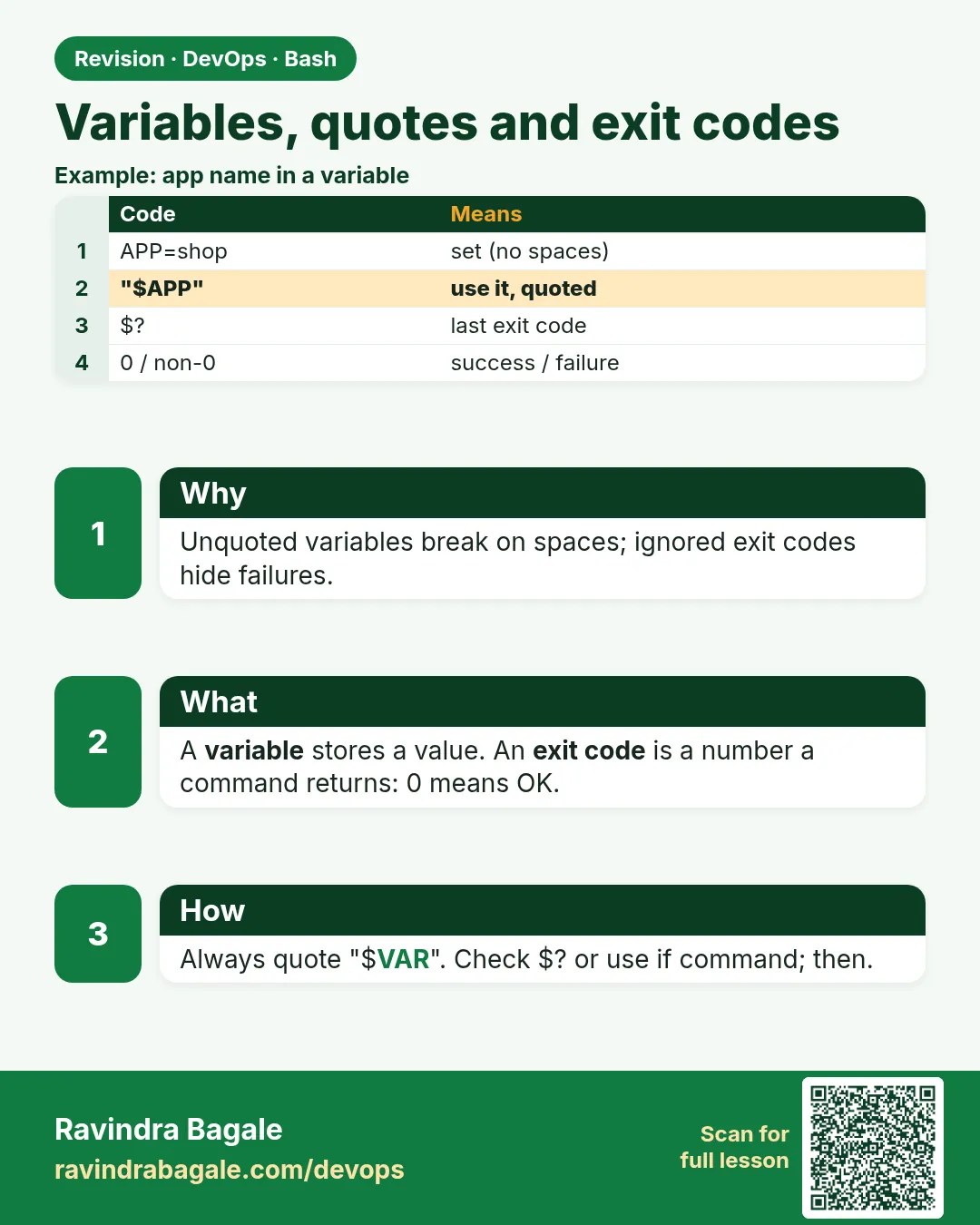 Revision card
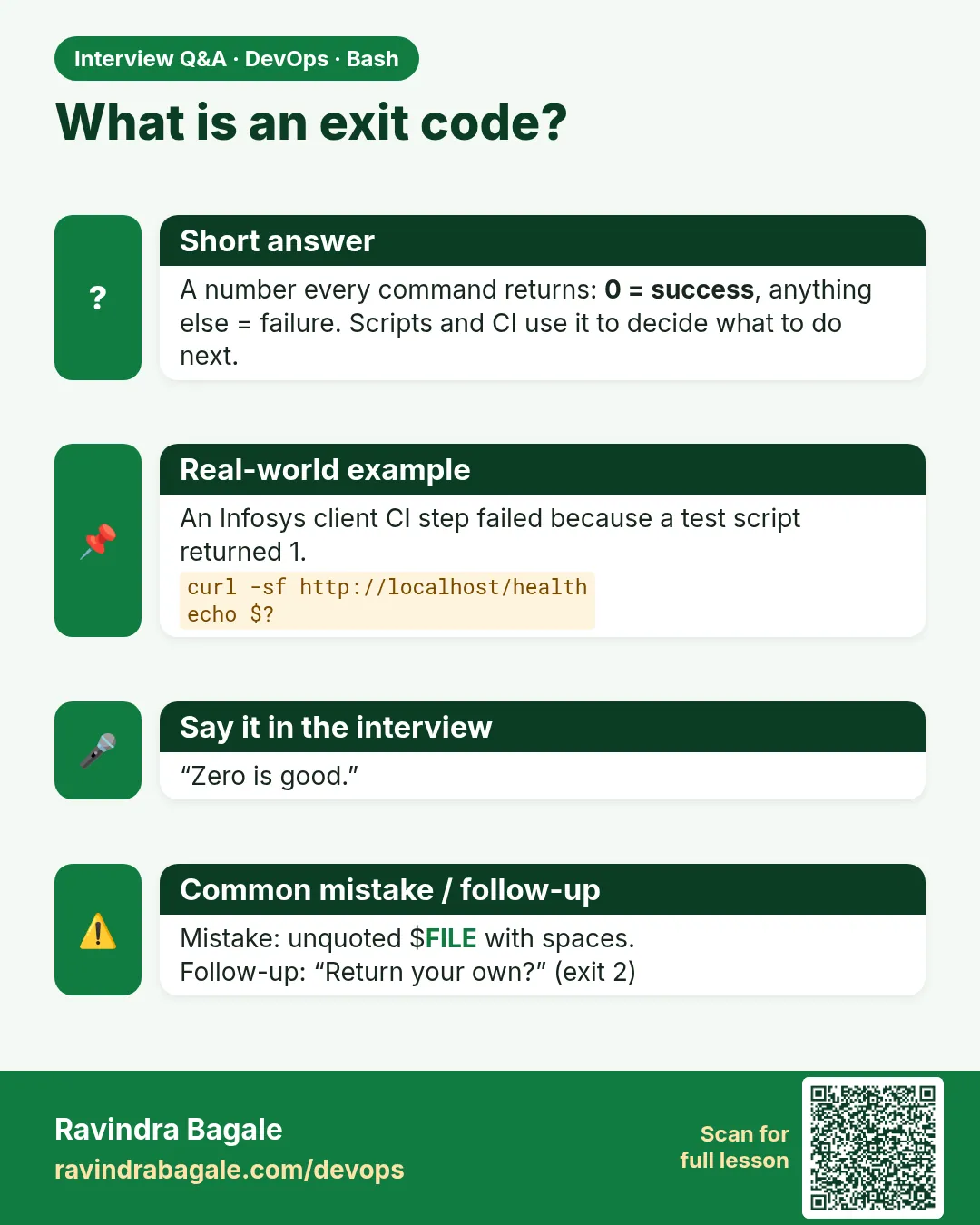 Interview card
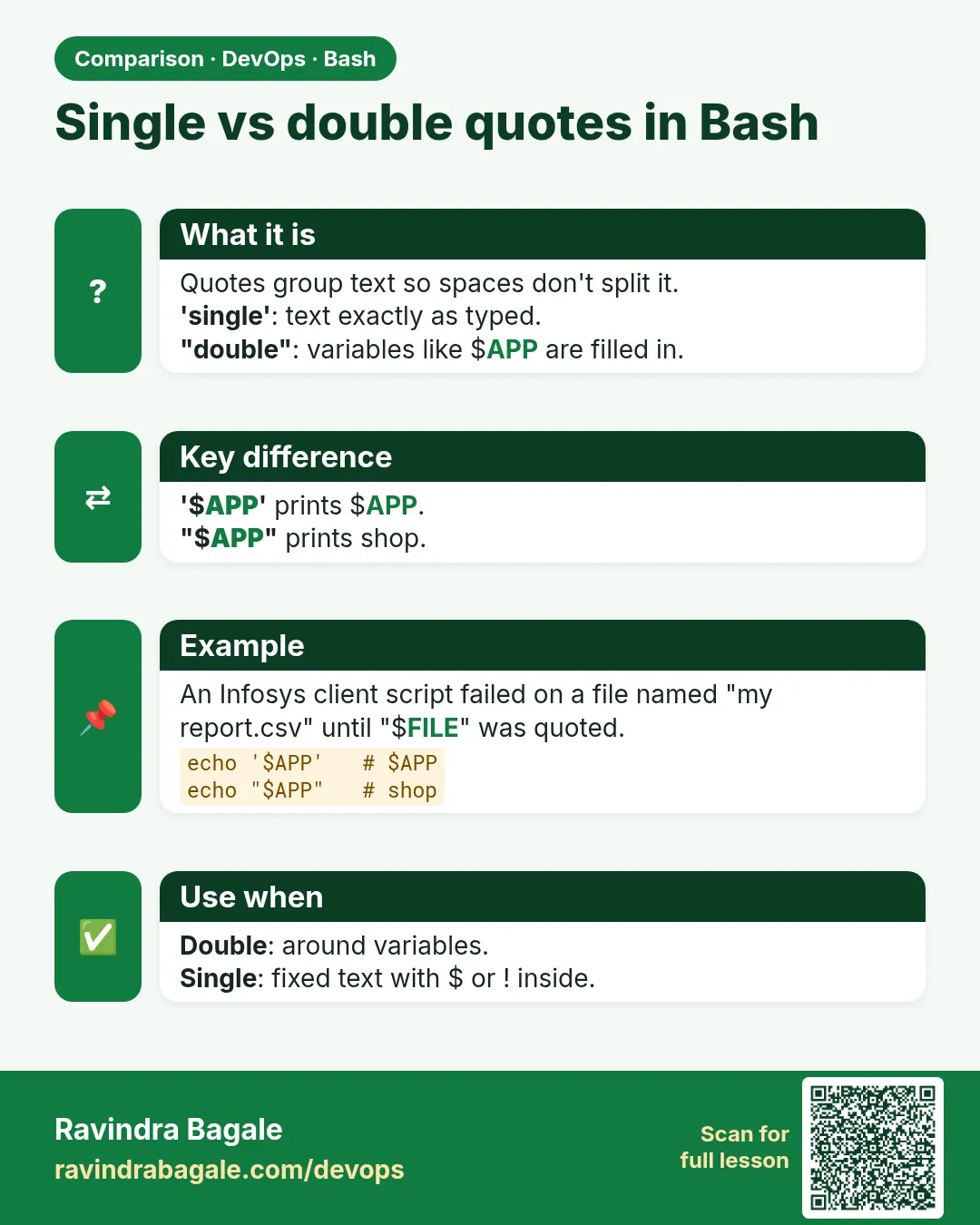 Comparison card