Chapter 5: Bash Scripting for Automation
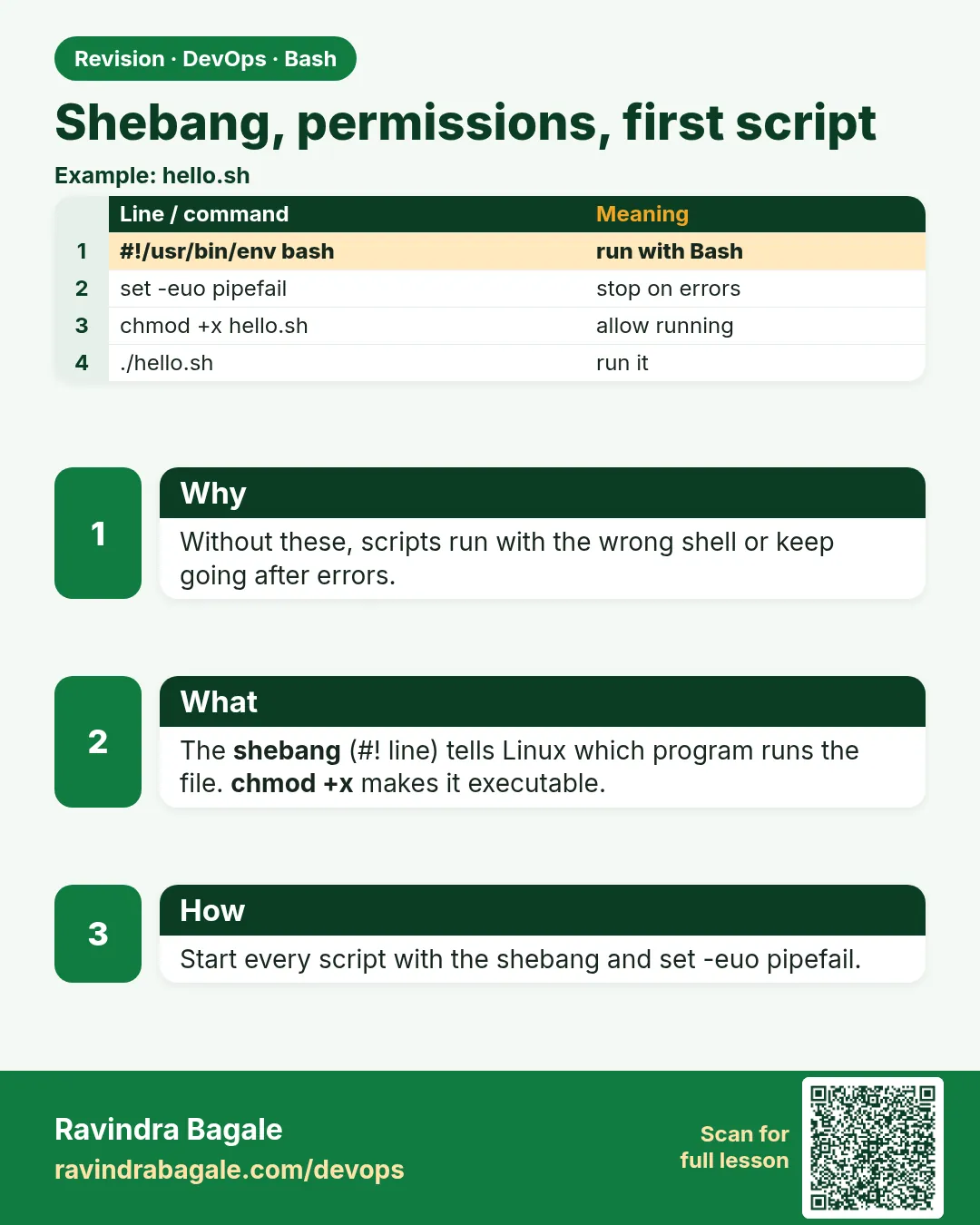
5.2 Shebang, permissions, first script
Why: the problem
Think of Zerodha. A DevOps engineer writes a script on her laptop. It works. She copies it to a server and types ./deploy.sh. The server says: Permission denied. She tries sh deploy.sh. Now the script runs but fails with strange errors on lines that worked before. Both problems come from two small things every script needs: the first line, called the shebang, and the execute permission. The shebang tells Linux which program should read the file. Without it, or with the wrong one, the file may run with sh instead of bash, and bash features break. The execute permission tells Linux this file may be run as a program. In this lesson you will write your first proper script, see both errors on purpose, and fix them the safe way. You will also learn three safety lines that almost every production script starts with.
What we will build
You will write hello.sh with a shebang and run it three ways: bash hello.sh, sh hello.sh and ./hello.sh. You will see why the result changes. Then you will install the script into ~/bin with execute permission using the install command, so you can type hello from anywhere. Finally you will add set -euo pipefail and see how it stops a script at the first error.
What: every term in plain English
- Shebang — The first line, starting with #!. It names the program that runs the script, like #!/usr/bin/env bash.
- /usr/bin/env bash — Finds bash in your PATH. Works even if bash is in a different folder on another system.
- sh vs bash — sh is a smaller, older shell. Some bash features like [[ ]] and arrays do not work in sh.
- Execute permission — The x in ls -l output. Without it, ./script.sh gives Permission denied.
- PATH — A list of folders where the shell looks for commands. ~/bin is often one of them.
- install command — Copies a file and sets its permission in one step, for example install -m 0755.
- set -e — Stop the script when a command fails.
- set -u and pipefail — -u: stop on unset variables. pipefail: a pipe fails if any part fails.
How: step by step
-
Write the script
nano hello.shWhat it does: Paste Example 1 and save.
Output
(file saved) -
Run with bash
bash hello.shWhat it does: Works without any permission change.
Output
Hello Ravi, from bash 5.2.21 -
Try ./hello.sh
./hello.shWhat it does: No execute permission yet.
Output
bash: ./hello.sh: Permission denied -
See the permission bits
ls -l hello.shWhat it does: No x in the first column.
Output
-rw-r--r-- 1 ravi ravi 210 Oct 25 10:20 hello.sh -
Install into ~/bin with execute permission
mkdir -p ~/bin && install -m 0755 hello.sh ~/bin/hello && ls -l ~/bin/helloWhat it does: Copy plus permission rwxr-xr-x, owner can write, everyone can run.
Output
-rwxr-xr-x 1 ravi ravi 210 Oct 25 10:21 /home/ravi/bin/hello -
Make sure ~/bin is in PATH
echo "$PATH" | tr ":" "\n" | grep "$HOME/bin" || echo 'export PATH="$HOME/bin:$PATH"' >> ~/.bashrcWhat it does: Ubuntu adds ~/bin at login if it exists.
Output
/home/ravi/bin -
Run from anywhere
cd /tmp && helloWhat it does: The shell finds hello in ~/bin.
Output
Hello Ravi, from bash 5.2.21
Example 1: Your first proper script with shebang and safety lines
Stack. Bash 5, Ubuntu 24.04
Goal. Your first proper script with shebang and safety lines.
hello.sh
#!/usr/bin/env bash
set -euo pipefail

name="${1:-Ravi}"
echo "Hello ${name}, from bash ${BASH_VERSION%%(*}"
echo "Today is $(date +%A), and you are on $(hostname)"
What each line does
#!/usr/bin/env bash— Run with bash found in PATH.set -euo pipefail— Stop on error, on unset variable, and on any failure inside a pipe.name="${1:-Ravi}"— Use the first argument; if none is given, use Ravi.${BASH_VERSION%%(*}— Bash version, with the extra part after ( removed.$(date +%A)— Runs date and puts the day name in the text.$(hostname)— The machine name.
Green output
$ bash hello.sh
Hello Ravi, from bash 5.2.21
Today is Sunday, and you are on web1
$ bash hello.sh Asha
Hello Asha, from bash 5.2.21
Today is Sunday, and you are on web1
Expected result. The script greets anyone and shows where it runs. This is the base shape for every script in this chapter.
Example 2: See why sh breaks a bash script
Stack. bash vs dash
Goal. See why sh breaks a bash script.
arrays.sh
#!/usr/bin/env bash
set -euo pipefail
apps=(menu-api cart-api pay-api)
echo "We have ${#apps[@]} apps"
for a in "${apps[@]}"; do
  if [[ "$a" == pay-* ]]; then echo "$a needs extra care"; else echo "$a ok"; fi
done
What each line does
apps=(...)— A bash array, a list of values. sh does not support it.${#apps[@]}— Number of items in the array."${apps[@]}"— Each item, safely quoted.[[ "$a" == pay-* ]]— Bash test with pattern match. sh does not know [[.bash arrays.sh vs sh arrays.sh— sh ignores the shebang because you named the program yourself.
Green output
$ bash arrays.sh
We have 3 apps
menu-api ok
cart-api ok
pay-api needs extra care
$ sh arrays.sh
arrays.sh: 3: Syntax error: "(" unexpected
Expected result. Always run bash scripts with bash or ./script. On Ubuntu, sh is dash, a different shell.
Example 3: See set -euo pipefail stop a bad script early
Stack. Bash
Goal. See set -euo pipefail stop a bad script early.
nosafe.sh
#!/usr/bin/env bash
cd /no/such/folder
echo "Deleting old files in $(pwd)"
ls
safe.sh
#!/usr/bin/env bash
set -euo pipefail
cd /no/such/folder
echo "Deleting old files in $(pwd)"
ls
What each line does
cd /no/such/folder— Fails because the folder does not exist.Without set -e— The script keeps going in the wrong folder. If the next line deleted files, it would delete the wrong ones.With set -e— The script stops right after the failed cd.echo ... $(pwd)— Shows which folder the script is really in.Real lesson— Always start with set -euo pipefail, or check each risky command with if.
Green output
$ bash nosafe.sh
nosafe.sh: line 2: cd: /no/such/folder: No such file or directory
Deleting old files in /home/ravi/bash-lab
hello.sh  morning.sh  nosafe.sh  safe.sh
$ bash safe.sh
safe.sh: line 3: cd: /no/such/folder: No such file or directory
$ echo $?
1
Expected result. The safe version stops with exit code 1 and never reaches the dangerous line.
Verify: did it work?
-
Check the shebang is first
head -1 hello.shWhat it does: Must be the very first line, no space before.
Output
#!/usr/bin/env bash -
Check hello runs from PATH
command -v hello && hello TestWhat it does: Shows where it is and runs it.
Output
/home/ravi/bin/hello
Hello Test, from bash 5.2.21
When it is red 1
bash: ./hello.sh: Permission denied
Cause. No execute permission on the file.
Fix, step by step
- Run with bash hello.sh.
- Or install it: install -m 0755 hello.sh ~/bin/hello.
When it is red 2
/usr/bin/env: 'bash\r': No such file or directory
Cause. The file was saved on Windows with CRLF line endings.
Fix, step by step
- Run sed -i 's/\r$//' hello.sh.
- Set your editor to LF line endings.
When it is red 3
hello: command not found
Cause. ~/bin is not in PATH.
Fix, step by step
- Log out and in again after creating ~/bin.
- Or add export PATH="$HOME/bin:$PATH" to ~/.bashrc and run source ~/.bashrc.
Cleanup
-
Remove the test scripts
rm -f nosafe.sh safe.sh arrays.sh && lsWhat it does: Keep only hello.sh and morning.sh.
Output
hello.sh morning.sh -
Keep ~/bin/hello
ls ~/binWhat it does: You will add more tools here.
Output
hello
Ravindra Bagale's Tip
First line shebang, second line set -euo pipefail. Never forget these two lines. Stay alert!
पहिली line shebang, दुसरी set -euo pipefail. हे दोन lines विसरू नका. ध्यान राखो!
पहली line shebang, दूसरी set -euo pipefail. ये दो lines मत भूलो. ध्यान रखो!
Practice tasks
Easy Write hello.sh
Why: The base shape for all scripts.
What to do: Write it with shebang and safety lines.
- Run it with and without a name.
Check: Two greetings print.
Medium Break with sh
Why: Knowing why it breaks saves hours.
What to do: Run arrays.sh with sh and with bash.
- Note the error.
Check: You can explain the difference.
Hard Install your tools
Why: Real engineers have a ~/bin toolkit.
What to do: Install three scripts into ~/bin.
- Use install -m 0755.
Check: All three run from /tmp.
Easy Say shebang and running scripts in two lines
Why: If you can say it simply, you understand it. Juniors and interviewers both want the short version first.
What to do: Write two short lines about shebang and running scripts for a fresher who knows only basic Linux commands.
- Write the problem it solves.
- Write the one command or line of script you use for it.
- Read it aloud to a friend.
Check: A fresher understands it without asking a question.
Easy Make a safe lab folder
Why: Scripts can delete or overwrite files. Practice in a folder you can throw away.
What to do: Create a lab folder and work only inside it.
- mkdir -p ~/bash-lab && cd ~/bash-lab
- Run every script in this lesson from here with bash name.sh
- When done, rm -rf ~/bash-lab only after checking the path with pwd.
Check: All lab files live in ~/bash-lab and nothing else changed.
Medium Run it on a second machine
Why: A script that works only on your laptop is not finished. Servers have a different PATH, user and shell.
What to do: Copy the script to an Ubuntu EC2 or a Docker ubuntu container and run it there.
- docker run --rm -it -v "$PWD":/lab -w /lab ubuntu:24.04 bash
- Run the script.
- Note anything that changed.
Check: Same output on both machines, or you fixed the difference.
Medium Break it on purpose
Why: You must know the red message by face. In a real outage there is no time to read slowly.
What to do: Cause one error from the "When it is red" part of this lesson and fix it.
- Follow the error section.
- Copy the exact message into your notes.
- Write the fix in one line.
Check: You fixed it using only the steps, without searching the web.
Medium Check it with ShellCheck
Why: ShellCheck finds quoting bugs and mistakes before they hit a server.
What to do: Run ShellCheck on every script from this lesson.
- sudo apt install -y shellcheck
- shellcheck name.sh
- Fix each warning and run again.
Check: ShellCheck prints nothing.
Hard Explain it like an interview
Why: Interviewers want real stories, not definitions.
What to do: Record a 60 second answer about this lesson.
- Say the problem, the script line, and one error you hit.
Check: Your answer has a real command and a real error message.
Hard Draw the flow top to bottom
Why: A drawing shows the order of checks and what happens on failure.
What to do: Draw this lesson script as boxes from top to bottom.
- Start at the first line, show each if as a split, end at the exit code.
Check: Each box matches a real line in the script.
Homework: try at home
Try at home
At home, write three small scripts with a shebang and set -euo pipefail: one greets, one prints disk use, one prints the date in IST. Install them into ~/bin and run them from /tmp.
Recap
- Start every script with #!/usr/bin/env bash.
- Add set -euo pipefail on line 2.
- Run with bash file.sh, or install with execute permission.
- Do not run bash scripts with sh.
- Fix Windows line endings with sed.
FAQ
Is set -e always safe?
Mostly. Some commands return non-zero on purpose, like grep with no match. Add || true there.
Why not 777 permissions?
Then anyone can change your script. 0755 or 0700 is enough.
Where is bash on Mac?
Often /bin/bash, old version 3. env bash finds a newer one from Homebrew.
Can I put a script in /usr/local/bin?
Yes, with sudo install. Use it for tools all users need.
Does the file need .sh?
No. It helps humans. Linux uses the shebang.
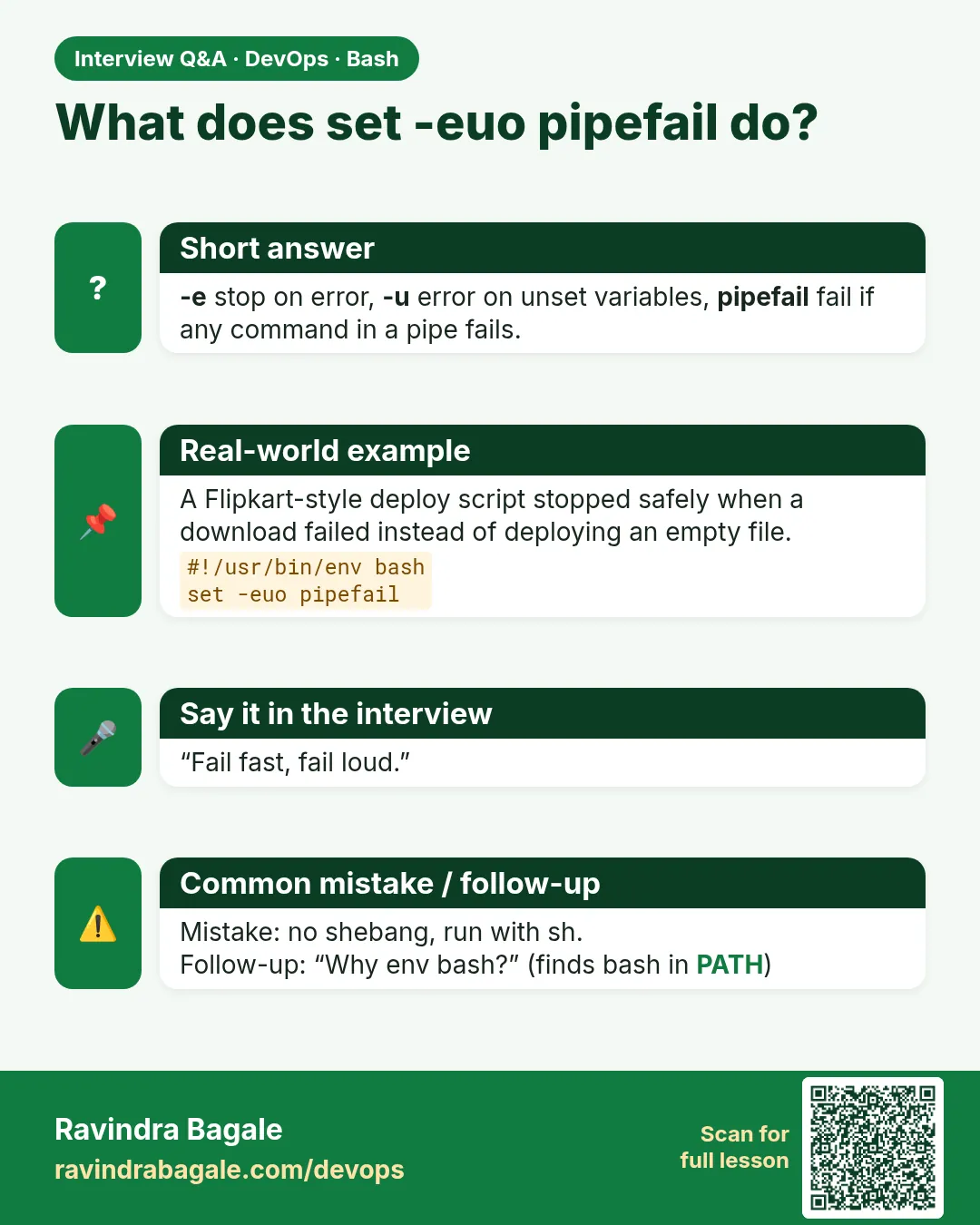
Interview questions
-
What is the shebang and why use env?
The #! line names the interpreter. env finds bash in PATH, so it works on different systems.
-
Explain set -euo pipefail.
-e stop on error, -u stop on unset variables, -o pipefail fail a pipe if any command in it fails.
-
Why does ./script.sh give Permission denied?
The file has no execute bit. Run with bash or install it with execute permission.
-
Difference between sh and bash?
On Ubuntu sh is dash, a smaller POSIX shell without arrays or [[ ]].
-
What is the bad interpreter ^M error?
Windows CRLF line endings. Remove \r with sed or dos2unix.
Quick quiz
Q1. What is a shebang?
The first line #! that names the program to run the script.
Q2. Why /usr/bin/env bash?
It finds bash in PATH on any system.
Q3. Why does sh script.sh break bash features?
sh is a different shell (dash on Ubuntu).
Q4. What does set -e do?
Stops the script on the first failed command.
Q5. How do you install a script with execute permission?
install -m 0755 file ~/bin/name
Did you understand? Let us try it once more.
 Revision card
 Interview card