Banking KPIs in Excel and Power BI
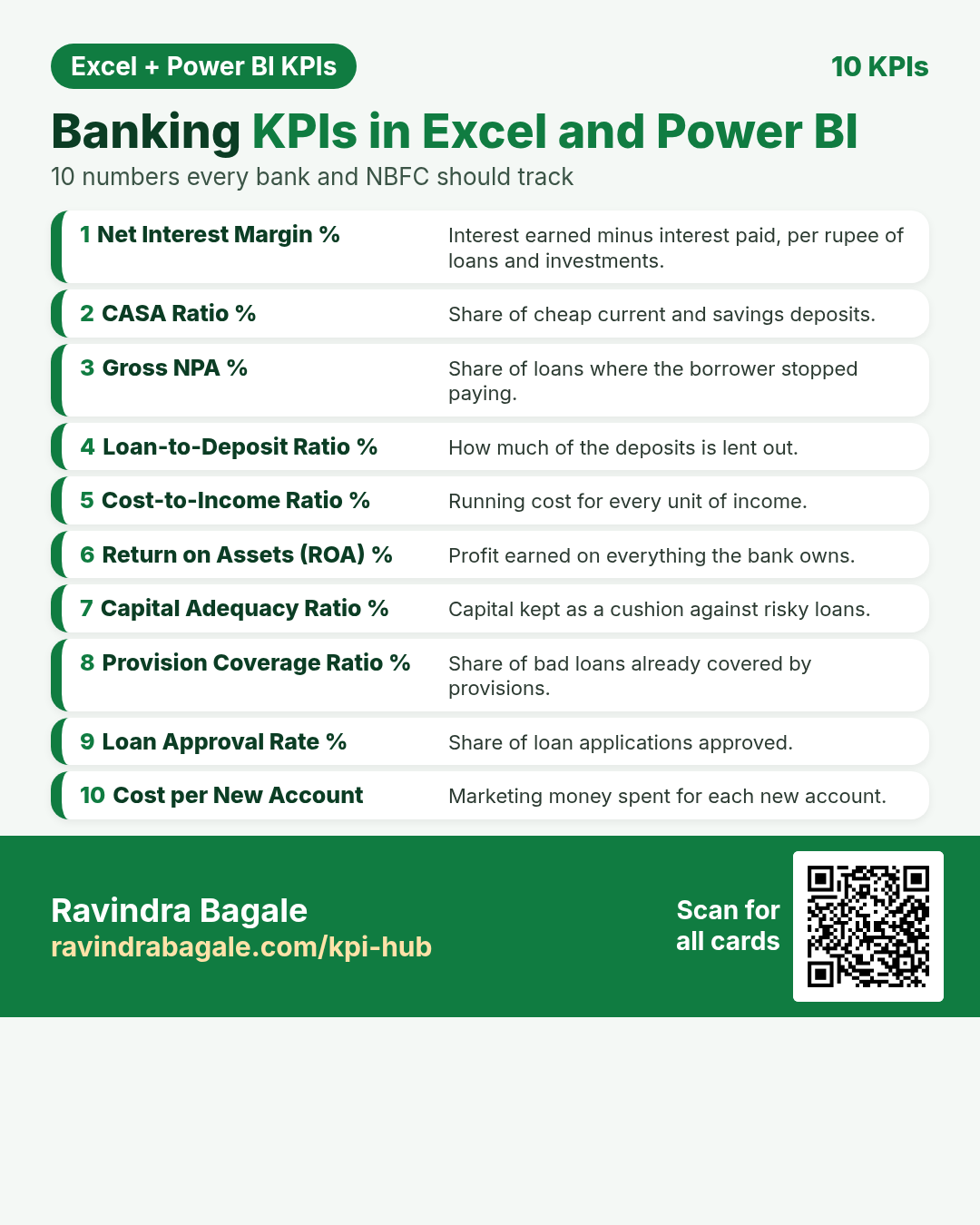
Ten important KPIs for bank and NBFC. Each card has what it is, why it matters, the Excel formula, the DAX measure and a tiny worked example. Every card shows the Excel formula next to the Power BI DAX measure. For Excel, put the card’s example table in cell A1 (labels in column A, numbers in column B).
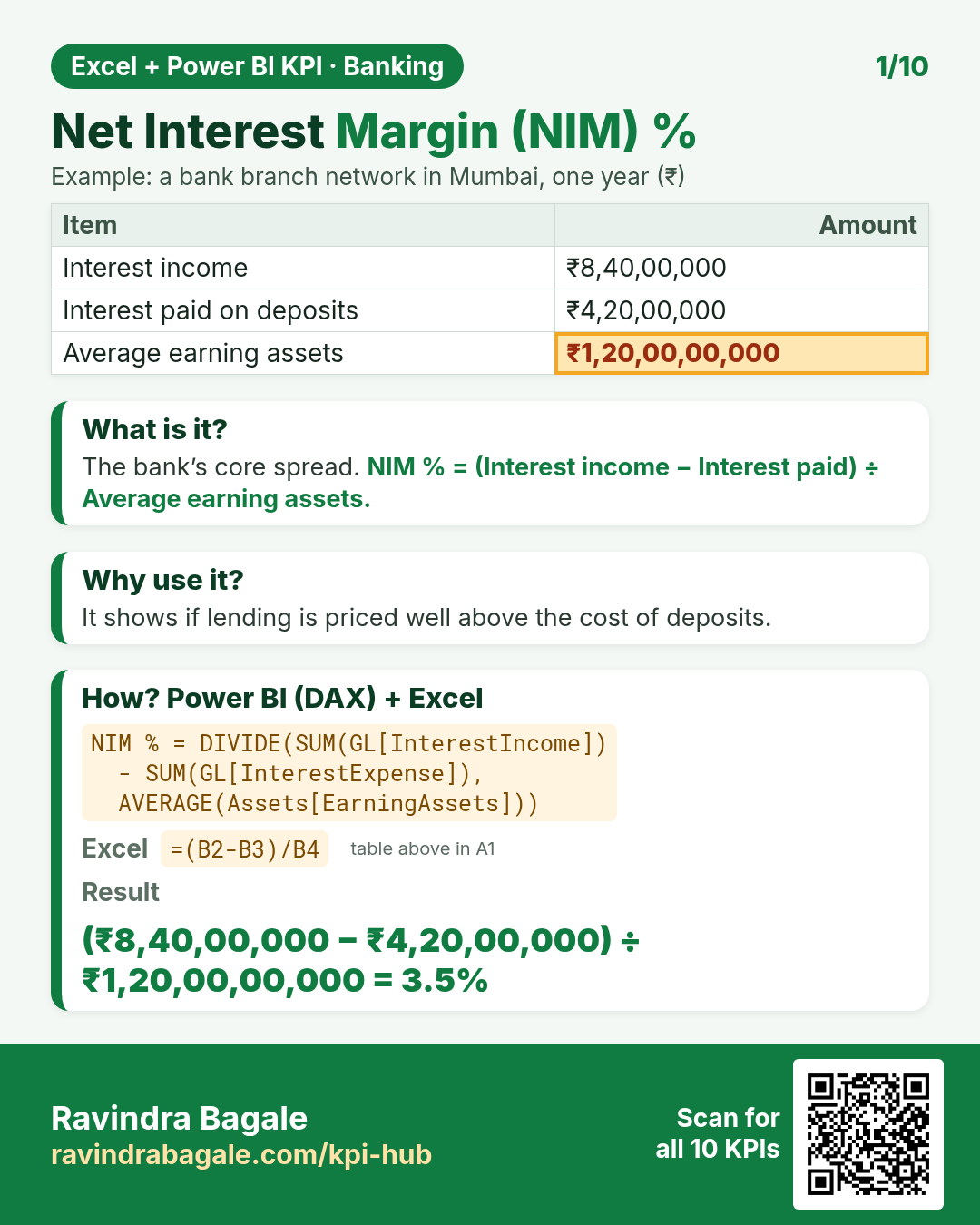
DAX: NIM % = DIVIDE(SUM(GL[InterestIncome]) - SUM(GL[InterestExpense]), AVERAGE(Assets[EarningAssets]))Excel: =(B2-B3)/B4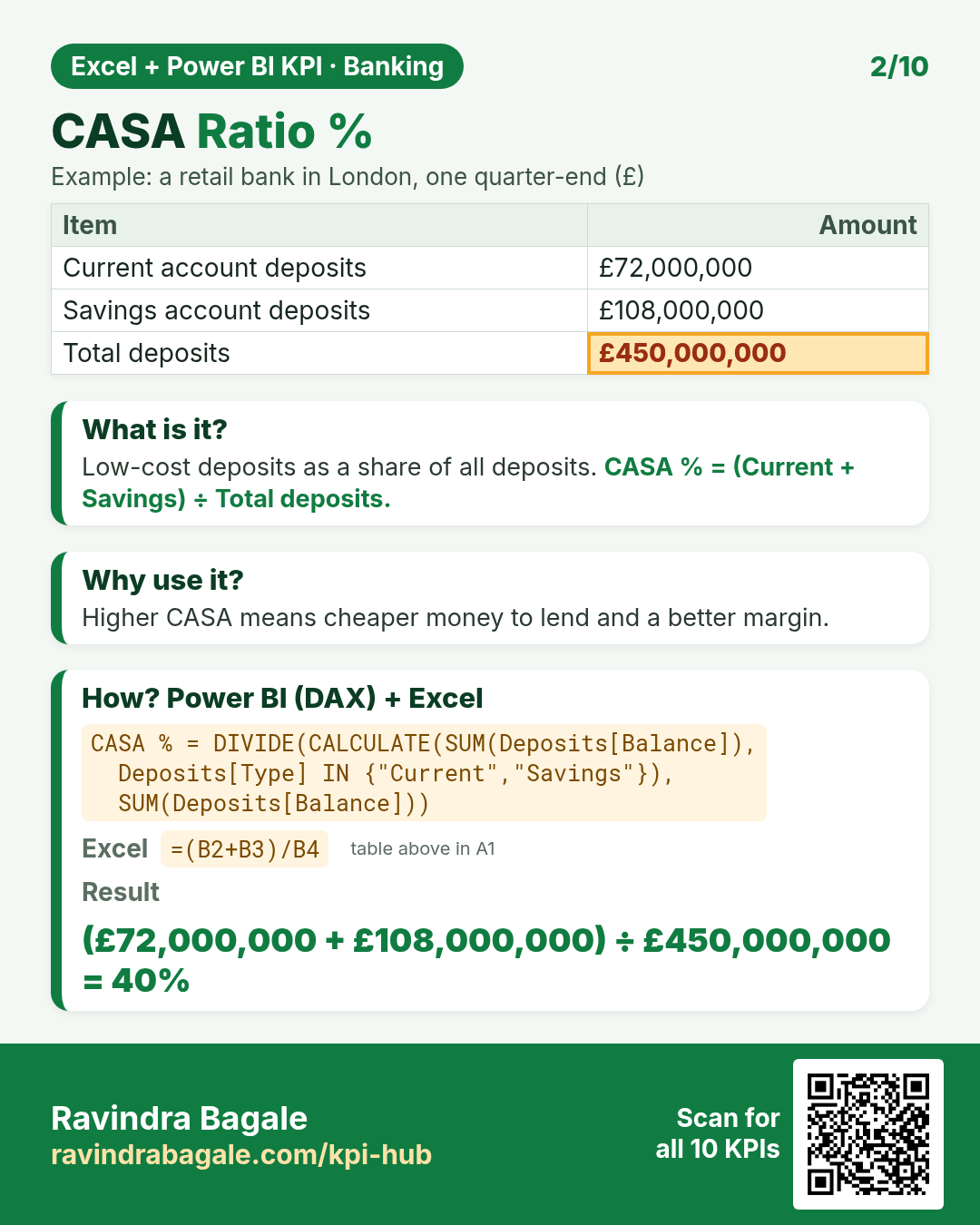
DAX: CASA % = DIVIDE(CALCULATE(SUM(Deposits[Balance]), Deposits[Type] IN {"Current","Savings"}), SUM(Deposits[Balance]))Excel: =(B2+B3)/B4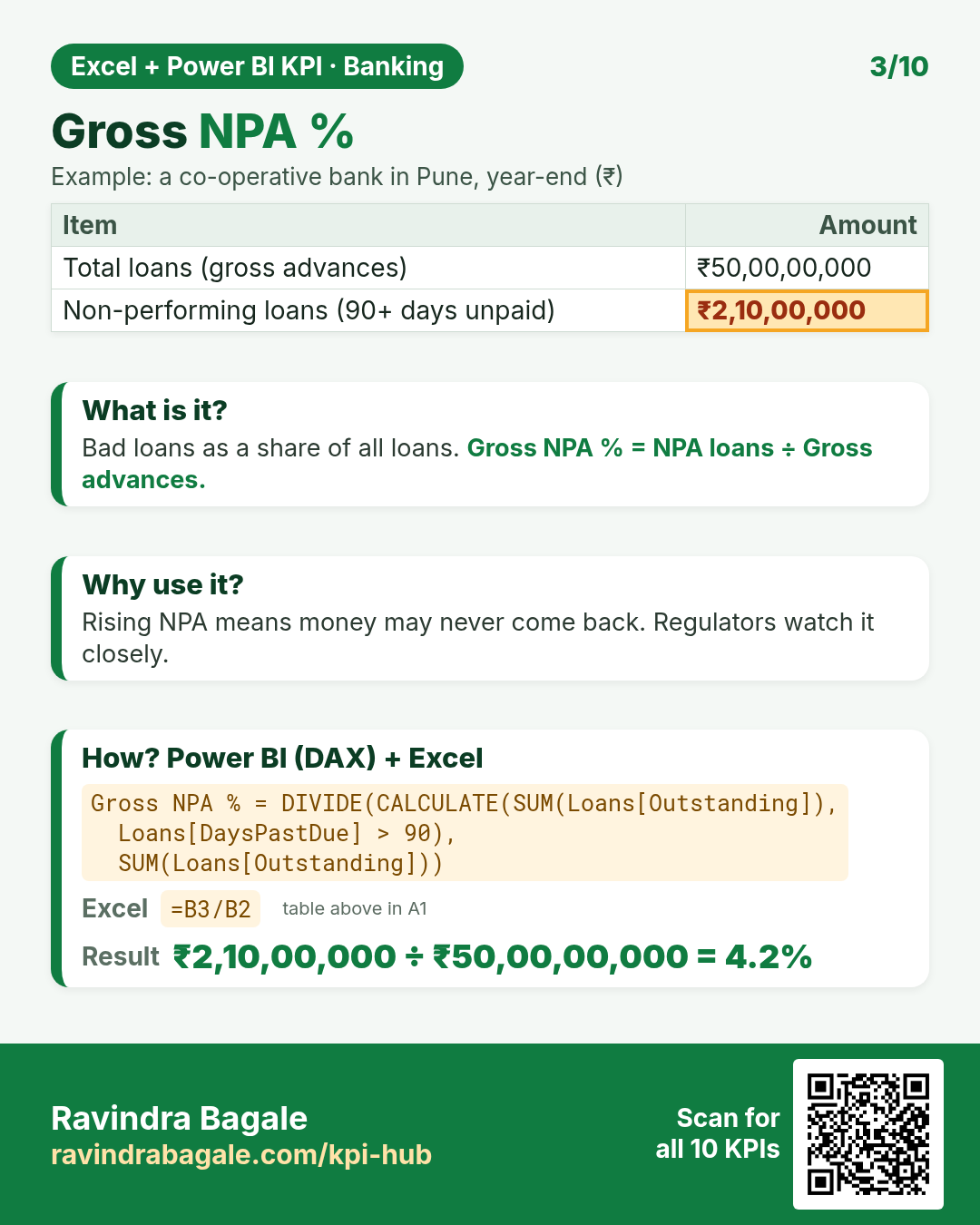
DAX: Gross NPA % = DIVIDE(CALCULATE(SUM(Loans[Outstanding]), Loans[DaysPastDue] > 90), SUM(Loans[Outstanding]))Excel: =B3/B2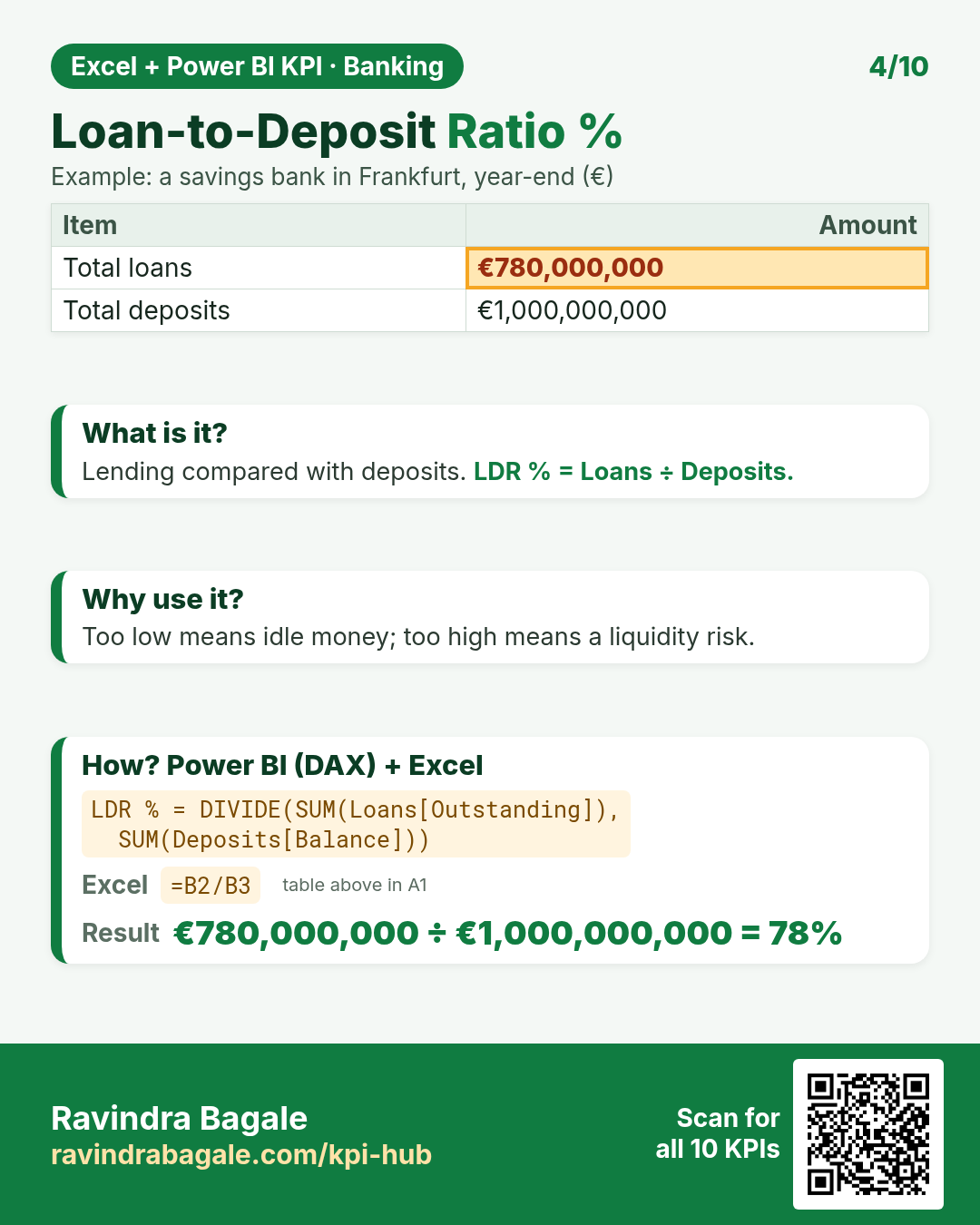
DAX: LDR % = DIVIDE(SUM(Loans[Outstanding]), SUM(Deposits[Balance]))Excel: =B2/B3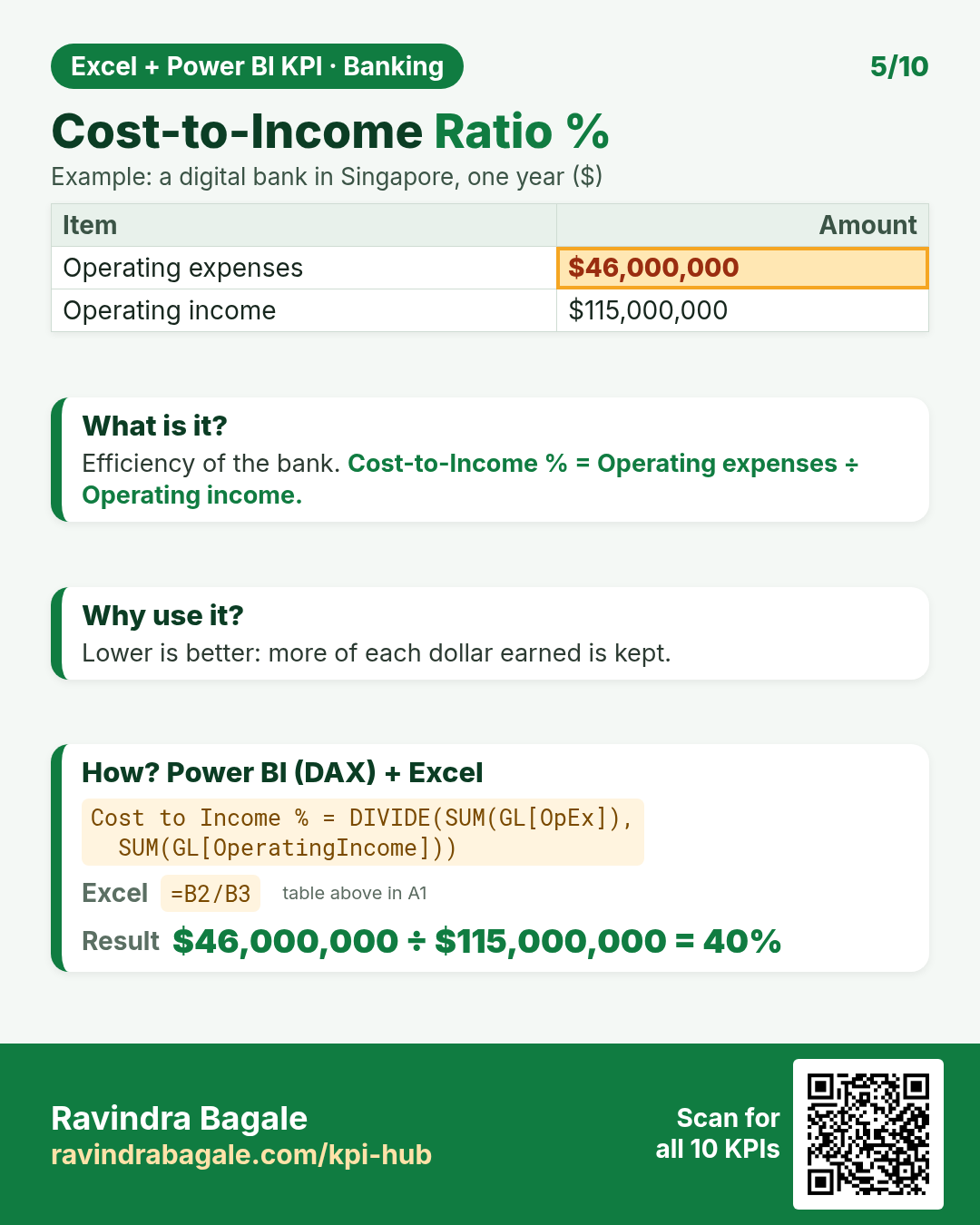
DAX: Cost to Income % = DIVIDE(SUM(GL[OpEx]), SUM(GL[OperatingIncome]))Excel: =B2/B3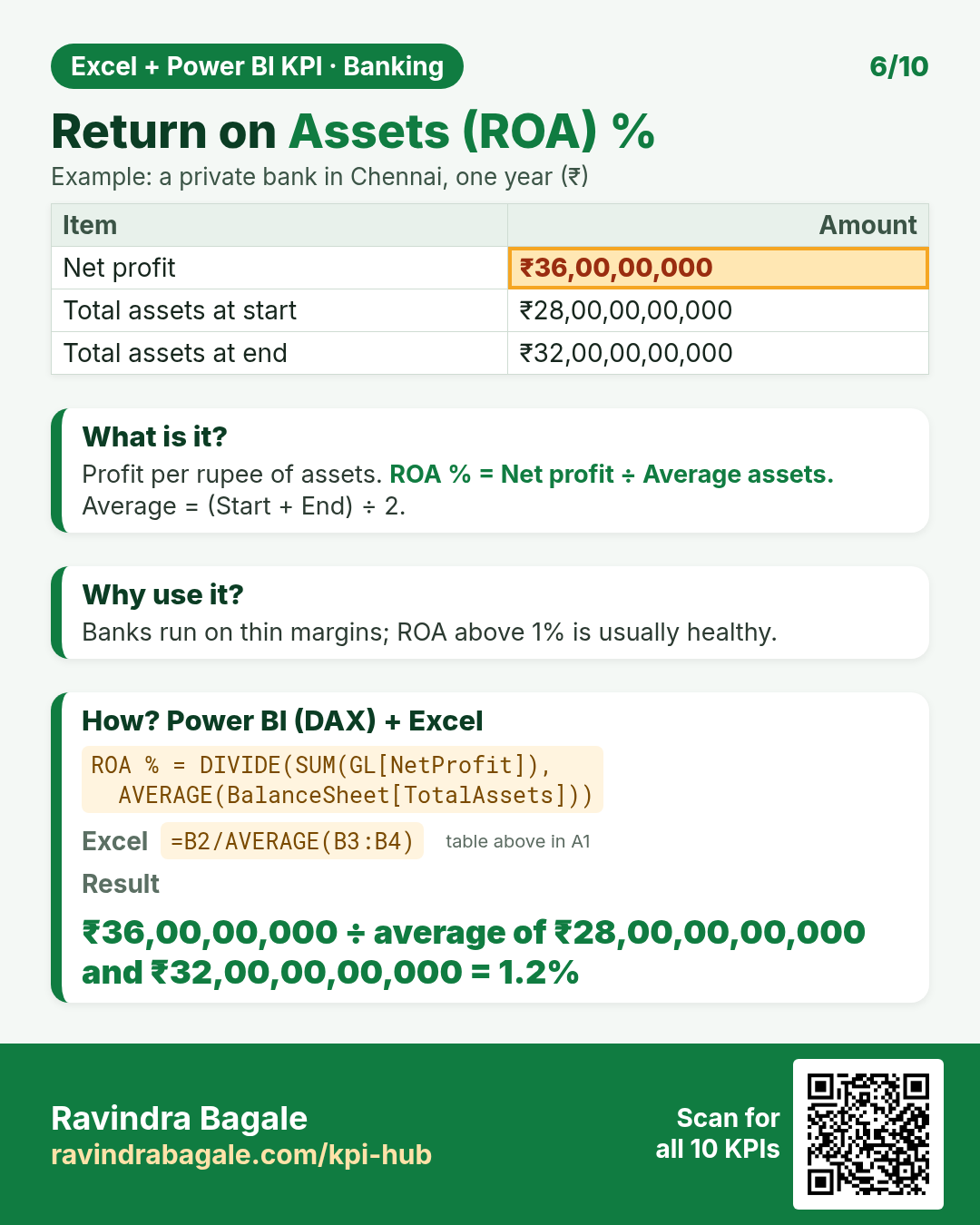
DAX: ROA % = DIVIDE(SUM(GL[NetProfit]), AVERAGE(BalanceSheet[TotalAssets]))Excel: =B2/AVERAGE(B3:B4)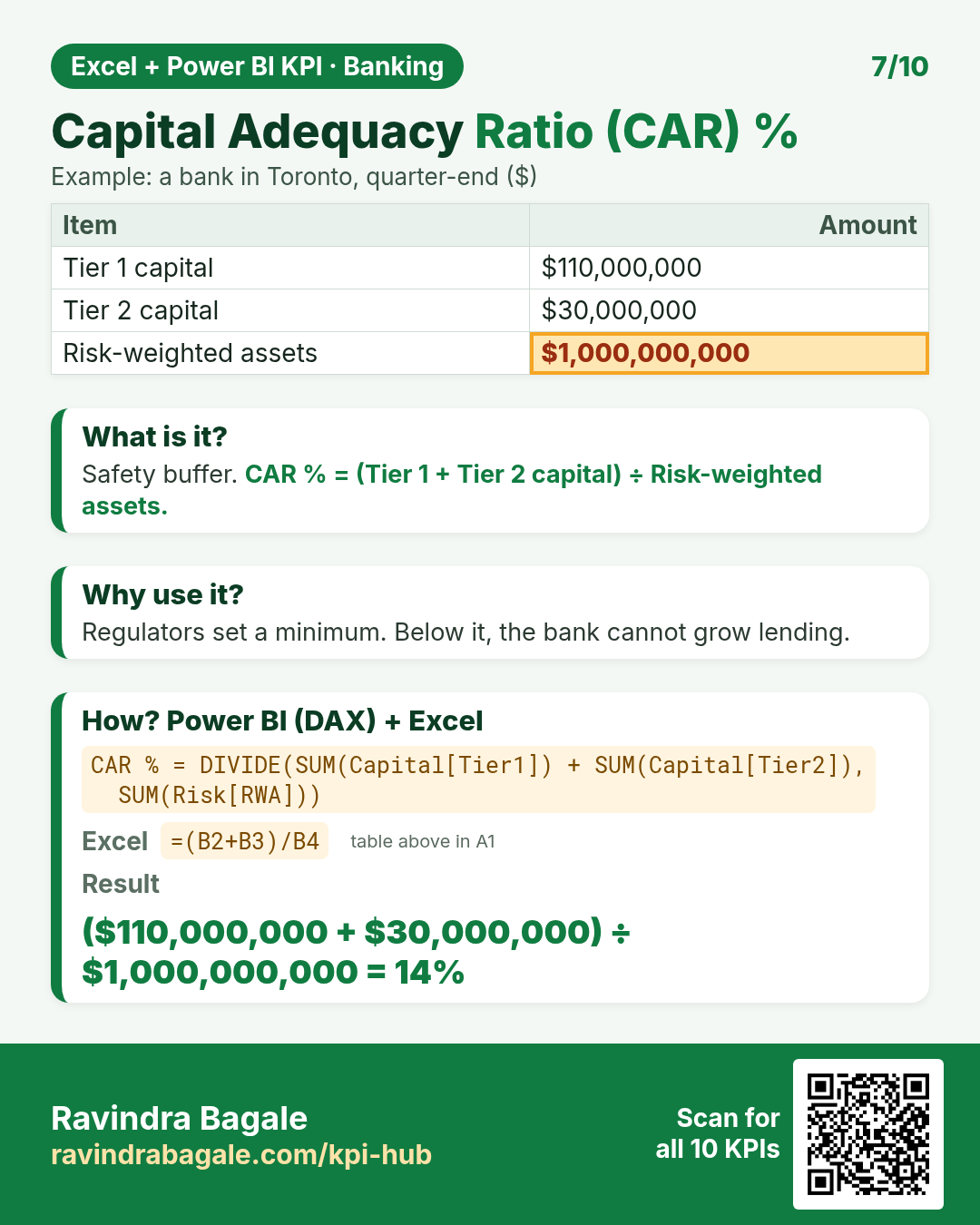
DAX: CAR % = DIVIDE(SUM(Capital[Tier1]) + SUM(Capital[Tier2]), SUM(Risk[RWA]))Excel: =(B2+B3)/B4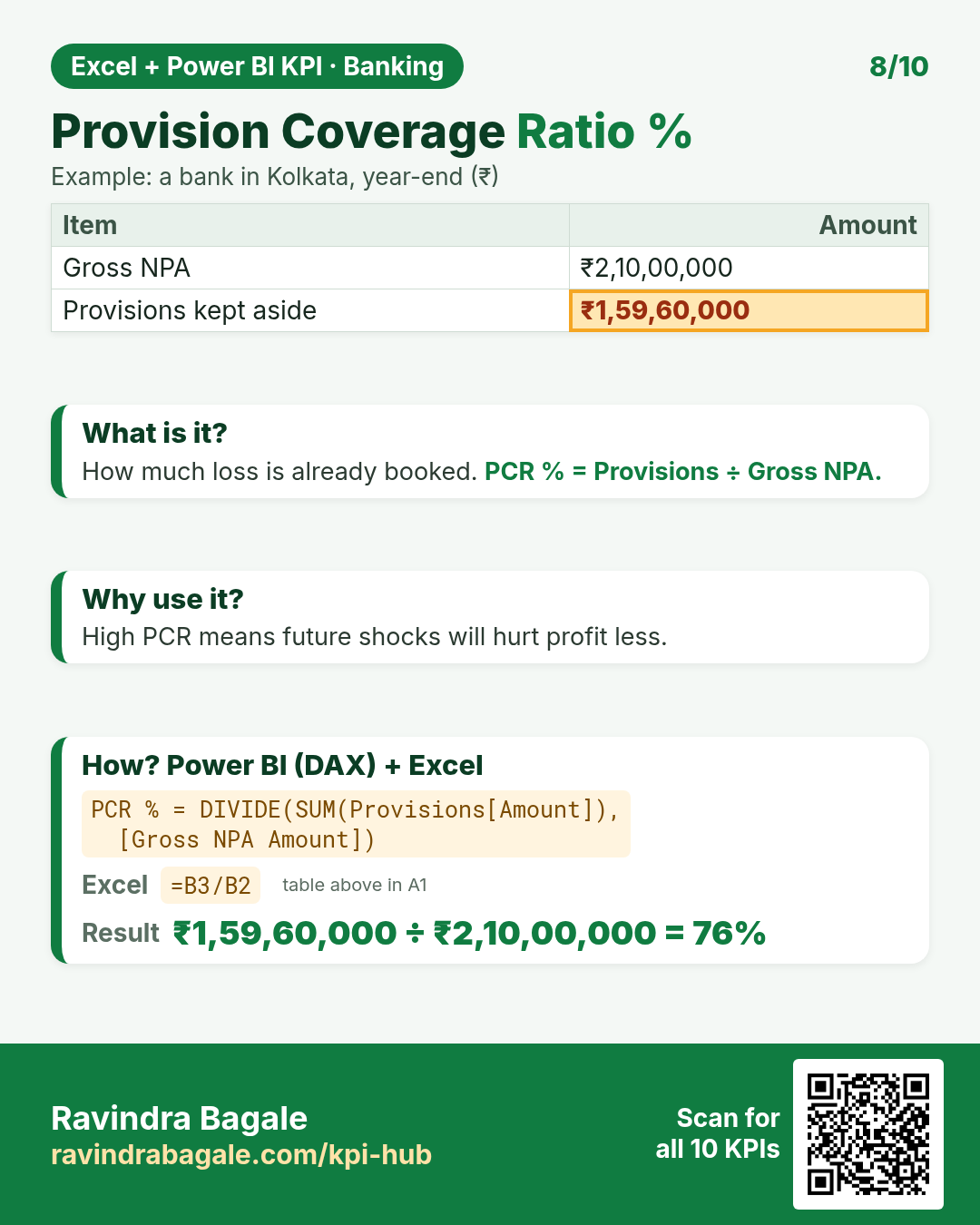
DAX: PCR % = DIVIDE(SUM(Provisions[Amount]), [Gross NPA Amount])Excel: =B3/B2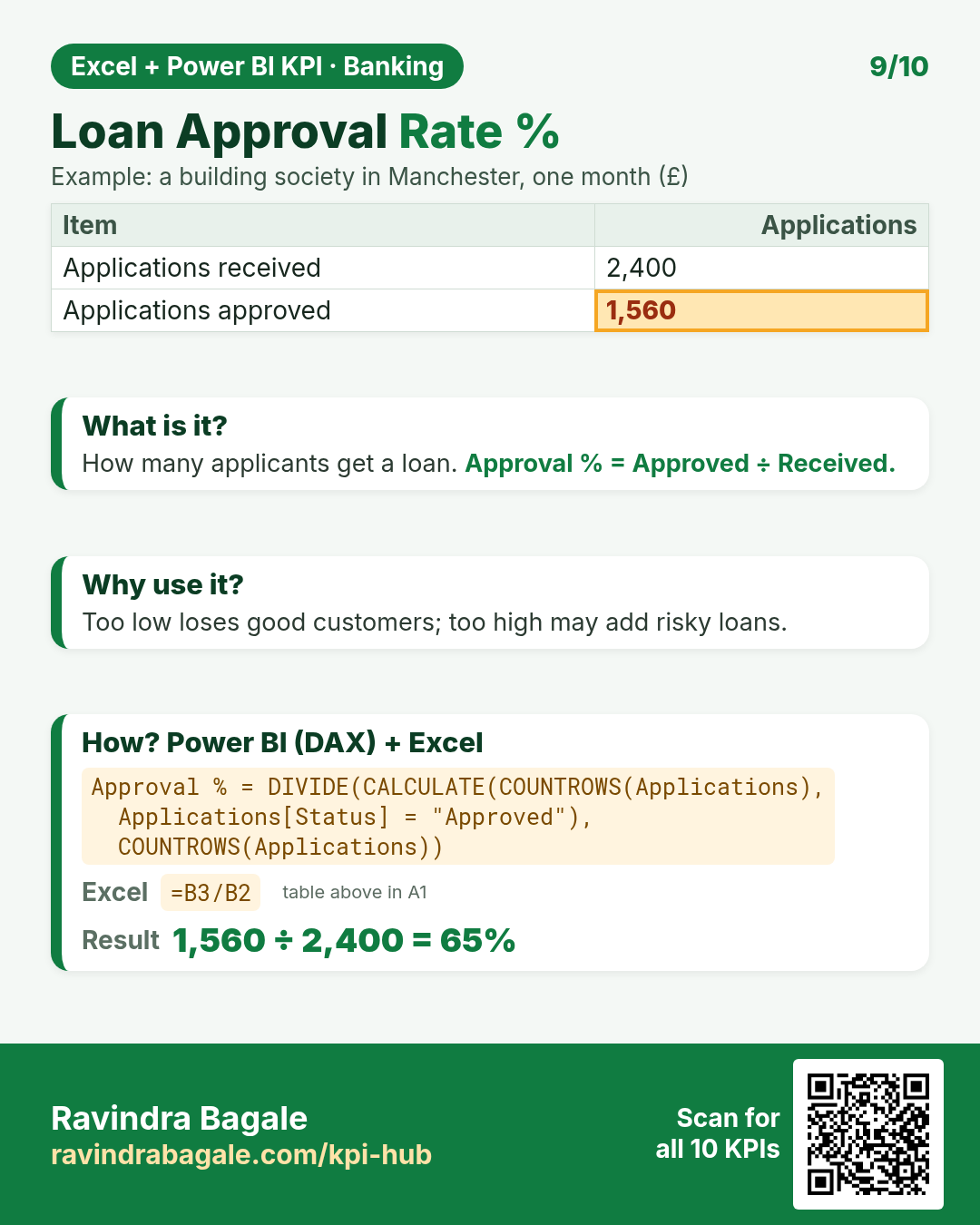
DAX: Approval % = DIVIDE(CALCULATE(COUNTROWS(Applications), Applications[Status] = "Approved"), COUNTROWS(Applications))Excel: =B3/B2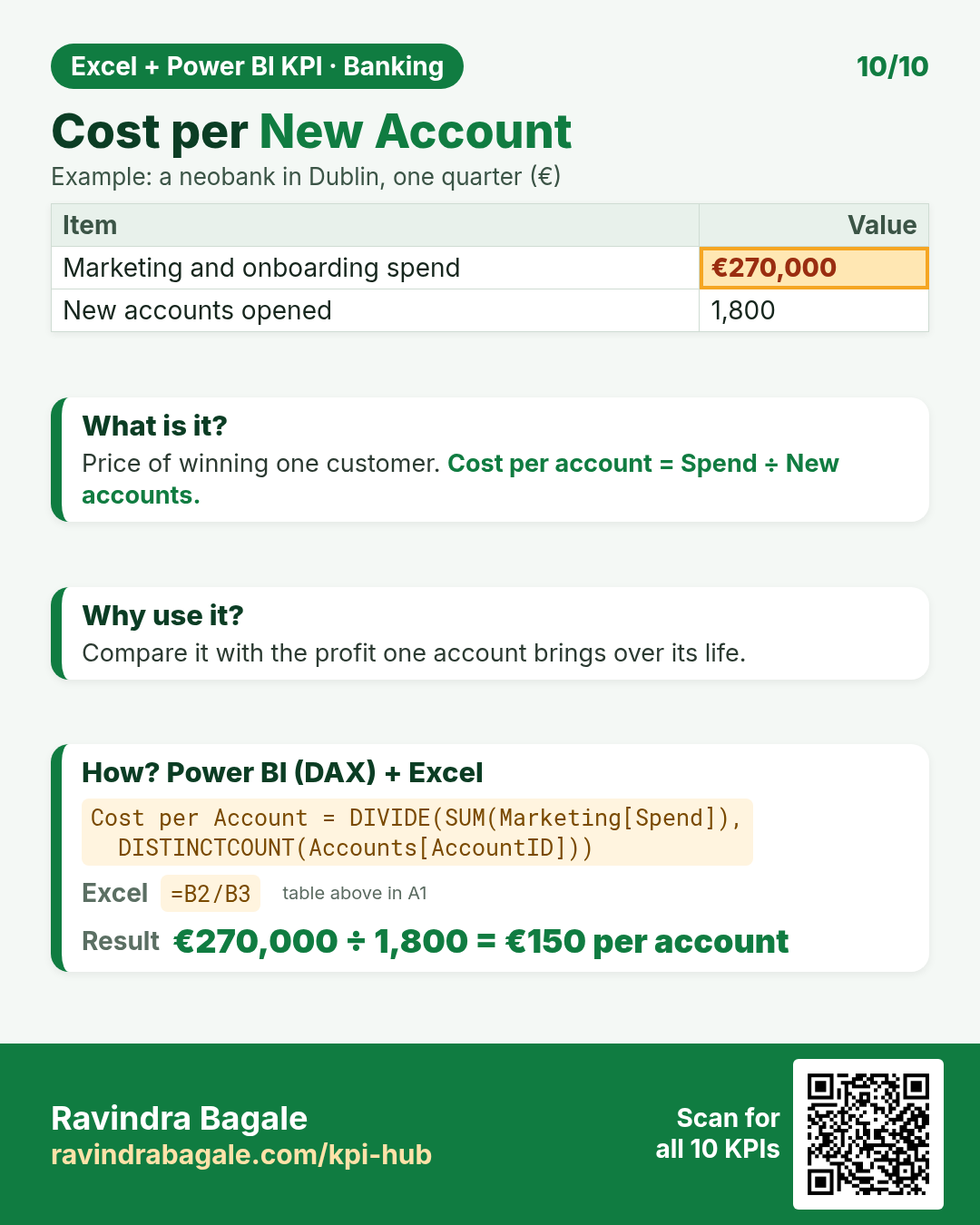
DAX: Cost per Account = DIVIDE(SUM(Marketing[Spend]), DISTINCTCOUNT(Accounts[AccountID]))Excel: =B2/B3Quick quiz
1. Net Interest Margin %: Interest income ₹8,40,00,000, Interest paid on deposits ₹4,20,00,000, Average earning assets ₹1,20,00,00,000. The answer is…
2. CASA Ratio %: Current account deposits £72,000,000, Savings account deposits £108,000,000, Total deposits £450,000,000. The answer is…
3. Gross NPA %: Total loans (gross advances) ₹50,00,00,000, Non-performing loans (90+ days unpaid) ₹2,10,00,000. The answer is…
4. Which KPI means: “How much of the deposits is lent out.”