Pinterest Architecture Explained: How Pinterest Serves Billions of Pins
Short answer: Pinterest runs on AWS. Its compute platform PinCompute is built on Amazon EKS (Kubernetes), including GPU clusters for AI serving (2026). Its in-house search system Manas moved onto PinCompute (2025). Data lives in MySQL and TiDB with a cache layer, and a new database ingestion framework uses Kafka, Flink, Spark and Iceberg (2026). Cloud resources are created through Terraform with a secure pipeline called RPP (2026).
Suppose you search Pinterest for Diwali rangoli ideas
You open Pinterest in Ahmedabad and search "Diwali rangoli". In simple terms:
- Your app calls Pinterest's services on AWS.
- Search runs on Manas, Pinterest's search system, now on the Kubernetes-based PinCompute platform.
- Recommendation models (for example for the home feed) retrieve and rank Pins for you.
- Pin and user data comes from MySQL, TiDB and cache infrastructure.
- Changes in these databases flow through Kafka and Flink into Iceberg tables for analytics.
- Images are shown in your feed; you save a Pin to your board.
What architecture style does Pinterest use?
Pinterest today has a central platform team providing shared compute and data systems.
- PinCompute on EKS: one internal platform for many workloads, from search to Gen AI serving on NVIDIA GPUs (2026).
- Search on Kubernetes (2025): while moving Manas to PinCompute, Pinterest found one in a million requests taking 100 times longer, caused by a cAdvisor memory metric scanning huge memory-mapped indexes; it disabled that metric on all nodes.
- Machine learning with Ray (2025): Pinterest scaled ML training and end-to-end pipelines with Ray.
- Secure infrastructure as code (2026): the Resource Provisioner Pipeline runs Terraform for AWS through central GitHub Actions with dual controls.
Pinterest architecture diagram (public parts)
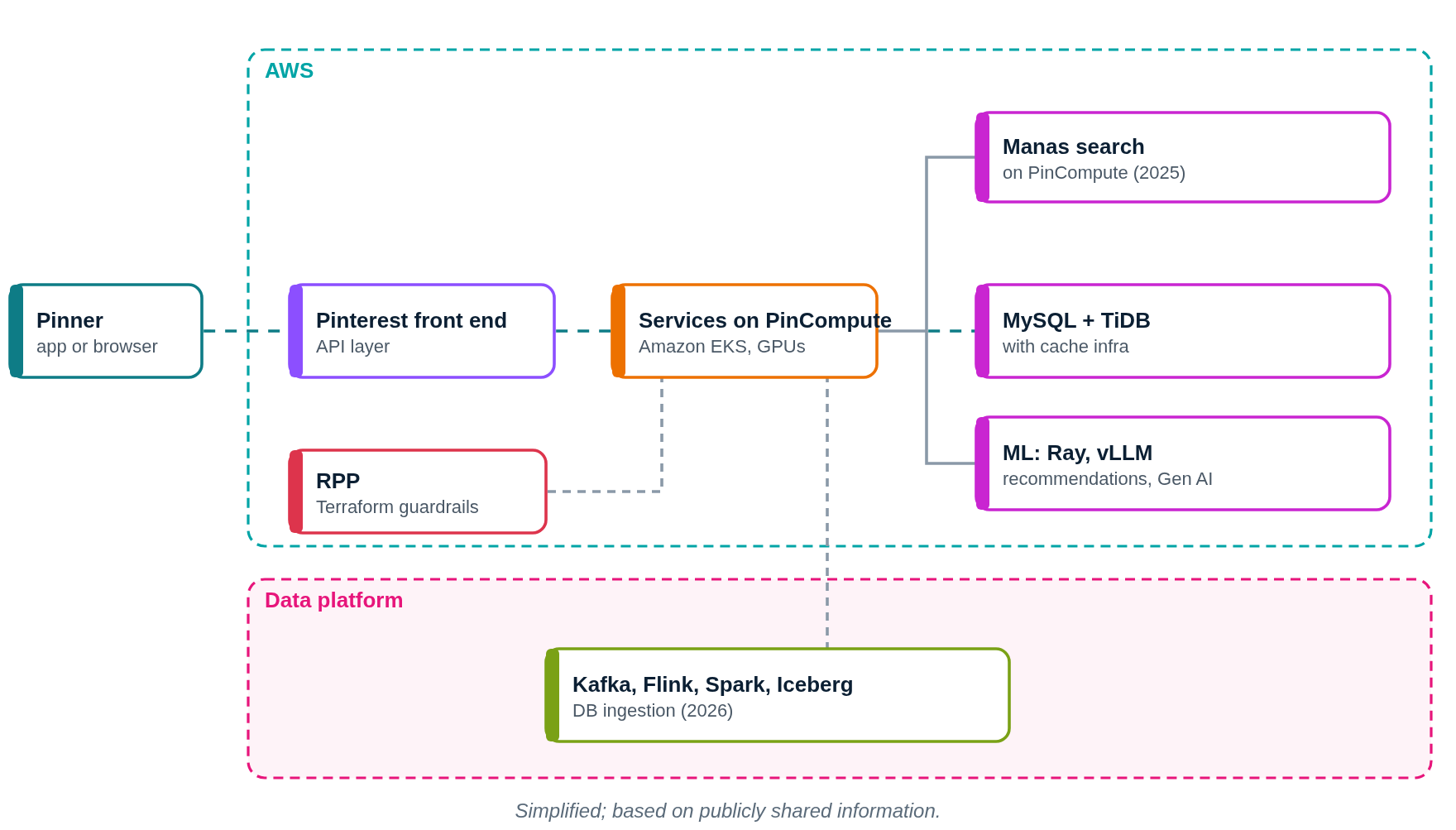
This diagram shows only what Pinterest or its partners have shared publicly. Press Play to follow a request step by step.
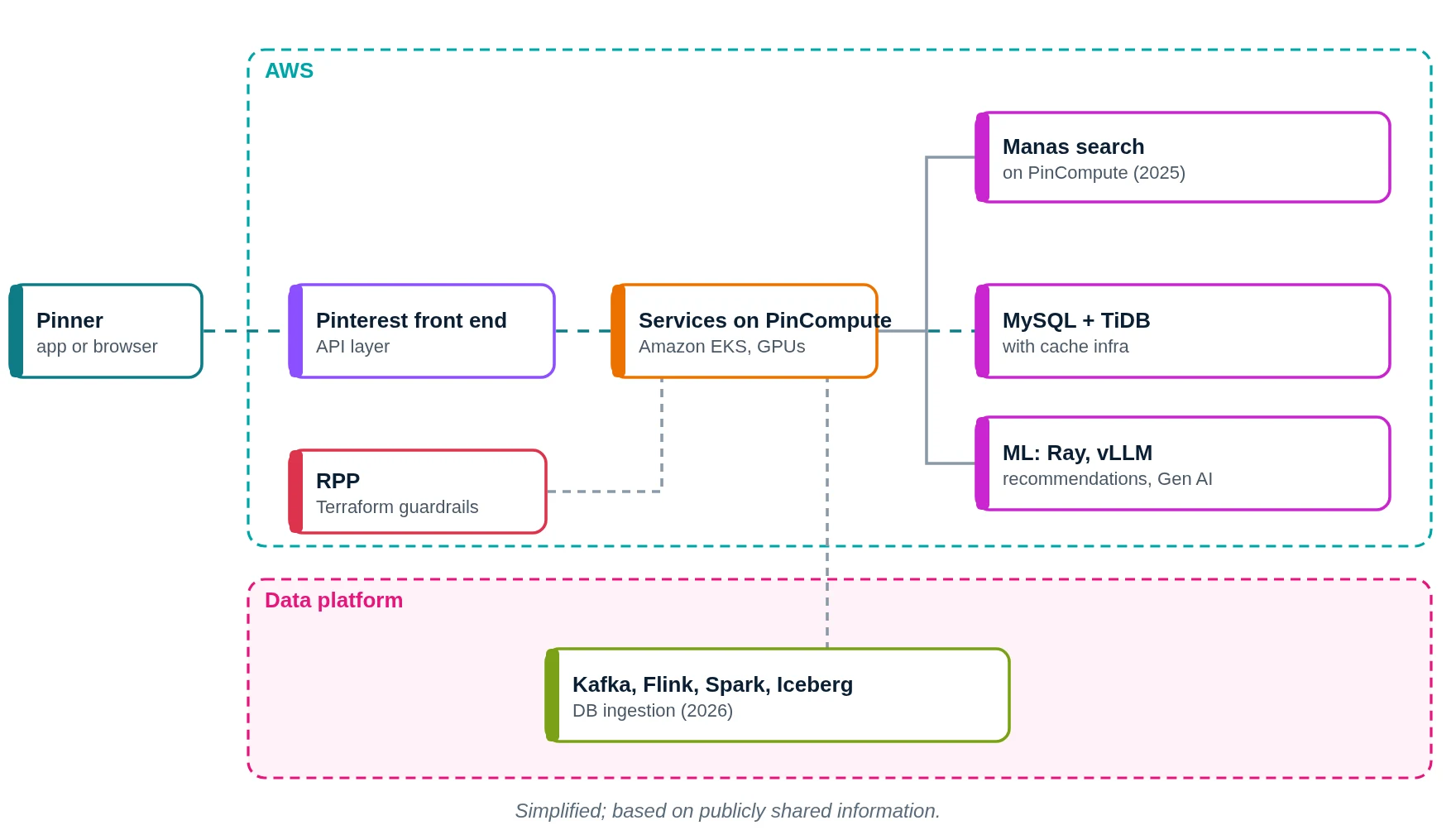
- You search for rangoli ideas.
- The front end receives the request.
- Services on PinCompute handle it.
- Manas finds matching Pins.
- Pin data comes from MySQL and TiDB.
- ML models rank results.
- Infrastructure changes go through RPP.
- Data changes flow into Iceberg for analytics.
- You save a Pin.
What does Pinterest use? Main technologies
| Layer | What Pinterest uses (public) | What it does in simple words |
|---|---|---|
| Cloud | AWS | Hosts Pinterest |
| Compute | PinCompute on Amazon EKS | Runs services, search and AI |
| Search | Manas | In-house search |
| Databases | MySQL, TiDB, cache infrastructure | Pins, users, boards |
| Data ingestion | Kafka, Flink, Spark, Iceberg (2026) | Database changes to the lake |
| ML | Ray, vLLM, NVIDIA Dynamo | Training and serving |
| Infra as code | Terraform via RPP (2026) | Safe AWS changes |
Which cloud provider does Pinterest use?
Pinterest runs on AWS. In 2026 it runs PinCompute on Amazon EKS with NVIDIA GPUs and Terraform state stored in S3 in us-east-1 for its global AWS operations.
What went wrong when Pinterest moved search to Kubernetes?
This 2025 move is a great real-world debugging story:
- Pinterest moved Manas, its search system, onto PinCompute, its Kubernetes platform on EKS.
- After the move, about one in a million search requests took around 100 times longer than normal, with spikes every few minutes.
- Manas keeps very large search indexes (over 100 GB) in memory-mapped files.
- The cause was cAdvisor, a container metrics agent. Its default working-set-size metric scanned and reset memory page flags every 30 seconds, which caused kernel lock contention on those huge indexes.
- The fix was to disable that cAdvisor metric on all PinCompute nodes.
The lesson for learners: when you move a heavy, memory-hungry system onto Kubernetes, even a default monitoring agent can change performance. Measure tail latency (p99.99), not just averages.
Data ingestion (2026)
Pinterest's next-generation database ingestion framework uses Kafka, Flink, Spark and Iceberg. In 2026 it added "partition finalization": markers that tell downstream jobs when a time partition of data is complete enough to read.
How it started: sharding MySQL
- Pinterest became famous for sharding MySQL: splitting Pins, boards and users across many MySQL databases with IDs that encode the shard.
- It used Kafka to throttle writes to MySQL shards in bulk write APIs.
- Pinterest has run Kafka at large scale for years.
How does Pinterest store data?
- MySQL and TiDB for online data, with cache infrastructure in front.
- Iceberg tables (fed by Kafka, Flink and Spark) for analytics.
- S3 for Terraform state and other storage.
- Image storage and CDN details are not publicly shared.
How does Pinterest monitor its systems?
- Pinterest's 2026 Metrics Board is an agent-ready metrics layer.
- cAdvisor runs on PinCompute nodes for container metrics.
- The full alerting stack is not publicly shared.
If we built an app like Pinterest on AWS (illustrative)
Please read this first
This section is a learning design by Ravindra Bagale. It is not Pinterest's real setup. Pinterest really runs on AWS. We use AWS here because it is what you learn in the AWS course.
Suppose you want to build "KalaBoard", a site for saving craft and art ideas. Here is a simple AWS layout.
1. Network: VPC, subnets, route tables, gateways
- Create one VPC with CIDR
10.0.0.0/16in the Mumbai region (ap-south-1). - Use two Availability Zones (A and B), so one AZ failing does not stop the app.
- In each AZ make three subnets: public (load balancer, NAT gateway), private app (your code) and private data (databases, cache).
- Attach one internet gateway (IGW) to the VPC. Public route table:
0.0.0.0/0 → IGW. This route is what makes a subnet public. - Private app route table:
0.0.0.0/0 → NAT gateway, so servers can download updates but nobody can connect in from the internet. - Private data route table: only the local VPC route. Use VPC endpoints to reach S3, DynamoDB and SQS without going over the internet.
2. Compute: where the code runs
- ALB in public subnets.
- Services on EKS, like PinCompute.
- Image resize jobs from SQS.
3. Storage and databases
- S3 + CloudFront for images.
- Aurora MySQL for users and boards.
- DynamoDB for pins and saves; ElastiCache for feeds; OpenSearch for search.
4. Monitoring
- CloudWatch and Container Insights.
- X-Ray traces.
Request flow diagram
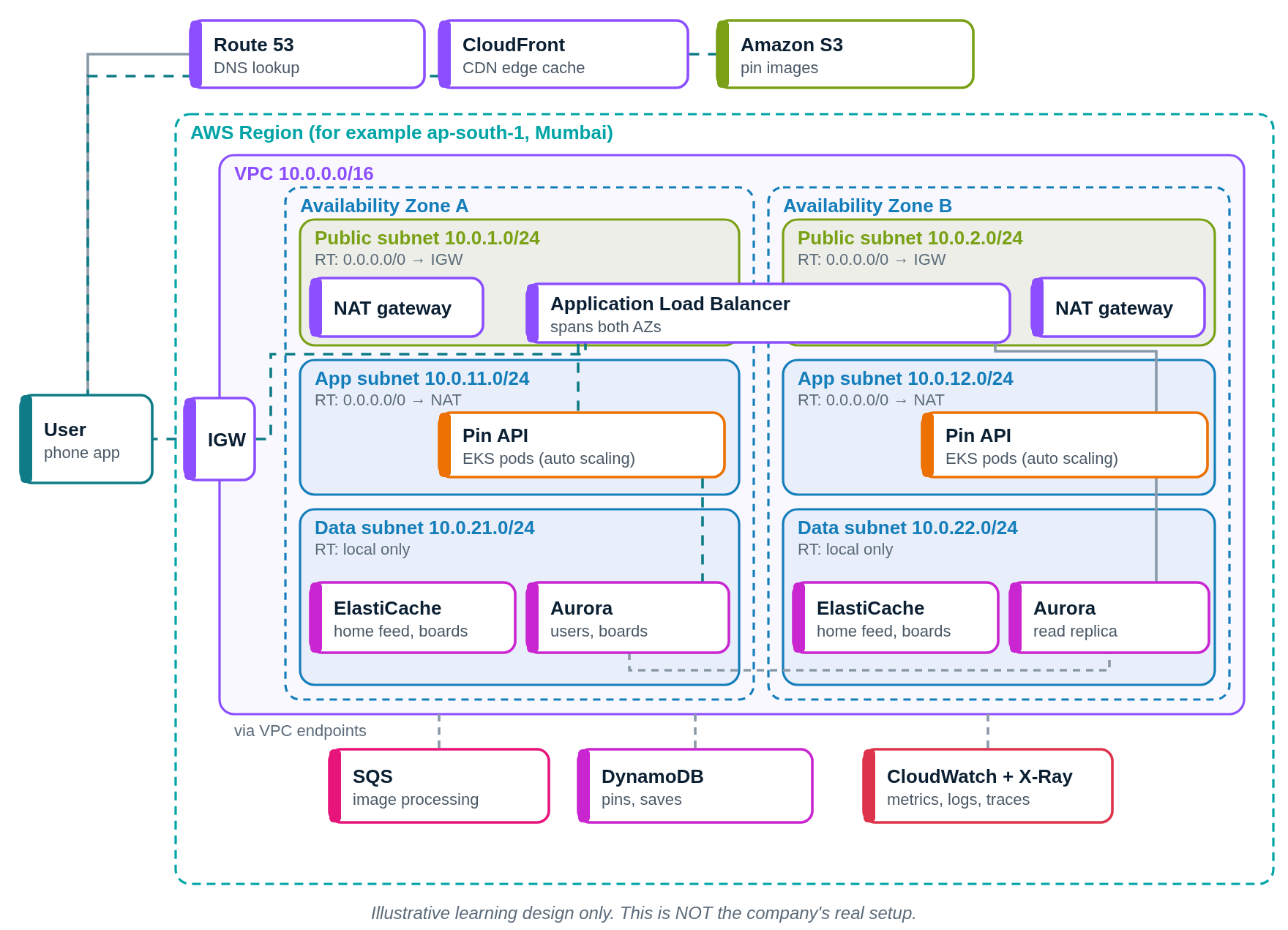
Press Play. The numbered list below the diagram lights up with each step.
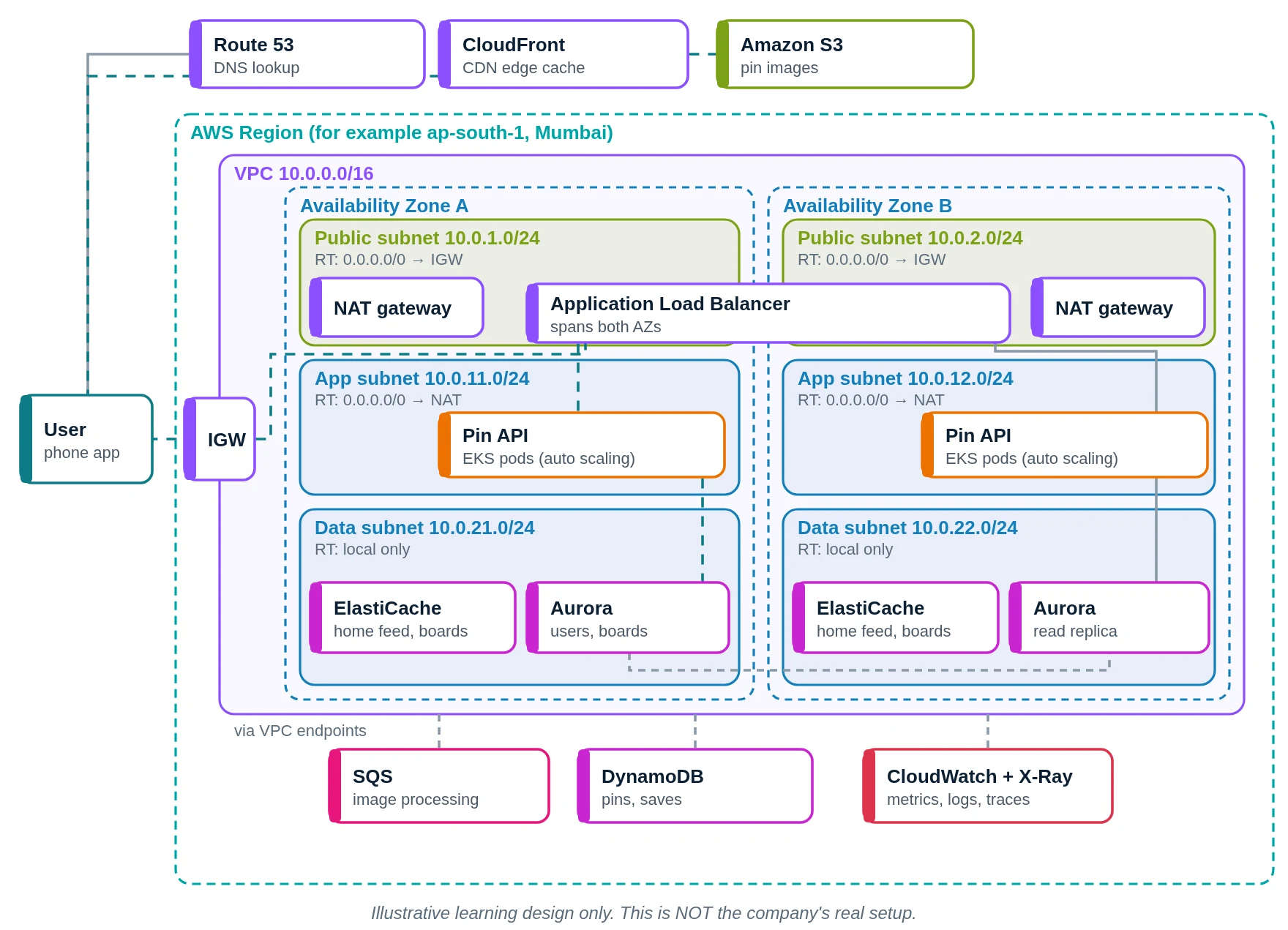
- You open KalaBoard. Route 53 answers.
- Images via CloudFront.
- From S3.
- API calls through the internet gateway.
- The ALB forwards to a pod.
- The pin API builds your feed.
- Feed from ElastiCache.
- Boards in Aurora; saves in DynamoDB.
- New image job to SQS.
- CloudWatch watches.
- You save a Pin.
Pinterest versus our AWS design
| Part | Pinterest (public info) | Our AWS design |
|---|---|---|
| Cloud | AWS | AWS |
| Compute | PinCompute on EKS | EKS |
| Databases | MySQL, TiDB | Aurora MySQL, DynamoDB |
| Search | Manas | OpenSearch |
| Data | Kafka, Flink, Spark, Iceberg | Kinesis, Glue, Iceberg on S3 |
| Monitoring | Not fully public | CloudWatch |
Quick quiz: check what you learned
Which cloud does Pinterest use?
- AWS
- Only own servers
- Azure only
- Oracle Cloud
Show answer
A. Pinterest runs on AWS.
What is PinCompute built on?
- Mesos
- Amazon EKS
- Windows
- Hadoop
Show answer
B. PinCompute uses AWS EKS.
What is Manas?
- A photo filter
- A login service
- Pinterest's search system
- A CDN
Show answer
C. Manas is Pinterest's search.
Which databases does Pinterest mention in 2026?
- Oracle only
- Access
- FoxPro
- MySQL and TiDB
Show answer
D. In 2026 Pinterest uses MySQL and TiDB.
Learn it properly
Build the AWS parts yourself with these free guides and lessons:
- How to create a custom VPC with subnets, internet gateway and route tables
- Public vs private subnet in AWS · 3-tier architecture project on AWS
- How to launch an EC2 instance · Install the CloudWatch agent on EC2
- AWS course: What is a VPC? Default VPC vs custom VPC
- Related architectures: Instagram Architecture Explained: Django, PostgreSQL, Cassandra · Netflix Architecture Explained: AWS, Microservices, Open Connect · Amazon.com Architecture Explained: Services, DynamoDB and AWS · Prime Video Architecture Explained: AWS Elemental, ECS and Live Sport
- All famous app architectures explained