Amazon.com Architecture Explained: How the Amazon Shopping Site Works
Short answer: Amazon.com is built from hundreds of small services. Each service owns its own data and is run by its own team ("you build it, you run it"). One product page can call more than 100 services. Today the shopping site runs on AWS, Amazon's own cloud: in 2019 Amazon's consumer business moved about 7,500 Oracle databases to DynamoDB, Aurora, RDS and Redshift. On Prime Day 2025, DynamoDB peaked at 151 million requests per second for Amazon.
Suppose you open Amazon and search for a phone
You open the Amazon app in Kolhapur, search for "phone under 15000" and open a product page. You see the price, delivery date, reviews, "frequently bought together" and offers. Each of these boxes comes from a different service.
- Your app sends the request to Amazon. Static files like images come from CloudFront, the AWS CDN.
- An application server that builds pages receives the request.
- It calls many small services in parallel: price, stock, delivery date, reviews, recommendations, offers.
- Each service reads its own data. Fast lookups use DynamoDB or ElastiCache; order and money data use relational databases like Aurora.
- The page server puts all the answers together into one page.
- If one small service is slow (for example "frequently bought together"), the page can still show without that box.
Back in 2006 the Amazon.com gateway page called more than 100 services to build the page for you.
What architecture style does Amazon.com use?
Amazon is the classic example of a service-oriented architecture (SOA), years before the word "microservices" became popular.
- Started as a monolith: Amazon.com began as one big application called Obidos, talking to a back-end database. By 2001 the front end could not scale any more.
- Split into services: each service keeps its data together with its business logic. Other teams can use the data only through the service's published interface.
- No shared database: no direct database access from outside the service, and no data sharing between services. This lets each team change and scale its database without breaking others.
- Ownership: each service has one team that designs, builds and operates it. Amazon calls this "You build it, you run it."
- Purpose-built databases: after the Oracle migration, each team picked the AWS database that fits its job, instead of one database for everything.
In 2007 Amazon introduced Dynamo, a highly available key-value store built for shopping cart-style workloads. Dynamo's ideas influenced many NoSQL databases, and Amazon DynamoDB took its name from it.
Amazon.com architecture diagram (public parts)
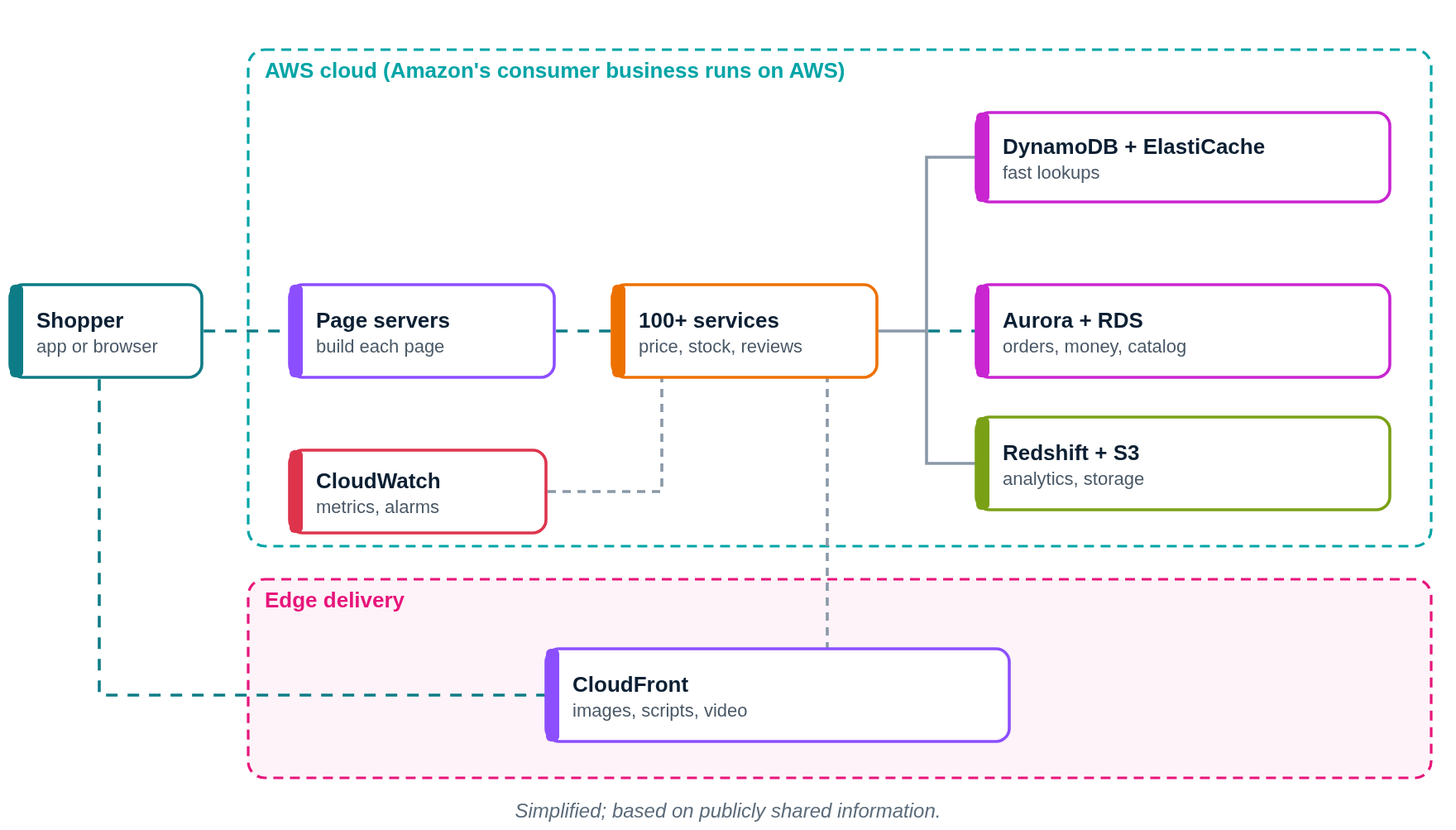
This diagram shows only what Amazon.com or its partners have shared publicly. Press Play to follow a request step by step.
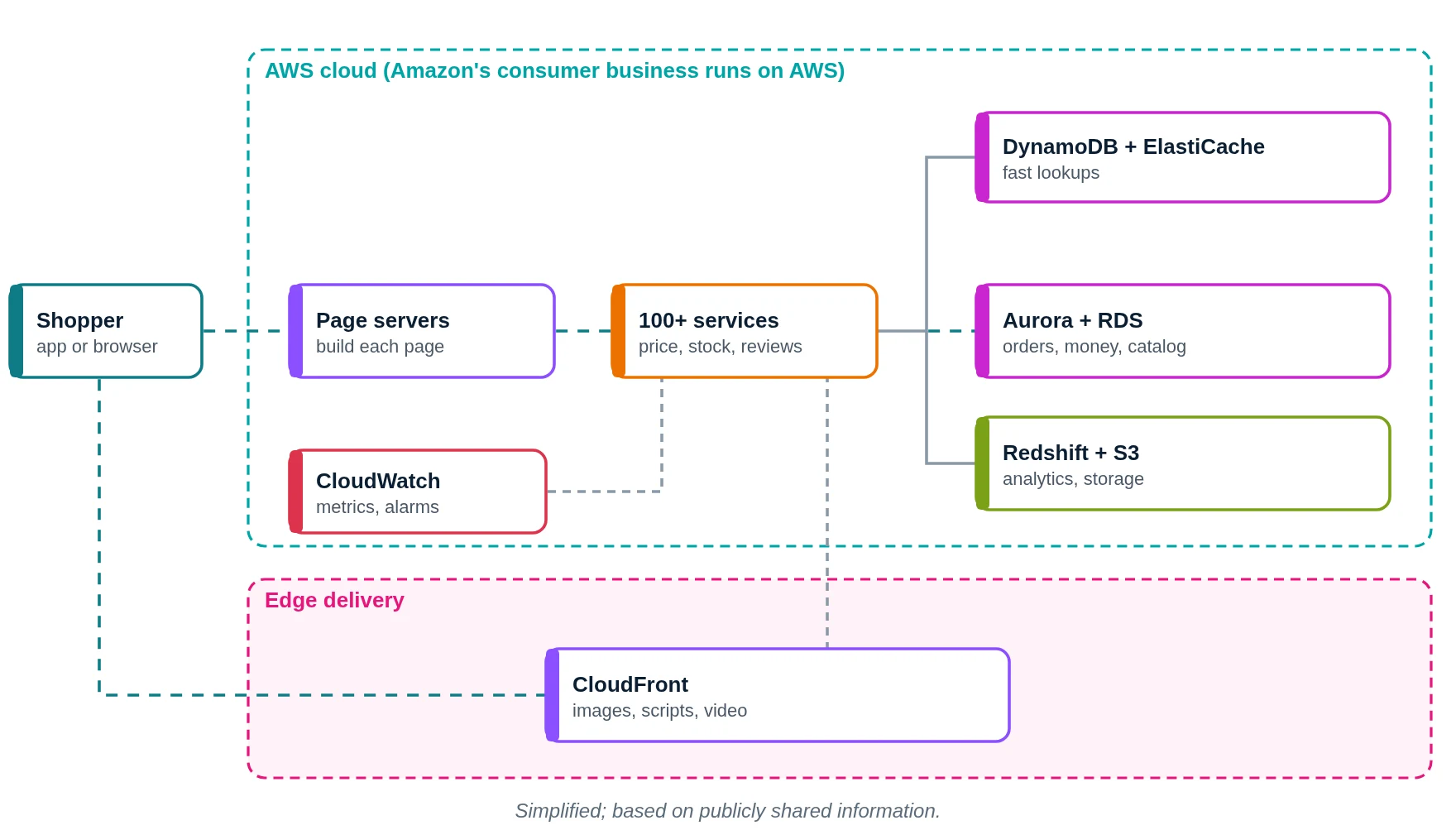
- You open Amazon and search for a phone.
- Images and scripts load from CloudFront edge locations.
- A page server receives your request.
- It calls 100+ services in parallel: price, stock, delivery, reviews.
- Low-latency services read DynamoDB or ElastiCache.
- Orders and payments use Aurora or RDS, which keep data consistent.
- Events land in Redshift and S3 for reports and recommendations.
- Every service sends metrics to CloudWatch.
- The page server joins the answers into one page for you.
What does Amazon.com use? Main technologies
| Layer | What Amazon.com uses (public) | What it does in simple words |
|---|---|---|
| Architecture | Service-oriented (hundreds of services) | Small teams own small services |
| Low-latency data | Amazon DynamoDB, ElastiCache | Cart, sessions, fast lookups |
| Relational data | Amazon Aurora, Amazon RDS | Orders, payments, strong consistency |
| Analytics | Amazon Redshift | Reports and data warehouse |
| Content delivery | Amazon CloudFront | Images and pages close to users |
| Compute | Amazon EC2, ECS, Lambda | Runs the services |
| Migration tools | AWS DMS, AWS SCT | Moved Oracle data with little downtime |
Which cloud provider does Amazon.com use?
Amazon.com runs on AWS. In October 2019 Amazon completed this move: "Migration Complete – Amazon's Consumer Business Just Turned off its Final Oracle Database".
- More than 100 teams took part, including Alexa, Prime, Prime Video, Kindle, Audible and Zappos.
- They moved 75 petabytes of data from nearly 7,500 Oracle databases.
- Low-latency services went to DynamoDB and ElastiCache; transactional workloads went to Aurora and RDS; analytics went to Redshift.
- Database costs went down by over 60%, latency of consumer-facing apps down 40% and admin overhead down 70%.
How big is Amazon on Prime Day?
Prime Day shows the scale every year. For the 4-day Prime Day 2025, the numbers were:
- DynamoDB: tens of trillions of calls, peaking at 151 million requests per second.
- Aurora: 500 billion transactions; 4,071 TB stored.
- SQS: a record 166 million messages per second; Kinesis Data Streams: a peak of 807 million records per second.
- CloudFront: over 3 trillion HTTP requests in the Prime Day week; API Gateway: over 1 trillion internal service requests.
- Lambda: over 1.7 trillion invocations per day; ECS on Fargate: about 107 million tasks launched per day.
- Graviton processors powered more than 40% of the EC2 compute used by Amazon.com.
- Amazon ran over 6,800 AWS Fault Injection Service experiments to test resilience before the event.
Prime Day 2024, for comparison
For Prime Day 2024 (17–18 July), the numbers were:
- DynamoDB: tens of trillions of API calls, peaking at 146 million requests per second, with single-digit millisecond responses.
- Aurora: 6,311 database instances processed more than 376 billion transactions.
- CloudFront: a peak of over 500 million HTTP requests per minute, over 1.3 trillion requests in total.
- ElastiCache: more than a quadrillion requests in a single day.
- Lambda: over 1.3 trillion invocations.
How does Amazon.com store data?
- Each service owns its data. There is no single shared Amazon database.
- DynamoDB for services that need high availability and single-digit millisecond latency at scale.
- Aurora for services with stable schemas and strong referential integrity.
- S3 for low-cost long-term storage; Redshift for analytics.
- Exact table designs of individual Amazon services are not publicly shared.
How does Amazon.com monitor its systems?
- Service teams run their own services, so each team watches its own metrics and alarms ("you build it, you run it").
- Prime Day relies on CloudWatch-style metrics, CloudTrail (over 976 billion events in 2024) and GuardDuty for security monitoring.
- The full internal monitoring stack is not publicly shared in detail.
If we built an app like Amazon.com on AWS (illustrative)
Please read this first
This section is a learning design by Ravindra Bagale. It is not Amazon.com's real setup. Amazon.com is far bigger and uses many internal tools. We use AWS here because it is what you learn in the AWS course.
Suppose you want to build "PuneBazaar", a small online shop for local sellers. Here is how you could lay it out on AWS.
1. Network: VPC, subnets, route tables, gateways
- Create one VPC with CIDR
10.0.0.0/16in the Mumbai region (ap-south-1). - Use two Availability Zones (A and B), so one AZ failing does not stop the app.
- In each AZ make three subnets: public (load balancer, NAT gateway), private app (your code) and private data (databases, cache).
- Attach one internet gateway (IGW) to the VPC. Public route table:
0.0.0.0/0 → IGW. This route is what makes a subnet public. - Private app route table:
0.0.0.0/0 → NAT gateway, so servers can download updates but nobody can connect in from the internet. - Private data route table: only the local VPC route. Use VPC endpoints to reach S3, DynamoDB and SQS without going over the internet.
2. Compute: where the code runs
- Put an Application Load Balancer in both public subnets.
- Run separate small services (catalog, cart, orders, payments) on Amazon EKS or EC2 Auto Scaling groups in the private app subnets.
- Give each service its own database, just like Amazon: no shared tables.
- Run background workers (send emails, update stock) that read from SQS.
3. Storage and databases
- S3 + CloudFront for product images.
- DynamoDB for catalog and stock lookups.
- Aurora for orders and payments (writer in AZ A, reader in AZ B).
- ElastiCache (Redis) for carts and sessions.
4. Monitoring
- CloudWatch alarms on ALB 5xx errors, latency and DynamoDB throttling.
- X-Ray traces show which service slows a page.
- Before a big sale, run a load test and an AWS Fault Injection Service experiment.
Request flow diagram
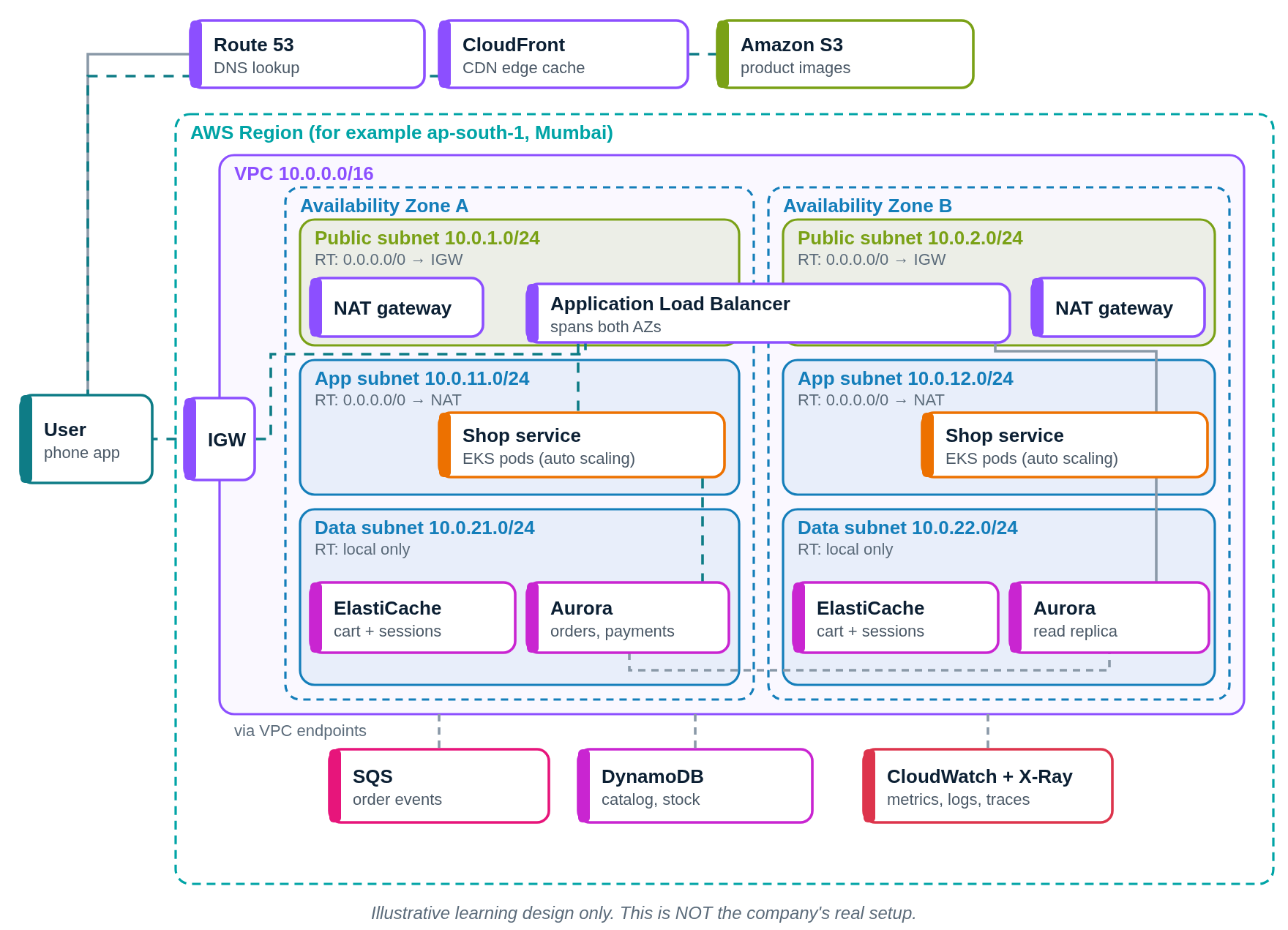
Press Play. The numbered list below the diagram lights up with each step.
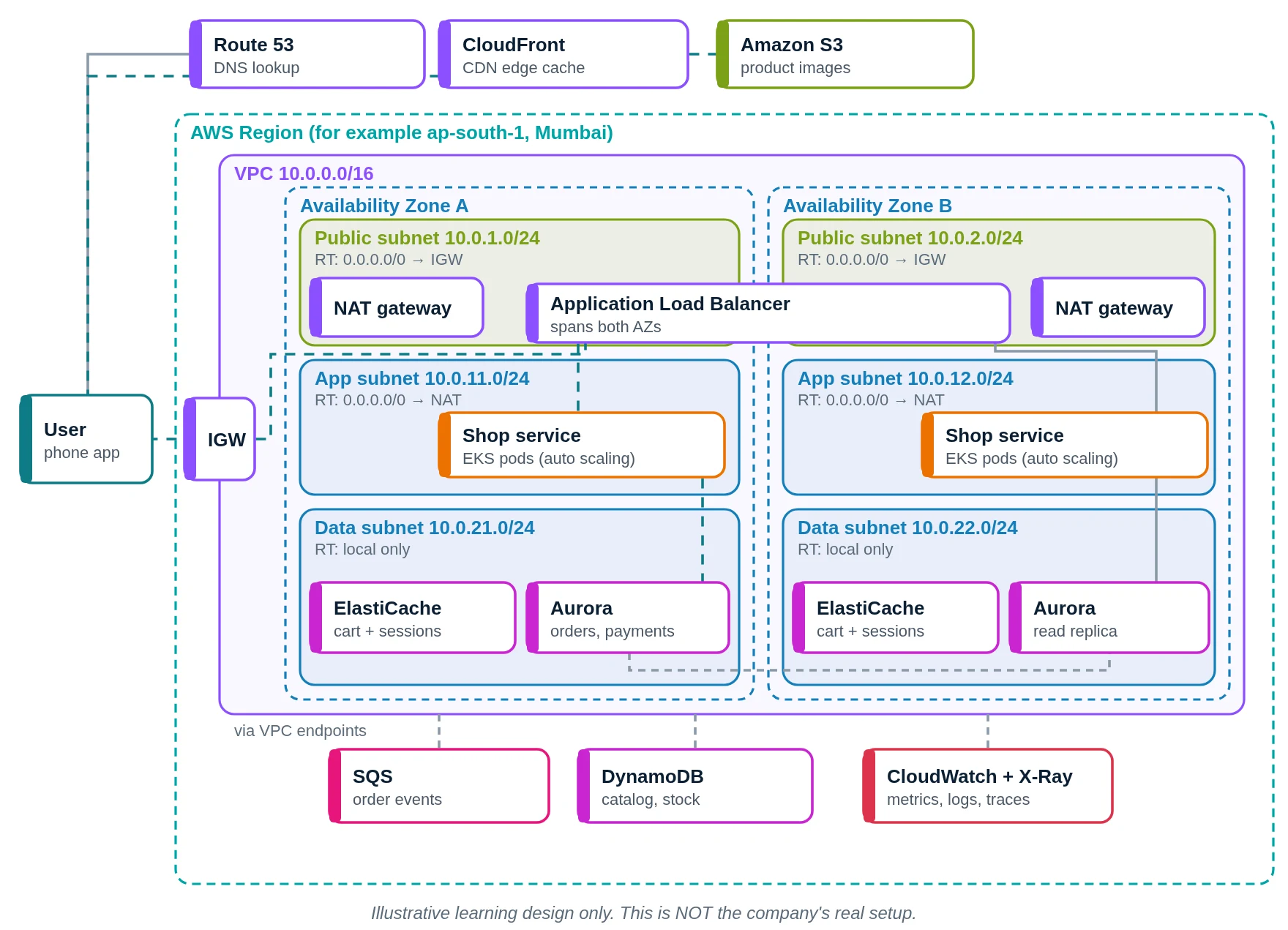
- You open the shop. Route 53 finds the address.
- Product images load from CloudFront.
- On a miss, CloudFront fetches the image once from S3.
- Page and API calls enter the VPC through the internet gateway.
- The ALB sends the call to a healthy pod.
- The shop services run in private subnets and call each other.
- Cart and session come from ElastiCache.
- Orders go to Aurora; catalog and stock come from DynamoDB.
- "Order placed" events go to SQS for email and stock workers.
- CloudWatch and X-Ray record every step.
- The page goes back to your phone.
Amazon.com versus our AWS design
| Part | Amazon.com (public info) | Our AWS design |
|---|---|---|
| Architecture | Hundreds of services | A few small services |
| Cloud | AWS, many regions | AWS, one region, two AZs |
| Fast data | DynamoDB, ElastiCache | DynamoDB, ElastiCache |
| Orders | Aurora, RDS | Aurora |
| Analytics | Redshift | Athena or Redshift (later) |
| Edge | CloudFront | CloudFront |
| Monitoring | Team-owned alarms, CloudTrail | CloudWatch, X-Ray |
Quick quiz: check what you learned
What did Amazon.com start as?
- One monolith called Obidos
- Hundreds of tiny services
- A Google Cloud project
- A WordPress site on EC2
Show answer
A. Amazon started as a monolithic application called Obidos.
What does "you build it, you run it" mean?
- Ops team runs all the code
- The building team also runs it
- Customers run their own servers
- AWS runs every service code
Show answer
B. Each service team builds and operates its own service.
Where did Amazon move low-latency services from Oracle?
- Amazon Redshift warehouse
- Amazon S3 Glacier vaults
- Amazon DynamoDB tables
- Amazon EFS file shares
Show answer
C. Low-latency services went to DynamoDB and ElastiCache.
In Amazon's SOA, how can other teams use a service's data?
- By reading its database
- By copying its tables daily
- By logging into its servers
- Only through its interface
Show answer
D. No direct database access is allowed from outside the service.
Learn it properly
Build the AWS parts yourself with these free guides and lessons:
- How to create a custom VPC with subnets, internet gateway and route tables
- Public vs private subnet in AWS · 3-tier architecture project on AWS
- How to launch an EC2 instance · Install the CloudWatch agent on EC2
- AWS course: What is a VPC? Default VPC vs custom VPC
- Related architectures: Prime Video Architecture Explained: AWS Elemental, ECS and Live Sport · Airbnb Architecture Explained: AWS, Rails to Services, Kubernetes · Facebook Architecture Explained: Meta Data Centres, TAO and MySQL · WhatsApp Architecture Explained: Erlang, Encryption, Meta Servers
- All famous app architectures explained