LinkedIn Architecture Explained: How LinkedIn Builds Your Feed
Short answer: LinkedIn is built from many microservices that talk using Rest.li, its open-source REST framework. Apache Kafka was created at LinkedIn and carries activity events; in 2019 LinkedIn ran 100+ Kafka clusters handling 7 trillion messages a day. Your feed is now retrieved by FishDB, a generic retrieval engine written in Rust (2025), and ranked by a new system powered by LLMs and GPUs (2026). Where LinkedIn's servers are hosted today is not publicly shared.
Suppose you open LinkedIn and scroll your feed
You open LinkedIn on the train to work in Mumbai and scroll your feed. In simple terms:
- The app calls LinkedIn's front-end services, which call many Rest.li microservices.
- The feed system asks FishDB to retrieve candidate posts, for example from your connections and topics you follow.
- A ranking model built with LLMs, running on GPUs, scores posts by how relevant they are to your interests and career goals.
- Profile and other member data comes from stores like Espresso, LinkedIn's distributed document store.
- Every scroll, like and click is sent as an event to Kafka.
- Those events help train the next ranking models.
What architecture style does LinkedIn use?
LinkedIn has shared a lot of its infrastructure as open source.
- Microservices with Rest.li: services expose REST APIs through Rest.li, and LinkedIn has written about authorization between services at large scale.
- Kafka-centric data flow: activity tracking, messaging and metrics all flow through Kafka.
- New feed retrieval (2025): FishDB replaced FollowFeed, a Java system that powered the feed for nearly a decade. FishDB keeps a 40 ms p99 latency target while serving twice the queries per host, and cut feed hardware by about half.
- Unified LLM ranking (2026): instead of several separate retrieval systems (trending, collaborative filtering, embeddings), LinkedIn is moving to LLM embeddings that better understand what posts are about.
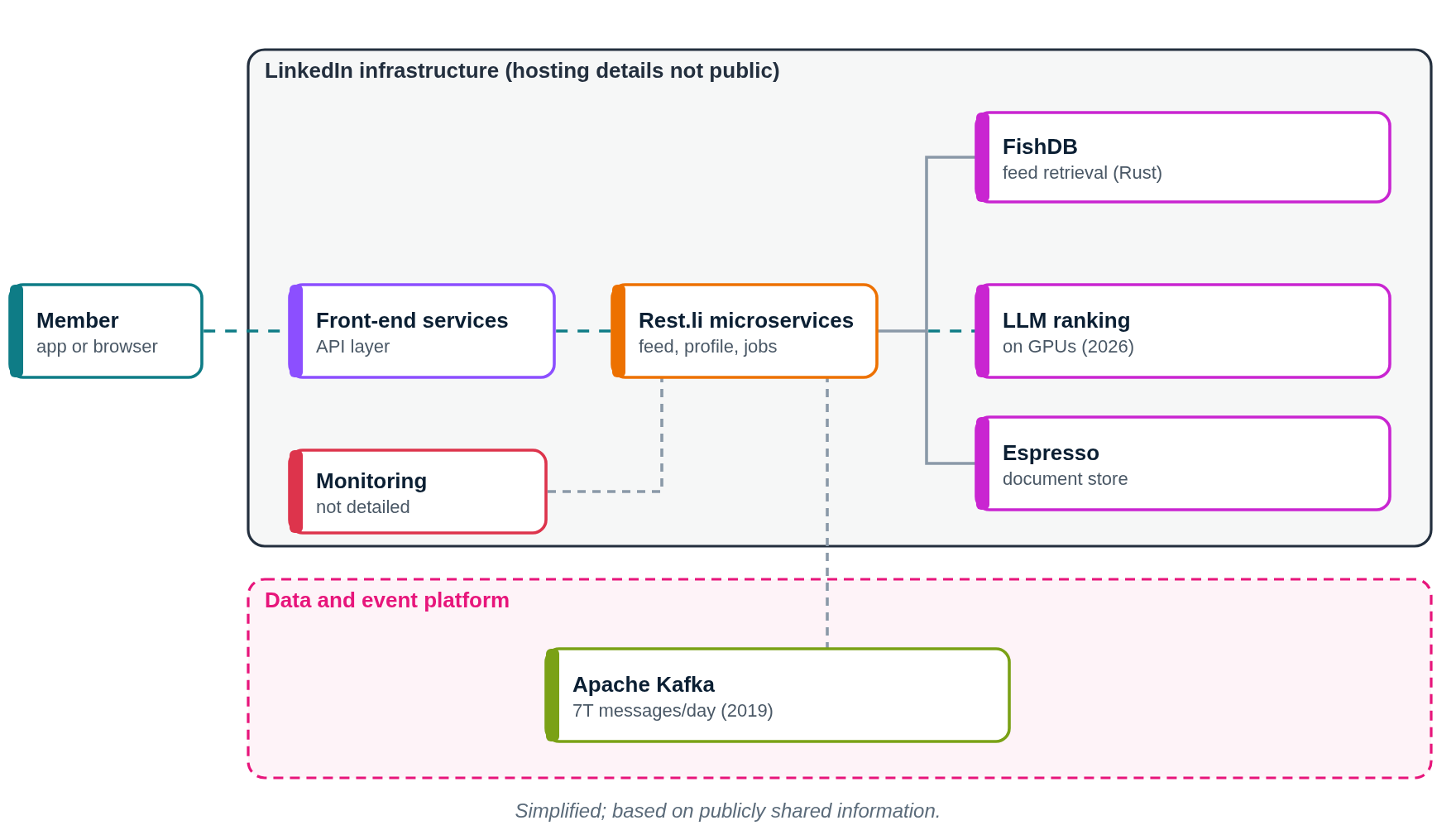
LinkedIn architecture diagram (public parts)
This diagram shows only what LinkedIn or its partners have shared publicly. Press Play to follow a request step by step.
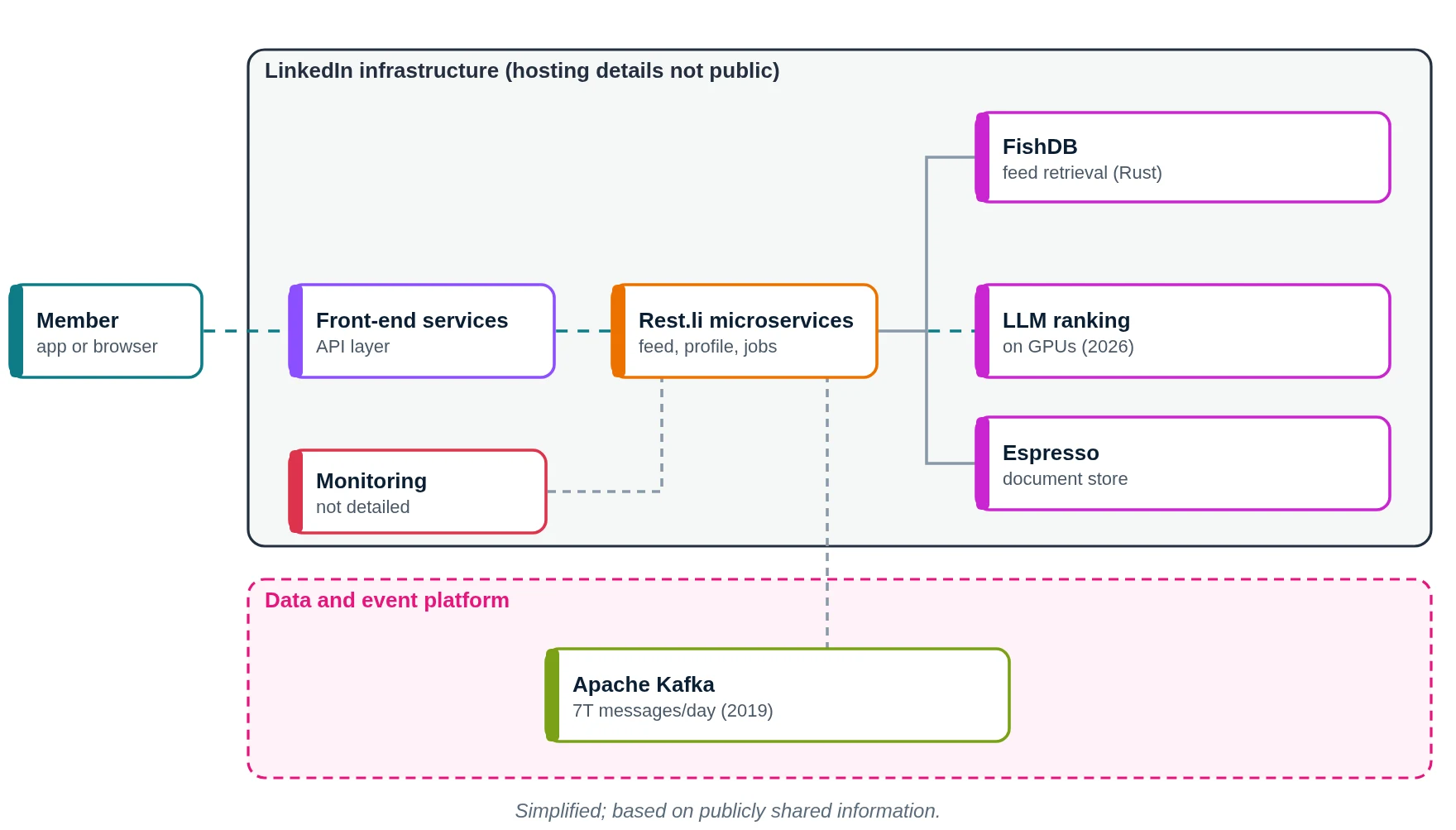
- You open your feed.
- Front-end services receive the request.
- Rest.li microservices build the feed.
- FishDB retrieves candidate posts.
- LLM-based models rank them.
- Member data comes from Espresso.
- Systems are monitored.
- Your activity goes to Kafka.
- You see your ranked feed.
What does LinkedIn use? Main technologies
| Layer | What LinkedIn uses (public) | What it does in simple words |
|---|---|---|
| Service framework | Rest.li | REST APIs between services |
| Events | Apache Kafka | Activity, messages, metrics |
| Feed retrieval | FishDB in Rust (2025) | Finds candidate posts |
| Feed ranking | LLMs on GPUs (2026) | Orders posts |
| Document store | Espresso | Member and other data |
| Previous feed | FollowFeed (Java) | Replaced by FishDB |
Which cloud provider does LinkedIn use?
Where LinkedIn hosts its services today is not publicly shared. LinkedIn is owned by Microsoft. The new ranking system (2026) runs on GPUs.
Why did LinkedIn build FishDB for the feed?
The 2025 change:
- FollowFeed, a Java application built for connection-based feed content, served every LinkedIn feed for nearly a decade.
- As feed use cases grew more complex, its design started to limit new features and efficiency.
- FishDB is a generic retrieval engine written in Rust for modern recommender systems.
- Results: the same 40 ms p99 latency target at twice the queries per host, about 50% less hardware for the feed, fast re-indexing, and business logic separated from infrastructure.
- Experiments that took several weeks now take several days.
And the 2026 ranking change
Before, LinkedIn used several retrieval sources (trending content, collaborative filtering and embedding systems), each with its own infrastructure. In 2026 LinkedIn moved to a new ranking system powered by LLMs and GPUs that understands what a post is about. LLM embeddings help especially for new members and niche topics, where past behaviour data is thin. LinkedIn ranks millions of posts at any time while balancing freshness and relevance.
How it started: Kafka and Espresso
- LinkedIn built Apache Kafka in-house as a stream processing platform and open-sourced it.
- By 2019 LinkedIn ran over 100 Kafka clusters with more than 4,000 brokers, 100,000+ topics and 7 million partitions.
- LinkedIn built Espresso, a distributed document store, to replace older storage for member data.
- For almost ten years the feed was served by FollowFeed, a Java application.
How does LinkedIn store data?
- Espresso: distributed document store.
- FishDB: indexes feed content for fast retrieval and quick re-indexing.
- Kafka: event streams.
- Other storage systems and current sizes are not publicly shared.
How does LinkedIn monitor its systems?
LinkedIn's monitoring stack is not publicly shared. Kafka is used for metric gathering (2019).
If we built an app like LinkedIn on AWS (illustrative)
Please read this first
This section is a learning design by Ravindra Bagale. It is not LinkedIn's real setup. LinkedIn's hosting details are not publicly shared. We use AWS here because it is what you learn in the AWS course.
Suppose you want to build "KaamConnect", a professional network for skilled workers. Here is a simple AWS layout.
1. Network: VPC, subnets, route tables, gateways
- Create one VPC with CIDR
10.0.0.0/16in the Mumbai region (ap-south-1). - Use two Availability Zones (A and B), so one AZ failing does not stop the app.
- In each AZ make three subnets: public (load balancer, NAT gateway), private app (your code) and private data (databases, cache).
- Attach one internet gateway (IGW) to the VPC. Public route table:
0.0.0.0/0 → IGW. This route is what makes a subnet public. - Private app route table:
0.0.0.0/0 → NAT gateway, so servers can download updates but nobody can connect in from the internet. - Private data route table: only the local VPC route. Use VPC endpoints to reach S3, DynamoDB and SQS without going over the internet.
2. Compute: where the code runs
- ALB in public subnets.
- Services on EKS.
- Activity events into Kinesis (or MSK for Kafka).
3. Storage and databases
- Aurora for members and jobs.
- DynamoDB for connections.
- ElastiCache for feeds; S3 for photos and resumes; OpenSearch for search.
4. Monitoring
- CloudWatch alarms.
- X-Ray traces.
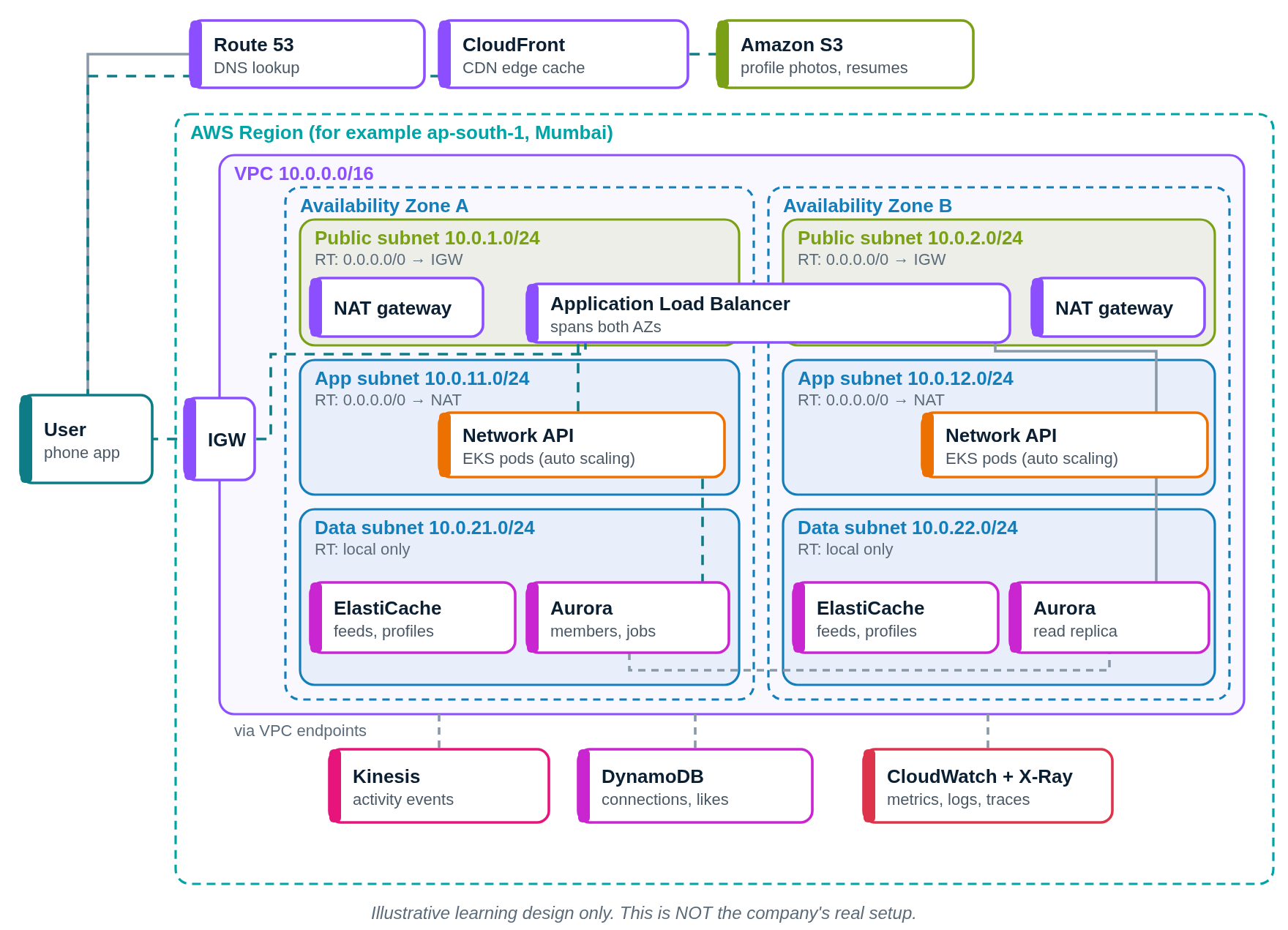
Request flow diagram
Press Play. The numbered list below the diagram lights up with each step.
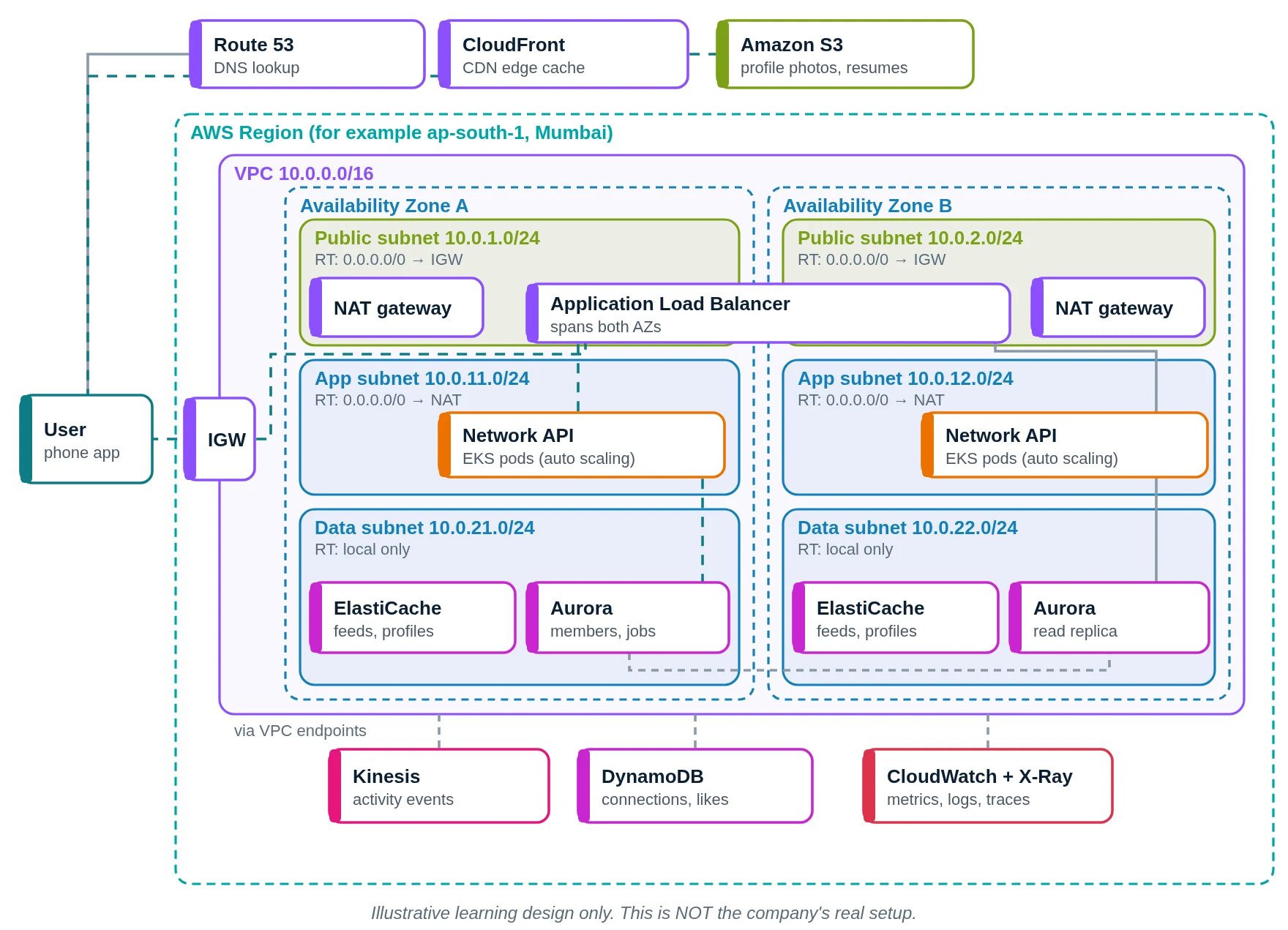
- You open KaamConnect. Route 53 answers.
- Photos via CloudFront.
- From S3.
- API calls through the internet gateway.
- The ALB forwards to a pod.
- The network API builds your feed.
- Feed items from ElastiCache.
- Members in Aurora; connections in DynamoDB.
- Your likes go to Kinesis.
- CloudWatch watches.
- You see your feed.
LinkedIn versus our AWS design
| Part | LinkedIn (public info) | Our AWS design |
|---|---|---|
| Hosting | Not publicly shared | AWS |
| Services | Rest.li microservices | EKS services |
| Events | Apache Kafka | Kinesis / MSK |
| Feed | FishDB + LLM ranking | ElastiCache + simple ranking |
| Storage | Espresso | Aurora, DynamoDB |
Quick quiz: check what you learned
Which streaming platform was created at LinkedIn?
- Apache Kafka
- RabbitMQ
- Amazon SQS
- ZeroMQ
Show answer
A. Kafka was built at LinkedIn.
What language is FishDB written in?
- PHP
- Rust
- Ruby
- Perl
Show answer
B. FishDB is a Rust retrieval engine.
What powers LinkedIn's new feed ranking (2026)?
- Random choice
- Manual editors
- LLMs on GPUs
- Spreadsheets
Show answer
C. Since 2026 it uses LLMs and GPUs.
What is Rest.li?
- A database
- A CDN
- A phone
- LinkedIn's REST framework for services
Show answer
D. Rest.li is LinkedIn's open-source REST framework.
Learn it properly
Build the AWS parts yourself with these free guides and lessons:
- How to create a custom VPC with subnets, internet gateway and route tables
- Public vs private subnet in AWS · 3-tier architecture project on AWS
- How to launch an EC2 instance · Install the CloudWatch agent on EC2
- AWS course: What is a VPC? Default VPC vs custom VPC
- Related architectures: Pinterest Architecture Explained: AWS, PinCompute on EKS, MySQL · Instagram Architecture Explained: Django, PostgreSQL, Cassandra · Netflix Architecture Explained: AWS, Microservices, Open Connect · Amazon.com Architecture Explained: Services, DynamoDB and AWS
- All famous app architectures explained