Chapter 95: Logging with Loki, Elastic Stack and CloudWatch
95.9 Elasticsearch — index, mapping, text and keyword
Story (fictional teaching scenario). At a fictional Surat firm, Grace from Leeds finds that one producer sends status as a number and another sends a word. The team fixes the schema instead of blaming the search bar.
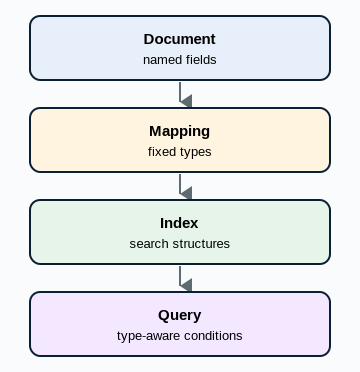
Why
Field types decide which comparisons and searches make sense.
What
- An index is a logical collection of documents and associated search structures.
- A mapping defines field types and indexing behaviour.
- keyword supports exact-value matching; text is analyzed for full-text search.
- A date field represents time; an integer/long supports numeric ranges.
- Dynamic mapping infers new fields. Uncontrolled field names can cause mapping explosion, meaning too many mapped fields.
How
-
Define known fields explicitly for predictable queries.
-
Keep exact categories in keyword fields.
-
Keep numeric fields numeric.
-
Review unrecognized fields; many existing type changes require reindexing rather than an in-place switch.
Example 1: Mapping body only — not an executed create request
- Read the command or request.
{"mappings":{"properties":{"ts":{"type":"date"},"service":{"type":"keyword"},"level":{"type":"keyword"},"request_id":{"type":"keyword"},"status":{"type":"integer"},"latency_ms":{"type":"long"}}}}
- Read the result.
Output (illustrative; NOT executed against Loki, Elastic or CloudWatch)
Exact category filters and numeric comparisons have planned field types.
- Line by line:
mappings.propertieslists field definitions.tsis date. The three categories/IDs are keyword.statusandlatency_msare numbers. This body does not ingest data by itself and was not sent anywhere. Explicit known fields do not automatically block all new fields; configure dynamic-field behaviour separately when needed.
Ravindra Bagale's Tip
A quoted number in JSON is not the same type as a number.
JSON मधला quoted number आणि number यांचा type वेगळा असतो.
JSON में quoted number और number का type अलग है.
Did you understand? Let us try it once more.