Chapter 95: Logging with Loki, Elastic Stack and CloudWatch
95.11 CloudWatch Logs — groups, streams and retention
Story (fictional teaching scenario). At a fictional Hyderabad school app, Fatima from Cairo groups logs by application policy instead of putting every unrelated source into one large bucket.
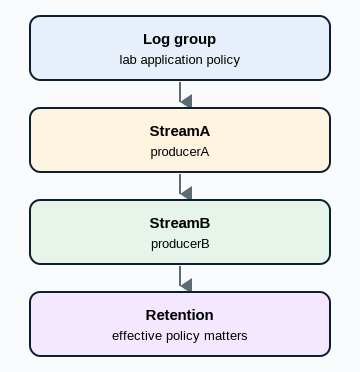
Why
Group boundaries influence retention, permissions and query scope.
What
- CloudWatch Logs is AWS’s managed log service.
- A log group groups streams sharing retention, monitoring and access-control settings.
- A log stream is a sequence of events sharing a source.
- Retention is how long data is kept. Default storage is indefinite unless configured; account-level policies can override group retention.
- Ingestion time is when a service receives an event, not necessarily when the event occurred.
How
-
Plan group names and access by purpose.
-
Keep streams connected to their actual producers.
-
Review effective retention, including applicable account policies.
-
Do not create a group, change policy or send events for this chapter.
Example 1: A conceptual hierarchy
- Read the command or request.
Group: /fictional/bakery/lab
  Stream: api-demo-a
  Stream: worker-demo-b
- Read the result.
Output (illustrative; NOT executed against Loki, Elastic or CloudWatch)
Two sources belong to one planned log group; nothing is created.
- Line by line: The group name is fictional, not an AWS account resource. Each stream represents one source. Group retention/access settings are shared. The official guide notes that retention deletion is not instantaneous, typically taking up to 72 hours after expiry, sometimes longer; do not promise instant erasure.
Ravindra Bagale's Tip
The group name is not proof of access or retention compliance.
Group नावावरून access किंवा retention compliance सिद्ध होत नाही.
Group के नाम से access या retention compliance साबित नहीं होता.
Did you understand? Let us try it once more.