Snapchat Architecture Explained: Microservices Across AWS and Google Cloud
Short answer: Snapchat is multicloud: its backend runs as microservices on Kubernetes across both AWS and Google Cloud. For years it ran as a monolith on Google App Engine; by 2020 the move to services cut compute costs by 65%. All service traffic goes through Envoy proxies in a service mesh managed by an internal tool called Switchboard. Machine learning runs on Snap's Bento platform, which handles over a billion predictions per second (2025).
Suppose you send a Snap to your friend
You take a funny photo at Marine Drive and send it to a friend. In simple terms:
- Your app connects to Snap's edge, built on Envoy proxies.
- The request goes to the right microservice, running in a Kubernetes cluster on AWS or Google Cloud.
- Every service has an Envoy sidecar that adds TLS encryption and records metrics for each call.
- Services call each other (for example friends, messaging, media) through the mesh.
- Machine learning models on Bento rank Stories, friend suggestions and ads.
- Your friend's app is notified and downloads the Snap.
What architecture style does Snapchat use?
Snap's architecture changed a lot in the last years.
- Microservices with a service mesh (2020): each service has an Envoy sidecar; a central control plane sends routing and security settings to all Envoys.
- Switchboard: Snap's hub where service owners configure their services, the same way on AWS and on Google Cloud.
- Multicloud by design: Snap wanted to be able to move services between AWS, GCP and other providers, so it hides cloud differences where it can.
- ML platform Bento (2025): hundreds of models trained per day, 500+ models in production, more than 1 billion predictions per second, an 800 TB online feature store and about 10 trillion events per day in feature pipelines.
Snapchat architecture diagram (public parts)
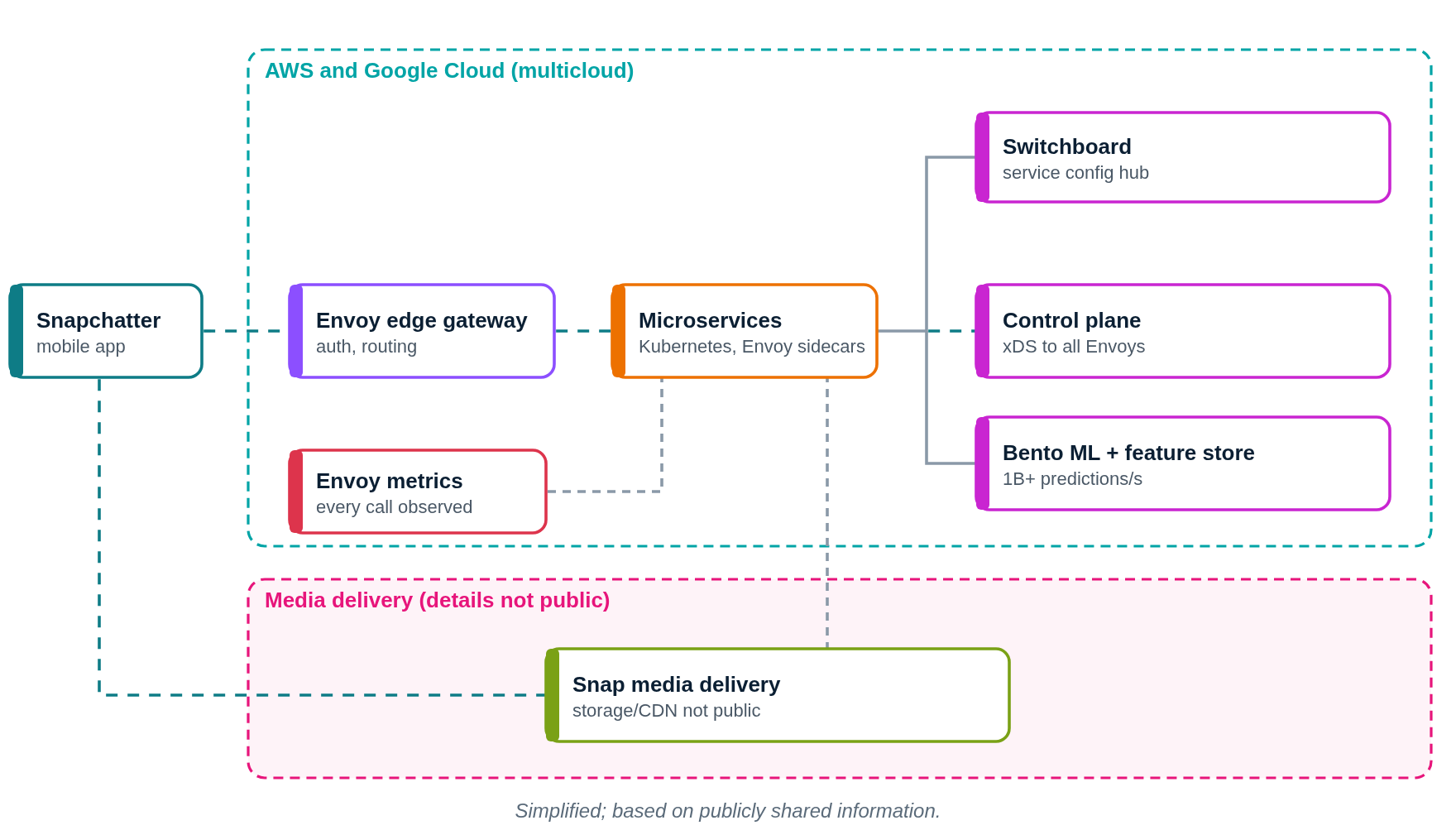
This diagram shows only what Snapchat or its partners have shared publicly. Press Play to follow a request step by step.
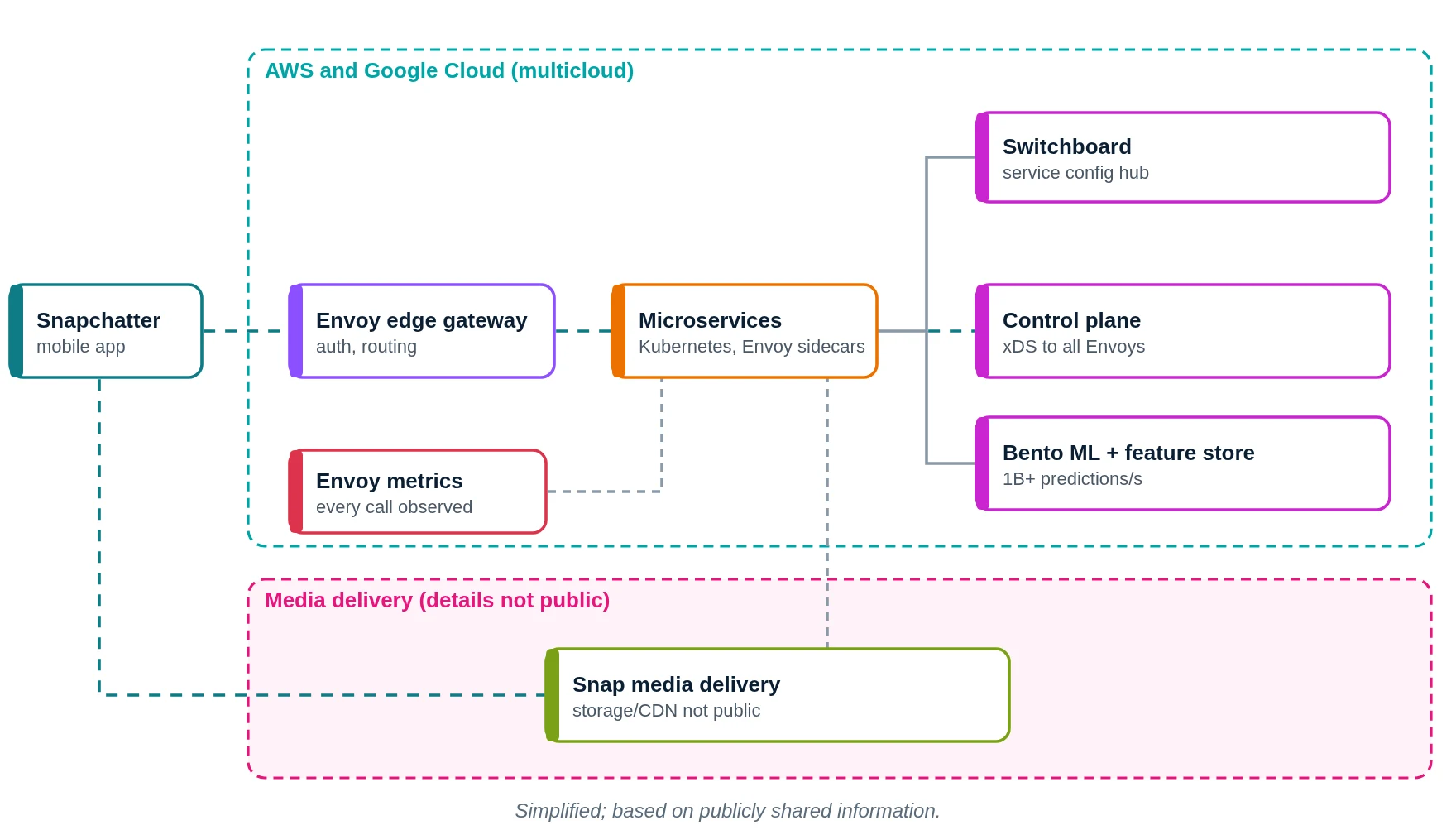
- You send a Snap.
- Snap's Envoy edge receives the request.
- It is routed to a microservice on AWS or Google Cloud.
- Service owners configure services in Switchboard.
- The control plane pushes routes to all Envoys.
- Bento models rank Stories and friend suggestions.
- Envoy records metrics for every call.
- Media is delivered to the app (details not public).
- Your friend receives the Snap.
What does Snapchat use? Main technologies
| Layer | What Snapchat uses (public) | What it does in simple words |
|---|---|---|
| Cloud | AWS and Google Cloud | Multicloud hosting |
| Containers | Kubernetes | Runs microservices |
| Proxy / mesh | Envoy, service mesh | TLS, routing, metrics |
| Config | Switchboard + control plane | One place to manage services |
| ML platform | Bento (2025) | Training and serving models |
| History | Google App Engine monolith | The original backend |
Which cloud provider does Snapchat use?
Snapchat uses both AWS and Google Cloud. Since 2020 its microservices run in Kubernetes across both providers and that the design aims to make it possible to shift services between clouds.
What does the service mesh give Snap engineers?
Snap listed clear design rules for its new platform in 2020:
- Secure by default: authentication, authorization and network security are built in, not optional.
- Business logic separate from infrastructure: service code runs in a Docker container; Envoy handles the network.
- Hide cloud differences: avoid deep provider dependencies so services can move between AWS and Google Cloud.
- Same experience everywhere: central service discovery and management, wherever a service runs.
- Easy new services: The goal: an intern should be able to set up a production-ready service by lunch time.
Snap picked Envoy because it supports gRPC and HTTP/2, client-side load balancing, circuit breaking, live config updates through its xDS APIs and detailed metrics, and because both AWS and Google Cloud invest in it.
How it started: a monolith on Google App Engine (until about 2018)
- For years Snap's backend was one monolithic app on Google App Engine.
- As Snap grew, engineers wanted to own their own services and data models and limit the blast radius of outages; Snap also wanted a path to AWS.
- Over about two years (2018 to 2020) Snap moved to microservices on Kubernetes across AWS and Google Cloud, with Envoy as the common layer.
How does Snapchat store data?
- Each microservice owns its own datastore, instead of one shared database (2020).
- Bento has an 800 TB online feature store and petabyte-scale training data (2025).
- The specific databases used for Snaps and chats are not publicly shared.
How does Snapchat monitor its systems?
- Every Envoy sidecar publishes metrics on all inbound and outbound calls: latency, retries, errors, connections.
- Further details of Snap's alerting stack are not publicly shared.
If we built an app like Snapchat on AWS (illustrative)
Please read this first
This section is a learning design by Ravindra Bagale. It is not Snapchat's real setup. Snapchat really does use AWS, together with Google Cloud. We use AWS here because it is what you learn in the AWS course.
Suppose you want to build "ChitraChat", a photo-sharing chat app for friends. Here is a simple AWS-only layout.
1. Network: VPC, subnets, route tables, gateways
- Create one VPC with CIDR
10.0.0.0/16in the Mumbai region (ap-south-1). - Use two Availability Zones (A and B), so one AZ failing does not stop the app.
- In each AZ make three subnets: public (load balancer, NAT gateway), private app (your code) and private data (databases, cache).
- Attach one internet gateway (IGW) to the VPC. Public route table:
0.0.0.0/0 → IGW. This route is what makes a subnet public. - Private app route table:
0.0.0.0/0 → NAT gateway, so servers can download updates but nobody can connect in from the internet. - Private data route table: only the local VPC route. Use VPC endpoints to reach S3, DynamoDB and SQS without going over the internet.
2. Compute: where the code runs
- ALB in public subnets.
- Services on EKS with a service mesh (for example Envoy-based).
- Workers on SQS send notifications and delete expired snaps.
3. Storage and databases
- S3 for media with lifecycle rules to delete old files; CloudFront to deliver.
- DynamoDB inbox with TTL so snaps expire.
- Aurora for users; ElastiCache for sessions.
4. Monitoring
- CloudWatch and Envoy metrics.
- X-Ray traces between services.
Request flow diagram
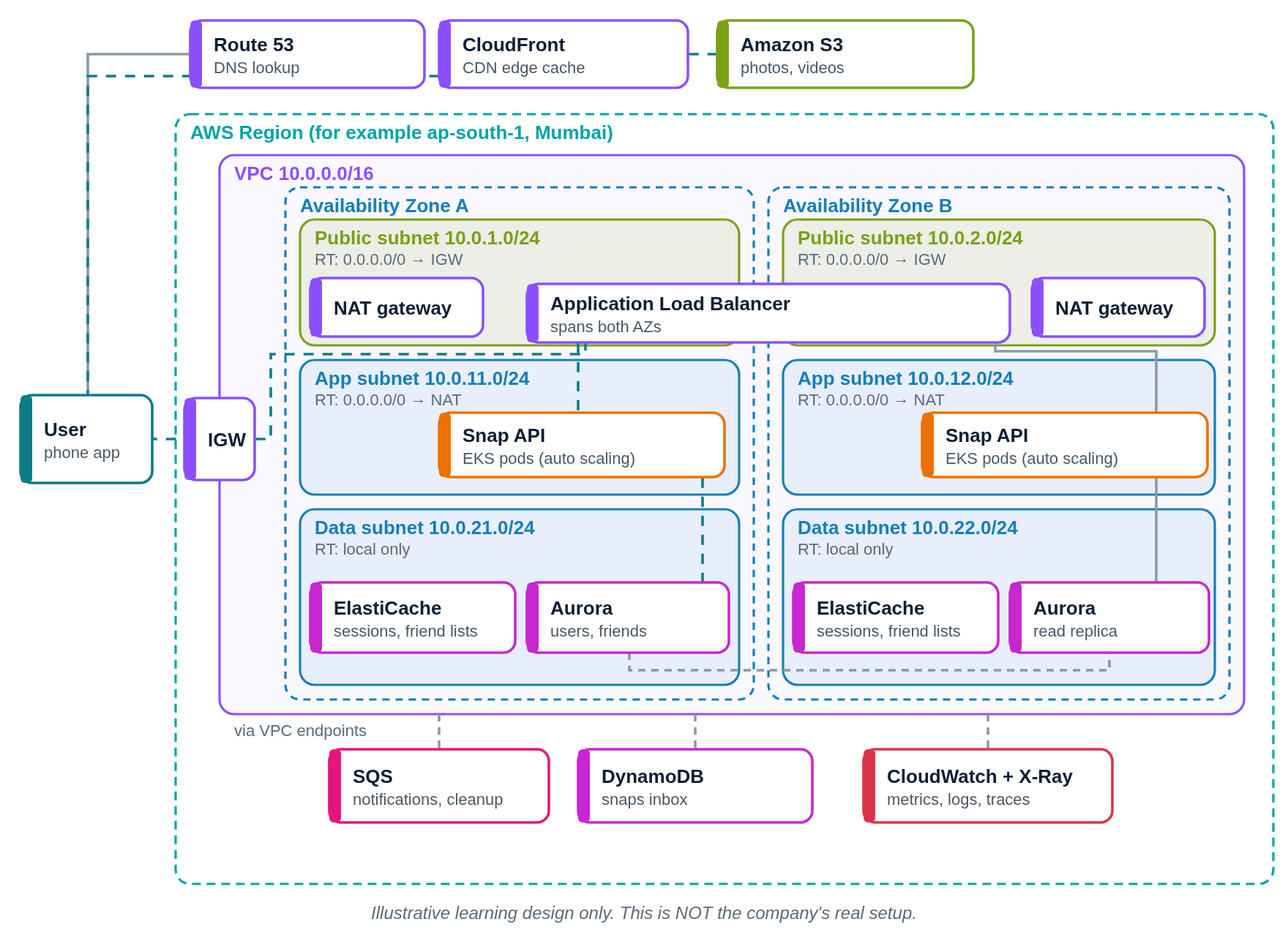
Press Play. The numbered list below the diagram lights up with each step.
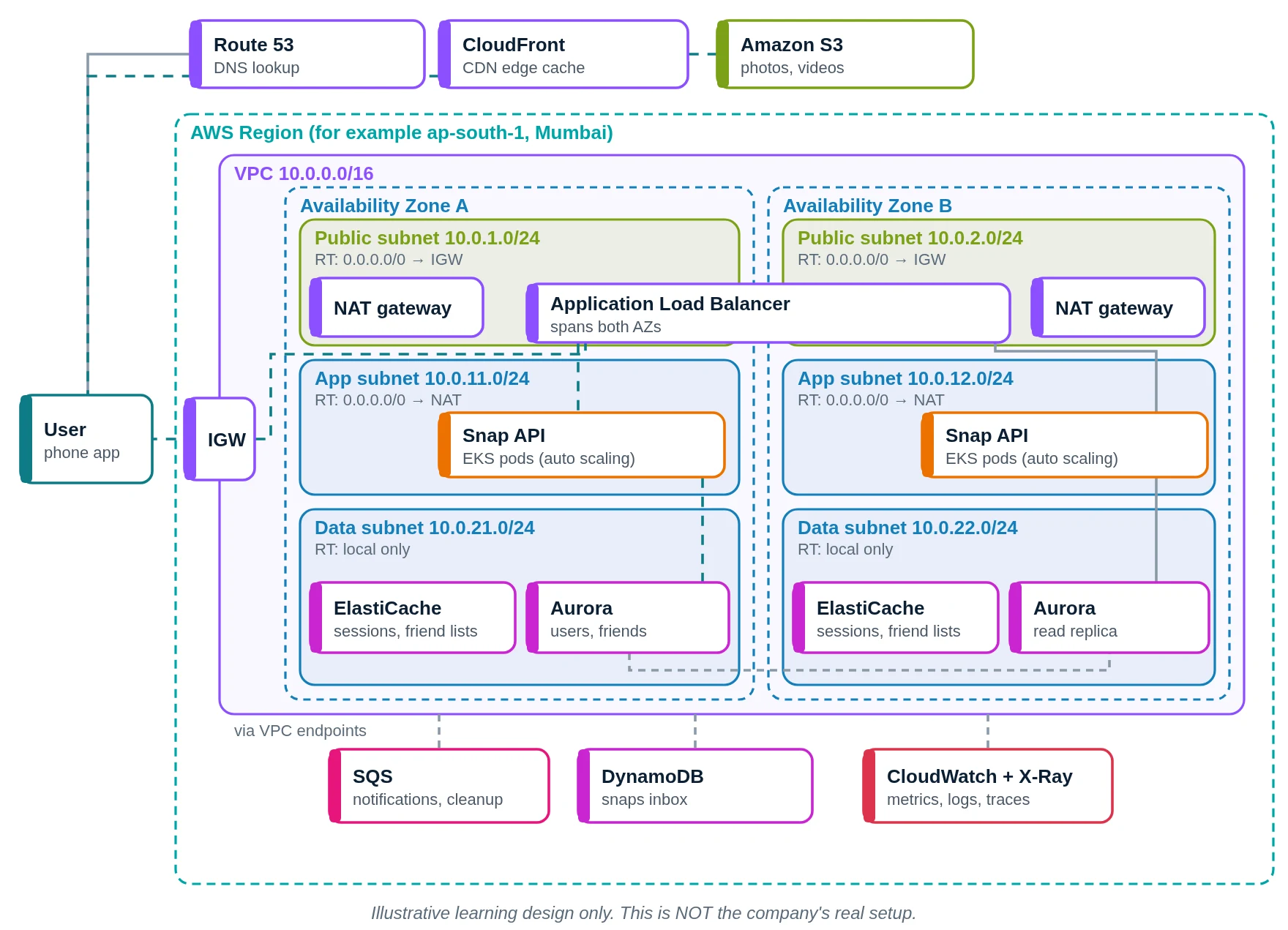
- You open ChitraChat. Route 53 answers.
- Media loads via CloudFront.
- CloudFront reads from S3.
- API calls enter through the internet gateway.
- The ALB forwards to a pod.
- The snap API handles your send.
- Sessions from ElastiCache.
- Users from Aurora; the inbox entry goes to DynamoDB.
- A notification job goes to SQS.
- CloudWatch watches it.
- Your friend gets the snap.
Snapchat versus our AWS design
| Part | Snapchat (public info) | Our AWS design |
|---|---|---|
| Cloud | AWS + Google Cloud | AWS only |
| Containers | Kubernetes | EKS |
| Mesh | Envoy + Switchboard | Envoy-based mesh |
| ML | Bento | SageMaker (optional) |
| Monitoring | Envoy metrics | CloudWatch, X-Ray |
Quick quiz: check what you learned
Where did Snapchat's backend first run?
- Google App Engine
- AWS Lambda
- On-premise mainframes
- Azure
Show answer
A. Snap's backend was a monolith on Google App Engine.
Which proxy does Snap use in its service mesh?
- HAProxy
- Envoy
- Squid
- Apache
Show answer
B. Snap built its service mesh on Envoy.
How much did the move cut compute costs?
- 10%
- 30%
- 65%
- 90%
Show answer
C. Compute costs fell 65% (2020).
What is Bento?
- A photo filter
- A chat feature
- A CDN
- Snap's ML platform
Show answer
D. Bento is Snap's machine learning platform.
Learn it properly
Build the AWS parts yourself with these free guides and lessons:
- How to create a custom VPC with subnets, internet gateway and route tables
- Public vs private subnet in AWS · 3-tier architecture project on AWS
- How to launch an EC2 instance · Install the CloudWatch agent on EC2
- AWS course: What is a VPC? Default VPC vs custom VPC
- Related architectures: Flipkart Architecture Explained: Data Centres, Google Cloud, Aerospike · PhonePe Architecture Explained: UPI at Scale, HBase, Kafka, Druid · Paytm Architecture Explained: AWS, Microservices, Paxos Databases · JioHotstar Architecture Explained: AWS EKS, Envoy, Multi-CDN Live
- All famous app architectures explained